droidloom
Droidloom runs Android apps in separate Linux Wayland windows. It uses a shared kernel Android userspace with real Android APIs, GPU acceleration and a native desktop application catalog.
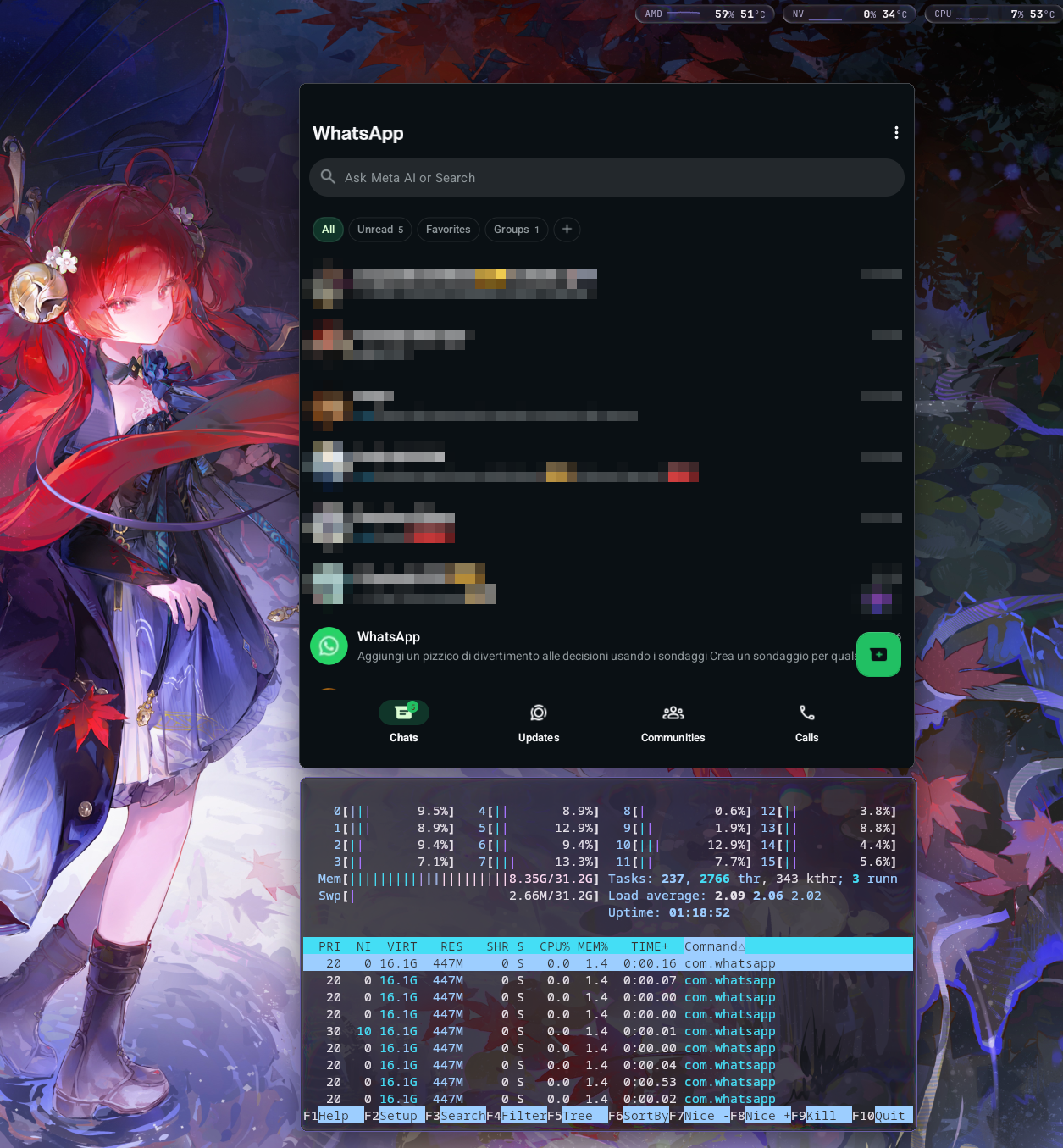
This is an early preview. The package workflow targets x86_64 Arch Linux and Omarchy with AMD or Intel graphics. WhatsApp and Phone have been tested on Omarchy with Hyprland, including tiled resizing on an AMD/NVIDIA laptop using its AMD GPU. NVIDIA rendering is not validated.
Install the preview
Follow the step-by-step installation guide, including first-time setup and installing APKs.
Download and review the installer:
curl -fLO https://denialwm.github.io/droidloom/install.sh
less install.sh
Run
sh install.shto add the pacman repository and install or update both packages. It asks for administrator access and keeps pacman's confirmation before a full system upgrade. Droidloom packages are currently unsigned over HTTPS; this policy is scoped to the Droidloom repository. Later updates also arrive through normalsudo pacman -Syu.From your normal Wayland desktop terminal, run
droidloomctl start. First start requests administrator authentication to create Android data, runtime configuration and the system-service permission. The guide includes an explicit setup command if the authentication prompt is unavailable.Try
droidloomctl launch com.android.settings, then follow the guide to install your APKs withdroidloomctl install /path/to/application.apk.
Startup is manual; launching an app does not start a stopped runtime. Read known issues for compatibility limits and workarounds.
Build it yourself
The build guide covers prerequisites, disk space and package checks. One Rust command builds the modified Android components, host binaries and both pacman packages, without host sudo:
cargo run --locked -j 1 -p droidloom-package -- build
Use Droidloom
droidloomctl start
droidloomctl applications
droidloomctl launch com.android.settings
droidloomctl stop
The desktop catalog exports app launchers. Clipboard sharing and desktop notifications are implemented; compatibility depends on the app and compositor. See integration and limitations before trying the preview.
Development
- Documentation: architecture, desktop integration and contracts.
- Tools: package builder, source updater and specialist helpers.
runtime/: supervisor, CLI, application catalog and installation support.graphics/: Wayland presenter, input, Composer and private host transport.android/: Android components, patches and pinned upstream inputs.packaging/: pacman metadata, service units and lifecycle integration.
Run cargo check --locked --workspace -j 1 to check host Rust code. This does not
build Android or install anything. Generated sources, images and packages are
not tracked in Git.
Droidloom's original code is GPL-3.0-or-later. See LICENSE, the complete GPLv3 text and third-party licenses.
