reylo

Import .sql files into your TypeScript code with full type inference


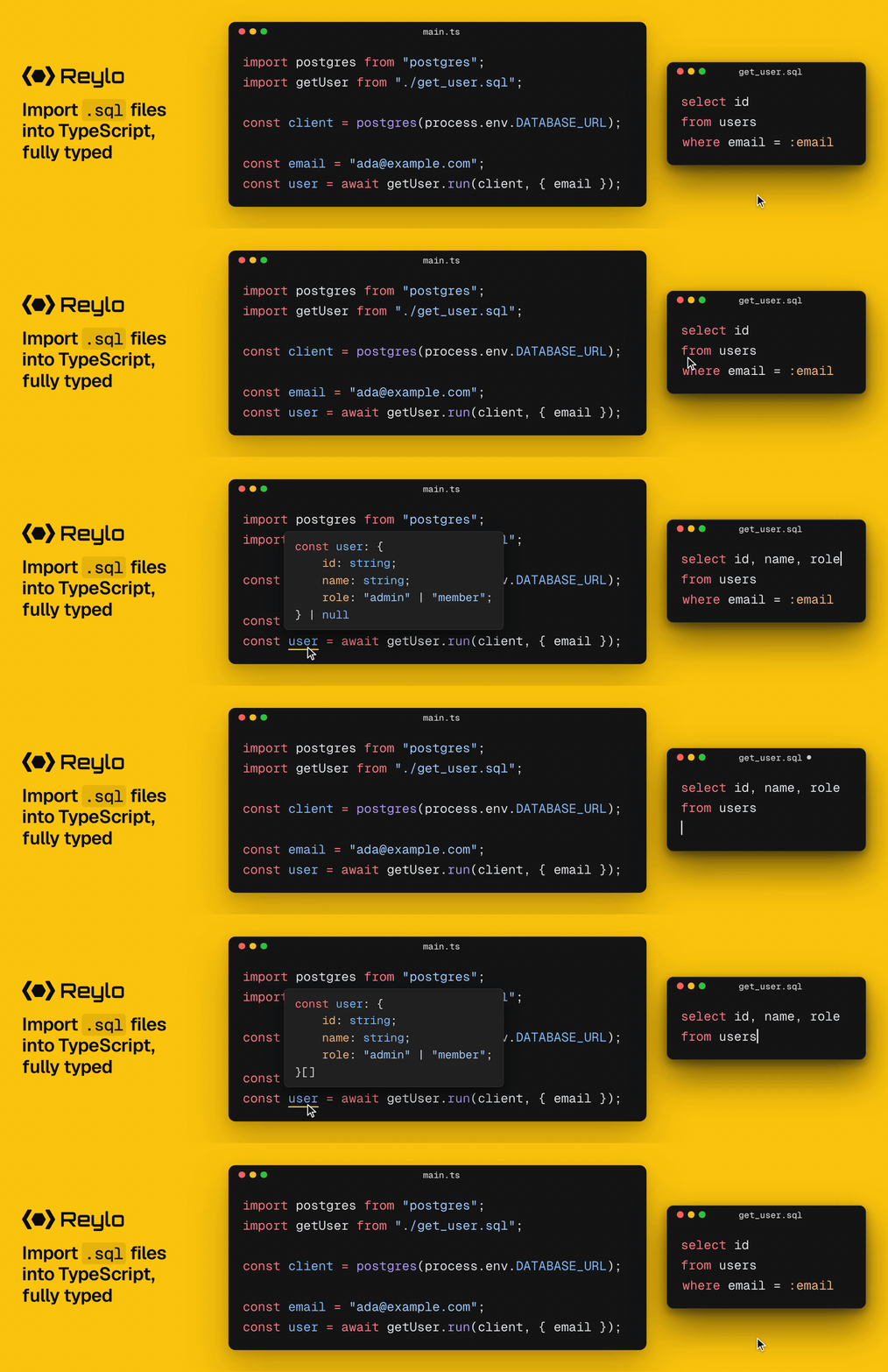
If you have a file like this:
-- get_author.sql
select u.id, u.name, count(p.id)::int as post_count
from users u
left join posts p on p.user_id = u.id
where u.id = :id::int
group by u.id
You can import it directly from a TypeScript file like this:
// main.ts
import postgres from "postgres";
import getAuthor from "./get_author.sql";

const db = postgres(process.env.DATABASE_URL);

const author = await getAuthor.run(db, { id: 1 });
// { id: number; name: string; post_count: number } | null
Reylo is powered by TypeScript content mappers, introduced in TypeScript 7.1 (currently in beta), which let you dynamically define static types for external file types and integrate them directly into TypeScript compilation.
Reylo is the perfect option for the agent era:
- 💪 The full power of SQL — any syntax, function or operator your database supports
- 🌵 DRY — no redundant hand-written types
- 🎯 Checked against your database — a misspelled column is a type error
- 🤖 Agent-friendly — DRY code is more maintainable for agents
- 🧩 Postgres, MySQL and SQLite — Neon, PlanetScale, Cloudflare D1, Turso and more
- 🔌 Bring your own driver —
pg, postgres.js,mysql2,better-sqlite3and more - ⚡ No codegen — no generated files, no watcher
To install Reylo, you'll need:
- TypeScript 7.1 (currently in beta). The first release with content mappers.
- Node 24 or later.
- A running dev database. Postgres, MySQL 8.0.22 or later, or a SQLite file: Reylo reads your current schema from it.
Install Reylo, the engine for your database and TypeScript 7.1:
npm install reylo
npm install -D @reylosql/postgres  # or mysql, sqlite
npm install -D typescript@beta
Add Reylo to tsconfig.json, for .sql files and for its project file, .reylo.yaml or .reylo.yml:
// tsconfig.json
{
  "compilerOptions": { /* ... */ },
  "contentMappers": [
    { "package": "reylo", "extensions": [".sql", ".reylo.yaml", ".reylo.yml"] }
  ]
}
Then type-check with --runExternalCode, which lets tsc run content mappers:
// package.json
{
  "scripts": {
    "typecheck": "tsc --noEmit --runExternalCode"
  }
}
Point Reylo at your dev database with DATABASE_URL, in your environment or in .env. Its scheme tells Reylo which database you use:
# .env
DATABASE_URL=postgres://localhost:5432/app  # or mysql://…, or file:./app.db for SQLite
To make .sql imports work at run time too, load Reylo where your code runs. On Node:
node --env-file=.env --import reylo/register main.ts
For Bun, Nub, Vite, Next.js, esbuild, webpack, Rspack, Cloudflare Workers and Jest, add the plugin for your setup, or copy its complete example project. To see the types as you type, set up your editor.
Usage
Write a query in a .sql file, import it, and run it with your database driver:
-- get_user.sql
select id, name, email from users where id = :id::int
import getUser from "./get_user.sql";

const user = await getUser.run(db, { id: 1 });
// { id: number; name: string; email: string | null } | null
Name each parameter with a colon, and give it a type with a cast where the query doesn't pin one down. Pass .run() your driver's client: a pool, a client, or a connection or transaction taken from one.
It resolves to the rows, shaped by how many the query can return:
| The query | Resolves to |
|---|---|
A match on a primary or unique key, or limit 1 |
Row | null |
An aggregate without group by, a one-row insert … returning |
Row |
An insert, update or delete without returning |
void |
| Anything else | Row[] |
An imported query also has .runSync(), .try(), .with(), .sql, .raw and .source (Usage). Every query Reylo runs is published on Node's tracing channel reylo:query, for a tracer or a logger to subscribe to (Tracing).
What Reylo infers
To type a query, Reylo has your dev database prepare it, without running it, and reads back the type of every column and parameter. On top of that, it infers:
- Nulls — a column is nullable unless its schema, a join or a
wheretest rules null out. - Cardinality — a match on a unique key is one row or
null, and an aggregate is exactly one row. - Unions — an enum, or a column whose check constraint lists its values, is a union of them.
- JSON — JSON the query builds, and a JSON column with a JSON Schema check, keep their shape.
Each has examples in Inference.
Supported drivers
Reylo is bring-your-own-driver. Pass .run() a client from any of these, or a Drizzle database over one:
- Postgres —
pg, postgres.js,Bun.sql, PGlite, Neon,pg-promise,slonik,@vercel/postgres - MySQL —
mysql2,mariadb, PlanetScale,Bun.sql - SQLite —
better-sqlite3,node:sqlite,Bun.sql, libSQL, Turso, Cloudflare D1 and Durable Objects,sqlite3,sqlite
Documentation
reylo.dev covers the rest: every plugin and editor, configuration, errors, each database's data types and edge cases, and advanced examples. Agents can read it all as Markdown at reylo.dev/llms.txt.
