blind-assist
English | 简体中文
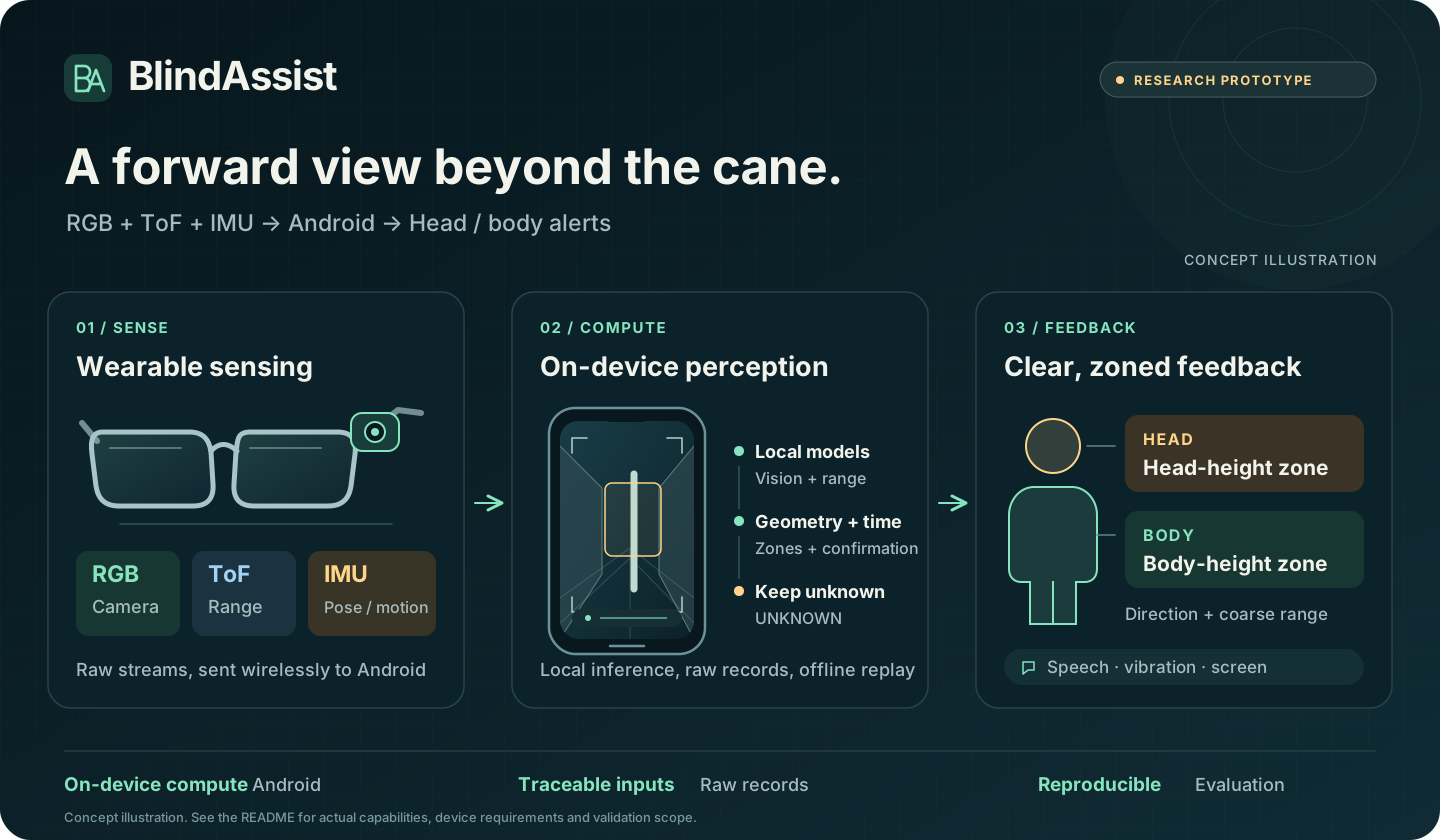
RGB, ToF and IMU inputs from a wearable feed local Android perception, producing obstacle cues for head and body zones.
Explore the demo · Record data · Build it · Documentation · Contribute
What you can do
The current source version is 10.20.1 / versionCode 64 (2026-10-14). The changelog distinguishes demo builds, trial builds and the validation completed for each version. See the hardware demo guide for operation.
| Entry point | What it provides |
|---|---|
| Home → Fusion demo | An undistorted viewfinder, HEAD/BODY zones, ToF/RGB sources and 2-of-3-frame confirmation; speech/vibration on confirmed alerts |
| Home → Data capture | RGB preview, an 8×8 range grid and IMU; raw JPEG, full 8×8×16 CNH, pose and timestamps, with background ZIP export |
| Home → Start assist | Basic ToF alerts with the current H3 firmware; explicit start/stop and language, speech and vibration preferences |
| Research scripts → Offline replay | Reproduction by source and recording, preserving input contracts, frozen versions and negative results |
The 10.20.1 demo build supports system precompilation. On an S24 Ultra, ToF inference dropped from approximately 300–400 → 42 ms/frame. This measures model execution on that device. Engineering record and measurement scope
Research scope: BlindAssist is a research prototype for cane-complementary, class-agnostic forward obstacle awareness. Evidence includes device capture-integrity checks and frozen offline evaluations on new wearable recordings. Current fusion demo rules remain development candidates; stopping the demo allows a return to frozen v2. Complete online fusion and the alert experience still need validation. Calibration, narrow-corridor false alerts and independent device clocks remain limitations. Synthetic, replay and device evidence are recorded separately; UNKNOWN does not mean clear, and these results do not establish traversability or navigation safety. Research and evaluation rules
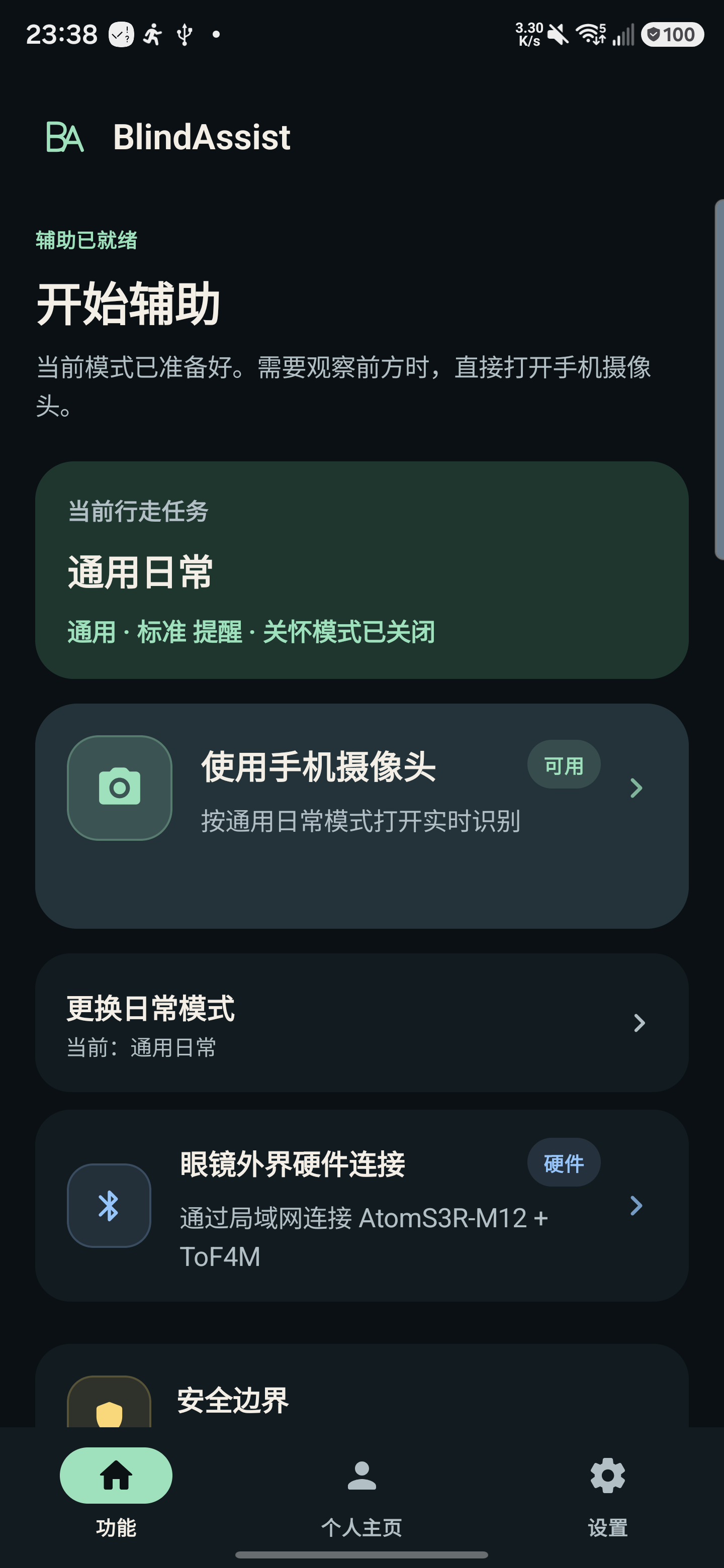
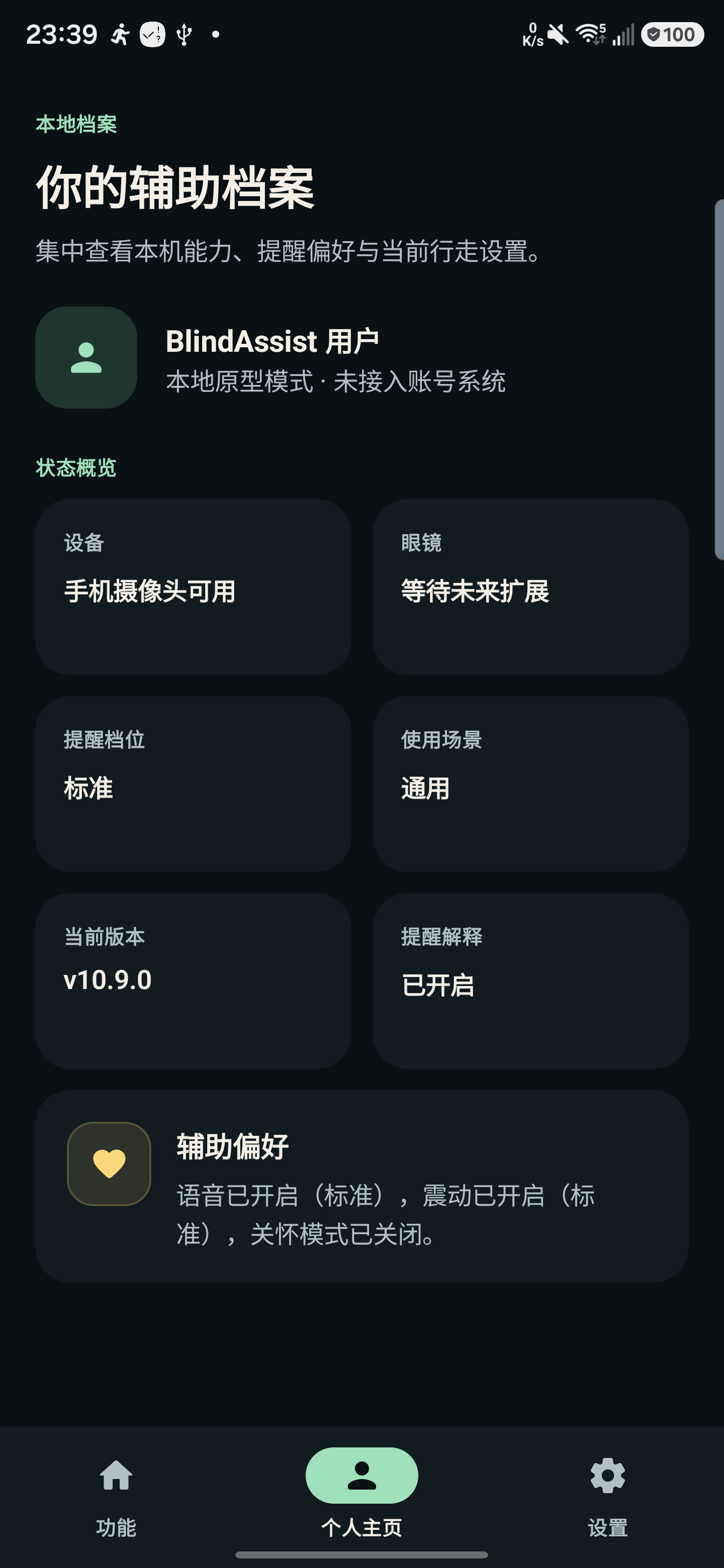
View real interface snapshots · 2026-08-13 / v10.9.0
These S24 Ultra screenshots show the existing Chinese interface and interaction style. The fusion viewfinder was subsequently updated in 10.20.1.
 |
 |
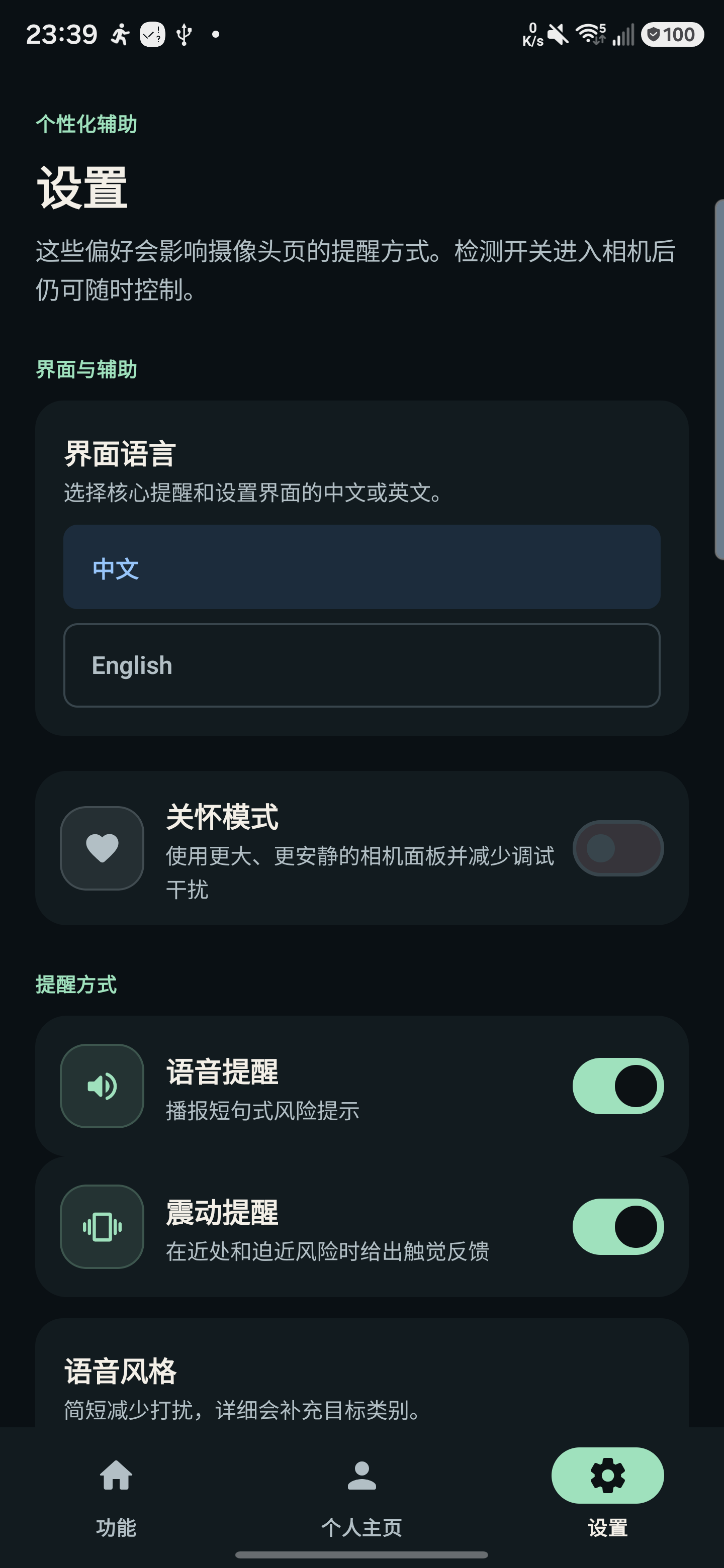 |
| Feature entry points | Local assistance profile | Personalized feedback |
Quick start
Minimum Android version: 8.0 / API 26. The maintained Windows development path uses PowerShell 7, JDK 17 and Android SDK Platform 37. The developer quick start describes the Linux path and its validation scope.
git clone https://github.com/violetljj/blind-assist.git
cd blind-assist
pwsh -NoProfile -File scripts/run_android_gradle.ps1 -PreflightOnly
pwsh -NoProfile -File scripts/run_android_gradle.ps1 :app:assembleDebug
You can build and inspect the home screen without hardware. With Atom/H3 connected, follow the phone capture guide to record and export. H3 allows only one TCP consumer at a time; stop any desktop preview or other capture session first.
Fusion requires matching experimental models, the applicable local runtime and compatible hardware. Follow the demo guide for deployment. For live demonstrations, use:
pwsh -NoProfile -File scripts/run_android_gradle.ps1 :app:assembleDemo
Set up research tools as needed; an Android build does not install them:
Copy-Item config/local.example.toml config/local.toml
pwsh -NoProfile -File tools/ba.ps1 setup research-dtr-r0
pwsh -NoProfile -File tools/ba.ps1 doctor research-dtr-r0
Keep local tools, data, models and evidence payloads under ignored artifacts.local/. See local artifact configuration.
Architecture and research
flowchart LR
    A["Camera / hardware inputs"] --> B["feature:assist<br/>Runtime coordination"]
    B --> C["core:vision<br/>Visual processing"]
    C --> D["core:assist<br/>Risk and feedback policy"]
    D --> E["core:device<br/>Device adapters and feedback"]
    D --> F["core:ui<br/>State and rendering"]
app owns entry points and assets; apps/ contains isolated research and benchmark applications. The code map maps directories and common changes to their implementation. Use the script index for build and maintenance commands, and the documentation map for task-specific guides.
| To learn about | Start here |
|---|---|
| System status, measurements and main gaps | One-page project status |
| Current research choices and next steps | Research decisions |
| Forward perception and retained DTR research | Forward perception status |
| Sensor integration, calibration and device evidence | Hardware research status |
| Paused L10 results | Retained L10 evidence |
| Documentation and historical reproduction | Documentation map · History index |
Detailed hardware and research notes are currently mostly in Chinese.
Contribute
Contributions are welcome in English or Chinese, especially Android accessibility, lifecycle and capture reliability, reproducible tooling and documentation.
- Start with a
good first issueand read the contribution guide. - Report reproducible problems in Issues; share early ideas and questions in Discussions.
- Discuss substantial changes to models, permissions, feedback policy or research contracts first. Include verification commands, remaining gaps and default-app impact in each contribution.
- Use the security reporting instructions for security and privacy concerns; see the threat model for system boundaries. Keep raw camera footage, private information, credentials and restricted data out of the public repository.
Code is licensed under AGPL-3.0-only. See the model card and third-party notices for model and asset provenance and licenses, and governance and maintainer automation for maintenance rules.
