acornix
Vibe code app builder
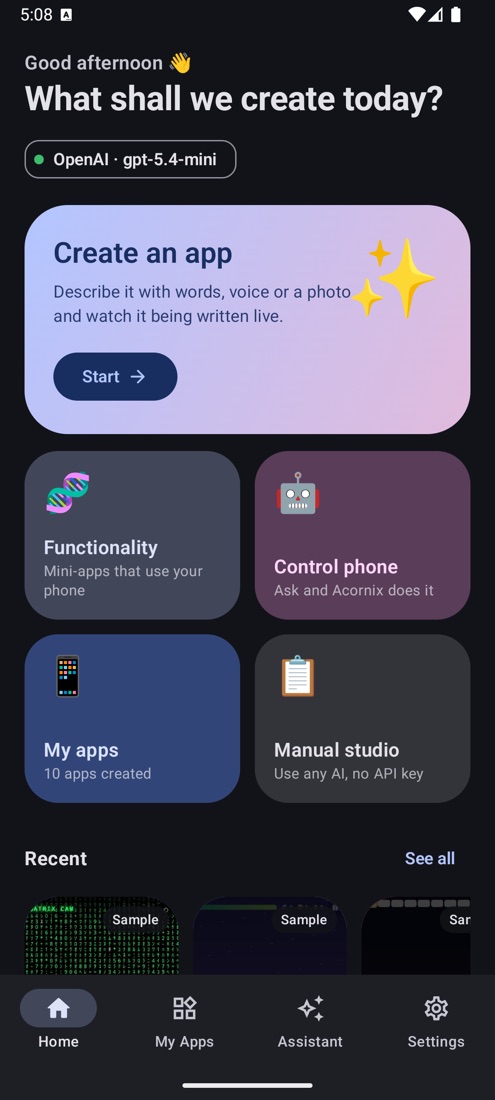
Vibe code apps and games on your phone. Create apps from your voice, text or a photo.
Vibe coding in your pocket. Describe an app, a game or a tool, and watch the AI write it live. Seconds later it runs full screen on your phone, saves its own data and can sit on your home screen like any other app. Or just ask the assistant to do things for you.




Vibe Code apk download
https://github.com/user-attachments/assets/d9b09e3d-3a41-4094-82b8-69c64a8655c1
What is Acornix?
Acornix is a free AI app builder for Android and a no-code app creator: an AI app generator that turns a sentence, your voice or a photo into a working app or game, right on your phone. You bring an API key from your favourite AI (Claude, GPT, Gemini or any OpenAI-compatible model), and Acornix does the rest:
- Creates apps and games from a sentence, your voice or a photo, and lets you keep improving them by asking. Out of ideas? The AI suggests original ones.
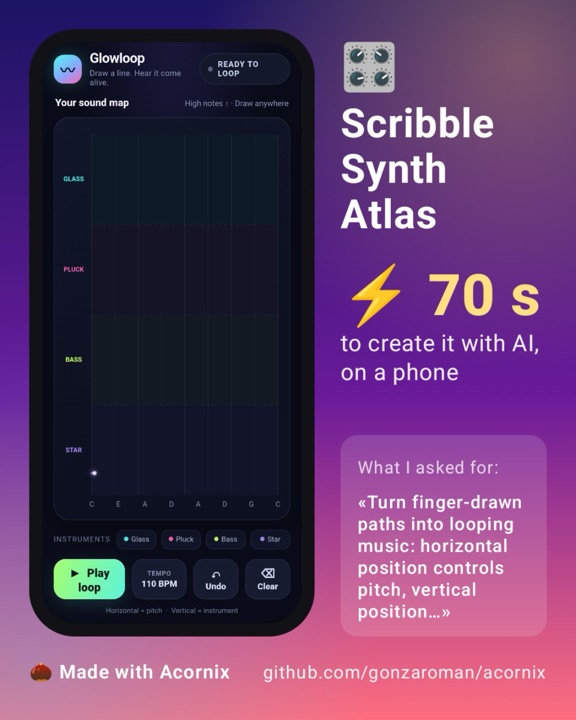
- Lets you show them off with a share card: your app, its name and how many seconds it took.
- Runs them like real apps: full screen, offline, on your home screen, each with its own private database.
- Acts as an assistant that can open apps, search YouTube, set alarms, blink the flashlight in Morse, read and change your apps' data and, if you allow it, tap and type inside other apps for you.
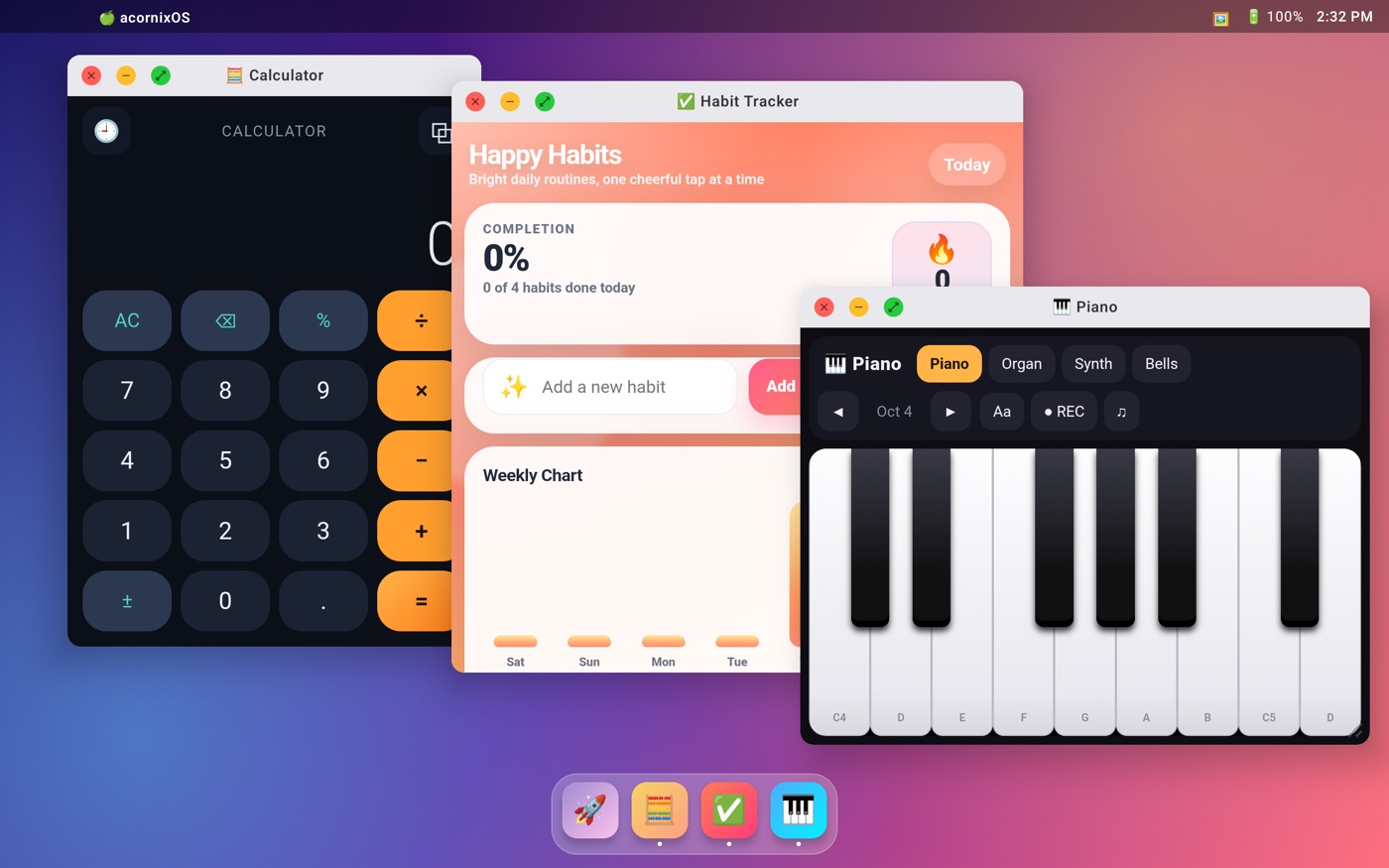
- Turns your phone or tablet into a desktop with AcornixOS: windows, a Dock and a Launchpad, like a little Mac in your pocket.
No terminal, no server, no account. Everything you create lives on your phone.
Acornix started as a Python tool for Termux. Version 2.0 is a full native Android app that does everything the old one did and much more. Looking for the Termux version?
✨ What you can do
🛠️ Create apps from text, voice or a photo
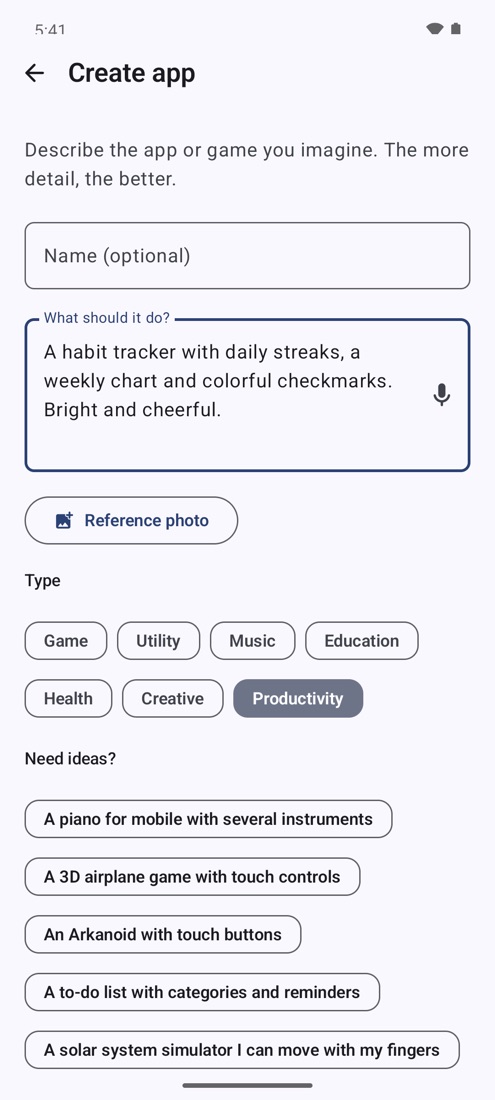
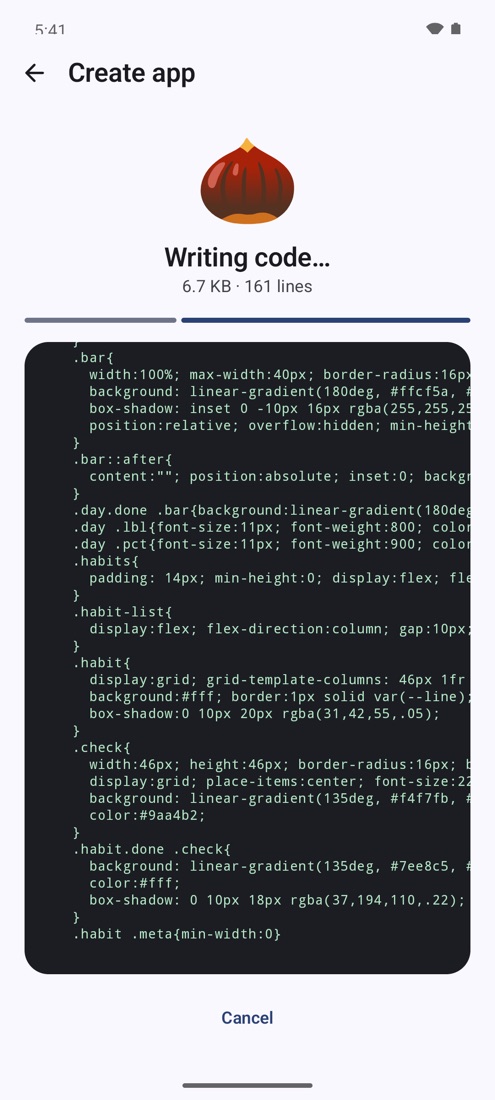
Type what you want, create it from your voice 🎙️ (voice to app, no typing needed) or attach a reference photo 📎 ("make an app like this"). Pick a type (game, utility, music…) or tap one of the ideas, and Acornix writes a complete, mobile-first web app live in front of you.
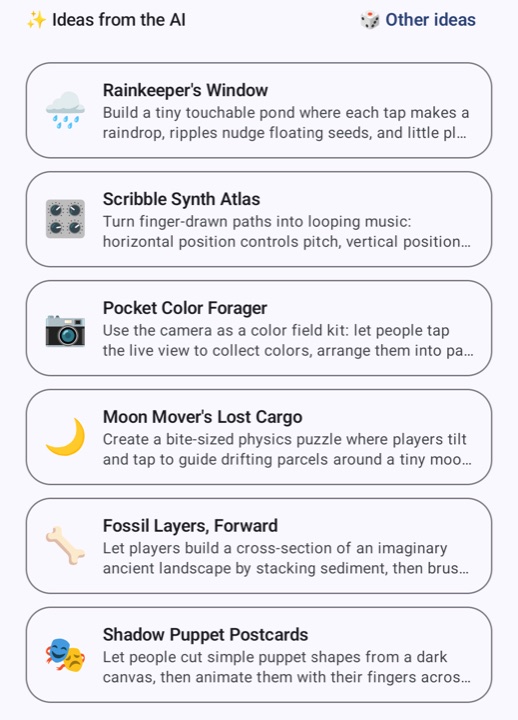
✨ Ideas. Out of ideas? Create shows ready-made ideas for every type, from sound toys and generative art to science simulations and odd little tools. Tap one and the full request and the name are filled in for you. Tap 🎲 Ideas from the AI and your AI writes a fresh batch, idea by idea; its last ideas stay until you ask for more.
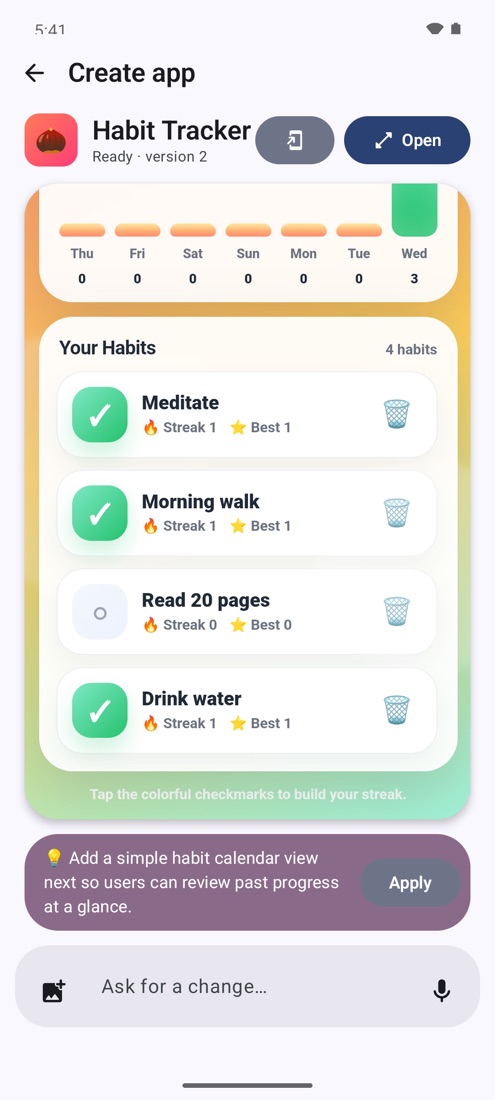
When it's done you get an interactive preview, an Open button, an Add to home screen button and a suggested next improvement. Apply the suggestion or ask for your own changes ("add sound effects", "make the buttons bigger", "add a dark mode"). Every change is saved as a new version.
🎮 An AI game builder
Vibe coding a mobile game takes one sentence: "a platformer with endless levels", "a bowling game you play by swiping", "a castle defense with bosses and an upgrade shop". Acornix builds it with touch controls, keeps your saves and high scores in the game's own database, and you can keep asking for more levels, sounds or power-ups.
🧠 Apps with their own AI
Ask for an app that thinks: "take a photo of my fridge and suggest recipes", "an English teacher I can chat with", "point the camera at a plant and tell me what it is". The app uses your own AI model: it understands camera photos, answers as it writes, returns structured data and holds conversations that remember what you said, with a New conversation button to start over. Each app asks once before using your AI, since every answer spends tokens of your key; apps that use it show a 🧠 AI label, and you can switch it off any time.
📣 Share what you made
Made something cool? Tap Share and Acornix builds a card with your app running big inside a phone, its name, how many seconds the AI took to build it and what you asked for. Edit or hide the request, play with the app until it looks just right, then post it on X, Reddit, WhatsApp or anywhere else.
🌍 Community apps
Explore apps and games other people made with Acornix: search them, filter by category or by whether they need your AI, see the request that created each one, try them without installing, install them with one tap or remix them with your own AI. Every app is reviewed before it's published, shows what it uses (your AI, the camera, the internet…) and gets updates from its author. They live in acornix-apps, under the MIT license.
🧬 Functionalities: apps that use your phone
Functionalities are apps that talk to your device through a built-in JavaScript bridge, window.Acornix. They can vibrate, switch the flashlight on, speak out loud, read the battery, send notifications, share, copy, open other apps and even ask the AI from inside the app. Some examples: a big SOS button, a battery dashboard, a pocket translator that speaks, a Pomodoro timer that vibrates.
🤖 An AI assistant that gets things done
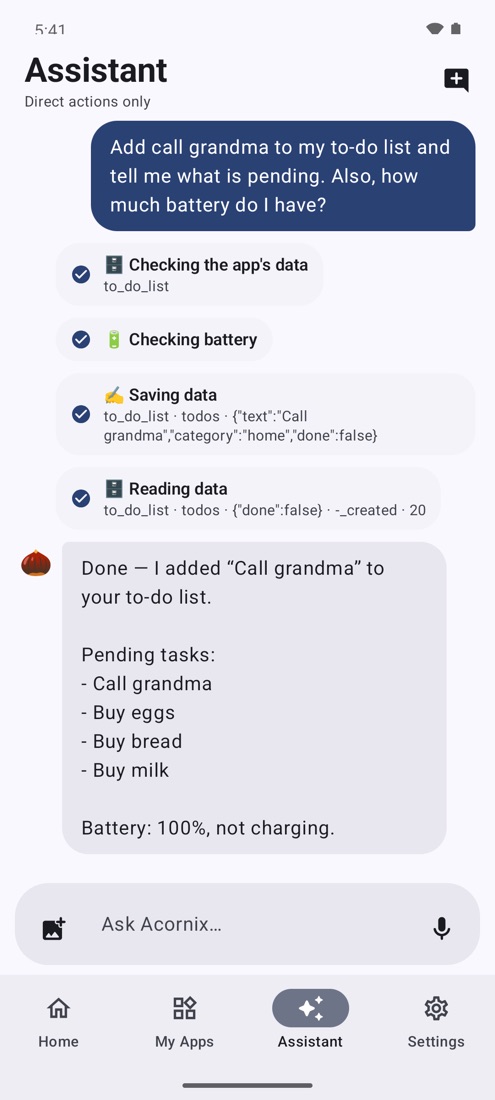
One chat for everything. Ask in your own words and the assistant picks the right tools, showing every step it takes:
- "Create a piano and open it"
- "Turn on the flashlight in SOS" · "Set an alarm at 7:30" · "Start a 10 minute timer"
- "Search Nirvana videos on YouTube" · "Open Maps and find a pharmacy"
- "Add bread to my shopping list" · "What's my best score in Bowling?"
- "How much battery do I have?"
Total control (optional). Turn on the Acornix total control accessibility service and the assistant can also see the screen and tap, type and scroll inside other apps, for example "open Settings and turn on dark mode". It only acts while a task you asked for is running. It asks before sending, paying, calling or deleting anything, never sees password fields, and you can stop it at any time from the notification.
📱 Your apps, like real apps
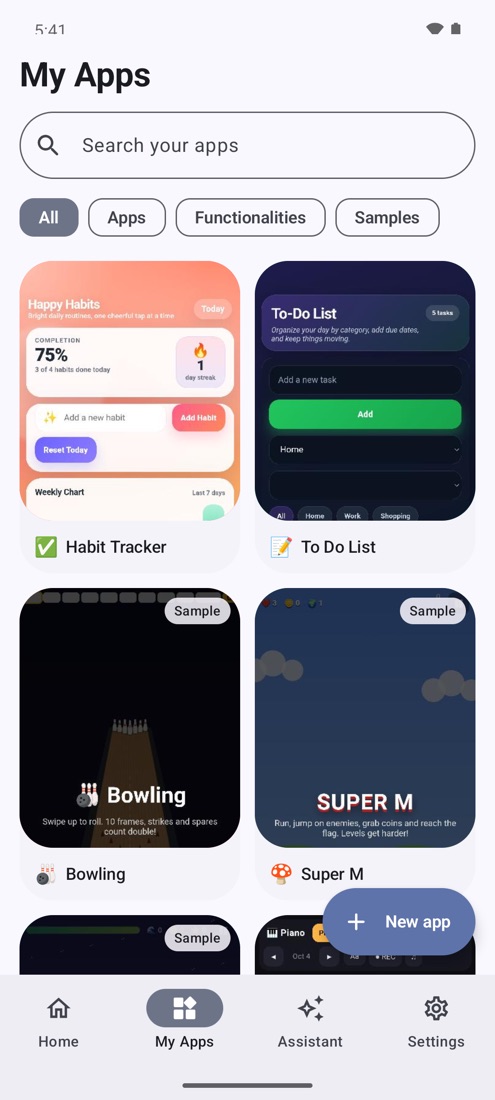
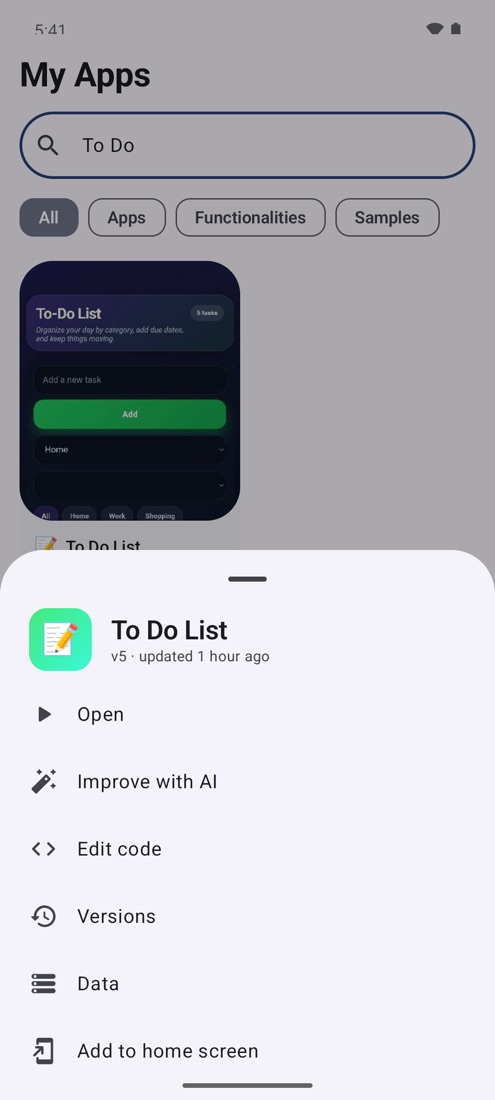
All your creations live in My Apps, a launcher with live thumbnails, search and filters. Tap to open full screen; long-press for more:
- Improve with AI or edit the code by hand.
- Versions: every creation, improvement or edit is kept, and you can restore any of them.
- Add to home screen: a real icon that opens the app in its own window, like an installed app.
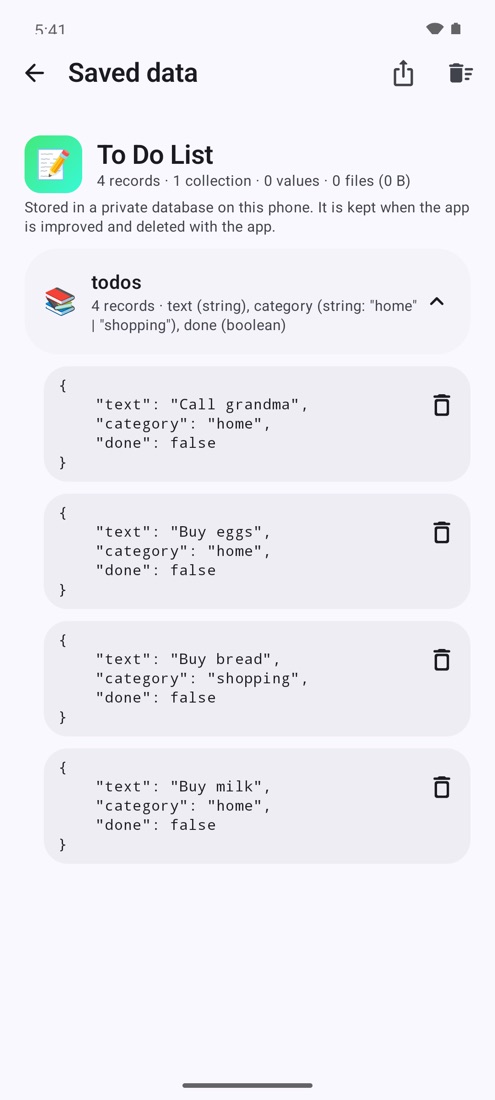
- Data: see, export or clear what the app saved.
- Share it as a ZIP, with or without your data, or rename and delete it.
🖥️ AcornixOS: your phone as a computer
Open AcornixOS from Tools and your apps become a desktop, inspired by macOS:
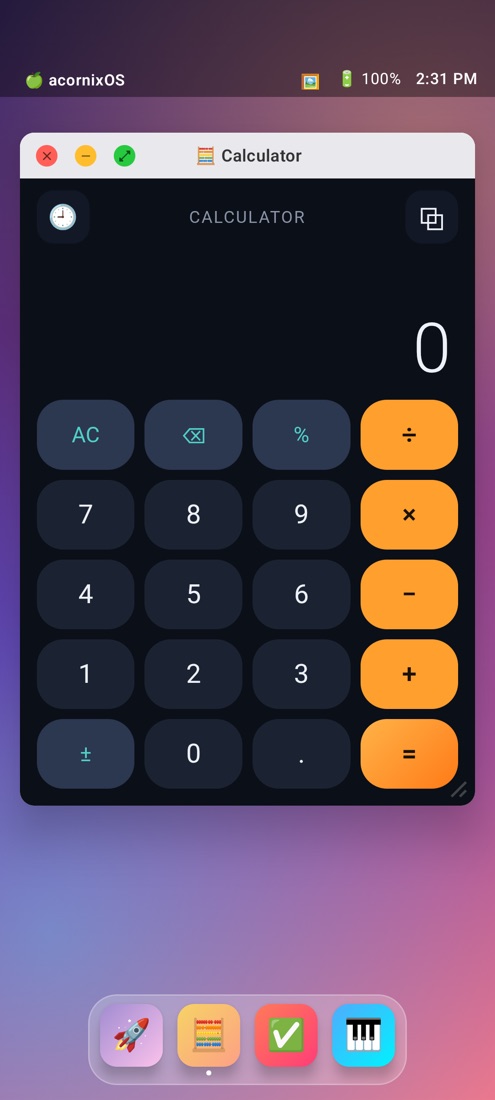
- Windows you can drag, resize, minimize and maximize, with the classic red, yellow and green buttons. Touch one and it comes to the front.
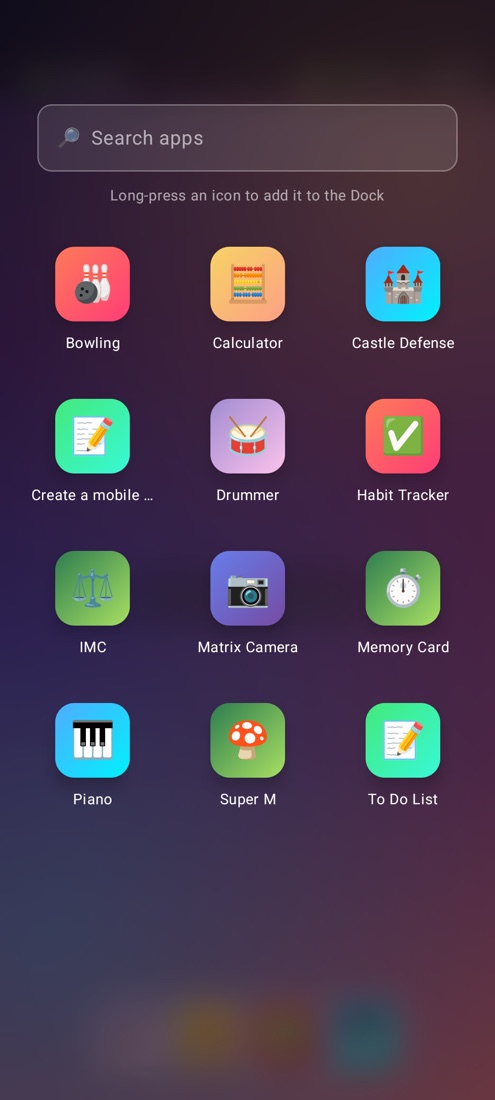
- A Dock with your favourite apps and the ones you have open. Long-press to add or remove.
- A Launchpad with all your apps and a search box.
- Wallpapers to choose from, and a menu bar with the time and battery.
- Apps open in a window; tap the green button (or double-tap the title) to make one full size. On a tablet you get several apps side by side, like a real computer.
Every window is the real app, with its own data, camera and files. Add AcornixOS to your home screen and it opens like any other app.
🗄️ A private database for every app
Every app gets its own fast SQLite database (Acornix.db), so a to-do list keeps its tasks and a game keeps its saves and high scores. The data:
- survives improvements, because the AI is told which collections and fields already exist;
- can be read and changed by the assistant ("add eggs to my to-do list");
- can travel inside the app's ZIP;
- is included in backups.
Each app runs on its own isolated origin, so apps never see each other's data.
☁️ Backups and sharing
- Full backup: one ZIP with all your apps, their versions, data and files. Save it to Google Drive or anywhere else from the system picker, and restore it on any phone.
- Android backup: your apps and data are also included in your Google account backup.
- Import ZIPs shared by friends, including apps made with the original Termux version of acornix. If you already have an app with that name, install it as a copy or put it in place of yours, keeping your data. Before installing one, Review it with AI: your AI reads its code and tells you if it sends data away, asks for passwords, hides code or abuses your AI.
📋 Manual studio: no API key needed
Don't have an API key? Copy a ready-made prompt, paste it into ChatGPT, Claude or Gemini on the web, then paste the answer back. Acornix checks the code, warns you if something is missing and installs the app.
🔔 Always up to date
Acornix checks GitHub for new versions. When one comes out you'll see what's new and can update with one tap, right from the app.
And more
A tour of everything Acornix can do (Settings › Discover Acornix), phone status (battery, memory, storage), Material You colors with light and dark themes, and an interface in English and Spanish. Generated apps follow your phone's language too.
Dark mode too
🎮 Games and apps included
Acornix comes with twelve example apps. Six were rebuilt for 2.0: they all work offline, adapt to any screen in portrait or landscape, and save their data with Acornix.db.
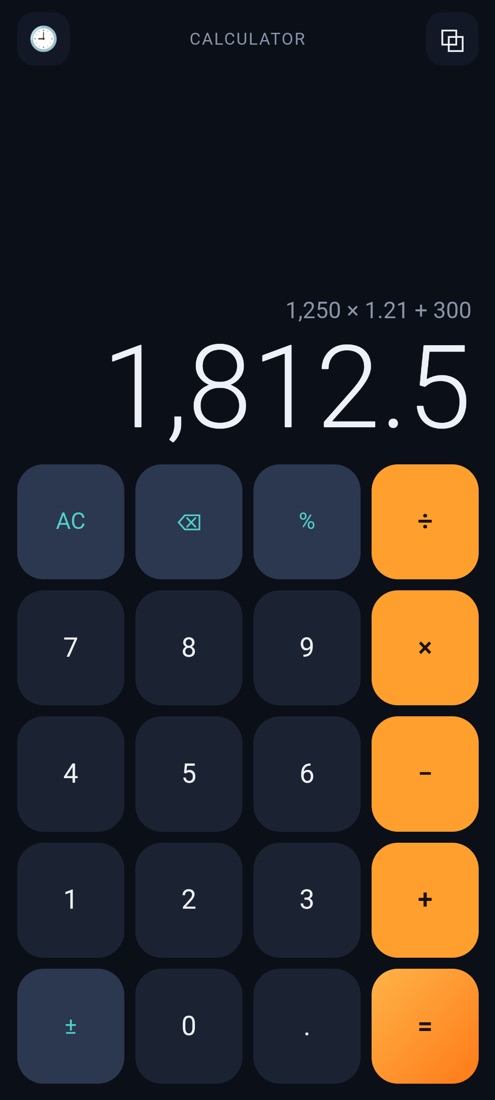 Calculator History saved, proper operator precedence |
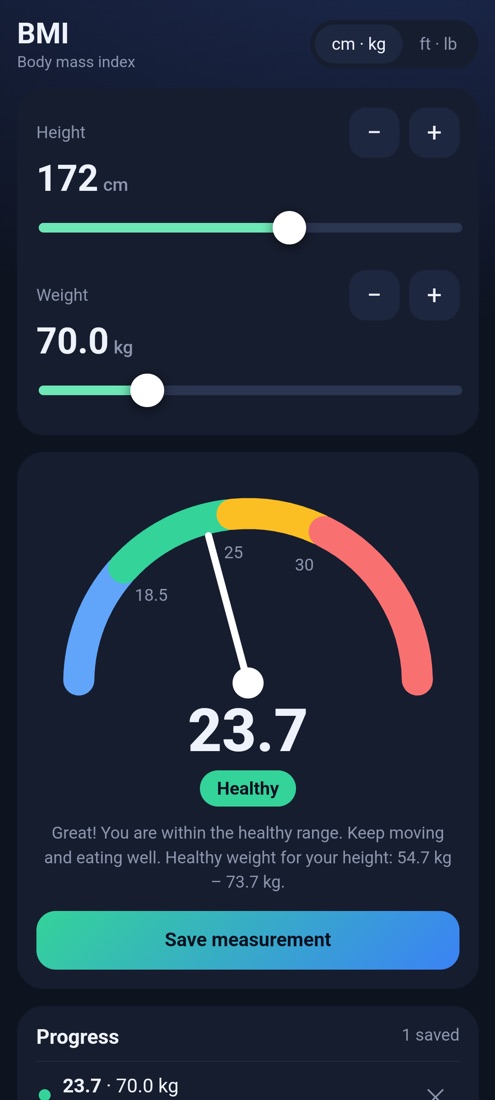 BMI Gauge, healthy range and progress chart |
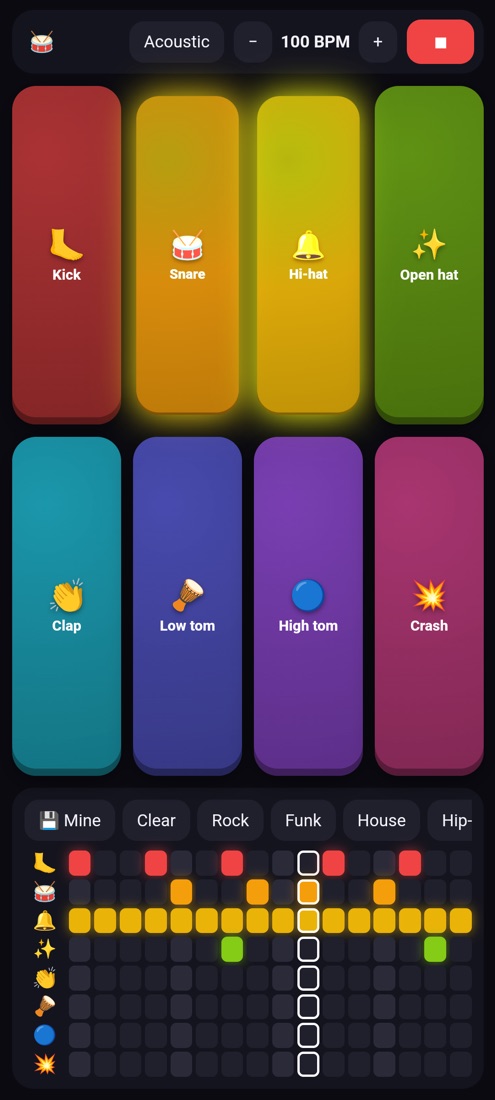 Drummer 8 pads, 16-step sequencer, saved beats |
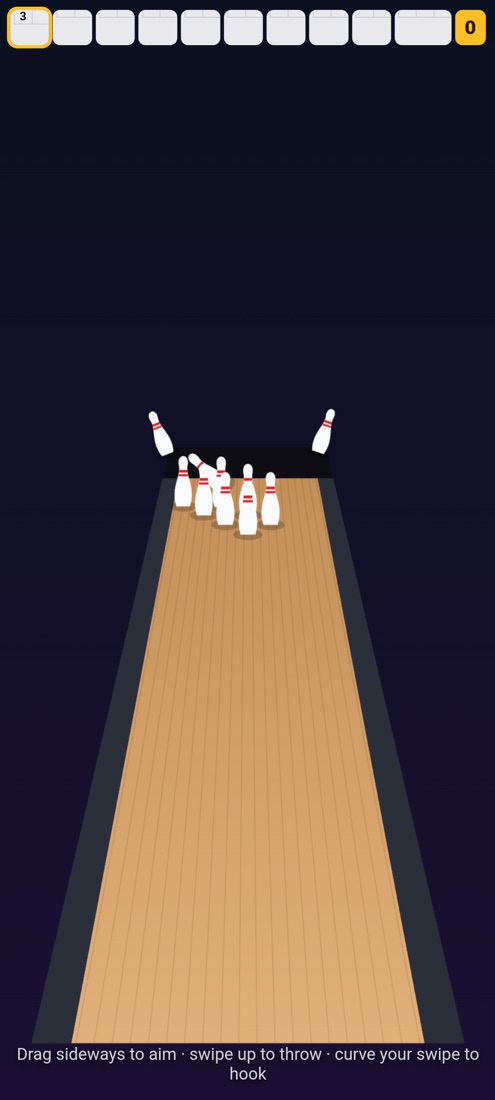 Bowling Swipe to throw, hook spin, real scoring |
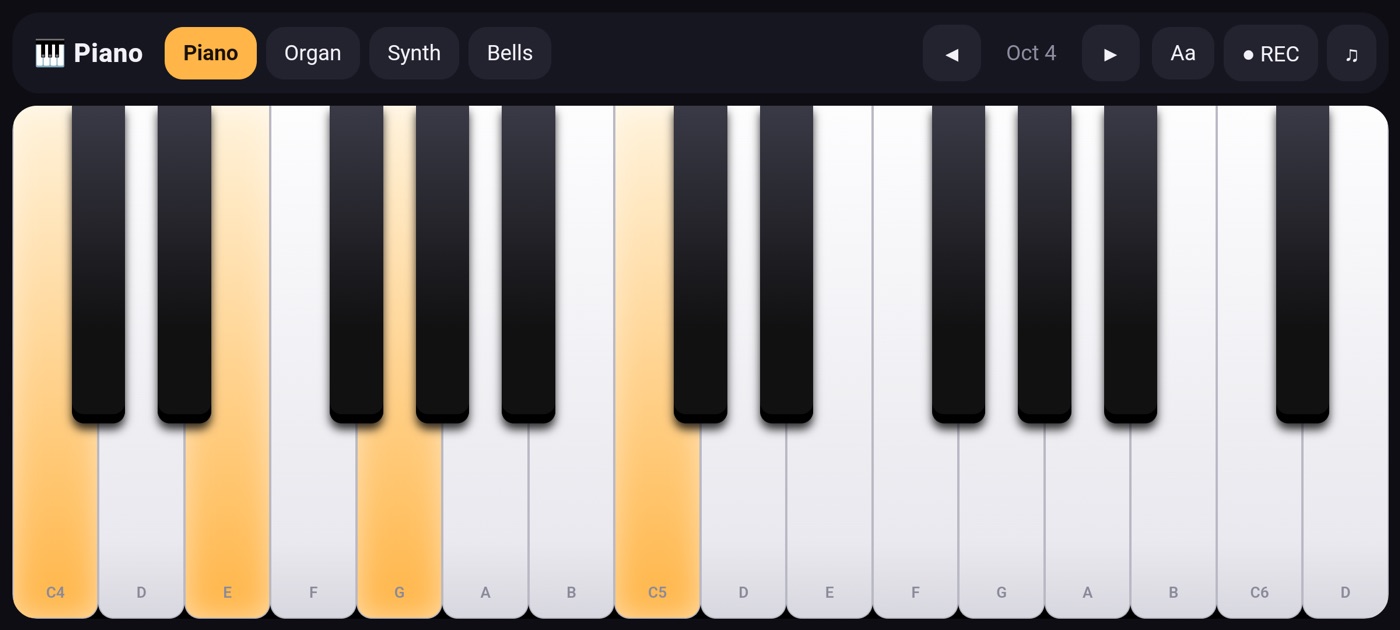 Piano 4 instruments, multitouch, recordings |
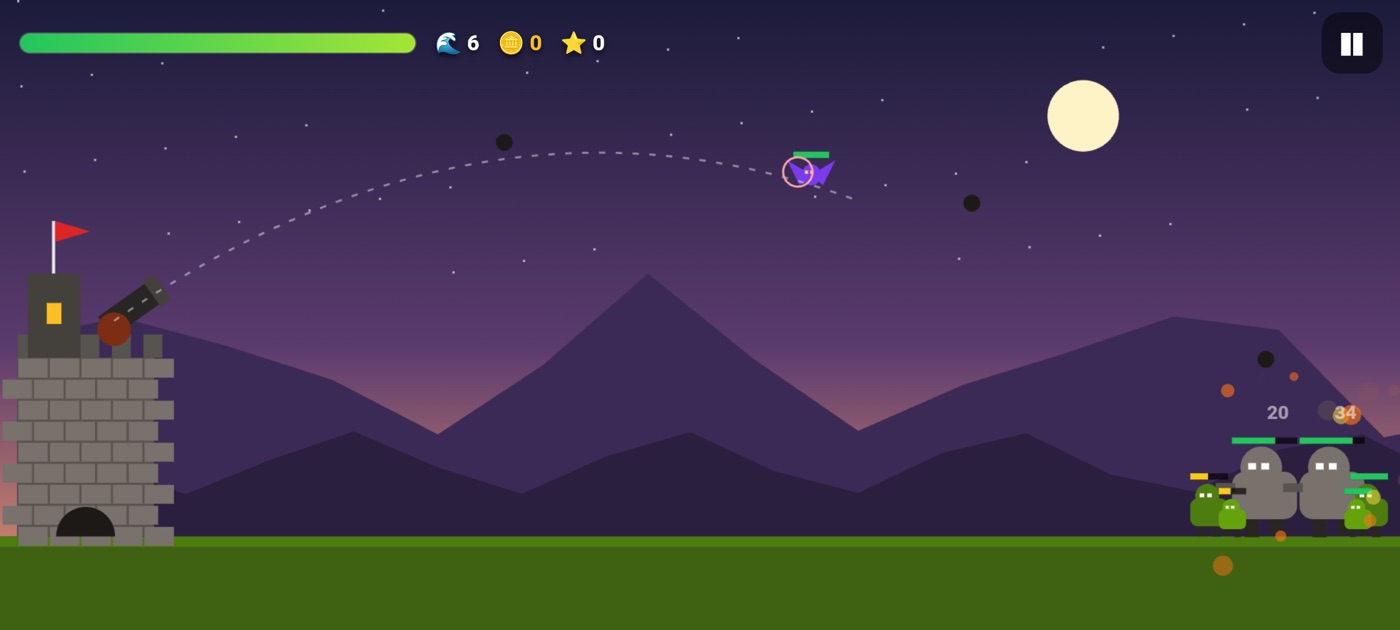 Castle Defense Waves, bosses and an upgrade shop |
The other six were made with AI on a phone, each from a single request and one improvement, for our step-by-step videos, and they are included exactly as they came out. Reef Aquarium loads its 3D engine from the internet.
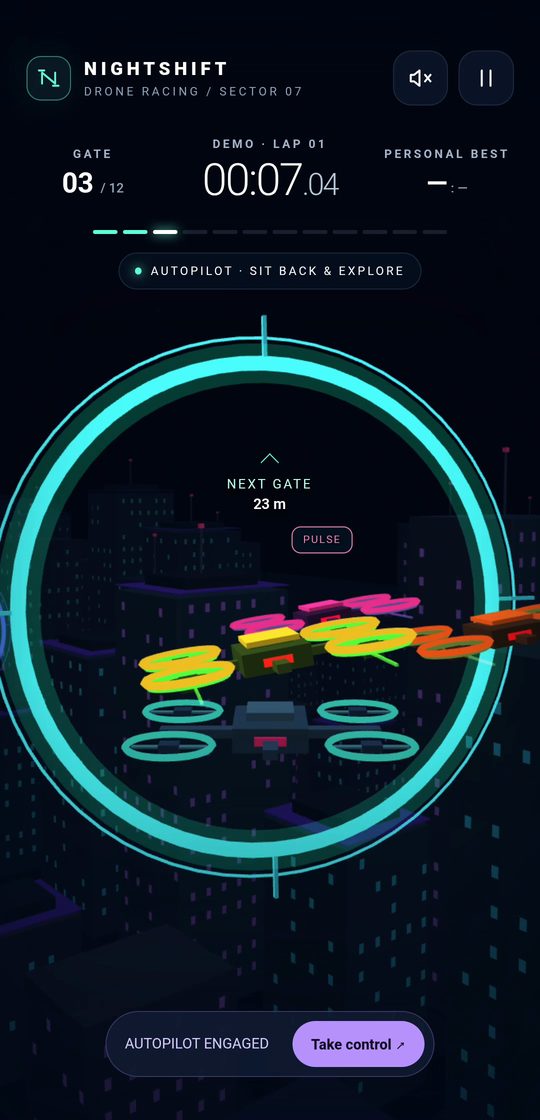 Neon Drone Race 3D race through neon rings, with rival drones |
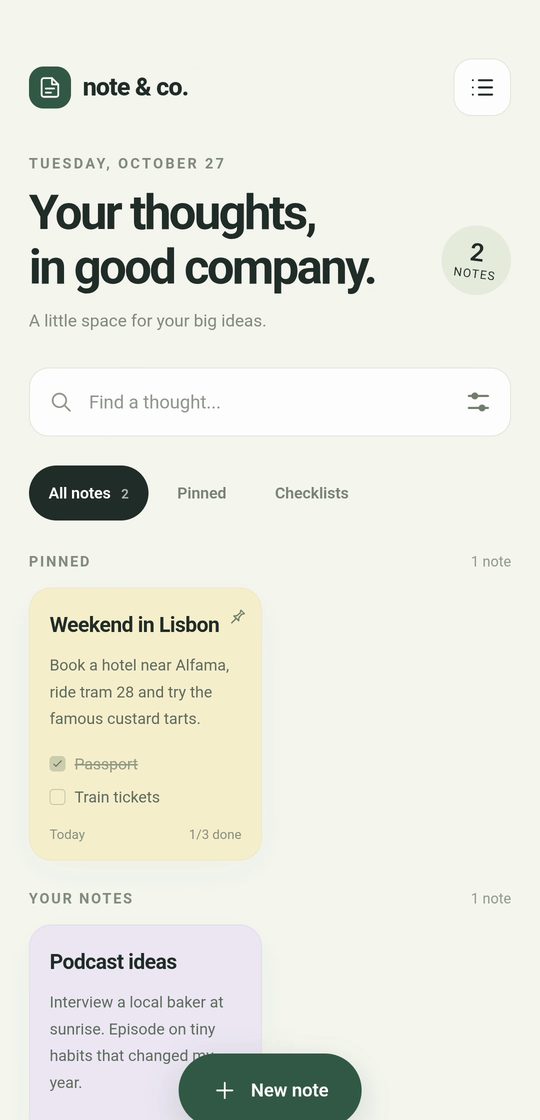 Notes Checklists, pinned notes, colors and search |
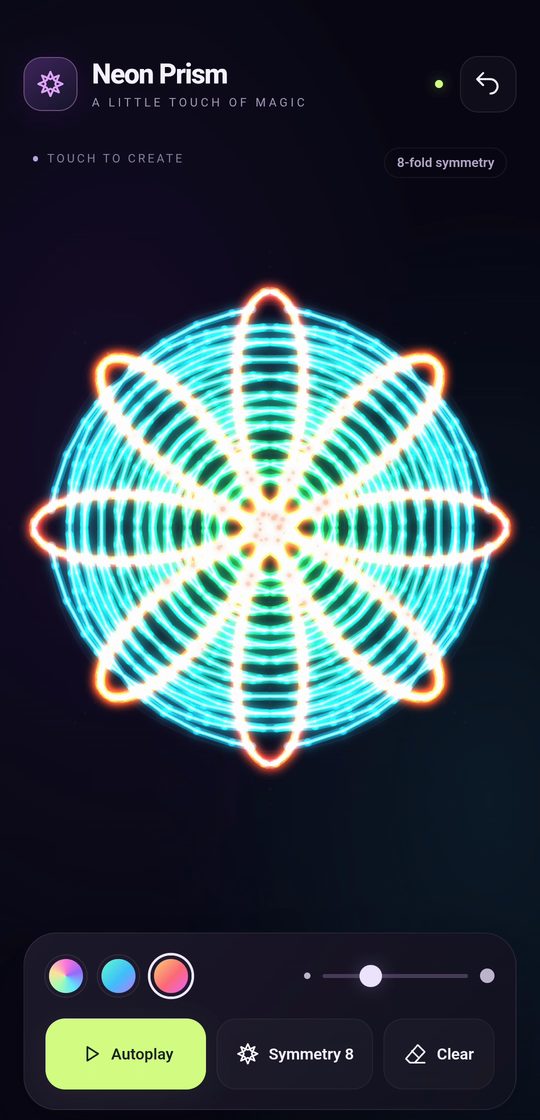 Neon Kaleidoscope 8-way mirrored neon drawing and a galaxy mode |
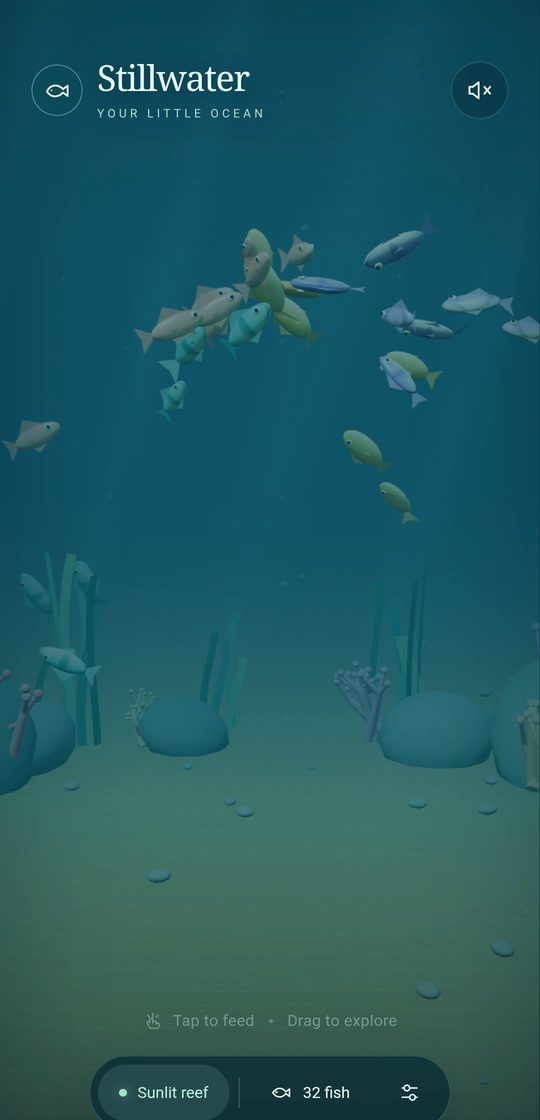 Reef Aquarium Feed the fish; glowing jellyfish at night |
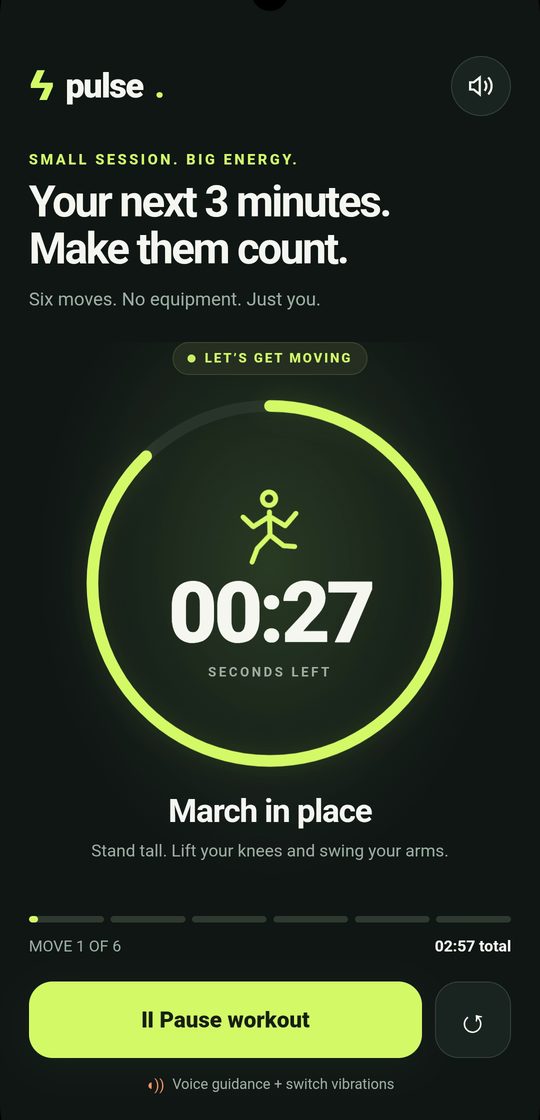 Pocket Coach A workout coach that talks and vibrates |
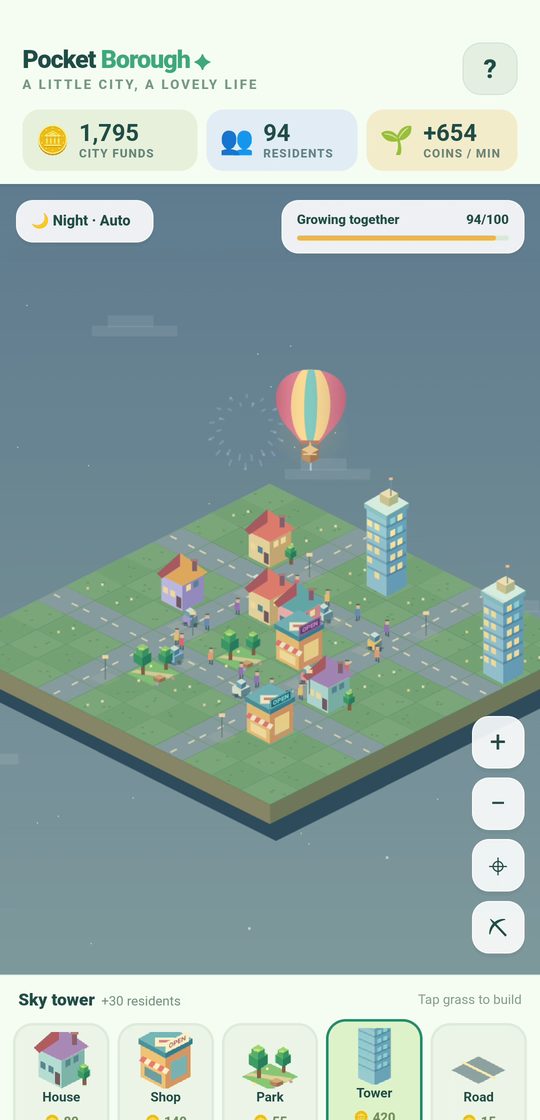 Pixel City Build a city, day and night, fireworks |
📲 Download the APK and install
Acornix is free: download the APK from GitHub releases and install it in a minute.
- Download
acornixfrom the latest release on your phone. - Open it. If Android asks, allow your browser or file manager to install apps, then tap Install. Google Play Protect may warn you because the app doesn't come from the Play Store; tap More details › Install anyway.
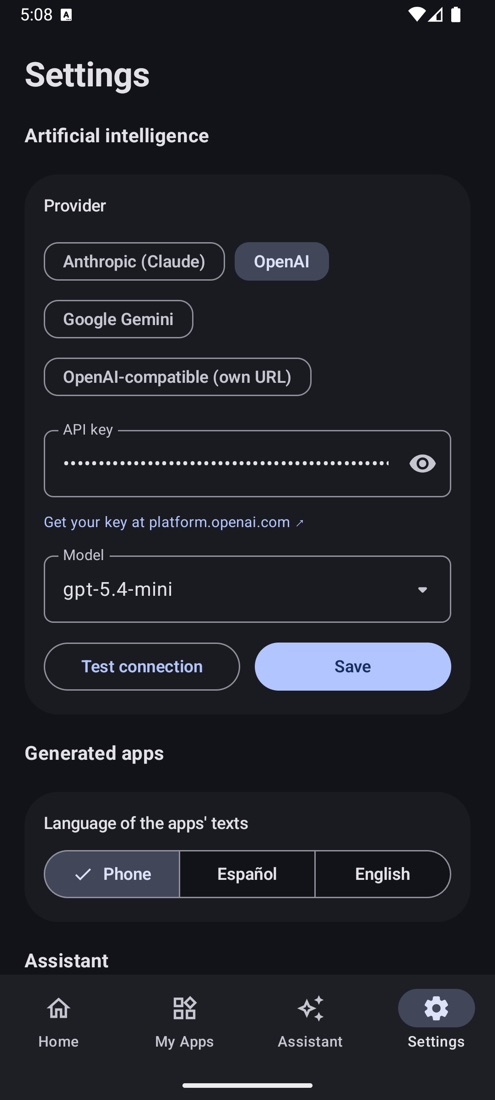
- Open Acornix and follow the three-step welcome: choose your AI provider, paste your API key and tap Test connection.
Requirements: Android 8.0 or newer, and an API key from one of these providers:
| Provider | Where to get a key | Notes |
|---|---|---|
| Anthropic (Claude) | console.anthropic.com | Excellent for code; uses the official Anthropic SDK |
| OpenAI | platform.openai.com | Any chat model your account can use |
| Google Gemini | aistudio.google.com | Has a free tier |
| OpenAI-compatible | OpenRouter, Groq, Together, a local Ollama… | Set your own base URL |
Tap ▾ next to Model in Settings to load the models available to your account.
Updating: Acornix tells you when there's a new version. Tap Update and Android installs it over the current one, keeping all your apps and data. The first time, Android will ask you to allow Acornix to install apps.
Total control (optional): Android Settings › Accessibility › Acornix total control › On. You can also get there from the Assistant or from Acornix Settings.
🔐 Privacy and security
- Your API key is encrypted with the Android Keystore and only ever sent to the provider you chose.
- Your apps and their data stay on your phone, except for what you send to your AI provider when you create or improve something. Acornix has no servers, accounts or analytics.
- Each app is sandboxed on its own origin with its own database. The phone bridge only answers that app's own pages.
- Apps ask before using your AI, once per app, and you can change it in the app's options. Apps someone shares with you can be reviewed by your AI before you install them.
- The assistant asks first before sending messages, calling, paying, buying or deleting. It never sees password fields, and a notification with a Stop button is shown while it works.
🧑💻 For creators: the window.Acornix API
Every app made with Acornix can use this API, and so can your own HTML apps imported as a ZIP, whether you write them by hand or with your favourite AI coding assistant. All calls return Promises.
// Phone
Acornix.language;                           // 'es', 'en'…: the language picked in Acornix, to show your app in it
await Acornix.vibrate(200);                 // or a pattern: [100, 50, 100]
await Acornix.flashlight(true);
await Acornix.speak('Hello!', 'en-US');
await Acornix.notify('Timer', 'Time is up');
await Acornix.toast('Saved');
const { level, charging } = await Acornix.battery();
const info = await Acornix.deviceInfo();
await Acornix.share('Look what I made');
await Acornix.openUrl('https://example.com');

// Your AI, inside the app (the user's own model and key)
const fact = await Acornix.askAI('Give me a fun fact about acorns');
const plant = await Acornix.askAI('What plant is this?', { images: [videoOrImgOrFile] }); // camera frame, <img>, file…
const plan = await Acornix.askAI('Three dinners with rice and eggs', { json: true });      // → parsed JSON
await Acornix.askAI('Tell me a story', { onText: t => story.textContent = t });     // text as it's written
const chat = Acornix.ai.chat({ system: 'You are a friendly chef' });                      // remembers its turns
await chat.ask('What can I cook with rice and eggs?');
await chat.ask('And without onions?');            // knows which recipe
// save chat.history with Acornix.db and pass it back: Acornix.ai.chat({ system, history }); chat.reset() starts over
// options: { system, images (up to 4), json, onText, quick: false for deep thinking }

// Database (private to this app)
const tasks = Acornix.db.collection('tasks');
const t = await tasks.add({ text: 'Buy bread', done: false });     // → {_id, _created, _updated, ...}
await tasks.update(t._id, { done: true });
const pending = await tasks.list({ where: { done: false }, orderBy: '_created', desc: true, limit: 50 });
const big = await tasks.list({ where: { score: { $gt: 100 } } });  // $gt $gte $lt $lte $ne $in $contains
await Acornix.db.set('highScore', 1200);
const best = await Acornix.db.get('highScore');

// Files (photos, drawings, exports…)
const file = await Acornix.files.save('photo.jpg', blob);          // Blob or data URL → {name, url, size}
document.querySelector('img').src = file.url;
await Acornix.files.export('photo.jpg', blob);       // to the phone's gallery (videos too; other files go to Downloads)
await Acornix.files.export('photo.jpg');             // or a file you already saved
await Acornix.files.share('photo.jpg', canvas);      // share sheet: WhatsApp, email… (Blob, data URL or <canvas>)

// Refresh when the assistant changes your data
window.addEventListener('acornixdata', () => reload());
If window.Acornix is missing (the app was opened in a normal browser), fall back to localStorage. Apps generated by Acornix already do this.
🛠️ Build from source
You need Android Studio Ladybug or newer (AGP 8.7) and the Android SDK 35.
git clone https://github.com/gonzaroman/acornix.git
cd acornix
./gradlew assembleDebug          # app/build/outputs/apk/debug/app-debug.apk
./gradlew testDebugUnitTest      # unit tests
Release builds are signed with a keystore kept outside the repository: -PacornixSigning=/path/to/keystore.properties, with storeFile, storePassword, keyAlias and keyPassword. Without it, release builds are unsigned.
Project structure
app/src/main/java/com/gonzaroman/acornix/
├── ai/        AI providers (Anthropic SDK, OpenAI & compatible, Gemini), streaming, tool calling
├── core/      Prompts, response parser, app generator
├── data/      Settings (encrypted keys), apps + versions, per-app SQLite store,
│              ZIP import/export, full backups, sample apps, update checker
├── device/    Phone actions (flashlight, vibration, speech, alarms, intents…), shortcuts
├── control/   Accessibility service for "total control"
├── agent/     Assistant tools and conversation loop
├── web/       Full-screen app runner, per-app origins, window.Acornix bridge
└── ui/        Jetpack Compose screens (Material 3)
app/src/main/assets/sample_apps/   The twelve example apps
Tech: Kotlin, Jetpack Compose and Material 3, OkHttp, kotlinx.serialization, DataStore, SQLite, AndroidX WebKit, Coil, and the official Anthropic Java SDK.
🌳 Looking for the original Termux version?
Acornix began as an AI-powered Python system for Termux. That version is kept in the termux branch (tag v1-termux). Version 2.0 replaces it: no Termux, Python or local servers needed, just install the app.
🤝 Contributing
If you like Acornix, a ⭐ on GitHub helps more people find it. Ideas, bug reports and pull requests are welcome. Open an issue to tell us what you built with Acornix or what you would like it to do next.
📄 License
MIT © Gonzalo Román Márquez
