flyingmouse-format
0.7.10 Windows 公开版 / Windows release:修复大 TXT 转 EPUB 资源暴涨、混合 PDF 漏页和结果保存问题,增加真实耗时与阶段进度。此次提供 Windows 10/11 x64 完整版;Microsoft Store 状态独立核对。见 版本说明 / Release notes。
A mouse-themed, offline Windows file converter. / 一款鼠鼠主题、可离线使用的 Windows 文件格式转换工具。
作者 Author:牢蜂(LaoFeng)
⚠️ 非商用声明 Non-Commercial Notice:本软件仅供个人免费使用,禁止任何形式的商业售卖、转卖、套壳换皮重新发布(详见 LICENSE)。发现闲鱼/淘宝等渠道倒卖请告知作者,感谢!




下载 Windows 0.7.10 / Download · 版本详情 / Release · 问题反馈 / Issues
中文
主要功能
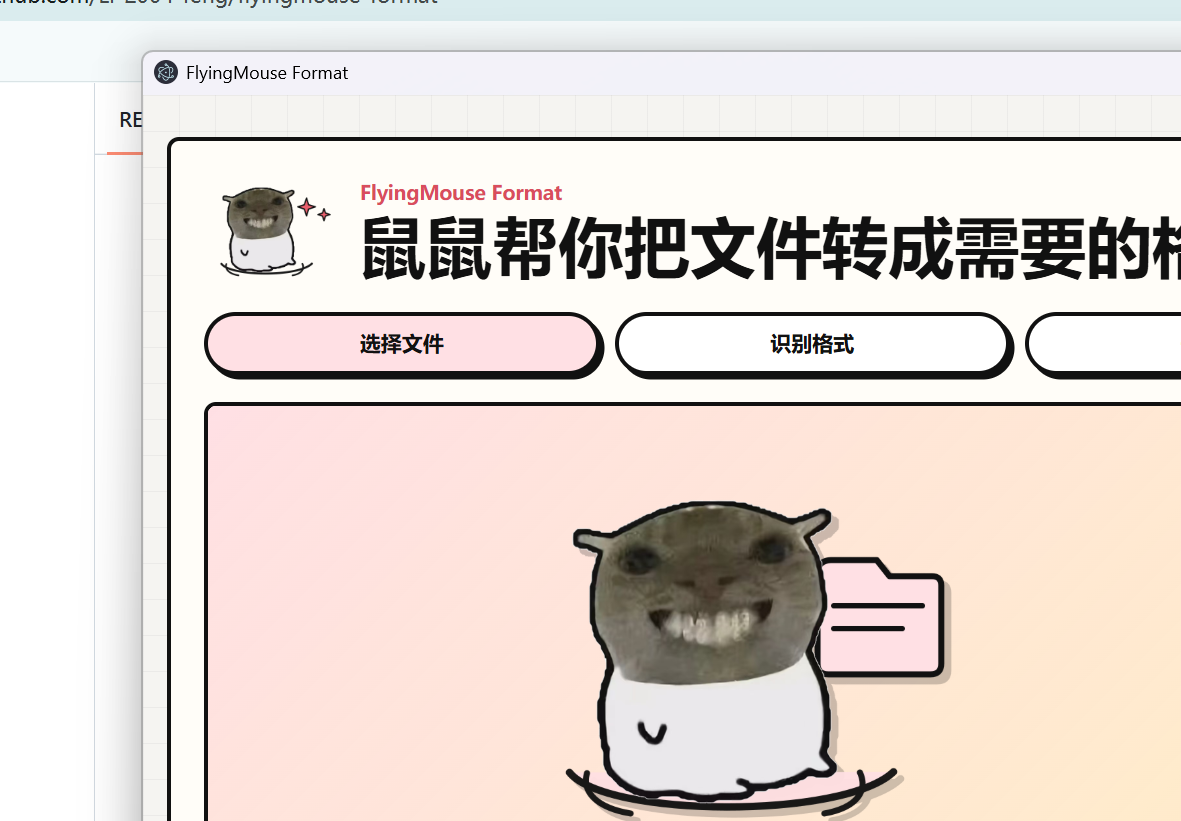
- 鼠鼠原版界面:鼠鼠会跟随上传、识别、批量、OCR、转换成功或失败切换状态。
- 本地离线转换:Windows 完整版内置 FFmpeg、LibreOffice、Poppler、Tesseract 和 Pandoc。AV3A 和平台加密音频不在当前支持范围内。
- 支持图片、文本、Word/WPS、Excel/WPS、PPT/WPS、PDF、音频、视频和 ZIP。
- 音频转换:支持 MP3 / WAV / FLAC / M4A / AAC / OGG / OPUS / WMA 等普通格式互转;不支持其他音乐平台的加密特殊格式(如 NCM / KGG / mflac / kgma / kwm 等)。
- 视频编码选择:转视频时可选 H.264 / H.265 / AV1 编码(目标 mp4/mov/mkv 时显示)。
- 操作记忆:按“源文件格式”分别记住上次选择的目标格式;重新修改后,新选择会成为该源格式的默认值。
- 路径记忆:记住上次保存目录,下次保存时自动从该目录开始。
- 中文/English 界面:首次启动跟随系统语言,手动选择后会记住设置。
- 外观:可选择浅色、深色或跟随系统;切换系统外观时自动更新,选择会保存。
- Markdown → Word/PDF:保留标题、表格、嵌套列表、代码原文及可编辑 Word 公式;缺失图片或不支持的原始内容会提示。Win7 Legacy 未捆绑新版 Pandoc,因此不提供这两个目标。
- 批量转换:显示逐文件进度、结果和失败原因,并可单独保存或保存全部。
- 真实进度与耗时:显示本次已耗时;有实际总量时显示当前阶段比例,否则明确提示无法估算。完成或失败后冻结耗时,不把保存时间计入转换。
- 结果预览:转换完成后可在侧边抽屉预览图片、PDF、文本、音频和视频;窄窗口自动切换为底部面板。
- CLI 与 Agent 接入:命令行覆盖能力查询、目标查询、单个/批量转换、图片合并 PDF 和 PDF 合并;应用内可把配套 skill 一键接入现有 Codex、Claude 或通用 Agent 目录。
- 转换质量:HTML / Office 转 Markdown 保留标题、列表和代码块;CSV 支持 BOM、转义引号和字段内换行。
- PDF → Excel(智能表格提取):支持电子文字坐标、扫描页 OCR、有框/无框表格、多表、跨页续接、合并单元格和低置信度批注。Raw 工作表仅保留原生非表格文字;扫描页无法恢复时明确失败。
- PDF → Word:Windows 10/11 优先使用版式引擎,检查文字覆盖后再接受结果;旋转文字和碎片正文可重建为可编辑段落,混合扫描页逐页处理。降级重建和 OCR 会显示说明;复杂多栏、图片定位和扫描标点不能保证与原 PDF 完全一致。
- PDF 拆分 / 加密 / 解密:PDF 可逐页拆分或每 N 页一组(打包 ZIP),也可用密码加密(AES-256)或解密(需原密码)。
- 电子书:txt/md/html → EPUB;EPUB → TXT/Markdown/HTML,以及有 LibreOffice 时转 PDF/DOCX。读取按章节目录排序,缺章、缺图、加密及不支持的 MOBI 压缩会明确失败;复杂 CSS 版式会简化。
- 文本转 EPUB 可选择源编码:UTF-8、GBK/GB18030、UTF-16LE/BE;自动模式支持 UTF-8 和带 BOM 的 UTF-16,不能严格解码时提示选择编码重试。
- 图片合并 PDF 支持调整顺序:多张图片转 PDF 前可在队列中上移/下移,PDF 页序跟随队列顺序。
- HEIC/HEIF 图片可转换为 JPG/PNG/WebP 等(内置 ffmpeg 解码)。
- ICO 图标可转换为 PNG/JPG 等,PNG/JPG 也可生成多尺寸 ICO 图标(实验性)。
- TGA 图片可转换为 PNG/JPG/WebP 等(内置 ffmpeg 解码,实验性)。
- 相机 RAW 原片(CR2/CR3/NEF/ARW/DNG 等)可转换为 JPG/PNG/WebP/TIFF 等(内置 dcraw 解码,Windows 版,实验性)。
- 资源保护:普通转换受引擎能力和机器内存约束;高级 PDF 结构识别限制为 500 页、单页 5000 万像素、每批最多 8 页且累计 1 亿像素(144 DPI);整份超过单批预算时自动串行分批,仍保留总页数和全局输出预算,超限会明确提示。解码合法性与产物完整性校验保留。
合规声明 Compliance Notice:本软件仅支持普通音频格式转换(MP3 / WAV / FLAC / AAC / OGG 等),不支持任何音乐平台的加密特殊格式。请支持正版音乐,尊重创作者。音频文件版权归原作者/唱片公司所有,本工具与各音乐平台无任何关联。本软件仅供个人免费使用,禁止商业售卖/转卖/套壳换皮重新发布。
快速开始
0.7.10 提供 Windows 10/11 x64 完整版,已在 Windows 11 完成原生成品转换、启动和交互验证。Lite、macOS 和 Windows 7 的 0.7.10 安装包此次未发布;商店状态见分渠道记录。其他系统与硬件的验证边界见版本说明。
- 下载 v0.7.10 对应系统的安装包:本次仅提供 Windows 10/11 x64 完整版(FlyingMouse-Format-Setup-0.7.10-x64.exe)。
- 安装并启动 FlyingMouse Format。
- 拖入文件,选择目标格式并开始转换。
- 选择保存位置;软件会记住目标格式与保存目录。
安装包为 1,515,803,399 字节(约 1.41 GiB);完整展开文件约 3.76 GiB,较本次 0.7.9 对照布局减少约 6.2%,仍包含完整离线引擎和识别模型。此口径不含运行缓存、临时产物或文件系统分配差异。高级 PDF 结构识别启动前要求至少 5 GiB 当前可用物理内存;普通文字提取及 TXT 转 EPUB 不受这个独立门槛影响。
从源码运行:
源码仓库不包含体积较大的 FFmpeg、LibreOffice、Poppler 和 Tesseract 资源;普通用户请直接下载 Release 安装包。开发者从源码运行完整转换功能前,需要自行准备
bin/下的引擎资源。
npm install
npm run desktop
命令行示例:
node cli.js capabilities --json
node cli.js targets example.pdf --json
node cli.js convert input.docx --to pdf --output output.pdf --json
node cli.js convert a.png b.png --to webp --output-dir converted --json
node cli.js images-to-pdf 1.jpg 2.jpg --output album.pdf --json
node cli.js merge-pdfs a.pdf b.pdf --output merged.pdf --json
安装版也可直接调用应用入口:macOS 使用 FlyingMouse Format.app/Contents/MacOS/FlyingMouse Format --cli ...,Windows 使用 FlyingMouse Format.exe --cli ...。在软件顶部点击“接入 Agent”,会检索已存在的 ~/.codex/skills、~/.claude/skills、~/.agents/skills(Windows 对应用户目录)并在确认后安装或更新 skill;不会自动创建未安装产品的目录。
运行测试与打包:
npm test
npm run dist
版本与平台
| 0.7.10 渠道 | 本次状态 |
|---|---|
| Windows 10/11 x64 完整版 | GitHub 公开安装包,包含高级扫描表格引擎;实际设备验收为 Windows 11。 |
| Windows Lite、macOS | 本次未发布对应安装包。源码/CI 支持不等于成品已交付。 |
| Windows 7 | 本次未发布;仅保留源码构建目标 FlyingMouse Format-Setup-0.7.10-win7-x64.exe,不是可下载资产。 |
| Microsoft Store | 独立提交与认证渠道;本轮没有 0.7.10 商店发布凭证,现场状态见分渠道记录。 |
公开 Windows 安装包未签名,SmartScreen 可能提示。Windows 10、旧系统、其他显卡和商店签名版升级仍需对应环境验证,不能以本机通过保证所有电脑兼容。开发构建与 Legacy 依赖边界见发布流程。
English
Highlights
- Original mouse UI with animated state changes for upload, detection, batch work, OCR, success, and errors.
- Fully local conversion with bundled FFmpeg, LibreOffice, Poppler, and Tesseract. AV3A and platform-encrypted audio are not supported inputs.
- Converts images, text, Word/WPS, Excel/WPS, PPT/WPS, PDF, audio, video, and ZIP files.
- Audio conversion between ordinary formats: MP3 / WAV / FLAC / M4A / AAC / OGG / OPUS / WMA. Encrypted special formats from music platforms (NCM / KGG / mflac / kgma / kwm etc.) are NOT supported.
- Video codec selection: H.264 / H.265 / AV1 for video conversion (shown when targeting mp4/mov/mkv).
- Remembers the chosen target separately for each source extension. Changing it replaces that extension's default.
- Remembers the last save directory for the next save dialog.
- Chinese and English UI. The first launch follows the system language; a manual choice is remembered.
- Batch conversion with per-file progress, results, error details, individual save, and Save All.
- Measured stage progress and elapsed time, frozen on success or failure. Unknown totals are shown explicitly; saving time is excluded.
- Result previews for images, PDFs, text, audio, and video in a responsive side drawer / bottom sheet.
- A complete CLI plus one-click Agent skill installation for existing Codex, Claude, and generic Agent skill directories.
- Higher-quality text conversion: structural HTML/Office Markdown plus standards-compliant quoted and multiline CSV parsing.
- PDF → Excel extracts tables from digital text and scanned pages, including multiple tables, continued pages, merged cells and confidence notes. Page coverage is checked; unreadable scanned tables fail explicitly. Raw worksheets preserve unstructured native text, not failed scanned-table recognition.
- PDF → Word on Windows 10/11 checks text coverage before accepting layout-engine output. Scanned and mixed PDFs use the advanced structure engine when available; eligible failures can fall back to editable OCR paragraphs with a layout warning. Complex columns, image positions and scanned punctuation may differ from the original PDF.
- PDF split / encrypt / decrypt: split a PDF per page or into groups of N pages (packed as a ZIP), or password-protect it (AES-256) and decrypt it (requires the original password).
- E-books: txt/md/html → EPUB; EPUB → TXT/Markdown/HTML and, with LibreOffice, PDF/DOCX; experimental MOBI → EPUB/TXT/Markdown. Reading follows chapter order. Missing chapters or images, encryption and unsupported MOBI compression fail explicitly; complex CSS and fixed layouts may be simplified.
- Text-to-EPUB source encoding: UTF-8, GBK/GB18030 and UTF-16LE/BE. Auto accepts UTF-8 and UTF-16 with a BOM; strict decoding failures ask you to select the correct encoding and retry.
- Image-to-PDF ordering: when merging multiple images into a PDF, reorder items with up/down controls before converting; PDF page order follows the queue.
- HEIC/HEIF images convert to JPG/PNG/WebP and more (built-in ffmpeg decoding).
- ICO icons convert to PNG/JPG and more; PNG/JPG can also produce multi-size ICO icons (experimental).
- TGA images convert to PNG/JPG/WebP and more (built-in ffmpeg decoding, experimental).
- Camera RAW files (CR2/CR3/NEF/ARW/DNG, etc.) convert to JPG/PNG/WebP/TIFF and more (built-in dcraw decoding, Windows build, experimental).
- Resource safeguards: ordinary conversions depend on engine capacity and available memory. Advanced PDF structure recognition is limited to 500 pages, 50 megapixels per page, and 8 pages and 100 megapixels per batch at 144 DPI; larger documents are processed in serial batches while document-wide page and output budgets remain enforced. Decode-validity and output-integrity checks remain.
Compliance Notice: this software supports only ordinary audio format conversion (MP3 / WAV / FLAC / AAC / OGG etc.) and does NOT support encrypted special formats from any music platform. Please support the artists and respect copyright. Audio file copyrights belong to the respective artists/labels; this tool is not affiliated with any music platform. The software is free for personal use only; commercial resale or repackaging is prohibited.
Quick start
Version 0.7.10 provides the full Windows 10/11 x64 installer, tested on Windows 11. Lite, Windows 7 and macOS installers are not included in this release. Microsoft Store status is tracked separately in the channel record. See the release notes.
- Download FlyingMouse-Format-Setup-0.7.10-x64.exe.
- Install and launch FlyingMouse Format.
- Drop in files, choose a target, and convert.
- Choose a save location. The app remembers both the target preference and save folder.
The download is 1,515,803,399 bytes (about 1.41 GiB). The full expanded application is about 3.76 GiB, approximately 6.2% smaller than the measured 0.7.9 comparison layout; it still includes the offline engines and models. Runtime caches, temporary outputs and filesystem allocation are additional. Advanced PDF structure recognition requires at least 5 GiB of currently available physical memory; this separate check does not apply to ordinary text extraction or TXT-to-EPUB conversion.
The source repository excludes the large FFmpeg, LibreOffice, Poppler, and Tesseract bundles. Regular users should install the Release build. Developers need to provide the corresponding resources under
bin/for the complete conversion feature set.
CLI examples:
node cli.js capabilities --json
node cli.js targets example.pdf --json
node cli.js convert input.docx --to pdf --output output.pdf --json
node cli.js convert a.png b.png --to webp --output-dir converted --json
node cli.js images-to-pdf 1.jpg 2.jpg --output album.pdf --json
node cli.js merge-pdfs a.pdf b.pdf --output merged.pdf --json
Packaged builds accept the same commands after --cli: use FlyingMouse Format.app/Contents/MacOS/FlyingMouse Format --cli ... on macOS or FlyingMouse Format.exe --cli ... on Windows. “Connect to Agent” discovers existing Codex, Claude, and generic Agent skill directories and installs the bundled lightweight wrapper after confirmation.
Platforms and distribution
| 0.7.10 channel | Release scope |
|---|---|
| Full Windows 10/11 x64 | Public GitHub installer with the advanced scanned-table engine; device acceptance was on Windows 11. |
| Windows Lite, macOS | No installers published in this release. Source and CI coverage do not establish packaged availability. |
| Windows 7 | Not published; FlyingMouse Format-Setup-0.7.10-win7-x64.exe is only a source build target, not a downloadable asset. |
| Microsoft Store | Separate submission and certification; this work has no Store publication receipt for 0.7.10. Consult the dated channel record. |
The Windows installer is unsigned and may trigger SmartScreen. Windows 10, other hardware and Store-signed upgrades need their own validation; this release does not guarantee compatibility with every machine. Developer build instructions and Legacy dependency boundaries are in the release workflow.
Supported formats / 支持格式
| Category / 类别 | Input / 输入 | Output / 输出 |
|---|---|---|
| Images / 图片 | jpg, png, webp, avif, tiff, gif, bmp, heic, heif, cr2, cr3, crw, nef, arw, dng, raf, rw2, orf, pef, srw, 3fr, erf, fff, iiq, kdc, mef, mrw, x3f | png, jpg, webp, avif, tiff, gif (动图), pdf, txt (OCR), mp4, webm |
| Text / 文本 | txt, md, html, json, csv, log, xml, yaml | txt, md, html, json, csv, pdf, docx, epub |
| E-book / 电子书 | epub, mobi | txt, md, epub (mobi→epub 实验性) |
| Word/WPS/OFD | doc, docx, odt, rtf, wps, wpt, wpd, ofd | pdf, docx, odt, rtf, txt, html, md |
| Excel/WPS | xls, xlsx, xlsm, ods, csv, tsv, et, ett | pdf, xlsx, xls, ods, csv, html |
| PPT/WPS | ppt, pptx, odp, dps, dpt | pdf, pptx, odp, html, png, jpg (逐页转图 zip) |
| xlsx, docx, txt, html, png, jpg, split/解密 PDF | ||
| Audio / 音频 | mp3, wav, flac, m4a, aac, ogg, opus, wma | mp3, wav, flac, m4a, ogg, aac, opus, wma |
| Video / 视频 | mp4, mov, mkv, webm, avi, m4v, wmv, flv | mp4, webm, mkv, mov, gif, mp3, wav, flac, m4a, ogg, aac, opus, wma |
| ZIP / 压缩包 | zip | pdf (图片合并) |
| Any file / 任意文件 | any | zip |
Privacy and security / 隐私与安全
- Files are processed locally and are not uploaded to a cloud conversion service. / 文件在本地处理,不上传到云端转换服务。
- Electron uses context isolation, sandboxing, restricted navigation, and a local-only random port. / Electron 使用上下文隔离、沙箱、导航限制和仅本机可访问的随机端口。
- The Windows installer is currently unsigned, so SmartScreen may show a warning. / 当前 Windows 安装包尚未签名,SmartScreen 可能显示提示。
- Privacy policy / 隐私政策
License / 许可证
非商用许可 Non-Commercial License — 作者:牢蜂(LaoFeng)。
- 允许个人免费使用与传播(须保留作者署名与本协议)。
- 禁止商业用途:禁止销售、转卖、收费提供服务、在电商平台(闲鱼/淘宝/拼多多等)倒卖。
- 禁止套壳换皮:禁止对本软件改名、换肤、重新打包后冒充自有产品发布。
- 二次开发公开发布须显著标注原作者,并遵守同样的非商用限制。
- 内置第三方组件遵循各自许可证。
- 内置 docengine 文档引擎含 PyMuPDF(AGPL-3.0):许可文本与源码获取见 PyMuPDF 官方仓库,本软件的完整源码与许可证汇总见 GitHub Issues(按 AGPL 要求提供源码获取途径)。
完整条款见 LICENSE。/ Full terms in LICENSE.
发现任何渠道倒卖本软件,欢迎通过 GitHub Issues 联系作者举报。
Support / 支持
FlyingMouse Format is free, offline, and has no ads. If it helped you, you can buy Mouse a dried fish — completely optional. / 飞鼠格式免费、离线、无广告。如果它帮到了你,欢迎请鼠鼠吃根小鱼干,纯自愿。