LASRecomp
[!IMPORTANT] This project was made almost exclusively with AI. Nearly all of the code, tooling, reverse engineering and documentation in this repository was written by and will be maintained by an AI (Anthropic's Claude, through Claude Code), directed, tested and reviewed by a human. As a huge fan of this game, I made this for myself. Sharing it is a courtesy. If you don't agree with the use of AI or don't trust code written by AI, that is your right, but I'm not interested in the controversy in relation to this project. You may simply ignore this project and its code. As with anything on the internet, you run the code at your own discretion.
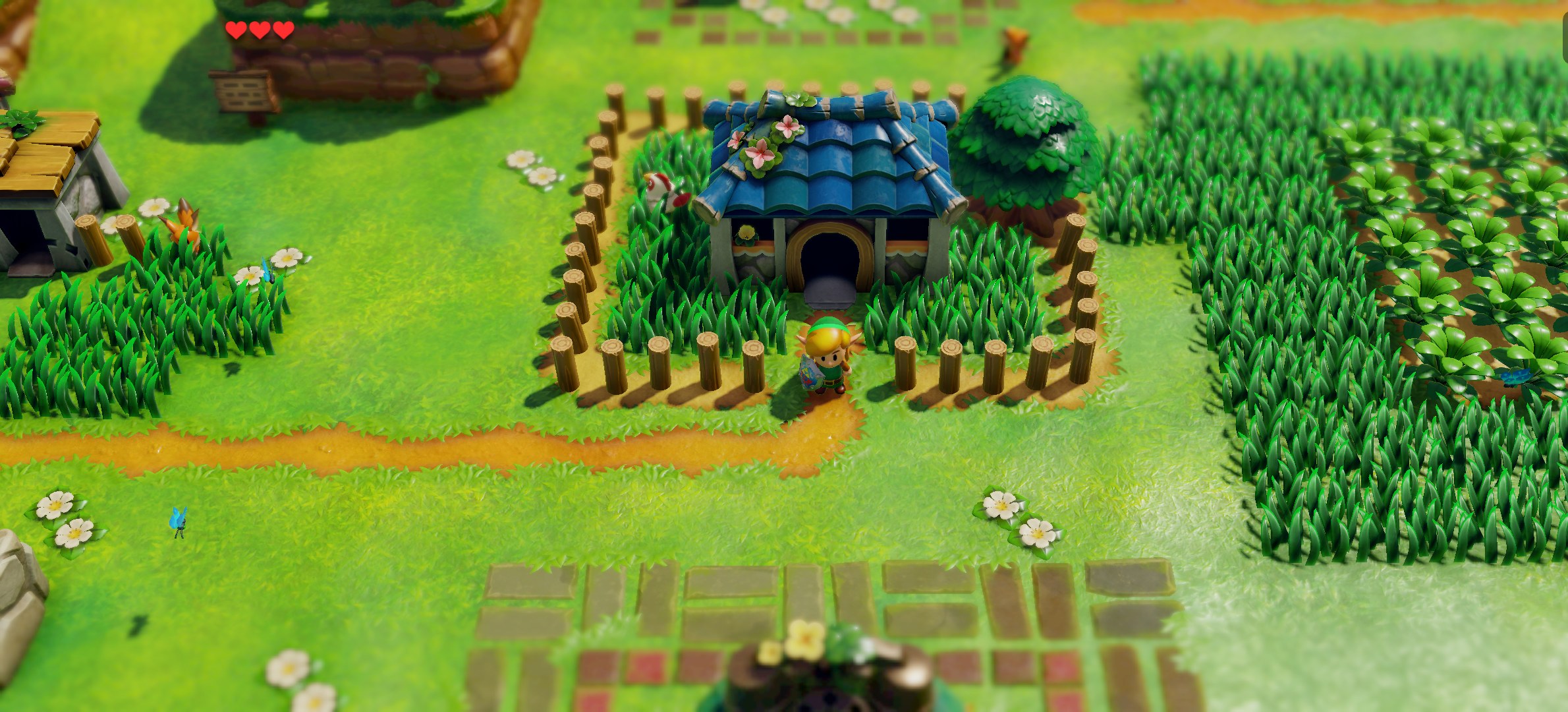
LAS Recomp is a static recompilation of The Legend of Zelda: Link's Awakening (Nintendo Switch, 2019) into a native Windows, macOS and Linux application.
[!NOTE] Currently supported platforms:
- macOS - Apple Silicon only, Metal graphics backend + MetalFX
- Windows - x86-64 only, Vulkan graphics backend
- Linux - x86-64, Vulkan graphics backend (AppImage)
- Linux aarch64 (ARM) - experimental: built but untested on real hardware; reports welcome (docs/linux.md lists what to include)
System requirements
These are the minimums during the beta and may change as development continues.
macOS: any Apple Silicon Mac (M1 or newer) on macOS 15 or newer. Intel Macs aren't supported.
Windows and Linux:
| Minimum | |
|---|---|
| OS | Windows 10 or 11 (64-bit), or 64-bit Linux from about 2022 or newer (including the Steam Deck) |
| CPU | x86-64 with AVX2 and FMA: Intel 4th gen (Haswell) or newer, or AMD Ryzen |
| GPU | Vulkan 1.3 with an up-to-date driver, about as fast as a Switch or faster. For example: NVIDIA GTX 900 series or newer, AMD Radeon RX 400 series or Ryzen integrated graphics or newer, Intel Iris Xe or newer |
| RAM | 8 GB (16 GB recommended) |
| Disk | About 12 GB free for setup |
Not supported: Intel UHD 600-series and older Intel integrated graphics, and anything slower than a Switch. Linux on ARM (aarch64) is experimental.
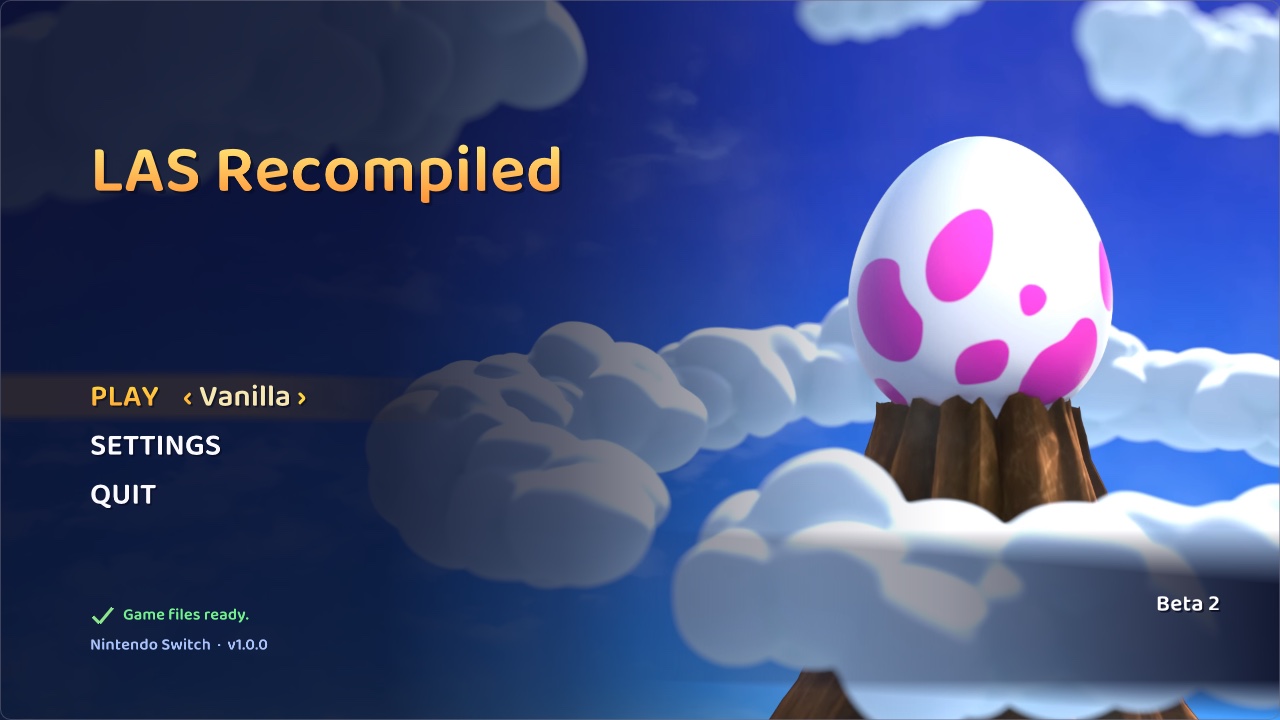
[!NOTE] No game files are included. LAS Recomp needs your own legally obtained copy of the extracted game files of Link's Awakening v1.0.0, v1.0.1 or v1.1.0. When setting up, choose a folder that contains the
exefsandromfsfolders, or their contents. Instructions on how to obtain these files will NOT be provided. On first launch the app sets up what it needs, including the actual recompilation locally. No game files, assets or fonts are included. The screenshot shows the start screen after setup; no Nintendo artwork is included until provided by the user.
Project Discord
Status
This is a beta release. That means bugs are likely, crashes could occur, randomizer seeds could possibly be unsolvable (dungeon room shuffle modes are especially experimental at this point) and some graphics issues remain (especially in wide and ultrawide aspect ratios). This is a work in progress, hence the beta designation. To report a bug or a possible randomizer logic issue, open a GitHub issue - see CONTRIBUTING.md for what to include.
Known issues
Known issues and their status are on the GitHub issues page.
Steam Deck
- Add the AppImage to Steam as a non-Steam game and play it from there. In Desktop Mode, games Steam didn't launch get Steam's desktop controller layout, which sends extra keyboard presses.
- If it won't start, add this to the game's launch options in Steam:
APPIMAGE_EXTRACT_AND_RUN=1 %command%
Features
Runs natively
- This is not emulation. It runs natively on Windows, macOS and Linux.
- Works with game versions 1.0.0, 1.0.1 and 1.1.0.
- Wider screens show more of the island, up to ultrawide. You can switch back to the original 16:9.
- Higher resolutions, a "match your display" option and dynamic resolution, with MetalFX (Mac) or FSR 1 (Windows and Linux) upscaling and SMAA anti-aliasing.
- Shaders are prepared ahead of time, so new areas don't stutter.
- A start screen where you pick vanilla or a randomizer seed, set up your game files and choose your settings.
- In-game menu: F1, or Minus + Plus on a controller.
- Switch between vanilla and any randomizer seed without restarting.
- Keyboard and controller support, with every button remappable. Button prompts match your controller (Xbox, PlayStation or Nintendo).
- Controller rumble, and the light bar on PlayStation controllers shows Link's health.
- Controllers that aren't recognised can be added with a mapping file (see SDL_GameControllerDB).
- Play in English, Japanese, Spanish, French, German, Italian, Dutch, Russian, Korean or Chinese (Simplified or Traditional).
- Optional extras: 360-degree movement, blur removal, mirror mode, faster walking and hiding the Hero Mode icon.
- Cosmetics: change Link's tunic, hair, skin and shield colours, the colour of the grass, leaves and sand (with season presets), give enemies random colours, or play with a Game Boy, Game Boy Color or grayscale filter.
- Optional run timer, with LiveSplit support.
Randomizer
- In-game seed generator, with seed IDs for sharing and separate saves for each seed.
- Shuffles all items, the trade quest, bombs and Magic Powder.
- Hint Sheet: every seed starts with one that points you to your next important item.
- Escape Bottle: every seed starts with it. Use it to warp to the dungeon entrance, or to Marin and Tarin's house outside dungeons.
- Pickup text says which dungeon a key or dungeon item belongs to.
- Extra places items can hide:
- Potsanity: every pot. Unchecked pots are gold.
- Bushsanity: every bush. Unchecked bushes are gold.
- Digsanity: every diggable spot on the overworld, about 5,000. Holes stay dug.
- Shellsanity: every Secret Seashell hiding spot.
- Underwater items: sunken treasures you dive for.
- Shopsanity: the shop's items. Buy them or steal them.
- Trendsanity: every Trendy Game prize.
- Keysanity: keys for any dungeon can be anywhere.
- Small items from bushes, pots and digging don't stop you with the item scene; important items still do.
- Item placement is paced, so big seeds don't hand you every key item right away.
- Pets: companions are items you find. The Rooster helps with Feather checks, Marin opens the desert, and the Ghost unlocks his grave. Switch or send them away from the pause menu.
- Boss souls and mini-boss souls: a boss won't appear until you find its soul.
- Triforce Hunt: collect Triforce pieces instead of waking the Wind Fish.
- Enemy Randomizer: shuffles enemies, optionally with mini-bosses (including Shadow Link) on the overworld. Enemies can change every time you enter an area.
- Hookshot anything: the hookshot grabs onto any wall or object.
- Environment and music randomizers. Acorn and Piece of Power drops can be turned off.
- Entrance Randomizer: shuffles dungeons, houses, caves and connectors, with a decoupled option.
- Dungeon Room Shuffle: every dungeon is rebuilt from its own rooms each seed.
- Coupled: going back through a door takes you back where you came from.
- Decoupled: going back through a door takes you somewhere else.
- Labyrinth (planned): doors can lead into other dungeons.
- The map can show how rooms connect as you explore.
- A tracker on the pause menu's map shows how many checks are left in each area and whether you can reach them.
- The inventory screen shows your keys, dungeon items, trade items and souls for each dungeon.
- Race mode: the spoiler log stays locked until the credits, and the title screen shows a seed hash so racers can check they have the same seed.
Building from source
Every platform needs your own game files (v1.0.0, v1.0.1 or v1.1.0): build first, then use the start screen's game-file setup.
make gen then recompiles the game code from your own game files into generated/, and make builds it into its own
library next to the app (build/lasgame.*); without it the start screen builds that library itself, as it does for
players. Release builds hold none of the game's code: the start screen builds it on each player's machine from their
own game files, with the bundled generator (make gen-helper) and compiler (tools/fetch_zig.sh).
macOS
Requirements: Apple Silicon, Xcode command line tools (clang), Homebrew sdl3 and ffmpeg,
Python 3.12.
- Build:
make -j10->build/lasrecomp. Set up your game files (above), thenmake genandmake -j10again. - Randomizer: create the Python environment for LAS-Randomizer, from
third_party/LAS-Randomizer:python3.12 -m venv venv && venv/bin/pip install -r requirements.txt. - Run:
./build/lasrecomp extracted(start screen) or./build/lasrecomp extracted --play(straight into the game). - Package:
make deps(once: SDL3, FFmpeg, keystone and Python from pinned sources, built for macOS 15),make rando-helper(the seed generator as a standalone helper, so players need no Python),make gen-helperandtools/fetch_zig.sh(what the start screen builds the game code with), thenmake app->build/LAS Recomp.app(macOS 15+, Apple Silicon) andmake dmg->build/dist/LAS Recomp-<version>-macOS.dmg.
Windows
Requirements: Windows 10+ x86-64, a CPU with AVX2 and a GPU with Vulkan 1.3. More detail in docs/BUILD-windows.md.
- One-time setup, in PowerShell from the repo root:
powershell -ExecutionPolicy Bypass -File tools\setup_windows.ps1. It installs MSYS2 (UCRT64: clang, make, SDL3, FFmpeg, Vulkan, shaderc), Python 3.12 for the tools and the randomizer (third_party\LAS-Randomizer\venv) and switches the clone to LF line endings. - Build, from an MSYS2 UCRT64 shell (or Git Bash with
export PATH="/c/msys64/ucrt64/bin:/c/msys64/usr/bin:$PATH"):make -j->build/lasrecomp.exe. Set up your game files (above), thenmake genandmake -jagain. - Run:
./build/lasrecomp.exe extracted, from a shell withC:\msys64\ucrt64\binon PATH (for the DLLs). - Package:
make deps-windows(once: LGPL FFmpeg),make rando-helper RANDO_PY="<path to python.org Python 3.12>"(MSYS2's Python has no oead wheel), thenmake dist->build/dist/LAS Recomp-<version>-windows.zip.
Linux
Requirements: x86-64 with AVX2 (or aarch64, experimental), a GPU with Vulkan 1.3, clang, SDL 3, FFmpeg, shaderc and Vulkan Memory Allocator from your distribution, Python 3.12. Packages, cross builds and details in docs/linux.md.
- Build:
make -j->build/lasrecomp. Set up your game files (above), thenmake genandmake -jagain. - Run:
./build/lasrecomp extracted. - Package:
make appimage(this machine's arch;ARCH=aarch64cross-compiles) ormake appimages(both) ->build/dist/LAS Recomp-<version>-linux-<arch>.AppImage, built in Ubuntu 22.04 containers (podman).make smoketestchecks the x86-64 AppImage before a release.
Where files live (game files, saves, seeds, settings and logs):
- macOS:
~/Library/Application Support/com.peiikai.lasrecomp/ - Windows: next to
lasrecomp.exe, so keep theLAS Recompfolder somewhere writable (not Program Files). - Linux:
~/.local/share/lasrecomp/ - You can move it to another folder or drive in Settings > Prelaunch > Data folder.
LARECOMP_DATA_ROOT=<dir>overrides all of these.- For a bug report, attach
lasrecomp.logfrom that folder.
Resuming game-code builds
If the game-code build is cancelled or interrupted, Resume game code continues where it stopped. It also resumes by itself the next time LAS Recomp starts. Game Files > Clear build cache removes the build's leftover files without touching the installed game, your game files or your saves.
Credits
Contributors - thank you to everyone who has sent code (GitHub handles, in order of first contribution):
- @dvilelaf - the System language setting (#15), a packaging fix (#10) and the level-transition crash fix (#34)
- @Tensorlong - the fix for the white Link on M1 Macs (#18)
- @mansarip - support for unrecognised controllers (#26)
- @we11adam - the right font for each language (#27) and the Chinese language codes (#25)
- @Maganra - faster graphics checks on Linux (#42)
- @hjqcan - game addresses in one place (#57), settings and Traditional Chinese fixes (#53), much less memory used on Windows (#107), Vulkan fixes (#108, #127, #128), an x86 rounding fix (#115), movie memory fixes (#112), Windows logs (#114), resumable game-code builds (#56), and save fixes (#169, #170, #182)
- @gitarre1234rr5 - controller rumble (#104) and a regression test (#88)
- @rkammoun - the fix for the black walls in the Ukuku Prairie cave on Mac (#215, #216)
- @NevesHenry - a clear message on Linux when no file window can open (#298), and the rumble test running in CI (#299)
- @ky1vstar - a much faster Linux ARM release build (#319)
- @theb0rg - the fix for AMD integrated graphics on Windows (#335)
- @gtf-dot - the game-text font on Linux (#330)
Thanks also to everyone who reports issues and tests builds. Your logs and screenshots find most of the bugs.
LAS-Randomizer - the randomizer at the heart of this project's randomizer features, vendored (with local
changes) in third_party/LAS-Randomizer under the MIT license. Huge thanks to its authors and community:
- Owen_Splat - LAS-Randomizer (https://github.com/Owen-Splat/LAS-Randomizer)
- Glan - created the original early builds of the randomizer (https://github.com/la-switch/LAS-Randomizer)
- ProfessorLaw - additional programming
- and everyone who has reported bugs, given feedback or contributed to LAS-Randomizer
Community mods - some options re-implement ideas from these GameBanana mods (re-implemented in the recomp; none of their files are used):
- 360 Controls (And More!) by Owen_Splat - 360-degree movement, blur removal (blur removal patch by theboy181) (https://gamebanana.com/mods/659802)
- XBOX UI by fellow_demo - Xbox button prompts (https://gamebanana.com/mods/540069)
- PS4 UI Buttons by messiahgov - PlayStation button prompts (https://gamebanana.com/mods/324458)
- No Hero Mode Indicator by Boo/Calla - hide the Hero Mode icon (https://gamebanana.com/mods/441172)
Libraries and tools
- SDL 3 - windowing, input, audio (zlib license)
- FFmpeg - movie playback (LGPL)
- Dear ImGui - overlay menu and start screen (MIT)
- Baloo 2 by Ek Type - the start screen's font (SIL Open Font License 1.1,
third_party/fonts/Baloo2/OFL.txt) - BIZ UDPGothic by Morisawa - the game's text on Linux when you haven't imported the Switch fonts: a free font from the same universal-design gothic family as the Switch's UD Shin Go (SIL Open Font License 1.1,
third_party/fonts/BIZUDPGothic/OFL.txt) - DejaVu Sans - the in-game menu and button letters when no system font fits, and the game text's last resort (Bitstream Vera / DejaVu license,
third_party/fonts/DejaVu/LICENSE) - Vulkan Memory Allocator - Windows and Linux renderer (MIT)
- SMAA by Jorge Jimenez, Jose I. Echevarria, Belen Masia, Fernando Navarro and Diego
Gutierrez - the anti-aliasing option (MIT,
third_party/smaa/LICENSE.txt) - AMD FidelityFX Super Resolution 1 - the Windows and Linux upscaler option, ported to GLSL (MIT)
- oead and evfl - Nintendo file formats, used by LAS-Randomizer
- PyInstaller - packs the seed generator into a standalone helper (GPL 2.0+ with the bootloader exception, which allows distributing the packed program). The helper bundles CPython (PSF License), oead / evfl (GPL 2.0+), Keystone (GPL 2.0; Python bindings BSD), quicktex (LGPL 3), Pillow (MIT-CMU), PyYAML (MIT) and appdirs (MIT)
- Zig - its C compiler (
zig cc: Clang and LLD) builds the game code on the player's machine during setup (MIT; LLVM, Clang, LLD: Apache 2.0 with LLVM exceptions) - The game code generator (
tools/gen.py) is packed by PyInstaller into a standalone helper too. It bundles CPython, Capstone (BSD 3-clause; disassembly), Unicorn (GPL 2.0; Python bindings BSD; runs small pieces of code to resolve jump tables) and python-lz4 (BSD 3-clause, with the LZ4 library: BSD 2-clause) - envytools - NVIDIA GPU documentation used for the shader translator
- An MIT-licensed open-source project's audio renderer and shader instruction decoders (license and copyright notice:
third_party/ryujinx/LICENSE.txt) - the audio renderer's reverb is a port of its reverb code and the mixer is modelled on its renderer; its instruction decoders were the bit-layout reference for parts of the shader translator - Dusklight by the TwilitRealm team (https://github.com/TwilitRealm/dusklight) - design inspiration for the start screen (Play / Settings / Game Files layout)
- SuperMarioWonderRecomp by BelmanteGu (https://github.com/BelmanteGu/SuperMarioWonderRecomp) - its ahead-of-time shader approach is what the first-launch shader preparation follows (a shipped list of shader variants, built on the player's machine from their own game files)
- The Switch homebrew community's documentation (Switchbrew)
Legal
LAS Recomp is a fan project. It is not affiliated with, endorsed by or sponsored by Nintendo. The Legend of Zelda and Link's Awakening are trademarks of Nintendo. No game files, game code, assets or fonts are included - not in this repository and not in release builds. You must provide your own legally obtained copy of the game files to play.
License
LAS Recomp's own code (the recompiler tools, the runtime, the randomizer additions) is open source under the
MIT License. Third-party components keep their own licenses: LAS-Randomizer (MIT), ported audio renderer code (MIT, see third_party/), Dear ImGui (MIT),
Vulkan Memory Allocator (MIT), SMAA (MIT), AMD FSR 1 (MIT), the Baloo 2 and BIZ UDPGothic fonts (SIL OFL 1.1), the DejaVu Sans font (Bitstream Vera / DejaVu license), SDL 3 (zlib), FFmpeg (LGPL 2.1+, linked dynamically), the
Zig compiler (MIT; its LLVM / Clang / LLD: Apache 2.0 with LLVM exceptions; its C library headers keep their own
licenses), and the generator helpers' bundled libraries listed under Credits (oead / evfl / Keystone in the seed
generator and Unicorn in the game code generator are under the GPL, versions in the table below: each helper is a separate program the game runs, and its
sources are this repository plus those projects' published sources). The license covers LAS Recomp's code only - it grants
nothing for Nintendo's game, which you must supply yourself.
Source code of bundled third-party components
Release builds include these components; their source code for the exact versions shipped is available here:
| Component | Version | License | Source |
|---|---|---|---|
| Keystone (seed generator) | 0.9.2 | GPL 2.0 | https://github.com/keystone-engine/keystone/releases/tag/0.9.2 |
| oead (seed generator) | 1.3.0 | GPL 2.0+ | https://github.com/zeldamods/oead/releases/tag/v1.3.0 |
| evfl (seed generator) | 1.2.0 | GPL 2.0+ | https://github.com/zeldamods/evfl/releases/tag/v1.2.0 |
| quicktex (seed generator) | 0.2.1 | LGPL 3.0 | https://github.com/drewcassidy/quicktex/releases/tag/v0.2.1 |
| PyInstaller (packs the seed and game code generators) | 6.22.3 | GPL 2.0+ with bootloader exception | https://github.com/pyinstaller/pyinstaller/releases/tag/v6.22.3 |
| CPython (seed and game code generators) | 3.12.14 (macOS), 3.12.10 (Windows), 3.12.15 (Linux) | PSF | https://github.com/python/cpython/releases/tag/v3.12.14, https://github.com/python/cpython/releases/tag/v3.12.10, https://github.com/python/cpython/releases/tag/v3.12.15 |
| Zig (builds the game code during setup; includes LLVM, Clang, LLD) | 0.17.0 | MIT; LLVM: Apache 2.0 with LLVM exceptions | https://ziglang.org/download/0.17.0/zig-0.17.0.tar.xz |
| Capstone (game code generator) | 5.0.9 | BSD 3-clause | https://pypi.org/project/capstone/5.0.9/ |
| Unicorn (game code generator) | 2.1.4 | GPL 2.0 (Python bindings: BSD) | https://pypi.org/project/unicorn/2.1.4/, https://github.com/unicorn-engine/unicorn |
| python-lz4 (game code generator; includes LZ4) | 4.4.5 | BSD 3-clause; LZ4: BSD 2-clause | https://pypi.org/project/lz4/4.4.5/ |
| FFmpeg (LGPL configuration, macOS, Windows and Linux builds) | 9.0.2 | LGPL 2.1+ | https://ffmpeg.org/releases/ |
| SDL 3 | 3.4.18 (macOS, Windows), 3.4.16 (Linux) | zlib | https://github.com/libsdl-org/SDL/releases/tag/release-3.4.18, https://github.com/libsdl-org/SDL/releases/tag/release-3.4.16 |
| shaderc (Windows, Linux: GLSL to SPIR-V; Linux: with glslang, SPIRV-Tools inside) | 2026.4 (Windows), 2026.3 (Linux) | Apache 2.0 | https://github.com/google/shaderc |
| libiconv (Windows: used by SDL 3) | 1.19 | LGPL 2.1+ | https://ftp.gnu.org/pub/gnu/libiconv/libiconv-1.19.tar.gz |
| GCC runtime: libgcc, libstdc++ (Windows) | 16.2.0 | GPL 3.0 with the GCC Runtime Library Exception | https://gcc.gnu.org/ |
| winpthreads (Windows, mingw-w64) | 14.0.0 | MIT / BSD | https://www.mingw-w64.org/ |
| Baloo 2 font (SemiBold) | 1.640 | SIL OFL 1.1 | https://github.com/EkType/Baloo2 |
| BIZ UDPGothic font (Regular, Linux) | 1.05 (Google Fonts) | SIL OFL 1.1 | https://github.com/googlefonts/morisawa-biz-ud-gothic, https://github.com/google/fonts/tree/main/ofl/bizudpgothic |
| DejaVu Sans font (Book, Bold) | 2.37 | Bitstream Vera license (DejaVu changes public domain) | https://github.com/dejavu-fonts/dejavu-fonts/releases/tag/version_2_37 |
| SMAA (shader and lookup textures, built in) | 2013 (repository master) | MIT | https://github.com/iryoku/smaa |
The exact build scripts that fetch and build these (with checksums) are in this repository: tools/build_deps_macos.sh,
tools/build_deps_windows.sh, tools/linux/build_deps.sh and tools/rando/rando_gen.spec. The Windows build takes SDL 3, shaderc, libiconv and the
compiler runtime from MSYS2's UCRT64 packages (https://packages.msys2.org, which links each package's source).
