MediaLoader




Table of Content
- Introduction
- Features
- Quick start
- Usage
- Documentation
- Sample
- FAQ
- Change log
- Where released
- Support
- License
Introduction
MediaLoader allow you to enable cache video/audio while playing for any android media player with single line code.
Features
- caching to disk while streaming,no wait;
- offline work with cached data,no download again;
- working with any media player on android(MediaPlayer,VideoView,ExoPlayer,ijkplayer...);
- cache management(cache dir change,cache file rename,max cache files size limit, max cache files count limit...);
- pre-download available,can pre-download the audio/video to avoid waiting.
Quick start
Just add dependency (MediaLoader was released in jcenter):
dependencies {
    compile 'com.vincan:medialoader:1.0.0'
}
and use new url from MediaLoader instead of original url:
String proxyUrl = MediaLoader.getInstance(getContext()).getProxyUrl(VIDEO_URL);
videoView.setVideoPath(proxyUrl);
Usage
Listen downloading status
Add callback to listen downloading status:
MediaLoader.addDownloadListener(String url, DownloadListener listener)
don't forget to remove listener to avoid memory leaks:
MediaLoader.removeDownloadListener(String url, DownloadListener listener)
Change initial configuration
You can change the default initial configuration with help of MediaLoaderConfig:
        MediaLoaderConfig mediaLoaderConfig = new MediaLoaderConfig.Builder(this)
                .cacheRootDir(DefaultConfigFactory.createCacheRootDir(this, "your_cache_dir"))//directory for cached files
                .cacheFileNameGenerator(new HashCodeFileNameCreator())//names for cached files
                .maxCacheFilesCount(100)//max files count
                .maxCacheFilesSize(100 * 1024 * 1024)//max files size
                .maxCacheFileTimeLimit(5 * 24 * 60 * 60)//max file time
                .downloadThreadPoolSize(3)//download thread size
                .downloadThreadPriority(Thread.NORM_PRIORITY)//download thread priority
                .build();
        MediaLoader.getInstance(this).init(mediaLoaderConfig);
Pre-download
Sometimes the MediaLoader doesn't work good in the case of poor network.So pre-download audio/video is a good idea to avoid no sense of waiting.
DownloadManager is a good partner of MediaLoader.
Just use DownloadManager.enqueue(Request request, DownloadListener listener) to start and DownloadManager.stop(String url) to stop pre-downloading.
More useful method such as pause,resume and so on are available in DownloadManager.
See API list for more details.
Documentation
MediaLoader
| desc | API |
|---|---|
| get MediaLoader instance | MediaLoader#getInstance(Context context) |
| initialize MediaLoader | MediaLoader#init(MediaLoaderConfig mediaLoaderConfig) |
| get proxy url | MediaLoader#getProxyUrl(String url) |
| is file cached | MediaLoader#isCached(String url) |
| get cache file | MediaLoader#getCacheFile(String url) |
| add download listener | MediaLoader#addDownloadListener(String url, DownloadListener listener) |
| remove download listener | MediaLoader#removeDownloadListener(String url, DownloadListener listener) |
| remove download listener | MediaLoader#removeDownloadListener(DownloadListener listener) |
| pause download | MediaLoader#pauseDownload(String url) |
| resume download | MediaLoader#resumeDownload(String url) |
| destroy MediaLoader instance | MediaLoader#destroy() |
MediaLoaderConfig.Builder
| desc | API |
|---|---|
| set cache root dir | MediaLoaderConfig.Builder#cacheRootDir(File file) |
| set cache file name generator | MediaLoaderConfig.Builder#cacheFileNameGenerator(FileNameCreator fileNameCreator) |
| set max cache files size | MediaLoaderConfig.Builder#maxCacheFilesSize(long size) |
| set max cache files count | MediaLoaderConfig.Builder#maxCacheFilesCount(int count) |
| set max cache file time | MediaLoaderConfig.Builder#maxCacheFileTimeLimit(long timeLimit) |
| set download thread pool size | MediaLoaderConfig.Builder#downloadThreadPoolSize(int threadPoolSize) |
| set download thread priority | MediaLoaderConfig.Builder#downloadThreadPriority(int threadPriority) |
| set download ExecutorService | MediaLoaderConfig.Builder#downloadExecutorService(ExecutorService executorService) |
| new MediaLoaderConfig instance | MediaLoaderConfig.Builder#build() |
DownloadManager
| desc | API |
|---|---|
| get MediaLoader instance | DownloadManager#getInstance(Context context) |
| start download | DownloadManager#enqueue(Request request) |
| start download | DownloadManager#enqueue(Request request, DownloadListener listener) |
| is download task running | DownloadManager#isRunning(String url) |
| pause download | DownloadManager#pause(String url) |
| resume download | DownloadManager#resume(String url) |
| stop download | DownloadManager#stop(String url) |
| pause all download | DownloadManager#pauseAll() |
| resume all download | DownloadManager#resumeAll() |
| stop all download | DownloadManager#stopAll() |
| is file cached | DownloadManager#isCached(String url) |
| get cache file | DownloadManager#getCacheFile(String url) |
| clean cache dir | DownloadManager#cleanCacheDir() |
Sample
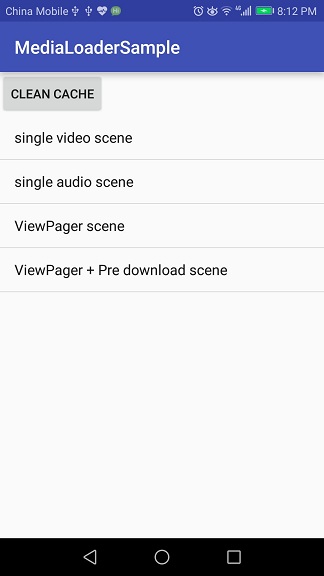
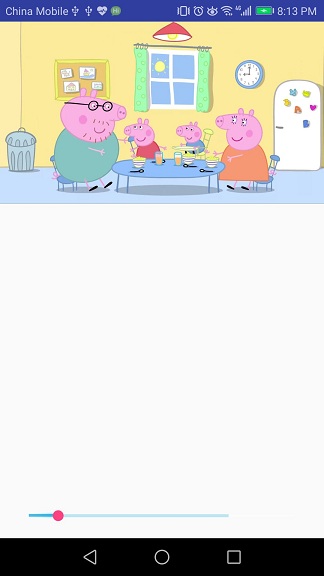
See sample project.
FAQ
1.What is the default initial configuration for MediaLoader?
| config key | default value |
|---|---|
| cache dir | sdcard/Android/data/${application package}/cache/medialoader |
| cache file naming | MD5(url) |
| max cache files count | 500 |
| max cache files size | 500* 1024 * 1024(500M) |
| max cache file time | 10 * 24 * 60 * 60(10 days) |
| download thread pool size | 3 |
| download thread priority | Thread.MAX_PRIORITY |
Change log
See release notes
Where released
See bintray.com
Support
Any problem?
- Learn more from sample.
- Read the source code.
- New issue.
- Contact us for help.
License
MediaLoader is under the Apache-2.0 license. See the LICENSE file for details.
