VNTFontListPreference
Introduction: ListPreference for Android which displays fonts
Tags:
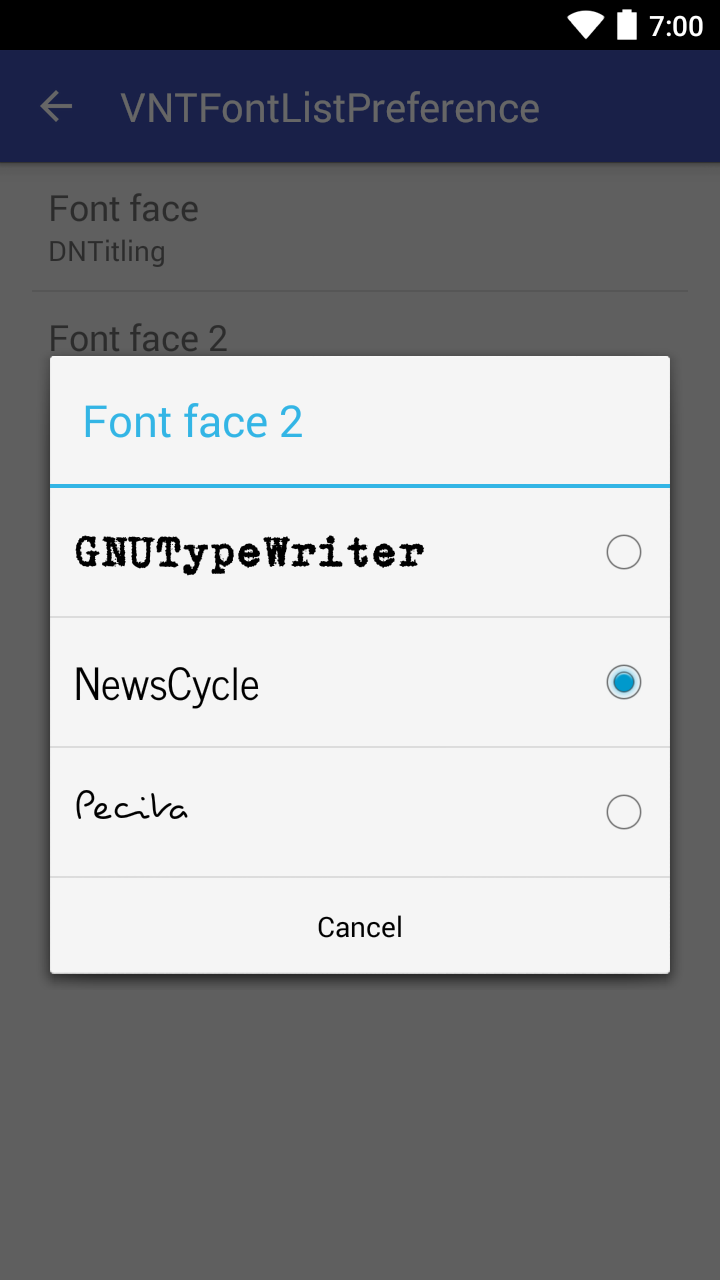
This custom preference opens a dialog of available fonts and automatically saves a selected font. The font directory and defaultValue is fully customizable.
<com.vanniktech.vntfontlistpreference.VNTFontListPreference
    android:defaultValue="@string/font_face_default_value"
    android:key="preference_font_face"
    android:title="@string/font_face"
    app:vnt_fontDirectory="@string/font_face_font_directory" />
vntfontlistpreference:vnt_fontDirectory will list all fonts ending in ttf or otf under assets/fonts, similar to fonts. If there are no fonts under the provided directory it will throw an exception during initialization.
Setup
build.gradle
compile 'com.vanniktech:vntfontlistpreference:1.0.0'
compile 'com.vanniktech:vntfontlistpreference:1.0.1-SNAPSHOT'
Modules are located on Maven Central.
Go to your preference XML file and insert the above mentioned XML tag. Afterwards you are good to go and can run your project!
Get default font
SharedPreferences sharedPreferences = PreferenceManager.getDefaultSharedPreferences(this);
String defaultFont = sharedPreferences.getString("preference_font_face", getString(R.string.font_face_default_value));
Typeface typeface = Typeface.createFromAsset(getAssets(), font);
Proguard
No configuration needed.
Preview
License
Copyright (C) 2014-2016 Vanniktech - Niklas Baudy
Licensed under the Apache License, Version 2.0
