heron
Heron is a Jetpack Compose adaptive, reactive and offline-first Bluesky client.
Download


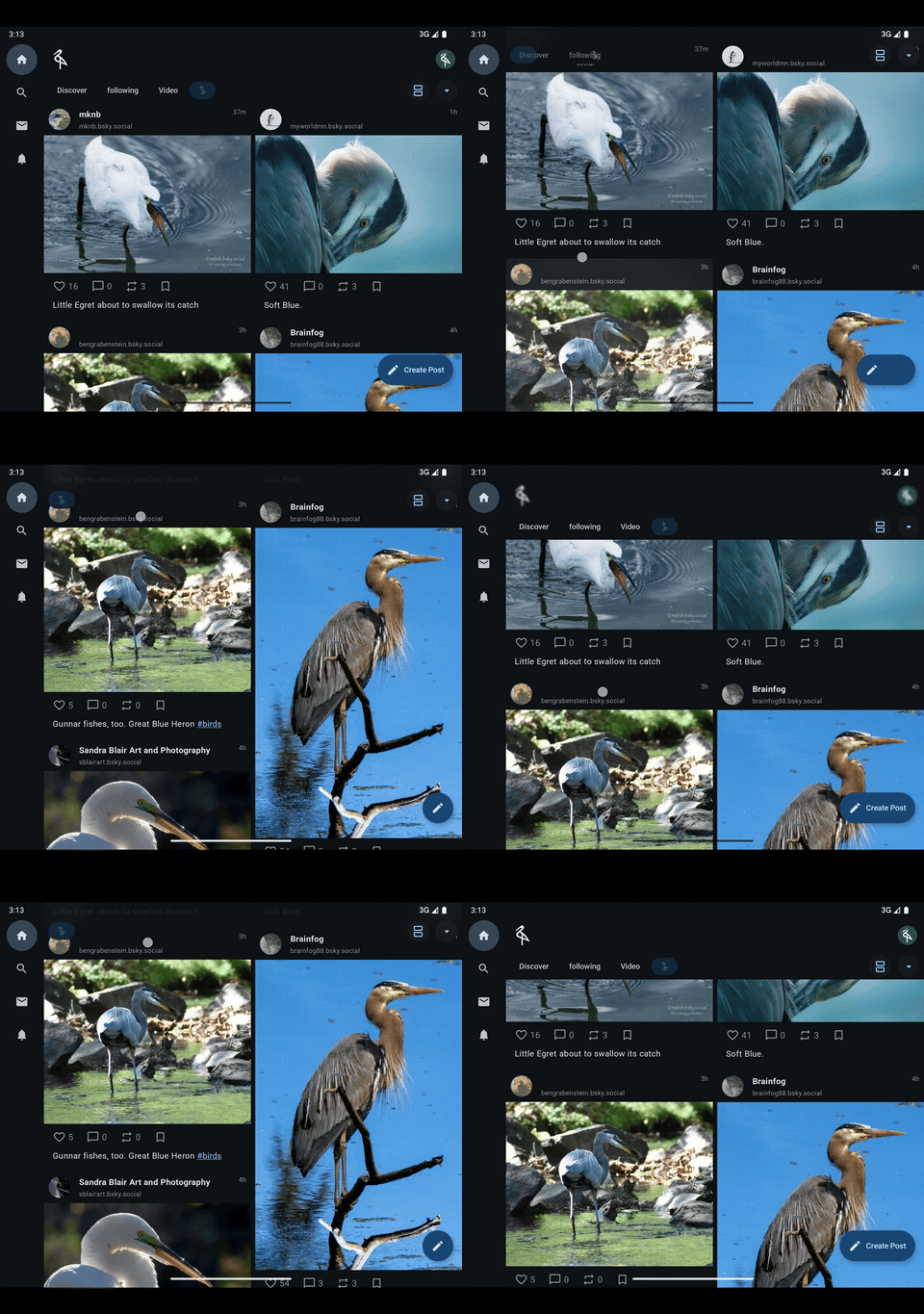
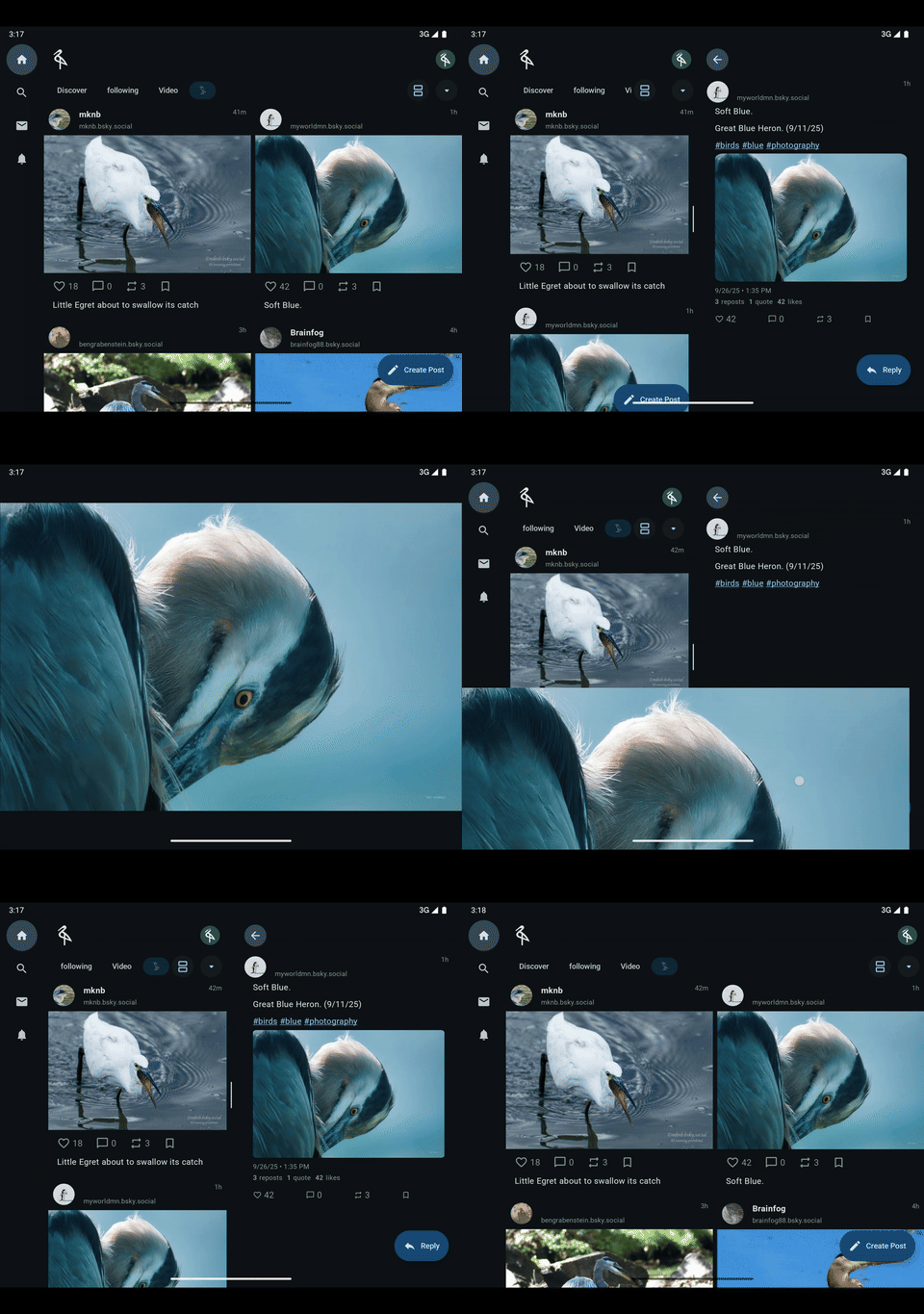
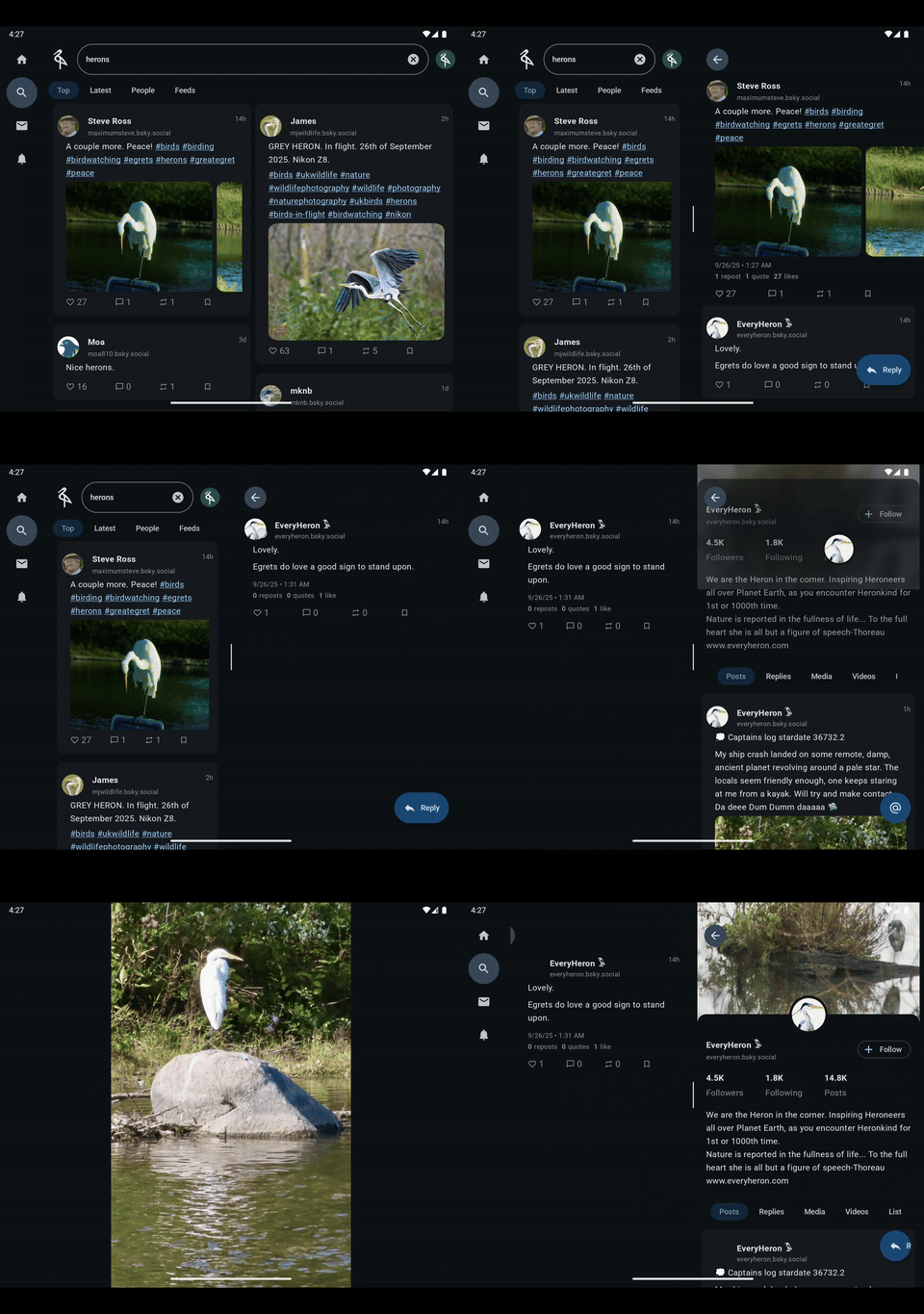
Screenshots
 |
 |
 |
|---|
UI/UX and App Design
Heron uses Material design and motion and is heavily inspired by the Crane material study.
Libraries:
- Geometric shapes are created with the Jetpack shapes graphics library.
- UX patterns like pinch to zoom, drag to dismiss, collapsing headers, multipane layouts, and and so on are implemented with the Composables library.
Architecture
This is a multi-module Kotlin Multiplatform project targeting Android, iOS and Desktop that follows the Android architecture guide.
For more details about this kind of architecture, take a look at the Now in Android sample repository, this app follows the same architecture principles it does, and the architecture decisions are very similar.
There are 5 kinds of modules:
data-*is the data layer of the app containing models data and repository implementations for reading and writing that data. Data reads should never error, while writes are queued with aWriteQueue.- Jetpack Room
is used for persisting data with SQLite.
- Given the highly relational nature of the app, a class called a
MultipleEntitySaveris used to save bluesky network models.
- Given the highly relational nature of the app, a class called a
- Jetpack DataStore is used for blob storage of arbitrary data with protobufs.
- Ktor is used for network connections via the Ozone at-proto bindings.
- Jetpack Room
is used for persisting data with SQLite.
ui-*contains standalone and reusable UI components and Jetpack Compose effects for the app ranging from basic layout to multimedia components for displaying photos and video playback.- Higher level, aggregated abstractions also live here, most notably
ui-timelinewhich holds theTimelineStateandtimelineStateHolderthat drive timeline data production with the Tiling library. ui-sheetsholds the app's bottom sheets. Unusually for aui-*module it depends onui-scaffold, so the sheets can drive their own navigation.
- Higher level, aggregated abstractions also live here, most notably
ui-scaffold(aui-*module) contains the application state in theAppStateclass, and coordinates app level UI logic like pane display, drag to dismiss, back previews and so on. It is the entry point to the multiplatform applicationfeature-*contains navigation destinations or screens in the app. Multiple features can run side by side in app panes depending on the navigation configuration and device screen size./composeAppis the module that assembles the fully wired app and depends on all other modules. It is consumed by each platform's launcher (see Platform entry points). It contains several source sets:commonMainis for code that’s common for all targets, including the sharedcreateAppStatebuilder that wires the whole DI graph.- The
androidMain,desktopMainandiosMainfolders hold Kotlin code compiled for only the platform indicated by the folder name, mostly each platform'screateAppStateoverload.
Dependency Injection
Dependency injection is implemented with the Metro library which constructs the dependency graph at build time and therefore is compile time safe. Assisted injection is used for feature screens to pass navigation arguments information to the feature.
Graph levels
The DI graph is layered. Conceptually the data layer is the root of the app at the top, and each
level below it is built on the levels above. The fully assembled composeApp sits at the leaf:
- Data (
data-*) — the top of the graph, the root of the app. Repository implementations, the Room database, the Ktor network stack and theWriteQueue. Depends on no other layer. Contributed to the graph viaDataBindings. - UI (
ui-*) — depends on data. Reusable Compose components and effects. It can also host ViewModels that have access to the data layer, for example the sheet ViewModels inui-sheets, each contributed viaSheetBindingsinto aMapkeyed by ViewModel type thatAppStateexposes throughPaneScaffoldState. - Scaffold (
ui-scaffold) — depends on data and ui. Navigation lives here. It manages global app logic in discrete states —IdentityState,NotificationStateandNavigationState— that are coordinated byAppState, the app level state holding app level concerns.PaneScaffoldStateis a slice intoAppStatethat feature modules can see. Contributed viaScaffoldBindings. - Sheets (
ui-sheets) — depends onui-scaffoldandui-timeline. Holds the app's bottom sheets and their ViewModels; because it can seePaneScaffoldState, the sheets navigate themselves. Contributed viaSheetBindings. - Feature (
feature-*) — navigation destinations. Depends on data and scaffold. Its ViewModels have access to the data layer and to navigation semantics, and it usesPaneScaffoldStateto glean app level scope from the scaffold. Each feature contributes a*NavigationBindings(route matchers) and a featureBindings(its screen entry and ViewModel access). - Compose App (
composeApp) — the fully assembled app, the lowest level of the tree.AppGraph@Includesevery layer's bindings and exposes the assembledentryMapandappState, and each platform's entry point creates theAppStateand rendersApp().
graph TD
    Data["Data · data-*<br/>repositories, database, network, WriteQueue<br/>(root — depends on nothing)"]
    UI["UI · ui-*<br/>reusable Compose components + ViewModels"]
    Scaffold["Scaffold · ui-scaffold<br/>navigation + AppState<br/>(IdentityState, NotificationState, NavigationState)<br/>exposes PaneScaffoldState"]
    Sheets["Sheets · ui-sheets<br/>app bottom sheets<br/>(depends on scaffold to self-navigate)"]
    Feature["Feature · feature-*<br/>navigation destinations; ViewModels with<br/>data + navigation; read scope via PaneScaffoldState"]
    App["Compose App · composeApp<br/>AppGraph assembles all layers · per-platform entry points"]

    Data --> UI
    Data --> Scaffold
    Data --> Feature
    UI --> Scaffold
    Scaffold --> Sheets
    Scaffold --> Feature
    Sheets --> Feature
    UI --> App
    Scaffold --> App
    Sheets --> App
    Feature --> App
Arrows point from a layer to the layers built on top of it; the compile-time dependencies run the opposite way (e.g. every feature depends on data and scaffold).
Graph items
The items in the dependency graph are:
*NavigationBindingsfrom feature modules contributingRouteMatcherinstances (@IntoMap) into theAppNavigationGraph'srouteMatcherMap.- Feature
Bindingsfrom feature modules contributing the per-featurePaneEntryscreen factory (@IntoMap) into theAppGraph'sentryMap, plus access to the data layer and app scaffold. ScaffoldBindingsproviding thePaneScaffoldStatefor building a multi-pane app and the global state holders.DataBindingsfor the data layer.- An
AppNavigationGraphfor resolving navigation routes. - An
AppGraphcontaining the entire app DI graph.
Platform entry points
composeApp produces the assembled app for every target — an Android library, an iOS framework and the
desktop application — but the OS-level launcher for each platform lives outside it. Every platform follows
the same two steps: build an AppState once, then hand it to the single shared root composable,
ui-scaffold's App(appState, modifier).
The wiring lives in the EntryPoint*.kt files in composeApp:
- Common —
EntryPoint.ktexposescreateAppState(...). It creates the app-wideCoroutineScope, builds theAppNavigationGraphandAppGraphfrom every module's bindings via Metro'screateGraphFactory, and returnsappGraph.appState. It is platform-agnostic: the platform-specific pieces —imageLoader,notifier,logger,videoPlayerControllerand the data layerargs(DataBindingArgs) — are passed in as factory lambdas. - Android —
EntryPoint.android.ktadds acreateAppState(context)overload that supplies the Android implementations of those factories (e.g. the saved-state path under app storage) and delegates to the common builder. The OS launcher is the separateandroidAppmodule:HeronApplicationcallscreateAppState(this)on startup and holds theAppState, andMainActivityreads it and callssetContent { App(appState, …) }, also wiring the splash screen, FCM token registration and deep links. - Desktop (JVM) —
EntryPoint.jvm.ktprovides a no-argcreateAppState()that resolves the per-OS app data directory and encrypts saved state with Tink. The launcher ismain.kt: afun main()that opens a ComposeWindow { App(appState = remember { createAppState() }, …) }. - iOS —
EntryPoint.ios.ktprovides the iOScreateAppState()plus bridge functions for FCM tokens and push notifications, andMainViewController.ktwraps the root composable in aComposeUIViewController. The OS launcher is theiosAppXcode/SwiftUI project:iOSApp.swift'sAppDelegatecallsEntryPoint_iosKt.createAppState()and holds theAppState, andContentView.swiftembedsMainViewController(appState:)in a SwiftUIUIViewControllerRepresentable.
Navigation
Navigation uses the treenav experiment to implement
Android adaptive navigation.
Specifically it uses a ThreePane configuration, where up to 3 navigation panes may be shown, with
one reserved for back previews and another for modals. Navigation state is also saved to disk and
persisted across app restarts.
State production
- State production follows the Android guide to UI State Production.
- Each feature uses a single Jetpack ViewModel as the business logic state holder.
- State is produced in a lifecycle aware way using
the Jetpack Lifecyle APIs.
- The
CoroutineScopefor eachViewModelis obtained usingviewModelCoroutineScope()with special coroutine elements for UI state production.
- The
- The specifics of producing state over time is implemented with
the Mutator library.
- Inputs to the state production pipeline are passed to the mutator using an
Actionsealed class hierarchy. - Every coroutine launched is limited to running when the lifecycle of the component displaying
it is resumed. When the lifecyle
is paused, the coroutines are cancelled after 2 seconds:
SharingStarted.WhileSubscribed(FeatureWhileSubscribed). - Each user
Actionis in a sealed hierarchy, and action parallelism is defined by theAction.key. Actions with different keys run in parallel while those in the same key are processed sequentially. Each distinct subtype of anActionhierarchy typically has it's own key unless sequential processing is required for example:- All subtypes of
Action.Navigationtypically share the same key. - All subtypes of pagination actions, also share the same key and are processed with the Tiling library.
- All subtypes of
- Inputs to the state production pipeline are passed to the mutator using an
Building
iOS Push Notifications
iOS push notifications are powered by Firebase Cloud Messaging (FCM) via Apple Push Notification service (APNs). The following setup is required:
Firebase iOS SDK - Added via Swift Package Manager in
apps/iosApp/iosApp.xcodeproj. TheFirebaseMessagingpackage is required.GoogleService-Info.plist- Download from Firebase Console > Project Settings > your iOS app and place atapps/iosApp/iosApp/GoogleService-Info.plist. This file is.gitignored; in CI, decode it from theFIREBASE_IOS_PLISTbase64 secret:echo "$FIREBASE_IOS_PLIST" | base64 -d > apps/iosApp/iosApp/GoogleService-Info.plistPush Notifications capability - Enabled in Xcode under Signing & Capabilities. This adds
aps-environmenttoiosApp.entitlements.Background Modes capability - Enabled in Xcode with Remote notifications checked. This adds
remote-notificationtoUIBackgroundModesinInfo.plist, which is required for data-only/silent push delivery.APNs Authentication Key - Create a
.p8key in the Apple Developer Portal under Keys with Apple Push Notifications enabled. Note the Key ID and Team ID.Upload APNs key to Firebase - In Firebase Console > Project Settings > Cloud Messaging > iOS app, upload the
.p8key along with the Key ID and Team ID.Backend payload format - FCM payloads targeting iOS must include
content-available: 1inapns.payload.apsfor data-only push delivery. Without this, iOS silently drops the notification. Note that iOS throttles silent pushes and does not deliver them to force-quit apps.
Gradle Properties
The following properties can be set in ~/.gradle/gradle.properties or passed via -P flags.
None are required for basic development builds.
| Property | Description |
|---|---|
heron.versionCode |
Integer version code. Managed by CI via github.run_number. |
heron.endpoint |
Backend endpoint URL for the app. |
heron.isRelease |
Set to true when building release artifacts. |
heron.releaseBranch |
Branch prefix (bugfix/, feature/, release/) controlling version increments. |
heron.macOS.signing.identity |
Name of the Developer ID Application certificate in your Keychain (e.g. Developer ID Application: Name (TEAM_ID)). When present, the macOS DMG will be code signed. |
macOS signing is only configured when heron.macOS.signing.identity is present, |
|
| so contributors without an Apple Developer account can still build unsigned DMGs with | |
./gradlew packageReleaseDmg. |
Notarization is handled externally via xcrun notarytool (not a Gradle task) to maintain
compatibility with the Gradle configuration cache. To notarize locally after building a signed DMG:
./gradlew packageReleaseDmg
xcrun notarytool submit <path-to-dmg> \
  --apple-id <your-apple-id> \
  --password <app-specific-password> \
  --team-id <team-id> \
  --wait
xcrun stapler staple <path-to-dmg>
Publishing
Publishing is triggered manually via the Publish GitHub Actions workflow (workflow_dispatch).
A platform input selects which jobs run — all (default), android, ios, or mac — so
you can push a single platform without burning CI minutes on the others.
Android (publish-android-app) builds a release AAB, signs it, uploads to the Play Store
internal track, extracts a universal APK, and attaches it to a draft GitHub Release.
iOS (publish-ios-app) imports the distribution certificate, downloads the provisioning
profile via the App Store Connect API, patches iosApp.xcodeproj for manual signing, stamps
the version and build number into Info.plist, archives and exports a signed .ipa, and
uploads it to App Store Connect for TestFlight. See iOS publishing notes
below for the tricky bits.
macOS (publish-mac-app) imports a signing certificate, builds a signed DMG
via packageReleaseDmg, notarizes it with xcrun notarytool, staples the ticket,
and attaches it to the same draft GitHub Release.
The following repository secrets are required for CI publishing:
| Secret | Used by |
|---|---|
HERON_ENDPOINT |
All jobs |
GOOGLE_SERVICES_BASE_64 |
Android |
SIGNING_KEY_BASE_64 |
Android |
ALIAS |
Android |
KEY_STORE_PASSWORD |
Android |
KEY_PASSWORD |
Android |
MACOS_SIGNING_CERTIFICATE_P12_DATA |
macOS - base64-encoded Developer ID Application .p12 file |
MACOS_SIGNING_CERTIFICATE_PASSWORD |
macOS - password for the .p12 file |
MACOS_SIGNING_IDENTITY |
macOS - certificate identity string (e.g. Developer ID Application: Name (TEAM_ID)) |
MACOS_NOTARIZATION_APPLE_ID |
macOS - Apple ID email |
MACOS_NOTARIZATION_PASSWORD |
macOS - app-specific password |
MACOS_NOTARIZATION_TEAM_ID |
macOS - Apple Developer Team ID |
IOS_CERTIFICATES_P12 |
iOS - base64-encoded Apple Distribution .p12 file (must contain the private key) |
IOS_CERTIFICATES_PASSWORD |
iOS - password for the .p12 file |
IOS_DIST_PROVISIONING_PROFILE_NAME |
iOS - exact display name of the App Store Connect provisioning profile |
APPSTORE_ISSUER_ID |
iOS - App Store Connect API issuer ID |
APPSTORE_KEY_ID |
iOS - App Store Connect API key ID |
APPSTORE_PRIVATE_KEY |
iOS - raw contents of the .p8 private key (PEM text, not base64) |
APPSTORE_TEAM_ID |
iOS - Apple Developer Team ID |
FIREBASE_IOS_PLIST |
iOS - base64-encoded GoogleService-Info.plist |
iOS publishing notes
Getting a Kotlin Multiplatform iOS build onto TestFlight via GitHub Actions has several
non-obvious failure modes. The fixes are already in the workflow and apps/composeApp/build.gradle.kts,
but the reasoning is worth preserving.
Signing must be patched into project.pbxproj, not passed via xcodebuild overrides.
The Xcode project uses CODE_SIGN_STYLE = Automatic with CODE_SIGN_IDENTITY = "Apple Development"
for local development. xcodebuild's pre-flight signing check validates the project's
baked-in settings before applying command-line build-setting overrides, so passing
CODE_SIGN_STYLE=Manual CODE_SIGN_IDENTITY="Apple Distribution" PROVISIONING_PROFILE_SPECIFIER=...
positionally fails with No "iOS Development" signing certificate found. Using the -xcconfig
flag (which wins over positional args) fixes signing for the main target, but then cascades to
SPM dependencies (Firebase, GoogleUtilities, etc.) that don't support provisioning profiles and
error out. The CI uses sed on project.pbxproj to switch only the iosApp target's settings
(CODE_SIGN_STYLE, CODE_SIGN_IDENTITY, PROVISIONING_PROFILE_SPECIFIER), leaving SPM targets
untouched. This only affects CI's checked-out copy of the project file.
Kotlin/Native devirtualization is disabled for release iOS framework builds.
See the freeCompilerArgs += "-Xdisable-phases=DevirtualizationAnalysis,Devirtualization" block
in apps/composeApp/build.gradle.kts. At ~115k LOC, the K/N linker's DevirtualizationAnalysis phase
OOMs on GitHub's macos-latest runner (14 GB RAM) regardless of how high org.gradle.jvmargs is
set — the memory consumed by ConstraintGraphBuilder scales past the runner's physical RAM
ceiling. Two gotchas to know if you ever need to touch this:
- The flag name is
-Xdisable-phases=<PhaseName>, not-Xbinary=.... Phase names come from thename =parameter ofcreateSimpleNamedCompilerPhasein Kotlin/Native'sLTO.kt. Unknown phase names are silently ignored (no error, no warning — the flag just does nothing). - Don't disable
BuildDFG. Other phases (EscapeAnalysis,DCEPhase, etc.) read from the symbol table it populates and crash withIllegalArgumentException: The symbol table has been sealedif it's skipped. Disable onlyDevirtualizationAnalysis(the memory hog) andDevirtualization(the downstream phase that applies its results). - Revisit once Kotlin 2.4.0 stable ships with KT-80367 (memory reduction for DevirtualizationAnalysis) and a Compose Multiplatform release targets it.
Version string parsing. The workflow reads the user-facing version from Axion Release's
currentVersion task, same source Android and macOS use. That task prints
Project version: X.Y.Z, not just X.Y.Z, so the workflow runs it through a regex
(grep -oE '[0-9]+\.[0-9]+(\.[0-9]+)?') before writing it to CFBundleShortVersionString.
Apple rejects the upload with -19239 if the value isn't one to three period-separated integers.
APNs environment is flipped for CI builds. apps/iosApp/iosApp/iosApp.entitlements has
aps-environment = development so local Xcode builds against a connected iPhone use the
sandbox APNs gateway (which is what development provisioning profiles require). TestFlight
and App Store builds need production, so CI runs PlistBuddy on the entitlements file
to flip the value before archiving. The committed entitlements file stays on development
so dev workflow is unaffected. Without this patch, Firebase-sent push notifications won't
arrive on TestFlight devices — iOS rejects the registration token mismatch silently.
Apple-side prerequisites (one-time setup, not done by CI):
- Register an App ID for
com.tunjid.heronat developer.apple.com with the capabilities listed inapps/iosApp/iosApp/iosApp.entitlements(currently Push Notifications, Associated Domains). - Create an Apple Distribution certificate, export the cert + private key from Keychain
as a
.p12file, and base64-encode it forIOS_CERTIFICATES_P12. - Create an App Store Connect-type provisioning profile tied to the App ID and that cert.
Its display name goes into
IOS_DIST_PROVISIONING_PROFILE_NAME. No device registration is required since distribution profiles have no device list. - Create an App Store Connect API key with App Manager role. The issuer ID, key ID, and
.p8private key contents go into the threeAPPSTORE_*secrets. The.p8is PEM text — copy it verbatim, do not base64-encode. - Create the app record in App Store Connect (My Apps > + > New App) with bundle ID
com.tunjid.heronbefore the first CI upload.
After upload, the build appears in App Store Connect > TestFlight within ~15 minutes. Internal testing (up to 100 team members, no review) can be enabled immediately. External testing requires a brief Beta App Review.
