tvOS-Launcher
🇹🇷 Türkçe dokümantasyon ve kurulum rehberi için: README_TR.md (Türkçe)
📦 Download Latest APK (v2.1.5): GitHub Releases
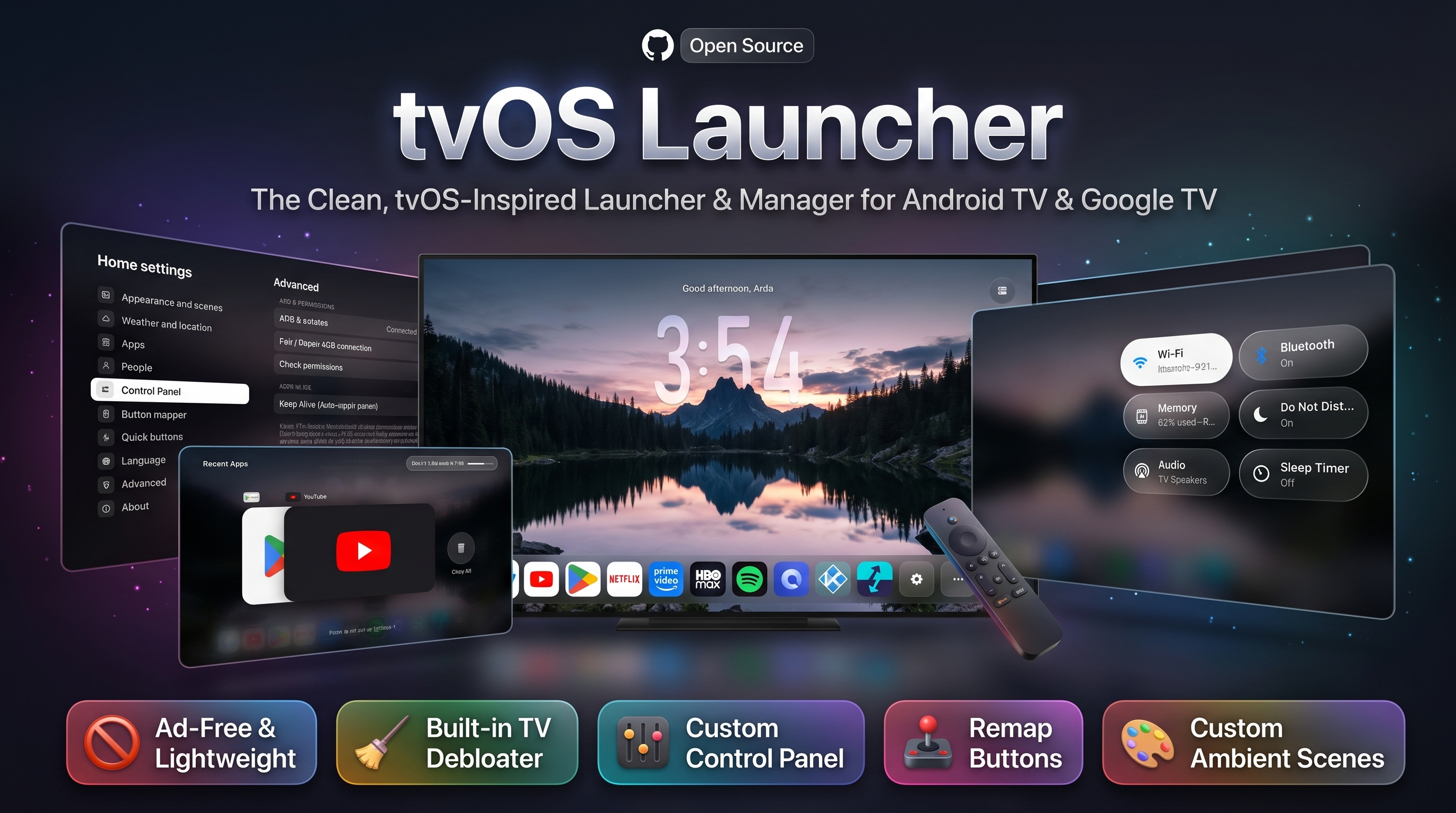
A fast, lightweight, tvOS 26 & macOS–inspired home screen for Android TV & Google TV — built in pure Java with zero third-party runtime dependencies (~30 MB private RAM / ~38 MB total PSS, 0.0% background CPU). Designed to stay buttery-smooth even on 1 GB RAM TV boxes while bringing a resizable Liquid Glass Dock (50%–150%), rotating Night Scenes, Default Home Dashboard widgets, Custom Wallpapers (Single/Multi, Folder Shuffle & Reddit Wallpapers), a Built-In Lock Screen / Idle Screensaver, an App Icon Changer & Interactive Icon Editor, Automatic GitHub App Updates, a built-in PC-free CleanYourTV Debloater (341 TV models + Manual System App Debloater + Stock Launcher Disabler), a Customizable Glass Control Panel (Quick Settings) overlay with Extended Weather, a Recent Apps Switcher, multi-tap (1x / 2x / 3x) Remote Button Remapping + Send Key Code + Home Button Fix, a Universal 3-Mode Volume Button Hold Fix (Standard, HY320 Projector, Onn TV Box), Caffeine Mode, and Dual-Mode Secure Local ADB Setup (Self-Repair & Volume Hold Fix without keeping port 5555 open) to any Android TV.
✨ Highlights & Features
Default Home Dashboard (4 Customizable Widgets)
- When no app is focused, or when hovering over apps or non-app elements without Continue Watching items, displays a customizable row of 4 horizontal Liquid Glass widget tiles:
- 🕌 Prayer Times: Daily schedule (Fajr, Sunrise, Dhuhr, Asr, Maghrib, Isha), live countdown to the next prayer, and 10 calculation methods (Diyanet, MWL, ISNA, Egypt, Makkah, Karachi, Tehran, Jafari, Gulf, France).
- ⚽ Football Matches: Today's and upcoming fixtures, live match scores, favorite team tracking, and league schedules.
- 🎬 Most Watched (Çok İzlenenler): Popular and trending movies and TV series across top streaming platforms powered by JustWatch, synced with your UI language by default with custom multi-country selection.
- ⛅ Weather: Current temperature, condition, location name, and today's forecast.
- Fully available and configurable on both Night Scenes and Classic Appearance.
- Toggle each widget individually and configure whether to show widgets whenever the currently selected app has no Continue Watching content.
- When no app is focused, or when hovering over apps or non-app elements without Continue Watching items, displays a customizable row of 4 horizontal Liquid Glass widget tiles:
Dual Appearance Modes (
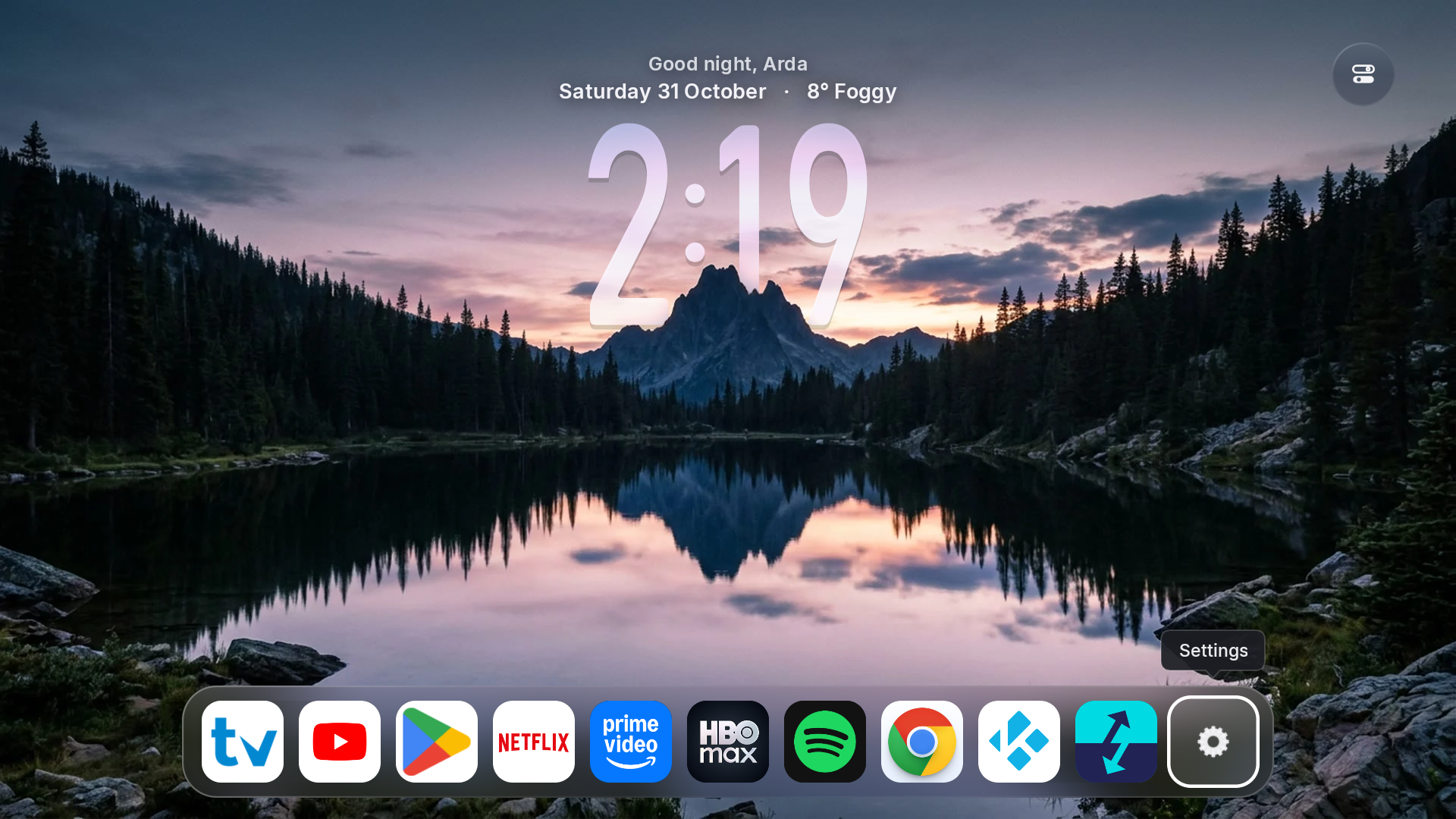
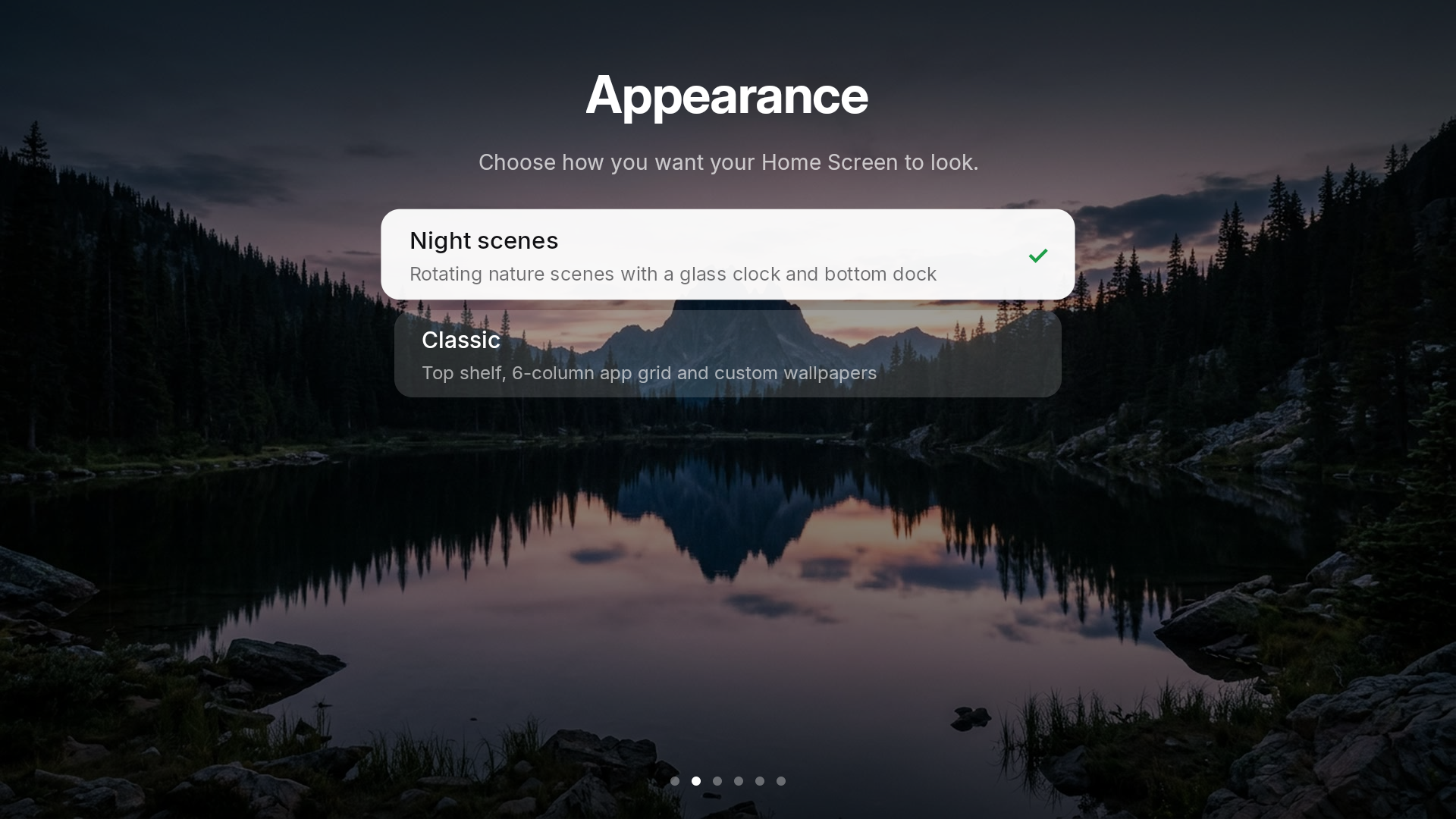
Night Scenes&Classic)- Night Scenes: Layered foreground/background depth scenes (Night, Golden Hour, Waterline, Fog, Rainforest Dawn) or custom wallpapers with a giant glass clock (iPhone Duo, iPhone Rounded, Tall Glass), personalized greeting, date, live weather, and a macOS-inspired dynamically resizing Liquid Glass Dock (
50%to150%) with floating app name callouts. - Classic Appearance: Clean app grid with an Apple tvOS–styled centered glass dock, squircle app cards, symmetrical edge spacing, and built-in photography or ambient backdrops.
- Big Clock for Classic Appearance: Brings the authentic iOS/tvOS-style big glass clock, greeting, date, and top-right weather shortcut to Classic mode by default (disabling the top mini-clock), with configurable Clock Alignment (
Left / Center / Right). - Dynamic & Custom Wallpaper Clock Alignment: Dynamic alignment for default night scenes that adapts per wallpaper, plus independent Left / Center / Right alignment for custom wallpapers. Digits feature authentic Liquid Glass shading matching the dock with adaptive background luminance sampling.
- Night Scenes: Layered foreground/background depth scenes (Night, Golden Hour, Waterline, Fog, Rainforest Dawn) or custom wallpapers with a giant glass clock (iPhone Duo, iPhone Rounded, Tall Glass), personalized greeting, date, live weather, and a macOS-inspired dynamically resizing Liquid Glass Dock (
Expanded Custom Wallpaper Engine
- Single & Multi-Wallpaper: Unlimited wallpaper selection from internal storage or USB drives (no 5-wallpaper limit).
- Folder Shuffle: Automatically cycles through all wallpapers in any chosen folder.
- Reddit Wallpapers: Pull high-resolution wallpapers directly from selected subreddits (e.g.
wallpapers,EarthPorn) with customizable auto-change intervals and an instant "Next Wallpaper" skip action.
Universal Continue Watching for All Media Apps
- Supports all installed media apps (YouTube, SmartTube, Netflix, Prime Video, Disney+, Apple TV+, Tivimate, HBO Max, Stremio, Nuvio, etc.) using Android TV
TvContractEPG / Watch Next content provider,MediaSessionManageractive session tracking, and notification listeners. - Dock-Linked Focused App Filtering: The shelf only displays content for the media app currently focused on the dock.
- Integrated Stremio & Nuvio Dock Popups: Popups directly above dock tiles with local caching, QR code sign-in, and multi-profile switching.
- Instant App Switching (No Re-Animation): Switching between two apps that both have Continue Watching content swaps the row instantly without re-animating.
- Direct Deep Links: Clicking any Continue Watching card launches directly into the exact video/episode.
- Supports all installed media apps (YouTube, SmartTube, Netflix, Prime Video, Disney+, Apple TV+, Tivimate, HBO Max, Stremio, Nuvio, etc.) using Android TV
Standalone TV Inputs Overlay Panel
- Instant input switching overlay with glass UI styling, assignable via Button Mapper (e.g. single/double tap TV Input key) or accessible from the Control Panel and Home Dock.
- Allows switching HDMI inputs seamlessly even after disabling Google TV / Android TV stock launchers.
Caffeine Mode (
Settings → Advanced)- Denies Android's idle mode and prevents Android TV's automatic Ambient Mode / screensaver from turning on, keeping your TV awake and preventing it from going to sleep during long sessions or presentations.
Universal Glass Control Panel (
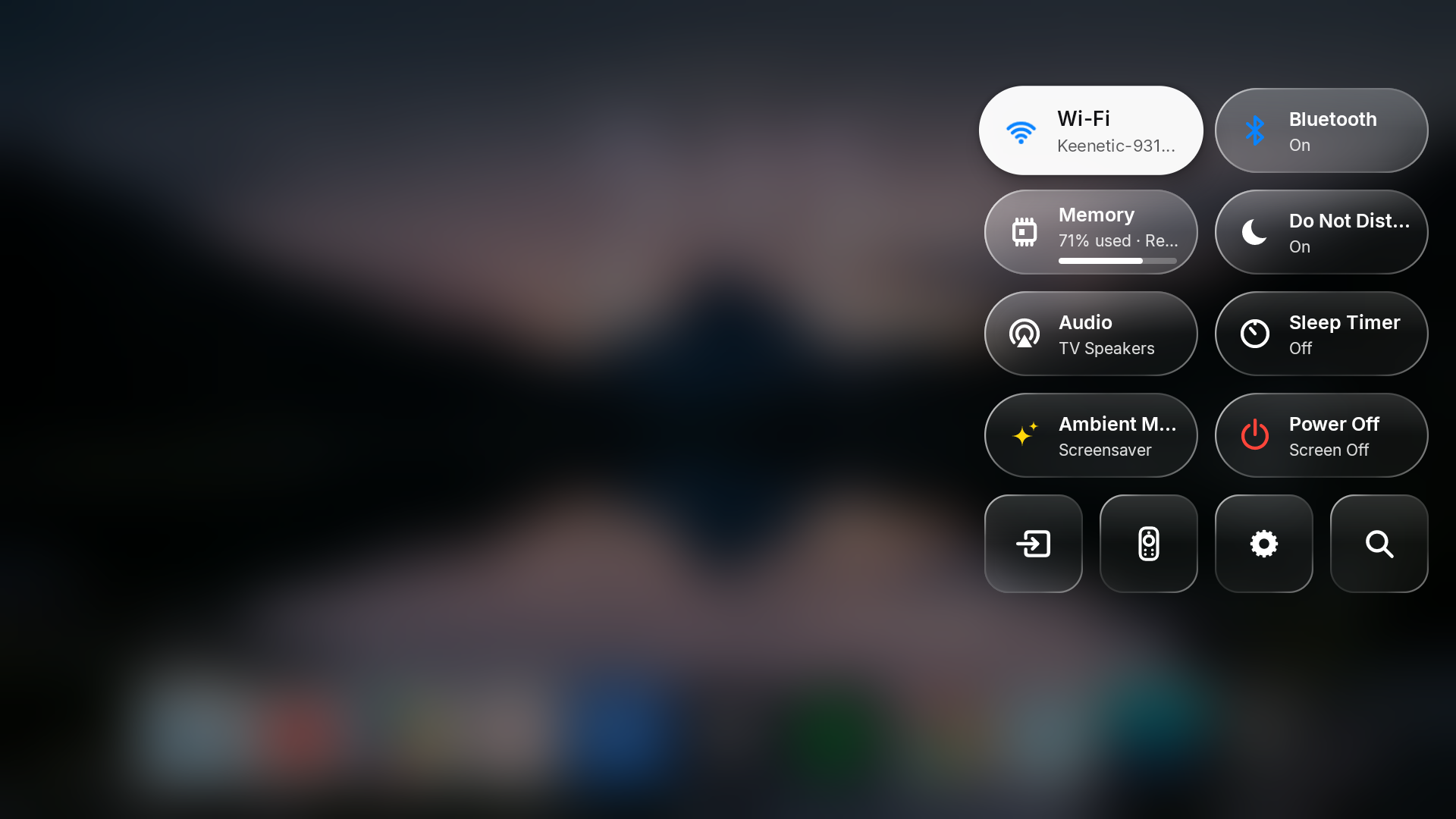
Quick Settings) Overlay- Accessible from the home screen or over any running app via Button Mapper with selectable background modes:
- Blurry: Real-time content blur behind the panel.
- Transparent: Keeps live video cleanly playing behind the panel with an edge scrim.
- Extended Weather Panel: Bottom weather tile spanning 4 columns showing current and tomorrow's forecast (clicking opens the full 5-day weather view).
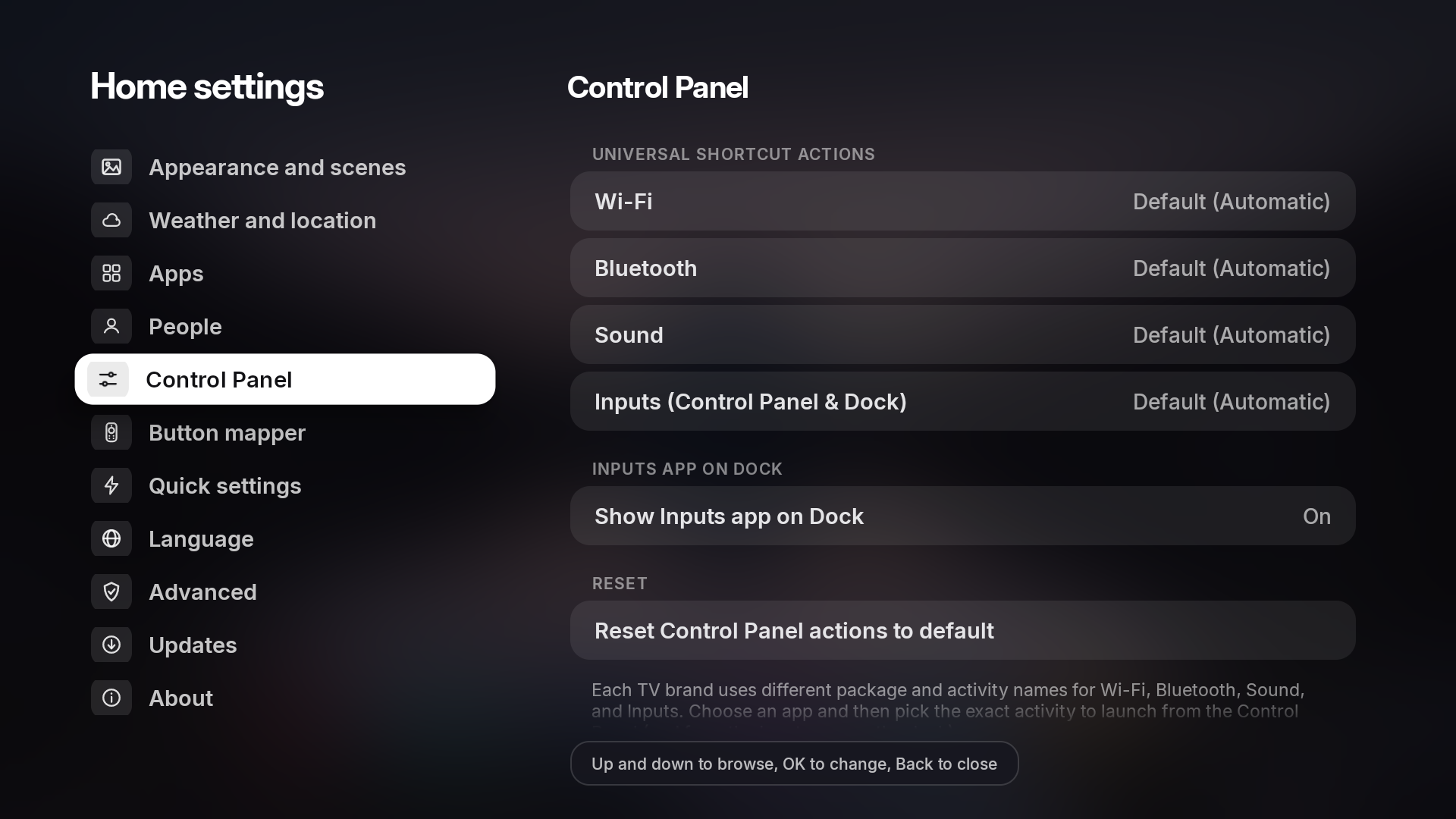
- Includes tiles for Wi-Fi, Bluetooth, RAM / Recent Apps, Do Not Disturb, Audio / Sound, Sleep Timer, Ambient Mode, Power / Screen Off, Inputs, Button Mapper, Settings, and Search.
- Accessible from the home screen or over any running app via Button Mapper with selectable background modes:
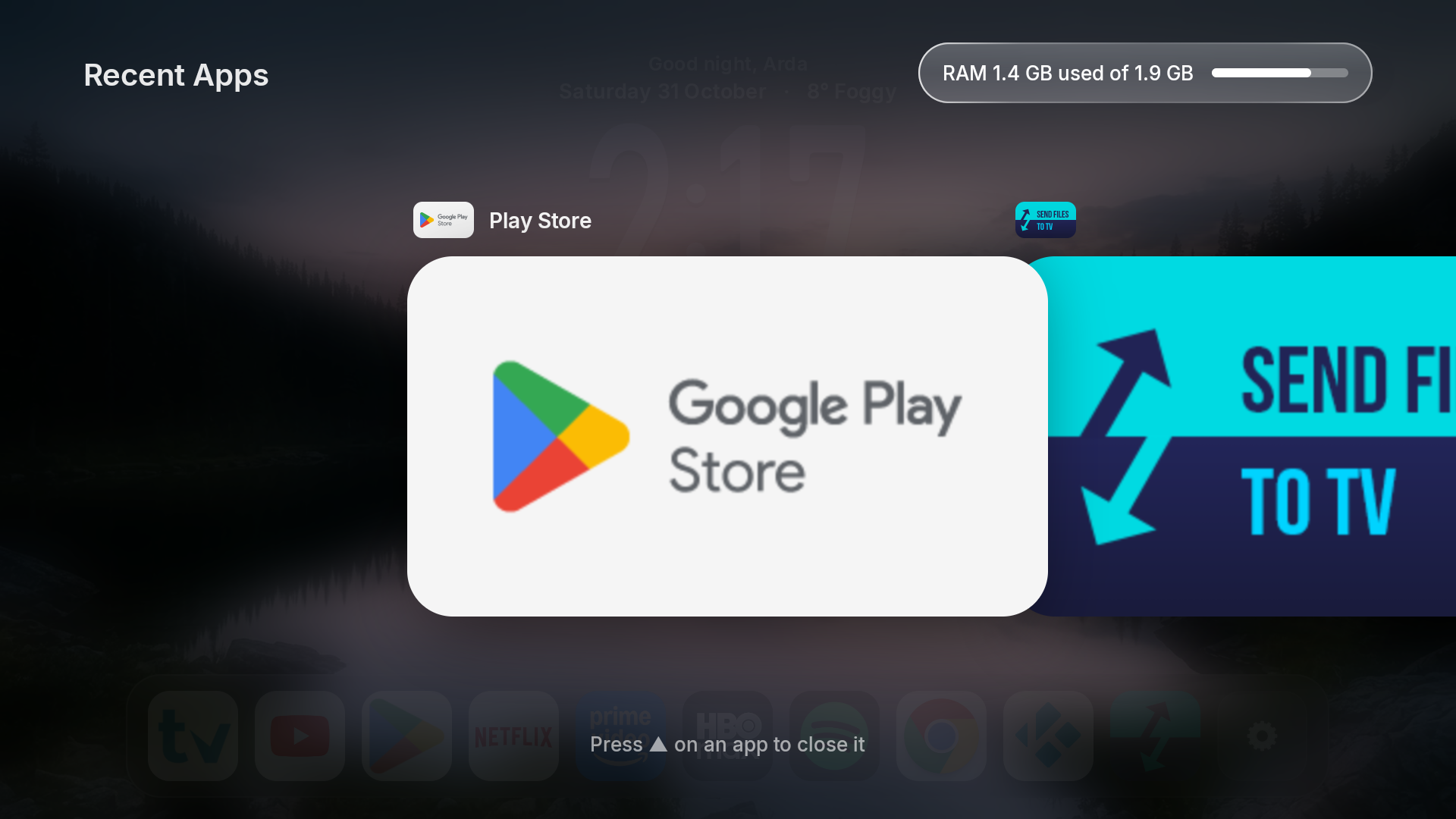
Recent Apps Switcher Overlay & RAM Cleaner
- Open from any app via a mapped remote button or by tapping the RAM tile in the Control Panel.
- Displays live memory usage (
RAM used / total), horizontal app cards, DPAD UP to force-stop/dismiss individual apps, and a Close All button.
Multi-Tap Remote Button Mapper & 3-Mode Volume Button Hold Fix
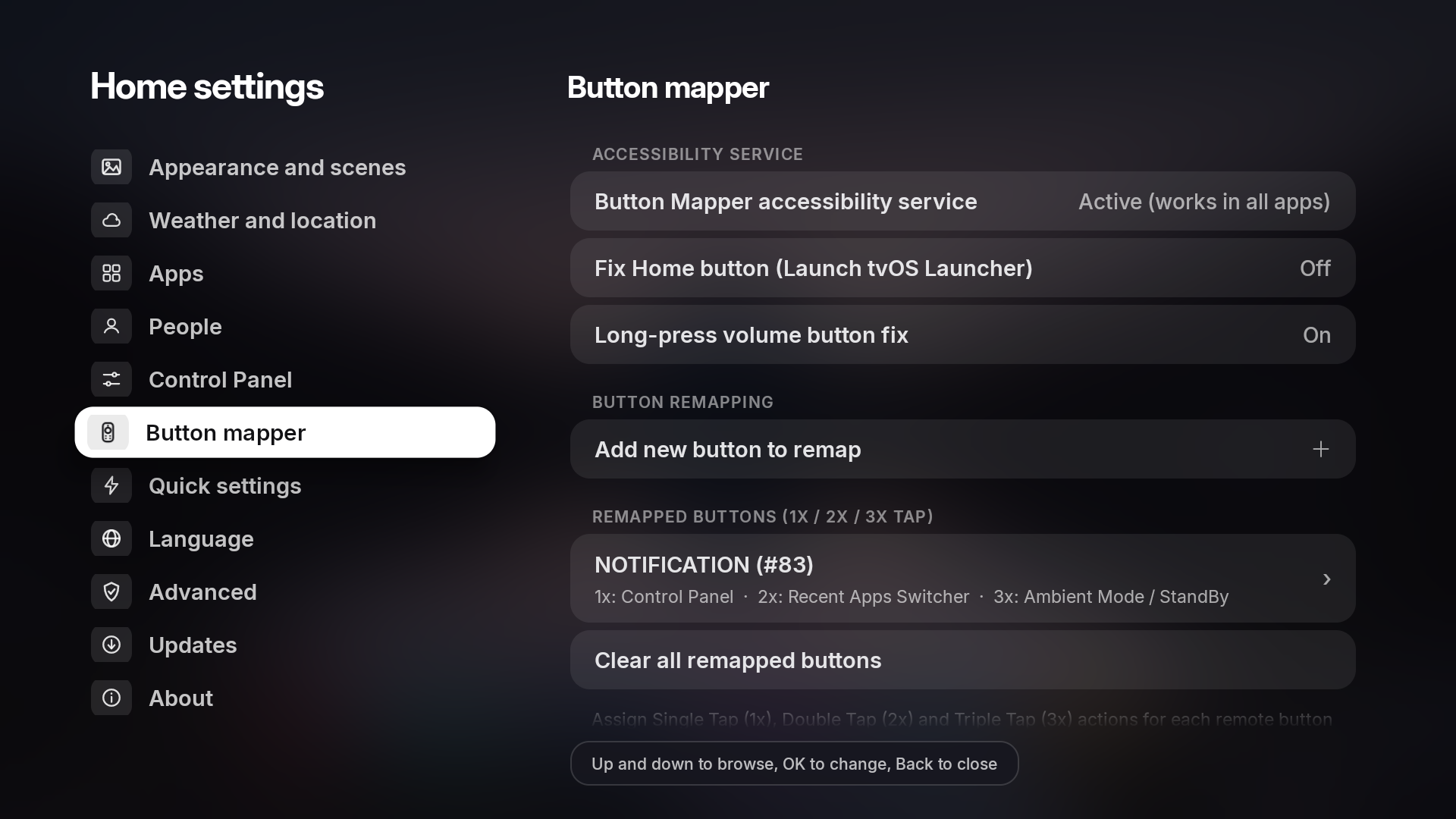
- Crash-safe Accessibility Service that intercepts any remote button with independent actions for Single Tap (1x), Double Tap (2x), and Triple Tap (3x), plus Send Key Code for any standard media/system key.
- Fix Home Button: Optional Accessibility-powered Home key interception for TVs (such as TCL and Philips) where firmware ignores the standard default launcher.
- Universal Volume Button Hold Fix:
- Mode 1 (Standard — Default): Smooth volume repeat (
320msdelay,85msrepeat) and instant stopping (<= 45ms) on Android 9–14 TVs. - Mode 2 (HY320 / Projector): Binder dump watcher with IR pulse-burst handling tailored for Magcubic HY320 and Android 9–12 projectors.
- Mode 3 (Onn TV Box): Optimized repeat speed and instant release handling specifically tuned for Onn Google TV streaming boxes.
- Works across both Secure Mode (ADB Off) and Persistent ADB Mode.
- Mode 1 (Standard — Default): Smooth volume repeat (
CleanYourTV (Beta) — Built-In PC-Free Android TV Debloater (
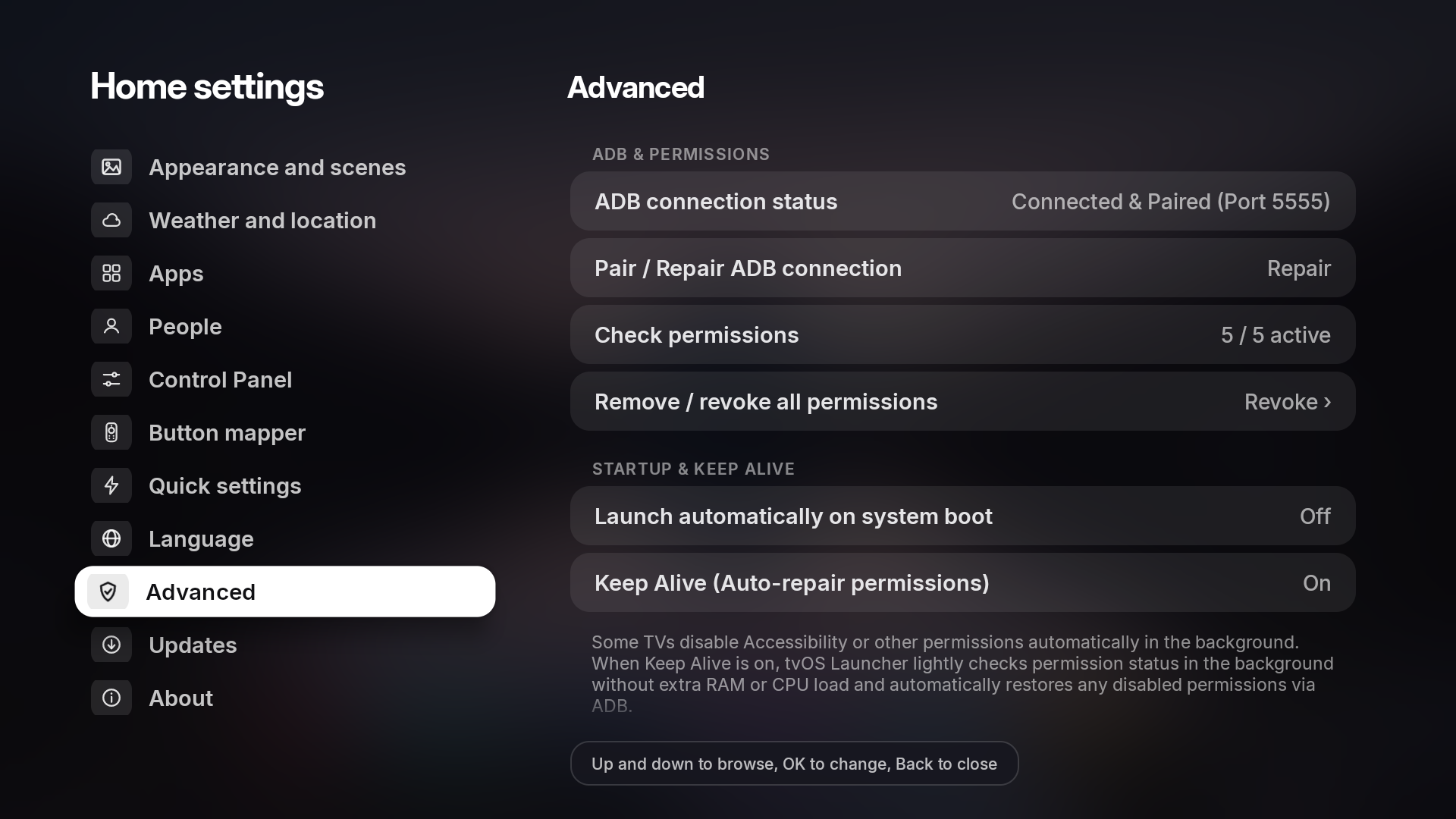
Settings → Advanced)- Runs CleanYourTV debloat profiles directly on your TV over Local ADB — no PC required.
- 341 Bundled TV & Box Profiles: Covers TCL, Sony, Xiaomi, Hisense, Philips, Skyworth, OnePlus, Realme, Nvidia Shield, Motorola, Toshiba, Sharp, Onn, Chromecast with Google TV, and more.
- Smart OEM Model Detection & ADB Package Similarity Scanner: Automatically identifies exact or similar models from hardware properties or scans installed vendor packages with weighted scoring.
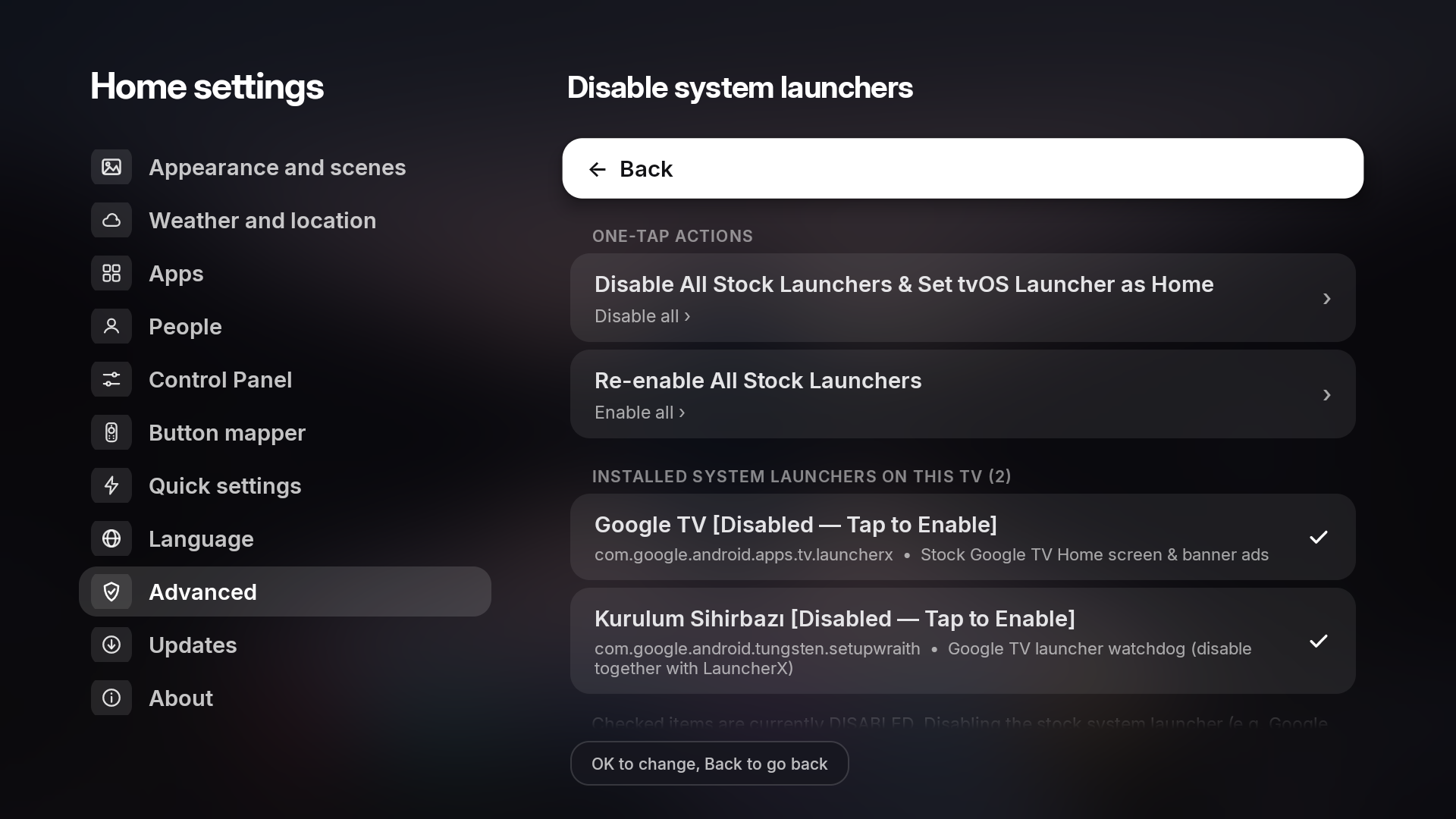
- One-Tap Stock Launcher Disabler & Manual Debloater: Disable stock launchers (Google TV Home / LauncherX, Android TV Home / Leanback, TCL, Philips, Xiaomi, Sony) with safety confirmations and one-tap restore.
- MiBluetooth Protection: Protects Bluetooth remote services from accidental debloating.
- Ad-blocking Private DNS (
dns.adguard-dns.com) toggle.
Settings Backup & Restore (
Settings → System / About / Quick & Home)- Full backup of launcher preferences, dock order, custom app names, custom icons, button remapping, and scene settings to
Download/tvos-launcher-settings.json. - Built-in directory picker to restore settings from internal storage or external USB drives with one click.
- Full backup of launcher preferences, dock order, custom app names, custom icons, button remapping, and scene settings to
App Icon Changer & Interactive Icon Editor (
JPG / PNG / ICO)- Hold OK on any app to pick any
.jpg,.jpeg,.png, or Windows.icofile from internal storage or USB drives. - Built-in App Icon Editor with rounded-square preview, 14 background colors, zoom, and positioning.
- Custom App Renaming, Other Apps (
...) multi-row folder, and Hidden Apps vault.
- Hold OK on any app to pick any
Fast 60 FPS Dimming App Launch Animation
- Ultra-smooth dim-to-black transition maintaining rock-solid 60 FPS performance without stutter even on entry-level chipsets.
Automatic & Manual GitHub Updates (
Settings → Updates)- Checks GitHub Releases for new versions with in-app changelog view and automatic installation.
- Crash-safe Local ADB installer in Persistent Mode and Android Package Installer in Secure Mode.
Dual-Mode Secure Local ADB Setup
- Secure Mode (Default & Recommended): Grants permissions once and immediately closes network ADB (
adb_enabled = 0) so port5555is never left open on your LAN. Self-repair and Volume Hold Fix run 100% in-process. - Persistent ADB Mode: Keeps network ADB open for runtime debloating with a one-tap toggle in Settings.
- Secure Mode (Default & Recommended): Grants permissions once and immediately closes network ADB (
15 Supported Languages
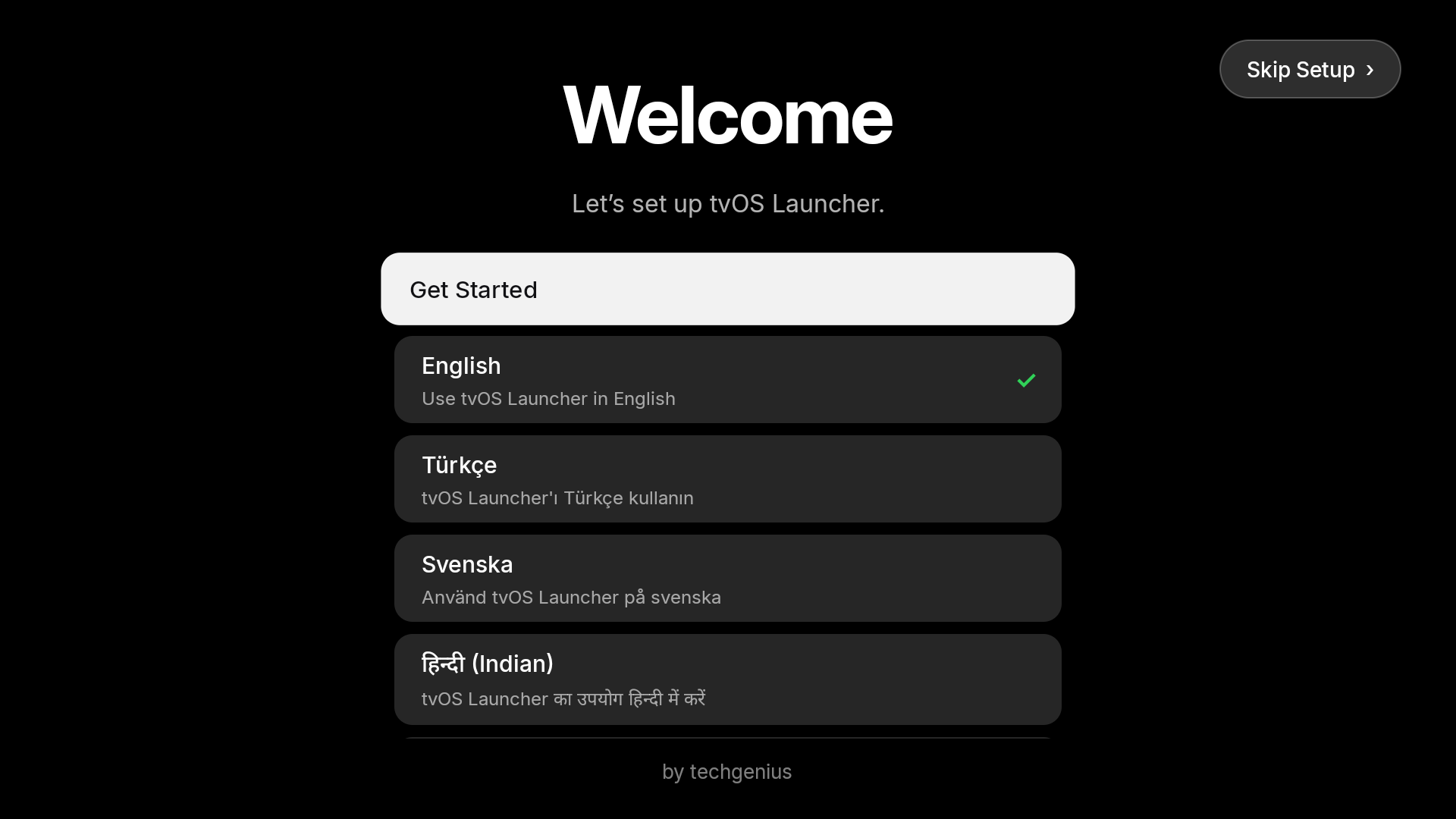
- Fully localized across English, Turkish, Azerbaijani (Azərbaycan dili), Swedish, Hindi, Spanish, French, German, Italian, Russian, Portuguese, Arabic, Japanese, Chinese, and Korean (한국어).
Multi-User Profiles & Live Weather
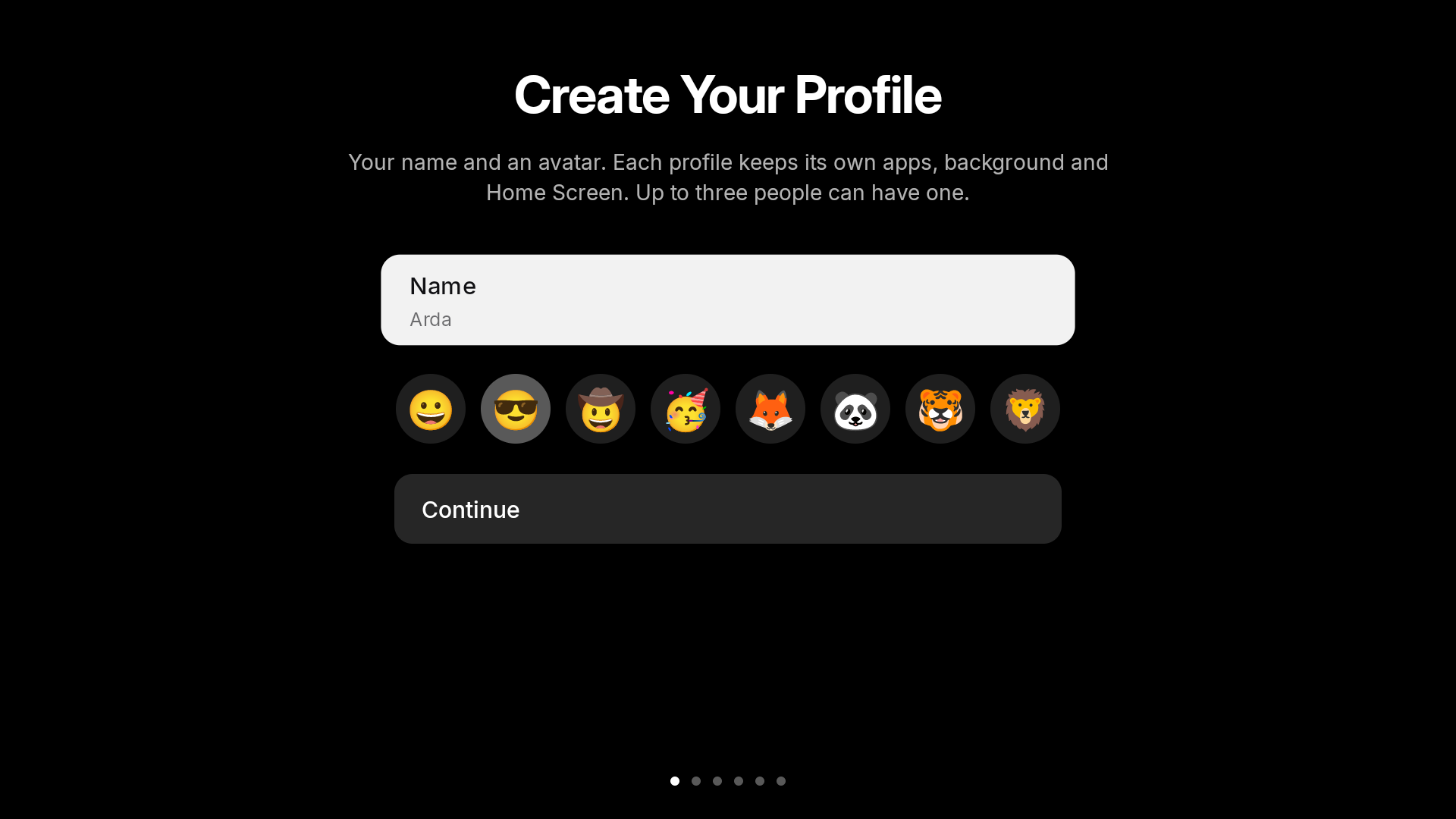
- Up to 3 profiles, each with its own app order, hidden apps, and Continue Watching list.
- Free 5-day weather forecast via Open-Meteo, MET Norway, or wttr.in (no API key required).
Ultra-Lightweight & Fast (Android 7.0 – Android 14+)
- Pure Android SDK Java with zero third-party runtime dependencies. ~30 MB private RAM, 0.0% background CPU, and hardware-accelerated animations across all Android TV & Google TV versions.
Dual Appearance Modes (
Night Scenes&Classic) + Custom Wallpapers- Night Scenes: Layered foreground/background depth scenes (Night, Golden Hour, Waterline, Fog, Rainforest Dawn, plus up to 5 Custom Wallpapers with configurable Clock Position: Left / Center / Right) with a giant glass clock (iPhone Duo, iPhone Rounded, Tall Glass), personalized greeting, date, live weather, and a macOS-inspired dynamically resizing Liquid Glass Dock (
50%to150%) with floating app name callouts. - App Icon Changer & Interactive Icon Editor (
JPG / PNG / ICO):- Hold OK on any app in the dock or grid and choose Change app icon to pick any
.jpg,.jpeg,.png, or Windows.icofile from internal storage or USB drives. - Includes a built-in App Icon Editor with a live rounded-square preview, 14 background color options (including auto edge-color sampling), Zoom In / Out, and Left / Right / Up / Down positioning.
- Hold OK on any app in the dock or grid and choose Change app icon to pick any
- Custom App Renaming, Other Apps & Hidden Apps Vault:
- Hold OK on any app in the dock to Rename, Change app icon, Move, Move to Other Apps, Hide, view App Info, Uninstall, or Reset Layout.
- Move to Other Apps: Removes the app from the first dock row while keeping it one click away inside the Other apps (
...) button in the dock (auto-hidden when empty, with multi-row Up/Down navigation when expanded). - Hidden Apps (
Settings → Apps → Hidden apps): Completely hides the app from both the main dock and Other Apps. Inside Settings → Apps → Hidden apps, press OK on a hidden app to launch it directly, or Hold OK to restore it back to the Home Screen.
- Classic: Clean 6-column app banner grid with an Apple tvOS–styled centered glass dock, larger squircle app cards, symmetrical edge spacing, smooth row animations, built-in photography, ambient color backdrops, or your own Custom Wallpaper, and an optional Top Shelf.
- Night Scenes: Layered foreground/background depth scenes (Night, Golden Hour, Waterline, Fog, Rainforest Dawn, plus up to 5 Custom Wallpapers with configurable Clock Position: Left / Center / Right) with a giant glass clock (iPhone Duo, iPhone Rounded, Tall Glass), personalized greeting, date, live weather, and a macOS-inspired dynamically resizing Liquid Glass Dock (
Multi-User Profiles & Live Weather
- Up to 3 profiles, each with its own app order, hidden apps, and Continue Watching list.
- Free 5-day weather forecast via Open-Meteo, MET Norway, or wttr.in (no API key required).
Ultra-Lightweight, Fast & Legacy Android TV Ready (Android 7.0 – Android 14+)
- Pure Android SDK Java — no Gradle, no Kotlin runtime, no AndroidX bloat. Instant zoom-in app launches, hardware-accelerated focus animations, and full compatibility from Android 7.0 / 8.0 up to Android 14 TV firmwares.
📸 Screenshots
Home Screen, Control Panel & Recent Apps Switcher
| Night Scenes Home & macOS Glass Dock | Glass Control Panel Overlay |
|---|---|
 |
 |
| Recent Apps Switcher & RAM Cleaner |
|---|
 |
First-Time Setup Assistant
| 1. Welcome & Language Selection | 2. Profile & Avatar Setup |
|---|---|
 |
 |
3. Appearance Mode (Night Scenes / Classic) |
4. Weather & Location |
|---|---|
 |
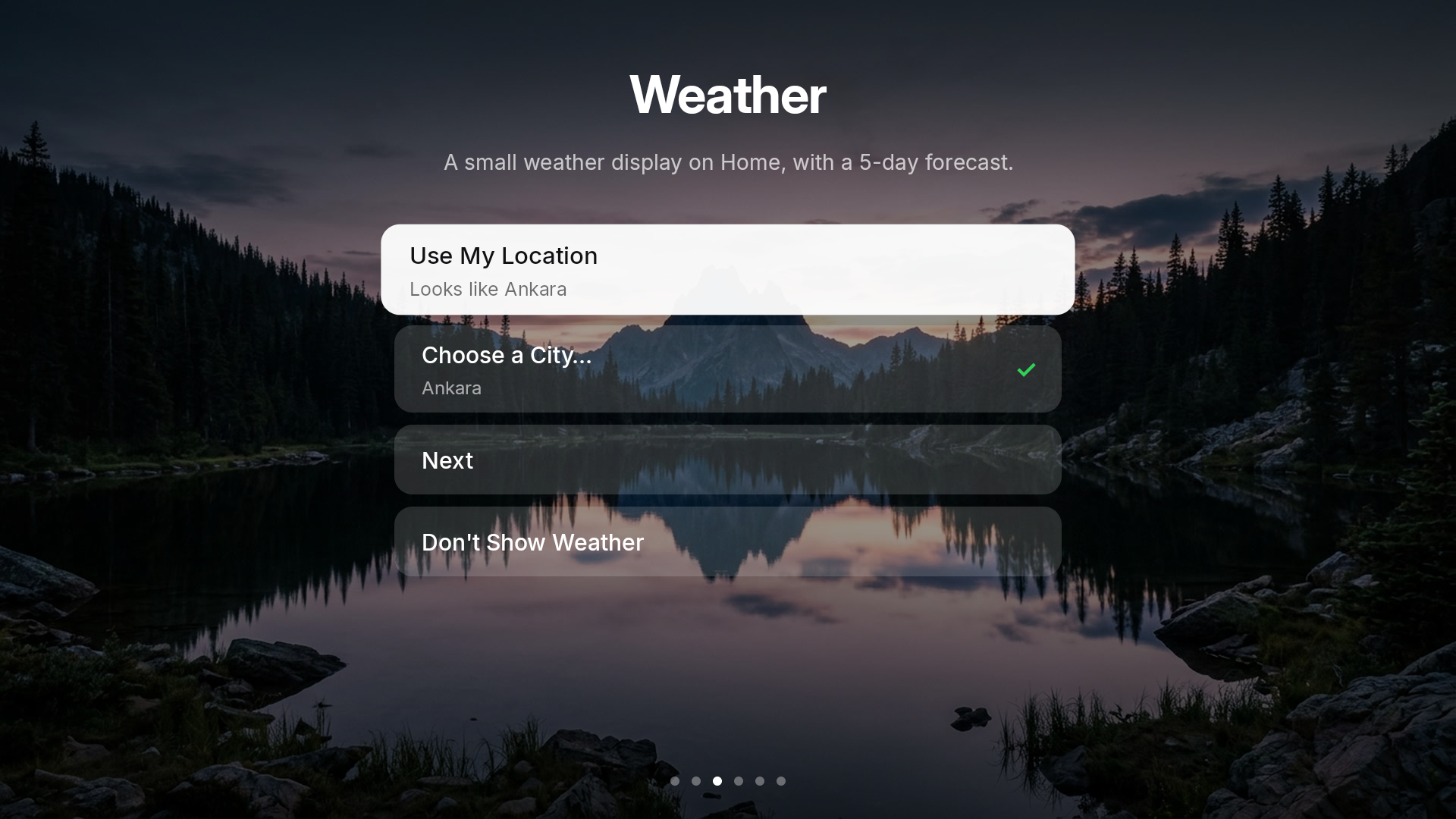 |
| 5. Easy Setup (Auto ADB) vs. Manual Permissions | 6. Remote Button Mapper Setup (1x / 2x / 3x) |
|---|---|
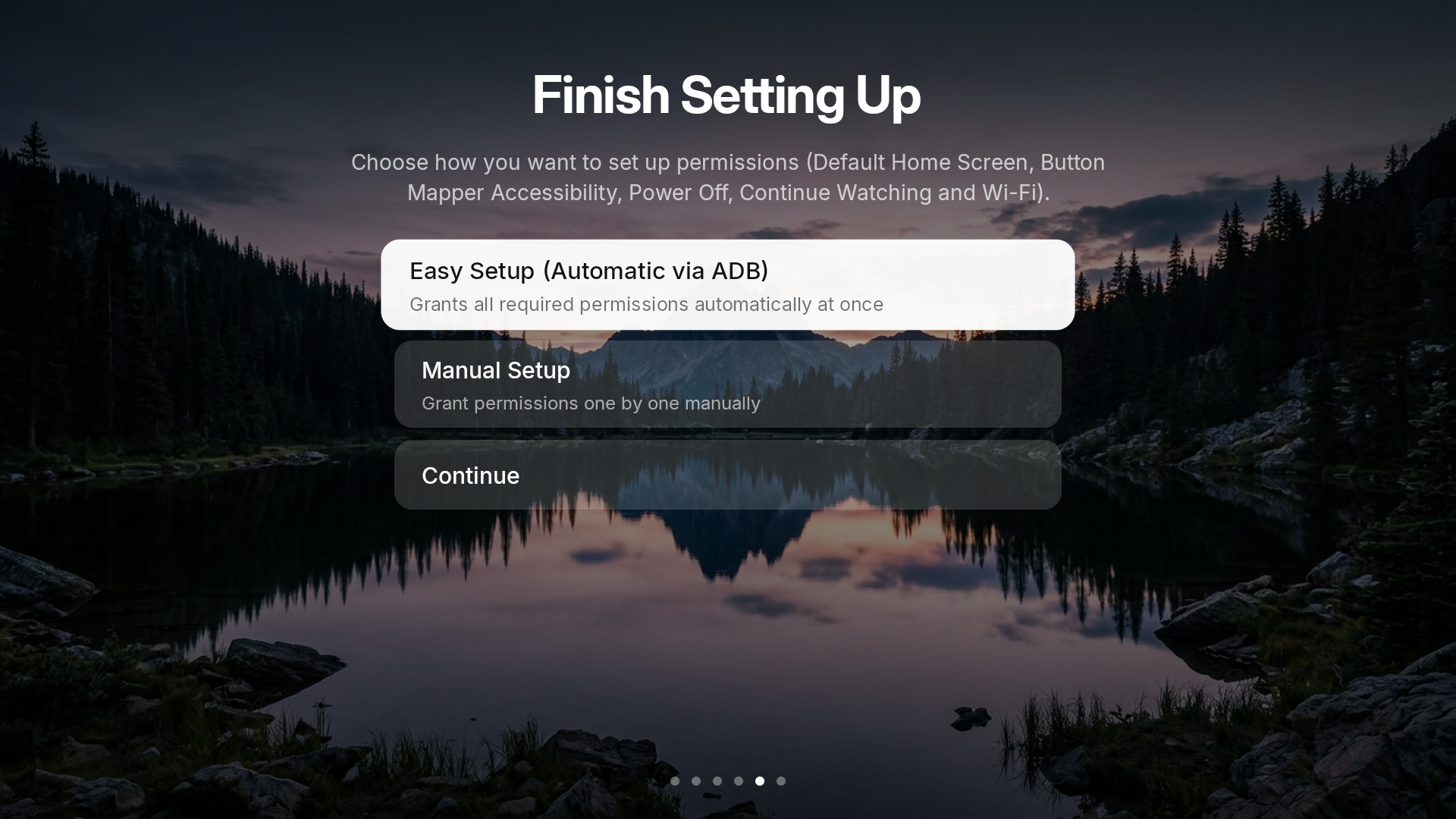 |
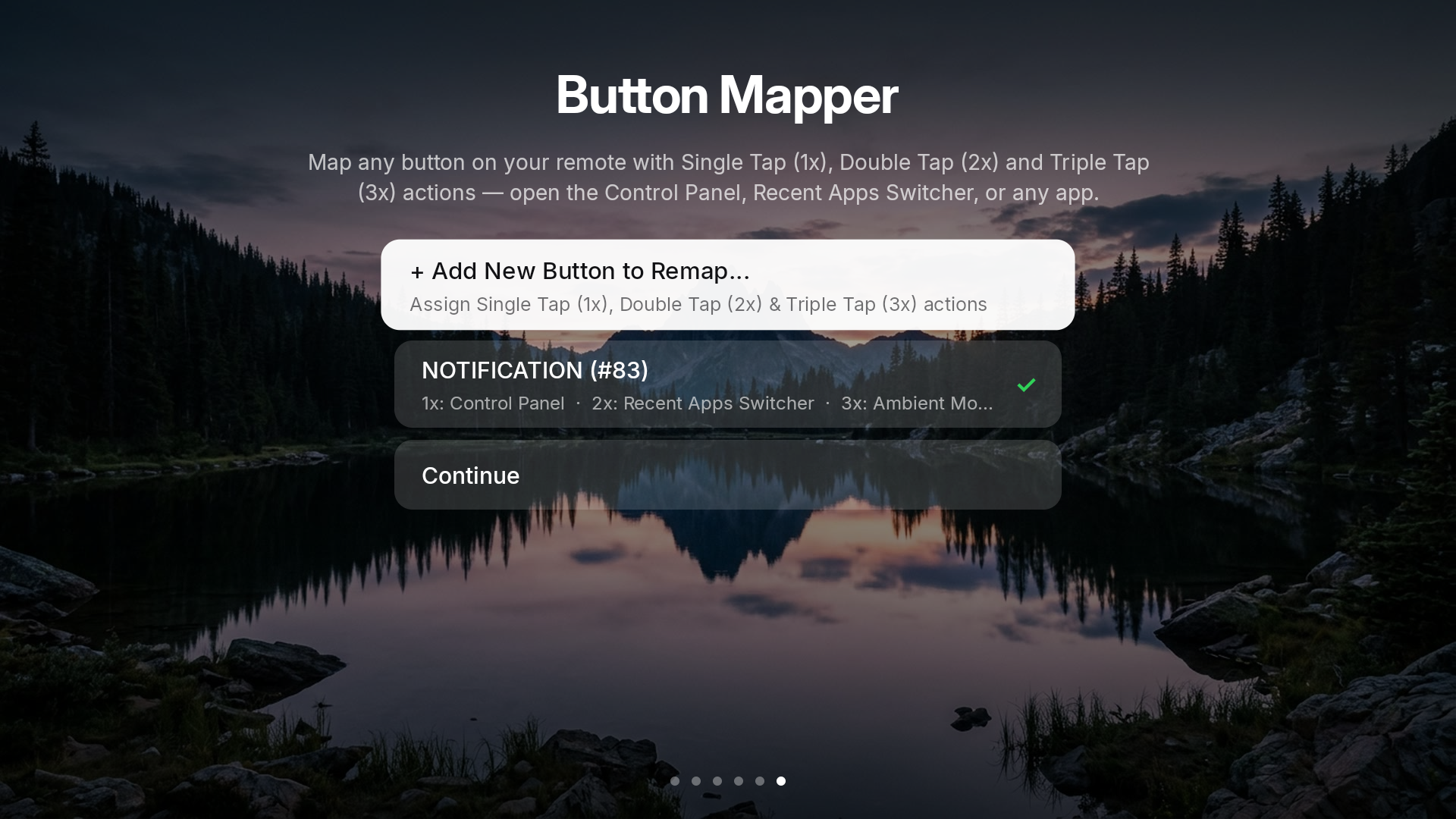 |
Home Settings
Appearance & Scenes (Dock Size 50%–150%) |
Control Panel (Quick Settings) |
|---|---|
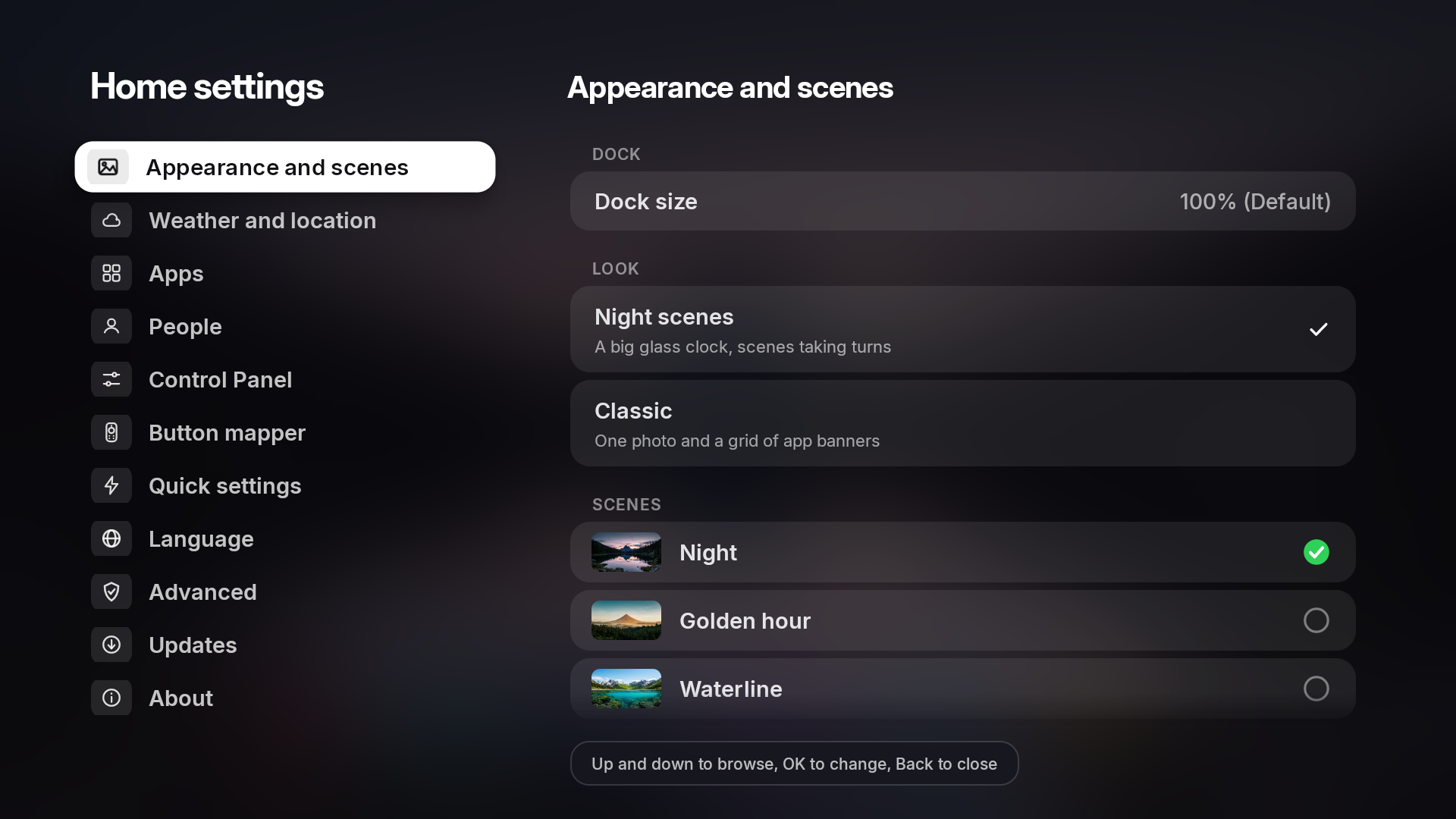 |
 |
Button Mapper (1x / 2x / 3x Tap & Home Button Fix) |
Advanced, ADB Status & Permission Check (5 / 5) |
|---|---|
 |
 |
| CleanYourTV — Disable System Launchers | Automatic & Manual GitHub Updates |
|---|---|
 |
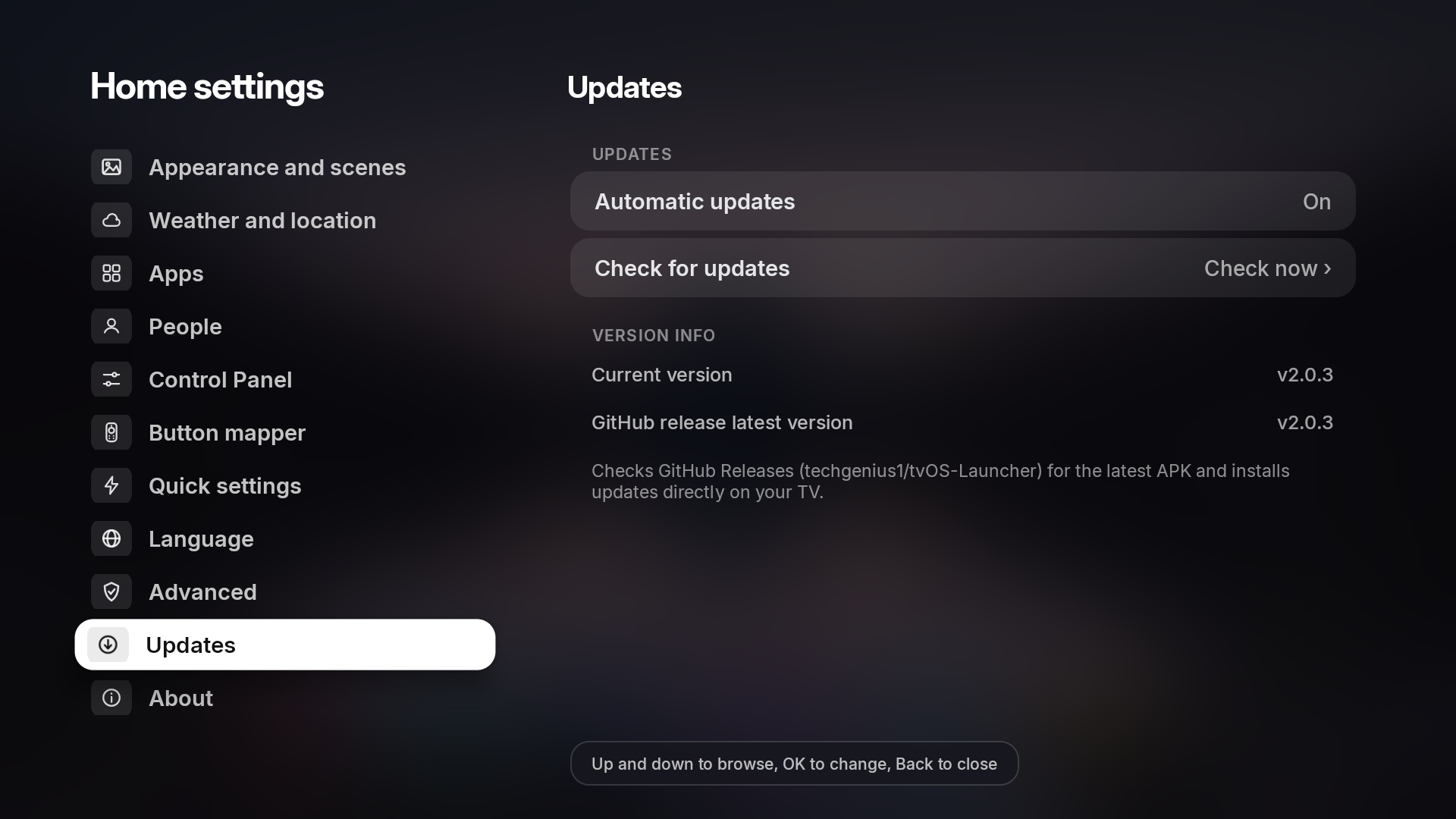 |
🚀 Quick Start (Build & Install)
Prerequisites
- JDK 17+ (
javac,jar) - Android SDK with
build-tools;34.0.0andplatforms;android-34
Build on Windows (PowerShell)
powershell -ExecutionPolicy Bypass -File .\build.ps1
# Output APK -> build\tvos-home.apk
Build on macOS / Linux
./build.sh
# Output APK -> build/tvos-home.apk
Install via ADB
adb connect <tv-ip>:5555
adb install -r build/tvos-home.apk
adb shell am start -n com.techgenius.tvoslauncher/.MainActivity
📚 Documentation
| Document | Description |
|---|---|
| Getting started | Install SDK tools, build from source, run on an Android TV or emulator |
| Features | Detailed breakdown of launcher features |
| Install and set up | Setting as default home screen, ADB permissions, and troubleshooting |
| Presentation mode | Sending images, videos, and web pages from a browser |
| Architecture | Code map, zero-dependency build pipeline, and performance design |
| Contributing | Workflow, code style, design and performance guidelines |
📋 Requirements
- Android TV / Google TV 7.0+ (API 24+)
🙌 Credits & Acknowledgements
Special thanks to the open-source projects that inspired and contributed to tvOS Launcher:
- Hume Launcher by @petrobot-admin — Foundation for the zero-dependency Android TV Java architecture, Classic home layout, and system integrations.
- Couch TV by @Seagey — Design and inspiration for the Night Scenes depth wallpapers, giant glass clock, and glassmorphic Home Settings UI.
- CleanYourTV by @Gathin23 — Community-curated Android TV / Google TV debloat profiles (
examples/) and safety guidelines powering the built-in CleanYourTV (Beta) debloater. - Inter Typeface (SIL Open Font License 1.1) & Project Nayuki QR Code Generator (MIT License).
- Weather data powered by Open-Meteo, MET Norway, and wttr.in.
📄 License
Licensed under the Apache License 2.0 — see LICENSE and NOTICE for details.