EasyWayLocation
This library contains all utils related to google location. like, getting lat or long, Address and Location Setting dialog, Draw Route, etc
What's New in Ver 2.4
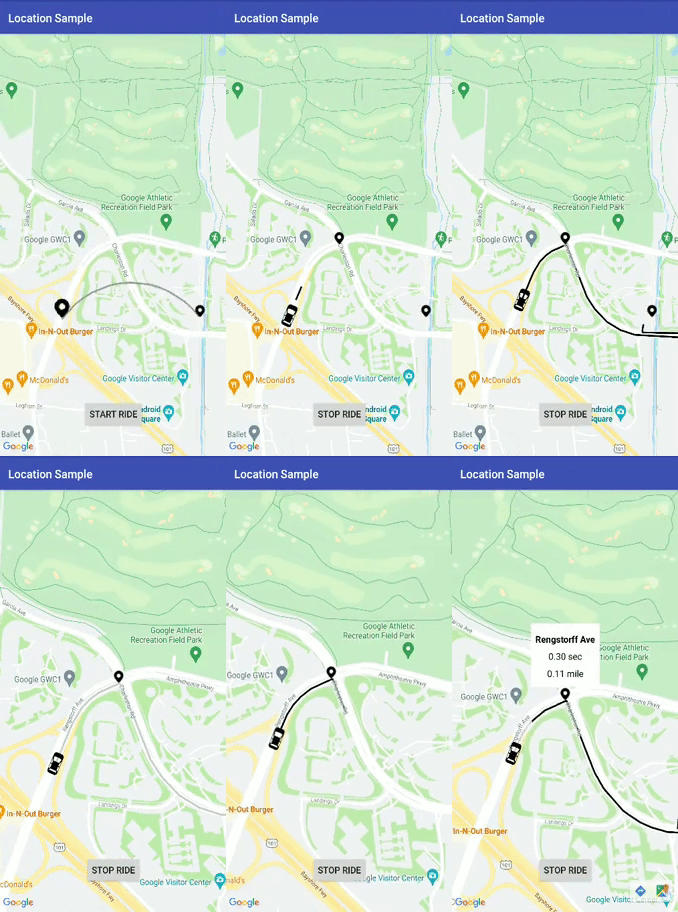
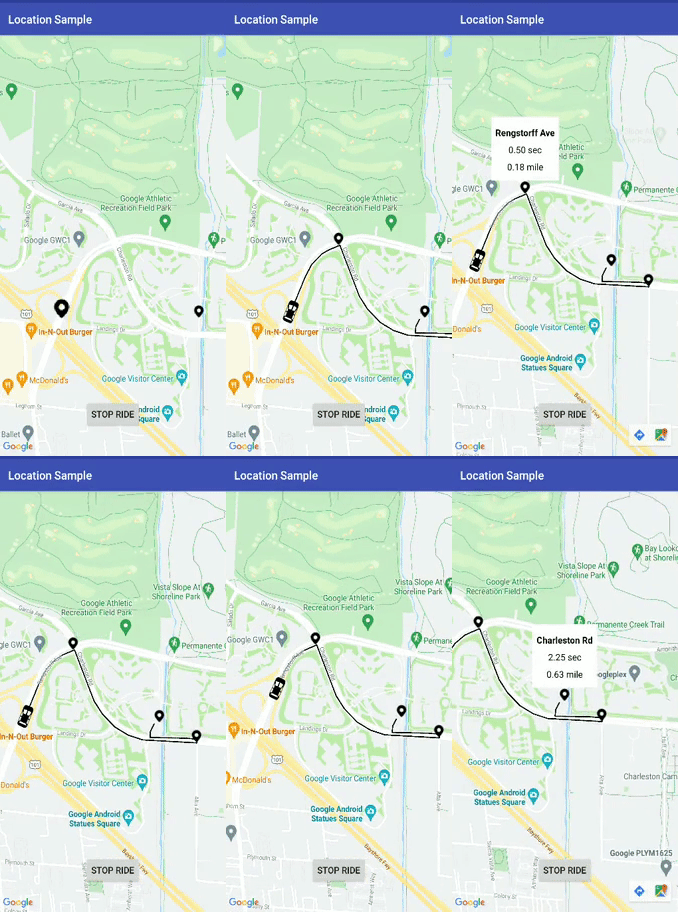
Arc Route Draw
a. simple.
b. animation.
Draw Arc route between origin and destination.
Now , Dev can change parameter dynamically like origin, waypoints, etc
Get polyline details class in arrayList and HashMap.
Clear Polyline by using TAG for both Arc and waypoints polylines.
Fix Major Crash
Created one track demo in sample folder for more usage Help
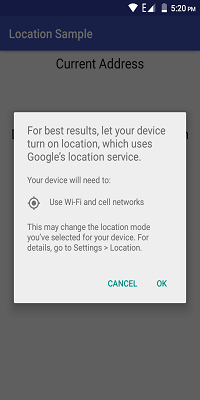
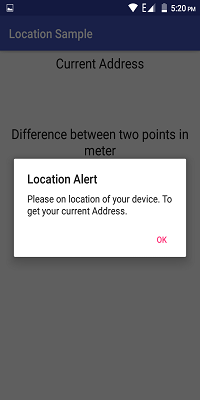
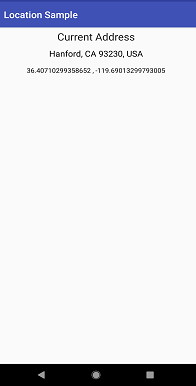
Demo Images and Gif:
Prerequisites
- Android 16
Installing
Step 1:- Add it in your root build.gradle at the end of repositories:
all projects {
        repositories {
            ...
            maven { url 'https://jitpack.io' }
        }
    }
Step 2:- Add the dependency:
        dependencies {
            implementation 'com.github.prabhat1707:EasyWayLocation:2.4'
        }
Library uses java 8 bytecode, so dont forget to enable java 8 in your application's build.gradle file.
android {
    compileOptions {
        sourceCompatibility 1.8
        targetCompatibility 1.8
    }
}
Usage
If the device is running Android 6.0 or higher, and your app's target SDK is 29 or higher then first check the permission of location then call it.
Add the required permissions
For fine location (GPS location), add the following permission in your AndroidManifest.xml:
<uses-permission android:name="android.permission.ACCESS_FINE_LOCATION" />
For coarse location (network location), add the following permission in your AndroidManifest.xml:
<uses-permission android:name="android.permission.ACCESS_COARSE_LOCATION" />
Retrieve the location from the device
public class MainActivity extends AppCompatActivity implements Listener {
    EasyWayLocation easyWayLocation;
    private TextView location, latLong, diff;
    private Double lati, longi;

    @Override
    protected void onCreate(Bundle savedInstanceState) {
        super.onCreate(savedInstanceState);
        setContentView(R.layout.activity_main);
        //--
        easyWayLocation = new EasyWayLocation(this, false,false,this);
    }

    @Override
    public void locationOn() {
        Toast.makeText(this, "Location ON", Toast.LENGTH_SHORT).show();
    }

   @Override
    public void currentLocation(Location location) {
        StringBuilder data = new StringBuilder();
        data.append(location.getLatitude());
        data.append(" , ");
        data.append(location.getLongitude());
        latLong.setText(data);
        getLocationDetail.getAddress(location.getLatitude(), location.getLongitude(), "xyz");
    }

    @Override
    public void locationCancelled() {
         Toast.makeText(this, "Location Cancelled", Toast.LENGTH_SHORT).show();
    }

    @Override
    protected void onActivityResult(int requestCode, int resultCode, Intent data) {
        super.onActivityResult(requestCode, resultCode, data);
        switch (requestCode) {
            case LOCATION_SETTING_REQUEST_CODE:
                easyWayLocation.onActivityResult(resultCode);
                break;
        }
    }

    @Override
    protected void onResume() {
        super.onResume();
        easyWayLocation.startLocation();
    }

    @Override
    protected void onPause() {
        super.onPause();
        easyWayLocation.endUpdates();

    }
}
Location Notifier
@Override
    public void locationOn() {
        Toast.makeText(this, "Location ON", Toast.LENGTH_SHORT).show();

    }

    @Override
    public void  currentLocation(Location location){
       // give lat and long at every interval
    }

    @Override
    public void locationCancelled() {
        // location not on
    }
Constructor options
Points to Remember
- if you want only last location then pass it true and if false then it gives you location update as per default location request.
- if you don't pass then it takes default location request or you can pass your's one also(see constructor 2nd).
Context context = this;
boolean requireFineGranularity = false;
new EasyWayLocation(this, requireLastLocation = false,isDebuggable = true/false,listner = this);

or

request = new LocationRequest();
request.setInterval(10000);
request.setPriority(LocationRequest.PRIORITY_BALANCED_POWER_ACCURACY);

new EasyWayLocation(this,locationRequest = request ,  requireLastLocation = false,isDebuggable = true/false,listner = this);
Calculate distance between two points
double startLatitude = 59.95;
double startLongitude = 30.3;
double endLatitude = 44.84;
double endLongitude = -0.58;
location.calculateDistance(startLatitude, startLongitude, endLatitude, endLongitude);

// or

Point startPoint = new EasyWayLocation.Point(59.95, 30.3);
Point endPoint = new EasyWayLocation.Point(44.84, -0.58);
location.calculateDistance(startPoint, endPoint);
Update Get Address Details of location.
- if you want an address from the current location then you need to pass key and context.
- why I want key here if android already provides Geocoder because in some cases or some devices geocoder not work well and throws Exception, so in that case, I use google geocode API for fetch address.
- For this, you need to implement Callback, LocationData.AddressCallBack
GetLocationDetail getLocationDetail = new GetLocationDetail(callback = this, context = this);

getLocationDetail.getAddress(location.getLatitude(), location.getLongitude(), key = "xyz");
Google Map Route
If you want to add map route feature in your apps you can use this along with this lib by adding DirectionUtil Class to make you work more easier. This is lib will help you to draw route maps between two-point LatLng along it's with waypoints.
When Your GoogleMap Ready
Make sure you enable google map and google map direction in the google developer console.
First Initialize Direction Util
wayPoints.add(LatLng(37.423669, -122.090168))
        wayPoints.add(LatLng(37.420930, -122.085362))
                val directionUtil = DirectionUtil.Builder()
                .setDirectionKey("xyz")
                        .setOrigin(LatLng(37.421481, -122.092156))
                        .setWayPoints(wayPoints)
                        .setGoogleMap(mMap)
                        .setPolyLinePrimaryColor(R.color.black)
                        .setPolyLineWidth(5)
                        .setPathAnimation(true)
                        .setCallback(this)
                        .setPolylineTag(WAY_POINT_TAG)
                        .setDestination(LatLng(37.421519, -122.086809))
                        .build()
Add below line for route draw
First call init and then drawRoute
directionUtil.initPath()
directionUtil.drawPath(WAY_POINT_TAG)
Now from v2.4 you can change origin, color etc in between path
directionUtil.serOrigin(LatLng(driverCurrentLocation.latitude,driverCurrentLocation.longitude),wayPoints)
Add below line for Arc draw
directionUtil.drawArcDirection(LatLng(37.421481, -122.092156),LatLng(37.421519, -122.086809),0.5,ARC_POINT_TAG)
Add below line to remove polyline according to corresponding TAG
directionUtil.clearPolyline(WAY_POINT_TAG)
There are two cases in it:
- With Animation like Uber
- without Animation.
With Animation
- setPathAnimation = true

Without Animation
- setPathAnimation = false
- change its color by, setPolyLinePrimaryColor() property

Callbacks
When route draw path has done then it below callback is called
override fun pathFindFinish(polyLineDetails: HashMap<String, PolyLineDataBean>) {
       for (i in polyLineDetails.keys){
           Log.v("sample",polyLineDetails[i]?.time)
       }
    }
here, polyLineDetails contain each polyline or route detail as time, distance and road summary.
You can also change the route animation different properties like delay, primary color, a secondary color, etc, just explore it.
Bugs, Feature requests
Found a bug? Something that's missing? Feedback is an important part of improving the project, so, please open an issue
License
Copyright (c) delight.im <prabhat.rai1707@gmail.com>

Licensed under the Apache License, Version 2.0 (the "License");
you may not use this file except in compliance with the License.
You may obtain a copy of the License at

  http://www.apache.org/licenses/LICENSE-2.0

Unless required by applicable la
w or agreed to in writing, software
distributed under the License is distributed on an "AS IS" BASIS,
WITHOUT WARRANTIES OR CONDITIONS OF ANY KIND, either express or implied.
See the License for the specific language governing permissions and
limitations under the License.
