ArrMatey

ArrMatey
A modern, all-in-one mobile client for managing your *arr stack. Built using KMP with native Jetpack Compose UI for Android and SwiftUI for iOS.








Features
Combined Dashboard
- Centralized overview of all instances, download clients, and requests
- Customizable layout: add, remove, and reorder cards to fit your workflow
- Dashboard cards for Universal Search, Seerr Requests, Seerr Issues, and Discover Cards (Discover Feed, Quick Pick, Spotlight)
- Tracearr Active Streams card for real-time stream monitoring and statistics
- Real-time network status and detailed disk space monitoring
- Quick-access shortcuts to your recently added media and upcoming schedule
Multi-Instance Support
- Manage multiple Sonarr, Radarr, Lidarr, Bookshelf, and Listenarr instances
- Seamless integration with Prowlarr for indexer management, Seerr for requests and issues, Bazarr for subtitles, and Tracearr for stream monitoring
- Quick instance switching and custom instance labels
- Live presence detection showing which instances contain a media item
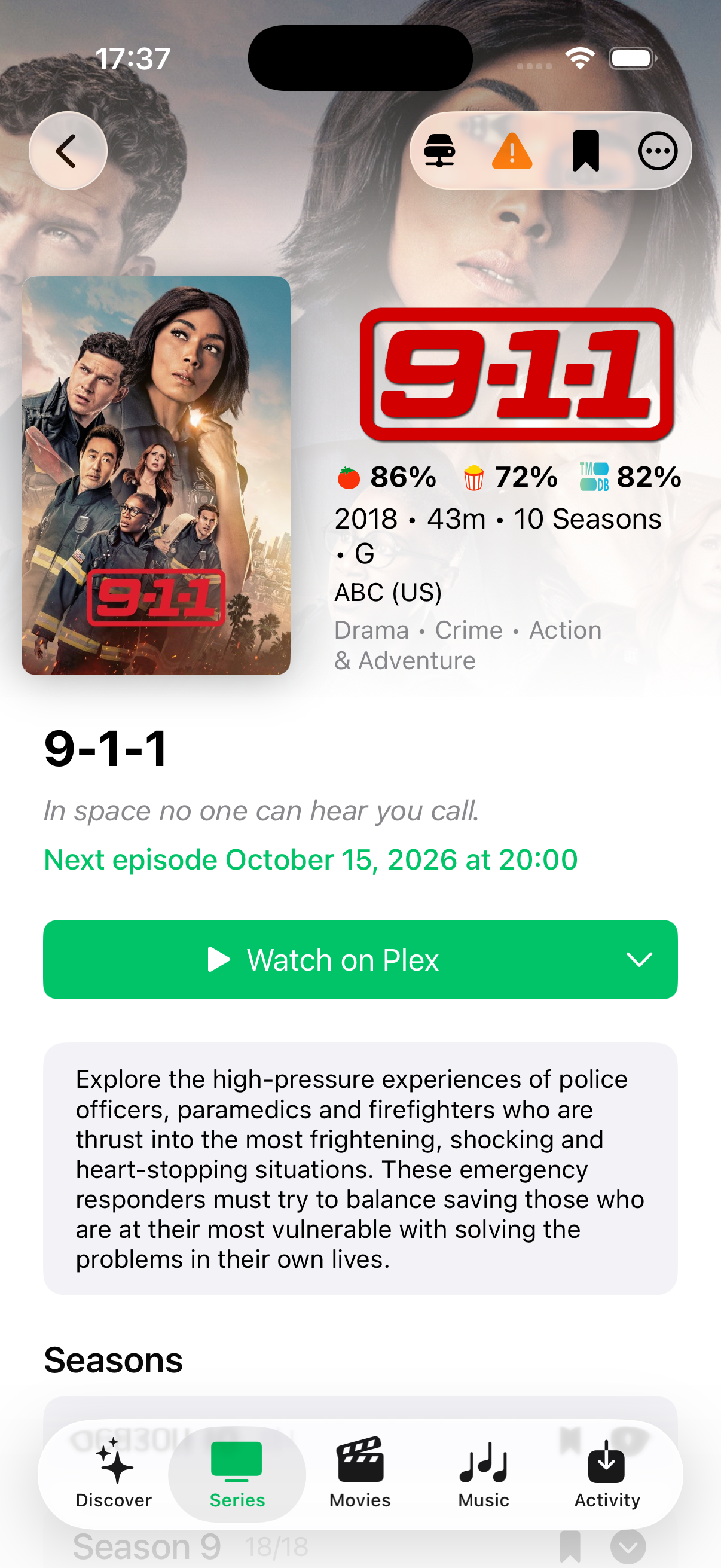
Unified Media Details
- Blends Arr library data, Seerr metadata, and Bazarr subtitle controls into a single cohesive view
- Instance Switching: View media presence across multiple instances and switch between them instantly while preserving local instance context
- Smart Add & Requests: Add media directly to any configured Arr instance or submit custom Seerr requests with custom profiles, root folders, and tags
- Seasons & Episodes: Full episode monitoring, release search, playback statistics, and integrated Bazarr subtitle tracking
- Cast & Crew Filmography: Browse actor and crew credits with one-tap navigation to detailed filmographies
- Similar Recommendations: Browse similar media suggestions directly on media detail pages
- Information & Keywords: Distinct metadata cards with instance indicators and staggered keyword tags
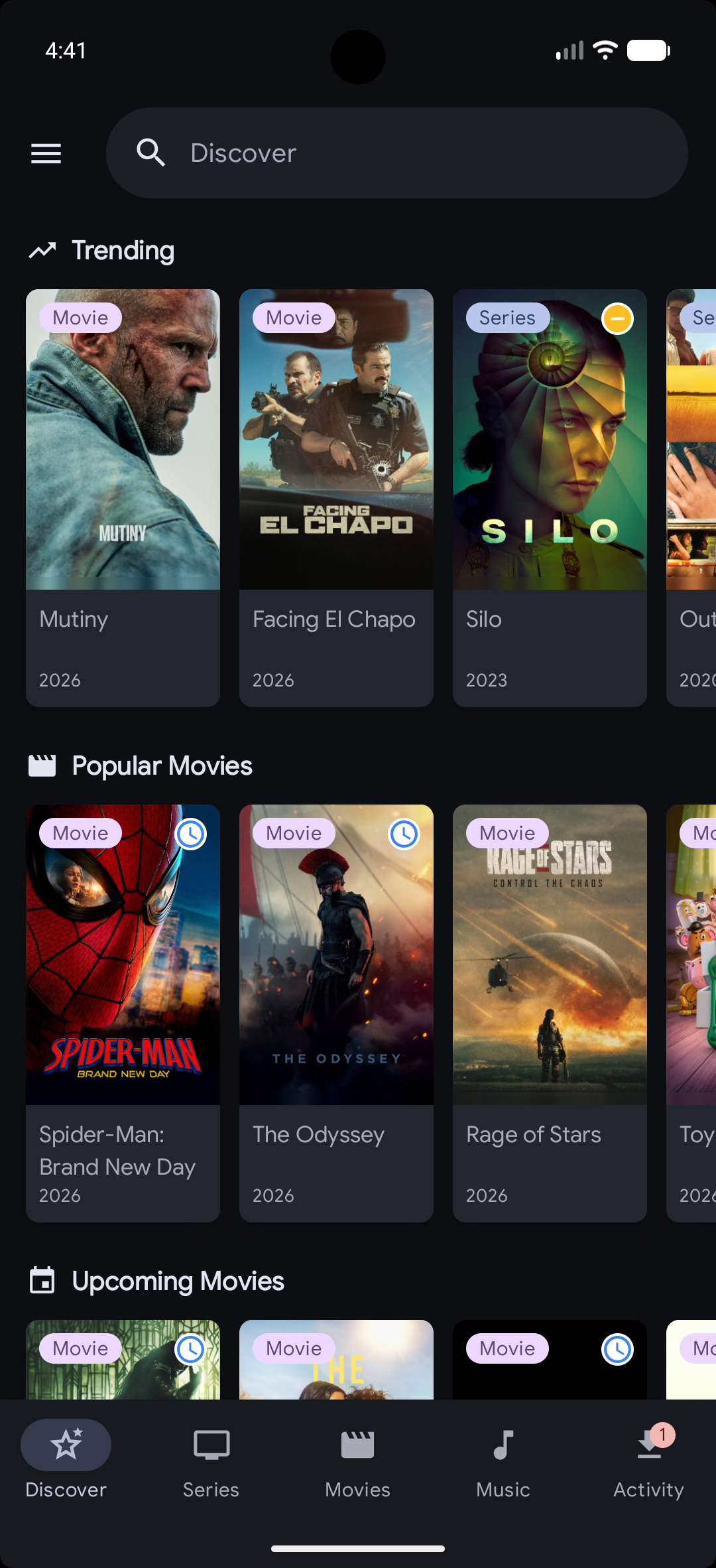
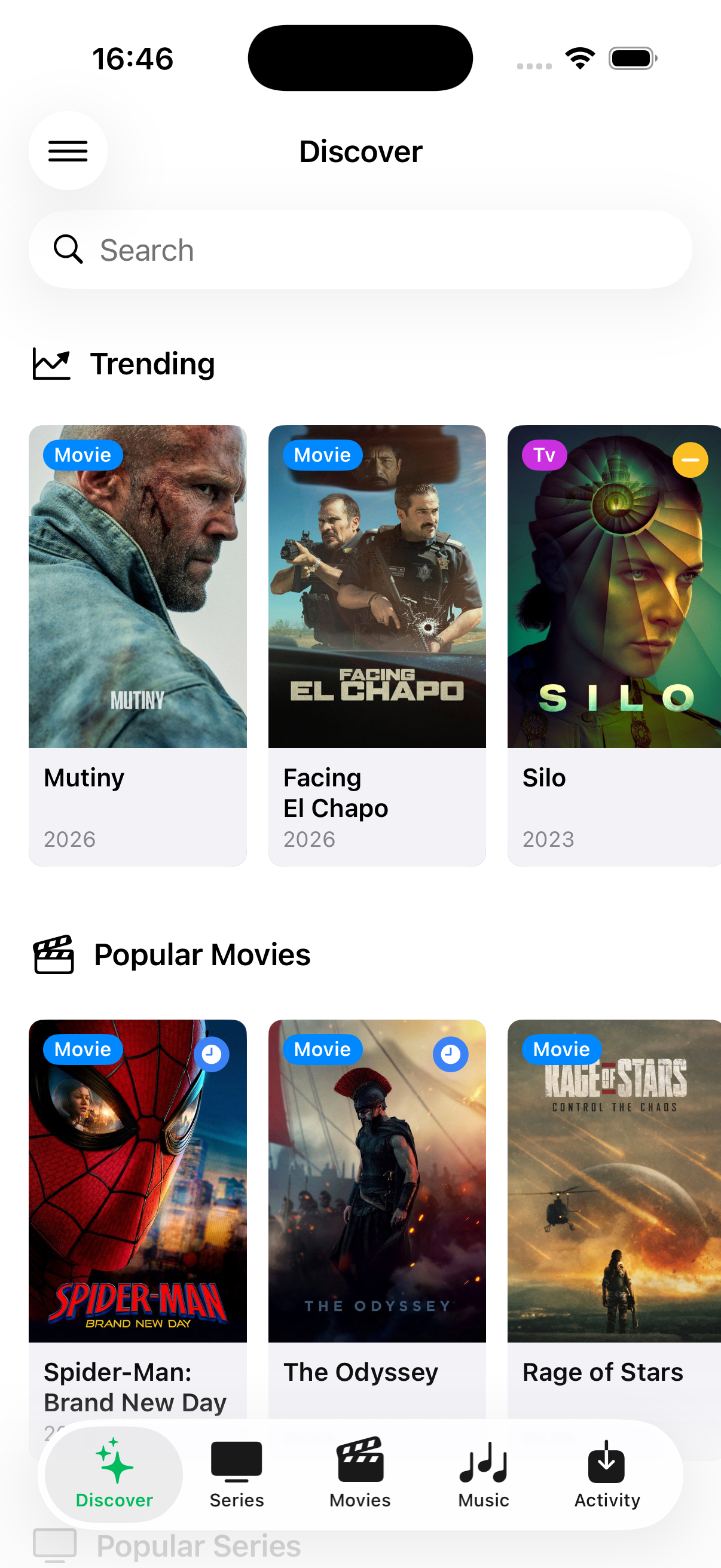
Discover & Requests (Seerr)
- Dedicated Discover tab to browse trending, popular, and upcoming movies and TV shows
- Search across movies, shows, and people with full credit filmography and backdrop previews
- Filter search results by instance, media type, status, and monitoring state
- Submit requests, view pending requests, and manage media issues directly in the app
Library Management
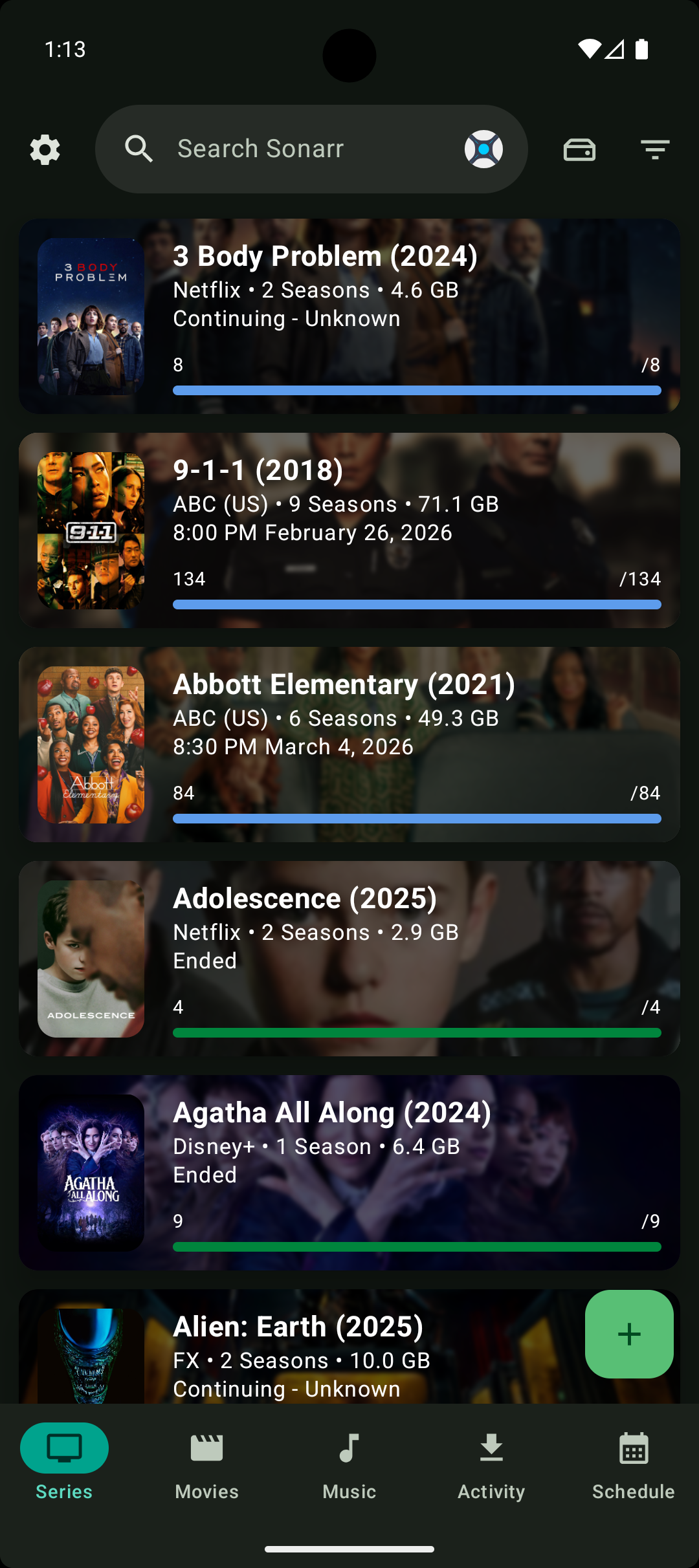
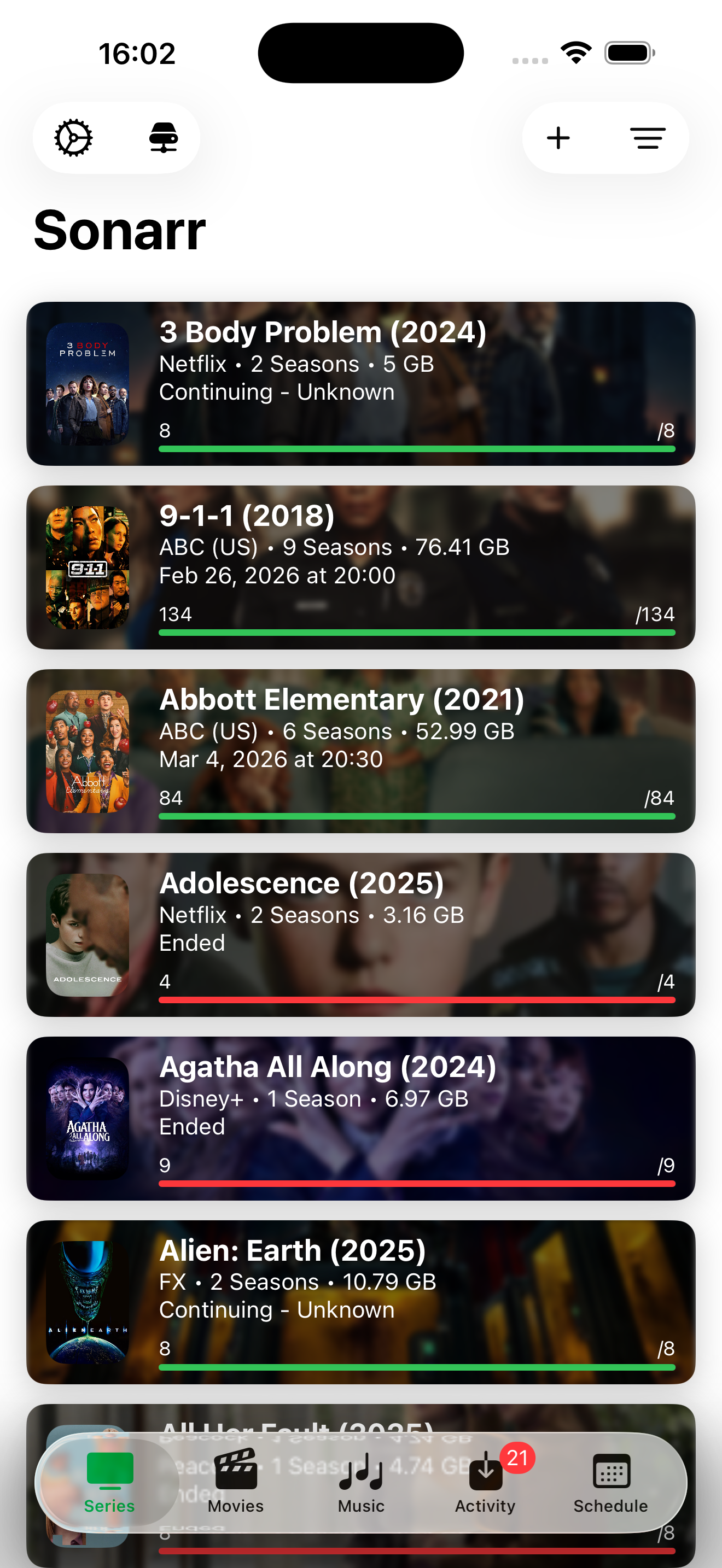
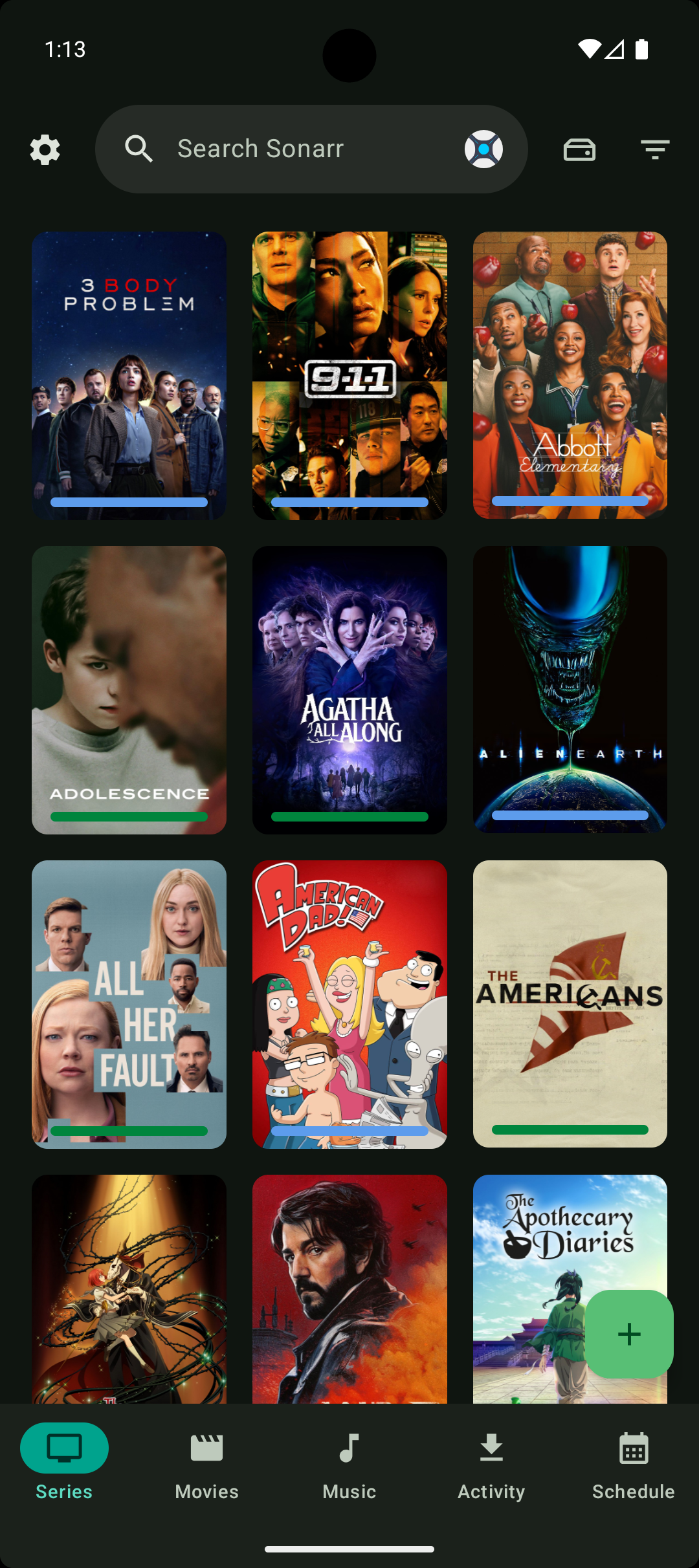
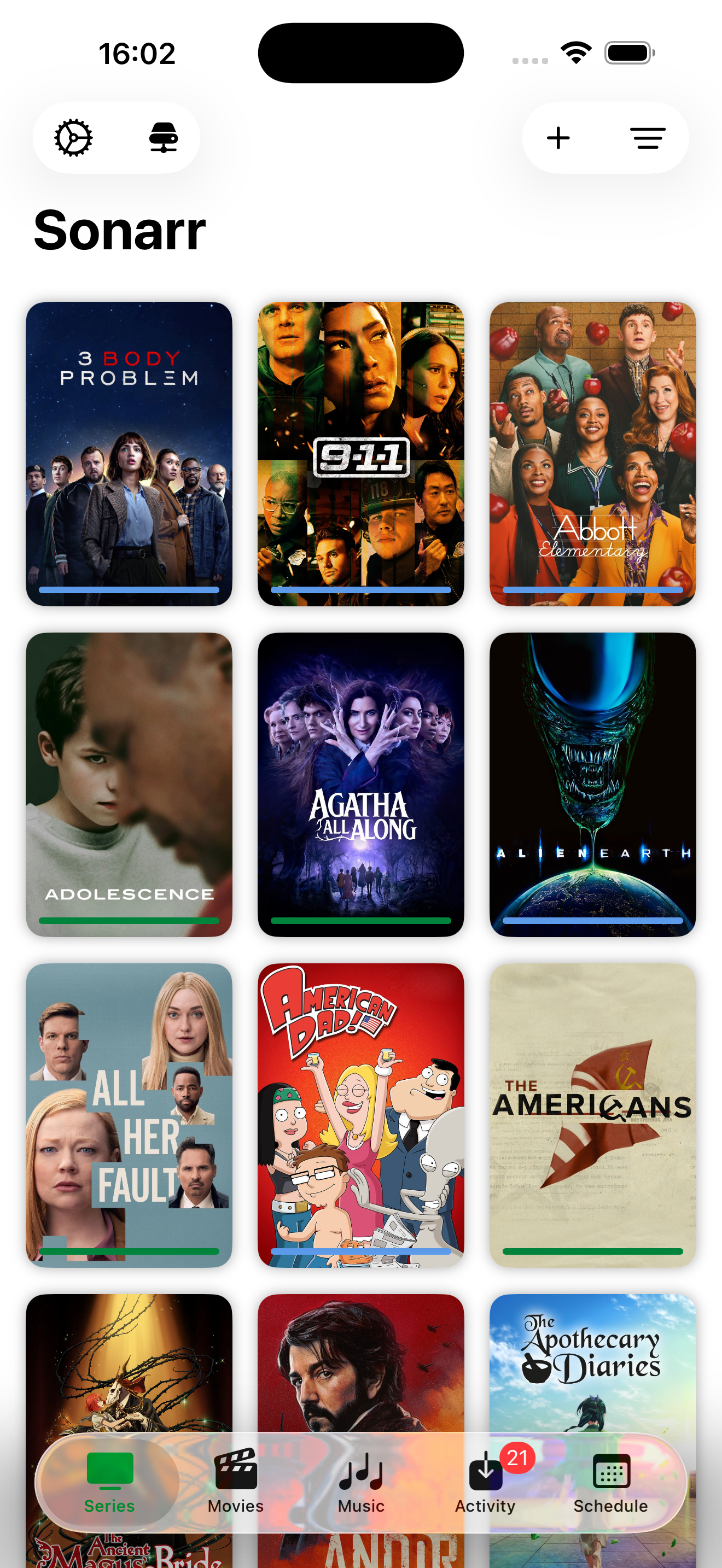
- Browse your entire media library with list and grid views
- Search and filter by title, quality, and monitored status
- Sort by name, date added, size, and more
- View detailed media information, including episode lists, season management, and file status
- Dedicated management for Audiobooks with metadata and file tracking
Interactive Search
- Manual search for releases via Arr instances or Prowlarr
- Filter by quality, language, indexer, and protocol
- View seeders, size, age, and custom format scores
- One-tap download with confirmation for rejected releases
Subtitle Management (Bazarr)
- Connect a Bazarr instance and manage subtitles for both Sonarr and Radarr libraries
- Browse episodes and movies that are missing subtitles, with provider status at a glance
- Manually search providers and download a specific subtitle, or trigger Bazarr's automatic search
- View, search, and delete subtitles directly from the series episode and movie detail screens
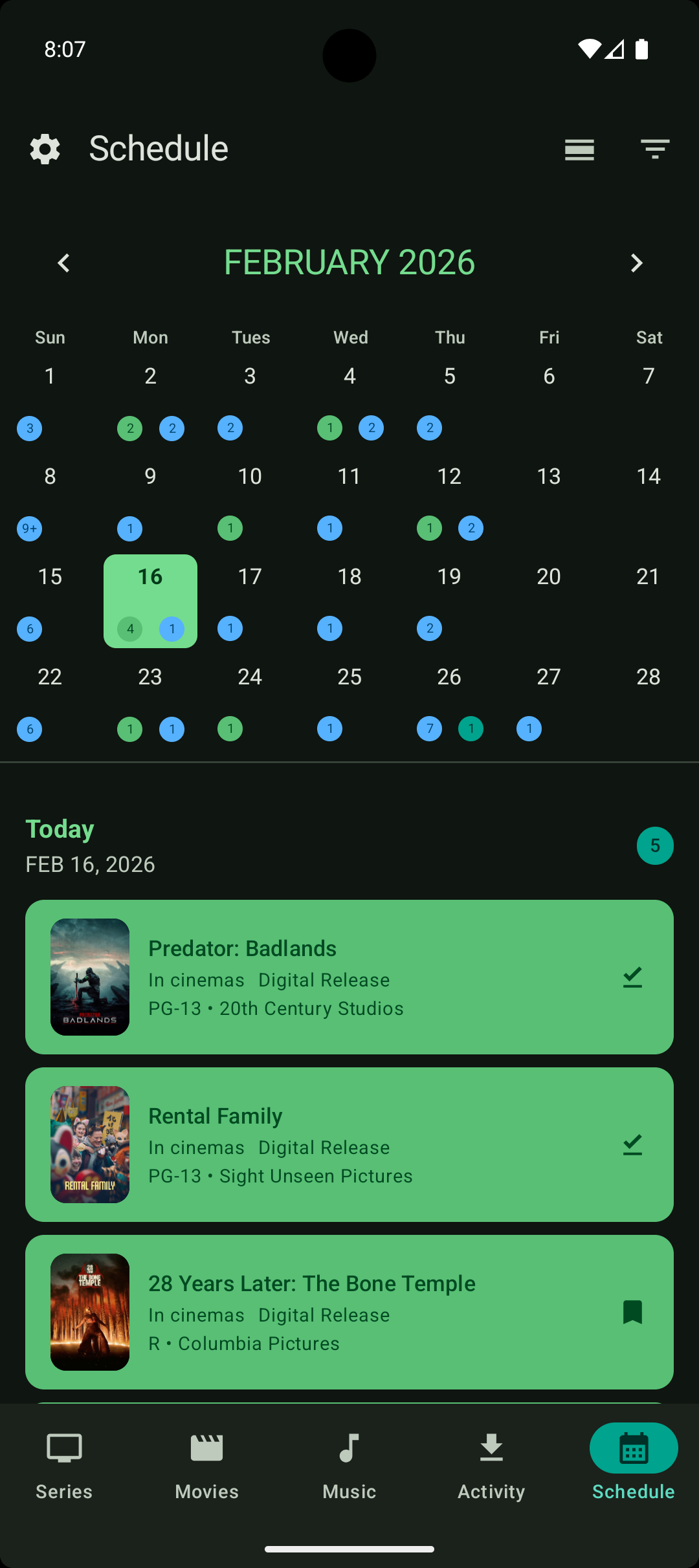
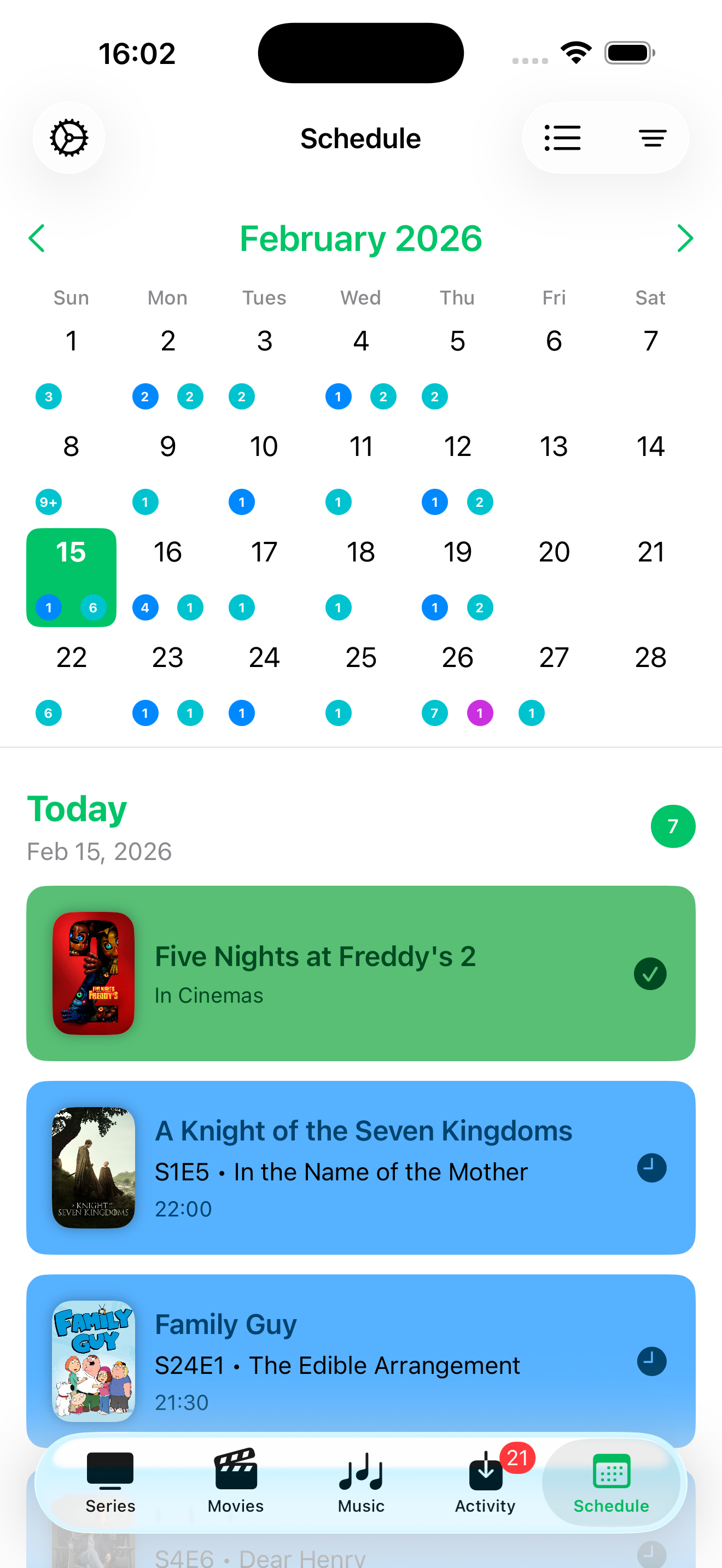
Calendar View
- View upcoming episodes, movies, albums, books, and audiobooks
- Switch between list and month views
- Filter by content type, monitored status, and premieres/finales
- Scroll-to-today for easy navigation
Activity Queue
- Real-time download monitoring across all download clients
- View progress, ETA, and detailed status
- Manage downloads with options to remove, blocklist, or skip redownload
Advanced Features
- Floating Navigation Bar: Modern floating navigation bar option for clean, fluid screen transitions
- Interactive Onboarding: Guided setup wizard to configure your initial instances and app preferences
- Android App Shortcuts & Monochrome Icon: Jump to services directly from your home screen with Material You icon support
- Local Network Switching: Automatically use local URLs when connected to home Wi-Fi
- Large Screen & Adaptive Layouts: Responsive dual-panel layouts for tablets and large screens
- Custom Webpages: Pin your favorite status pages or secondary dashboards (like Tautulli) directly in the app
- Custom Headers: Add custom HTTP headers per instance
- Slow Instance Mode: Configurable timeout for remote or slower instances
- Pull-to-refresh: Update data across all screens
- Material 3/Liquid Glass Design: Beautiful, modern UI with dynamic theming on Android and Liquid Glass on iOS
- Import/Export: Back up and restore your settings and instances across devices
- Credential Encryption: Securely store API keys and credentials in the local database
Download Client
- Multiple Integrations: Support for Transmission, Deluge, qBittorrent, and SABnzbd
Screenshots
Note for Release 0.10.0: Screenshots marked below with
[Needs Replacement]or[Needs Addition]should be updated with new assets representing 0.10.0 features (Discover Dashboard Cards, Tracearr Active Streams, Floating Navigation Bar, and Onboarding).
Dashboard
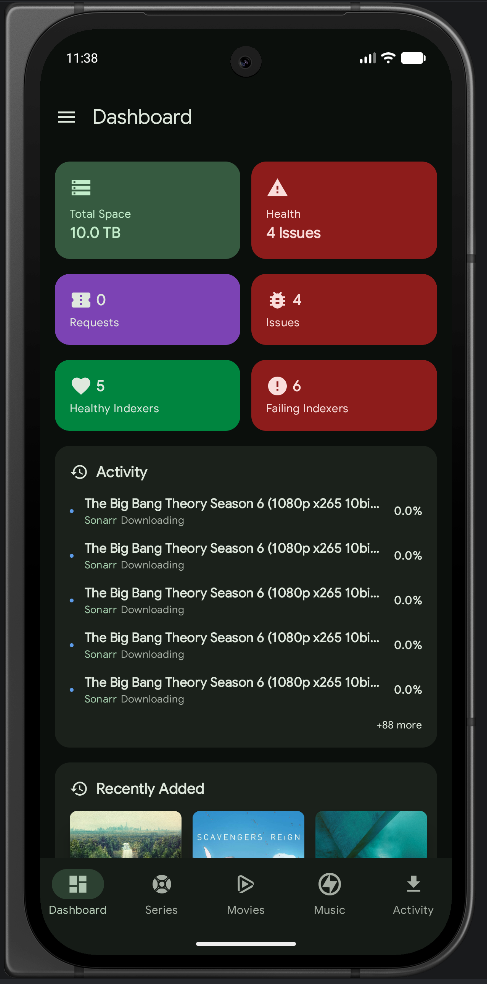 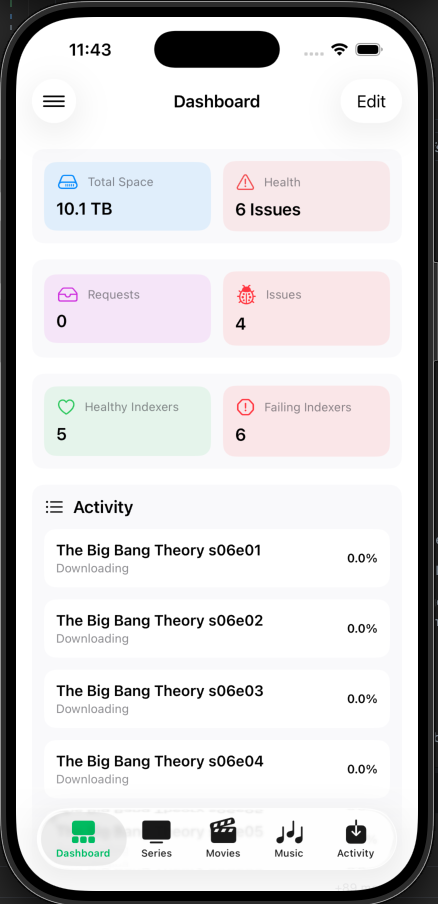 |
| Combined Dashboard (Android & iOS) |
Library Views
  |
  |
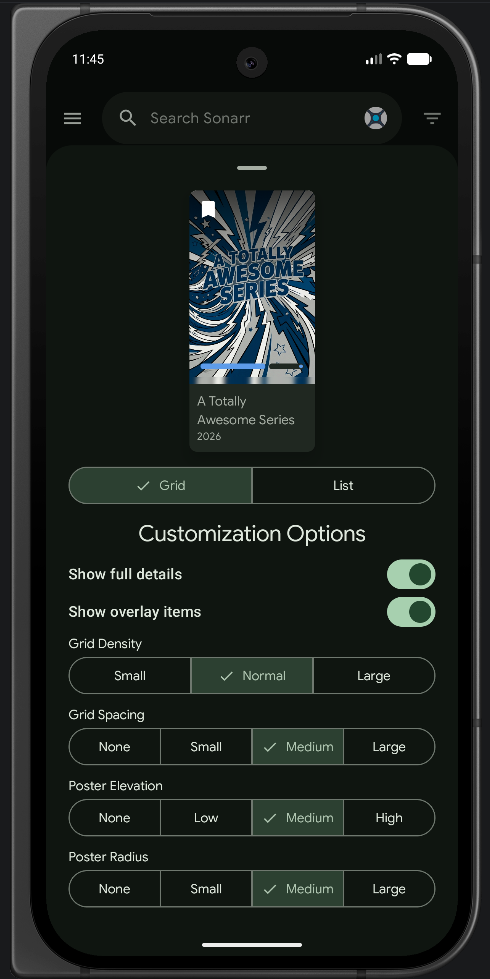 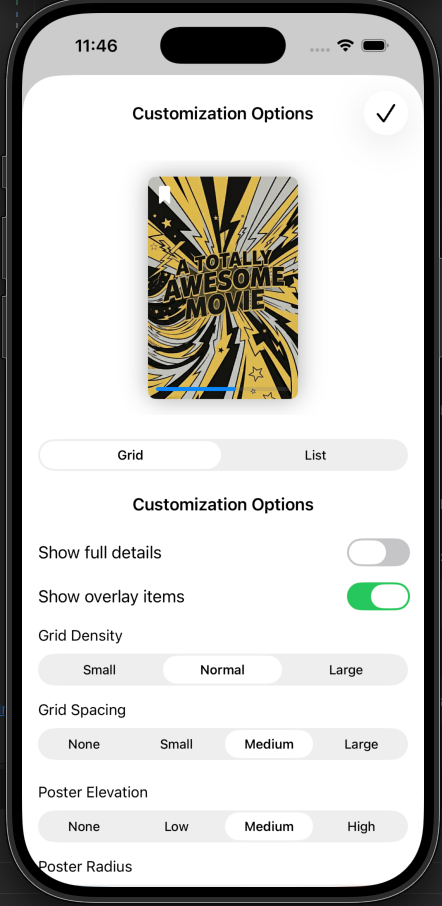 |
| List View | Grid View | View Customization |
Unified Media Details
  |
 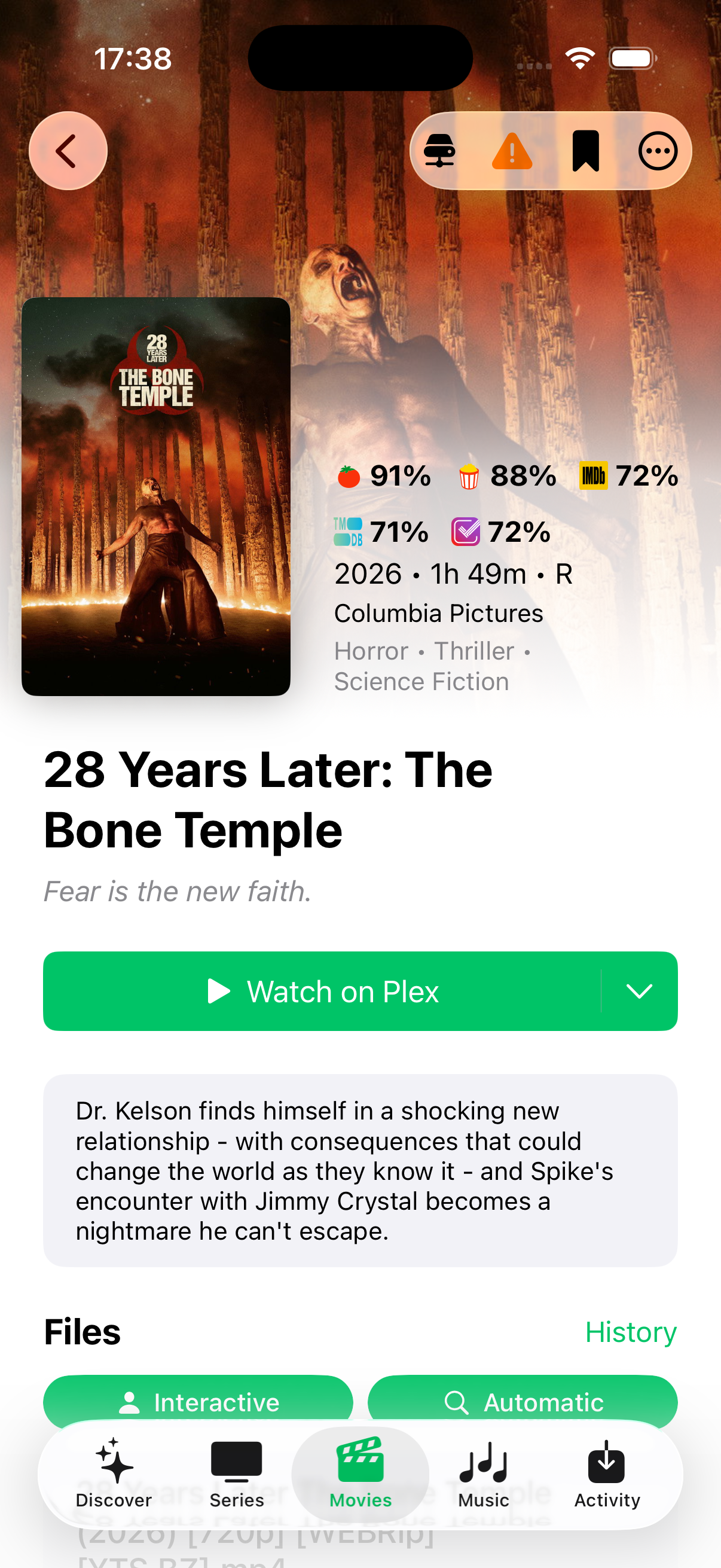 |
| Unified Series Details | Unified Movie Details |
Discover & Person Details
  |
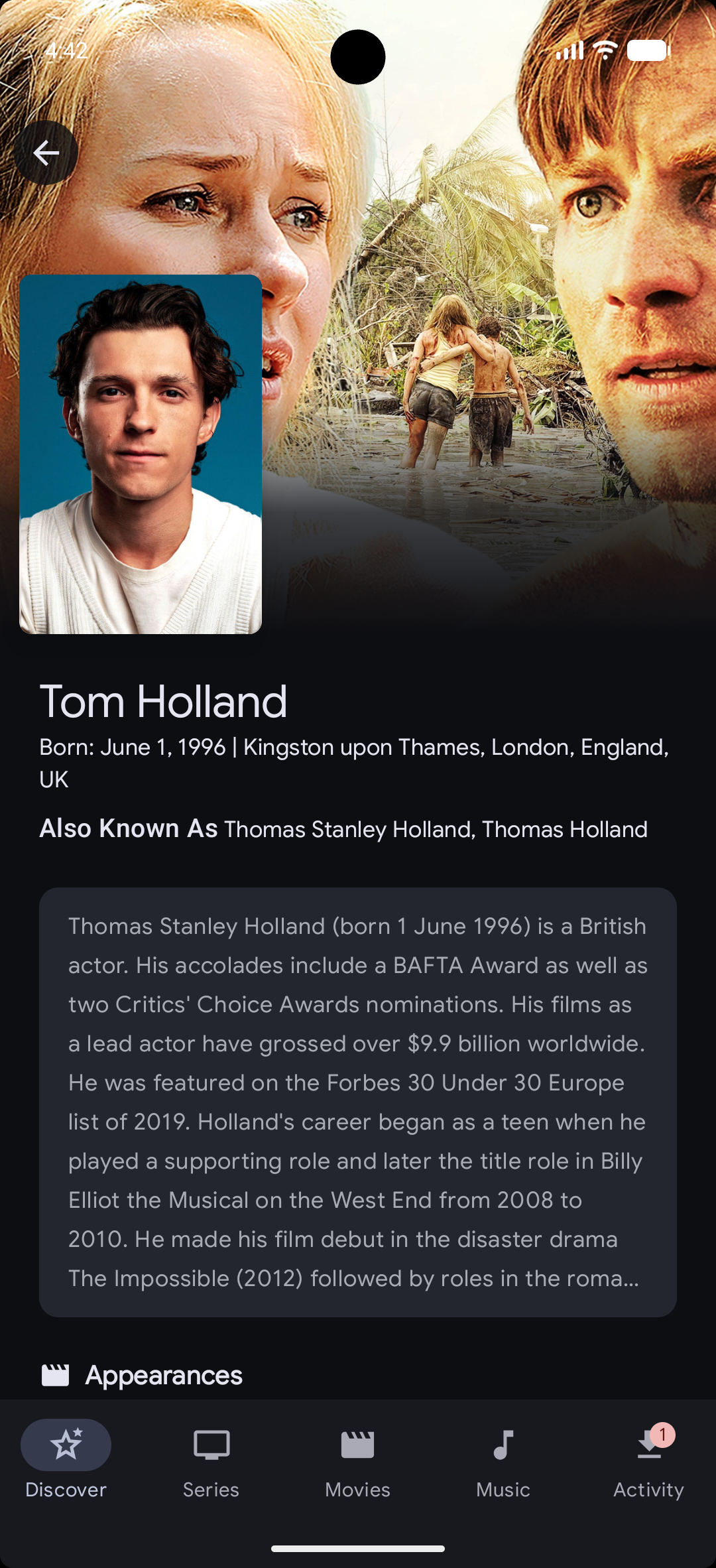 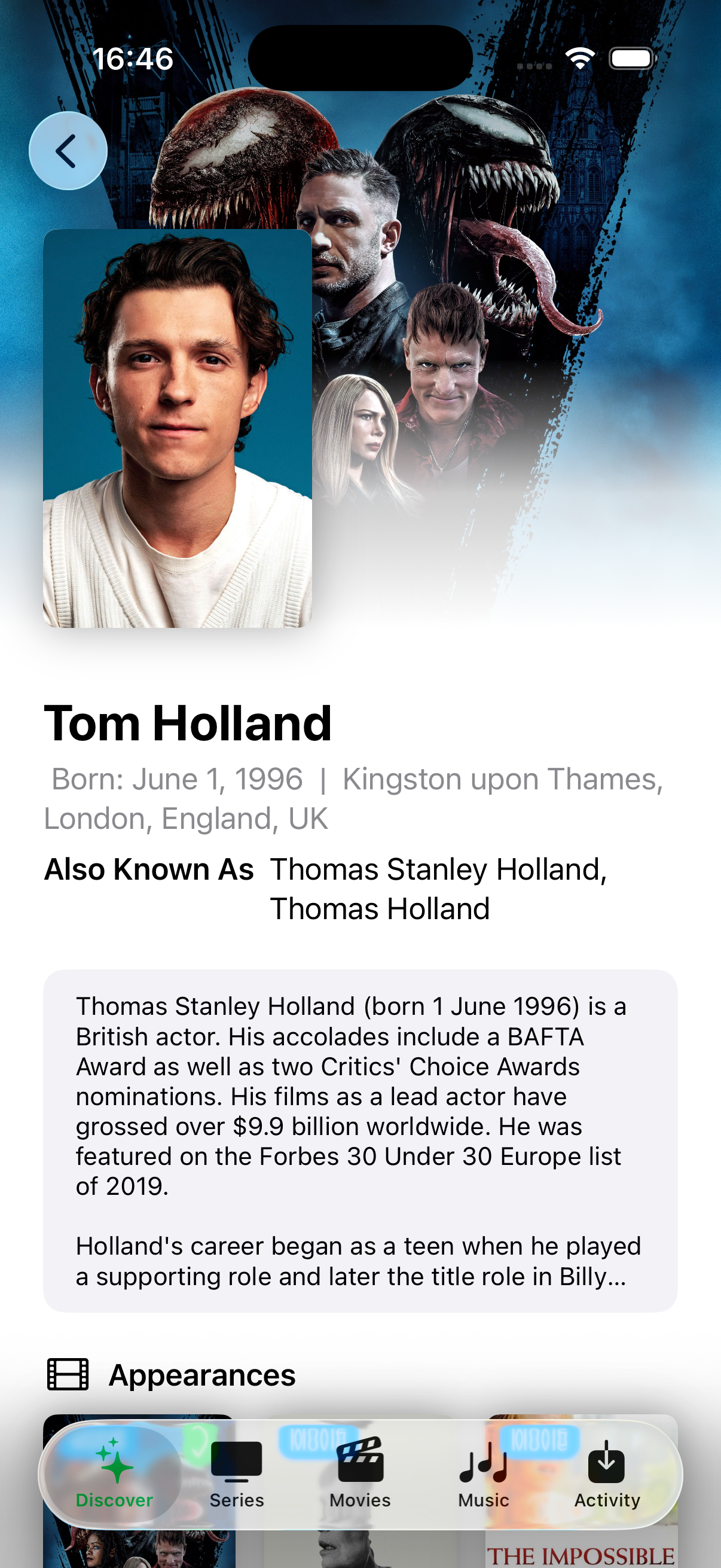 |
| Discover Tab | Person Details & Filmography |
Calendar & Activity
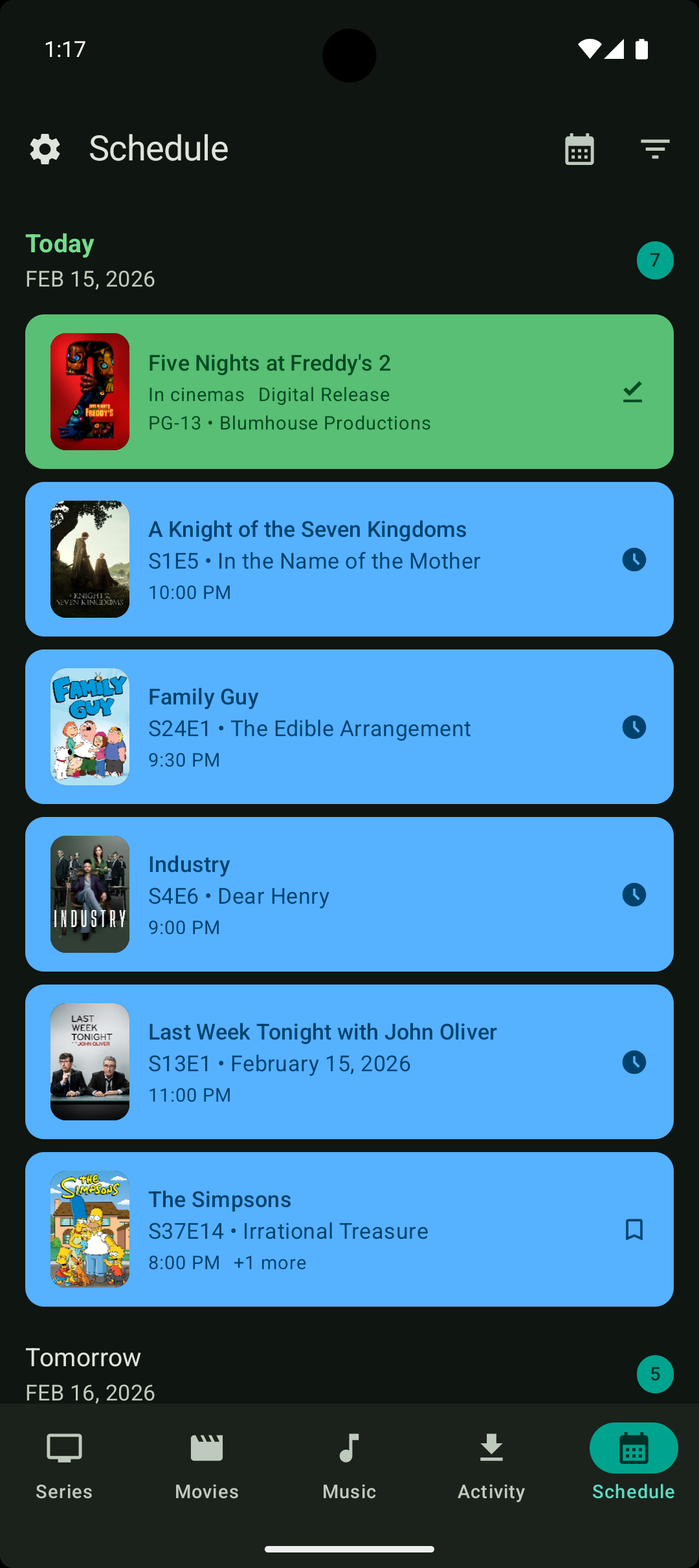 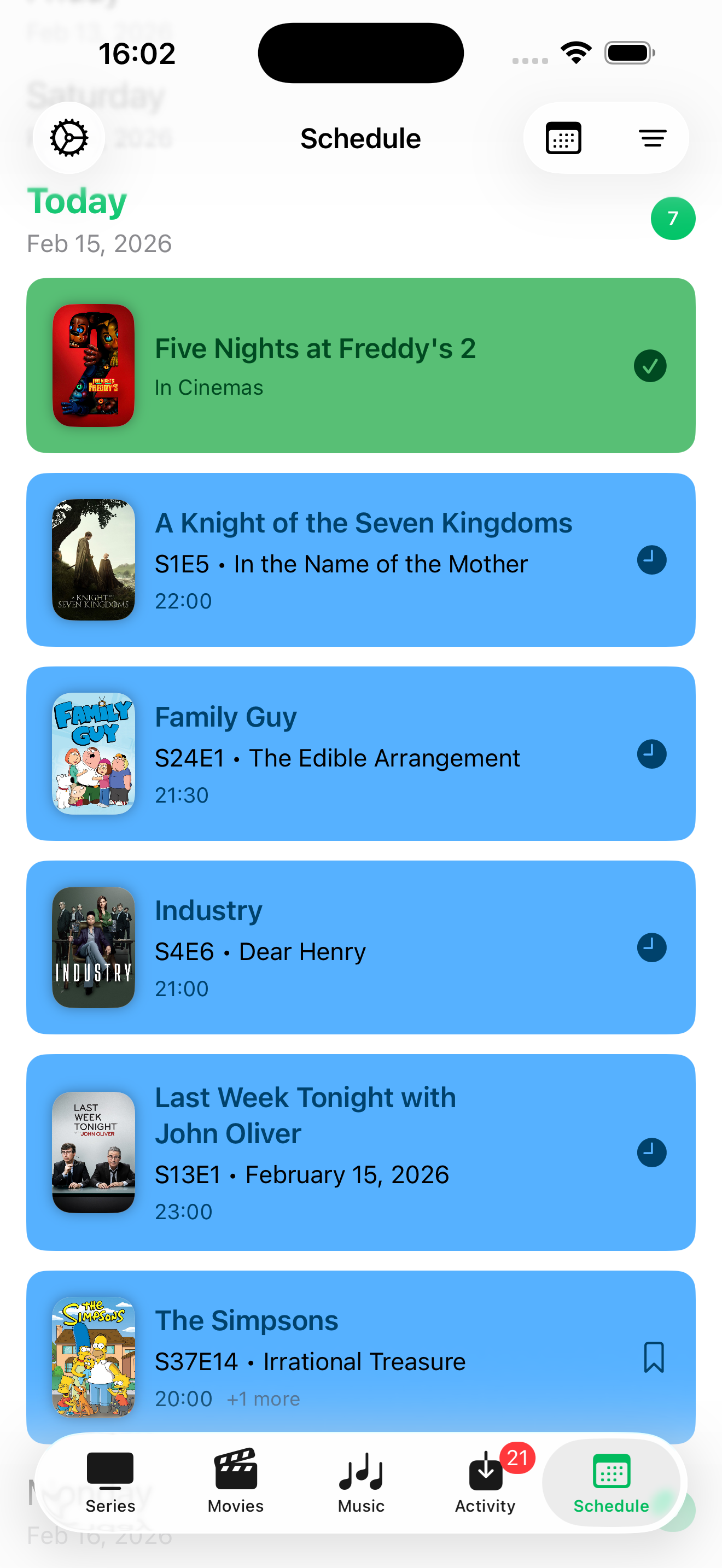 |
  |
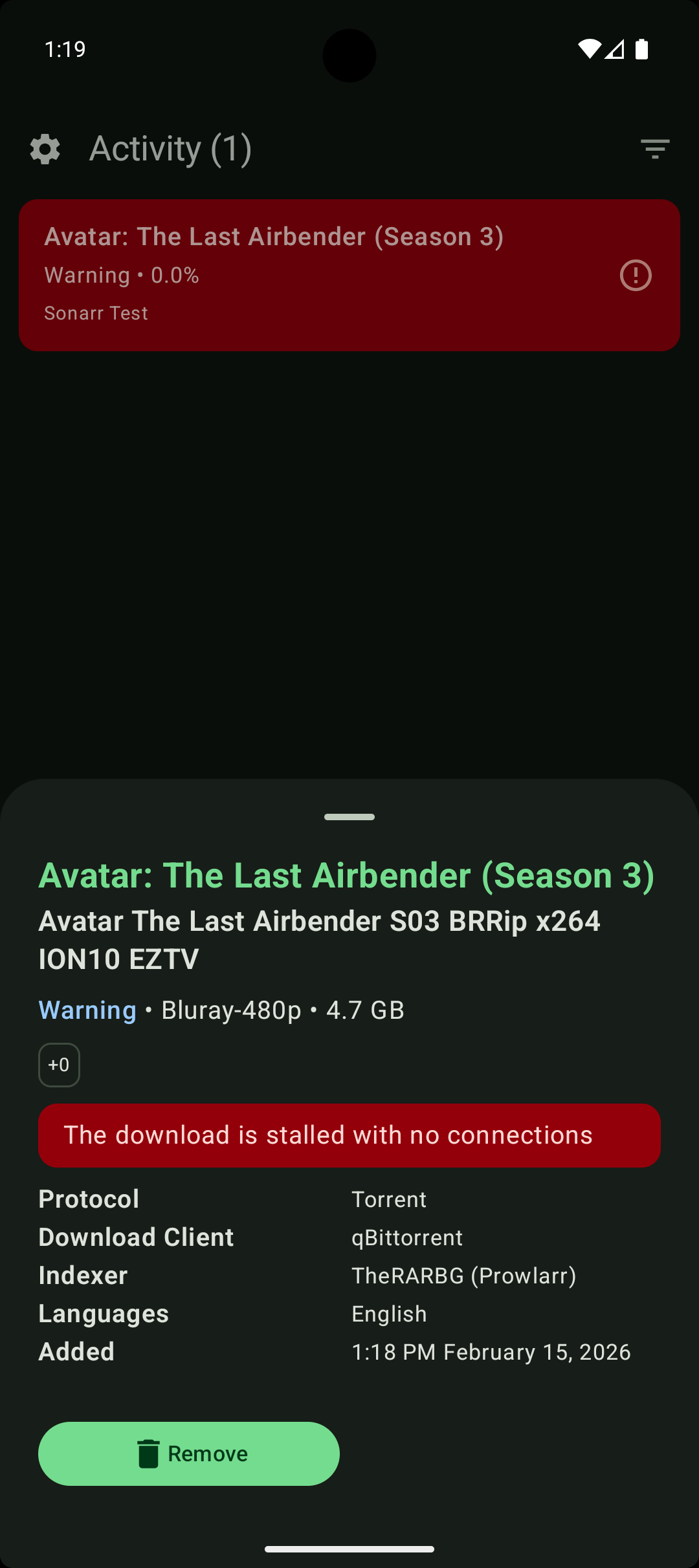 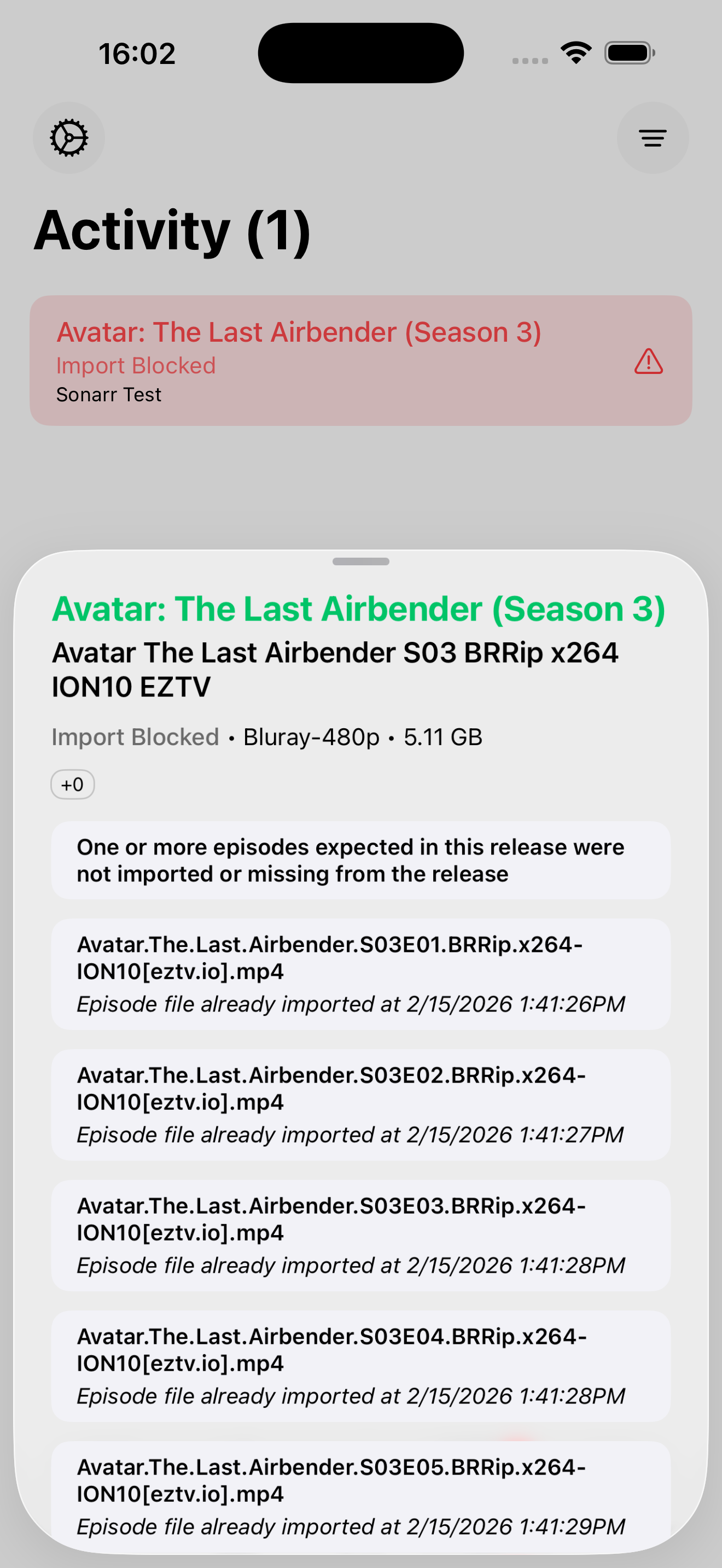 |
| Calendar List | Calendar Month | Activity Queue |
Instance Management
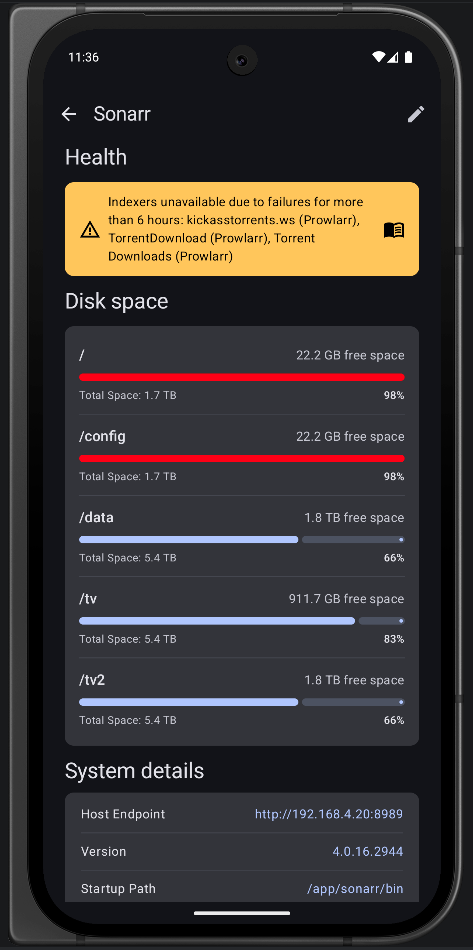 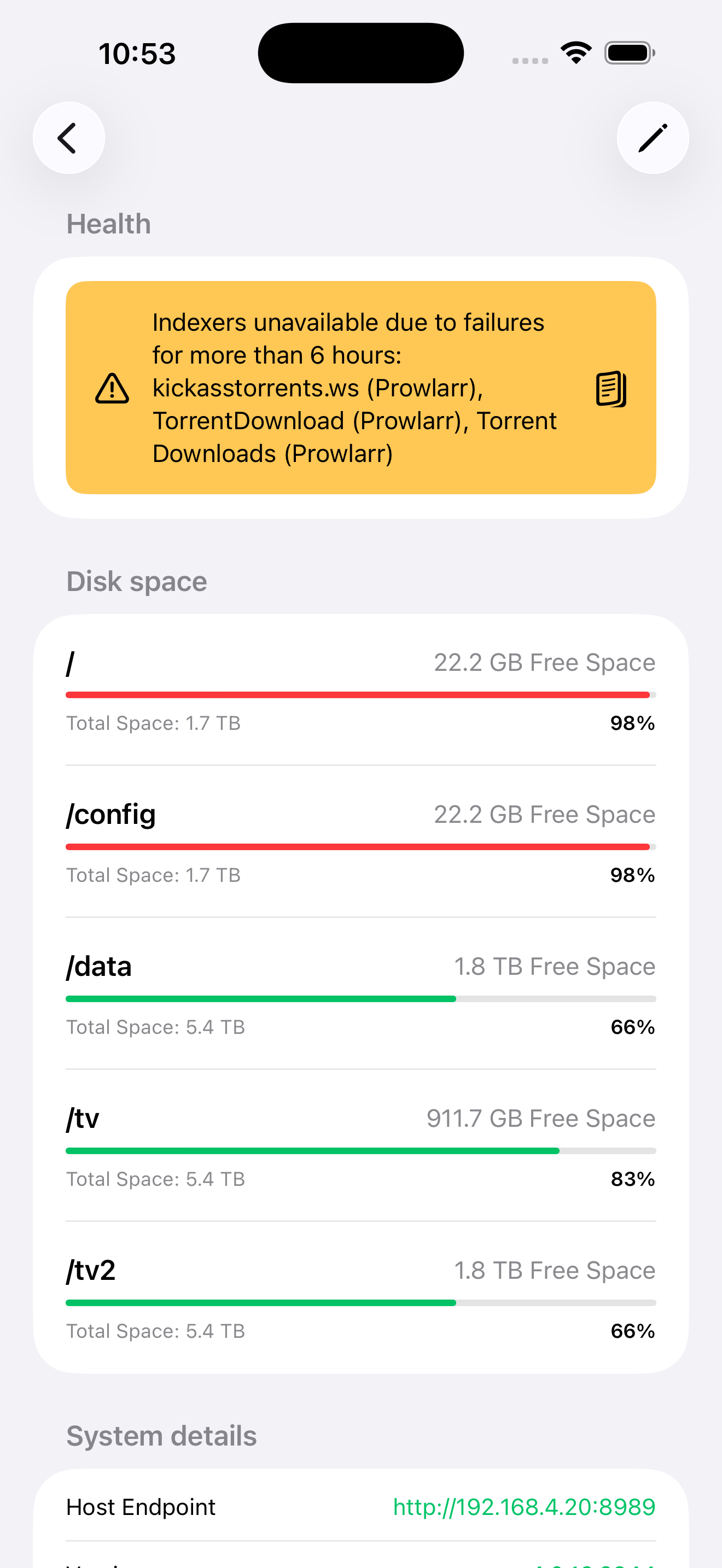 |
| Instance Dashboard |
Getting Started
This is a Kotlin Multiplatform project targeting Android, iOS.
/composeApp contains the Android application. This is where all Jetpack Compose and other Android-app specific code should go.
/iosApp contains iOS applications. This is where all SwiftUI and other iOS-app specific code should go
/shared is for the code that will be shared between all targets in the project. The most important subfolder is commonMain. Any code that is shared between projects (networking/database/viewmodel/data models, etc.) goes here. There are also androidMain and iosMain for shard code that targets a specifc platform.
Build and Run Android Application
To build and run the development version of the Android app, build and run the composeApp target in AndroidStudio
Build and Run iOS Application
To build and run the development version of the iOS app, build and run the iosApp target in AndroidStudio or open the /iosApp directory in Xcode and run it from there.
To build the app locally Xcode must be signed into an Apple Account:
Xcode → Settings → Accounts
Next, select the Apple Account's team for the iosApp target:
iosApp → Signing & Capabilities → Targets → iosApp -> Signing -> Team
Adding Localized String
ArrMatey uses moko-resources for string resources across platforms. Any new strings should be added to strings.xml, or plurals.xml for plural strings. Build your targets, and new strings will be accessible using MR.strings
Configuration
Adding Your First Instance
- Open the app and navigate to Settings
- Tap Add Instance
- Select your instance type (Sonarr/Radarr/Lidarr/Bookshelf/Listenarr/etc.)
- Enter your instance details:
- Label: A friendly name for this instance
- Host: Your instance URL (e.g.,
http://192.168.1.100:8989,https://service.mydomain.com) - API Key: Found in your instance settings under General → Security
- (Optional) Configure advanced settings:
- Slow Instance: Enable for remote instances with higher latency
- Custom Timeout: Set a custom timeout in seconds (default: 60s)
- Custom Headers: Add additional HTTP headers if needed
- Local Endpoint: If you use a custom domain for remote access, you can specify the local address of your instance to use on your home network.
- Tap Test Connection to verify
- Save your instance
If you use Tailscale Funnel's or CloudFlare Tunnels, additional setup steps can be found here
Custom Headers
Custom headers are useful for:
- Reverse proxy authentication
- Additional security headers
- Custom routing or load balancing
Example:
- Header:
X-Forwarded-For - Value:
192.168.1.1
Contributing
Contributions are welcome! Please feel free to submit a Pull Request.
Development Guidelines
- Code Style: Follow Kotlin coding conventions
- Commits: Use conventional commit messages
- Testing: Add tests for new features
- Documentation: Update README and code comments
How to Contribute
- Fork the repository
- Create a feature branch (
git checkout -b feature/amazing-feature) - Commit your changes (
git commit -m 'feat: add amazing feature') - Push to the branch (
git push origin feature/amazing-feature) - Open a Pull Request
Bug Reports
Found a bug? Please open an issue with:
- A clear description of the problem
- Steps to reproduce
- Expected vs actual behavior
- Device/Android version
- Arr instance version (Sonarr/Radarr/Lidarr)
License
This project is licensed under the MIT License - see the LICENSE file for details.
AI Disclaimer
AI has assisted in the development of this application but all architecture/design decisions and the majority of code are written by humans.
Acknowledgments
- Sonarr - Smart PVR for newsgroup and bittorrent users
- Radarr - Movie collection manager
- Lidarr - Music collection manager
- Bookshelf - Ebook and audiobook collection manager
- Listenarr - Audiobook management server
- Prowlarr - Indexer manager
- Seerr - Request management
- Bazarr - Subtitle management for Sonarr and Radarr
- Tracearr - Active stream monitoring and playback analytics
- Material Design 3 - Design system
- Jetpack Compose - Modern UI toolkit
- SwiftUI - Apple's declarative framework for building user interfaces
- Kotlin Multiplatform - Kotlin's cross-platform solution
