mobileClaw
An open Android agent runtime that can see, act, build, remember, and route its own tools.
MobileClaw is an experimental Android app for running LLM agents on a real phone. It is built around a simple idea: a mobile agent should not just chat about your device. It should be able to observe the screen, choose the right tools, act through Android capabilities, create new workflows, and keep enough memory to improve across tasks.
Why This Exists
Most mobile AI apps are chat surfaces. MobileClaw is closer to a small operating layer for agents.
A user request is turned into a scoped task. The task gets a role, a short plan, a filtered tool set, and an execution loop. That shape is the core of the project:
user goal -> task type -> role scheduler -> planner -> allowed skills -> observe -> act -> verify
This matters because phone automation fails quickly when every tool is always available. MobileClaw keeps phone control, web research, file work, app building, image generation, VPN control, skill management, and code execution in different task modes.
The project is still moving fast. Some pieces are stable enough to use daily; some are research-grade and need device-specific fixes. The code is open because this kind of Android agent needs real devices, real ROM quirks, and real users to become good.
What Works Today
Phone Control
- Accessibility-based screen reading through XML when Android exposes a useful tree.
- Vision-first screen reading with
see_screen, which captures a screenshot, marks interactive targets, and returns coordinates for direct action. - Raw
screenshotfallback when XML is empty or misleading, especially for Flutter, React Native, WebView, and game-like UIs. - Tap, long press, scroll, text input, back/home navigation, app launch, installed app listing.
- A lightweight IME exists for more reliable text insertion paths.
Background Phone Work
- Hidden virtual display support for launching apps away from the user's main screen.
- Background screen XML and screenshot tools:
bg_launch,bg_read_screen,bg_screenshot,bg_stop. - ROM-aware setup guidance, plus optional root or one-time ADB activated privileged service for devices that block launching apps onto virtual displays.
Task Runtime
TaskClassifiermaps requests into task types such asPHONE_CONTROL,WEB_RESEARCH,APP_BUILD,VPN_CONTROL,SKILL_MANAGEMENT, andCODE_EXECUTION.TaskPlannermakes a planning call before tool execution.TaskToolPolicycontrols which tools are visible for each task.RoleSchedulerchooses from built-in and user-created roles.AgentRuntimeruns a ReAct-style loop with repeated-perception guards, screenshot context trimming, structured observations, and task events.
Roles And Scheduling
Built-in roles include:
- General assistant
- Coder
- Web agent
- Phone operator
- Creator
- Skill admin
- VPN operator
Roles are not just personas. They can declare preferred task types, keywords, scheduler priority, forced skills, and model overrides. User-created roles participate in the same scheduler.
Skills
MobileClaw has a native skill registry with injection levels:
- Level 0: always available for core runtime needs.
- Level 1: task-aware skills.
- Level 2: on-demand skills, usually created or promoted by the user.
Built-in skill groups include:
- Phone and perception:
see_screen,screenshot,read_screen,tap,scroll,input_text,navigate,list_apps. - Web:
web_search,fetch_url, hidden WebView browsing, page content extraction, JavaScript execution. - Files and attachments: create/read/list files, create HTML pages, user storage access, file cards, image/file/html/webpage/search-result attachments.
- Creation: image generation, video generation, document generation, icon generation.
- Apps: HTML mini-app creation and native Compose AI page creation.
- Code: embedded Python execution, runtime pure-Python package install, shell execution, console editing.
- Memory and user data: semantic memory, user profile facts, user config, skill notes.
- Meta tools: create skills, generate skills from a description, browse/install marketplace skills, manage roles, switch model, switch role, manage chat sessions.
- VPN: start/stop/status through
vpn_control.
Dynamic skills can be Python or HTTP definitions saved under app storage. Native and shell skills are intentionally not generated by the agent through the normal meta-skill path.
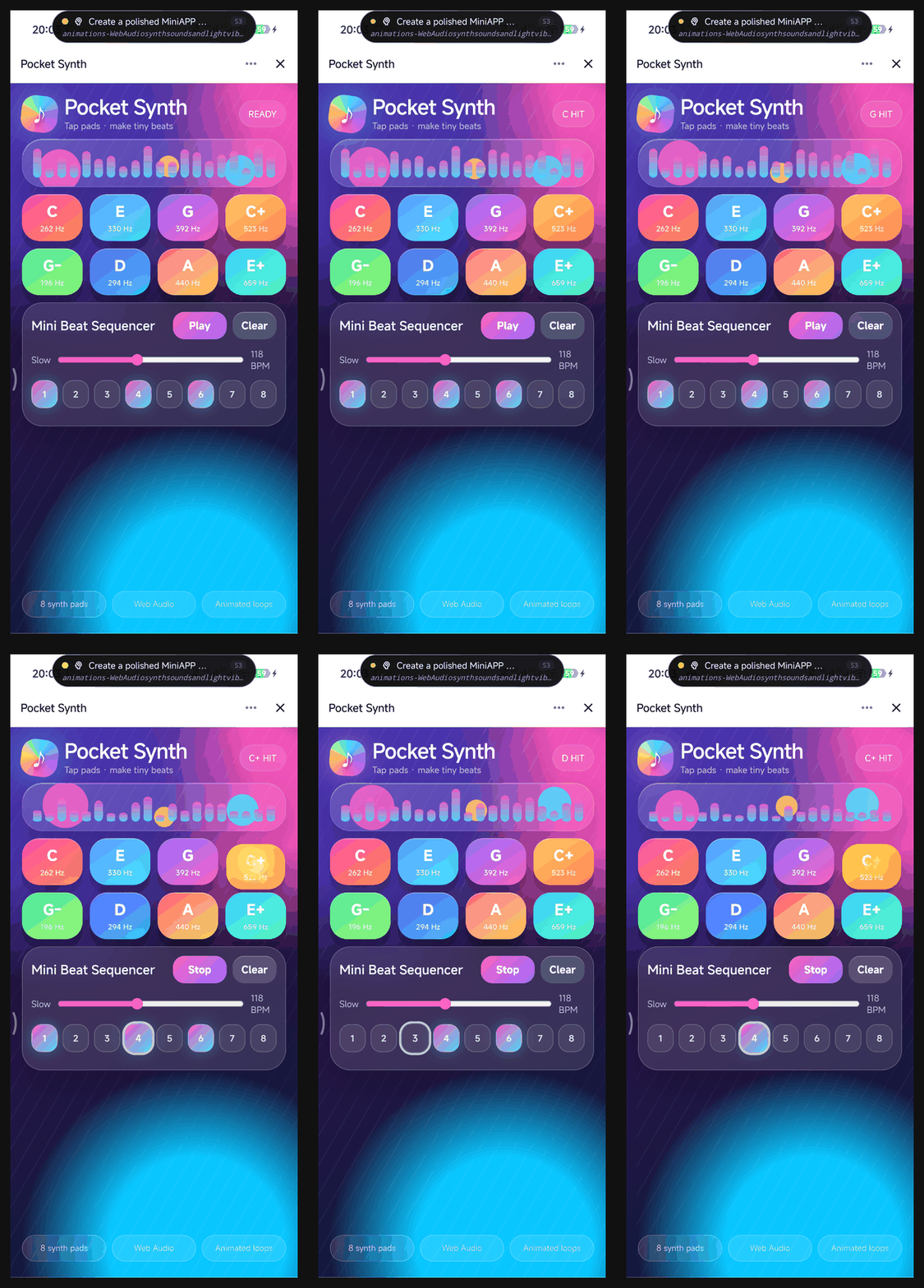
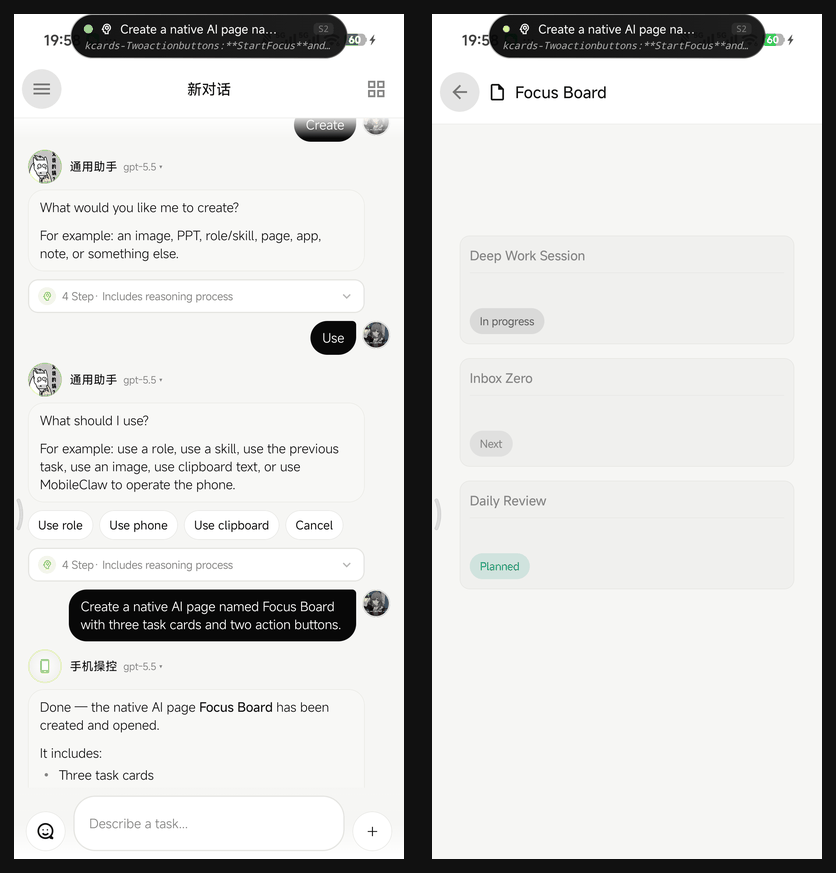
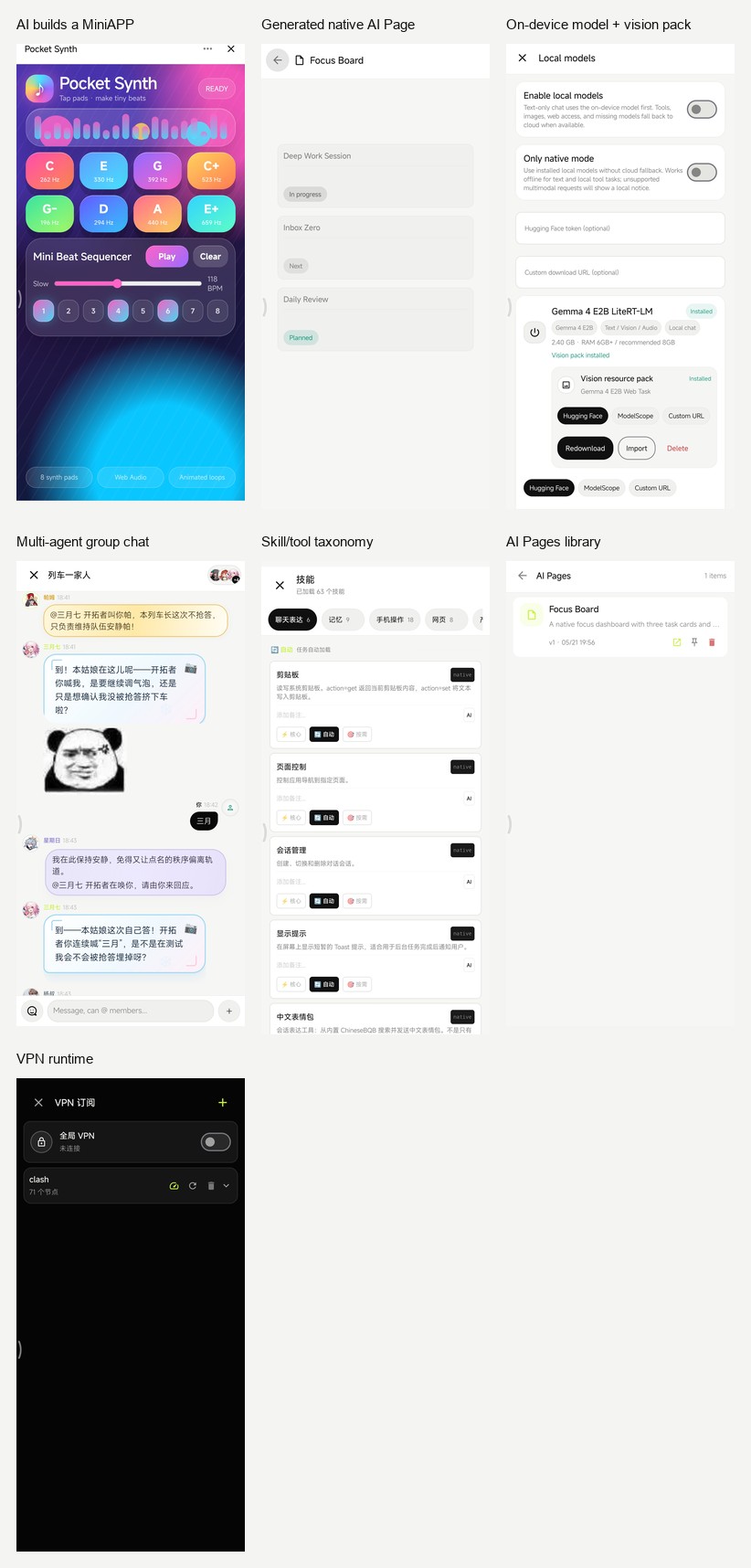
Mini Apps And AI Pages
MobileClaw has two app-building paths:
- HTML mini-apps run inside WebView and get a
ClawJavaScript bridge for HTTP, SQLite, Python, shell, memory, config, files, clipboard, device info, app launch, URL opening, sharing, and asking the agent. - AI Pages are native Compose pages stored as JSON. They render a component DSL and execute action steps such as HTTP, shell, notification, vibration, app launch, open URL, clipboard, intents, phone dialer, SMS composer, alarms, and navigation between pages.
Both are created from chat through skills. Mini apps are good for fast web-like tools. AI Pages are better when a workflow should feel native.
VPN And Proxy Runtime
MobileClaw includes a VPN stack designed for Android agent use:
- Clash/Mihomo subscription import.
- Raw YAML is stored so runtime configs can be rebuilt without resubscribing every time.
- Supported parsed proxy types include HTTP, SOCKS5, Shadowsocks, SSR from YAML, VMess, Trojan, and VLESS.
- Node latency is tested through short-lived mihomo processes.
- Runtime config is built around a selected node and
MATCH,GLOBAL. - Android
VpnServicecreates the TUN interface. - mihomo provides the local mixed proxy.
hev-socks5-tunnelbridges Android TUN traffic to mihomo.- App HTTP and WebView traffic can use the active proxy path.
This stack does not use Xray. mihomo handles the proxy protocols; hev is kept because Android still needs a TUN-to-SOCKS bridge.
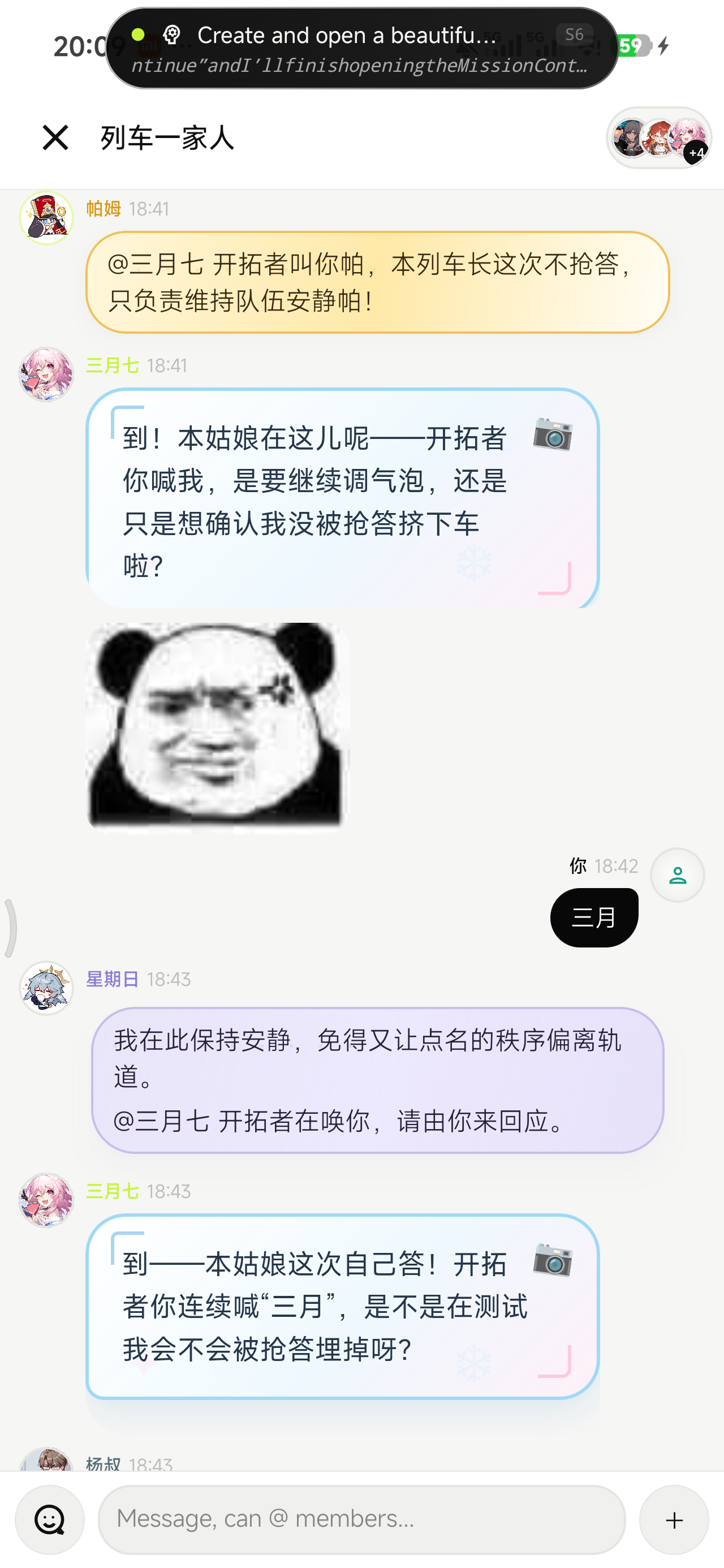
Chat, Group Chat, And Attachments
- Normal chat supports text, image attachment, file attachment, streaming output, task logs, details sheets, collapsed long content, and separate attachment messages.
- Group chat supports user and AI attachments.
- Group chat has a small task pool. A long task occupies its agent and one pool slot, not the whole group.
- Agents can be interrupted by newer user turns when capacity is available.
Memory
- Semantic memory stores durable key-value facts.
- Conversation memory stores recent user and assistant messages.
- Episodic memory records task outcomes, skills used, and reflections, then retrieves similar past tasks through a local character n-gram embedder.
- User profile extraction writes structured profile facts into semantic memory.
- Working memory trims task steps to keep the active prompt bounded.
Local And LAN APIs
- A loopback API server exposes skills, dynamic skill install/delete, memory, and config to local HTTP skills.
- A LAN console server exposes a browser UI, SSE task events, session/message APIs, skill export/import APIs, memory/config APIs, and a downloadable OpenClaw CLI script.
- The console page can be edited by the agent through
console_editor.
Architecture
app/src/main/java/com/mobileclaw
├─ agent
│ ├─ TaskSession.kt task types, task plans, tool policy
│ ├─ AgentRuntime.kt ReAct loop and task events
│ ├─ AgentContext.kt prompt construction
│ ├─ Role.kt built-in roles and role metadata
│ └─ RoleScheduler.kt automatic role routing
├─ skill
│ ├─ SkillRegistry.kt registration, injection levels, overrides
│ ├─ SkillLoader.kt dynamic Python/HTTP skill persistence
│ ├─ builtin/ native skills
│ └─ executor/ Python, HTTP, shell executors
├─ perception
│ ├─ ClawAccessibilityService.kt
│ ├─ ScreenshotController.kt
│ ├─ ActionController.kt
│ ├─ VirtualDisplayManager.kt
│ └─ ClawIME.kt
├─ ui
│ ├─ ChatScreen.kt main chat
│ ├─ GroupChatScreen.kt multi-agent group chat
│ ├─ DynamicUiRenderer.kt inline generated UI blocks
│ ├─ MiniAppActivity.kt WebView mini apps
│ └─ aipage/ native AI page runtime
├─ vpn
│ ├─ VpnManager.kt
│ ├─ ClashParser.kt
│ ├─ MihomoConfigBuilder.kt
│ ├─ MihomoProcess.kt
│ └─ ClawVpnService.kt
├─ memory
│ ├─ SemanticMemory.kt
│ ├─ EpisodicMemory.kt
│ ├─ ConversationMemory.kt
│ └─ UserProfileExtractor.kt
└─ server
├─ ConsoleServer.kt
├─ LocalApiServer.kt
├─ PrivilegedServer.kt
└─ PrivilegedClient.kt
Build
Requirements:
- Android Studio Ladybug or newer
- JDK 17
- Android 11+ device or emulator
- An OpenAI-compatible chat endpoint and API key
git clone https://github.com/eggbrid2/mobileClaw.git
cd mobileClaw
./gradlew :app:assembleDebug
Debug APK:
app/build/outputs/apk/debug/app-debug.apk
The app uses Kotlin, Jetpack Compose, Room, DataStore, WebView, OkHttp, Gson, Jsoup, SnakeYAML, Chaquopy Python 3.11, mihomo, and hev-socks5-tunnel.
Permissions And Device Notes
MobileClaw works by turning user-authorized Android capabilities into explicit agent tools. Depending on the feature, it may ask for:
- Accessibility service access for screen reading, screenshots, gestures, and input.
- VPN permission for Android
VpnService. - Notification permission for foreground VPN state and AI Page notifications.
- File and media access for user-selected attachments and user storage tools.
- Overlay/background-related permissions for long-running and visual assistant features.
- Optional ADB activation for the privileged virtual-display helper on ROMs that block standard APIs.
Root is not a baseline requirement. Some background-display features may still need ROM-specific setup, root, or the bundled shell-uid helper.
Good First Areas To Improve
- More robust UI automation on non-standard Android views.
- Better VLM grounding and action verification.
- Safer dynamic skill review and promotion.
- Better task policies and role scheduling heuristics.
- More reproducible VPN subscription and mihomo edge cases.
- ROM compatibility reports for virtual display launch behavior.
- Better docs, demos, and small role/skill presets.
Status
MobileClaw is not a polished assistant product. It is an open-source Android agent lab with a working app around it. Expect sharp edges, especially around device permissions, ROM policies, VPN configs, and long-running automation.
If you contribute, keep behavior inspectable. Small, understandable tools are better than magic.
License
MIT. See LICENSE.