MultipleTheme
Introduction: Android 换肤/夜间模式的 Android 框架,配合 theme 和换肤控件框架可以做到无缝切换换肤(无需重启应用和当前页面)。 This framework of Android app support multiple theme(such as day/night mode) and needn’t finish current application or current activity when you switch theme-mode.
Tags:
换肤-真正的支持无缝换肤/夜间模式的 Android 框架,配合 theme 和换肤控件框架可以做到无缝切换换肤(无需重启应用和当前页面)。
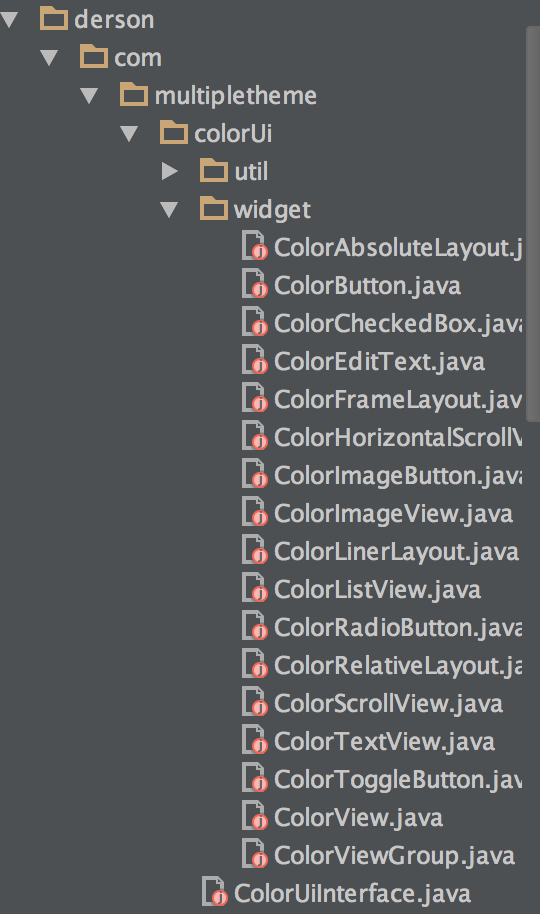
该应用框架可以实现无缝换肤/切换夜间模式的需求,需要在换肤/切换夜间模式的界面只需要使用框架里的自封装控件,其他界面的控件使用原生 android 控件即可。
This framework of Android app support multiple theme(such as day/night mode) and needn’t finish current application or current activity.
第一步:在项目的 attr.xml 声明自定义属性(各种模式都会用到的属性)
Setup 1:declare attribute in attr.xml
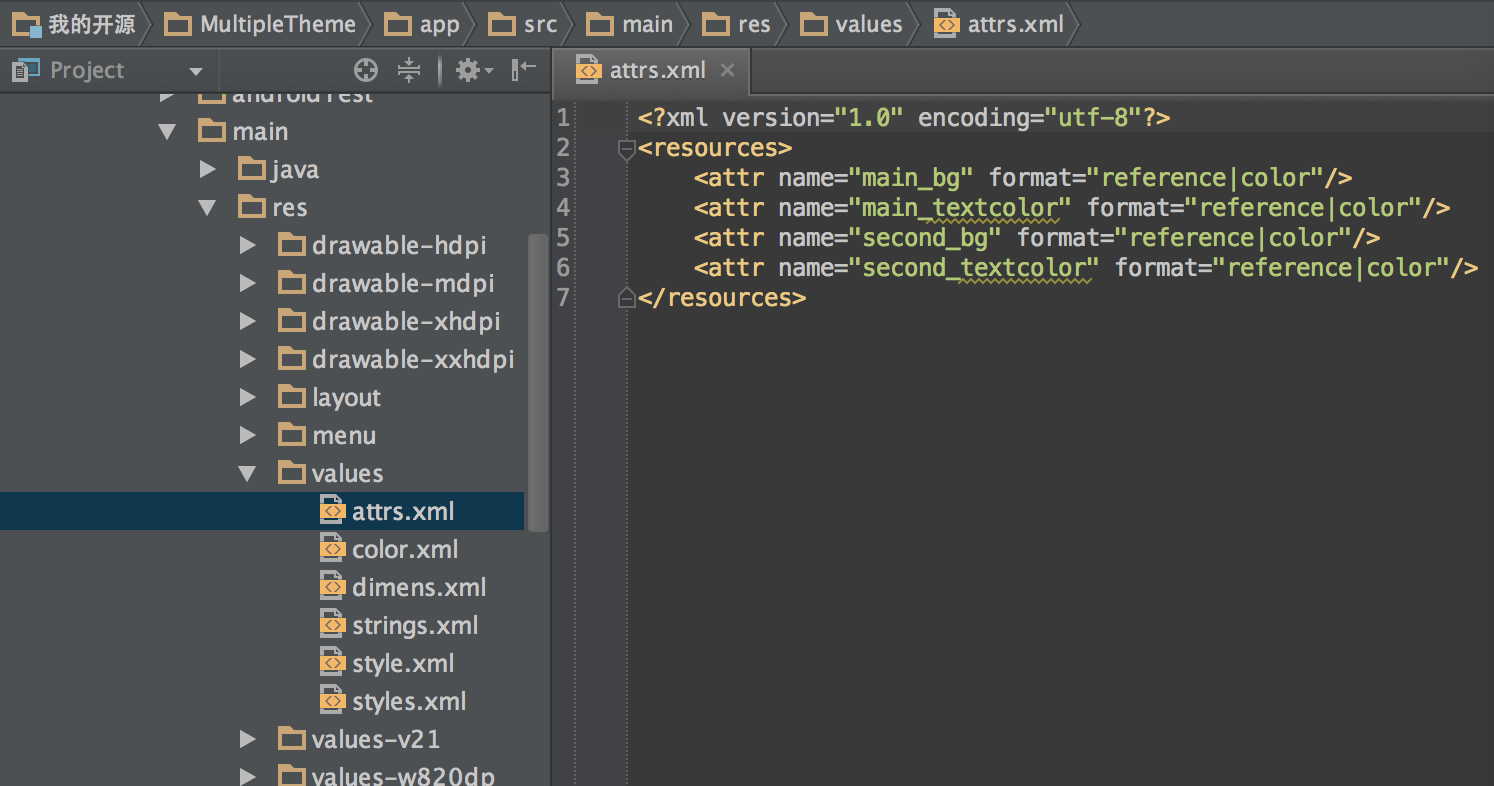
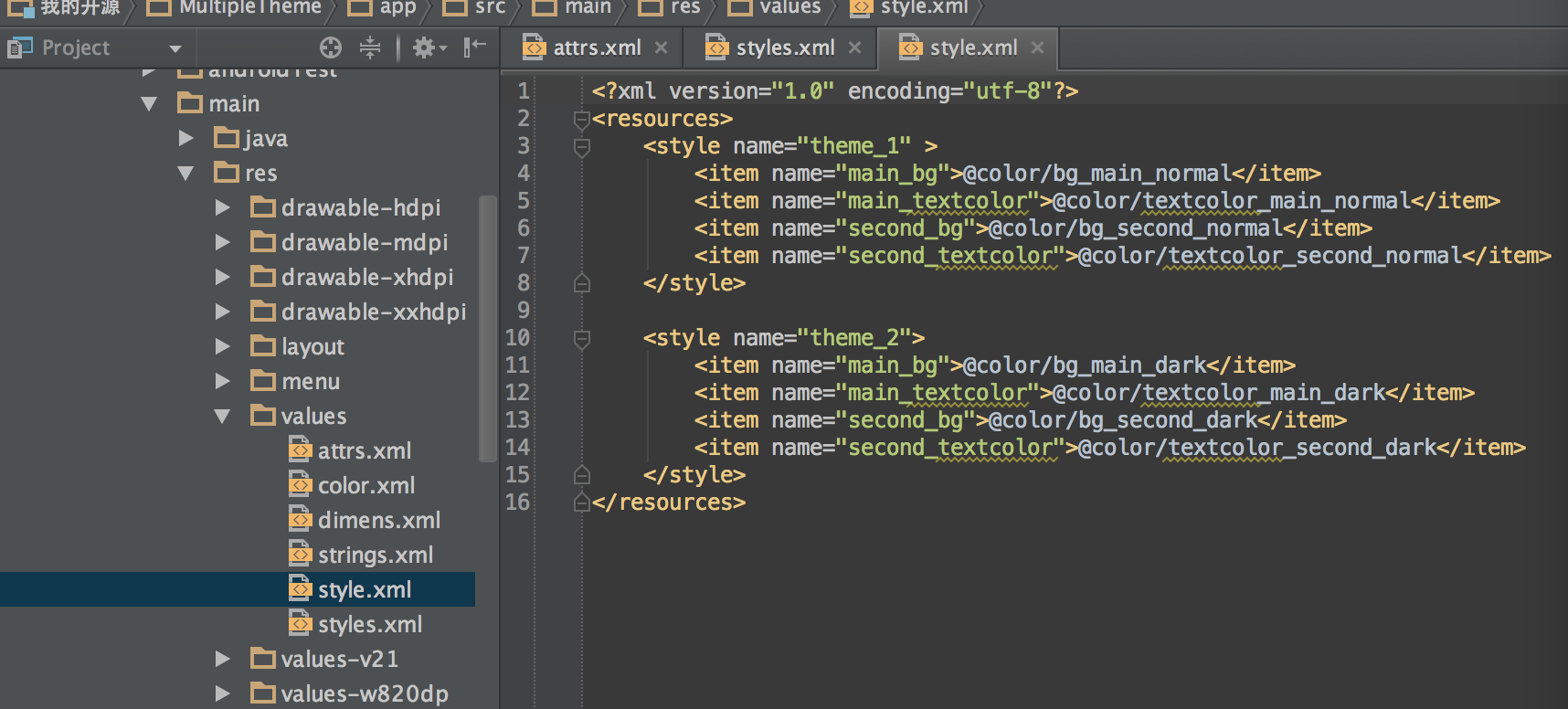
第二步:在项目的 style.xml 指定各种模式主题下的自定义属性值
Setup 2:declare attribute in style.xml
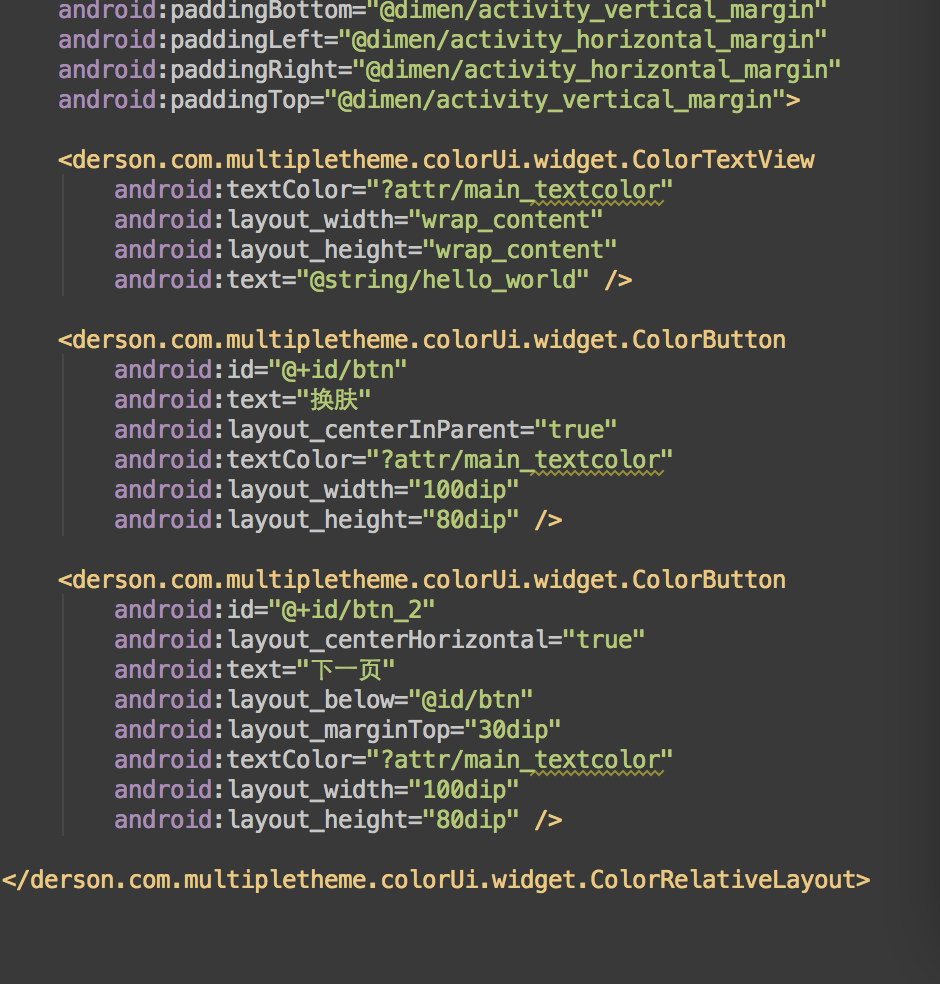
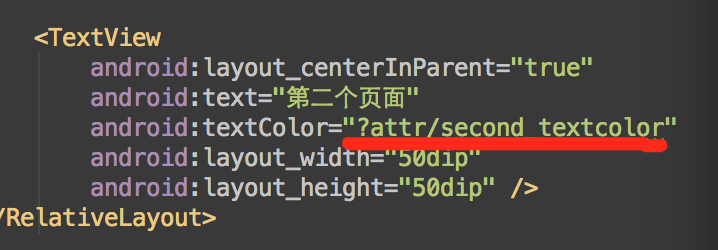
第三步:在页面布局文件里使用自定义属性值
Setup 3:use attribute in layout
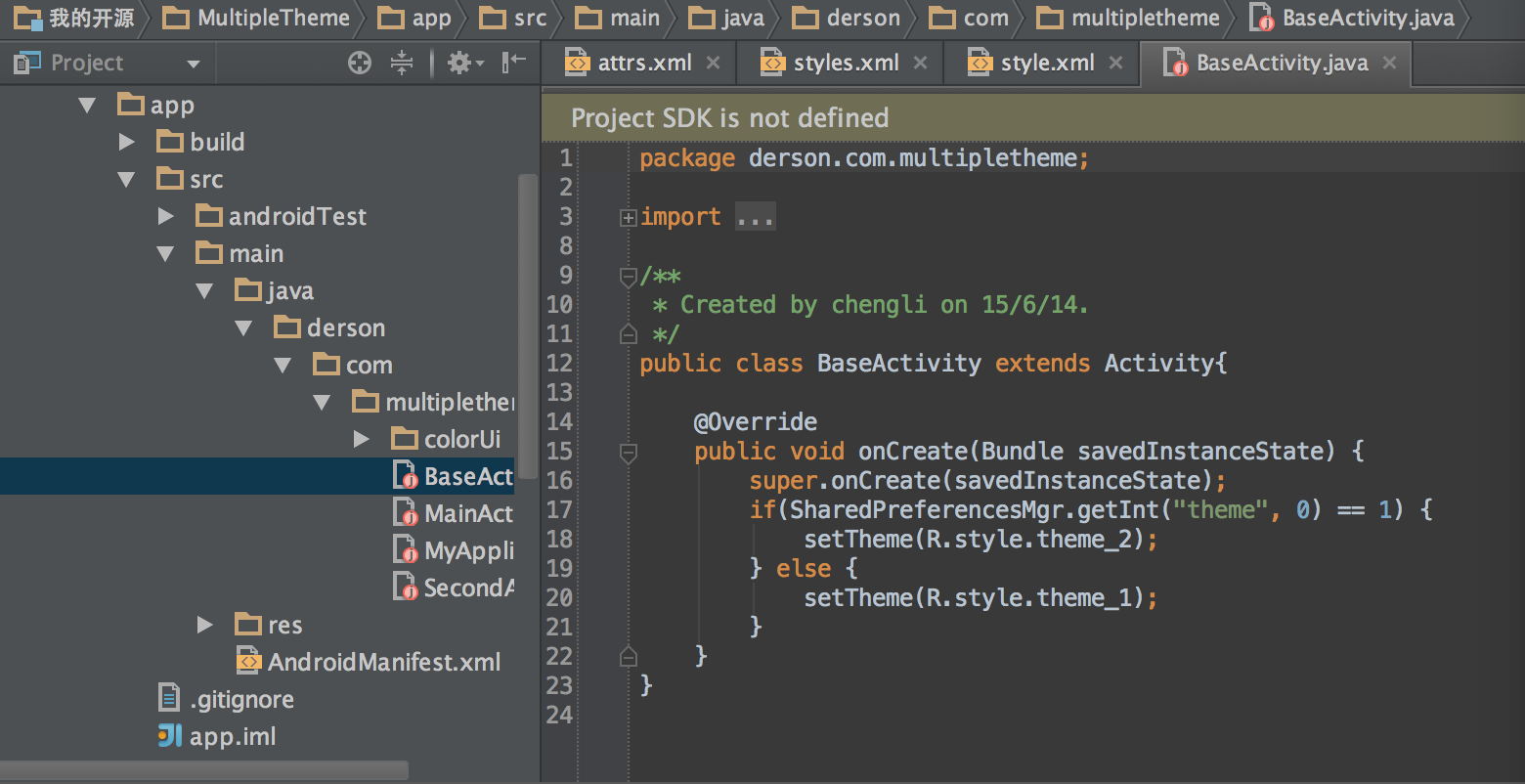
第四步:在基类的 onCreate 方法里添加切换主题模式的逻辑代码
Setup 4:add the code of switch theme-mode in base activity
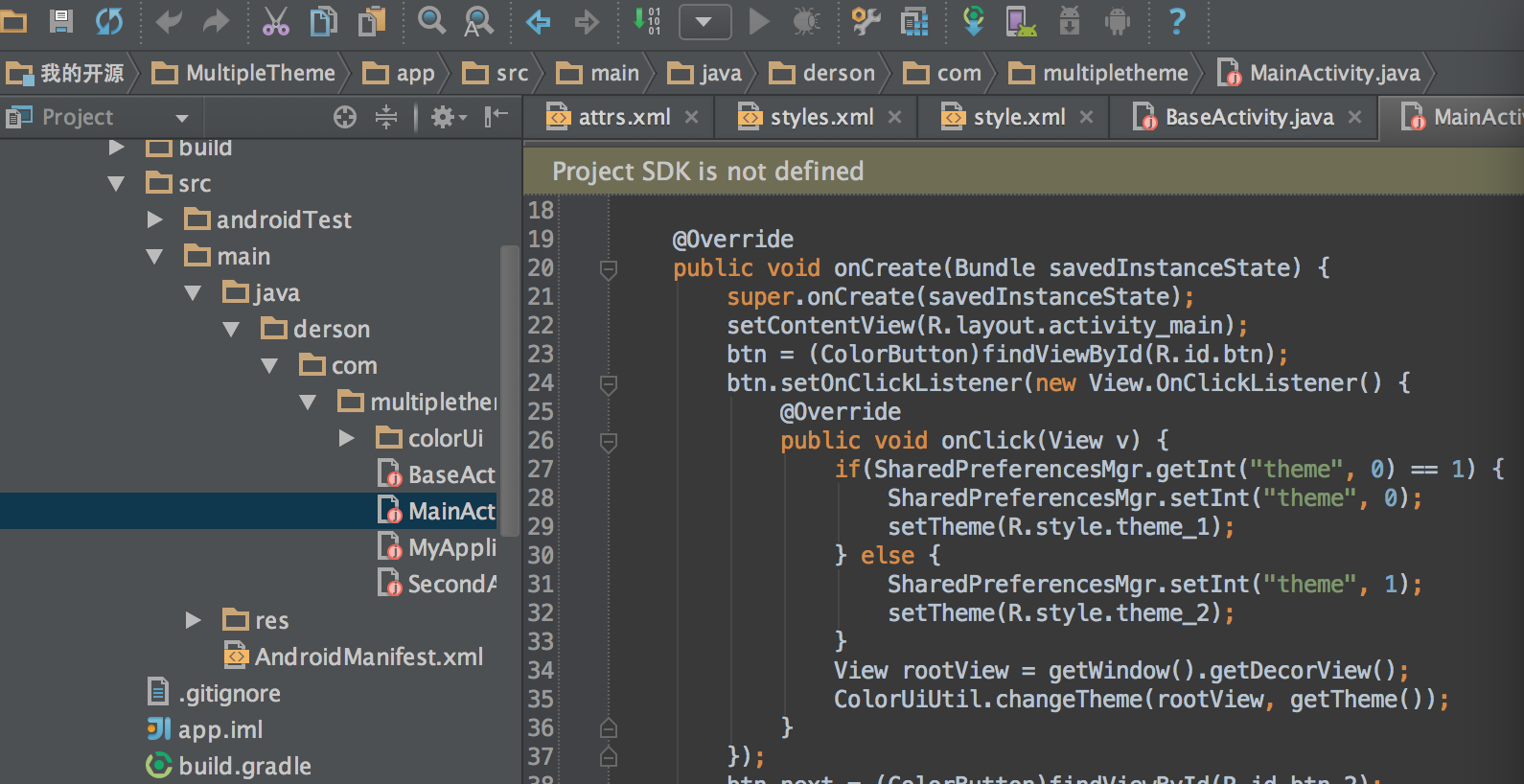
第五步:调用工具类方法切换主题模式
Setup 5:switch theme-mode in code
第六步:针对切换主题模式时需要立即更新页面 ui 的页面,需要使用框架里的封装控件
Setup 6:use customize-widget of framework at the activity that need update ui when switch theme-mode.