LGame



LGame is a cross-platform java game engine(framework), offering comprehensive foundational modules for 2D games (with 3D support planned for future releases). It supports platforms including Windows, Linux, macOS, Android, web browsers, and iOS. Additionally, it provides native implementations in C# and C++ alongside syntax conversion to accommodate as many systems as possible.
Only Android-studio Template : androidstudio-template
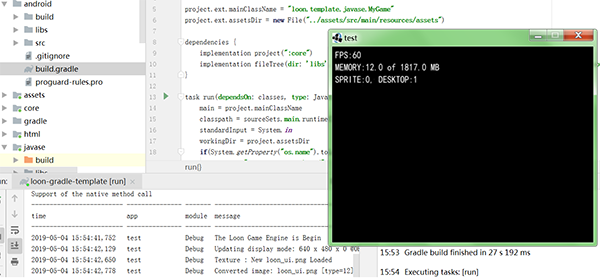
All Java code Run Template : loon-gradle-template
('task run' call main methond , 'task dist' packager game to jar)
Loon

formal name : Loon
A fast, simple & powerful game framework, powered by Java (also supports C# and C++).
LGame Project Restart,The game's just started.
#项目目录结构
src
├── assets # 默认的资源文件 / Default resource files
├── loon # 基础核心包 / Core base package
│   ├── action # 精灵动作与事件包 / Sprite actions and events
│   │   ├── avg # avg(galgame)基础模板 / AVG (galgame) base template
│   │   │   └── drama # avg 基础脚本 / AVG base scripts
│   │   ├── behaviors # 角色行为控制 / Character behavior control
│   │   ├── camera # 全局摄影机控制(2D) / Global 2D camera control
│   │   ├── collision # 碰撞方法与遍历 / Collision methods and traversal
│   │   ├── map # 各种 2D 地图控制与管理 / 2D map control & management
│   │   │   ├── battle # 基于地图的战斗系统 / Map-based battle system
│   │   │   │   └── script # 战斗基础脚本 / Battle base scripts
│   │   │   ├── colider # 地图碰撞管理 / Map collision management
│   │   │   ├── heuristics # 地图寻径方法合集 / Pathfinding heuristics
│   │   │   ├── items # 地图道具与角色设置 / Map items & character setup
│   │   │   ├── ldtk # ldtk 地图支持 / ldtk map support
│   │   │   └── tmx # tmx 地图支持 / tmx map support
│   │   │       ├── objects # tmx 对象 / tmx objects
│   │   │       ├── renderers # tmx 渲染 / tmx renderers
│   │   │       ├── tiles # tmx 瓦片 / tmx tiles
│   │   ├── page # Screen 切换管理 / Dual Screen switching
│   │   ├── sprite # 精灵与控制器集合 / Sprites & controllers
│   │   │   ├── bone # 默认骨骼动画 / Default skeletal animation
│   │   │   ├── effect # 像素特效集合 / Pixel effects
│   │   │   │   ├── explosion # 爆炸特效管理 / Explosion effects
│   │   │   ├── painting # 仿 XNA 的 SpriteBatch / SpriteBatch-like components
│   ├── canvas # 2D pixmap 渲染与管理 / 2D pixmap rendering & management
│   ├── component # 桌面组件集合 / UI components
│   │   ├── layout # 布局器 / Layout manager
│   │   ├── skin # 皮肤管理 / Skin management
│   │   ├── table # 表格组件 / Table component
│   ├── events # loon 事件 / Loon events
│   ├── font # loon 字体 / Loon fonts
│   ├── geom # 集合与物理组件 / Geometry & physics
│   ├── opengl # OpenGL 渲染核心 / OpenGL rendering core
│   │   ├── light # 光线管理 / Light management
│   │   ├── mask # 遮罩管理 / Mask management
│   ├── particle # 粒子特效 / Particle effects
│   ├── utils # 工具合集 / Utilities
│   │   ├── cache # 缓存 / Cache
│   │   ├── html # HTML/CSS 指令处理 / HTML & CSS handling
│   │   │   ├── command
│   │   │   ├── css
│   │   ├── json # JSON 文件处理 / JSON handling
│   │   ├── parse # 文件解析 / File parsing
│   │   ├── processes # 游戏进程与事件 / Game processes & events
│   │   │   ├── state # 状态处理器 / State handler
│   │   ├── qrcode # QRCode 组件 / QRCode component
│   │   ├── reflect # 反射封装 / Reflection utilities
│   │   ├── reply # 数据回传封装 / Data reply utilities
│   │   ├── res # 资源加载集合 / Resource loaders
│   │   │   ├── loaders # 加载器实现 / Loader implementations
│   │   ├── timer # 时间管理 / Time management
│   │   └── xml # XML 处理 / XML handling
Features
LGame(LoonGame) is a very cool and small game library designed to simplify the complex and shorten the tedious for beginners and veterans alike. With it, you can use the best aspects of OpenGL/OpenGLES in an easy and organized way optimized for game programming. It is built around the concept that beginners should be able to start with the basics and then move up into a more complex plane of development with the veterans, all on the same platform.
LGame puts all of its effort into keeping things short and simple. The initial setup of a game consists only of making a single class; then you are done. The interface is entirely documented for easy and fast learning, so once you are started, there is nothing between you and your killer game but coding and creativity.
LGame is built around the users wishes, so do not hesitate to suggest and critique!
Games Code Samples
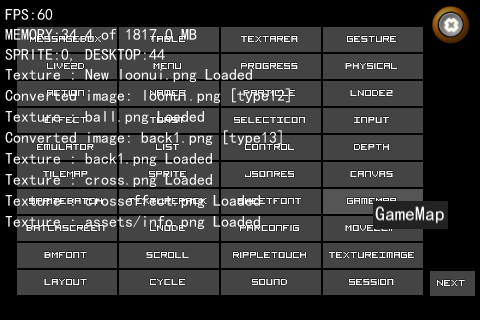
Game Run the Example(JavaSE)
package org.test;

import loon.LSetting;
import loon.LazyLoading;
import loon.Screen;
import loon.javase.Loon;

public class Main  {

    public static void main(String[] args) {
        LSetting setting = new LSetting();
            // Whether to display the basic debug data (memory, sprite, desktop components, etc.)
        setting.isDebug = true;
        // Whether to display log data to the form
        setting.isDisplayLog = false;
        // Whether to display the initial logo
        setting.isLogo = false;
        // The initial page logo
        setting.logoPath = "loon_logo.png";
        // Original size
        setting.width = 480;
        setting.height = 320;
        // Zoom to
        setting.width_zoom = 640;
        setting.height_zoom = 480;
        // Set FPS
        setting.fps = 60;
        // Game Font
        setting.fontName = "Dialog";
        // App Name
        setting.appName = "test";
        // Whether to simulate touch screen events (only desktop is valid)
        setting.emulateTouch = false;
        /* Set the global font to BMFont */
        //setting.setSystemGameFont(BMFont.getDefaultFont());
        Loon.register(setting, new LazyLoading.Data() {

            @Override
            public Screen onScreen() {
                return new YourScreen();
            }
        });
    }
}
Create a LGame project
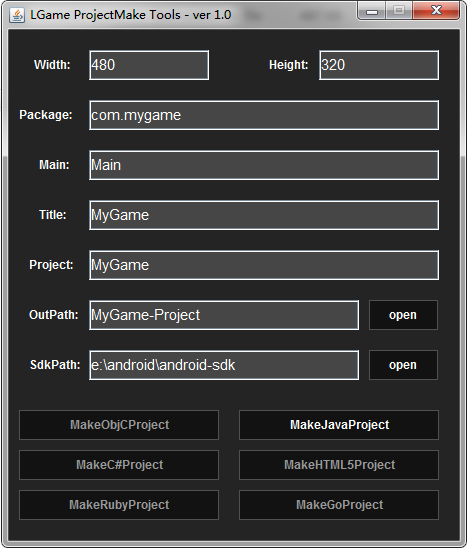
LGame comes with a file called LGameProjectMake.jar which is an executable UI and command line tool. You can simply execute the JAR file which will open the setup UI.

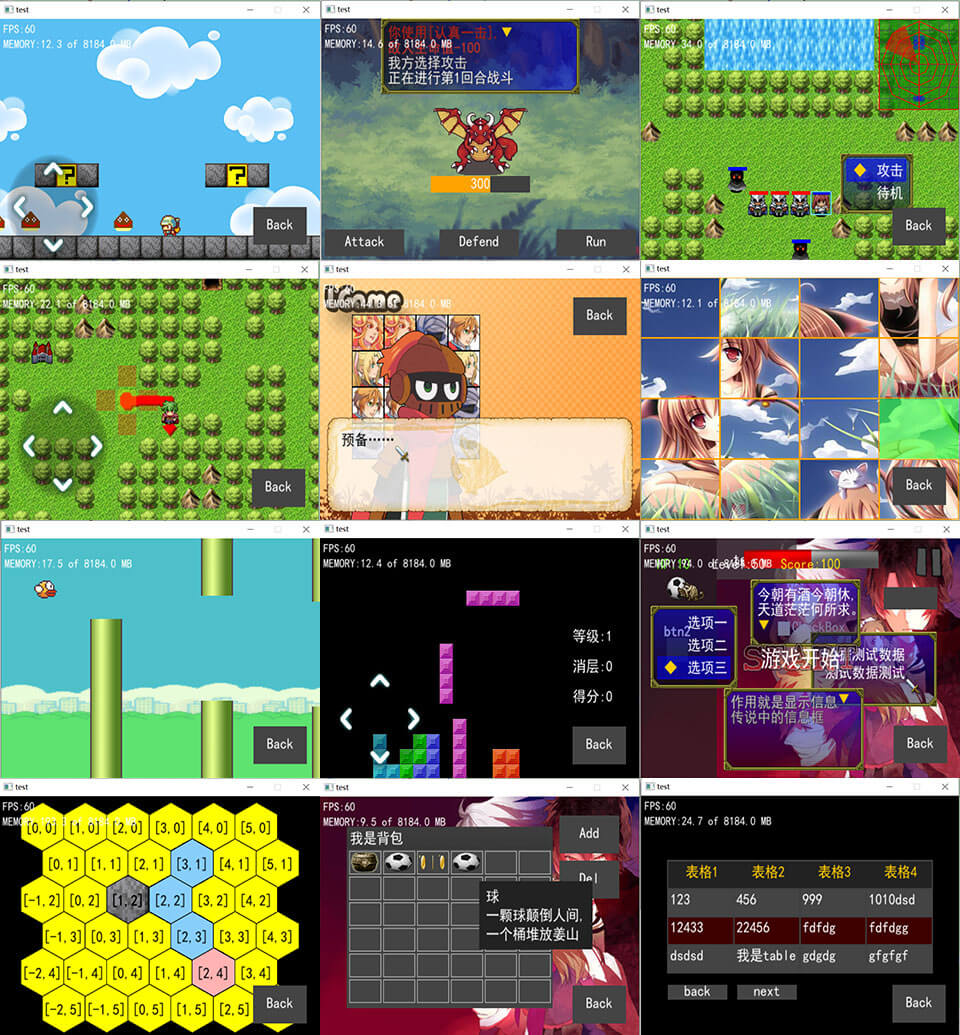
关于 LGame
中文
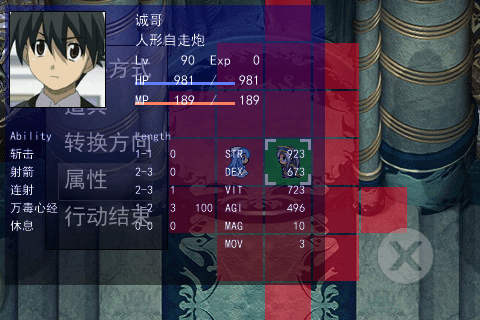
LGame 是一个面向懒人开发者的轻量级 2D 全功能游戏库(标准版未来将扩展到 3D 支持)。它基于 OpenGL / OpenGLES 开发,具备多平台适配能力。当前目标是用一个 jar 包满足绝大多数 2D 游戏的需求(网络模块暂未合入,计划在有时间时单独开源)。就 Java 语法 而言,LGame 已经是一个使用便捷、功能完整的 2D 游戏开发框架。
English
LGame is a lightweight, developer-friendly full-featured 2D game library (the standard edition will later add 3D support). Built on OpenGL / OpenGLES, it supports multiple platforms. The current aim is to cover most 2D game needs with a single jar (networking is not included yet and will be split into a separate project when time allows). From a Java perspective, LGame is already a convenient and comprehensive 2D game framework.
开发思路
中文
LGame 计划推出 Java、C#、C++ 三个版本(曾考虑过 Go,但因语法差异与转译复杂性放弃)。这三种实现并非完全独立:以 Java 版为核心,C# 与 C++ 版本作为多平台支持层存在。
Java 版:封装了 JVM 可直接运行的本地环境,2D 模块已接近完成。当前重点是实现多语言跨平台支持,待跨平台基础稳定后再回头加入 3D 功能。

C# 版:基于 MonoGame(后续会提供 Unity 版本)进行封装,会提供一键代码转换工具。C# 版只提供 LGame 的 C# 封装,不额外打包本地运行环境;转换后可直接使用 MonoGame 或 Unity 运行。实现路径简单(Java → C# 转译),也可用 ikvm,但因依赖库体积问题不采用。加入 C# 支持的主要原因是让 C# 用户避免复杂的 C/C++ 配置与运行流程。

C++ 版:通过 TeaVM 转 C 与 SDL 封装实现,同样会提供一键转换工具(Java2C),并通过 CMake 配置输出不同平台的可执行文件。理论上 C++ 版可在绝大多数环境运行,并会重点支持游戏机等特殊平台。
English
Development approach
LGame will be released in Java, C#, and C++ editions (Go was considered but dropped due to large syntax differences and translation complexity). These editions are not independent: the Java edition is the core, while C# and C++ serve as multi-platform support layers.
Java edition: Wraps native environments runnable on the JVM; the 2D subsystem is nearly complete. The current focus is cross-language and cross-platform support; 3D features will be added after the cross-platform foundation is stable.

C# edition: Built on MonoGame (with a future Unity variant planned). A one-click code conversion tool will be provided. The C# edition supplies only the LGame C# wrapper and does not bundle native runtime support; converted code runs on MonoGame or Unity. The conversion is straightforward (Java → C#); ikvm is an option but rejected due to large dependency size. C# support aims to spare users the complexity of C/C++ setup and runtime.

C++ edition: Implemented via TeaVM-to-C plus SDL wrappers, with a one-click Java2C conversion and CMake-driven builds for different target platforms. In theory, the C++ edition can run on most environments and will include broad platform support, especially for consoles.
亮点与定位
中文
易用性:以最小配置满足大多数 2D 游戏需求。

跨平台:设计上兼顾桌面、移动与主机平台。

模块化:先完善 2D 与跨平台层,后续逐步加入 3D 与网络模块。

多语言生态:以 Java 为核心,提供 C# 与 C++ 的无缝迁移路径。
English
Highlights and positioning
Ease of use: Minimal setup to cover most 2D game needs.

Cross-platform: Designed for desktop, mobile, and console targets.

Modular: Focus on 2D and cross-platform layers first; 3D and networking will follow.

Multi-language ecosystem: Java as the core with seamless migration paths to C# and C++.
当前状态与后续计划
中文
当前:Java 版 2D 基本完成,多平台适配在推进中。

短期计划:完成跨语言转换工具与 C#、C++ 的初步封装。

中期计划:稳定跨平台支持后加入 3D 功能与独立网络模块。

长期愿景:构建一个轻量、易上手且能覆盖主流平台的游戏开发生态。
English
Status and roadmap
Now: Java 2D core is nearly complete; multi-platform adaptation is in progress.

Short term: Finish cross-language conversion tools and initial C# / C++ wrappers.

Mid term: Add 3D features and a separate networking module after cross-platform stability.

Long term: Build a lightweight, easy-to-use game development ecosystem that covers mainstream platforms.
