ayo-menu
Introduction: 2017 第一弹,一个用于写 demo 的库,以 ViewPager 嵌套 ViewPager,任意配置菜单,可以方便的分类罗列 demo,主要是为方便爱学习的孩子,比如我
Tags:
写 demo 所用的基本框架,以 ViewPager 嵌套 ViewPager,任意配置菜单,可以方便的分类罗列 demo
没整到 jcenter 上,暂时就用 aar 包吧,也挺省劲:下载地址
下载下来文件名是:ayo-menu-lib-release.aar,拷到 libs 目录里
然后在 build.gradle 里引入:
repositories {
    flatDir {
        dirs 'libs'
    }
}

compile(name:'ayo-menu-lib-release', ext:'aar')
分类菜单功能
看图: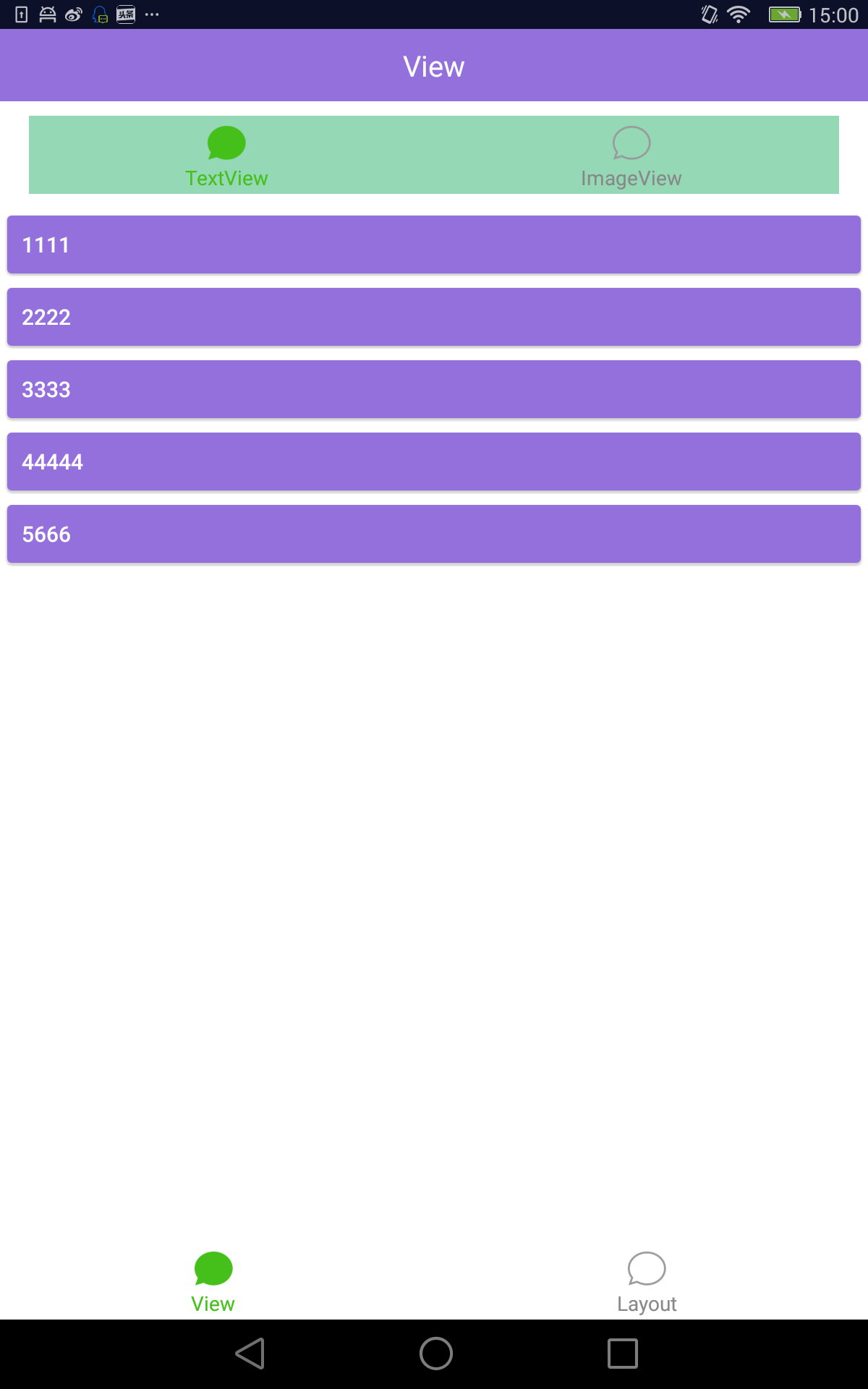
用法,继承 MainPagerActivity,自己在 init()方法里配置菜单
public class MainActivity extends MainPagerActivity {

    private List<Menu> menus;

    @Override
    protected void onCreate(Bundle savedInstanceState) {
        init();
        super.onCreate(savedInstanceState);
    }

    private void init(){
        menus = new ArrayList<Menu>();

        ///--------------------------菜单
        Menu m = new Menu("View", R.drawable.weixin_normal, R.drawable.weixin_pressed);
        menus.add(m);
        {
            MenuItem menuItem = new MenuItem("TextView", R.drawable.weixin_normal, R.drawable.weixin_pressed);
            m.addMenuItem(menuItem);
            {
                menuItem.addLeaf(new Leaf("1111", "", null));
                menuItem.addLeaf(new Leaf("2222", "", null));
                menuItem.addLeaf(new Leaf("3333", "", null));
                menuItem.addLeaf(new Leaf("44444", "", null));
                menuItem.addLeaf(new Leaf("5666", "", null));
            }

            menuItem = new MenuItem("ImageView", R.drawable.weixin_normal, R.drawable.weixin_pressed);
            m.addMenuItem(menuItem);
            {
                menuItem.addLeaf(new Leaf("1111", "", null));
                menuItem.addLeaf(new Leaf("2222", "", null));
                menuItem.addLeaf(new Leaf("3333", "", null));
                menuItem.addLeaf(new Leaf("44444", "", null));
                menuItem.addLeaf(new Leaf("5666", "", null));
            }

        }

        ///--------------------------菜单
        m = new Menu("Layout", R.drawable.weixin_normal, R.drawable.weixin_pressed);
        menus.add(m);
        {
            MenuItem menuItem = new MenuItem("官方", R.drawable.weixin_normal, R.drawable.weixin_pressed);
            m.addMenuItem(menuItem);
            {
                menuItem.addLeaf(new Leaf("1111", "", null));
                menuItem.addLeaf(new Leaf("2222", "", null));
                menuItem.addLeaf(new Leaf("3333", "", null));
                menuItem.addLeaf(new Leaf("44444", "", null));
                menuItem.addLeaf(new Leaf("5666", "", null));
            }

            menuItem = new MenuItem("权威第三方", R.drawable.weixin_normal, R.drawable.weixin_pressed);
            m.addMenuItem(menuItem);
            {
                menuItem.addLeaf(new Leaf("1111", "", null));
                menuItem.addLeaf(new Leaf("2222", "", null));
                menuItem.addLeaf(new Leaf("3333", "", null));
                menuItem.addLeaf(new Leaf("44444", "", null));
                menuItem.addLeaf(new Leaf("5666", "", null));
            }

        }


        /////menu finished
    }

    @Override
    public List<Menu> getMenus() {
        return menus;
    }
}
注意:
menuItem.addLeaf(new Leaf("1111", "", null));
- 这里 Leaf 有两个构造方法:
- Leaf(menuName, "没用的参数,留以后扩展", attacherClass):传入一个 Attacher 页面
- 关于 Attacher,其实用法跟 Activity 一样,只不过不需要在 manifetst 里声明,之前继承 Activity 的地方,换成继承 ActivityAttacher 即可
- Attacher 不能用于生产环境,对于生产环境来说有重大 bug,只能用于 demo 程序
- 参考:https://github.com/cowthan/AyoActivityNoManifest
- Leaf(menuName, "没用的参数,留以后扩展", activityClass, 1):传入一个 Activity 页面
- Leaf(menuName, "没用的参数,留以后扩展", attacherClass):传入一个 Attacher 页面
子模块菜单功能
样子是这样的: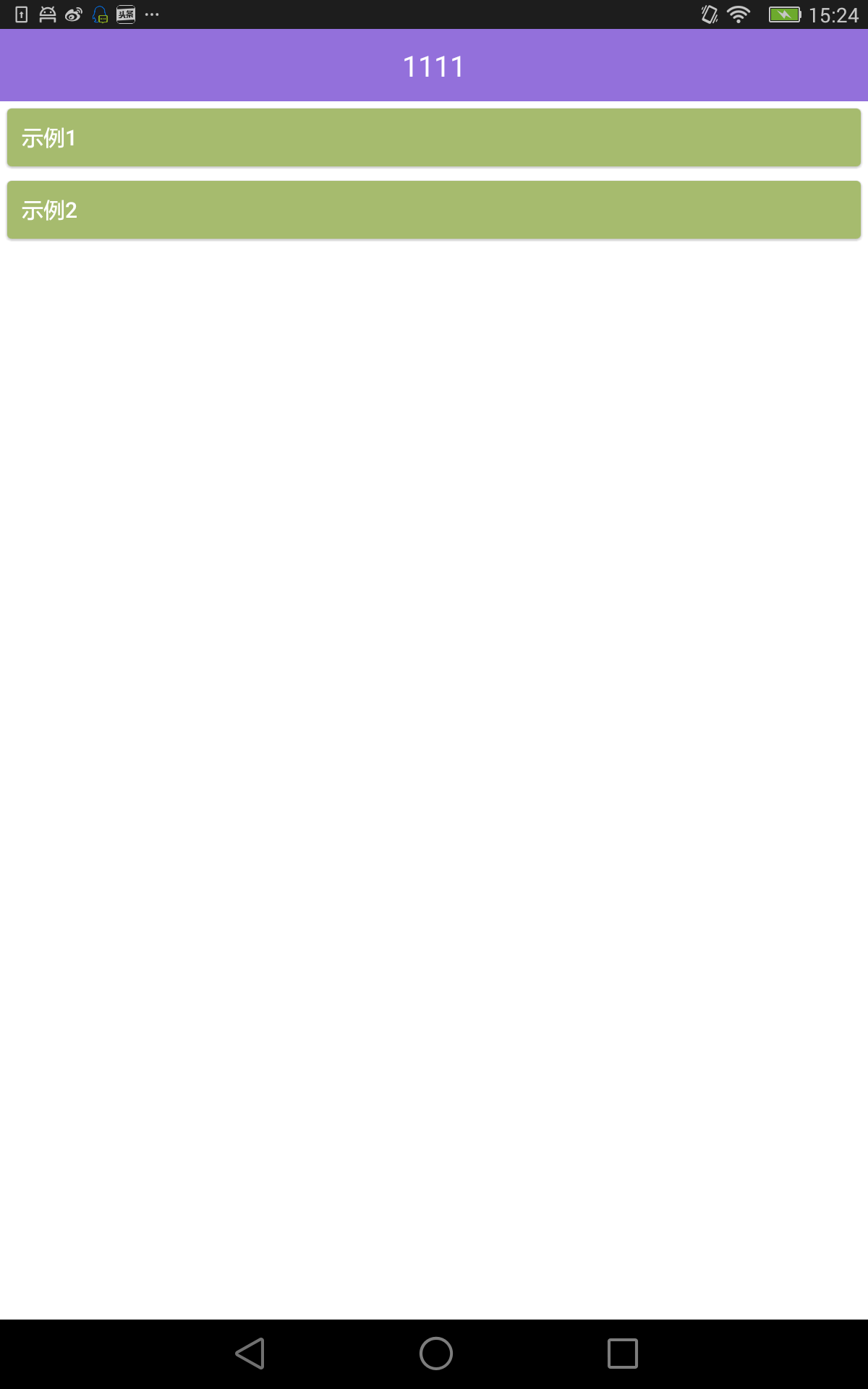
注意,这里有两个基类,DemoMenuActivity 和 DemoMenuActivityAttacher,唯一的区别就是是否需要在 manifest 声明
public class ModuleMenuActivity extends DemoMenuActivity {
    @Override
    public DemoInfo[] getDemoMenus() {
        return new DemoInfo[]{
                new DemoInfo("示例 1", new View.OnClickListener(){
                    @Override
                    public void onClick(View v) {
                        Toaster.toastShort("示例 1");
                    }
                }),
                new DemoInfo("示例 2", new View.OnClickListener(){
                    @Override
                    public void onClick(View v) {

                    }
                })
        };
    }
}
3 Toaster:不烦人的 Toast
注意初始化:
Toaster.init(Application)

使用:
Toaster.toastShort("示例 1");
4 TouchBoard:触摸板
如果你想给你的 demo 添加一些参数变化的效果,可以使用触摸板,支持 click 和 move 事件
注意,click 和 move 应该是冲突的,一次只能关心一个事件
看起来是这样:
左下角和右下角这俩,就是 TouchBoard
<?xml version="1.0" encoding="utf-8"?>
<FrameLayout xmlns:android="http://schemas.android.com/apk/res/android"
    xmlns:tools="http://schemas.android.com/tools"
    android:id="@+id/body"
    android:layout_width="match_parent"
    android:layout_height="match_parent"
    android:background="#ffffff"
    >

    <FrameLayout
        android:id="@+id/shapeView_container"
        android:layout_width="250dp"
        android:layout_height="250dp"
        android:layout_gravity="bottom|center_horizontal"
        android:layout_marginBottom="120dp"
        />
    <org.ayo.sample.menu.touch.TouchBoard
        android:id="@+id/touchBoard_left"
        android:layout_width="100dp"
        android:layout_height="100dp"
        android:layout_gravity="bottom|left"
        android:layout_marginLeft="10dp"
        android:layout_marginBottom="10dp"
        />
    <org.ayo.sample.menu.touch.TouchBoard
        android:id="@+id/touchBoard_right"
        android:layout_width="100dp"
        android:layout_height="100dp"
        android:layout_gravity="bottom|right"
        android:layout_marginRight="10dp"
        android:layout_marginBottom="10dp"
        />
</FrameLayout>
touchBoard_left = findViewById(R.id.touchBoard_left);
touchBoard_left.setCallback(new TouchBoard.Callback() {
    @Override
    public void onDown(int x, int y) {

    }

    @Override
    public void onUp(int x, int y) {

    }

    @Override
    public void onClick() {
        onLeftTouchBoardClicked();
    }

    @Override
    public void onMove(int x, int y, int dx, int dy) {
        onLeftTouchBoardMove(x, y, dx, dy);
    }
});
5 提供了几个常用的补间动画
没啥大用,对动画感兴趣可以参考这个项目:
https://github.com/cowthan/AyoAnim
