AndroidOServiceCompat
AndroidOServiceCompat 框架
这是一个针对安卓 8.0 对后台服务的限制,对 Service 做出了兼容的框架,使用 AndroidOServiceCompat 框架,可以让你的项目的 Service 更快更方便地兼容安卓 8.0。
效果
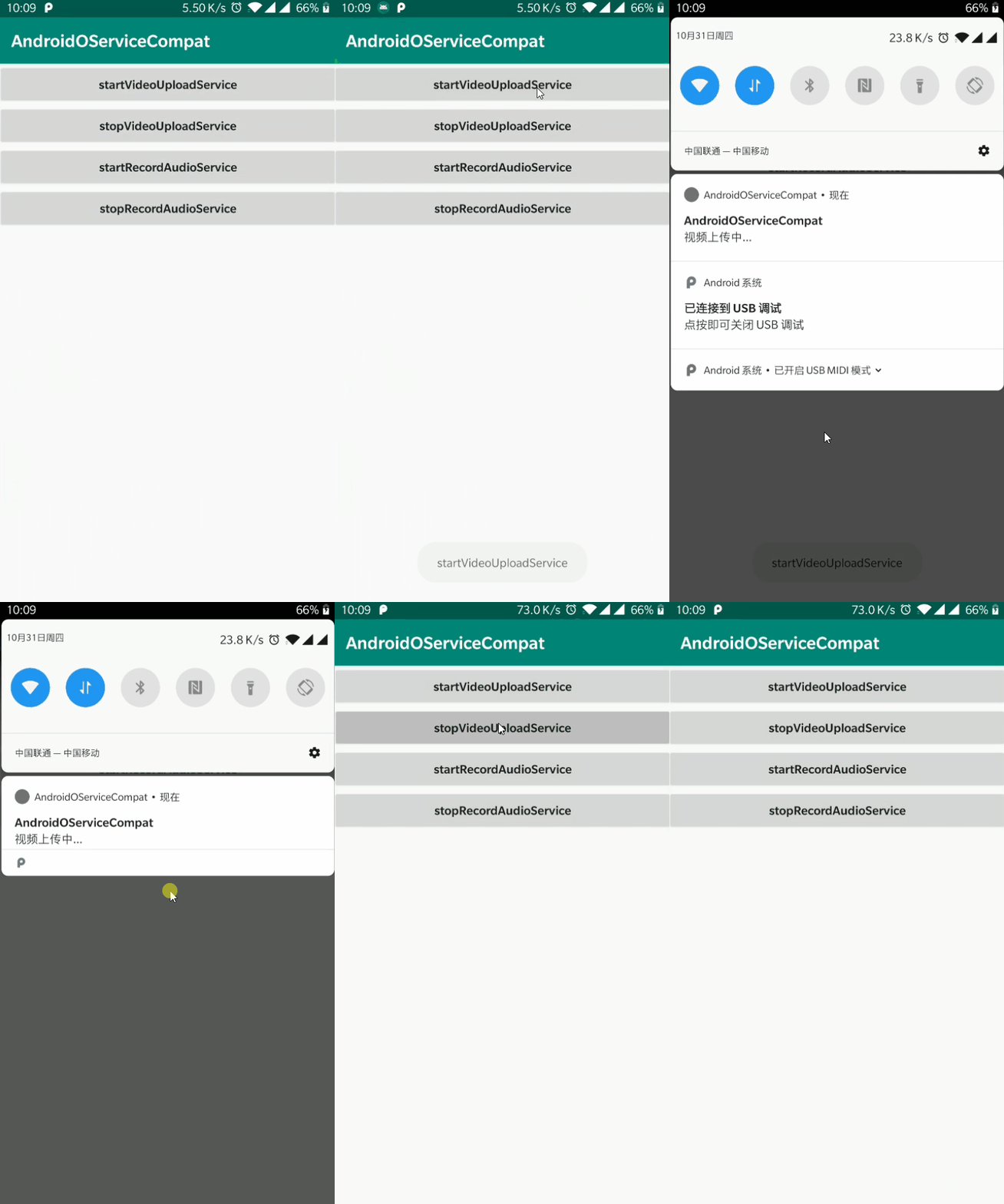
如何使用
一、将项目中使用 startService()启动服务的方式,更改为调用ServiceCompat.startService(context,intent)
二、将项目中继承 Service 的类改成继承ServiceCompat,如 demo 中的 VideoUploadService:
public class VideoUploadService extends ServiceCompat {

    @Override
    protected String getChannelName() {
        return "视频上传通知";
    }

    @Override
    protected int getChannelId() {
        return Constants.CHANNEL_ID_VIDEO_UPLOAD_SERVICE;
    }

    @Override
    public String getNotificationContent() {
        return "视频上传中...";
    }

    @Override
    public IBinder onBind(Intent intent) {
        return null;
    }

    @Override
    public void onCreate() {
        //must call super.onCreate()
        super.onCreate();

        //do something
    }
}
其中需要注意的是onCreate() 方法中一定要要调用super.onCreate() 方法,因为针对安卓 8.0 的兼容就是在 ServiceCompat 类的 onCreate()方法中做处理的:
public abstract class ServiceCompat extends Service {

    @Override
    public void onCreate() {
        super.onCreate();

        if (Build.VERSION.SDK_INT >= Build.VERSION_CODES.O) {
            //适配安卓 8.0
            String channelId = getChannelId() + "";
            String channelName = getChannelName();
            NotificationChannel channel = new NotificationChannel(channelId, channelName,
                    NotificationManager.IMPORTANCE_MIN);
            NotificationManager manager = (NotificationManager) getSystemService(Context.NOTIFICATION_SERVICE);
            manager.createNotificationChannel(channel);

            startForeground(getChannelId(), getNotification());
        }
    }

    ...
}
另外,还要实现getChannelName()、getChannelId()、getNotificationContent() 方法,这三个方法主要返回的是通知栏的一些属性,因为将服务改为前台服务展示需要传入一个 Notification,这里已经在 ServiceCompat 封装好一个简单的 Notification,只要返回 channelName,channelId 以及通知的显示内容即可。
当然,如果你想自定义通知的样式,比如修改通知的大图标 largeIcon,通知的小图标 smallIcon,这里默认都是使用 ic_launcher,如果你想自己指定,只需要重写以下的方法:
    /**
     * Large icon for notification , subclasses can be overwritten and returned
     */
    public Bitmap getLargeIcon() {
        return BitmapFactory.decodeResource(getResources(), R.mipmap.ic_launcher);
    }

    /**
     * Small icon for notification , subclasses can be overwritten and returned
     */
    public int getSmallIcon() {
        return R.mipmap.ic_launcher;
    }
如果你对通知栏的样式还有更多的要求,可以重写 getNotification()方法,返回你自己创建的 Notification 对象
 /**
     * Displayed notifications, subclasses can be overwritten and returned
     */
    public Notification getNotification() {
        return createNormalNotification(getNotificationContent());
    }
框架中默认是返回基本的通知栏,通知栏的 content 使用的是 app_name 字段,大图标和小图标使用的 ic_launcher
protected Notification createNormalNotification(String content) {
        NotificationCompat.Builder builder = new NotificationCompat.Builder(this, getChannelId() + "");
        if (TextUtils.isEmpty(content)) {
            return builder.build();
        }

        builder.setContentTitle(getString(R.string.app_name))
                .setContentText(content)
                .setWhen(System.currentTimeMillis())
                .setSmallIcon(getSmallIcon())
                .setLargeIcon(getLargeIcon())
                .build();

        return builder.build();
}
导入方式
在项目根目录下的 build.gradle 中的 allprojects{}中,添加 jitpack 仓库地址,如下:
allprojects {
    repositories {
        jcenter()
        maven { url 'https://jitpack.io' }//添加 jitpack 仓库地址
    }
}
打开 app 的 module 中的 build.gradle,在 dependencies{}中,添加依赖,如下:
dependencies {
        ......
        compile 'com.github.chaychan:AndroidOServiceCompat:1.0.0'
}
