winlator
Introduction: Android application for running Windows applications with Wine and Box86/Box64
Tags:




Winlator is an Android application that lets you to run Windows (x86_64) applications with Wine and Box86/Box64.
Installation
- Download and install the APK (Winlator_11.2.apk) from GitHub Releases
- Launch the app and wait for the installation process to finish
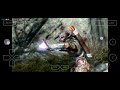
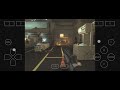
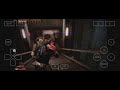

Useful Tips
- If you are experiencing instability issues, try changing the Box64 preset in Container Settings -> Advanced Tab.
- For applications that use .NET Framework, try installing
Wine Monofound in Start Menu -> System Tools -> Installers. - If some older games don't open, try adding the environment variable
MESA_EXTENSION_MAX_YEAR=2003in Container Settings -> Environment Variables. - Try running the games using the shortcut on the Winlator home screen, there you can define individual settings for each game.
- To display low resolution games correctly, try to enabling the
Force Fullscreenoption in the shortcut settings. - To improve stability in games that uses Unity Engine, try changing the Box64 preset to
Stabilityor in the shortcut settings add the exec argument-force-gfx-direct. - If you are experiencing audio crackling, try increasing the average latency in ALSA/PulseAudio configuration. Old games like Unreal Gold resolve audio issues by increasing this value to 90ms.
Credits and Third-party apps
- GLIBC Patches by Termux Pacman
- Wine (winehq.org)
- Box86/Box64 by ptitseb
- Mesa (Turnip/Zink/VirGL) (mesa3d.org)
- DXVK (github.com/doitsujin/dxvk)
- VKD3D (gitlab.winehq.org/wine/vkd3d)
- CNC DDraw (github.com/FunkyFr3sh/cnc-ddraw)
Special thanks to all the developers involved in these projects.
Thank you to all the people who believe in this project.
