OwnTV

Your own IPTV player for Android TV
Fast · modern · remote-first — bring your own M3U, Xtream or Stalker (MAC) sources








OwnTV is a native Android TV IPTV player, built with Kotlin and Jetpack Compose for TV. It runs two playback engines — libmpv (FFmpeg) for the widest compatibility, ExoPlayer (Media3) for near-instant Live TV — and it is a player only: you bring your own Xtream login, M3U playlist (URL or a local file) or Stalker/Ministra portal.
⚠️ OwnTV ships no channels, playlists, subscriptions or streams. You are responsible for the sources you add.
Open source, GPLv3, original code, built with the help of AI. Android TV only — leanback launcher, D-pad first.
📖 New here? User Guide →
Every feature, where to find it, and the remote shortcuts — on one page.
💬 Community
Questions, ideas, bug reports — join the OwnTV Telegram group:
👉 t.me/owntvplayer
✨ Features
🎬 Playback
- Two engines — mpv for compatibility, ExoPlayer for instant Live TV, with automatic fallback and a per-channel override
- 4K HDR direct rendering, optional auto frame-rate matching, surround sound with a stereo safety net, 150% volume boost
- Subtitles — text, image and closed captions, plus OpenSubtitles search and local files
- Resume, next-episode auto-play, mini-player/PiP, audio-only mode, live stream-info overlay
- Media-session transport keys and proper audio focus — it behaves like a TV app
- An error log you can export for any stream that misbehaves
🧭 Browse
- Home with Continue Watching and Now Trending (TMDB rankings matched to what your provider can actually play)
- Live TV · Movies · Series · Downloads · Guide, with per-profile row order, Favorites, History and search
- Multiple playlists at once, with provider labels everywhere they could be confused
- Rename, hide, reorder and combine categories; bulk rename rules
- TMDB posters, plots, cast and trailers in 40 languages — scales to ~50k channels / ~168k movies
- Two layouts for Movies & Series — the classic three panels, or Cinematic: the focused title's artwork full-bleed behind the whole screen, with its details and cast above a wide poster grid
- Adjustable panel widths per section, including hiding the preview pane entirely
📥 Sources & EPG
- Xtream, M3U and Stalker/Ministra — add any of them from your phone over Wi-Fi (QR + PIN)
- TV Guide (XMLTV) with a live Now marker, multiple guide sources and automatic channel matching
- Catch-up TV up to 7 days, live rewind, and Go back to… even for channels with no guide
- Guide time offset, per-source guide logos, per-channel EPG fixes
- Protected (DRM) channels — Widevine and ClearKey, read from the playlist, nothing to configure
- Custom DNS (Google, Cloudflare, Quad9, DoH or your own)
⏺️ Recording & Multiview
- Record live TV from the guide, the channel list or while watching — including every showing of a programme
- Multiview — up to four channels at once, with one carrying the sound
- OwnTV measures how many streams your provider allows and warns before it refuses one
👥 Profiles & Downloads
- Multiple profiles with their own favourites, history and resume points, PIN locks and a Kids mode
- Per-profile startup: Home, last channel, Favorites, or one chosen channel
- Offline movies and episodes with pause, resume, retry and a storage bar
🎨 Look & robustness
- Your own accent colour and focus highlight, frosted Glass with adjustable opacity, and a Stage, Picture or Plain background
- Dark and Light themes (or follow the TV) across the whole app, the player included
- Font sizing for the interface and for popups, independently
- Remote Shortcuts — map spare colour, number, channel and media keys to 26 actions
- 26 interface languages, RTL-aware, chosen before anything else on a fresh install
- Backup & Restore to a single
.ownfile, optionally encrypted, locally or over Wi-Fi - Set up from another device — a new box copies everything from the OwnTV device you already have over your own Wi-Fi, offered on the first setup screen rather than buried in the menus
- In-app updates; memory-safe lists, auto-reconnect and offline detection throughout
📸 Screenshots
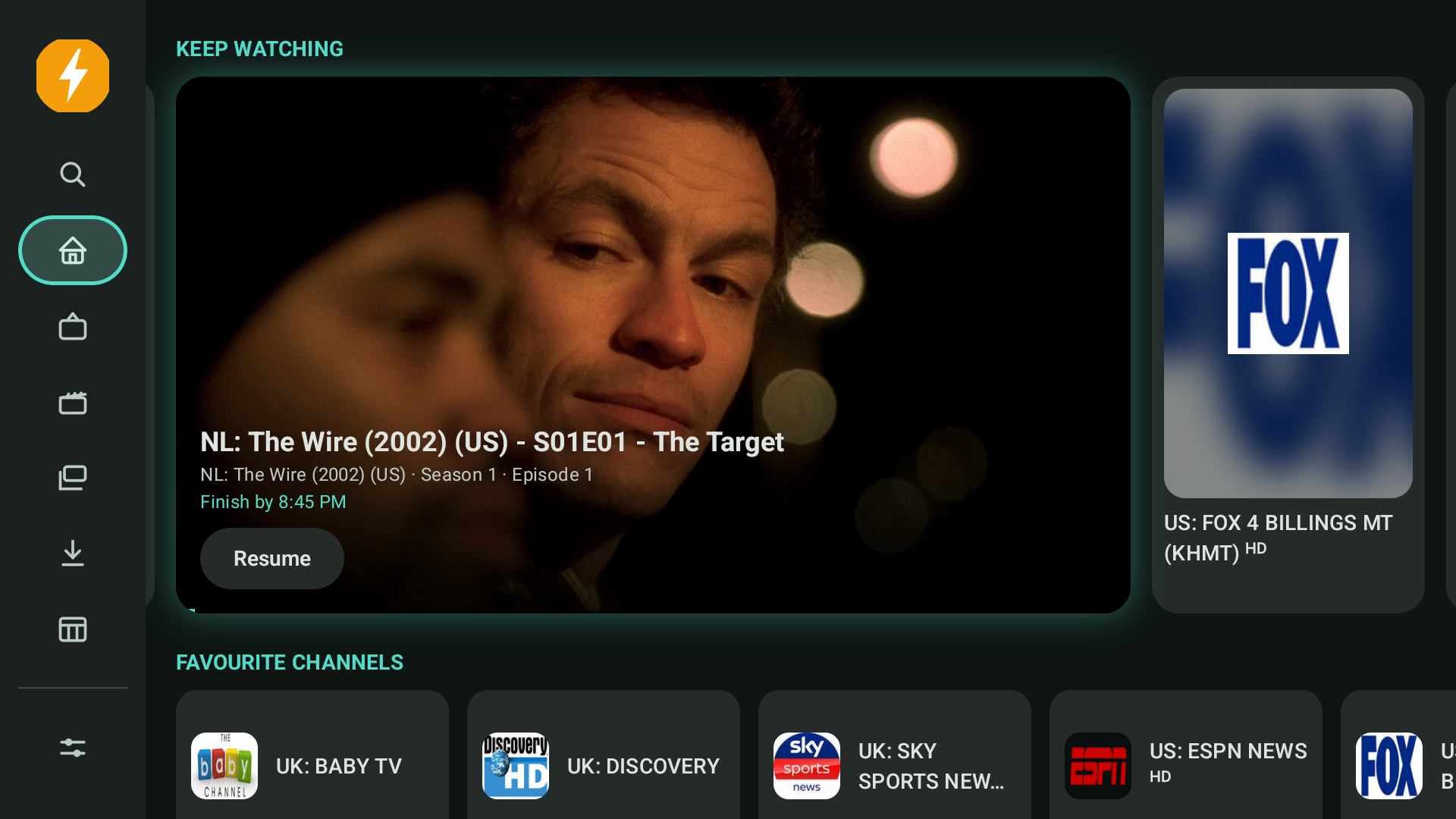 Home — Continue Watching |
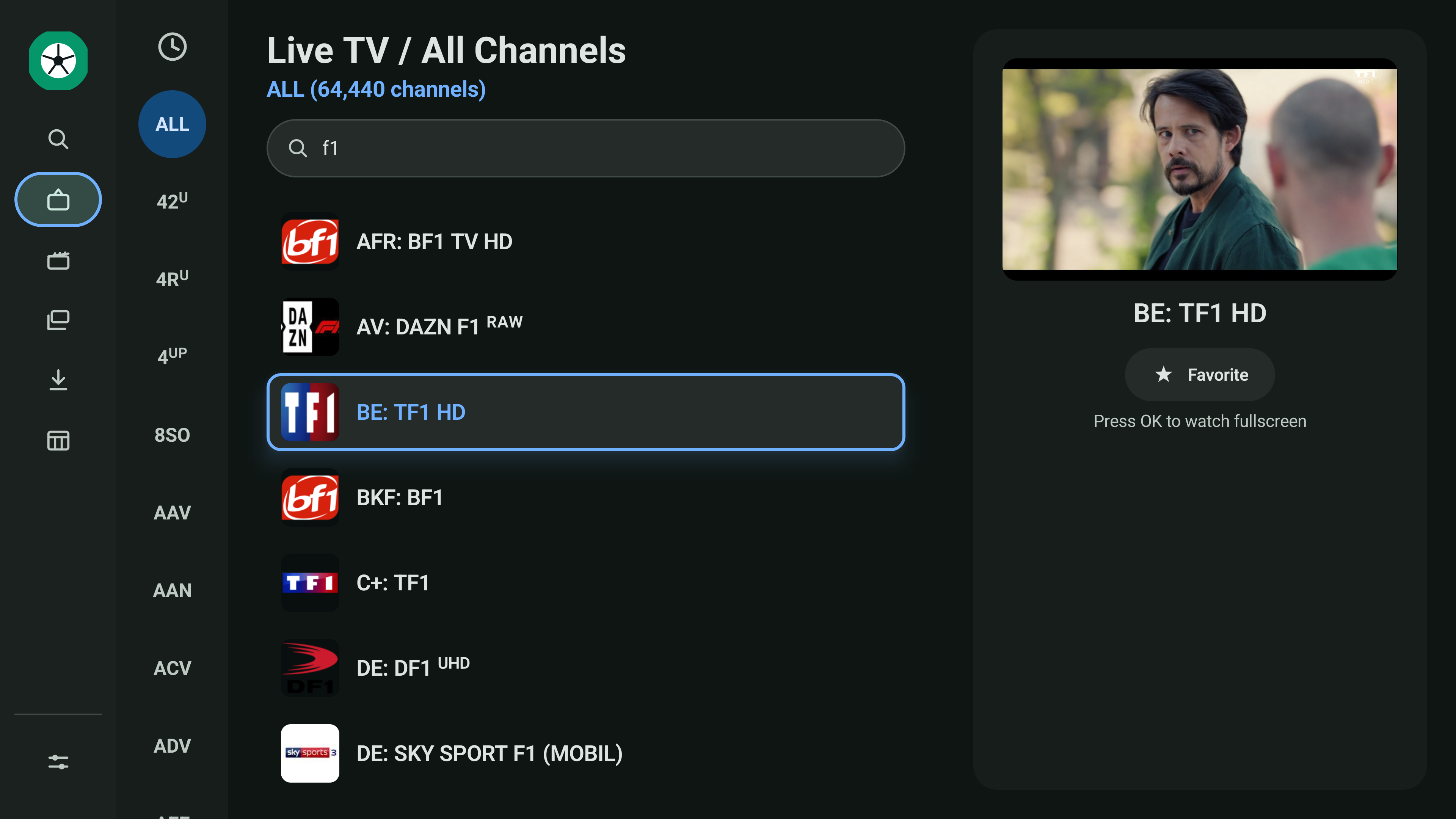 Live TV — preview playing |
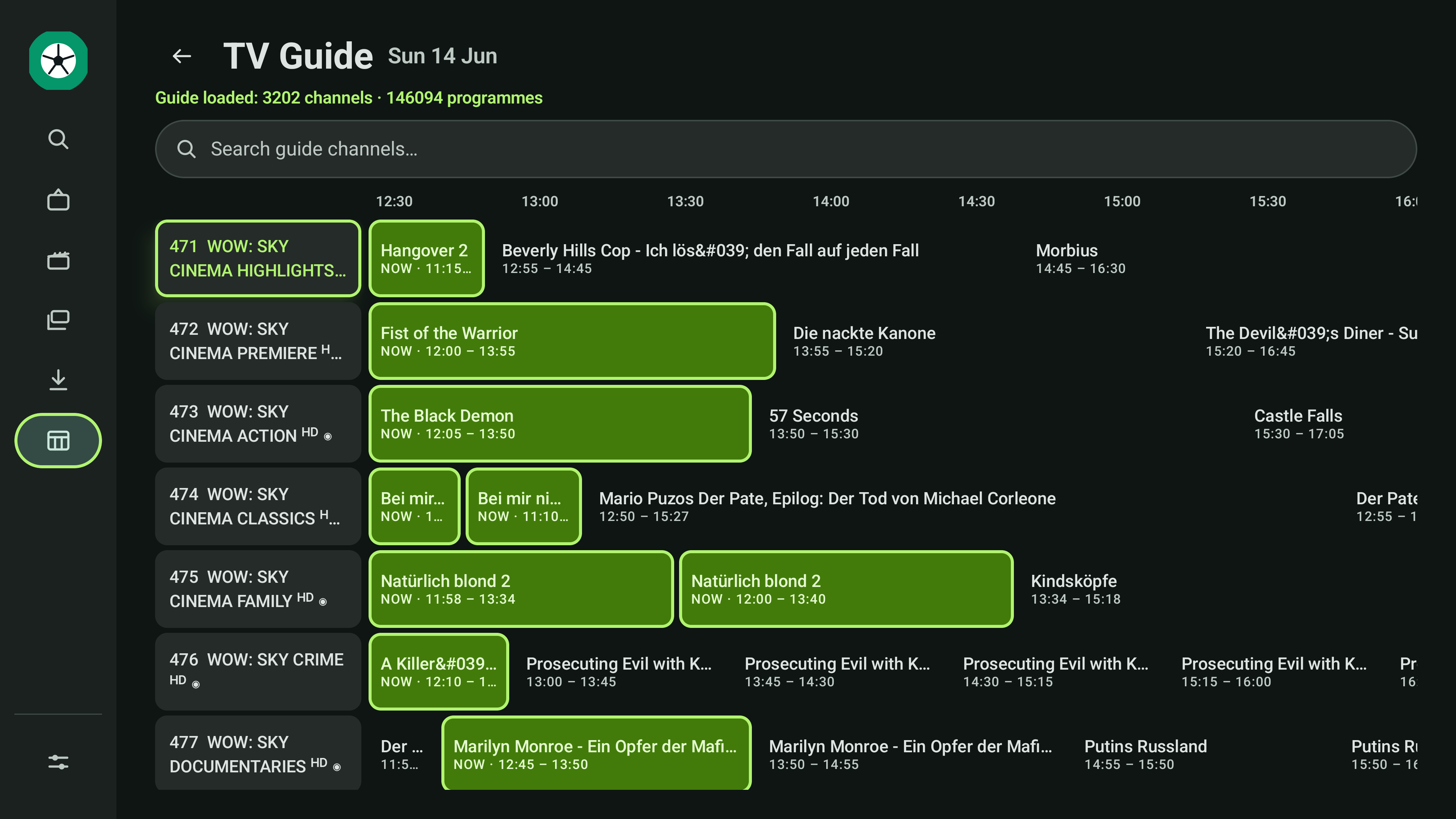 TV Guide (EPG) |
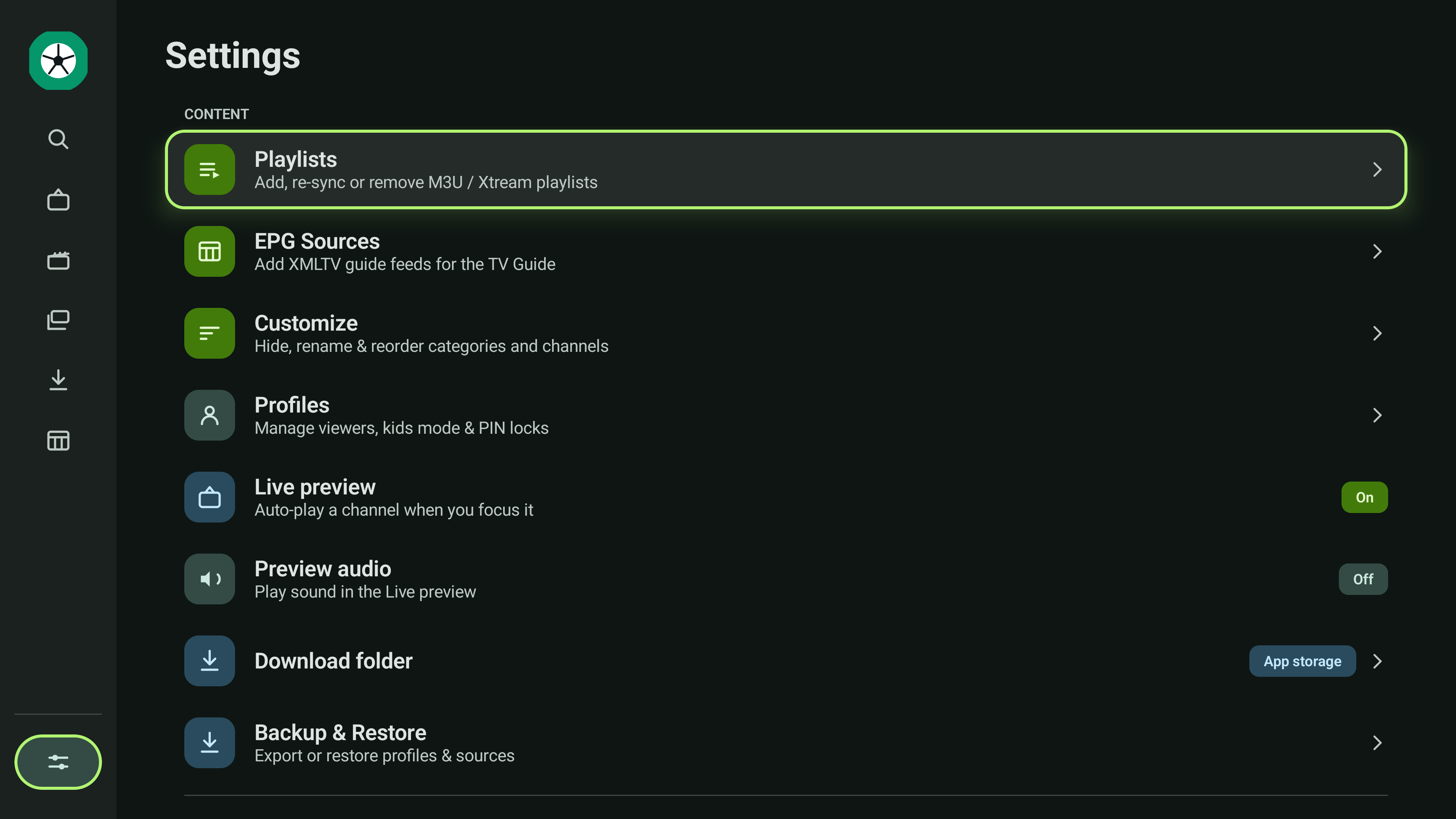 Settings |
More in extras/screenshots/.
🧱 Tech stack
| Area | Choice |
|---|---|
| Language | Kotlin 2.4.20 (no kotlin-android plugin) |
| Build | AGP 9.4.0 / Gradle 9.7.1, KSP2 2.3.11 |
| UI | Jetpack Compose for TV (androidx.tv:tv-material 1.1.0), Compose BOM 2026.08.00 |
| Media | libmpv (FFmpeg) · ExoPlayer/Media3 1.11.1 |
| Database | Room 2.8.5 + Paging 3.5.1 + FTS4 |
| DI · Network · Images | Koin 4.2.2 · OkHttp 5 · Coil 3.6.0 |
minSdk 26, targetSdk 36, compileSdk 37, applicationId tv.own.owntv.
Build note: there is no
kotlin-androidplugin. AGP 9 ships its own Kotlin, but the Compose compiler plugin pulls the Kotlin Gradle plugin up to thekotlinversion ingradle/libs.versions.toml— that is what compiles the app, so keep the Compose compiler plugin on exactly that version. KSP versions independently and does not have to match it.
⚙️ How it works
- Parsing & sync — M3U is line-streamed and Xtream JSON is read with
JsonReader, so a huge provider payload is never fully buffered. Refresh is chunked, cancellable and reports progress. - Storage — a 27-entity Room schema with FTS4 search; Paging 3 with a bounded size keeps memory flat across 50k-item lists.
- EPG — XMLTV is stream-parsed (gzip-aware) into a rolling window and pruned.
- Player — two engines behind one
PlaybackEngineinterface, with a four-rung fallback ladder. Live promotes the running preview straight to full screen with no reload. - DI — Koin modules.
Project layout
This repository is the Android TV app. Everything underneath it — database, sync, parsers, EPG, backup, settings storage, the playback engines and every translated string — is a separate core library, shared with the OwnTV Mobile app for phones and tablets.
OwnTV/  (this repo)
tv.own.owntv/
├── player/      the TV player HUD, surfaces and mini-player
├── ui/          theme + reusable components
├── features/    setup, shell, live, movies, series, search, downloads, epg, profiles, settings
└── di/          Koin modules

OwnTV_Core/  (separate repo, published as tv.own.owntv:core / :player-core)
├── core/        database, network, parsers, Stalker, repository, sync, strings
└── player-core/ libmpv + ExoPlayer engines, fallback ladder, watchdogs, diagnostics

OwnTV_Mobile/  (separate repo, the phone and tablet app on the same core)
Related repositories
- 📱 OwnTV Mobile — the phone and tablet app, built on the same core.
- 🧩 OwnTV Core — the shared engine both apps run on.
📚 Docs (extras/)
- 📖 User Guide — every feature and where to find it.
- 📄 Master Product Brief — the full as-built feature and architecture reference.
📥 Installing (Fire TV / Android TV)
Grab the signed APK from the latest release. This link always points at the newest build:
https://github.com/ahXN00/OwnTV/releases/latest/download/OwnTV.apk
- Fire TV — install Downloader (by AFTVnews), then enter code
4308278. Enable Apps from Unknown Sources if prompted. - Android TV / Google TV — Downloader is on Google Play too, so the same code works. Or sideload
with Send files to TV, a USB drive, or
adb install OwnTV.apk.
Install only from this repository's Releases. Each release ships two APKs:
OwnTV.apk(arm — every real TV box, and what the Downloader code fetches) andOwnTV-x86_64-vX.X.X.apk(emulators and rare Intel boxes).
🛠️ Building & running
Only if you want to build from source — otherwise just install the APK.
Half the app lives in the separate OwnTV_Core repository; Gradle downloads it from OwnTV's public Maven repository by itself — no account or token needed.
- Get the code —
git clone https://github.com/ahXN00/OwnTV.git(or download the ZIP). - Open it in Android Studio and let Gradle sync.
- Pick the build variant —
standardfor real devices and arm emulators,x86_64for x86_64 emulators. This matters: the native player only loads on a matching ABI. - Run ▶. Minimum Android 8.0 / API 26.
Command line: ./gradlew assembleDebug (gradlew.bat on Windows). The APK lands in
app/build/outputs/apk/.
Tested on a real TCL Google TV and the Android Studio emulator (Android TV and Google TV images).
🤝 Contributing
Contributions, bug reports and ideas are welcome — open an issue or a pull request. Please keep the project's player-only, bring-your-own-source positioning and match the existing code style.
Help translate OwnTV
If your language is already available, contribute interface translations across OwnTV's six Android resource components on Hosted Weblate. If it is not listed, open a language request ticket first. A maintainer will review the request, register the locale, and prepare its base translation files on Hosted Weblate. Once the language appears on Hosted Weblate, you can start translating it there. The strings themselves live in OwnTV's core library repository, together with the language contributor guide covering identifiers, validation, and promotion policy.
🙏 Credits

OwnTV speaks 26 languages because people translate it on Weblate, which hosts the project free of charge for libre software. Thank you to Weblate and to every translator who has given the app their language.

Movie & series metadata and trailers are provided by TMDB. This product uses the TMDB API but is not endorsed or certified by TMDB.
Subtitle search & download is powered by OpenSubtitles.com. This product uses the OpenSubtitles API but is not endorsed or certified by OpenSubtitles. You sign in with your own OpenSubtitles account and are subject to their terms and download quotas.
🎨 Brand
The lowercase owntv wordmark was designed for OwnTV by @m3th0d93 in issue #227.
▶️ Playback engines
- mpv (via libmpv, built on FFmpeg) — the default engine, for the widest IPTV/codec, audio and HDR support.
- Media3 / ExoPlayer — the fast-start engine for Live TV preview and HLS.
Which of the two starts a stream is yours to set, separately for Live TV and for Movies & Series (Settings → Player): either order, or one engine only with the automatic handover turned off.
🧩 Built with
Jetpack Compose for TV · Room · Koin · OkHttp · Coil · ZXing — and the wider Kotlin / AndroidX open-source ecosystem. Thank you to all their maintainers. See each project for its own license.
⚖️ Legal
OwnTV is a media player only. It ships with no channels, playlists, subscriptions, or content, and does not endorse or facilitate access to unauthorized streams. Users are solely responsible for the sources they add and for complying with the laws and rights that apply to them.
📄 License
Released under the GNU General Public License v3.0 (GPLv3) — see LICENSE.
In short: you're free to use, study, modify, and redistribute OwnTV, including commercially — but any redistributed version (including forks and commercial products built on it) must also be licensed under GPLv3 and its source made available.
OwnTV is an open-source, player-only project, built with the help of AI.
