KLog
Introduction: 这是一个 Android 专用的 LogCat 工具,主要功能为打印行号、函数调用、Json 解析、点击跳转等。灵感来自 Logger
Tags:
工具-Log 工具-This is a useful log tool for Android
Android LogCat 工具类,目前功能:
- 支持显示行号
- 支持显示 Log 所在函数名称
- 支持无 Tag 快捷打印
- 支持在 Android Studio 开发 IDE 中,点击函数名称,跳转至 Log 所在位置
- 支持 JSON 字符串解析打印
- 支持 XML 字符串解析打印
- 支持 Log 信息存储到文件
- 依赖库非常小,只有不到 10K
- 支持无限长字符串打印,无 Logcat4000 字符限制
- 支持变长参数,任意个数打印参数
- 支持设置全局 Tag
中文文档请戳这里。
##Features
- Can use KLog.d() with no tag
- Print log info with line number and method name
- Jump to the position where the log is invoked, by click in the Android Studio Logcat
- Add support for Long JSON String
- KLog.file() could save the log to file
- Add support for xml format string
- Add support for long string
##Sample Usage
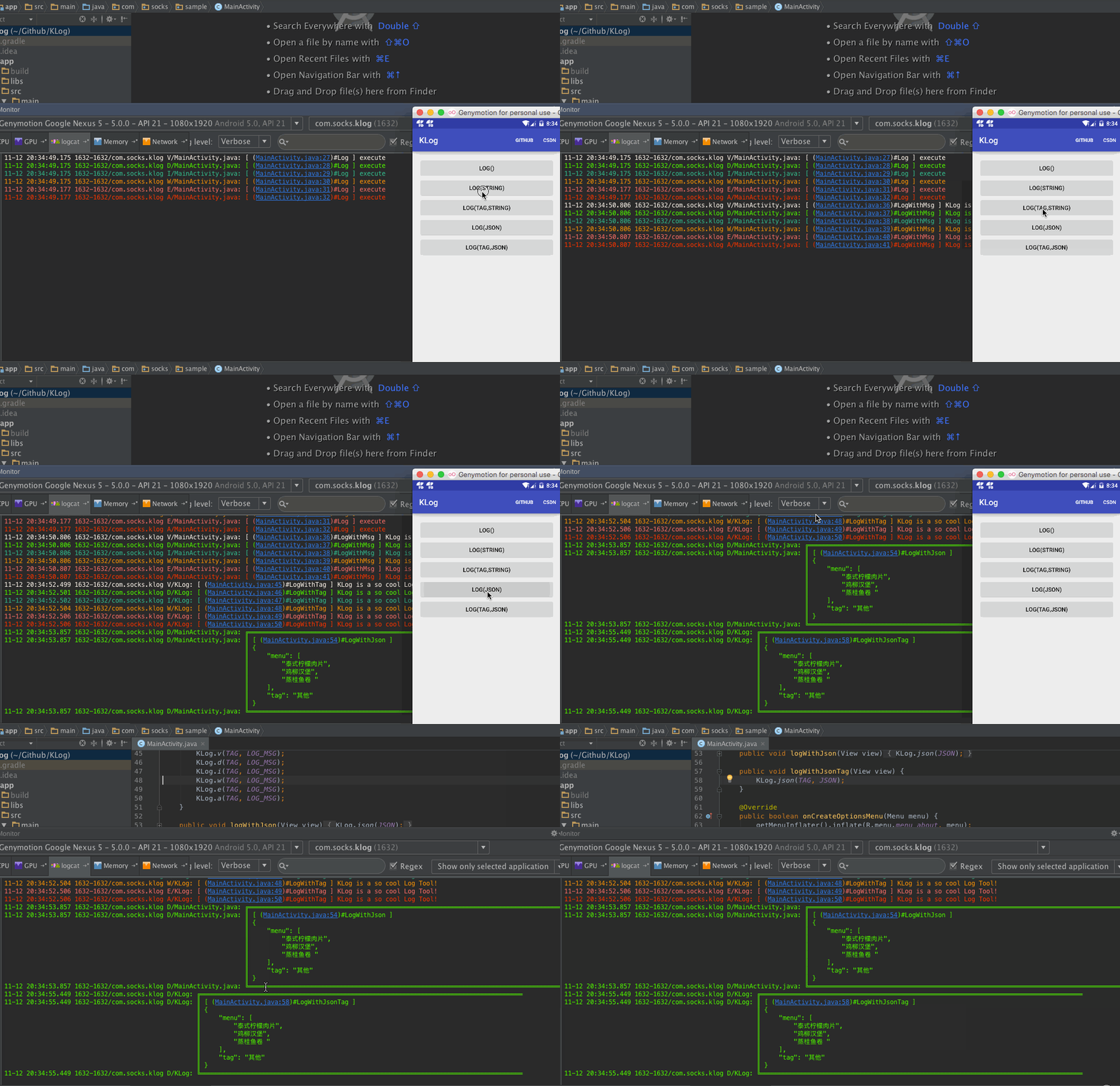
##JCenter
dependencies {
    compile 'com.github.zhaokaiqiang.klog:library:1.6.0'
}
##Eclipse
You need add klog.jar into your project libs
##License
Copyright 2015, 2016 ZhaoKaiQiang

Licensed under the Apache License, Version 2.0 (the "License");
you may not use this file except in compliance with the License.
You may obtain a copy of the License at

   http://www.apache.org/licenses/LICENSE-2.0

Unless required by applicable law or agreed to in writing, software
distributed under the License is distributed on an "AS IS" BASIS,
WITHOUT WARRANTIES OR CONDITIONS OF ANY KIND, either express or implied.
See the License for the specific language governing permissions and
limitations under the License.
##About me
