NetworkStateObserver
Introduction: An Android library that helps you check the state of your network, if it is either available, lost, unavailable and also check the reach-ability of your network when your server is either down or your ISP is connected but no data subscription.
Tags:
NetworkStateObserver Android Library








A library that helps you check the state of your network, if it is either available, lost, unavailable and also check the reach-ability of your network when your server is either down or your ISP is connected but no data subscription.
Guide:
Dev.to:
Using NetworkStateObserver in Large Projects: A Comprehensive Guide
Medium:
Using NetworkStateObserver in Large Projects: A Comprehensive Guide
Demo:
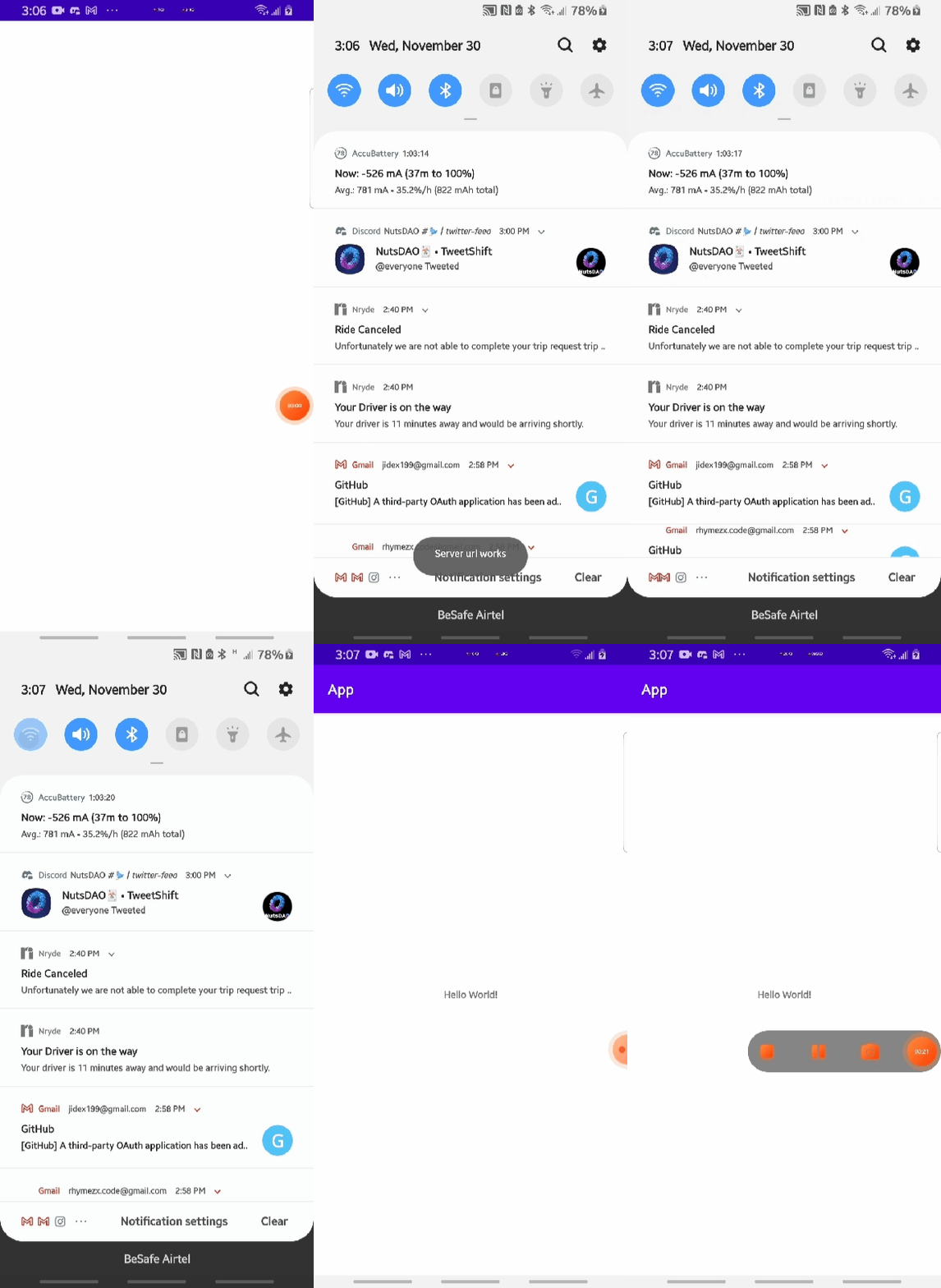
1. Adding NetworkStateObserver to your project
- Include jitpack in your root
settings.gradlefile.
pluginManagement {
    repositories {
        ...
        maven { url 'https://jitpack.io' }
    }
}

dependencyResolutionManagement {
    repositoriesMode.set(RepositoriesMode.FAIL_ON_PROJECT_REPOS)
    repositories {
        ...
        maven { url 'https://jitpack.io' }
    }
}
- And add it's dependency to your app level
build.gradlefile:
dependencies {
    implementation 'com.github.RhymezxCode:NetworkStateObserver:1.1.3'

    //Livedata
    implementation 'androidx.lifecycle:lifecycle-viewmodel-ktx:2.7.0'
    implementation 'androidx.lifecycle:lifecycle-livedata-core-ktx:2.7.0'
    implementation 'androidx.lifecycle:lifecycle-runtime-ktx:2.7.0'
    implementation 'android.arch.lifecycle:extensions:1.1.1'
}
Sync your project, and :scream: boom :fire: you have added NetworkStateObserver successfully. :exclamation:
2. Usage
- First initialize the builder class:
        val network = NetworkStateObserver.Builder()
            .activity(activity = this@NetworkStateObserverExample)
            .build()
- If you just want to check for connectivity, before performing a task or job():
        if(CheckConnectivity.isNetworkAvailable(requireContext())){
                         showToast(
                                this@NetworkStateObserverExample,
                                "Network restored"
                            )
        }
- Use the live-data method to determine your network state, and replace the code in the lifecycleScope.launchWhenStarted { ....your code here } to do what you want:
        network.callNetworkConnection().observe(this) { isConnected ->
            lifecycleScope.launch(Dispatchers.IO) {
                if (isConnected) {
                    when {
                        Reachability.hasServerConnected(
                            context = this@NetworkStateObserverExample,
                            serverUrl = "https://www.your-server-url.com"
                        ) -> lifecycleScope.launch{
                            showToast(
                                "Server url works"
                            )
                        }

                        Reachability.hasInternetConnected(
                            context = this@NetworkStateObserverExample
                        ) -> lifecycleScope.launch{
                            showToast(
                                "Network restored"
                            )
                        }

                        else -> lifecycleScope.launch{
                            showToast(
                                "Network is lost or issues with server"
                            )
                        }
                    }
                } else {
                    //check for lost connection
                    lifecycleScope.launch{
                        showToast(
                            "No Network connection"
                        )
                    }
                }

            }

        }
    }
- Use the flow method to determine your network state, and also retry when an exception is thrown:
        lifecycleScope.launch {
            network.callNetworkConnectionFlow()
                .observe()
                .collect {
                    when (it) {
                        NetworkObserver.Status.Available -> {
                            lifecycleScope.launch {
                                when {
                                    Reachability.hasServerConnectedFlow(
                                        context = this@NetworkStateObserverExample,
                                        serverUrl = "https://www.github.com"
                                    ).retryWhen { cause, attempt ->
                                        if (cause is IOException && attempt < 3) {
                                            delay(2000)
                                            return@retryWhen true
                                        } else {
                                            return@retryWhen false
                                        }
                                    }.buffer().first() -> lifecycleScope.launch {
                                        showToast(
                                            this@NetworkStateObserverExample,
                                            "Server url works"
                                        )
                                    }

                                    Reachability.hasInternetConnectedFlow(
                                        context = this@NetworkStateObserverExample
                                    ).retryWhen { cause, attempt ->
                                        if (cause is IOException && attempt < 3) {
                                            delay(2000)
                                            return@retryWhen true
                                        } else {
                                            return@retryWhen false
                                        }
                                    }.buffer().first() -> lifecycleScope.launch {
                                        showToast(
                                            this@NetworkStateObserverExample,
                                            "Network restored"
                                        )
                                    }

                                    else -> lifecycleScope.launch {
                                        showToast(
                                            this@NetworkStateObserverExample,
                                            "Network is lost or issues with server"
                                        )
                                    }
                                }
                            }
                        }

                        NetworkObserver.Status.Unavailable -> {
                            showToast(
                                "Network is unavailable!"
                            )
                        }

                        NetworkObserver.Status.Losing -> {
                            showToast(
                                "You are losing your network!"
                            )
                        }

                        NetworkObserver.Status.Lost -> {
                            showToast(
                                "Network is lost!"
                            )
                        }
                    }
                }
        }
- You can check if your internet connection is stable only, if you don't have a server url:
        network.callNetworkConnection().observe(this) { isConnected ->
            lifecycleScope.launch(Dispatchers.IO) {
                if (isConnected) {
                    when {

                        Reachability.hasInternetConnected(
                            context = this@NetworkStateObserverExample
                        ) -> lifecycleScope.launchW{
                            showToast(
                                "Network restored"
                            )
                        }

                        else -> lifecycleScope.launch{
                            showToast(
                                "Network is lost or issues with server"
                            )
                        }
                    }
                } else {
                    //check for lost connection
                    lifecycleScope.launch{
                        showToast(
                            "No Network connection"
                        )
                    }
                }

            }

        }
    }
3. You can also inject NetworkStateObserver, and use it everywhere in your app with Hilt :syringe: :
- Create an object for the NetworkStateModule in your di package:
@Module
@InstallIn(ActivityComponent::class)
object NetworkStateModule {
    @Provides
    fun provideNetworkStateObserver(
        activity: Activity
    ): NetworkStateObserver {
        return NetworkStateObserver.Builder()
            .activity(activity = activity)
            .build()
    }
}
- Declare the variable in your class either a fragment or activity, it works in both:
@AndroidEntryPoint
class myFragment : Fragment(){
     @Inject
     lateinit var network: NetworkStateObserver

     private fun callNetworkConnection() {
        network.callNetworkConnection().observe(this) { isConnected ->
            lifecycleScope.launch(Dispatchers.IO) {
                if (isConnected) {
                    when {
                        Reachability.hasInternetConnected(
                            context = this@NetworkStateObserverExample
                        ) -> lifecycleScope.launch{
                            showToast(
                                "Network restored"
                            )
                        }

                        else -> lifecycleScope.launch{
                            showToast(
                                "Network is lost or issues with server"
                            )
                        }
                    }
                } else {
                    //check for lost connection
                    lifecycleScope.launch{
                        showToast(
                            "No Network connection"
                        )
                    }
                }

            }

        }
    }
    }

 override fun onResume() {
        super.onResume()
        callNetworkConnection()
    }

 }
- Add the method in onResume() of your fragment or activity to have a great experience:
    override fun onResume() {
        super.onResume()
        callNetworkConnection()
    }
:pushpin: Please, feel free to give me a star :star2:, I also love sparkles :sparkles: :relaxed:
Developed with :sparkling_heart: by
Awodire Babajide Samuel
