Spotlight


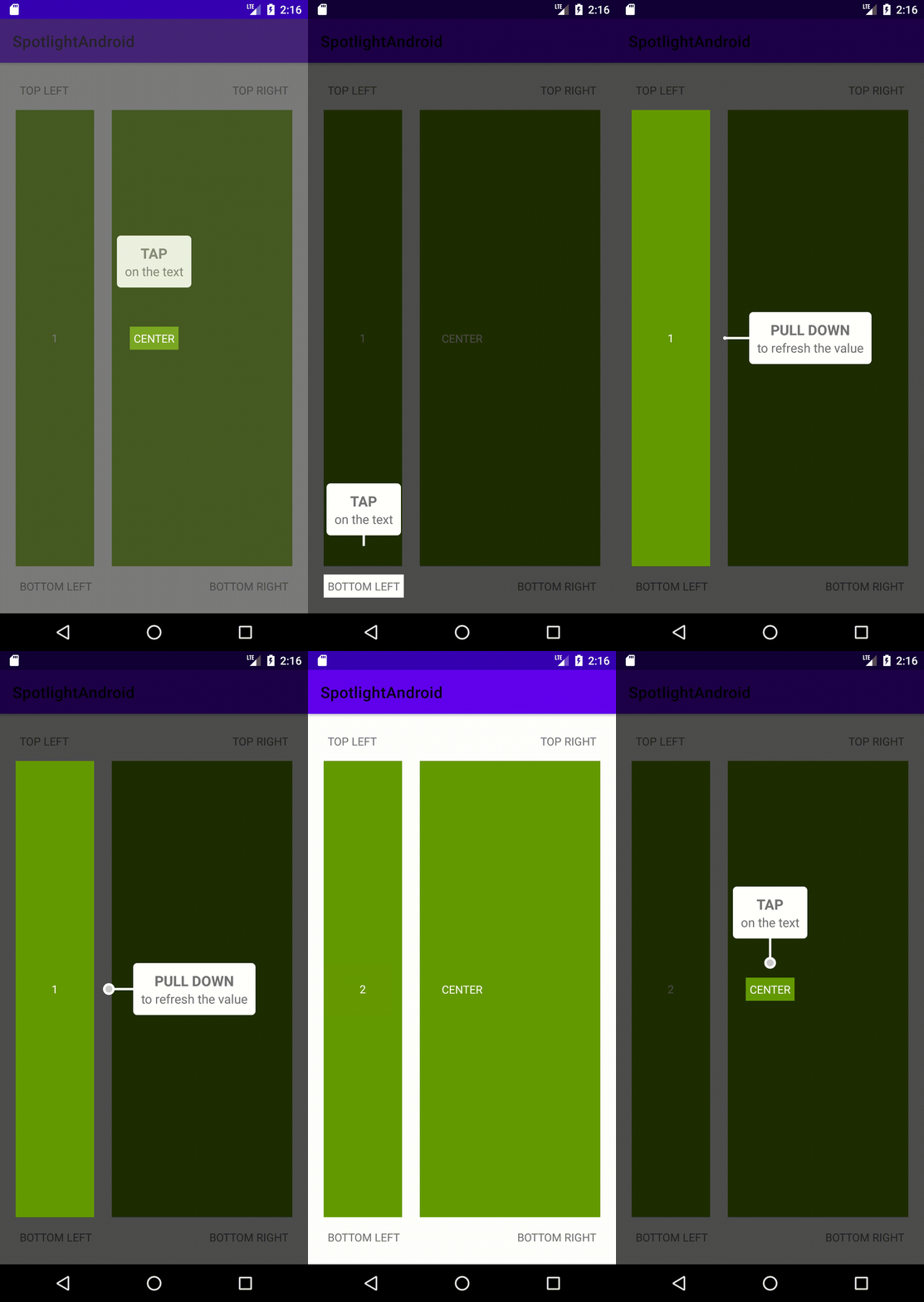
Overview
A great way to add tutorials to your Android application. Simple to use and highly customizable.
Why use this library over others?
I know there are many libraries available to do achieve a similiar goal. The reason I developed this library was because all the libraries I have used in the past were very limited in feature set and expandibility.
Installation
Gradle
Add JitPack repository to your app's build.gradle
allprojects {
    repositories {
        ...
        maven { url 'https://jitpack.io' }
    }
}
Add the dependency to your app's build.gradle
implementation 'com.github.nicholasmata:spotlight:0.2.0'
Basic Usage
// Set target views.
val firstView = requireView().findViewById<View>(...)
val secondView = requireView().findViewById<View>(...)
// Use builder to interact with SpotlightView
builder = SpotlightBuilder(requireContext())
    .setInset(20)
    .setTargetView(firstView)
    .setTitle("First View")
    .setDescription("This is the first view")
    .setListener(object : SpotlightListener {
        override fun onEnd(targetView: View?) {
            // This is called when a target view has been dismissed
            when (targetView) {
                firstView -> {
                    // When the first view's spotlight ends then set the
                    // target view to the second view.
                    // Update title and description
                    builder
                        .setTitle("Second View")
                        .setDescription("This is the second view")
                        .setTargetView(secondView)
                }
                secondView -> {
                    // When the second view's spotlight ends don't continue on.
                    return
                }
            }
            builder.build().startSpotlight()
        }

        override fun onStart(targetView: View?) {}
    })
builder.build().startSpotlight()
Advanced Usage
Themes
In it's current implementation it only contains one theme called simple.
simple is the default theme
How do I modify the background style? Default is transparent dark gray
How do I modify the target views style? Default is clear/transparent
This can be achieved by creating a custom class SpotlightStyler and setting the styler property on the SpotlightView instance.
How do I implement a custom message view?
How do I implement a custom indicator view?
This is done by creating layout xml resources and setting messageLayout and indicatorLayout on the SpotlightView instance.
Layout Manager
By default the SpotlightView uses DefaultLayoutManager. This is the libraries default implementation of SpotlightLayoutManager used to layout/position the message and indicator view. This works by choosing a side of the target view with the largest empty space.
