react-native-system-thumbnails
Generate the thumbnail the operating system would show for a local file — or fall back to a useful file icon — through one typed React Native API.
const result = await generateThumbnail({
  uri: pickedDocument.uri,
  size: { width: 320, height: 240 },
});

// result.uri is an app-owned file:// URL ready for <Image />
The library uses Quick Look on iOS and native content, image, PDF, and media APIs on Android. It does not download remote files and does not move file bytes through JavaScript.
Native demo
| iOS | Android |
|---|---|
 |
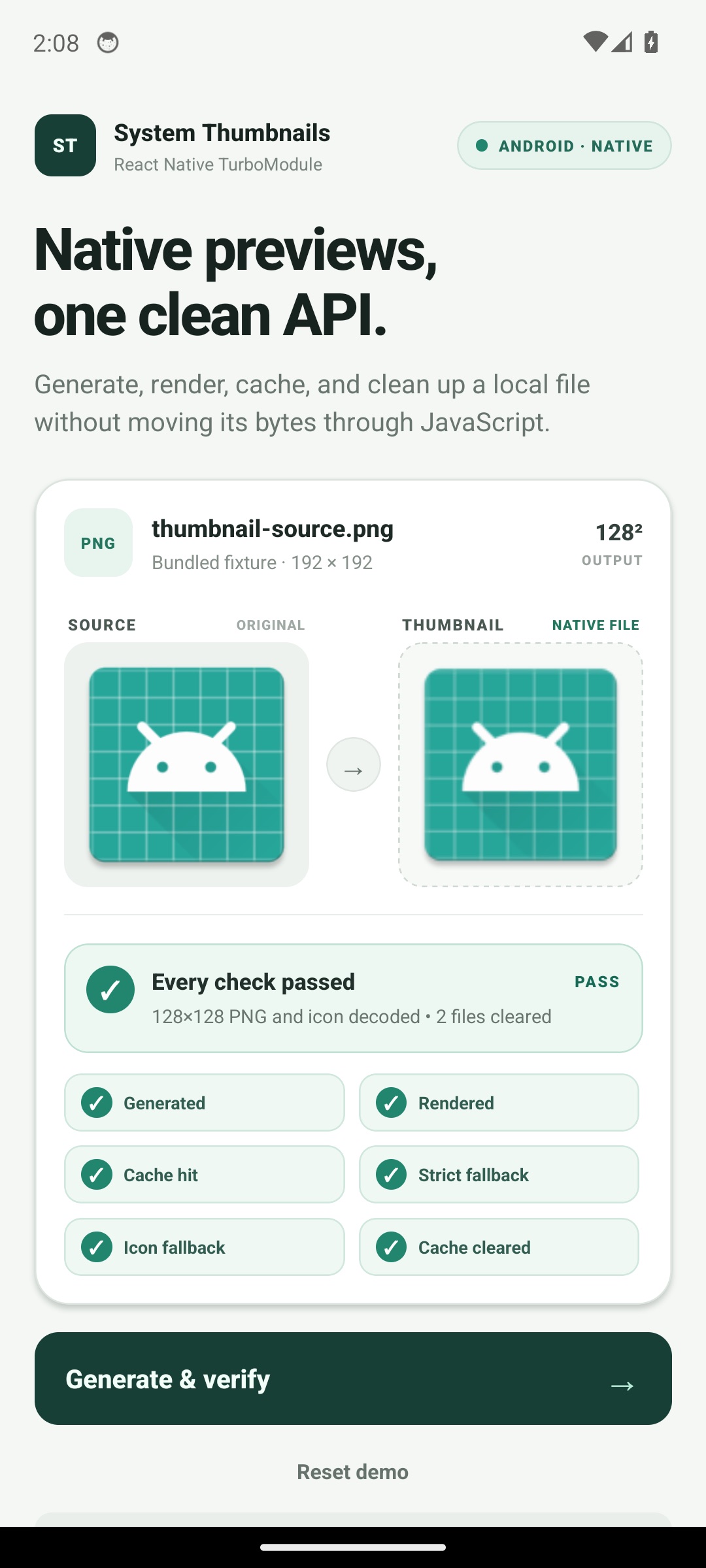 |
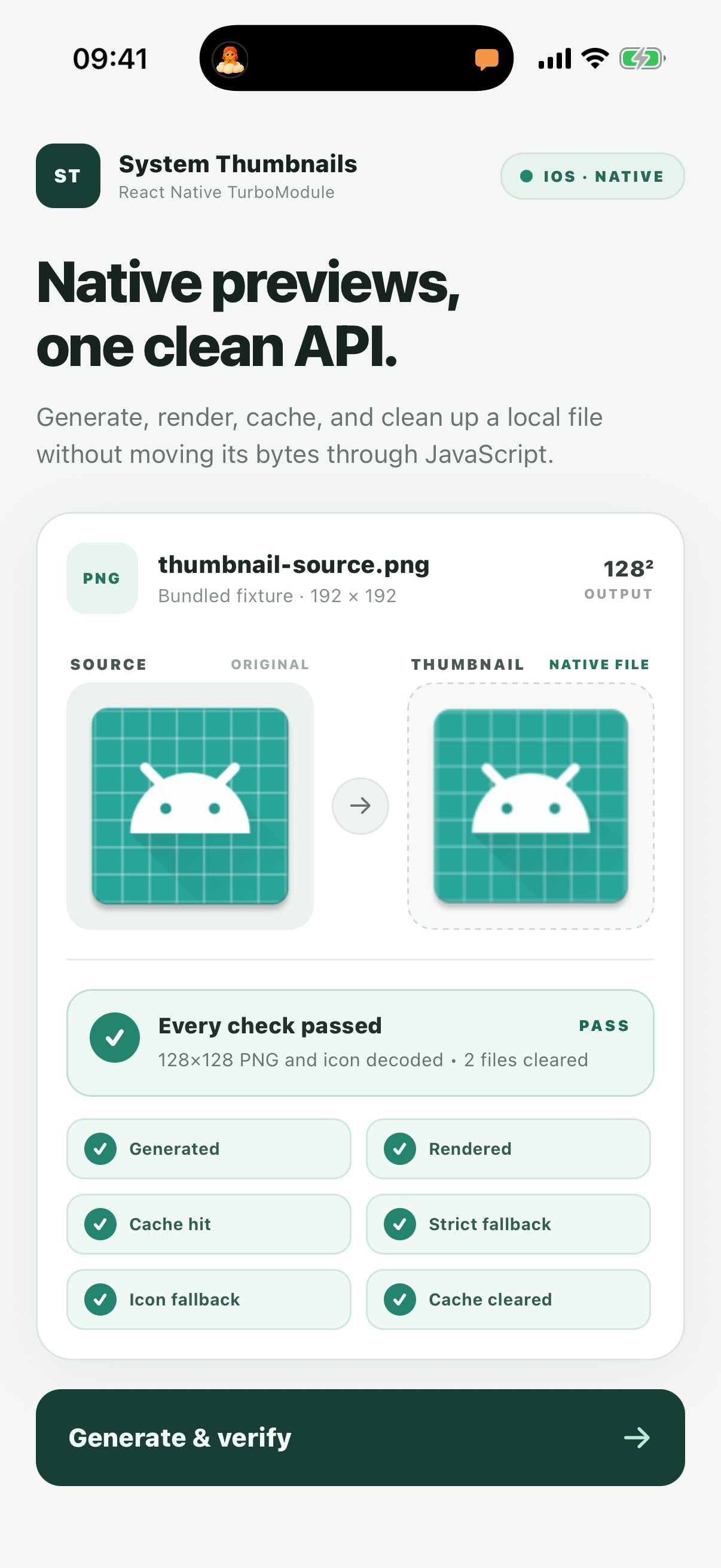
The demo only shows PASS after the generated thumbnail renders, the cache
hits, strict fallback rejects an icon-only file, icon fallback decodes, and the
managed cache files are removed.
Why this exists
React Native has good libraries for video frames and separate libraries for
PDF pages. Apps that display mixed attachments still have to combine those
libraries, special-case Android content:// URLs, and invent a fallback for
documents the device cannot preview.
react-native-system-thumbnails provides one result shape for images, PDFs,
videos, audio artwork, text and office documents, provider-backed content, and
unknown files:
- native previews when the OS can render them;
- a deterministic file icon when it cannot;
- bounded output dimensions;
- PNG or JPEG output;
- source-aware native caching;
- cancellation with
AbortSignal; - stable, typed errors.
Requirements
- React Native's New Architecture
- React Native 0.86 or newer
- iOS 15.1 or newer
- Android API 24 or newer
Install from GitHub Packages
GitHub's npm registry requires an authenticated token, including when the
package is public. Create a classic personal access token with read:packages,
then configure the package scope in the consuming project or your user-level
.npmrc:
@marshallbear1:registry=https://npm.pkg.github.com
//npm.pkg.github.com/:_authToken=${GITHUB_PACKAGES_TOKEN}
Install the package and, on iOS, update CocoaPods:
npm install @marshallbear1/react-native-system-thumbnails
npx pod-install
Never commit the token itself. In CI, provide it through the runner's secret store.
Usage
import { Image } from 'react-native';
import {
  generateThumbnail,
  type ThumbnailResult,
} from '@marshallbear1/react-native-system-thumbnails';

const thumbnail: ThumbnailResult = await generateThumbnail({
  uri: 'file:///path/to/report.pdf',
  size: { width: 256, height: 256 },
  format: 'png',
  cache: true,
  fallback: 'icon',
});

export function Preview() {
  return (
    <Image
      source={{ uri: thumbnail.uri }}
      style={{ width: thumbnail.width, height: thumbnail.height }}
    />
  );
}
The result is:
type ThumbnailResult = {
  uri: string; // file:// URL in this app's cache
  width: number; // actual output pixel width
  height: number; // actual output pixel height
  kind: 'thumbnail' | 'icon';
  mimeType: 'image/png' | 'image/jpeg';
  fromCache: boolean;
};
Cancel a request
const controller = new AbortController();

const pending = generateThumbnail({
  uri,
  signal: controller.signal,
});

controller.abort();
await pending; // rejects with ThumbnailError whose code is CANCELLED
Fail instead of returning an icon
await generateThumbnail({
  uri,
  fallback: 'error',
});
Clear managed thumbnails
import { clearThumbnailCache } from '@marshallbear1/react-native-system-thumbnails';

const deletedFileCount = await clearThumbnailCache();
Only files inside the library's own cache directory are ever removed.
API
generateThumbnail(options)
| Option | Type | Default | Notes |
|---|---|---|---|
uri |
string |
required | Absolute path, file://, iOS bundle://, Android content://, or Android android.resource:// |
size |
{ width, height } |
256 × 256 |
Each dimension must be an integer from 1 through 4096 |
format |
'png' | 'jpeg' |
'png' |
The returned MIME type matches the encoding |
quality |
number |
0.9 |
From 0 through 1; used by JPEG only |
cache |
boolean |
true |
Reuse output when source metadata and options match |
fallback |
'icon' | 'error' |
'icon' |
Whether an unpreviewable file becomes an icon or an error |
signal |
AbortSignal |
— | Cancels the matching native request |
Remote http:// and https:// URLs are intentionally rejected. Download
remote content with the app's existing networking stack first; this keeps the
library's permissions, caching, authentication, and privacy behavior
predictable.
ThumbnailError
Every failure is exposed as a ThumbnailError with one stable code:
INVALID_ARGUMENTUNSUPPORTED_URINOT_FOUNDPERMISSION_DENIEDCANCELLEDGENERATION_FAILEDCACHE_ERROR
Platform behavior
| Capability | iOS | Android |
|---|---|---|
Local paths / file:// |
Quick Look | Native decoders |
| Bundled fixture / asset | bundle://filename.ext |
android.resource:// |
| Provider-backed URI | Security-scoped file URL | content:// / ContentResolver |
| Images | Quick Look | loadThumbnail or sampled image decode |
| Quick Look | loadThumbnail or first-page PdfRenderer |
|
| Video | Quick Look | loadThumbnail or MediaMetadataRetriever |
| Audio artwork | Quick Look | Provider thumbnail or embedded artwork |
| Text / office documents | Quick Look when supported | Provider thumbnail, otherwise icon |
| Unknown format | File icon | File icon |
An icon is a successful result with kind: 'icon'; it is not mislabeled as a
real preview. OS versions and document providers can legitimately produce
different artwork, so consumers should depend on dimensions and kind, not
pixel-identical output.
How this repository proves the native module works
The test strategy deliberately goes beyond mocking JavaScript:
- TypeScript/Jest tests cover public validation, option defaults, cancellation, native error mapping, and result validation.
- Android Robolectric tests cover cache keys, bounded image rendering, file icon fallback, cache reuse, and cancellation-sensitive paths.
- CocoaPods/Gradle and full example-app builds compile the actual iOS Quick Look and Android implementations against generated React Native 0.86 code.
- The example app runs the TurboModule on bundled fixtures, renders the
returned thumbnail, verifies a cache hit, proves strict fallback rejection,
decodes an icon fallback, clears the managed files, and only then exposes a
stable
PASSstate. - A Maestro flow drives that self-test on iOS Simulator and Android Emulator.
- CI builds both native apps and checks the packed package, so autolinking, Codegen, CocoaPods, Gradle, and published-file omissions are caught.
- The release workflow publishes tags to GitHub Packages and verifies the registry metadata after publication.
See CONTRIBUTING.md for local commands.
Design constraints
- Generated files are app-cache data. The OS may remove them at any time.
- Inputs must already be readable by the app. This package requests no broad storage or photo-library permission.
- Android document providers decide whether they can supply their own preview.
- A thumbnail is presentation data, not proof that a file is safe. Validate uploads independently on the server.
License
MIT
