ArcSeekBar
Introduction: Good looking curved Android SeekBar
Tags:
Library was created to make good looking curved SeekBars.

To stay up-to-date with news about library 
Usage
Library can be used to make good-looking curved SeekBar:
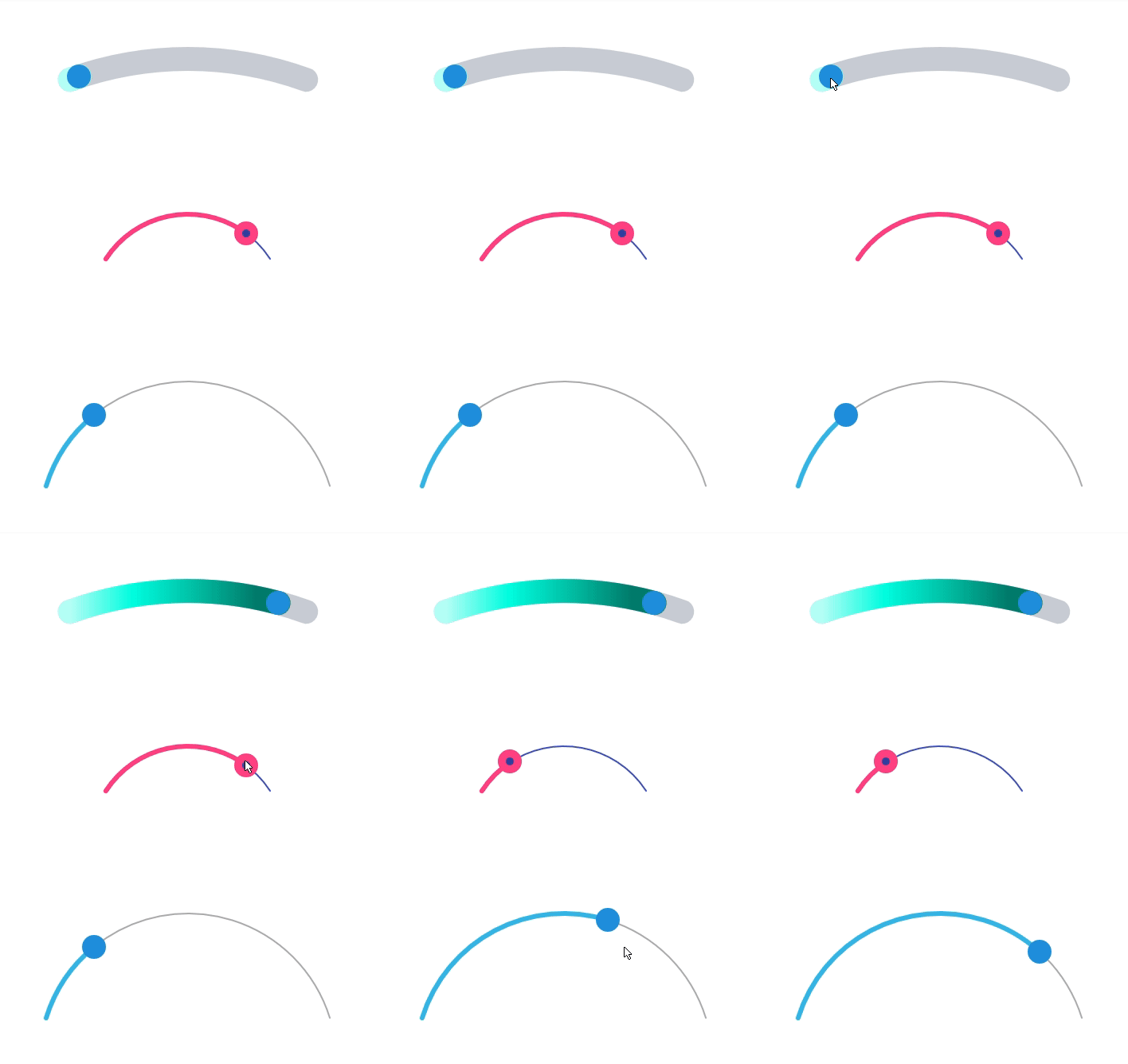
Here are some usage examples:

<com.marcinmoskala.arcseekbar.ArcSeekBar
    android:layout_width="300dp"
    android:layout_height="150dp" />

<com.marcinmoskala.arcseekbar.ArcSeekBar
    app:thumb="@drawable/thumb2"
    app:progressColor="@color/colorAccent"
    app:progressBackgroundColor="@color/colorPrimary"
    android:layout_width="200dp"
    android:layout_height="100dp" />
Here is progress drawable thumb2 definition.

<com.marcinmoskala.arcseekbar.ArcSeekBar
    android:id="@+id/seekArc"
    android:layout_width="match_parent"
    android:layout_height="100dp"
    app:progressBackgroundColor="@color/sliderBack"
    app:progressBackgroundWidth="20dp"
    app:progress="100"
    app:progressWidth="20dp"
    app:roundEdges="true" />
To make gradient, you need to define it in code:
int[] intArray = getResources().getIntArray(R.array.progressGradientColors);
arcSeekBar.setProgressGradient(intArray);
Here you can find array definition.
Customization
ArcSeekBar properties are:
thumb- reference to thumb drawable.progress- initial value of progress (0 by default).maxProgressmax vale of progress (100 by default).progressColorcolor of visible progress bar.progressWidthwidth of visible progress bar.progressBackgroundColorcolor of bar behind progress.progressBackgroundWidthwidth of bar behind progress.roundEdgesif edges should be rounded or not (trueby default).enabledis progress enabled or not (trueby default). For disabled there is no thumb displayed.
Each property can be changes pragmatically, and additionally gradient progress or background can be set by:
setProgressGradiente.g.arcSeekBar.setProgressGradient(Color.GREEN, Color.BLUE, Color.YELLOW);setProgressBackgroundGradiente.g.arcSeekBar.setProgressBackgroundGradient(Color.GREEN, Color.BLUE, Color.YELLOW);
Installation
Just add following dependency in your module build.gradle:
dependencies {
    compile 'com.github.marcinmoskala:ArcSeekBar:0.31'
}
Also add on your module build.gradle (unless you already have it):
repositories {
    maven { url 'https://jitpack.io' }
}
Other libraries
If you like it, remember to leave the star and check out my other libraries:
- VideoPlayView - Custom Android view with video player, loader and placeholder image
- ActivityStarter - Simple Android Library, that provides easy way to start and save state of Activities, Fragments, Services and Receivers with arguments.
- PreferenceHolder - Library for simple SharedPreference management in Kotlin
- KotlinAndroidViewBindings - Bindings for properties with simple Kotlin types (Boolean, String) to layout traits (visibility, text).
License
Copyright 2017 Marcin Moskała

Licensed under the Apache License, Version 2.0 (the "License");
you may not use this file except in compliance with the License.
You may obtain a copy of the License at

   http://www.apache.org/licenses/LICENSE-2.0

Unless required by applicable law or agreed to in writing, software
distributed under the License is distributed on an "AS IS" BASIS,
WITHOUT WARRANTIES OR CONDITIONS OF ANY KIND, either express or implied.
