LongScreenShotShare
Introduction: 长截图分享,NestedScrollView、RecyclerView、ListView、WebView 等实现长截图,RecyclerView、ListView 的 Item 数据可异步加载
Tags:
长截图分享,NestedScrollView、RecyclerView、ListView、WebView 等实现长截图,RecyclerView、ListView 的 Item 数据可异步加载
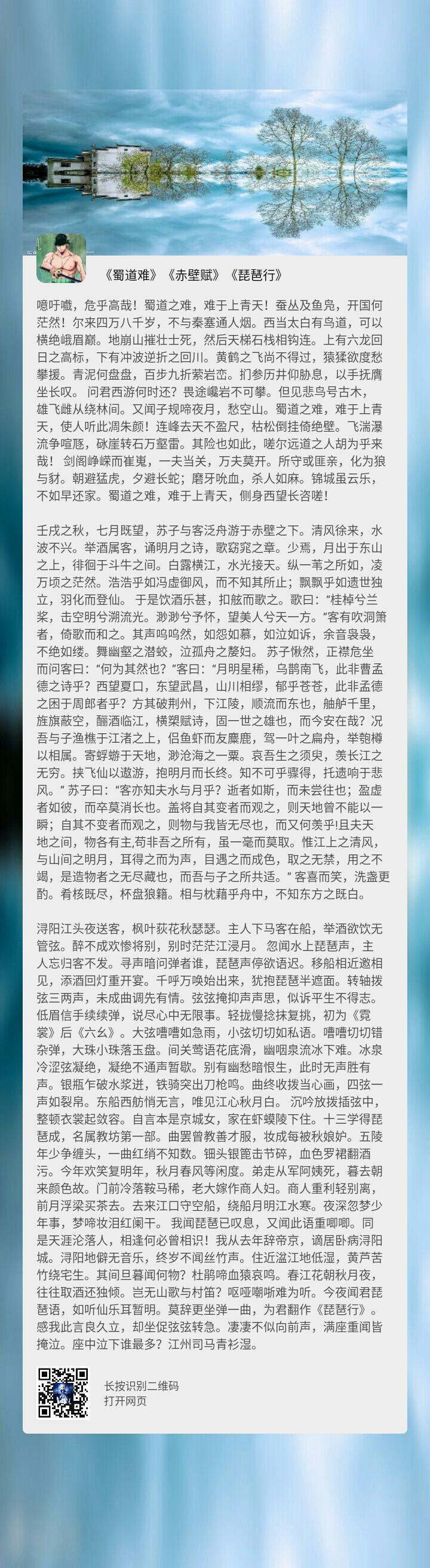



1. NestedScrollView 截图
public static Bitmap shotNestedScrollView(NestedScrollView nestedScrollView) {
        if (nestedScrollView == null) {
            return null;
        }
        try {
            int h = 0;
            // 获取 ScrollView 实际高度
            for (int i = 0; i < nestedScrollView.getChildCount(); i++) {
                h += nestedScrollView.getChildAt(i).getHeight();
            }
            // 创建对应大小的 bitmap
            Bitmap bitmap = Bitmap.createBitmap(nestedScrollView.getWidth(), h, Bitmap.Config.ARGB_8888);
            final Canvas canvas = new Canvas(bitmap);
            nestedScrollView.draw(canvas);

            // 保存图片
            savePicture(nestedScrollView.getContext(), bitmap);

            return bitmap;
        } catch (OutOfMemoryError oom) {
            return null;
        }
    }
2. ListView 截图
public static Bitmap shotListView(ListView listView) {
        if (listView == null) {
            return null;
        }

        try {
            ListViewAdapter adapter = (ListViewAdapter) listView.getAdapter();
            Bitmap bigBitmap = null;
            if (adapter != null) {
                int size = adapter.getCount();
                int height = 0;
                Paint paint = new Paint();
                final int maxMemory = (int) (Runtime.getRuntime().maxMemory() / 1024);

                // Use 1/8th of the available memory for this memory cache.
                final int cacheSize = maxMemory / 8;
                LruCache<String, Bitmap> bitmapCache = new LruCache<>(cacheSize);
                SparseIntArray bitmapTop = new SparseIntArray(size);
                for (int i = 0; i < size; i++) {
                    View childView = adapter.getConvertView(i, null, listView);
                    adapter.onBindViewSync(i, childView, listView);
                    childView.measure(
                            View.MeasureSpec.makeMeasureSpec(listView.getWidth(), View.MeasureSpec.EXACTLY),
                            View.MeasureSpec.makeMeasureSpec(0, View.MeasureSpec.UNSPECIFIED)
                    );
                    childView.layout(
                            0,
                            0,
                            childView.getMeasuredWidth(),
                            childView.getMeasuredHeight()
                    );
                    childView.setDrawingCacheEnabled(true);
                    childView.buildDrawingCache();
                    Bitmap drawingCache = childView.getDrawingCache();
                    if (drawingCache != null) {
                        bitmapCache.put(String.valueOf(i), drawingCache);
                    }

                    bitmapTop.put(i, height);
                    height += childView.getMeasuredHeight();
                }

                bigBitmap = Bitmap.createBitmap(listView.getMeasuredWidth(), height, Bitmap.Config.ARGB_8888);
                Canvas bigCanvas = new Canvas(bigBitmap);
                Drawable lBackground = listView.getBackground();
                if (lBackground instanceof ColorDrawable) {
                    ColorDrawable lColorDrawable = (ColorDrawable) lBackground;
                    int lColor = lColorDrawable.getColor();
                    bigCanvas.drawColor(lColor);
                }

                for (int i = 0; i < size; i++) {
                    Bitmap bitmap = bitmapCache.get(String.valueOf(i));
                    bigCanvas.drawBitmap(bitmap, 0, bitmapTop.get(i), paint);
                    bitmap.recycle();
                }
            }
            return bigBitmap;
        } catch (OutOfMemoryError oom) {
            return null;
        }
    }
3. RecyclerView 截图
public static Bitmap shotRecyclerView(RecyclerView recyclerView) {
        if (recyclerView == null) {
            return null;
        }
        try {
            RecyclerViewAdapter adapter = (RecyclerViewAdapter) recyclerView.getAdapter();
            Bitmap bigBitmap = null;
            if (adapter != null) {
                int size = adapter.getItemCount();
                int height = 0;
                Paint paint = new Paint();
                final int maxMemory = (int) (Runtime.getRuntime().maxMemory() / 1024);

                // Use 1/8th of the available memory for this memory cache.
                final int cacheSize = maxMemory / 8;
                LruCache<String, Bitmap> bitmapCache = new LruCache<>(cacheSize);
                SparseIntArray bitmapLeft = new SparseIntArray(size);
                SparseIntArray bitmapTop = new SparseIntArray(size);
                for (int i = 0; i < size; i++) {
                    RecyclerView.ViewHolder holder = adapter.createViewHolder(recyclerView, adapter.getItemViewType(i));
                    adapter.onBindViewSync(holder, i);
                    RecyclerView.LayoutParams layoutParams = (RecyclerView.LayoutParams) holder.itemView.getLayoutParams();
                    holder.itemView.measure(
                            View.MeasureSpec.makeMeasureSpec(recyclerView.getWidth() - layoutParams.leftMargin - layoutParams.rightMargin, View.MeasureSpec.EXACTLY),
                            View.MeasureSpec.makeMeasureSpec(0, View.MeasureSpec.UNSPECIFIED)
                    );
                    holder.itemView.layout(
                            layoutParams.leftMargin,
                            layoutParams.topMargin,
                            holder.itemView.getMeasuredWidth() + layoutParams.leftMargin,
                            holder.itemView.getMeasuredHeight() + layoutParams.topMargin
                    );
                    holder.itemView.setDrawingCacheEnabled(true);
                    holder.itemView.buildDrawingCache();
                    Bitmap drawingCache = holder.itemView.getDrawingCache();
                    if (drawingCache != null) {
                        bitmapCache.put(String.valueOf(i), drawingCache);
                    }

                    height += layoutParams.topMargin;
                    bitmapLeft.put(i, layoutParams.leftMargin);
                    bitmapTop.put(i, height);
                    height += holder.itemView.getMeasuredHeight() + layoutParams.bottomMargin;
                }

                bigBitmap = Bitmap.createBitmap(recyclerView.getMeasuredWidth(), height, Bitmap.Config.ARGB_8888);
                Canvas bigCanvas = new Canvas(bigBitmap);
                Drawable lBackground = recyclerView.getBackground();
                if (lBackground instanceof ColorDrawable) {
                    ColorDrawable lColorDrawable = (ColorDrawable) lBackground;
                    int lColor = lColorDrawable.getColor();
                    bigCanvas.drawColor(lColor);
                }

                for (int i = 0; i < size; i++) {
                    Bitmap bitmap = bitmapCache.get(String.valueOf(i));
                    bigCanvas.drawBitmap(bitmap, bitmapLeft.get(i), bitmapTop.get(i), paint);
                    bitmap.recycle();
                }
            }
            return bigBitmap;
        } catch (OutOfMemoryError oom) {
            return null;
        }
    }
4. WebView 截图
public static Bitmap shotWebView(WebView webView) {
        try {
            if (Build.VERSION.SDK_INT >= Build.VERSION_CODES.LOLLIPOP) {
                // Android5.0 以上
                float scale = webView.getScale();
                int width = webView.getWidth();
                int height = (int) (webView.getContentHeight() * scale + 0.5);
                Bitmap bitmap = Bitmap.createBitmap(width, height, Bitmap.Config.ARGB_8888);
                Canvas canvas = new Canvas(bitmap);
                webView.draw(canvas);

                // 保存图片
                savePicture(webView.getContext(), bitmap);
                return bitmap;
            } else {
                // Android5.0 以下
                Picture picture = webView.capturePicture();
                int width = picture.getWidth();
                int height = picture.getHeight();
                if (width > 0 && height > 0) {
                    Bitmap bitmap = Bitmap.createBitmap(width, height, Bitmap.Config.ARGB_8888);
                    Canvas canvas = new Canvas(bitmap);
                    picture.draw(canvas);

                    // 保存图片
                    savePicture(webView.getContext(), bitmap);
                    return bitmap;
                }
                return null;
            }
        } catch (OutOfMemoryError oom) {
            return null;
        }
    }
5. 异步加载数据截图实现(以 ListView 为例)
- adapter 中定义异步加载方法:
public void onBindViewSync(final int position, View convertView, ViewGroup parent) {
        final ViewHolder holder;
        if (convertView == null) {
            convertView = LayoutInflater.from(mContext).inflate(R.layout.list_item_list, parent, false);
            holder = new ViewHolder(convertView);
            convertView.setTag(holder);
        } else {
            holder = (ViewHolder) convertView.getTag();
        }

        // List 中的 Item 的 LayoutParam 是直接继承自 ViewGroup 中的 LayoutParam。 不包含有 margin 信息。
        // 所以在 ListView 中父节点设置的值会失效。
        if (position == 0) {
            // 设置 margin
            ViewUtils.setViewMargin(holder.mRlGameInfo, true, 25, 100, 25, 0);
        } else if (position == getCount() - 1) {
            // 设置 margin
            ViewUtils.setViewMargin(holder.mRlGameInfo, true, 25, 15, 25, 150);
        } else {
            // 设置 margin
            ViewUtils.setViewMargin(holder.mRlGameInfo, true, 25, 15, 25, 0);
        }

        try {
            File gameImageFile = Glide.with(mContext)
                    .load(mDatas.get(position))
                    .downloadOnly(0, 0)
                    .get();
            Bitmap gameImageBitmap = BitmapFactory.decodeFile(gameImageFile.getAbsolutePath());

            File gameIconFile = Glide.with(mContext)
                    .load(mDatas.get(position))
                    .downloadOnly(0, 0)
                    .get();
            Bitmap gameIconBitmap = BitmapFactory.decodeFile(gameIconFile.getAbsolutePath());

            holder.mIvGameImage.setImageBitmap(gameImageBitmap);
            holder.mIvGameIcon.setImageBitmap(gameIconBitmap);
            holder.mTvGameName.setText(String.format(Locale.getDefault(), "《将进酒》李白%d", position));
        } catch (ExecutionException e) {
            e.printStackTrace();
        } catch (InterruptedException e) {
            e.printStackTrace();
        }
    }
- adapter 中定义获取复用 View 方法:
public View getConvertView(final int position, View convertView, final ViewGroup parent) {
        final ViewHolder holder;
        if (convertView == null) {
            convertView = LayoutInflater.from(mContext).inflate(R.layout.list_item_list, parent, false);
            holder = new ViewHolder(convertView);
            convertView.setTag(holder);
        } else {
            holder = (ViewHolder) convertView.getTag();
        }
        return convertView;
    }
- activity 中利用线程调用截图方法:
Observable.defer(
                                new Callable<ObservableSource<Bitmap>>() {
                                    @Override
                                    public ObservableSource<Bitmap> call() throws Exception {
                                        return new ObservableSource<Bitmap>() {
                                            @Override
                                            public void subscribe(Observer<? super Bitmap> observer) {
                                                // 开始截图
                                                observer.onNext(ScreenShotUtils.shotListView(mLvList));
                                            }
                                        };
                                    }
                                })
                                .subscribeOn(Schedulers.computation())
                                .observeOn(AndroidSchedulers.mainThread())
                                .subscribe(new Consumer<Bitmap>() {
                                    @Override
                                    public void accept(Bitmap bitmap) throws Exception {
                                        // 保存图片
                                        File file = ScreenShotUtils.savePicture(mContext, bitmap);

                                        Toast.makeText(mContext, "图片已保存至 " + file.getAbsolutePath(), Toast.LENGTH_SHORT).show();
                                    }
                                });
