DSHA
DeepSeek Harness launcher for Android
Run the full deepseek-harness on your phone — no ROOT, no Termux, works out of the box





English · 简体中文 · dsha.cc · Changelog · Security model · AGENTS.md (for AI / developers)
🤖 The next AI / developer should read AGENTS.md first (project layout, startup contract, known traps) instead of scanning the whole tree.
🇨🇳 Chinese readers: the complete Simplified Chinese README is README-zh.md — product intro, install steps, device channels and FAQ. This file (README.md) is the main English edition of the same document.
Stable v0.2.2 · build357 (
0.2.2-20261111.0200-dsh0.2.2-rc.1): same content as build356, shipped in the official asset layout (APK + full source). Full changes in CHANGELOG.md.
❤️ Sponsor
Thanks to our sponsors for keeping this project maintained (in no particular order).
 |
API-Zeno offers AI models for use with DSHA.
API-Zeno detailsThanks to API-Zeno for sponsoring this project! API-Zeno brings together mainstream AI models from China and abroad for learning, content creation, coding and more. The platform focuses on real-world experience, offering user guides, Q&A and technical support, and can be integrated into DSHA. New users get a ¥5 free credit on sign-up — come and try it! |
 |
Lvluo Relay supports coding and image generation.
Lvluo Relay detailsThanks to 绿萝中转站 (Lvluo Relay) for sponsoring this project! Lvluo Relay is an AI platform covering models from many vendors: mainstream large models are ready to use on demand, and coding, image generation and more can all be called from one platform. Models from China and abroad are available, new releases land promptly, the service is attentive and the pricing is attractive. Registering through this link gives a 105% top-up bonus. |
 |
Axis AI is a free, public-interest AI platform.
Axis AI detailsThanks to Axis AI for sponsoring this project! Axis AI is a free public-interest AI platform where multiple mainstream models are ready to use. Chat, write code, and generate images from one unified platform. |
 |
Mozhenzhen (Partner Pick): free AI price comparisons and model authenticity checks.
Mozhenzhen details🐼 Partner Pick · 合作推荐:买 AI 前先查【模真真 Mozhenzhen】/ Stop overpaying for AI — compare prices & verify models free 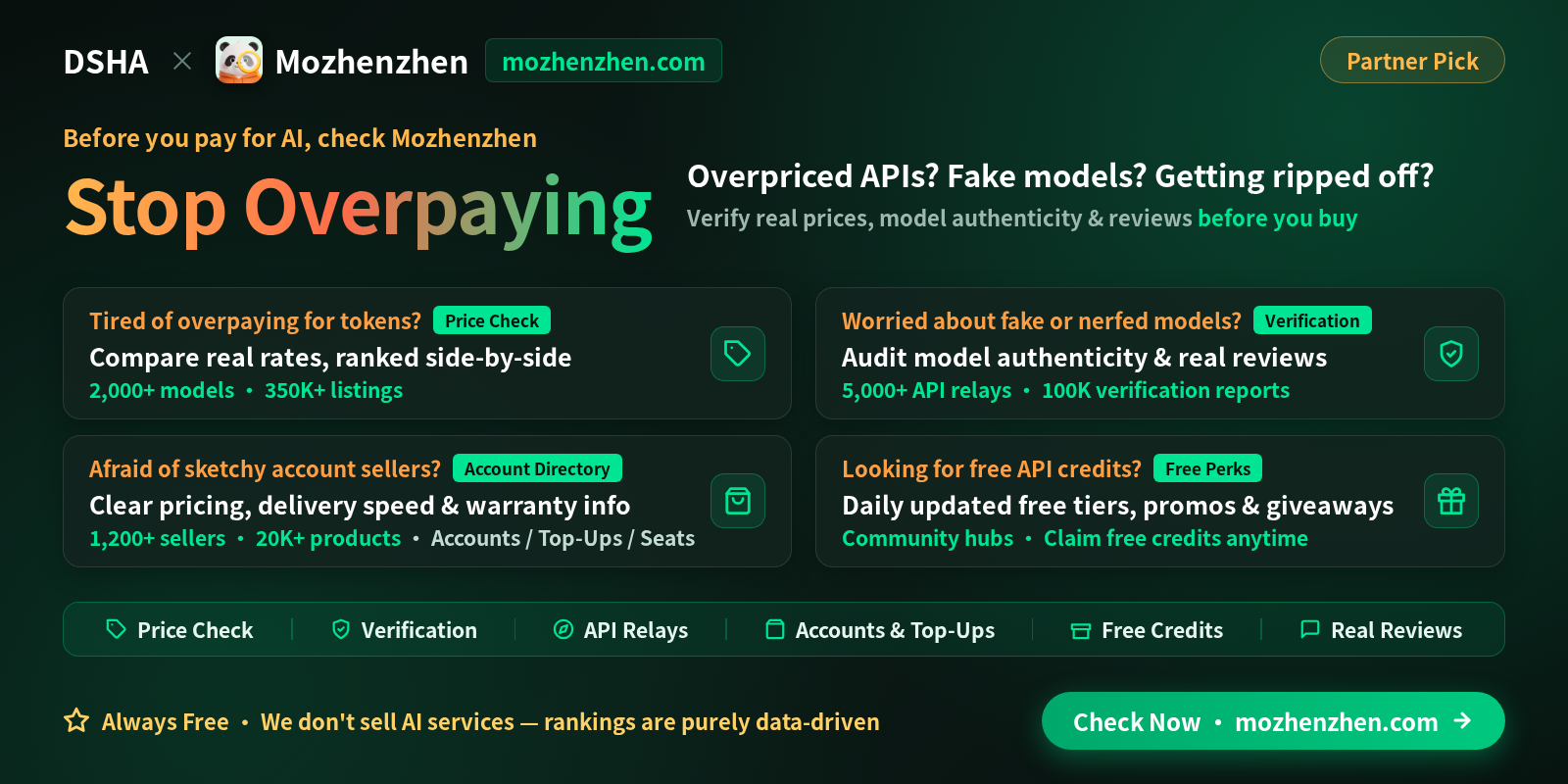
|
If this project helps you, you can also support the maintainer on Afdian.
Current status
| Item | Value |
|---|---|
| App name | DSHA (test variant: DSHA Test) |
| Version | 0.2.2-20261111.0200-dsh0.2.2-rc.1 |
| versionCode | 357 |
| Package | dsh.android.client (test variant dsh.android.client.SunsetRNE) |
| Signing | Historical release certificate, SHA-256 e7e3a31a75946f2669194c972b3dd0c9aea3fc7c50a8b885d2dee710b22a53f5 |
| System | Android 11+ (API 30) / arm64-v8a; Android 10 and below are no longer supported |
| Bundled environment | Ubuntu 24.04 arm64 · Node.js 24 · pnpm 10.34.5 · DSH 0.2.2-rc.1 · mobile UI 3.3.5 |
| Runtime | proot by default, proroot optional (device-dependent) |
| UI languages | 10: zh / zh-Hant / en / ru / ja / ko / ar / pt / la / fr |
| Main branch | main |
| License | MIT (inherited from the original) |
What this is
DeepSeek Harness (@deepseek-ai/dsh) is DeepSeek's official agent harness, written for glibc Linux. Running it directly on Android hits a wall of problems: native modules don't compile, link(2) is blocked by SELinux, the sandbox won't start, and the frontend lays out for a desktop.
DSHA packs all of that into one APK. On first launch it unpacks and verifies a bundled offline environment, then opens the main screen while the web server starts in the background; open the Web UI to configure providers, models and API keys. No Termux, no ROOT, not a single shell command. Inside is a complete Ubuntu environment: apt works, an interactive PTY works, native modules that need compiling can be installed — the same setup you would use on a server.
This repository is DSHA's main repository (the official release line): it descends from @qiannianhuanxiang's original DSHA and incorporates community work on the terminal, device capabilities and the mobile UI. Releases use the official dsh.android.client identity with the historical E7E3 certificate; the old Mod package io.github.sunsetrne.dsha remains a coexisting historical identity. Thanks to the original author and all contributors.
Identities and coexistence
| Identity | Package | Notes |
|---|---|---|
| Stable (default) | dsh.android.client |
Current release; E7E3 certificate, in-place upgrade for historical stable builds |
| Test variant | dsh.android.client.SunsetRNE |
Coexists with the stable app, separate data and grants |
| Old Mod | io.github.sunsetrne.dsha |
Historical Mod identity (A4B0 certificate), only for legacy packages and coexistence checks |
| Older still | com.dsh.client |
Earlier package name; legacy data can be migrated via export/restore |
Multiple identities can coexist on one phone, but data, system grants and accessibility switches are not inherited. Migration goes through the in-app "Data & backup" export → import. Running two web servers at once can still hit port conflicts.
Download and install
Current stable v0.2.2 · build357, Standard build, Android 11+ / arm64, APK roughly 302 MiB (the bundled Ubuntu environment).
Download APK · SHA-256 and the full source archive are in that release's assets · download verification
Assets: dsha-0.2.2.apk, dsha-0.2.2.apk.sha256, DSHA-0.2.2-20261111.0200-source.zip and its .sha256; release notes and build receipts in the v0.2.2 release.
Getting started
- Install the APK matching your signing identity; the first launch unpacks and verifies the offline environment (time depends on device I/O).
- Once the environment is ready, the main screen opens and the web server starts in the background; the main screen shows progress and results.
- Open the Web UI and configure provider, model and API key in the web settings.
Migration
- Upgrading the stable app: same package, same signature, install over it. Stop DSH normally before upgrading; data is preserved.
- From the old Mod package: export from "Data & backup" in the old app, then import in the stable app; device grants and accessibility must be re-enabled.
- From the older
com.dsh.client: likewise export/import; grants are never inherited across package names.
Why DSHA
| Details | |
|---|---|
| 🚫 Zero command line | A bundled offline Ubuntu rootfs: install the APK and go. No Termux, no pkg, no commands |
| 🐧 Full glibc environment | Not a trimmed build: apt / PTY / native modules / Python / git are all there. Upstream plugins run unmodified |
| ⚙️ Two runtimes | proot by default, proroot optional; real-world speed depends on device, I/O, cache and plugins — we don't rank engines from historical samples |
| 🔌 The phone is the agent's hands | Accessibility + ADB without Shizuku + an independent virtual screen: read the screen, tap, install apps, run automation — all built in |
| 💾 Export, then migrate | "Data & backup" exports a password-free .tar.gz; the storage guide shows where data lives, and local copies are not guaranteed to survive uninstall |
| 🩺 It can tell you what broke | Per-component self-check, targeted repair, startup diagnostics and an independent recovery DSH; when the web UI won't start it names the plugin |
Core modules
① Install and environment
| Capability | Details |
|---|---|
| Bundled offline rootfs | Ubuntu 24.04 (noble) arm64 inside the APK, so setup completes without a network |
| Six-step install pipeline | Unpack → base tools → Node.js → pnpm → dsh → patches; each step probes first, runs, then verifies. Only failed steps are retried |
| Stepwise reinstall / update | Rootfs, tools, Node and harness are independent and can be reinstalled separately without re-downloading |
| Two install paths | Prebuilt bundle and source build both supported; the source path compiles native modules such as node-pty |
| Offline toolchain | curl / git / Python / certificates pinned by packages.lock.json; no need to run apt first |
| Mirrors and networking | apt falls back between the official and USTC mirrors; three DNS modes (auto / force IPv4 / native), and on rejected AAAA records it retries resolution only, never the HTTP request |
| Versioned base environment | The Ubuntu base has its own version; UI updates don't rebuild the environment and ordinary dsh updates don't bump the base version |
| Reproducible inputs | Offline rootfs, DSH runtime and Ubuntu tools ship as public release assets pinned by SHA-256 in ci/sunset-inputs.lock.json; a clone can restore them and build |
② Runtime
| Capability | Details |
|---|---|
| proroot / proot | Stable proot by default; proroot selectable in "Configuration", compatibility varies by device |
| Performance evidence | Same-device samples only; device, cache and plugin state dominate — see performance notes. Not a general engine ranking |
| Bounded fallback | If proroot exits before authentication with no plugin fault, proot is retried exactly once after the guest is confirmed gone; slow startups never trigger it |
| Node.js 24 + pnpm 10.34.5 | Same runtime as upstream, pinned with the package |
| Split updates | Ubuntu and the dsh runtime are separate APK assets; cold install unpacks both, partial updates only read the dsh bundle |
| Trial run for managed updates | A new environment is really started in isolation — ports, auth, session read/write, plugin loading — before it is committed; failure rolls back |
| Foreground service + watchdog | Run state visible in the notification shade; if the web process dies it is restarted automatically |
| Slow-start protection | Waiting for authentication has no hard kill deadline (60 s is just a hint); the watchdog won't mistake a slow start for a crash |
③ Data and backup
| Capability | Details |
|---|---|
| Data location and migration | "Data & backup → storage guide" shows the real paths; upgrades keep data, export anything you need before uninstalling |
| v5 backup and export | User exports are password-free .tar.gz integrity archives; internal automatic copies stay encrypted, and old encrypted originals still need their password |
| Automatic backup schedule | On by default: daily at a set time / every 1–168 hours / after DSH stops; postponed while running, never interrupting work; the last 3 verified copies are kept |
| Scoped backups | Full / conversations only / plugins only / settings only; restore only touches the matching scope |
| Moving to a new phone | Exports real conversations, attachments, settings and user plugins; verifies digest and scope before prechecking a restore, keeping current content and conflicting originals |
| Credentials excluded | The bridge token file is excluded entirely; .credentials.yaml has machine keys stripped field-by-field while user API keys are kept |
| Legacy backups | Full authentication/digest verification before precheck; system plugins are rebuilt from the current APK, user originals are preserved |
| Corrupt session isolation | Broken session files are moved to corrupt-backup and can be recovered; one bad file doesn't block the whole web UI |
| Post-upgrade cleanup | Regenerable caches and extra old copies are cleaned when idle; at least two healthy predecessors are kept and modified originals are never deleted |
| External workspace protection | Full formatting is retired; maintenance only detaches the reference and keeps the files and their backups |
④ Device capabilities (the agent actually operating the phone)
The agent calls these through the local 127.0.0.1:3090 bridge (token-gated; /app/help lists every endpoint):
| Capability | Details |
|---|---|
| Screen control | Accessibility service, no ADB needed: structured dumps with tappable bounds, tap by text or coordinates, input, keys, swipe, screenshots to PNG |
| Independent virtual screen (experimental) | Standard / Android 11+; authorize ADB, Shizuku or Root first, then create the screen on the virtual-screen page. Accessibility alone does not create it — see architecture |
| Privileged physical screen (experimental) | Phase A: operate the physical main display through the managed app_process entry; off by default, revocable, valid only during the current phone task. Enable under "Device permissions → privileged execution"; see core notes |
| ADB over Wi-Fi | Built-in wireless pairing (TLS 1.3-PSK + SPAKE2) and keepalive, no Shizuku required; reconnects after reboot |
| Shizuku / Root | Alternative device command channels, under the same command allowlist as ADB |
| Root command three-state policy | Strict (default allowlist), relaxed (blocks irreversible operations), fully relaxed; applies to the Root channel only — Shizuku and ADB stay strict |
| Cross-app files (SAF) | The user grants folders one by one via the system document picker; writes and deletes need confirmation, write-only trees are rejected outright |
| User interaction | System notifications, in-app toasts, vibration (to wake the user on long tasks), three-option dialogs, share / open links |
| File exchange | Read directories and text files, export artifacts to Download/DSHA; credential areas (.dsh / .ssh / .android) are refused for both read and write |
| Sensors and location | Light / accelerometer / gyroscope / magnetometer / barometer / step counter / location / torch — off by default, granted per item |
| Clipboard | Read and write (subject to system foreground limits) |
| Dangerous command gatekeeper | Device commands always go through allowlist parsing: format / partition / SELinux / system property writes are refused, unknown commands are not run, blocked calls return [POLICY_BLOCKED] with no "allow anyway" button |
| SMS reading | Independent sensitive capability, strict read-only queries, confirmation per call by default, revocable and not restored from backups |
⑤ Terminal
| Capability | Details |
|---|---|
| Real PTY | Termux terminal-emulator JNI: vim / htop / tmux and other full-screen TUIs work |
| Phone keyboard compensation | Extra key row (Ctrl / Alt / Esc / arrows / Tab), pinch to change font size |
| Multiple tabs | Several sessions at once; processes and state survive page switches, rotation and language changes |
| Session sidebar | Three-state and landscape-compressed layouts; switching sessions doesn't lose output |
| Output panel | "More…" panel with preview / copy / share / save, so long output doesn't flood the screen |
| Simple terminal fallback | On devices where PTY misbehaves, fall back to the simple terminal with sessions kept in the background |
⑥ Web UI and access
| Capability | Details |
|---|---|
| Single Standard line | System WebView engine; the low compatibility line and GeckoView are gone |
| Mobile adaptation | Bundled dsh-web-mobile 3.3.5 (MIT) with phone shortcuts and narrow-screen layout |
| Picture-in-picture | Off by default, enabled by the user; normal back navigation and background restore keep the same web instance |
| Refresh rate and power | Requests up to the user's cap and hands control back to the system when idle; actual frame rate depends on device and OS |
| Theme and languages | Dark / light / follow system; 10 UI languages, following the system language by default |
| LAN access | Use the phone's dsh from a computer or tablet browser. Token auth is fail-closed, then a SameSite=Strict cookie is set so the token doesn't leak through links |
| Old-browser compatibility | Injects AbortSignal.any/timeout and crypto.randomUUID polyfills (needed over LAN HTTP) |
| Streaming overlay | AI output pinned to the top of the screen like lyrics, tool calls translated into plain language; colours, opacity and line count adjustable; dangerous commands can be approved there |
| Live activities | Task status on the island (live activities / Dynamic Island) plus multi-select and custom answers in notifications, built in |
| Configurable port | Custom web port with automatic fallback and a clear message on conflict |
⑦ Plugin ecosystem
| Capability | Details |
|---|---|
| Plugin management | Install / update / enable / disable / delete / search / sort, all in the app; combined with the dsha.cc plugin directory and community plugins |
| Many install sources | GitHub shorthand / tree / blob / archive / release links, HTTPS tarball URLs, local import (format detected by content), dsha-plugin install in the terminal |
| Multiple download sources | Automatic source selection, npm official and npmmirror, concurrent update checks, pinned versions reuse cache, bounded fallback |
| Dependencies and transactions | Bundled pnpm 10.34.5; unlocked dependency resolution, lifecycle scripts and pnpmfiles are allowed; actual lock and directory digests are recorded, archive traversal rejected and originals kept for rollback |
| Auto-enable after install | After package format, path, dependency and digest checks it is committed and enabled; user-disabled and safe-mode intent is preserved — see plugins |
| Hard-dependency rewriting | Service dependencies hard-coded by a plugin are injected at runtime, so one plugin doesn't drag the whole plugin tree |
| Built-in plugin protection | Built-in plugins cannot be deleted; ones disabled by the user stay disabled after upgrade; configuration can be imported/exported |
Main built-in plugins: dsh-web-mobile (mobile adaptation), dsh-status-overlay (overlay bar),
dsh-task-notifier (turn-completion notifications), dsh-device-shell-guide (device capability guide),
dsh-computer-use-android (Android Computer Use), dsh-tool-vscreen (virtual-screen tool),
dsh-launch-target (launch target), dsh-fs-read-hint / dsh-fs-search-scope (read hints and search scope),
dsh-auto-review (official experimental auto-review entry).
⑧ Reliability and recovery
| Capability | Details |
|---|---|
| Install and repair page | Checks all six components and repairs only what failed (certificates / npm, DNS, session-write patches, …) |
| Diagnostics | Environment check plus failure logs can be exported; startup diagnostics keep stage, actual plugin errors and exit codes, with the last five runs retained and redacted |
| Startup recovery | Clear startup / plugin failures enter the recovery page; safe start uses an isolated profile with only official base components, keeping configuration and plugin switches |
| Configuration snapshots | A snapshot is taken before each change (three healthy + three pre-repair), so a broken config can be rolled back |
| Plain-language plugin diagnosis | When the web UI won't start it says "it's plugin X, the service it needs is missing, tap here to fix" instead of dumping a Node stack trace |
| Independent recovery DSH | If the main environment is damaged, enter a separate recovery environment: independent root, read-only diagnostics first, writes require step-by-step native confirmation |
| Script hot updates | Key scripts can be updated incrementally from GitHub with offline signature verification (public key built in; a bad signature rejects the whole batch) without waiting for a new APK |
⑨ Security (least privilege by default)
| Area | Approach |
|---|---|
| Works with no permissions at all | With the minimal configuration (no ADB, no file permission, no LAN) DSHA still runs dsh; every capability is off by default and revocable |
| API keys | Android Keystore + AES/GCM, key never leaves the Keystore; a failure never silently wipes the old ciphertext |
| Device commands | The allowlist is always on; Root / Shizuku / ADB share one policy, and Root adds strict / relaxed / full tiers while the SMS gate stays in all three |
| Bridge credential guard | /app/export and /app/readfile refuse credential areas, with normalisation and canonical-path checks; the known recursive-READ gap is documented and not claimed as full isolation |
| No telemetry | No logs or usage data are uploaded; no network requests beyond updates, plugin downloads and model calls |
| Honest disclosure | Known weaknesses (no kernel-level sandbox, historical plaintext backups, signing key rotation pending, …) are listed in the docs |
👉 For exactly what each permission exposes and which parts of the phone the agent can reach, see the security model.
How it compares
There are two ways to run dsh on Android; each has a cost, and spelling them out beats trading labels:
| Container approach (DSHA) | Termux bootstrap approach | |
|---|---|---|
| Method | proot/proroot + a full glibc rootfs | Termux packages running bare on Android bionic |
| Setup | Install an APK and you're done | Install Termux → run commands → install a toolchain |
| Environment | Full Ubuntu, apt and native modules just work |
Patch / rebuild per package for bionic |
| Overhead | Syscall and file I/O translation cost; real timings depend on device and workload | No container layer, theoretically fastest |
| Sandboxing | Both are limited | Both are limited |
Known limitations
| Item | Status | Notes |
|---|---|---|
| Architecture | ⚠️ arm64-v8a only | 32-bit and x86 devices are not supported |
| System | ⚠️ Android 11+ (API 30) | Android 10 and below are unsupported; ROM permission, background and power policies vary widely |
| Package size | ⚠️ ~302 MiB for this release | The price of bundling a full Ubuntu environment; the payoff is no downloads and no command line |
| bash tool | ✅ Available | Full Ubuntu bash; the agent can run shell commands without restriction |
| bash sandboxing | ⚠️ Not available | bubblewrap needs unprivileged user namespaces, which Android sepolicy denies — neither approach escapes this. Constrain via dsh permission tiers: danger-full-access is the default; switch to workspace-write or read-only in the configuration page. Judge the risk yourself |
| Overlay bar | ⚠️ Needs a grant | Drawn with TYPE_APPLICATION_OVERLAY; without ROOT there is no real status-bar-lyrics API |
| Data location | ⚠️ Needs file permission | If "all files access" is denied, data stays in the private directory and is lost on uninstall (the self-check states which mode you're in) |
| Virtual screen / privileged execution | ⚠️ Needs grants | Depends on the OS version and native grant state; claims follow actual device evidence, not all devices are promised |
| Desktop connection | ⚠️ Removed | The remote workspace capability is gone; phone control and local / LAN access remain |
| Some vendor native deps | ⚠️ Not guaranteed | Some vendor native dependencies are not guaranteed to be reproducible from source; the first offline-environment unpack takes a while |
| ZhuoYiTong / HarmonyOS anco | ❓ Unverified | Theoretically workable, no device regression yet |
Architecture
┌──────────────────────── APK ────────────────────────┐
│ Native Android (Java 17 · Material3 · single :app)   │
│  ├ startup / install & repair / config / workspace   │
│  ├ web engine: system WebView (the only Standard line)│
│  ├ foreground service + watchdog + notifications + PiP│
│  ├ App bridge :3090 (accessibility / vscreen / UI / SAF / files) │
│  ├ LAN proxy :3081 · ADB / Shizuku / Root channels    │
│  └ overlay bar (TYPE_APPLICATION_OVERLAY)             │
├──────────────────────────────────────────────────────┤
│ proot (default) / proroot (optional, device-checked) │
├──────────────────────────────────────────────────────┤
│ Ubuntu 24.04 arm64 · Node.js 24 · pnpm 10.34.5       │
│  └ @deepseek-ai/dsh 0.2.2-rc.1 → Web UI :auto        │
└──────────────────────────────────────────────────────┘
Data: the actual location is shown in "Data & backup → storage guide"; legacy Documents/dshdata is still read.
API keys are protected by Android Keystore; local keys and automatic copies are not guaranteed to survive uninstall. Ports and authentication are documented in ports and networking.
Device channels: ADB / Shizuku / Root
For device commands the agent picks a single usable channel in the order Root → Shizuku → ADB (with Android 17+ and a verified ADB connection, ADB comes before Shizuku). Once chosen, a failure never replays on another channel. All three share the same command allowlist, while Android system grants and DSHA grants are checked separately. Full semantics in docs/device-channels.md.
ADB Wi-Fi pairing (recommended, no Shizuku)
Once paired, the agent can operate the phone directly, without Shizuku and without ROOT.
- Settings → "About phone" → tap "Build number" 7 times to enable Developer options
- Developer options → enable "Wireless debugging"
- Enter "Wireless debugging" → "Pair device with pairing code", note the IP:port and the 6-digit code
- Back in DSHA → "Device permissions" → enter them → pair
The pairing code requires Android 11+. From Android 17 on, a verified ADB connection is preferred over Shizuku.
If wireless debugging isn't on yet, "verify existing connection" can prepare the bundled offline dependencies; ADB_OFFLINE_READY only means the dependencies are ready. You still need to turn on wireless debugging and pair or verify the connection.
After pairing: DSHA maintains the connection itself (keepalive + reconnect) and restores it after a reboot; nothing more to do.
Verify: run adb shell id in the built-in terminal; uid=2000(shell) means it worked.
Shizuku (or the compatible manager Stellar)
If you don't want wireless debugging, use the Shizuku channel:
- Install Shizuku or a manager compatible with the Shizuku protocol such as Stellar, then start the service there (with Stellar, also enable its "Shizuku compatibility layer").
- Back in DSHA → "Device permissions" → grant Shizuku, then allow DSHA in the manager's dialog.
- Verify: Shizuku shows connected in DSHA and
idreturnsuid=2000(shell).
Standard API 13.1.5 / compatible API 12.2.0. A manager grant does not mean the execution service is ready; reconnects, timeouts and failures have their own budgets, and an unknown result is never replayed on another channel. Shizuku does not run SMS queries and does not carry relaxed-tier raw root commands.
Root
Requires a real working su on the device (Magisk / KernelSU, …). Enable the Root switch under "Device permissions" and grant it; Root additionally has strict / relaxed / fully relaxed command tiers, which only affect what is blocked when running as root. The SMS gate stays in all three tiers.
Accessibility alone is enough for screen control
Screen dumps, taps, typing, swipes and screenshots rely entirely on the accessibility service and need no pairing at all; only virtual screens, SMS reading and device commands require the channels above.
Building from source
You need JDK 17, Node 24, Python 3.9+, Android SDK 37 and NDK 26. Pinned inputs are restored from public pre-release assets; toolchain and signing details are in BUILD.md and docs/fixed-build-inputs.md.
python3 tools/ci-assets.py --url "$(python3 -c 'import json;print(json.load(open("ci/sunset-inputs.lock.json"))["url"])')" \
  --sha256 "$(python3 -c 'import json;print(json.load(open("ci/sunset-inputs.lock.json"))["sha256"])')"
python3 tools/run-host-tests.py --check-manifest
python3 tools/run-host-tests.py --stage fast
./gradlew :app:testStandardDebugUnitTest :app:lintStandardRelease
./gradlew :app:assembleStandardRelease
On Windows use gradlew.bat; bash build.sh wraps the same commands. "Debug" in the test task name only denotes the test variant — no debug APK is built or installed. Signing keys, user data, device screenshots and logs never enter the repository. Stability gate: python3 tools/verify-stability.py.
Documentation
| Document | Contents |
|---|---|
| AGENTS.md | Project layout, startup contract, technical constraints and traps (entry point for AI / new contributors) |
| docs/documentation-index.md | Full documentation index |
| docs/security-model.md | Security model: boundaries of every permission and known weaknesses |
| docs/device-permissions-architecture.md | Permission architecture: channels, native grants and execution-side guards |
| docs/plugins.md | Plugin installation and packaging requirements |
| docs/virtual-screen-architecture.md | Virtual screen architecture, preconditions and input constraints |
| docs/privileged-screen-core.md | Privileged physical-screen core (T130 Phase A) |
| docs/runtime-engines.md | proot / proroot runtimes and known limits |
| docs/ports-and-networking.md | Ports, authentication and LAN |
| docs/backup-and-restore.md | Backup, restore and data locations |
| docs/fixed-build-inputs.md | Public assets for pinned build inputs and how to restore/upgrade them |
| docs/i18n-length-policy.md | UI copy length budget and multilingual trimming rules |
| docs/ROADMAP.md | Roadmap and the explicit "won't do" list |
| BUILD.md / CONTRIBUTING.md | Build, signing and contribution process |
| CHANGELOG.md / docs/releases/ | Full changelog and per-release acceptance records |
Acknowledgements
- deepseek-ai/deepseek-harness — the harness itself
- proroot / proot — rootless container (see THIRD_PARTY_NOTICES.md)
- Termux terminal-view / terminal-emulator (Apache-2.0) — PTY terminal
- dsh-web-mobile — bundled mobile adaptation
- Shizuku — alternative device command channel
Community and feedback
- Prefer GitHub Issues for problems and suggestions; include device model, Android version, APK version and reproduction steps.
- Community chat: QQ group 975836806 (also linked from "About" in the app).
- Read CONTRIBUTING.md before submitting code; external PRs are reviewed line by line before merging.
License
MIT. Third-party licenses are in THIRD_PARTY_NOTICES.md.