open-cdm
CloudDM
A free and open-source database management tool designed for team use. It provides access control, data masking, SQL auditing, CI/CD, and cross-region deployment capabilities.
Home • Docs • Blog • Gitee • GitHub
| Field | Value |
|---|---|
| Project name | CloudDM |
| Repository | https://github.com/ClouGence/open-cdm |
| Mirror | https://gitee.com/clougence/open-cdm |
| Homepage | https://www.cdmgr.com/ |
| Documentation | https://www.cdmgr.com/docs/intro/product_intro |
| License | Apache License 2.0 |
| Current version | 4.3.0 |
| Main languages | Java, JavaScript / TypeScript |
| Deployment modes | Standalone (Alone), Cluster (Console + Sidecar) |
| Deployment targets | Install package, Docker, Kubernetes |
Core Capabilities
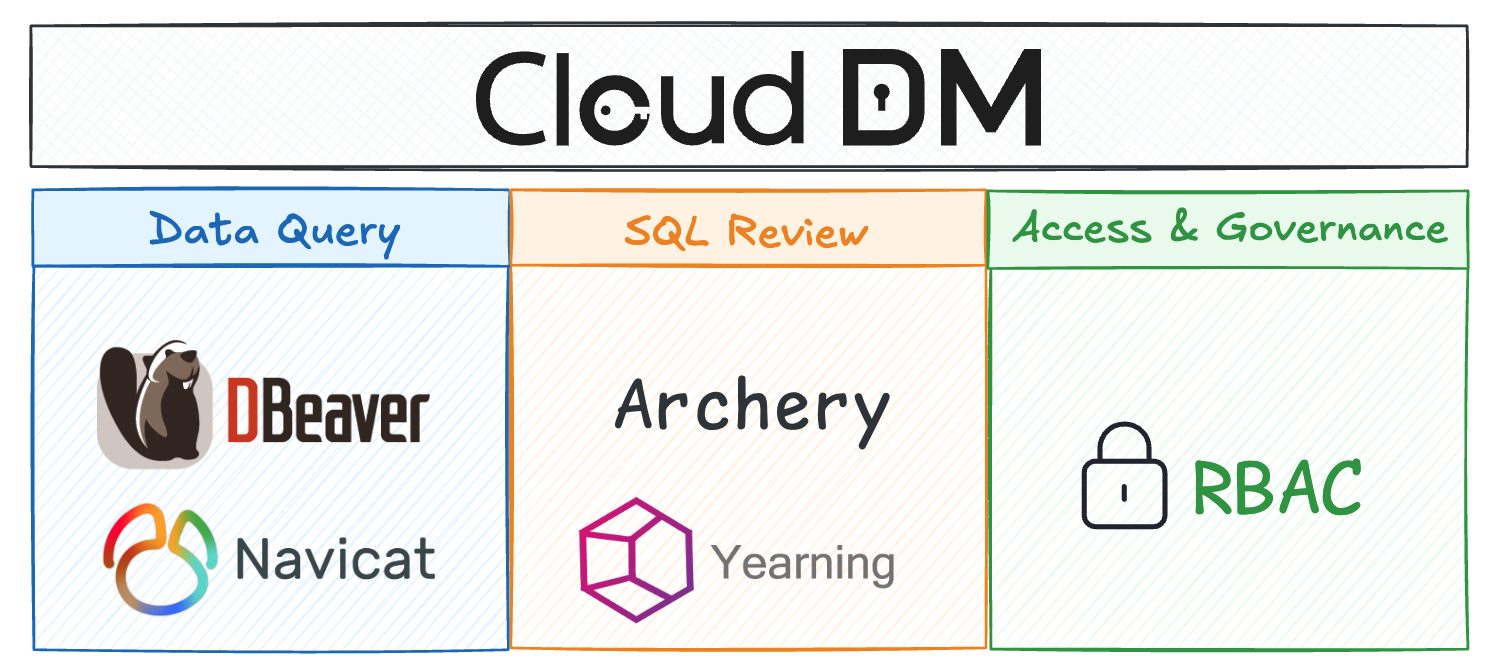
Data Query
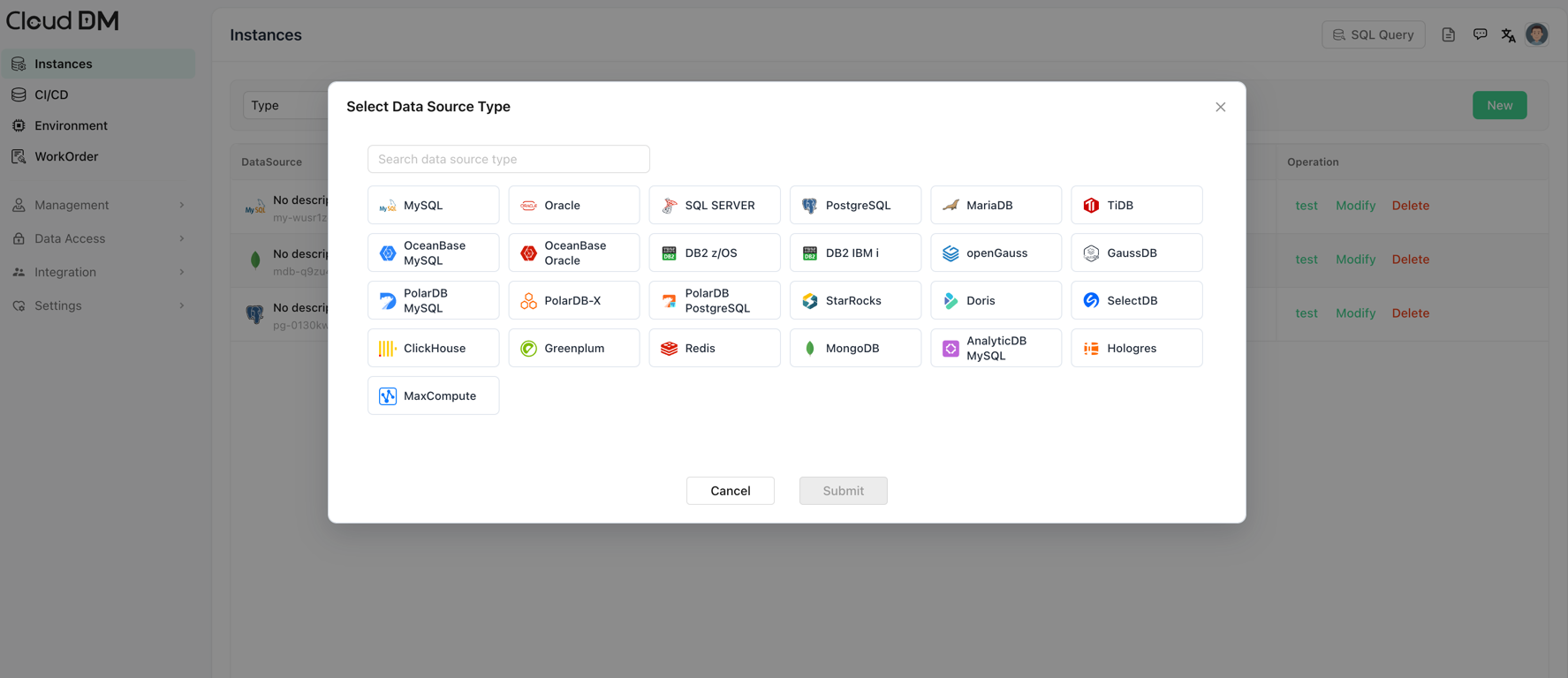
- Rich data source support covering many database types
- MySQL, Oracle, MariaDB, PostgreSQL, IBM DB2, SQL Server, OceanBase
- SAP Hana, StarRocks, Doris, SelectDB, ClickHouse, PolarDB, TiDB, Greenplum
- Hologres, DM (Dameng), GaussDB, AnalyticDB MySQL, MaxCompute, Redis, MongoDB
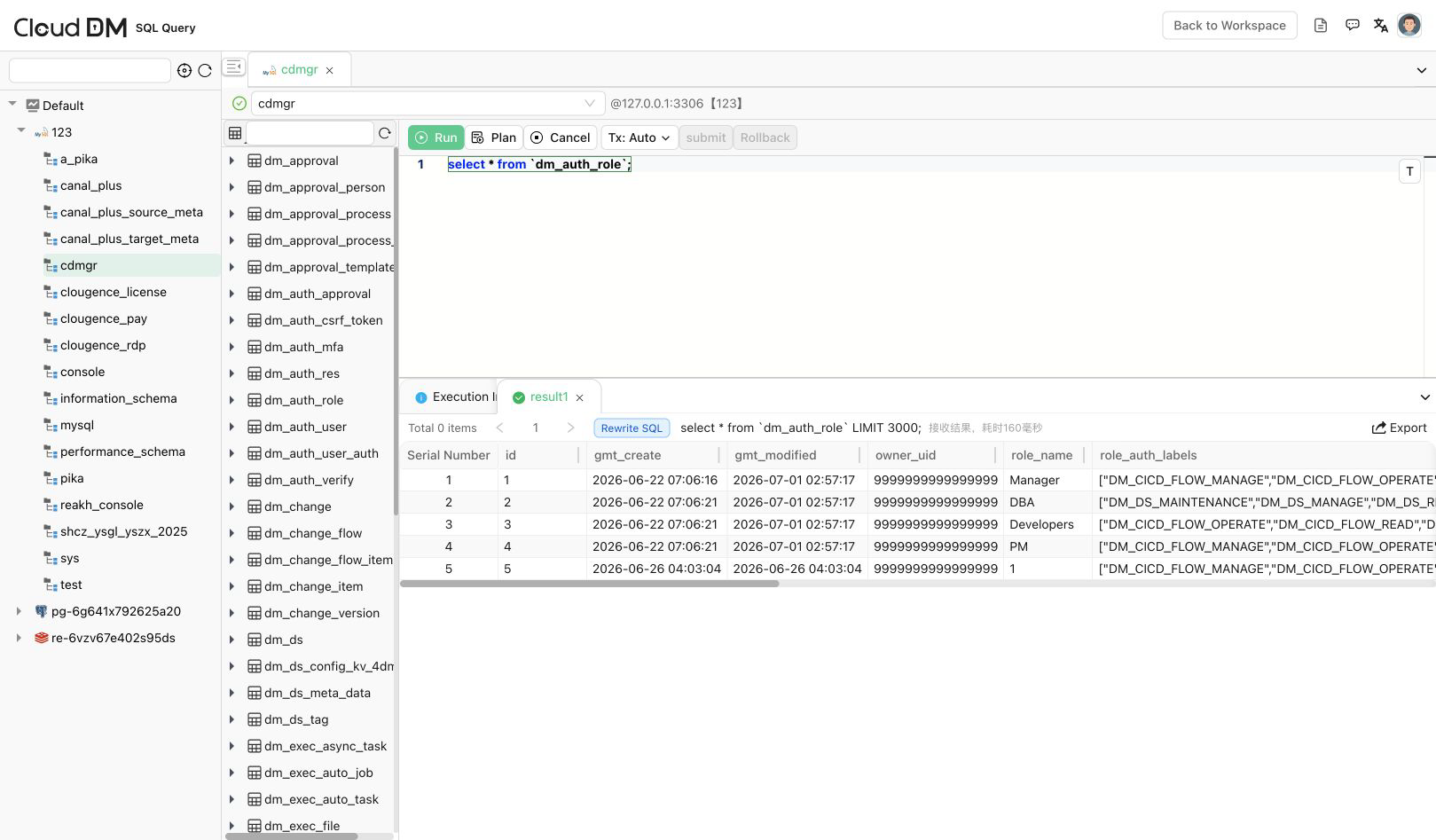
- Unified web console access to databases, with support for transactions, isolation levels, and execution plans
- Query editor, syntax highlighting, intelligent suggestions, execution plans, and result export
Database Management
- Supported database objects include databases, schemas, tables, columns, indexes, views, functions, stored procedures, triggers, users, roles, and more
- Visual management of database objects such as create, delete, modify, and inspect properties
- Management of different data sources through environments and clusters
Access Control
- Authorization model that separates resources and functions
- Resource permissions can be granted at the instance, database, schema, and table levels, depending on the statement type
- Function authorization uses role-based access control (RBAC) by granting roles to users
- Supports permission requests, permission grants, and temporary permissions
Database CI/CD
- Provides three ways to trigger CI/CD workflows: Git Push, Web Hook, and HttpCall
- Supports Gitee as the change repository
SQL Auditing
- Supports audit rules, security policies, and data masking
- Includes 54 built-in rules and supports custom extensions through rule scripts
- Supports SQL pre-checks before execution to warn about or block risky statements
Collaboration and Workflow
- Supports three workflow types: SQL audit, permission tickets, and change workflows
- Supports manual execution, immediate execution, and scheduled execution for work orders
- Workflow engines: built-in, DingTalk, Feishu, WeCom
- Unified authentication / SSO: OpenLDAP / OpenID Connect (OIDC) / Windows AD / DingTalk / Feishu / WeCom
Quick Start
Install
CloudDM supports Standalone (Alone) and Cluster (Console + Sidecar) modes, and also supports install packages, Docker, and Kubernetes deployment methods.
The example below demonstrates how to use standalone deployment. If you need install-package deployment, cluster deployment, or Kubernetes deployment, you can continue deploying with the install packages and yml files generated after local packaging. For complete deployment instructions, see deployment.en.md.
# Quick start, default image
docker run -d --name cgdm-alone \
  -p 8222:8222 \
  -v cgdm_alone_conf:/root/cgdm/alone/conf \
  -v cgdm_alone_logs:/root/cgdm/alone/logs \
  -v cgdm_alone_data:/root/cgdm/alone/data \
  -v cgdm_mysql_data:/var/lib/mysql \
  bladepipe/cgdm-alone:4.3.0

# Faster image pulls in China
docker run -d --name cgdm-alone \
  -p 8222:8222 \
  -v cgdm_alone_conf:/root/cgdm/alone/conf \
  -v cgdm_alone_logs:/root/cgdm/alone/logs \
  -v cgdm_alone_data:/root/cgdm/alone/data \
  -v cgdm_mysql_data:/var/lib/mysql \
  cloudcanal-registry.cn-shanghai.cr.aliyuncs.com/clougence/cgdm-alone:4.3.0
Host directory mount example:
mkdir -p /data/cgdm/{conf,logs,data,mysql}

docker run -d --name cgdm-alone \
  -p 8222:8222 \
  -v /data/cgdm/conf:/root/cgdm/alone/conf \
  -v /data/cgdm/logs:/root/cgdm/alone/logs \
  -v /data/cgdm/data:/root/cgdm/alone/data \
  -v /data/cgdm/mysql:/var/lib/mysql \
  bladepipe/cgdm-alone:4.3.0
When /data/cgdm/conf is empty, CloudDM initializes it with the default configuration files on startup.
Offline Image Deployment
When the host cannot reach an image registry, download the architecture-specific archive cgdm-alone-image-<arch>.tar.gz from the GitHub Release, load it on the target host, and start it as shown above.
gunzip -c cgdm-alone-image-<arch>.tar.gz | docker load
This loads the image bladepipe/cgdm-alone:<version>. Then start it with the docker run commands shown above.
For cluster deployment, use cgdm-cluster-image-<arch>.tar.gz. It contains the versioned Console and Sidecar images together with mysql:8.0.
Upgrade
Before upgrading, back up Docker volumes or database data. To upgrade, remove the old container and start the new image with the same volumes.
# Default image
docker rm -f cgdm-alone
docker pull bladepipe/cgdm-alone:4.3.0
docker run -d --name cgdm-alone \
  -p 8222:8222 \
  -v cgdm_alone_conf:/root/cgdm/alone/conf \
  -v cgdm_alone_logs:/root/cgdm/alone/logs \
  -v cgdm_alone_data:/root/cgdm/alone/data \
  -v cgdm_mysql_data:/var/lib/mysql \
  bladepipe/cgdm-alone:4.3.0

# China acceleration image
docker rm -f cgdm-alone
docker pull cloudcanal-registry.cn-shanghai.cr.aliyuncs.com/clougence/cgdm-alone:4.3.0
docker run -d --name cgdm-alone \
  -p 8222:8222 \
  -v cgdm_alone_conf:/root/cgdm/alone/conf \
  -v cgdm_alone_logs:/root/cgdm/alone/logs \
  -v cgdm_alone_data:/root/cgdm/alone/data \
  -v cgdm_mysql_data:/var/lib/mysql \
  cloudcanal-registry.cn-shanghai.cr.aliyuncs.com/clougence/cgdm-alone:4.3.0
Initialization
Access the product in your browser:
http://localhost:8222
On first access after a fresh deployment, the initialization wizard will open; during an upgrade, the upgrade wizard will open.
If you not change the account, the default account is admin@cdmgr.com
Add Data Source
Query Data
Open Source License
CloudDM is released under the business-friendly Apache License 2.0. See LICENSE.txt for details.
