GSYGithubAppKotlin
Introduction: 超完整的 Android Kotlin 项目,功能丰富,适合学习和日常使用。GSYGithubApp 系列的优势:目前已经拥有 Flutter、Weex、ReactNative、Kotlin 四个版本。 功能齐全,项目框架内技术涉及面广,完成度高。开源 Github 客户端 App,更好的体验,更丰富的功能,旨在更好的日常管理和维护个人 Github,提供更好更方便的驾车体验Σ( ̄。 ̄ノ)ノ。同款 Weex 版本: https://github.com/CarGuo/GSYGithubAppWeex 、同款 React Native 版本 : https://github.com/CarGuo/GSYGithubApp 、 同款 Flutter 版本: https://github.com/CarGuo/GSYGithubAppFlutter
Tags:
English | 中文

同款 Flutter 版 ( https://github.com/CarGuo/gsy_github_app_flutter )
同款 HarmonyOS ArkUI 版 ( https://github.com/CarGuo/GSYGithubAppOH )
同款 Android Compose 版 ( https://github.com/CarGuo/GSYGithubAppCompose )
同款 Compose Multiplatform 版 ( https://github.com/CarGuo/GSYGithubAppCMP )
同款 Weex 版 ( https://github.com/CarGuo/GSYGithubAppWeex )
同款 ReactNative 版 ( https://github.com/CarGuo/GSYGithubApp )
如果克隆太慢或者图片看不到,可尝试从码云地址下载
| 公众号 | 掘金 | 知乎 | CSDN | 简书 |
|---|---|---|---|---|
| GSYTech | 点我 | 点我 | 点我 | 点我 |
基于 Kotlin 开发的原生 App 。目前初版,持续完善中。

项目的目的是为方便个人日常维护和查阅 Github ,更好的沉浸于码友之间的互基,Github 就是你的家。

项目同时适合 Android 和 Kotlin 的练手学习,覆盖了各种框架的使用。

随着项目的使用情况和反馈,将时不时根据更新并完善用户体验与功能优化吗,欢迎提出问题。
相关文章
敬请期待



编译运行流程
重点:你需要项目根目录下,配置
local.properties文件,然后输入你申请的 Github client_id 和 client_secret。
ndk.dir="xxxxxxxx"
CLIENT_ID = "xxxxxx"
CLIENT_SECRET = "xxxxxx"
如果需要测试
CMake,要打开 Gradle 中的needCMakeTest,记得配置CMake环境。
注册 Github APP 传送门,当然,前提是你现有一个 github 账号(~ ̄▽ ̄)~ 。
3、现在 Github API 需要使用安全登录(授权登录),那么在上述注册 Github App 的 Authorization callback URL 一栏必须填入 gsygithubapp://authed
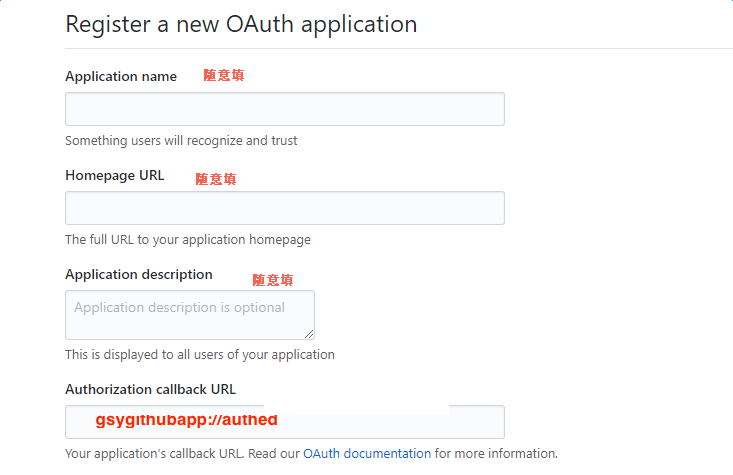

4、登录页除了 OAuth 授权登录外,还提供「使用 Token 登陆」入口:在 Github Personal Access Tokens 生成具备
repo / user / notifications权限的 token,点击登录页「使用 TOKEN 登陆」按钮粘贴即可登录,无需配置 client_id/client_secret。
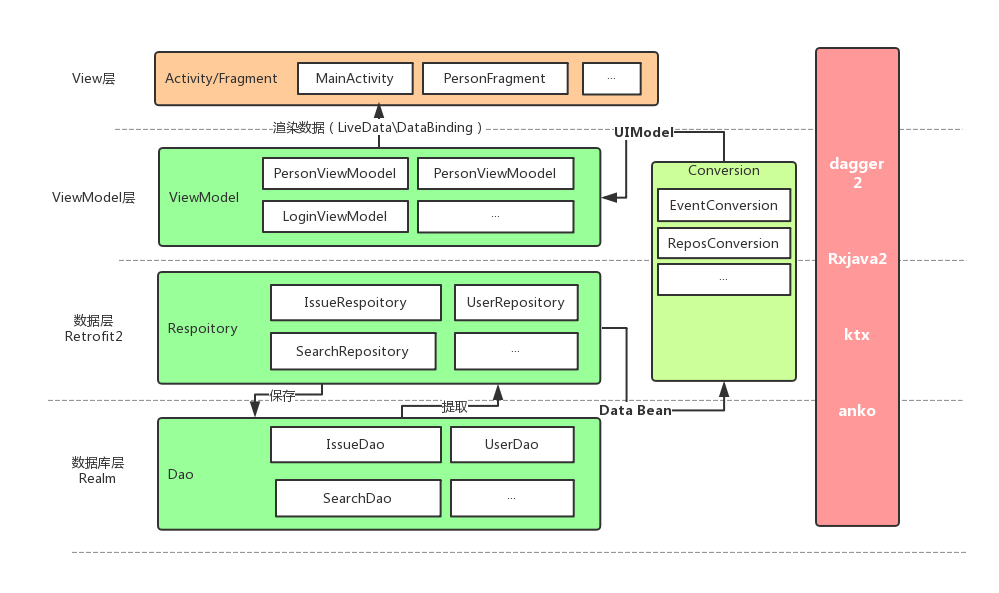
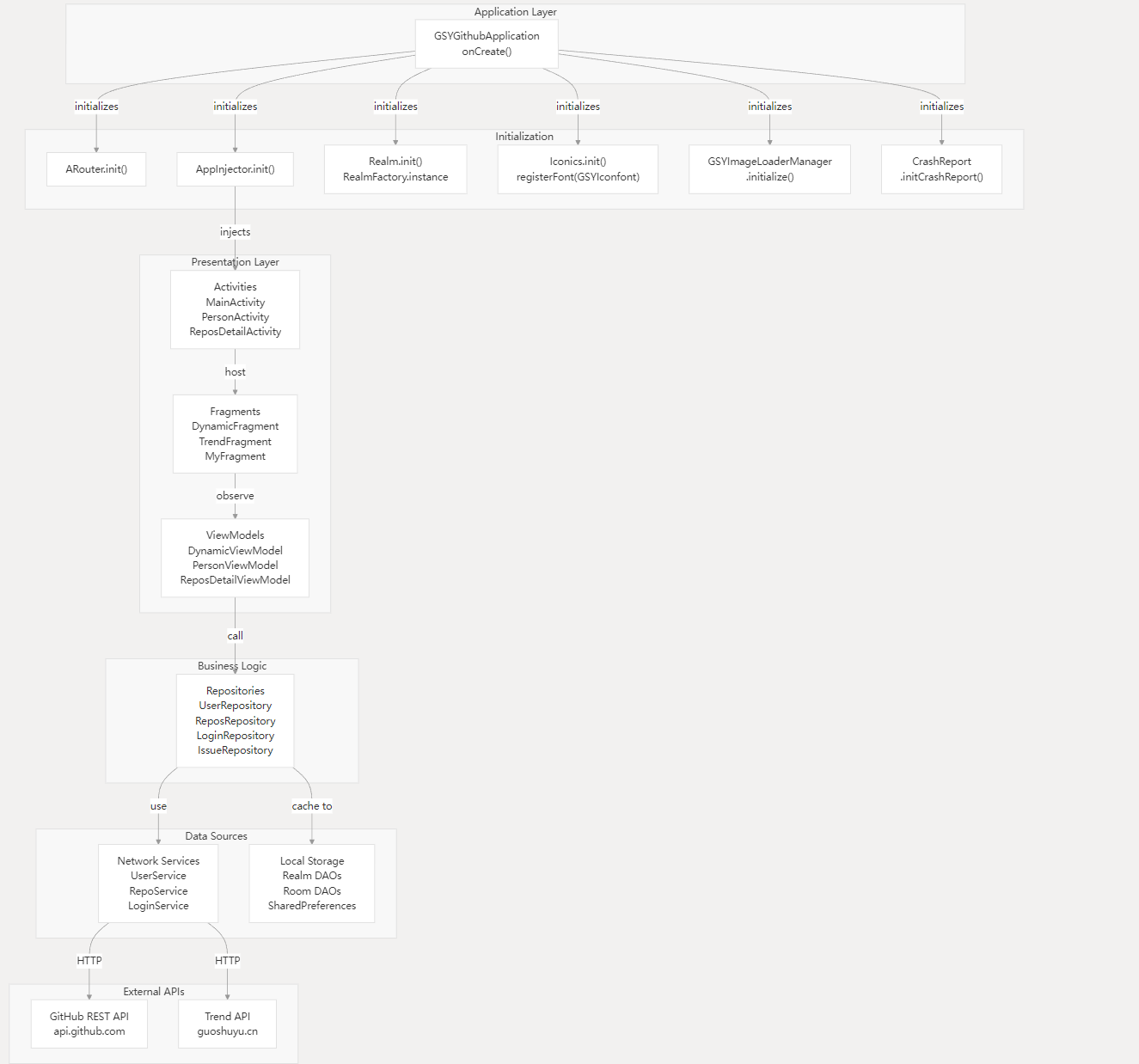
项目结构图

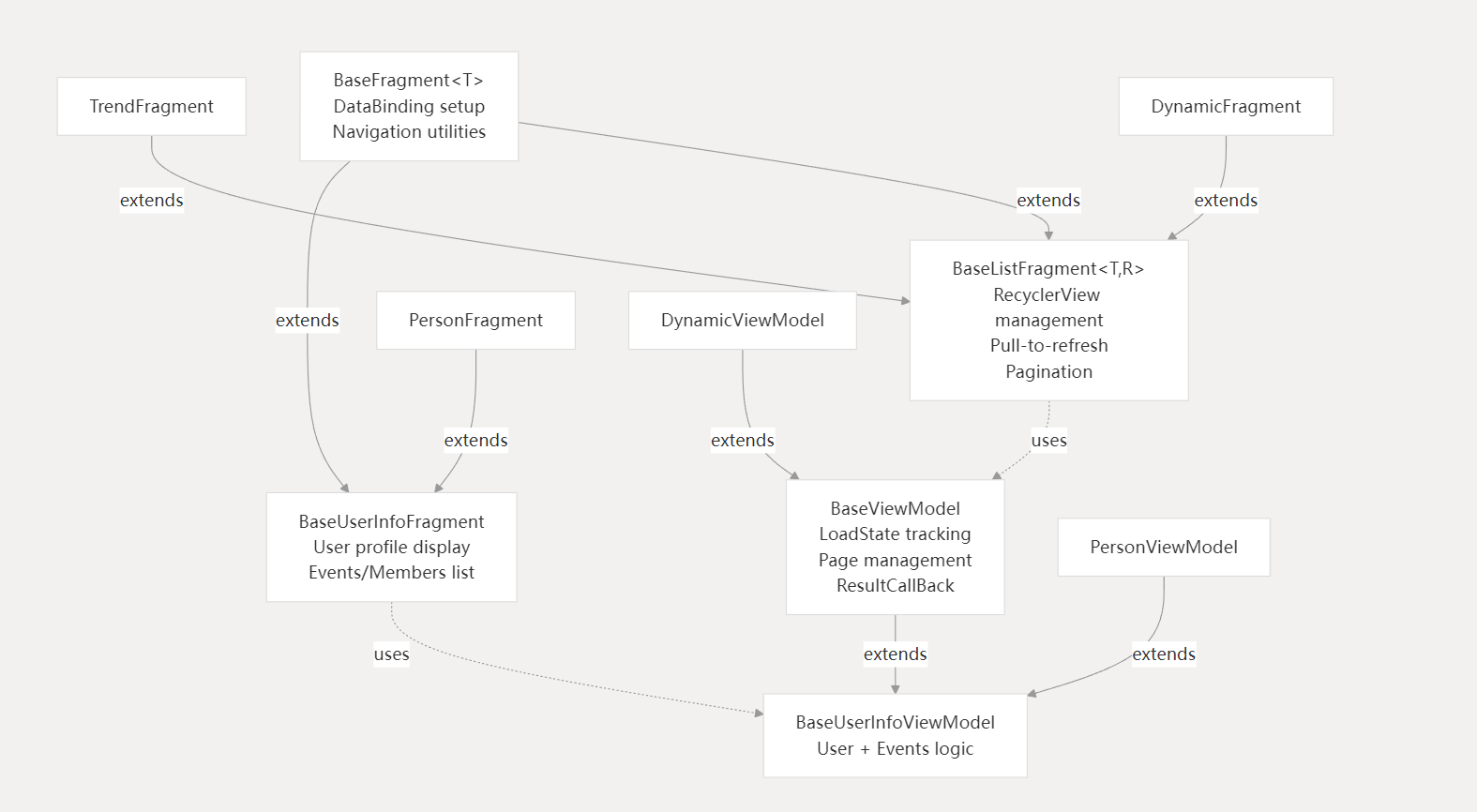
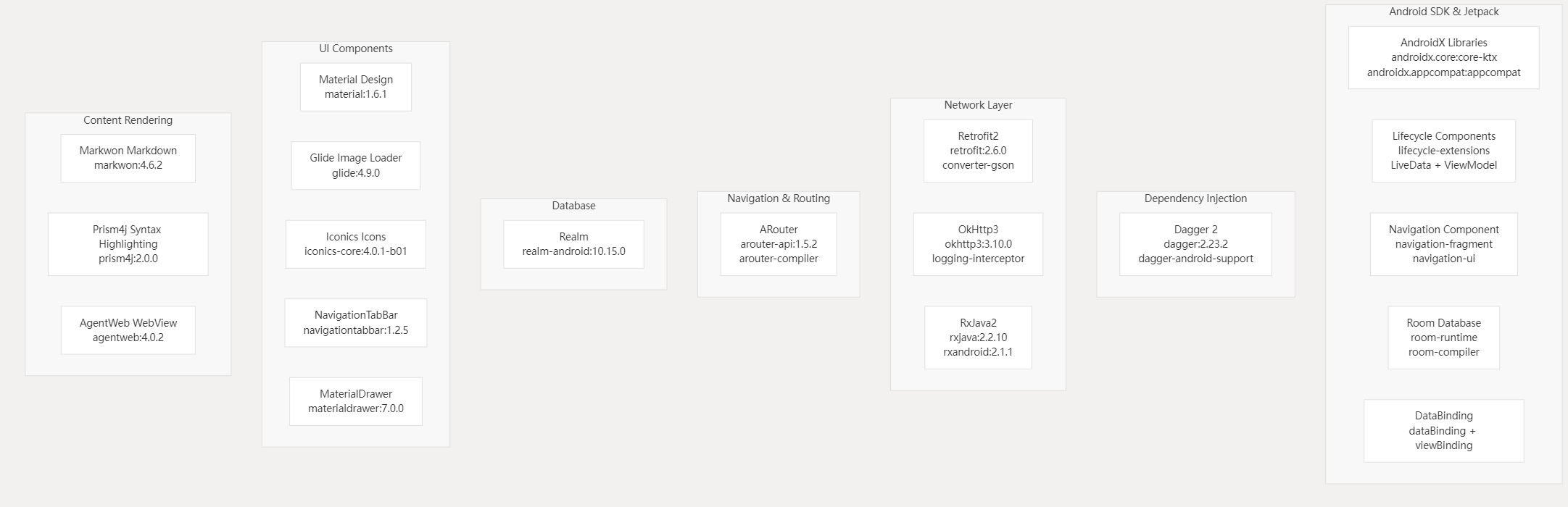
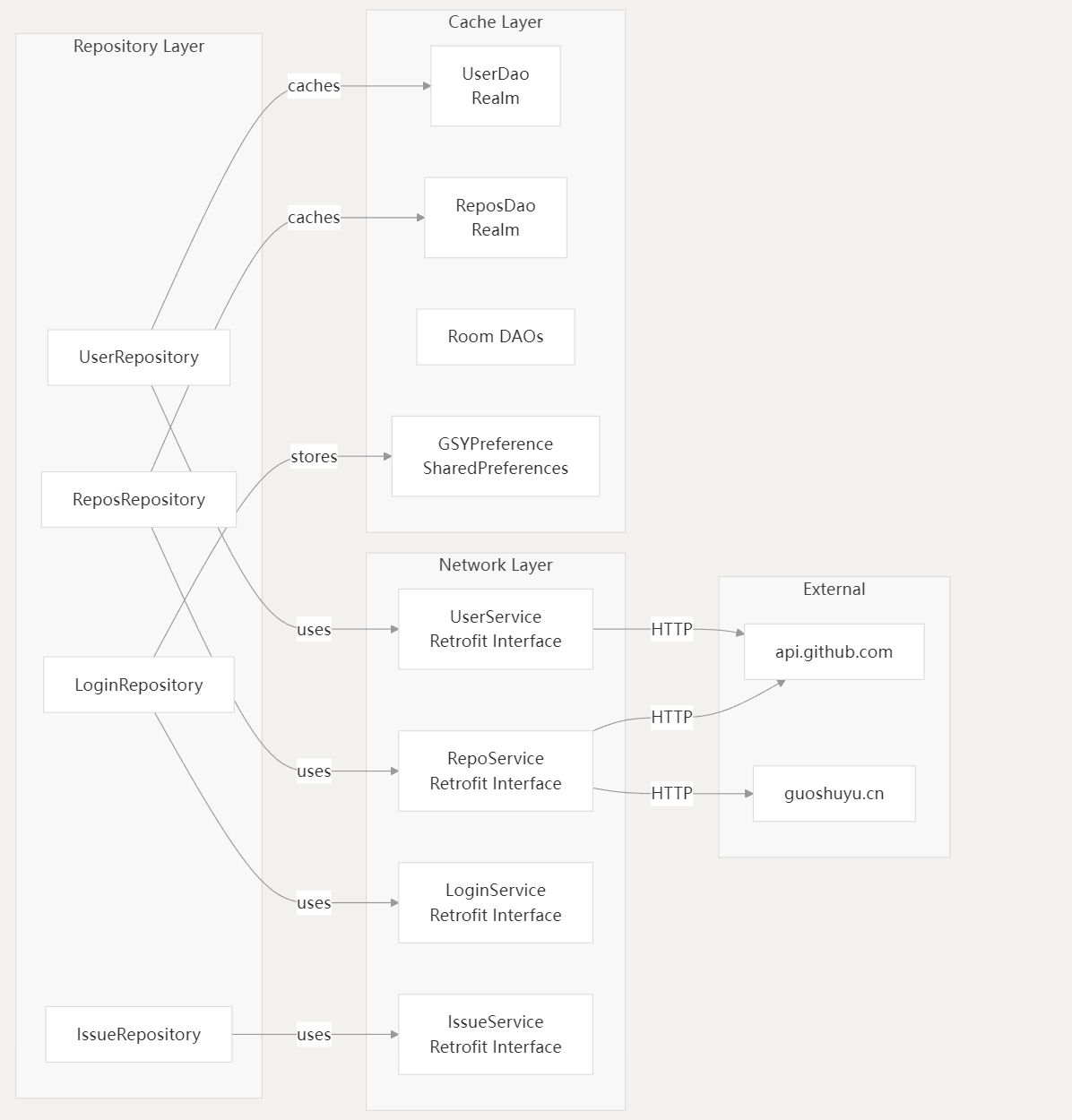
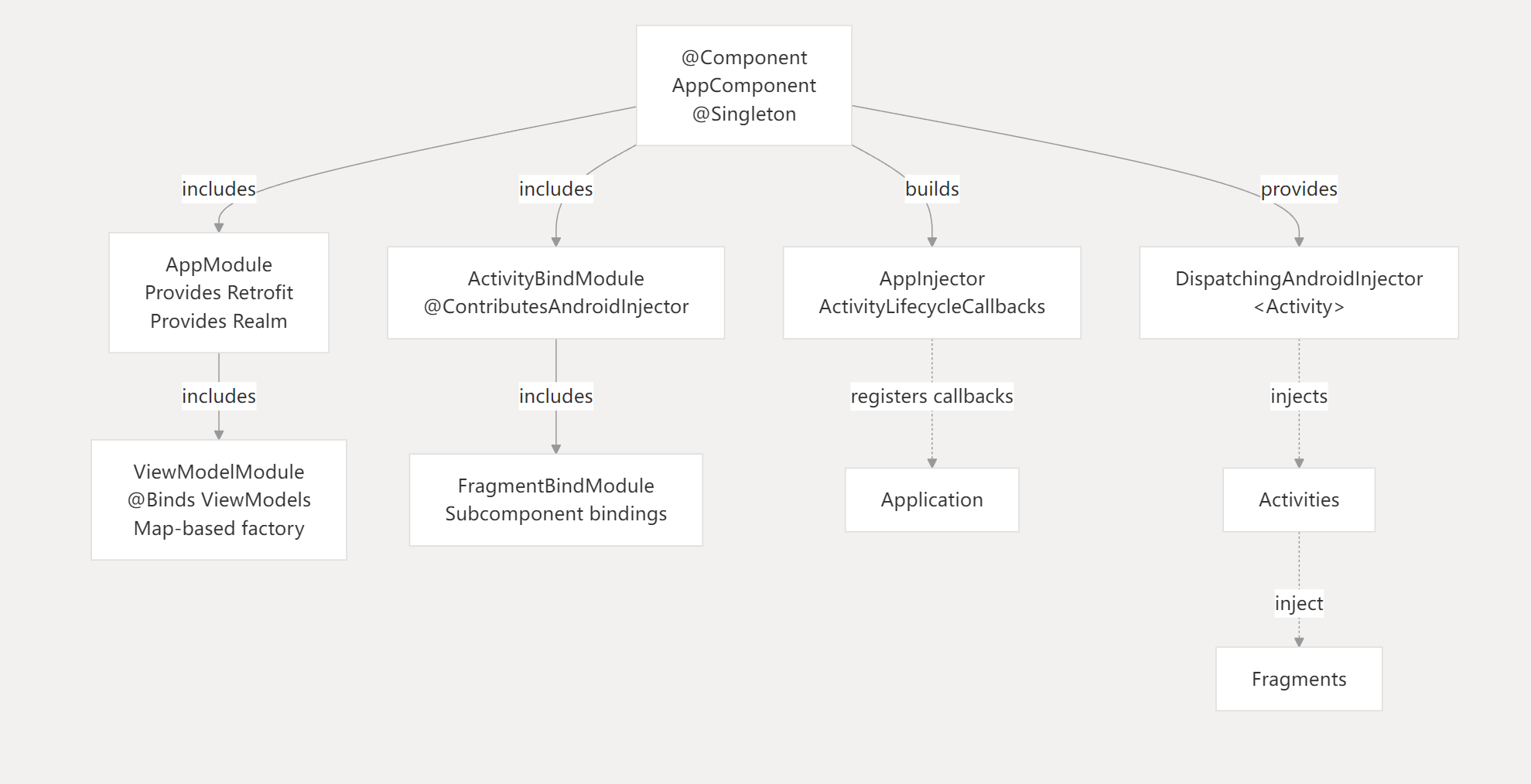
架构演进
当前主线已完成 Realm → Room、kapt → KSP2、AGP 8 → AGP 9 的整体迁移,并新增 Personal Access Token 登录入口。下图概览本次迁移与登录链路:

查看 Mermaid 源码(GitHub 原生支持渲染)
flowchart LR
    A[Realm + kapt + AGP 8] -->|d32a935| B[Room + KSP2 + AGP 9.0.0-alpha14]
    B -->|da13df9| C[新增 PAT Token 登录]
    C --> D[Login UI]
    C --> E[LoginRepository.loginWithToken]
    E --> F[accessTokenStorage]
    F --> G[RetrofitFactory Authorization]
    G --> H[GitHub GET /user 校验]
    H -->|成功| I[MainActivity]
    H -->|失败| J[clearTokenStorage]
    style A fill:#fff3e0,color:#e65100
    style B fill:#bbdefb,color:#0d47a1
    style C fill:#c8e6c9,color:#1a5e20
    style F fill:#fff3e0,color:#e65100
    style J fill:#fff3e0,color:#e65100
    style I fill:#c8e6c9,color:#1a5e20
Token 登录
登录页底部「使用 Token 登陆」按钮会弹出输入对话框:粘贴 GitHub Personal Access Token(建议勾选 repo / user / notifications / gist 权限)即可登录。Token 默认遮蔽显示,可点击右侧眼睛图标切换可见;对话框内的「如何创建 Token?」会跳转到 GitHub 设置页带预选 scopes。Token 仅写入本机 SharedPreferences,校验失败会自动清空。
国内构建加速(可选)
仓库内 settings.gradle 仅声明 Gradle 标准仓库,便于 GitHub Actions / 海外网络构建。Gradle 9 在镜像偶发 5xx 时会直接禁用该仓库,因此不要把 aliyun 镜像写进项目脚本。国内开发者请在用户级 init script 中加镜像:
// ~/.gradle/init.d/repo-mirror.gradle
allprojects {
    repositories {
        maven { url "https://maven.aliyun.com/repository/public" }
        maven { url "https://maven.aliyun.com/repository/google" }
        maven { url "https://maven.aliyun.com/repository/gradle-plugin" }
    }
}
settingsEvaluated { settings ->
    settings.pluginManagement {
        repositories {
            maven { url "https://maven.aliyun.com/repository/public" }
            maven { url "https://maven.aliyun.com/repository/google" }
            maven { url "https://maven.aliyun.com/repository/gradle-plugin" }
        }
    }
}
下载
Apk 下载链接: Apk 下载链接
常见问题
敬请期待
示例图片
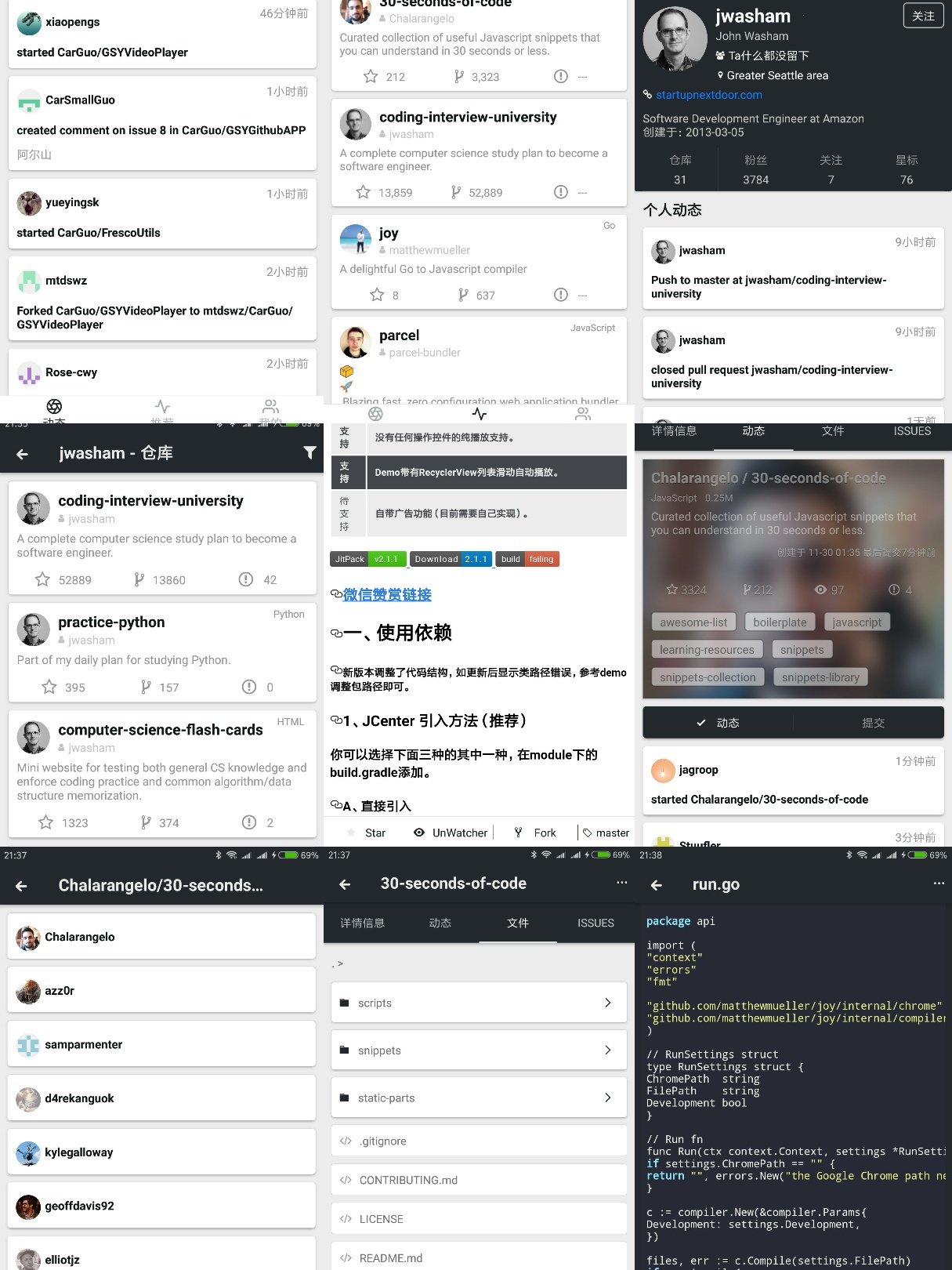
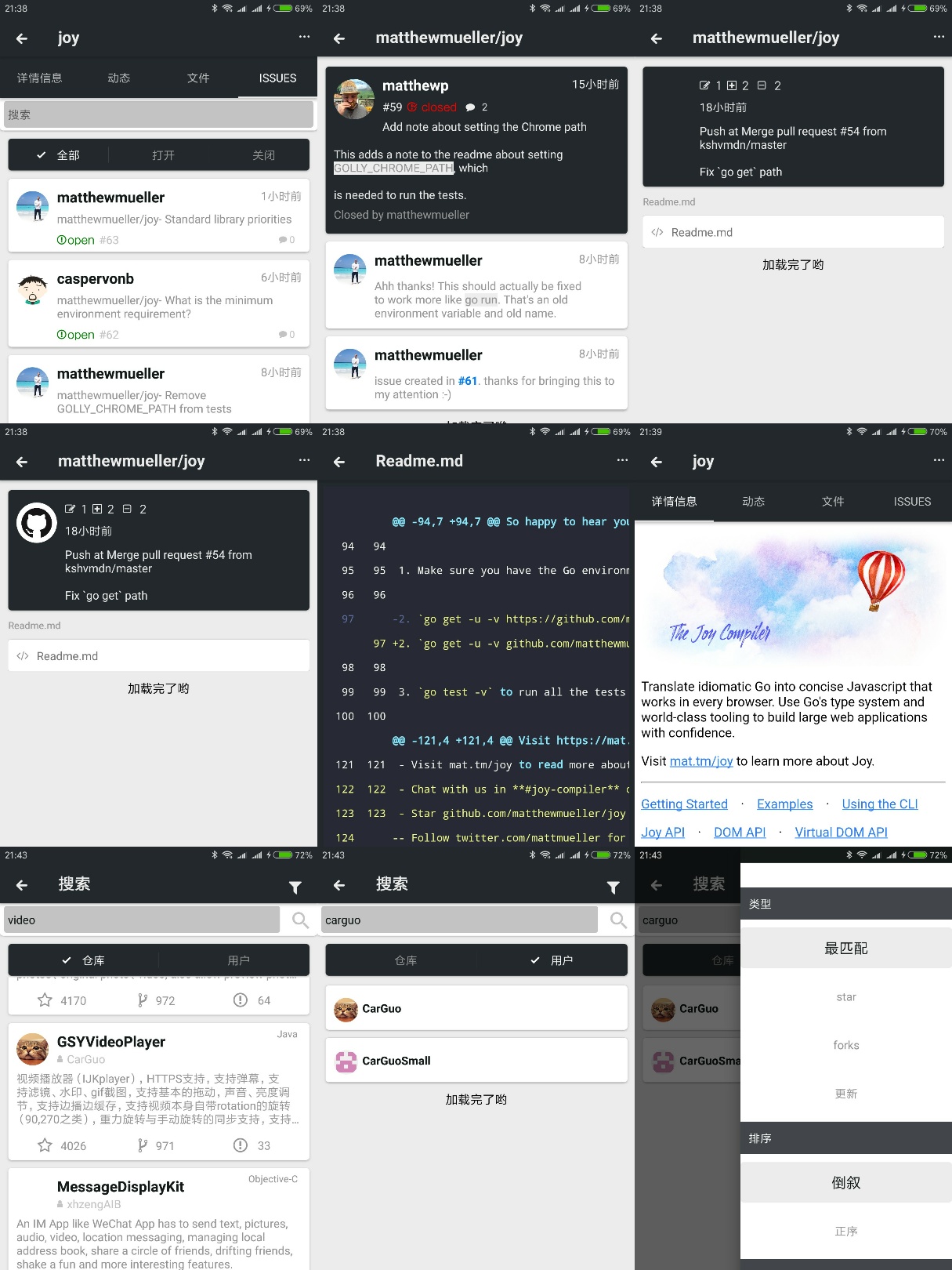
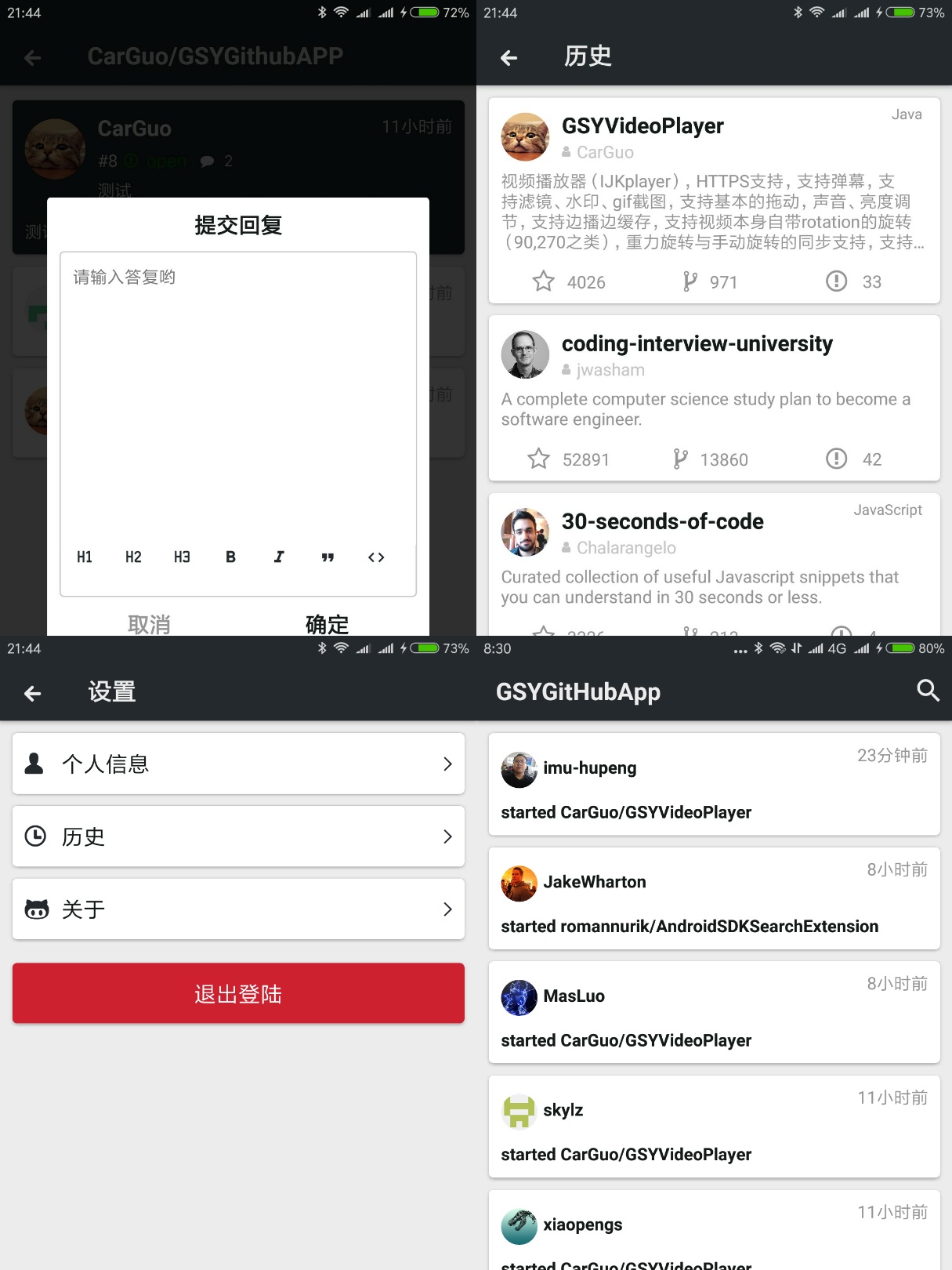
第三方框架
| 库 | 功能 |
|---|---|
| retrofit2 | 网络 |
| okHttp3 | 网络 |
| rxJava2 | 异步事件处理 |
| dagger2 | 依赖注入 |
| dataBinding | 数据绑定 |
| liveData/viewModel | 数据订阅 |
| navigation | Android JetPack 导航 |
| aRouter | 组件化路由 |
| glide | 图片加载 |
| room | 数据库 |
| iconics | 矢量图标 |
| navigationtabbar | TabBar |
| lazyRecyclerAdapter | 通用绑定 RecyclerView 适配器 |
| markdownView | Markdown 解析 |
| prism4j | 代码高亮 |
| materialDrawer | drawer |
| lottie | svg 动画 |
| gson | json 解析 |
进行中:

其他推荐
- ThirtyDegreesRay/OpenHub : 基于 Java + Retrofit + RxJava + MVP 的开源 github app(本项目的部分数据实体是从 OpenHub 拷贝而来。)
LICENSE
CarGuo/GSYGithubAppKotlin is licensed under the
Apache License 2.0

A permissive license whose main conditions require preservation of copyright and license notices.
Contributors provide an express grant of patent rights.
Licensed works, modifications, and larger works may be distributed under different terms and without source code.
