Jarida
Introduction: Jarida (Jadx + Frida) is a Jadx GUI plugin that lets you trace and optionally patch Java method return values at runtime using Frida, directly from Jadx’s decompiled view.
Tags:
────────────────────────────────────────────────────────────────────────────────
   J A R I D A   |   JADX × Frida   |   Android Reverse Engineering Toolkit
────────────────────────────────────────────────────────────────────────────────
Jarida (Jadx + Frida) is a Jadx GUI plugin that lets you trace and optionally patch Java method return values at runtime using Frida, directly from Jadx’s decompiled view.
Motivation
Static analysis tells you what the code could do. Jarida shows what it actually does at runtime, without leaving Jadx. The goal is fast, practical inspection: choose a method → hook it → watch arguments and results live.
Showcase
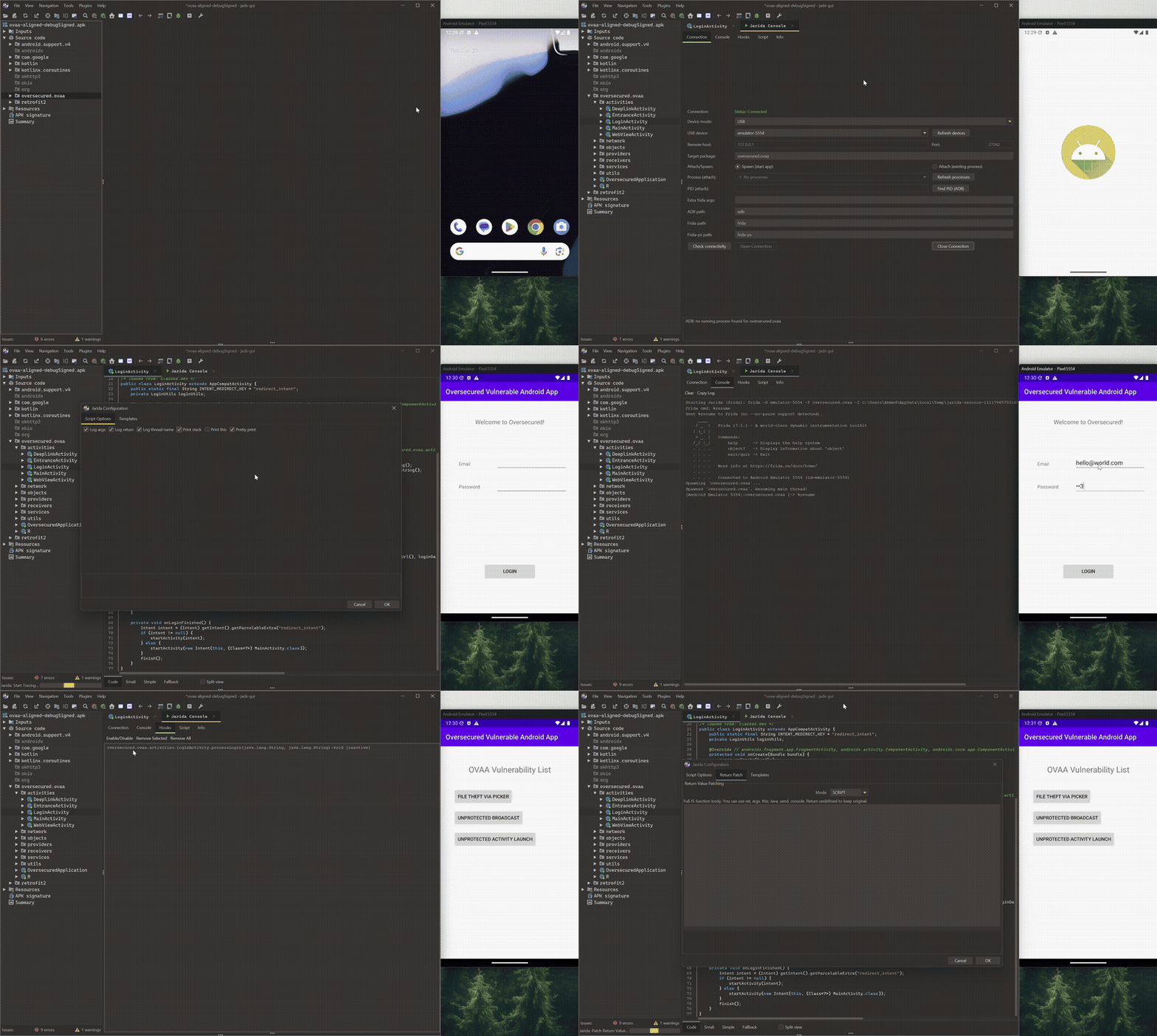
Key features
- Exact overload resolution, supports overloaded methods, static/instance methods, arrays, primitives, objects.
- Hook logs: arguments, return value, thread name, optional stack trace.
- Return patching: constant / expression / conditional / full script.
- Multi-hooking: keep adding hooks without restarting the app.
- Hook indicators in Jadx code view.
Requirements
- Jadx GUI 1.5.x (tested with 1.5.3)
- Python +
frida+frida-tools adbin PATHfrida-serverrunning on your device/emulator
Build (local)
Maven pulls the required Jadx dependencies automatically.
Build:
mvn -DskipTests package
Jar output:
target/jarida-<version>.jar
Install in Jadx GUI
You can install Jarida either from the Jadx plugin store or from a local jar.
Option A — Install from Jadx Plugin Store (recommended)
- Open Jadx GUI
- Plugins → Manage plugins
- Find Jarida
- Click Install
- Restart Jadx
Option B — Install local jar
You can download the jar from GitHub Releases or build it yourself.
- Open Jadx GUI
- Plugins → Install plugin
- Select the jar (from Releases or local build):
jarida-<version>.jar - Restart Jadx
Troubleshooting
- Frida CLI not found: check
fridaandfrida-toolsare installed and on PATH. - No device: confirm
adb devices -lshows your device. - frida-server not running: restart it from ADB shell.
- Attach fails: try Spawn mode or select the correct PID.
