cantordust
Cantordust-Ghidra
Binary visualization for Ghidra.
See the shape of a file, then click straight through to the bytes that made it.
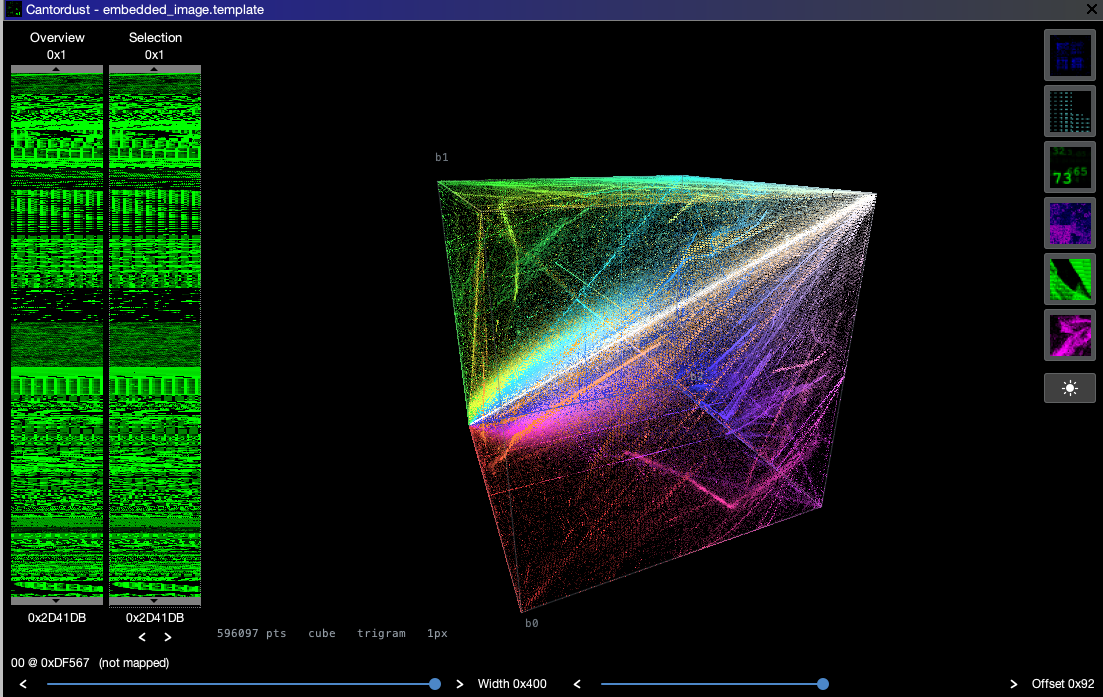
Every three consecutive bytes of an embedded image as a point in a 256³ cube.
Clicking a point reports the trigram and jumps the Ghidra listing to it.
Visualizations · Installation · Development
CantorDust is a binary visulization tool used to aid reverse engineering efforts. It allows humans to utilize their superior visual pattern recognition to identify patterns in binary data.
CantorDust (then ..cantor.dust..) was originally created by Chris Domas (xoreaxeaxeax), with funding from Battelle. The Ghidra plugin version of CantorDust was primarily developed by Battelle interns AJ Snedden and Mike Sengelmann with funding from Battelle.
Take a look at this blogpost to learn more about the algorithms and history behind this tool.
 |
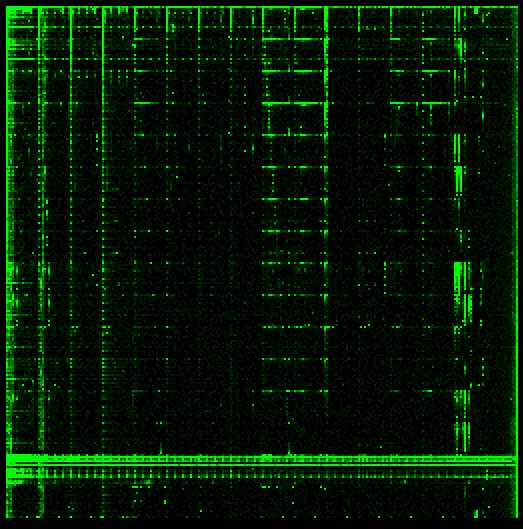 |
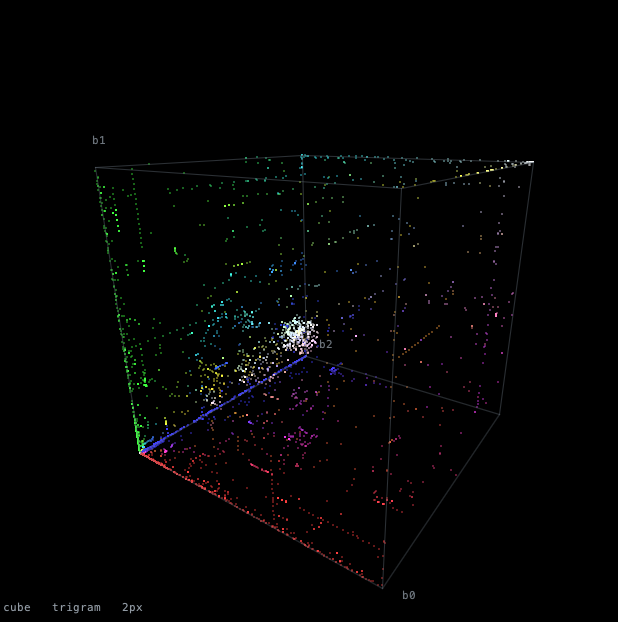
| 3-Tuple — byte triples as points in a 256³ cube | 2-Tuple — byte pairs on a 256×256 grid |
 |
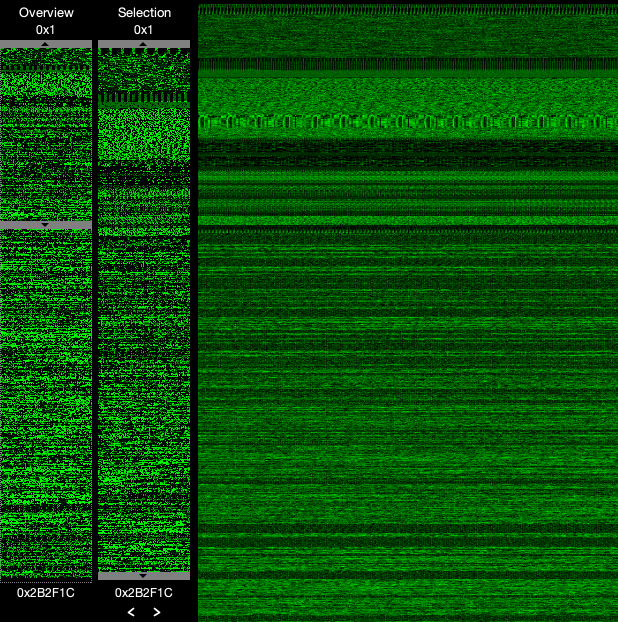 |
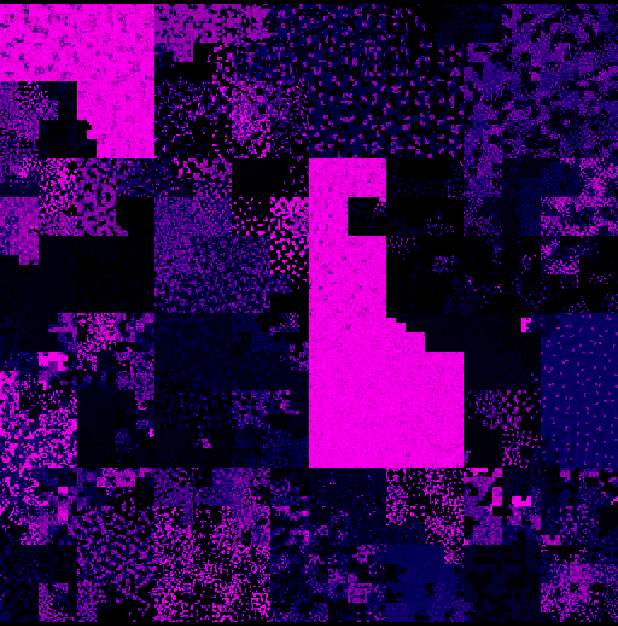
| Metric Map — the file along a space-filling curve | Linear BitMap — the file as raster scanlines |
Also included: 1-Tuple, byte values against position, and Byte Cloud, the frequency of each byte value laid out as the hex table.
The Overview and Selection sliders on the left choose which part of the file is drawn. Overview picks the window; Selection picks the range inside it. Files larger than 25 MB are viewed through a 1 MB working window that a third slider scrolls.
Installation
Cantordust runs three ways. Pick one:
| Best for | Needs | |
|---|---|---|
| Ghidra extension | Everyday use inside the CodeBrowser | Ghidra 12.1 or later |
| Ghidra script | Hacking on Cantordust itself | Ghidra 9.1 or later, a clone of this repo |
| Standalone app | Looking at a file without opening Ghidra | Nothing (the app bundles its own Java runtime) |
Downloads for all three are on the Releases page.
The extension and the script cannot be used in the same Ghidra at once. Ghidra exposes an installed extension's classes to every script, so a checkout of this repo registered as a script directory will no longer compile while the extension is installed. The script detects this and tells you to use the extension instead. Pick one, or uninstall the extension before running the script.
As a Ghidra extension
- Download
ghidra_<version>_PUBLIC_<date>_Cantordust.zipfrom Releases. Do not unzip it; Ghidra reads the zip directly. - In the Ghidra project window choose File → Install Extensions, click
the green +, pick the zip, click OK, and restart Ghidra when asked.
- The zip is built against one Ghidra release. If yours differs, Ghidra warns and offers Install Anyway; that works across 12.x releases.
- Open a program in the CodeBrowser and enable the plugin: File → Configure → Configure All Plugins (the plug icon in the top-right of the dialog), tick CantordustPlugin, click OK. This is needed once per tool.
- Open Cantordust with Window → Cantordust, the Cantordust toolbar icon, or Alt+C.
The Cantordust window follows the program in the CodeBrowser: clicking a point jumps the listing, and the window docks, floats, and is restored with the tool like any other Ghidra component.
To remove it: File → Install Extensions, untick Cantordust, restart.
As a Ghidra script
Use this if you want to edit Cantordust and see your changes without rebuilding the extension.
- Clone this repository.
- Install Ghidra 9.1 or later from ghidra-sre.org (see the Installation Guide).
- Open Ghidra, open a program in the CodeBrowser, and open the Script Manager (the green play button in the toolbar, or Window → Script Manager).
- Click the Manage Script Directories icon, click the green +, and add
the cloned
cantordust/directory. - Filter the Script Manager for
Cantordust.java, select it, and click the green play button.
Tick the In Tool box next to
Cantordust.javato get a toolbar button, or right-click it to assign a key binding.
Updating the script
- In your
cantordust/checkout rungit pull. - If Ghidra is already open, quit it and run
python3 cleanup.py. Ghidra recompiles changed scripts by itself, but a session that has already loaded Cantordust goes on using the classes it started with. - Start Ghidra and launch Cantordust as usual. If a change still does not take effect, see Ghidra Script Compilation under Development.
As a standalone application
The standalone app opens any file and offers every visualization. It has no listing to jump to, so clicking a point selects the bytes in the built-in hex view instead.
| Platform | Download | Install |
|---|---|---|
| macOS | Cantordust-<version>.dmg |
Open the dmg and drag Cantordust to Applications. |
| Windows | Cantordust-windows.zip |
Unzip anywhere and run Cantordust\Cantordust.exe. |
| Linux | cantordust_<version>-1_amd64.deb |
sudo apt install ./cantordust_<version>-1_amd64.deb, then find Cantordust in the app menu or run /opt/cantordust/bin/Cantordust. |
| Any (Java 17+) | cantordust.jar |
java -jar cantordust.jar [file] |
The native packages bundle a Java runtime, so nothing else is needed. The jar
needs Java 17 or later on your PATH.
Pass a file on the command line to open it directly, or use File → Open (Ctrl+O, Cmd+O on macOS) once the app is up. The whole file is read into memory; files over 25 MB are then viewed through the same 1 MB working window as in Ghidra.
macOS: the app is not notarized. The first launch may be blocked with "Cantordust" cannot be opened because the developer cannot be verified. Right-click the app and choose Open, or run
xattr -dr com.apple.quarantine /Applications/Cantordust.apponce.
Development
Feel free to make modifications, changes and updates to this repository. Below are some tips on how to get started.
Ghidra Script API
The Ghidra API is your friend. When in ghidra go to: "Help", and select "Ghidra API Help". This will take you to an interactive html page which provides everything you need to know in order to interact with the API.
In order for Ghidra Scripts to work, the file that is run must extend GhidraScript like so:
import ghidra.app.script.GhidraScript;
public class Cantordust extends GhidraScript { }
This class Cantordust is the only class that can interact with the API.
When adding a new
.javafile to the repo, make sure you passcantordustto it as a parameter in it's initialization. The only way you can print when testing a ghidra script, is by calling the class that extends GhidraScript and then calling your print statement. This will print in the Ghidra console. Example Below:
cantordust.printf("");
Ghidra Script Compilation
Ghidra recompiles a script when its source changes, so a freshly started Ghidra
picks up your edits - including edits to the classes under resources/. A
session that already has Cantordust loaded is a different matter: the bundle is
resolved and its classes are in memory, and editing the source underneath it
will not dislodge them. After changing code, quit Ghidra, run cleanup.py, and
start it again.
If a change still appears not to apply, check the Ghidra console: when a compile fails, Ghidra keeps running the last bundle that built successfully, which looks a lot like a stale cache.
Since Ghidra 9.2 compiled scripts are stored as OSGi bundles under your user settings directory, one bundle per source directory:
~/.ghidra/.ghidra_<version>/osgi/compiled-bundles/<hash>/
Later Ghidra versions moved this settings directory out of ~/.ghidra to a
platform-specific location, so the path above is not fixed. To clear the cache
without hunting for it, run:
python3 cleanup.py            # remove bundles built from this checkout
python3 cleanup.py --dry-run  # show what would be removed
python3 cleanup.py --all      # remove every compiled bundle
The script searches the known settings locations, and only removes bundles
containing a class built from this checkout unless you pass --all. Use
--settings-dir if your Ghidra keeps settings somewhere else.
Building the extension and the standalone app
Both builds use the Gradle wrapper in the repository root and share the sources
under resources/. The script, the extension, and the app differ only in the
small Host implementation that feeds bytes in and takes clicks out.
Standalone app (JDK 17 or later; jpackage needs JDK 14+):
./gradlew jar           # build/libs/cantordust.jar
./gradlew jpackage      # build/jpackage/: a .dmg, .deb, or app-image for this OS
./gradlew checkLayouts checkJumps checkClassifier checkEntropy   # headless checks
Ghidra extension (JDK 21 and a Ghidra 12.1 install):
export GHIDRA_INSTALL_DIR=/path/to/ghidra_12.1.4_PUBLIC
./gradlew -p ghidra-extension      # ghidra-extension/dist/ghidra_..._Cantordust.zip
The build applies Ghidra's own support/buildExtension.gradle, so the zip
carries the exact Ghidra version it was compiled against in its name. Install it
with File → Install Extensions as described above. When reinstalling a
rebuilt zip, untick the old Cantordust first, click OK, then add the new zip.
The GitHub Actions workflow runs the headless checks on Linux, macOS, and
Windows, packages the app for each, builds the extension, and attaches all of
them to the release when a v* tag is pushed.
License
Apache License 2.0. See LICENSE.
