kana-trainer






Trainer for the hiragana and katakana alphabets, on desktop, tablet and phone. Built with Tauri 2 and Svelte 5, in cream paper and black ink.
See the roadmap for planned features and improvements.
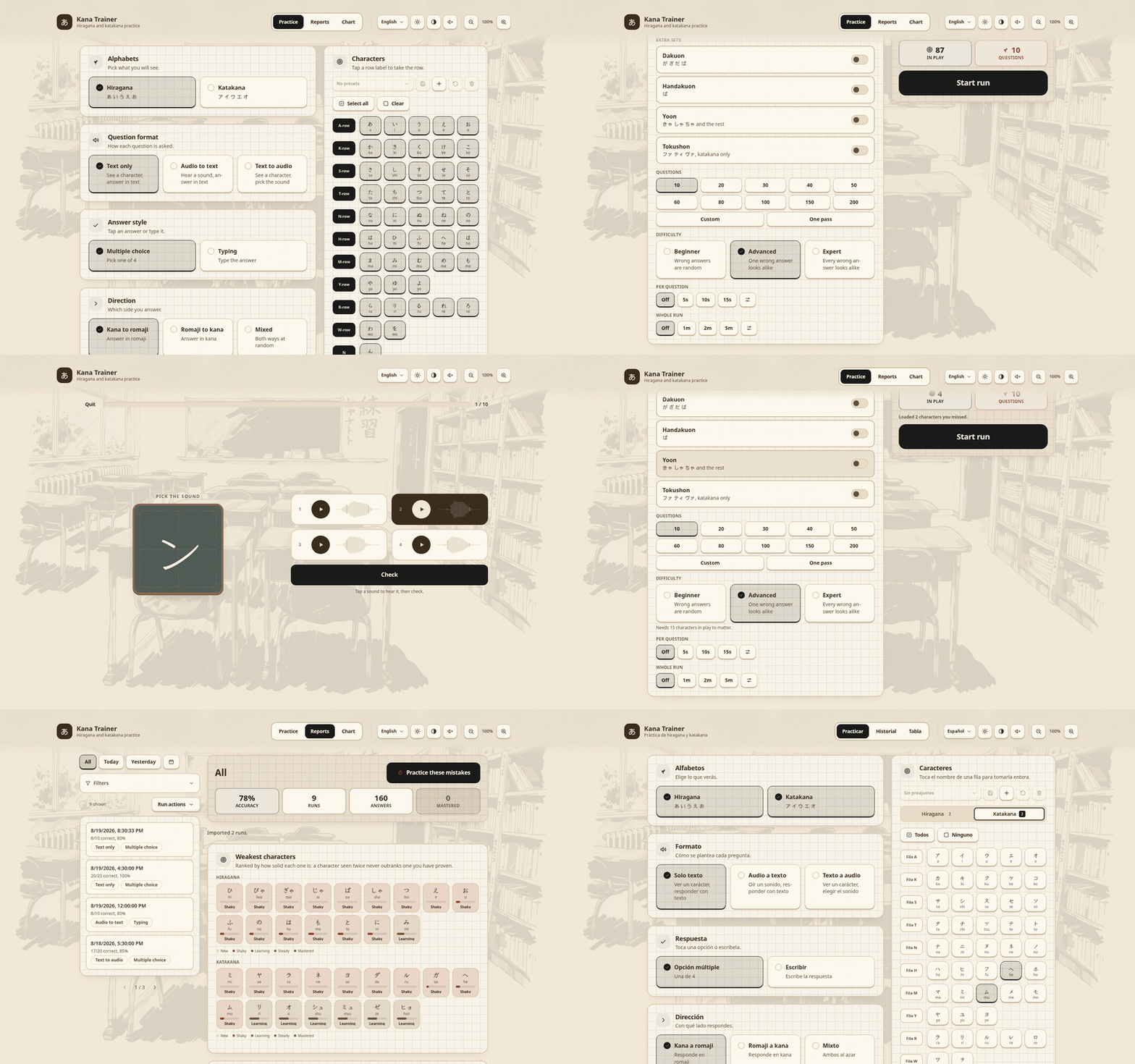
|
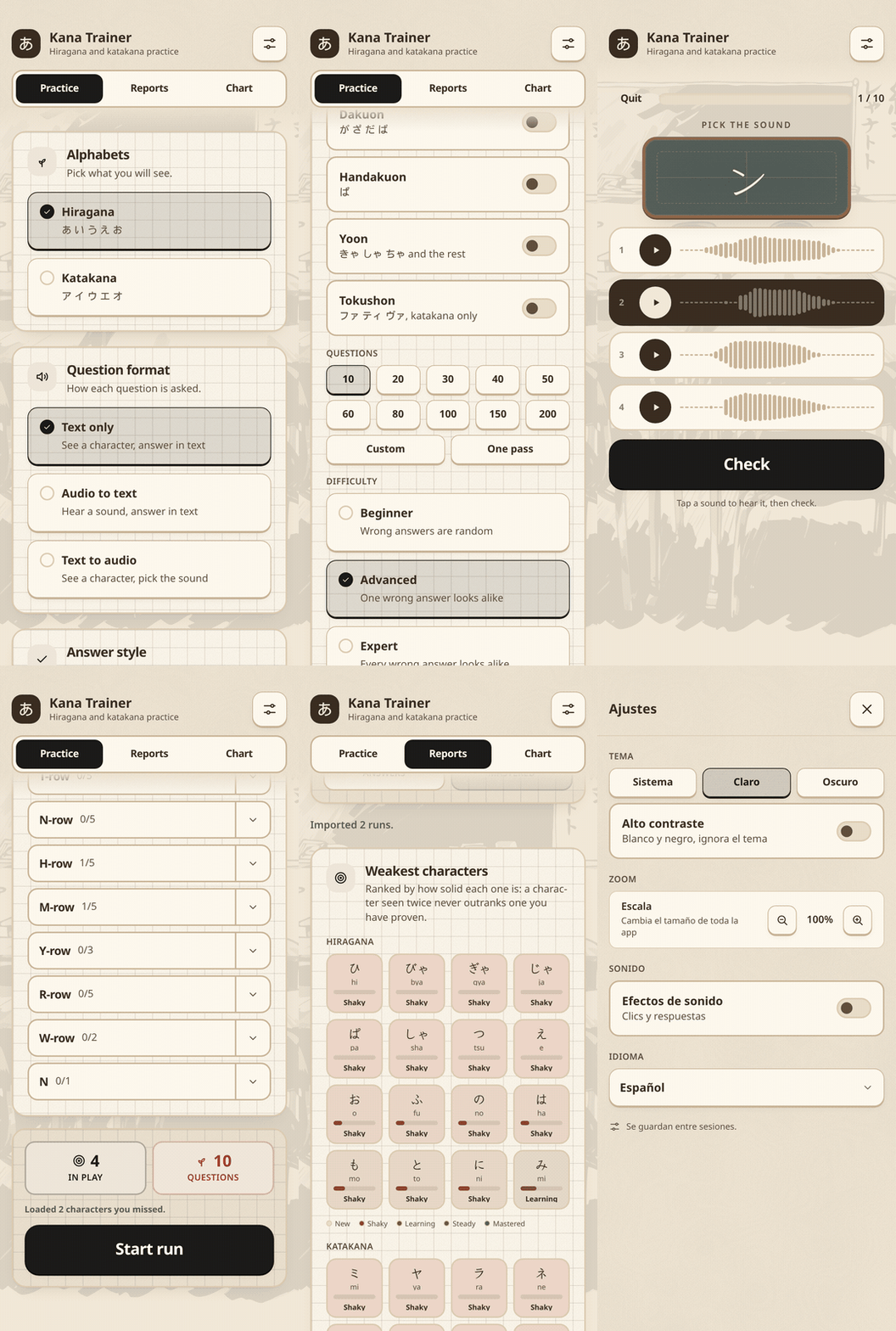
|
|
Desktop |
Phone |
Features
- Hiragana, katakana or both, in either direction, from single characters up to all 147 including the dakuon, handakuon and yoon rows, plus the katakana only tokushon
- Three question formats (text to text, audio to text, text to audio) and answers by multiple choice or typing
- Runs of 10 to 500 questions or one pass over the set, at three difficulty levels that decide how look alike the wrong answers are
- Optional time trial, per question and for the whole run.
- Chart view of every character grouped by sound type and row, tap a tile to hear it
- Score reports saved on disk, exported and imported as
.kt-reportfiles holding any number of runs. Easy migration of runs to other devices. - Responsive interface, the same app on a wide screen and on a phone
- Localization for 17 languages: Arabic, Dutch, English, Farsi, French, German, Hebrew, Indonesian, Korean, Portuguese (Brazilian), Russian, Spanish, Thai, Turkish, Vietnamese, and Chinese (simplified and traditional).
- Support for WCAG 2.2 AA accessibility, including high contrast mode, screen reader support and keyboard navigation.
- Works on Linux, Windows, MacOS and Android.
Installing
 |
 |
 |
 |
 |
 |
 |
 |
 |
Manually
https://arsalan-anwari.github.io/kana-trainer/
sudo dnf install ./kana-trainer-*.rpm            # fedora, opensuse
sudo apt install ./kana-trainer_*.deb            # debian 13+, ubuntu 24.04+
sudo pacman -U ./kana-trainer-*.pkg.tar.zst      # arch
Or run apk/exe/dmg package with your OS package installer.
From crates.io
cargo install kana-trainer
Development
Needs Node 22+ and Rust 1.77+, plus the GTK and WebKit development headers.
# fedora
sudo dnf install webkit2gtk4.1-devel gtk3-devel glib2-devel librsvg2-devel \
                 libsoup3-devel openssl-devel dbus-devel patchelf \
                 libappstream-glib rpm-build dpkg

# debian, ubuntu
sudo apt install libwebkit2gtk-4.1-dev libgtk-3-dev libglib2.0-dev librsvg2-dev \
                 libsoup-3.0-dev libssl-dev libdbus-1-dev patchelf \
                 build-essential curl wget file rpm

# arch
sudo pacman -S webkit2gtk-4.1 gtk3 glib2 librsvg libsoup3 openssl dbus \
               patchelf base-devel rpm-tools
rpm-build/rpm/rpm-tools and dpkg are only needed for the .rpm and
.deb bundle targets, patchelf for bundling in general. On Arch dpkg comes
from the AUR.
git submodule update --init   # vendor/kaizen-ui, the UI kit
npm ci
npm run tauri:dev      # run the app against the vite dev server
npm run tauri:build    # bundle for the current platform
npm test               # unit tests
npm run test:e2e       # playwright
Keyboard Shortcuts
Desktop only. Press Ctrl+/ to start keyboard mode and Ctrl+Shift+/ to stop
it; outside the mode these shortcuts do nothing. A badge in the top left shows when
the mode is on. Press ? anywhere for a list of shortcuts.
Shift+up and Shift+down walk between sections; the current section is
outlined in blue. Tab and Shift+Tab navigation only works in the active section.
Menus and pages
| Key | Does |
|---|---|
Ctrl+/ |
Start keyboard mode |
Ctrl+Shift+/ |
Stop keyboard mode |
Shift+up / Shift+down |
Move between sections |
Tab / Shift+Tab |
Next or previous element in the section |
up / down |
First or last element in the section |
Ctrl+up / Ctrl+down |
Scroll the page |
Space |
Select what is focused |
Enter |
Confirm what is focused |
Ctrl+left / Ctrl+right |
Switch between Practice, Reports and Chart |
Escape |
Close a dialog, sheet or picker |
? |
Show the shortcut list |
During a run
| Key | Does |
|---|---|
1 to 4 |
Pick an answer in multiple choice |
Enter |
Submit a typed answer or a picked sound, then move on |
r |
Replay the sound in audio questions |
Escape |
Leave the run |
Credits
- Character sounds from FUN Japanese Learning (CC BY 4.0). Upload available on Hugging Face.
