dumbtv

Your TV should do what you paid for.
Ads, tracking and clutter out of your Fire TV. Your apps and HDMI inputs stay.


As seen in TechCrunch · TechRadar · Tom's Guide · Gizmodo · XDA · It's FOSS · and more than 100 others
I had a Fire TV Edition television that had become painful to use. Menus lagged, apps took ages to open, and the home screen was mostly ads. When I looked, it had 129 MB of free memory, and much of the rest went to apps that started on their own and to Amazon services that report what you watch.
So I asked a coding agent to clean it up over ADB, and posted what happened. People asked for the scripts, so I put them here and shared them. Since then, owners of about twenty other TVs and sticks have run it and sent back what they found.
dumbtv is that cleanup, made safe to run on someone else's TV.
What it does
On a Fire TV stick, Cube or Fire TV Edition television, from your computer, with no root:
- Removes the ads and tracking. Disables Amazon's sponsored rows, ad services, screen fingerprinting (ACR), telemetry and experiments, and turns off ad tracking and usage reporting.
- Blocks what cannot be disabled. A small open-source DNS filter on the TV stops Amazon's telemetry and automatic updates from reaching their servers. Everything else, including your streaming apps, works as before.
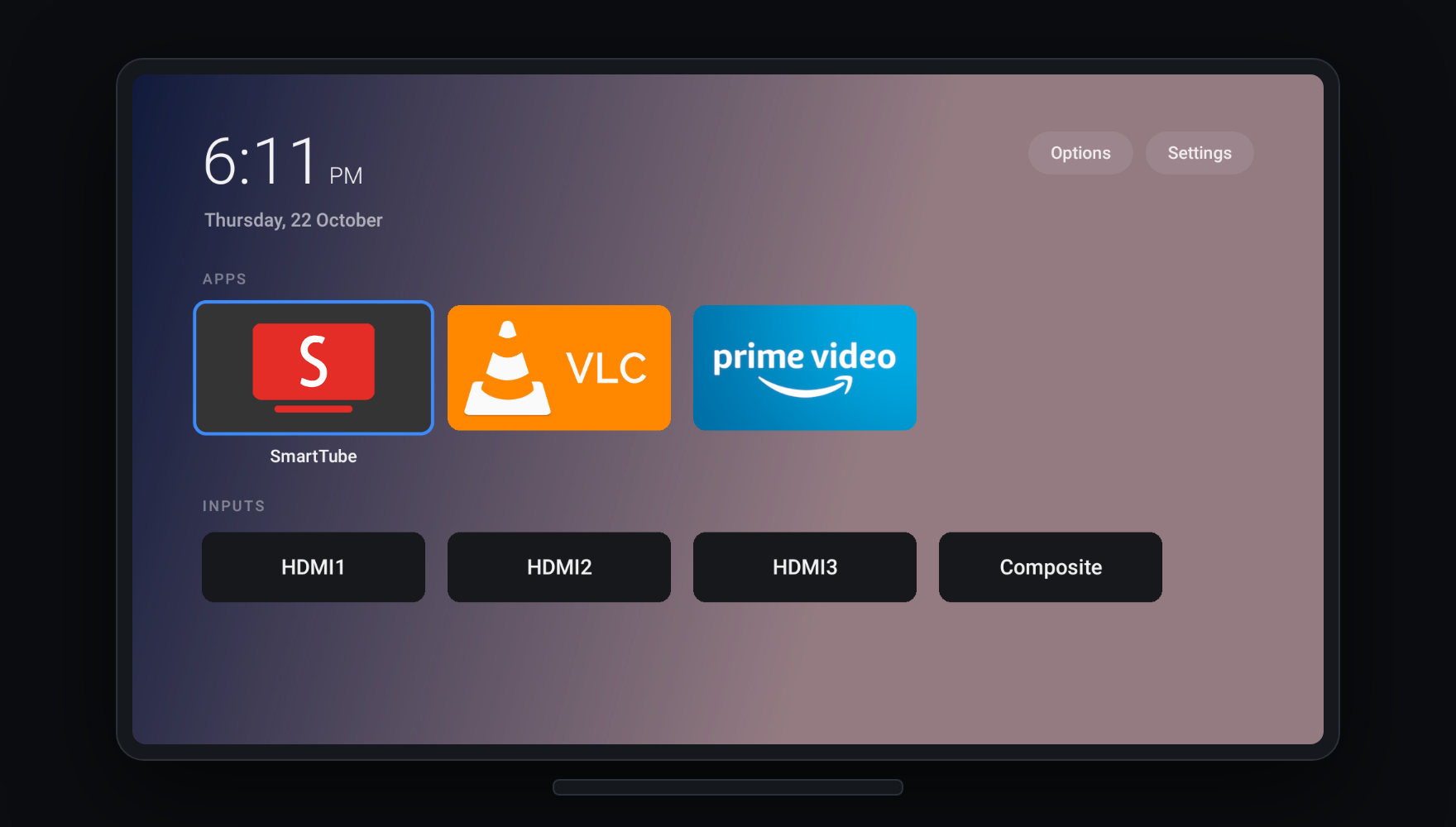
- Replaces the home screen with dumbtv home: your apps, your inputs and a clock. 54 KB, open source, no internet access, no permissions.
- Leaves your apps alone. Nothing you watch is removed unless you name it.
- Can all be undone with one command.
Quick start
You need a computer with adb
and about ten minutes. On the TV, turn on ADB: Settings → My Fire TV → About,
press OK on the device name 7 times, then Developer Options → ADB debugging.
The TV's IP address is under Settings → My Fire TV → About → Network (on a
Fire TV Edition television: Settings → Network, then the connected network).
With a coding agent (Claude Code, Codex, Cursor, Gemini and others): clone this repository, open the agent in it, and say:
Clean up my Fire TV. Its IP address is (the address from the Network screen).
It reads AGENTS.md, asks you a few questions, and runs the steps below.
By hand:
git clone https://github.com/humblemuzzu/dumbtv && cd dumbtv
adb connect <tv-ip>:5555        # press Allow on the TV
./scripts/preflight.sh          # what the TV is and what would change; changes nothing
./scripts/configure.sh          # a few questions
./scripts/all.sh                # asks before each step, reboots the TV twice
./scripts/verify.sh             # checks the result
Works from macOS, Linux and Windows (WSL or Git Bash).
What you choose
configure.sh asks, and nothing is decided for you:
| Question | Default |
|---|---|
| Do you watch Prime Video? | yes: its servers stay reachable |
| Keep Alexa and the voice button? | yes |
| Replace Amazon's home screen with dumbtv home? | yes |
| Run the DNS filter on the TV? | yes |
| Any apps you want removed? | none |
| Replace the YouTube app with SmartTube (no ads, no Shorts)? | no |
Your answers are saved in dumbtv.conf; run configure.sh again to change them.
What changes
| Amazon packages | About 50 disabled: ads, sponsored content, ACR, telemetry, crash and usage uploads, experiments, update nags. Disabled, never deleted. |
| Protected packages | The few Amazon will not let anyone disable lose background running and background data. |
| Settings | Ad tracking limited, interest-based ads off, usage reporting off, home-screen autoplay off. |
| DNS | personalDNSfilter runs on the TV and blocks about 400 Amazon telemetry, ad and update hosts. YouTube, the Appstore and your other apps are not blocked. |
| Home screen | dumbtv home instead of Amazon's: no promo tiles, no sponsored rows. |
| Your apps | Untouched. |
How it works explains each part and why it is needed.
dumbtv home
| Rows | Grid | Options |
|---|---|---|
 |
 |
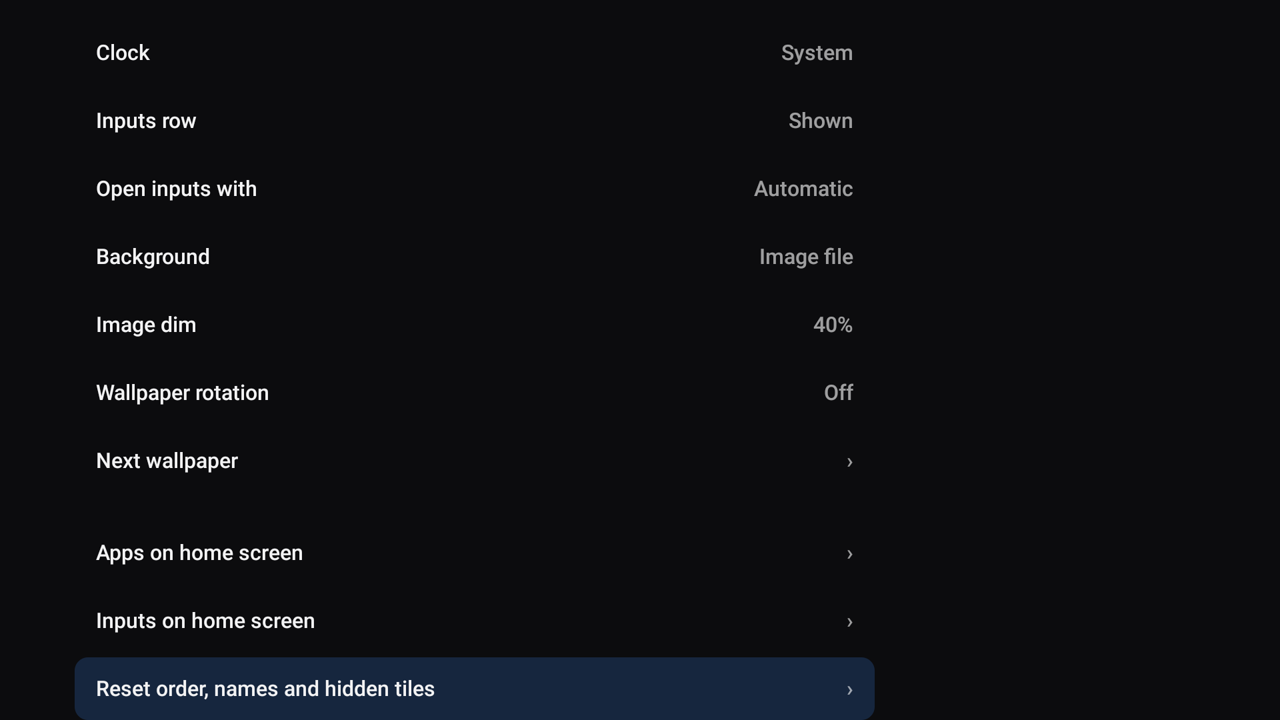 |
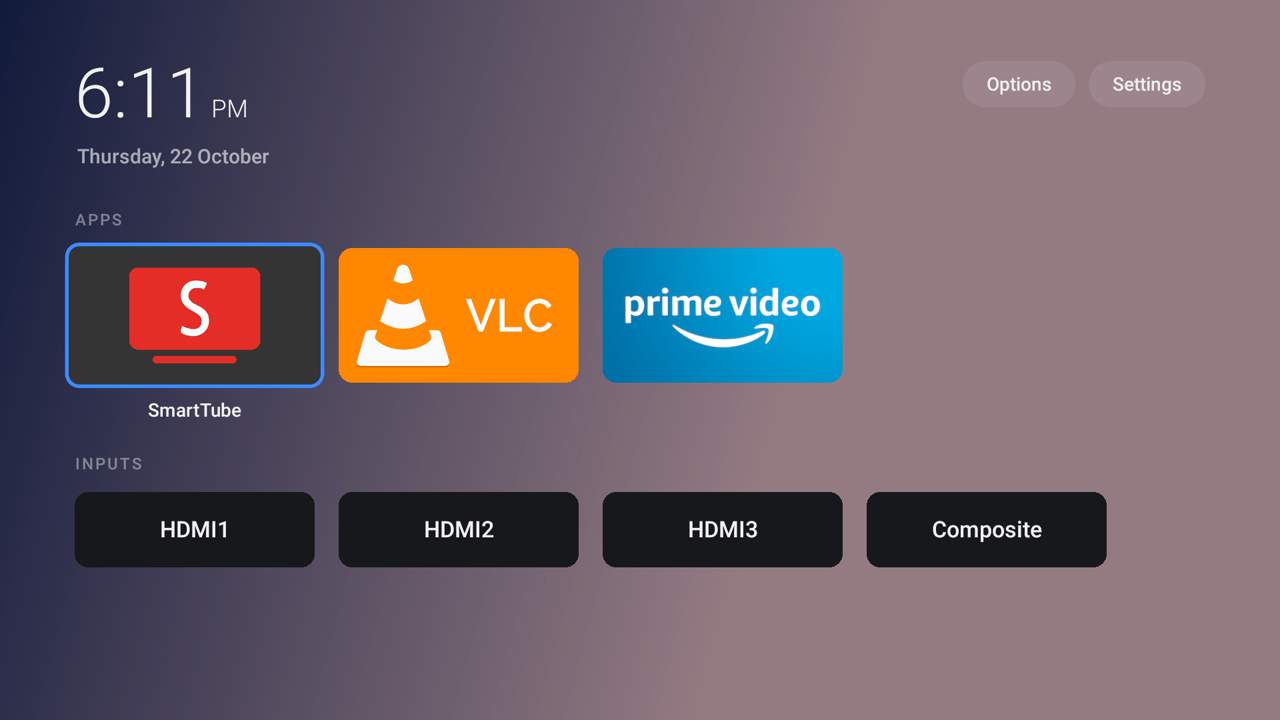
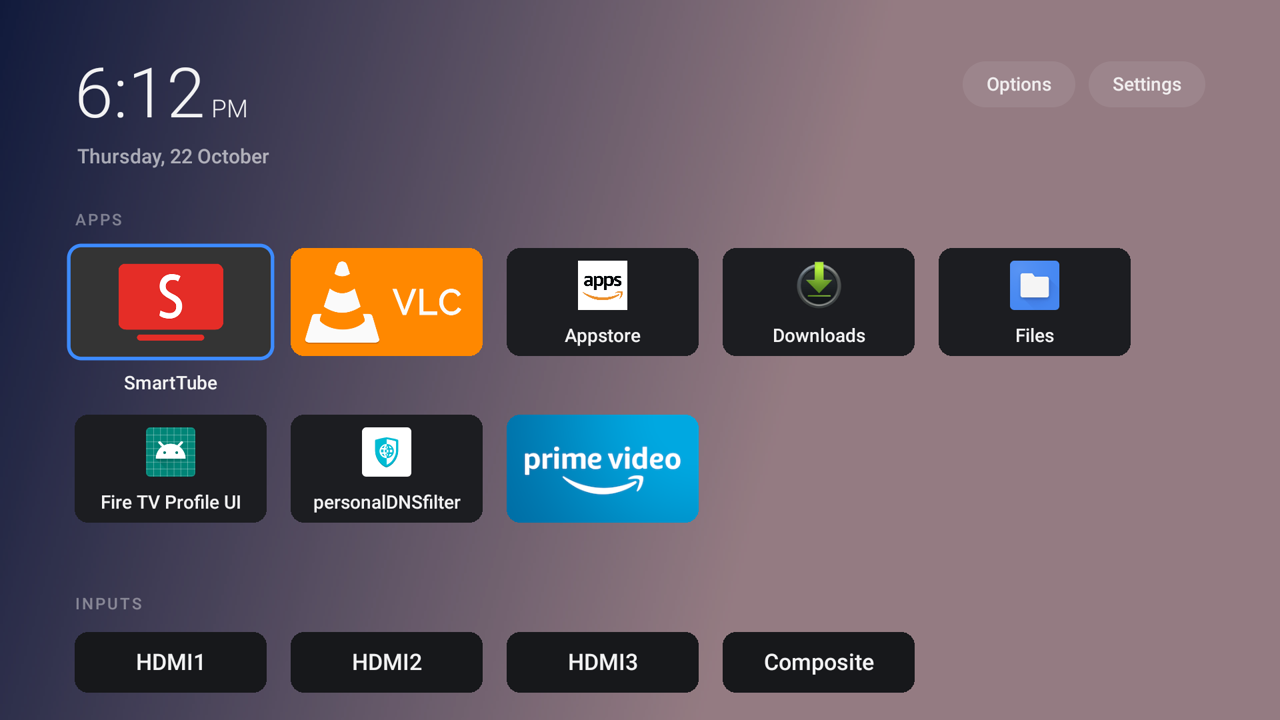
A home screen that shows your apps and your HDMI inputs, and nothing else. Accent colours, tile sizes, rows or a grid, wallpapers, adaptive backgrounds, renaming and hiding, all from the remote. HOME lands on it in a fraction of a second.
It is plain Java with no libraries and no internet permission, so it cannot send anything anywhere. On Fire OS 7 and 8 it asks for no permissions at all. It works on its own, without the rest of dumbtv:
adb connect <tv-ip>:5555
./launcher/install.sh
launcher/README.md covers the settings, wallpapers and how it takes over the HOME button.
Tested on
Each row is a report from the person who ran it. tested means the whole pass ran
and verify.sh passed on that device.
| Device | Fire OS | Status | Tested by |
|---|---|---|---|
| Fire TV Stick 4K, 1st gen (AFTMM) | 6.7 | tested | @niz-coder |
| Insignia Fire TV Edition (AFTEAMR311) | 6.7 | tested | @gtalusan |
| Fire TV Cube, 2nd gen (AFTR) | 7.7 | tested | @podulator |
| Insignia 50" F30 (AFTDCT31) | 7.7 | tested | @timcunningham-sv |
| Onida 43" Fire TV Edition (AFTGRO001) | 7.7 | tested | @humblemuzzu |
| Fire TV Edition television (AFTOLCBC82) | 8.1 | tested | @koconnorgit, @iotemylabs |
| Fire TV Stick, 3rd gen (AFTSSS) | 7.7 | partial | @B3NR1S |
| Fire TV Stick 4K Max, 1st gen (AFTKA) | 7.6 | partial | @dchuk |
| Fire TV Stick 4K Max, 1st gen (AFTKA) | 7.7 | partial | @harupong |
| Hisense 58U6HF (AFTHA001) | 7.7 | partial | @murilaiooo |
| Fire TV Stick 4K, 2nd gen (AFTKM) | 8.1 | partial | @gleesonb, @humblemuzzu |
| Fire TV Stick 4K Max, 2nd gen (AFTKRT) | 8.1 | partial | @gerardo-galvez-hl |
| Fire TV Stick 4K Plus (AFTMA08C15) | 8.1 | partial | @edrmundy |
Android TV and Google TV reports, run by hand from the lists in
data/androidtv/:
For a full Android TV and Google TV tool, see cleanyourtv. Samsung, LG, Roku and other TVs give owners no way in; docs/OTHER-TVS.md explains each one and what you can still do.
Your TV not here? Run it, then ./scripts/contribute.sh. It writes the report
for you. CONTRIBUTING.md has the details.
Undo
./scripts/restore.sh
It re-enables every package, clears the app and network rules, puts back the
settings the TV had before (from the snapshot preflight.sh takes), removes the
filter and gives HOME back to Amazon. An app you asked to have uninstalled comes
back from the Appstore.
Good to know
- Nothing is written to
/system, the part of the TV whose modification bricks it. A factory reset removes everything dumbtv did. - Fire OS updates are blocked while the DNS filter runs, since an update would switch a lot of this back on. The FAQ explains how to update anyway.
- It cannot replace Fire OS. The boot chain is locked by Amazon. Here is why.
- YouTube ads can't be blocked by DNS. They come from the same servers as the videos. docs/YOUTUBE.md explains, and what to use instead.
Documentation
| How it works | each part and why it is needed |
| Troubleshooting | symptoms and fixes |
| FAQ | updates, Prime Video, factory reset, is this legal |
| Other TVs | Android TV, Samsung, LG, Roku and the rest |
| YouTube | why its ads cannot be blocked, and SmartTube |
| Why not replace the OS | the locked boot chain |
| dumbtv home | the launcher |
| Device catalog | per-model notes |
| AGENTS.md | instructions for coding agents |
| Press | coverage |
Thanks
To everyone who tested a TV, wrote code, or reported a problem. dumbtv works on all the devices above because of you.
Code, fixes and device reports: @fabricio00101, @MrVoicer, @Jovci, @niz-coder, @centsandcode, @maam00, @alfibi, @theChef613, @rachit-jain, @daviavmello, @yuriwc, @lsukev, @dchuk, @gerardo-galvez-hl, @koconnorgit, @pfTheTrial, @frogu, @podulator, @tkightly, @OSikorsky, @nolanvargas, @harupong, @gtalusan, @B3NR1S, @bglaszcz, @murilaiooo, @dnpkuk, @timcunningham-sv, @iotemylabs, @aswinaasokan18-spec, @edrmundy, @MarioMartReq, @ravishan16, @jonathanrzarzuela-cloud, @Loadedrakeman
Bug reports: @gleesonb, @dennus280-ship-it, @FyllyMan, @nairyash, @PWannop, @jt-at-home, @thearchivist9778-ai, @GrackleCrow
And to the projects dumbtv stands on: personalDNSfilter by Ingo Zenz, HaGeZi's DNS blocklists, SmartTube by Yuriy Liskov, and cleanyourtv by @Gathin23 for Android TV and Google TV.
Legal
dumbtv changes settings on a device you own, through the developer tools the manufacturer ships. It does not bypass DRM, unlock anything or touch anyone's account. Fire TV, Fire OS, Alexa and Prime Video are trademarks of Amazon; dumbtv is not affiliated with or endorsed by Amazon. Use it at your own risk.
Licence
Scripts, docs and the launcher are MIT. The device catalog is CC BY-SA 4.0.
dumbtv bundles none of these, but downloads them when you ask for them: personalDNSfilter (GPL-2.0) from F-Droid, HaGeZi's Amazon tracker list (GPL-3.0), and SmartTube (MIT) from its own releases.
