DiPlay-Legacy-Android
This project is modified from shihabal3amri/DiPlay with deep compatibility refactoring.
Scope difference with upstream:
- Upstream DiPlay supports Android 7.0+ (API 24) in latest releases, primarily targeting modern 64-bit platforms.
- This project focuses on Android 4.4 KitKat (API 19) through Android 6.0, as well as legacy 32-bit automotive hardware architectures (
armeabi-v7a,x86, Allwinner T3, MediaTek, AC8227L), low-level Linux usbfs driver hardening, and proprietary Bluetooth stacks (e.g., Hangsheng HSAE for Dongfeng Nissan).Upstream project: https://github.com/shihabal3amri/DiPlay
CarPlay for compatible BYD and legacy Android head units. Wired and wireless, with the familiar DiAuto interface. Independent app: com.shihab.diplay.
BYD support scope: These projects focus on BYD cars. They may work on other brands, but other brands are unsupported and there are no plans to add support or fix brand-specific incompatibilities.
Download & website · Releases · Report a problem
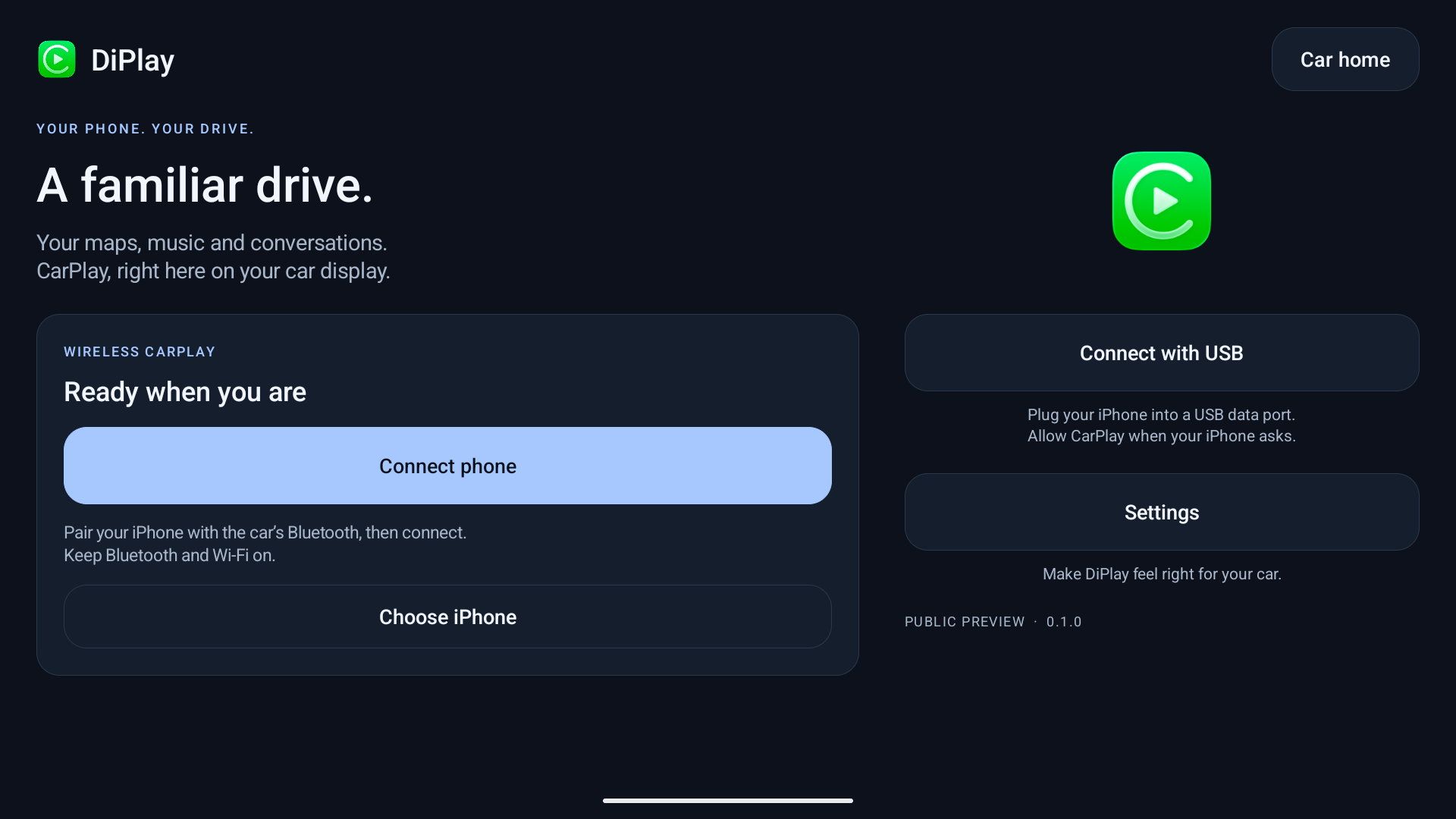
Current release — 0.2.88
Install on the car, not the iPhone. No jailbreak, dongle, Mac, account or authentication server is required for use. Core CarPlay does not require ADB; optional dashboard, battery, wheel-speed and parked-video features do. Your head unit must permit APK installation. The APK installs on Android 4.2+ (API 17); the tested legacy baseline is Android 4.4 through 6.0, and it also runs on current Android versions. Wireless supports Wi-Fi Direct, the car's own hotspot, Existing Wi-Fi / Same LAN, and — on rooted units whose framework cannot open a hotspot at all — an experimental root hostapd mode (Settings → Advanced). Android 9 Wi-Fi Direct uses a firmware-dependent legacy path with generated group credentials and unverified requested frequency; see Android 9 Wi-Fi Direct. Android 10+ verifies its negotiated group frequency. See Releases for the current version and its notes.
- Wired USB and wireless CarPlay with local authentication.
- BYD HUD navigation with arrows, distance and street names on verified firmware.
- Car hotspot support, improved audio buffering and saved receive diagnostics.
- Automatic address discovery, fixed-channel Wi-Fi fallbacks and successful-configuration memory.
- Icon/text size, resolution and frame rate; applying a display change reconnects CarPlay.
- Local diagnostic export. Reports are sent only if you choose to share them.
- Separate installation alongside DiAuto. Run one projection app at a time.
- Legacy Android fallbacks for media keys, notification/services, USB configuration and requests, audio/video codecs, multidex and Java library APIs.
This is not an Apple-certified product. The APK bundles an experimental accessory identity recovered from public Carlinkit firmware, not a newly provisioned MFi identity for DiPlay. A bundled private key is extractable. Acceptance after future iOS updates, reliability across head units and suitability of that identity for general distribution are unresolved. This release invites community testing; it is not a guarantee of universal compatibility.
Earlier releases were tested on the development DiLink5.1 car: live windshield guidance and street names work, Car hotspot now starts CarPlay, and Wi-Fi Direct performance is substantially improved. Occasional audio cutouts remain and are deferred to a later update. The floating-map test build was installed on the development DiLink 5.1 car; feedback led to the pinch corrections in 0.2.9. Earlier wheel-speed and video contributions were tested on a BYD Tang with DiLink 5.0 and an iPhone 15 Pro on iOS 27; wheel-speed dead reckoning in tunnels remains unverified. Broader head-unit and iOS compatibility is not guaranteed. The HUD firmware scope and cleanup limits are documented in BYD navigation.
What’s new in 0.2.14 (historical)
- Searchable Settings, clear categories, quick controls and reconnect notices, with layouts for short screens and Arabic RTL.
- Interface size from Automatic to 200% for DiPlay's own controls, separate from CarPlay picture sizing.
- Default automatic connection choice: Last used, Wireless or USB; scheduled day/night appearance; more reliable car-button image selection.
- Targeted USB/Bluetooth recovery, hotspot address discovery, video output on windows without hardware acceleration, and safer wireless handoff.
- Smooth video (experimental), off by default, with a latency tradeoff and no picture adjustments on its SurfaceView path.
- Configurable wheel-key Siri, microphone-source fallback, optional audio-focus handling and BYD call-watcher repairs.
- Call echo cancellation and Clearer call voices, experimental and off by default; opt-in changes apply at the next connection.
- Album artwork proportions, system-bar-aware rotation/split-screen areas and recognition of an observed DiLink 3 cluster surface.
See 0.2.14 release notes and validation for contribution links and remaining physical tests. General stutter, calls/Siri, decoder and model-specific reports still need current-device evidence. 0.2.13 notes remain available as historical guidance.
If a problem remains, reproduce it on the current release, then use Settings → Diagnostics → Save diagnostic report. Android 10+ normally saves to Downloads/DiPlay; Android 9 uses the document picker. If unavailable, use View report or Share from the confirmation, which identifies external/private fallback storage. Review the .txt and add it to a matching existing issue, or create one. Include vehicle/head-unit model, exact firmware and Android/DiLink, phone/iOS, connection backend, relevant settings, steps and failure time. Reports are shared only when you choose; never post your hotspot password.
Documentation
Existing Wi-Fi / Same LAN keeps the iPhone and head unit on an external router. See the guide for setup, build requirements and the BYD DiLink 4.0 / Android 10 clean-install validation result.
- Install and connect
- Compatibility and troubleshooting
- Smooth wireless CarPlay
- Privacy and diagnostic reports
- Build from source — select
mobilefor the main DiPlay app;maphostis a map sample. - Validation
- Release notes
- Credits and licenses
The app and release website are available in English, Arabic, Russian, Ukrainian, Spanish, Simplified Chinese and Traditional Chinese (Taiwan). Traditional Chinese uses Taiwan wording; the app also recognizes Hong Kong/Macao and explicit Hant selections without claiming separate regional translations. Choose the app language in Settings; on Android 13+, it stays synchronized with Android’s per-app language setting.
Source and credits
Based on xcertplay, GPL-3.0. The home/settings UI and website adapt DiAuto, AGPL-3.0; that license is included in docs/licenses. Preserve those notices when distributing modifications. CarPlay and its icon belong to Apple Inc.; no Apple or BYD affiliation or endorsement is implied.
This repository starts with a clean public source snapshot. Local research, tester reports and release-signing secrets are excluded. The source corresponding to the APK is provided with every release, with one explicit exception: the two experimental runtime identity files bundled in the APK are provisioned locally at release time and are not part of the source archive, so a source-only build does not reproduce the release APK's authentication function. Those assets are described in the build instructions and notices.
Community & Feedback
- Issues & Discussions: Feel free to discuss questions and issues in GitHub Issues. We will reply whenever time permits.
- Check Real Android OS Version: If installation fails (e.g. "There was a problem parsing the package"), your aftermarket head unit may have a spoofed system version (such as fake Android 10/11/12 on top of real Android 4.4/5.1). You can use this head unit inspection tool provided by @493330227-wq to check your genuine Android version and API level:
👉 headunit-version-inspector - Attach Diagnostic Logs: When reporting a specific problem, attaching detailed diagnostic logs (via Settings → Diagnostics → Save diagnostic report, automatically exported to USB/SD cards since v0.2.27) and environment details (head-unit model, Android version, iPhone/iOS version) is strongly recommended.
- Contributions Welcome: Pull Requests (PRs) from experienced developers are warmly welcomed to help improve compatibility across various legacy automotive hardware!
- ⭐ Support: If this project is helpful to you, please give it a Star!
