ip-as-logo-skill
ip-as-logo is a compact Agent Skill for generating extremely simple, cute, company-ready IP mascots. It prioritizes lovable character appeal, bold rounded silhouettes, strict complexity limits, a dominant lower-corner composition, and a solid named background color.
It follows the open Agent Skills format and is designed to work with any compatible AI agent, rather than being tied to a specific agent product.
You can also browse the free IP as Logo Skill website, a searchable library backed by Cloudflare R2 and Supabase.
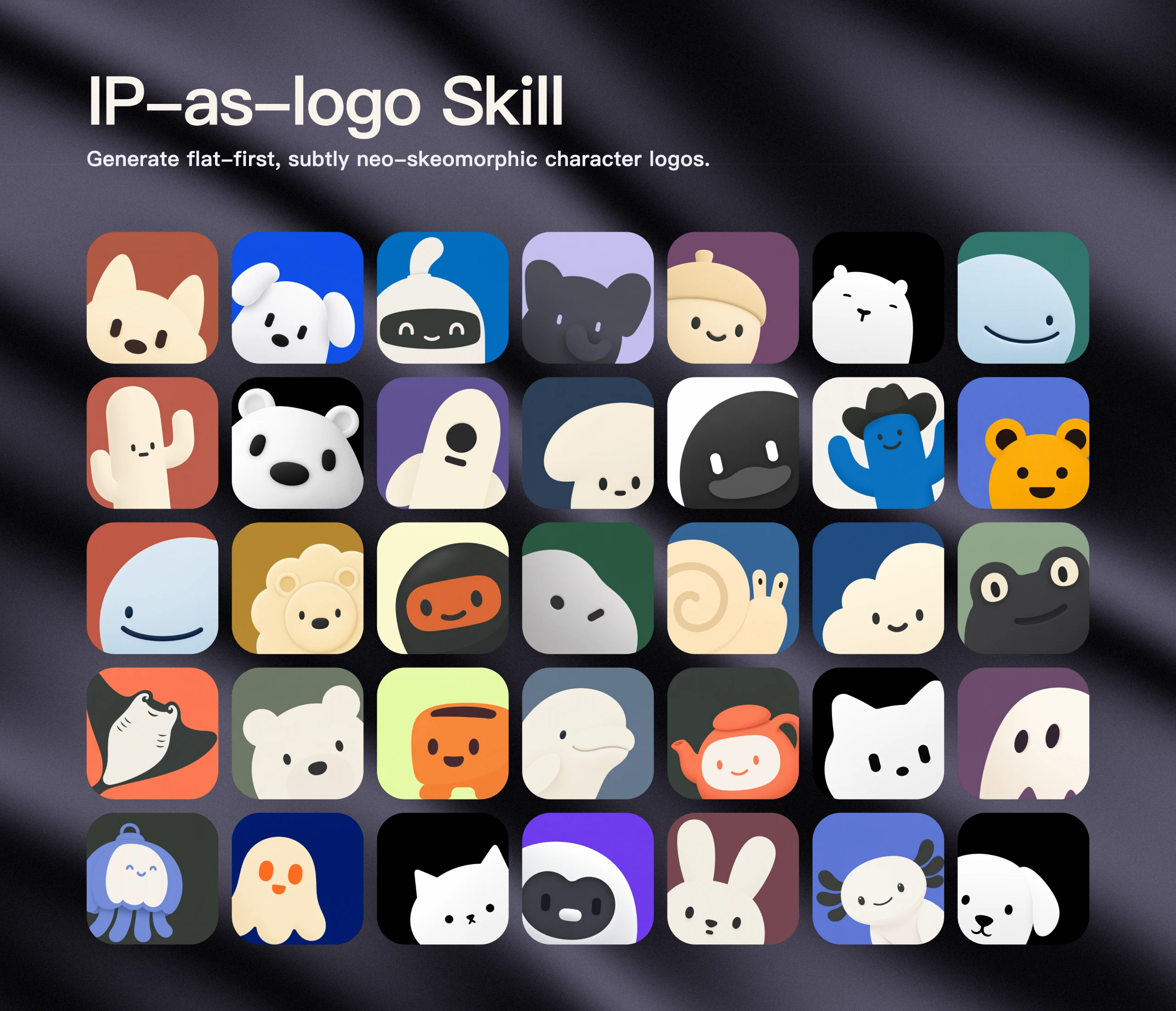
Don't have Codex, Doubao, Coze, or Workbuddy? Visit our website to download ready-made logos for free. Every logo is free for commercial use.
What it guides
- One dominant silhouette built from roughly 4–7 large basic shapes
- Three semantic colors by default: two IP base colors plus one background color
- Three proposed directions followed by six independently generated candidates after user approval
- Familiar, broadly appealing animals as the default open-ended subject; objects, machines, fantasy artifacts, and obscure creatures require a clear product reason
- Context-aware, clearly separated subject colors and gently muted, slightly lower-saturation backgrounds with barely-there neo-skeuomorphic depth, described without percentages or prescribed gradient and shading formulas
- Thick, rounded forms without sharp or fragile details
- A large, visually dominant IP emerging flexibly from the lower-left or lower-right, without prescribing a fixed crop
- A balanced default six-image split: three lower-left and three lower-right
- Extreme simplification, cute baby-like appeal, and removal of nonessential lines and details
- One named solid background color filling the square, without image-mode language in the generation prompt
- Image-only generation prompts that never reveal logo, brand-mark, app-icon, or icon-asset use
- One-pass batch generation that preserves and delivers every returned image without filtering or automatic retries
Install
Install the complete skill with the Agent Skills CLI:
npx skills@latest add s1dashu/ip-as-logo-skill
The installer detects the repository's root SKILL.md, lets you choose a supported coding agent, and installs the complete ip-as-logo directory, including its supporting assets. Use --global for a personal installation available across projects:
npx skills@latest add s1dashu/ip-as-logo-skill --global
Agent compatibility
Supported agents include Codex, Coze, Doubao, YouMind, Manus, Gemini Apps, and Replit Agent. The agent must have a top-tier image model: preferably GPT Image 2, or Seedance 5.0 Pro, Nano Banana Pro (Gemini Image Pro), or Nano Banana 2 (Gemini Image Flash). If none is available, enable a suitable tool or provide its API key. The skill never falls back to SVG; another image model may be used only with explicit user consent, with no guarantee of equivalent quality.
Use
Ask your AI agent for an IP mascot image, for example:
Create a very simple, cute rounded ghost IP character on a solid deep navy background.
The skill does not ask for a color-mode choice by default. Every default candidate uses three semantic colors: two IP base colors plus one background color. It no longer reserves any fraction of the candidate set for two-color images. A two-color image is generated only when the user explicitly requests it, and then uses background-colored negative space for facial marks rather than introducing a third color.
When the user already names an IP subject, the skill proposes three controlled design treatments of that subject. When the subject is open, it proposes familiar animal mascots first and ties each to a product attribute or brand promise. In open-ended batches, 95–100% of candidates should be familiar animals; non-animal subjects are limited to a small minority with a direct product connection, never used merely to manufacture novelty.
Large batches create variety within commercially plausible animal mascots through species or breed, ear and muzzle proportions, expression, lower-left versus lower-right emergence, crop, silhouette, and secondary color organization. Clocks, locks, industrial tools, measuring instruments, vehicles, abstract machines, fantasy artifacts, and obscure creatures are not default company mascots.
If the skill runs inside a product repository, it inspects relevant read-only context before asking questions. If product context is insufficient, it asks one consolidated round of background questions. Once context is sufficient, it always presents three concise directions and proposes generating six independent images. It proceeds after the user agrees, or immediately when the user has already explicitly authorized six outputs.
When the user accepts all three directions, the default batch contains two variants per direction: A1, A2, B1, B2, C1, and C2. The first variant of each direction emerges from the lower-left and the second from the lower-right. When the user selects one direction, odd-numbered variants use the lower-left and even-numbered variants use the lower-right. This guarantees a three-left, three-right default split. If the user rejects the proposed quantity or distribution, their replacement instructions take precedence.
Every default candidate emerges from the lower-left or lower-right rather than the center or bottom-center and fills roughly 85–95% of the square so the IP remains visually dominant. Bottom or side cropping may strengthen the corner emergence, but the Skill does not prescribe exact edge contact or a fixed crop.
Compatible agents may generate the six candidates in parallel with subagents up to the runtime's available concurrency, using additional waves when needed. The skill checks for a supported top-tier image model before generation and asks the user to enable one or provide its API key when necessary. Every result is a separate full-resolution square asset, never a six-image contact sheet.
When the user does not supply a palette, the skill gently lowers background saturation so the result feels a little more muted and controlled while remaining clearly chromatic, clean, and intentional rather than vivid, gray, or muddy. It keeps the normal design to exactly three semantic colors: two IP base colors plus the background. The generation prompt names the intended solid background color directly and avoids terms such as opaque, alpha, or transparency that may distract the image model from the desired visual result.
Although the project is named ip-as-logo, the prompt sent to the image generator describes only the requested square character image. It never calls the result a logo, brand mark, app icon, or icon asset, and it does not prepend use-case metadata that reveals those purposes.
Generation is intentionally treated as a creative draw. Each requested candidate is generated once and delivered as returned. The skill does not inspect transparency, block outputs, classify candidates as compliant or non-compliant, or automatically retry results because of their background, colors, composition, gradients, shading, or dimensionality. Users can explicitly request another draw or a refinement after reviewing the batch.
Repository structure
SKILL.md
assets/ip-as-logo-wall.webp
README.md
LICENSE
The skill itself intentionally consists of a single instruction document. The repository also includes the showcase image above, but no scripts, style references, or generation dependencies.
Model behavior
Image-generation models are stochastic and may interpret individual constraints differently. The skill preserves and returns every result without validation gates, transparency checks, automatic rejection, automatic retry, or silent repair.
License
MIT
