Gboard-patches
Gboard Patches
Morphe patches for Gboard with a mix of global improvements and Taiwan-focused enhancements.





Gboard Patches is a public Morphe source for a curated set of Gboard enhancements, including both global usability improvements and Taiwan-focused features for local input habits and day-to-day use.
Included Patches
Project-Built Features
Features designed and built by this project rather than simply unlocking an existing Gboard flag.
Clipboard Enhancements
Lets you enhance clipboard retention time, item count limits, preview lines, countdown and creation-time labels, order index, grid columns, and optionally render only the first 1,000 characters on each clipboard card.
Web Clipboard
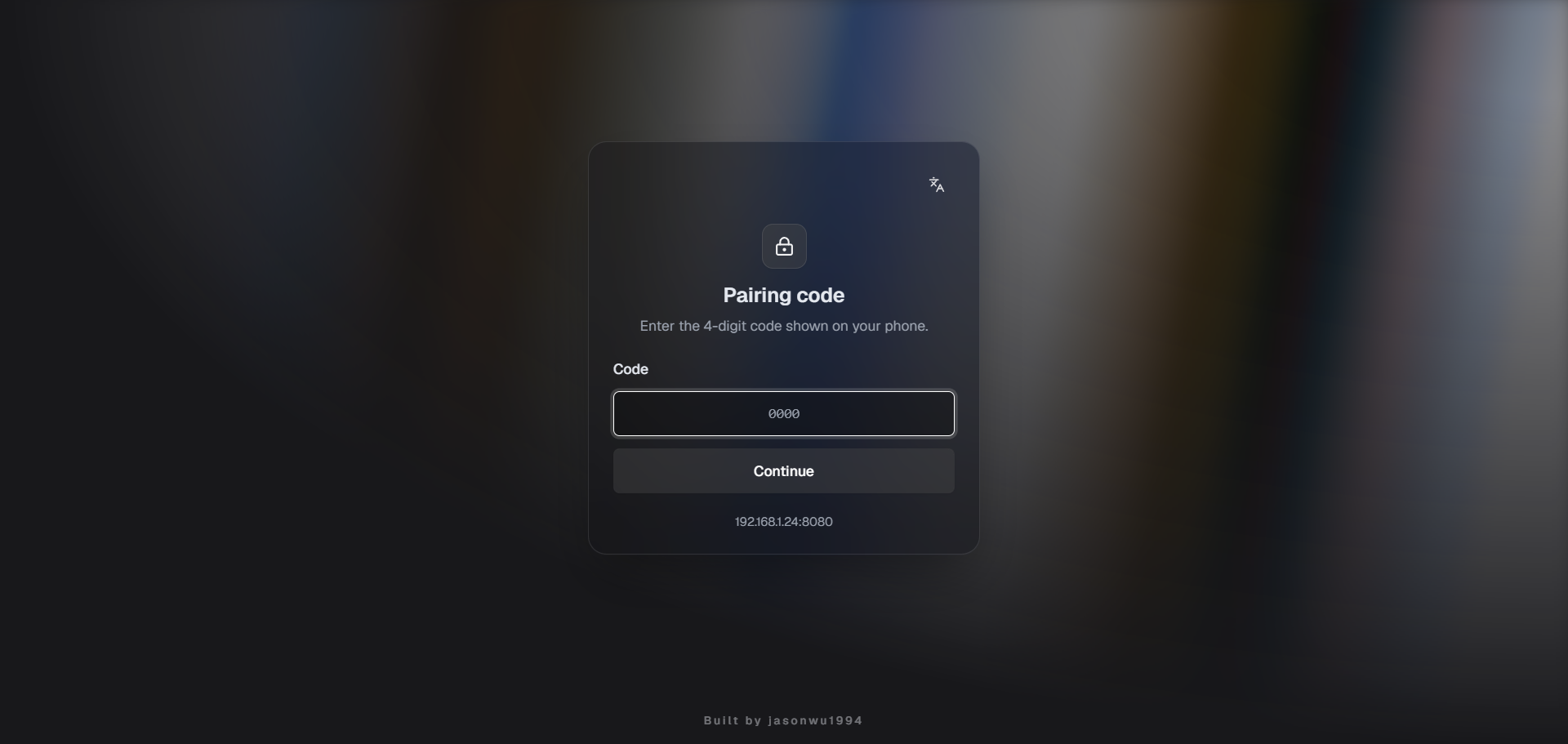
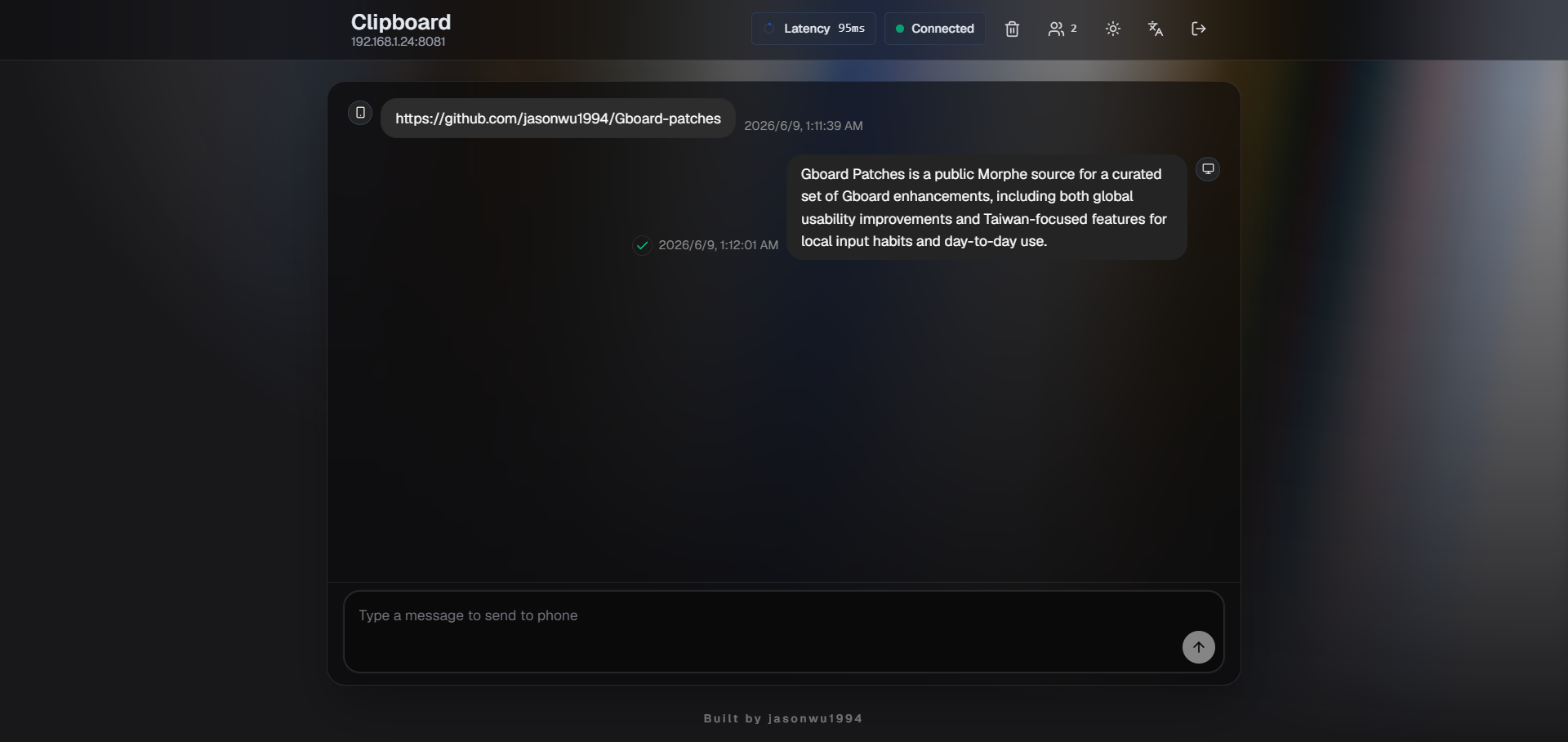
Hosts a phone-powered Web Clipboard portal that lets desktop browsers sync with Gboard over the same LAN, with a pairing code gate and an optional Quick Settings Tile.
Preview:
Floating Web Search
Open a floating web page directly from Gboard to quickly search for the information you need.
Custom Theme
Import custom ZIP themes and beautiful themes from the official Rboard repository.
Frosted Glass
Adds live background blur and custom-theme transparency to the keyboard. Available on Android 12+ devices that support cross-window blur, with custom themes such as Animal Black.
FTP Server
Hosts an FTP server on your phone so desktop FTP clients can browse, upload, download, and resume file transfers over the same LAN. It supports anonymous or password-protected access, a configurable control and passive port range, read-only mode, /sdcard or a user-selected folder as the root, live transfer progress, retained partial uploads, and an optional Quick Settings Tile.
Long-Press Editing Shortcuts
Add Select all, Undo, Copy, Cut, Paste, and Redo long-press shortcuts to English QWERTY and Zhuyin, with an optional globe-key drag gesture that follows the same physical key positions across supported alphabet layouts.
Toolbar Editing Buttons
Add Select All, Copy, Cut and Paste to the menu. Drag them to the top toolbar and use them with different keyboard languages in supported editors.
Swipeable Custom Top Row
Lets you swipe the keyboard top row horizontally to open customizable text and JavaScript slots.
Incognito Mode Toggle
Add an Incognito toggle to the Access Point toolbar and configure clipboard and voice typing availability while Incognito mode is active.
Custom Symbols
Adds a dedicated symbols tab and a quick access entry from the comma long-press popup.
Simple Calculator
Adds an optional inline calculator for arithmetic expressions typed in any text field. The result appears in Gboard's suggestion row; tap it to replace the expression, or long-press it to copy the result.
Swipe Down to Dismiss Keyboard
Swipe down from the suggestions or toolbar to close the keyboard.
G Logo on Spacebar
Show the G Logo on the spacebar and hide the language label.
Rounded Keyboard Panel
Customize which corners of the keyboard panel are rounded, and set the top and bottom radii separately.
Latin Globe Key Ignore Interval
Add an independent English globe key ignore interval override for post-typing language-switch delay.
Emojis, stickers & GIFs Tab Order
Customize the bottom tab order in Gboard's Emojis, stickers & GIFs panel with drag-and-drop reordering.
Backup & Restore
Exports all Gboard Patches settings to a portable JSON backup and restores only the modules you select, with per-module and per-key results. It also exports, compares, and restores Gboard's raw PB/XML flag-store files.
Gboard Feature Unlocks
Features already present in Gboard that are exposed by enabling hidden settings, rollout gates, or built-in behavior.
AI Writing Tools
Enables the Text correction > Writing tools setting with support for all languages.
Advanced Voice Typing
Enable Advanced Voice Typing with automatic punctuation, and separately enable automatic punctuation for Traditional Chinese voice typing, which does not support Advanced Voice Typing.
Enable OCR / Scan Text
Enable the OCR / Scan Text feature with Latin, Chinese, Japanese, Korean, and Devanagari recognition backends.
English QWERTY Up-Flick Uppercase
Flick up on the English QWERTY keyboard to toggle uppercase and lowercase.
Enable Inline Autofill Suggestions
Enables inline autofill suggestions in supported contexts.
Grammar Checker
Enables the Text correction > Grammar check setting and its related rollout gate.
Inline Suggestions
Enables the Text correction > Smart Compose setting and its related rollout gate.
Key Shape Selection
Enables the Key shape option inside theme details without forcing rounded keys by default.
Use Bluetooth Microphone
Enables the Voice typing > Use Bluetooth microphone setting and its related rollout gate.
Change emoji size
Enables Gboard's emoji size setting.
Enable cursor trackpad mode
Enables the long-press-spacebar trackpad, cursor lock mode, and the required scrub-move preference.
Enable split keyboard
Enables Gboard's split keyboard layout.
Enable accessibility layout
Enables accessibility layout.
Quick Insert
Enables the Quick Insert panel and toolbar access point.
Close Proactive Suggestions
Shows a dismiss button in the proactive suggestions bar.
Clipboard Custom Character Limit
Lets you set the maximum number of characters stored for each text clipboard item, with Gboard's stock 20,000-character limit as the default.
Access Points menu style
Lets you switch between the new and legacy Access Points menu styles.
Top Toolbar Item Count
Lets you customize the top toolbar item count.
Settings Homepage Override
Lets you switch between the new and legacy Gboard settings homepage styles.
Developer options
Enable Developer options and the Flag Editor, allowing you to modify flag values.
Package Rename
Renames the patched package so it can be installed alongside the official Gboard app.
Taiwan-focused Features
Features tailored to Traditional Chinese and Zhuyin input workflows.
Zhuyin Slide Input
On the Zhuyin keyboard, swipe up or down to enter English letters without switching to another keyboard layout.
Zhuyin Quick Traditional/Simplified Toggle
Swipe up on the Zhuyin ㄥ key to quickly toggle between Traditional and Simplified Chinese.
Zhuyin Bottom Row Key Sizes
Adjusts the seven bottom-row slot sizes on the Zhuyin keyboard, including ?123, ,, the globe key, space, ㄦ, backspace, and the IME action key.
Install
Add this repository as a Morphe source:
- Open in Morphe
- Or manually add
https://github.com/jasonwu1994/Gboard-patches
Build
Before running Gradle locally, authenticate to Morphe's GitHub Packages registry with either:
gpr.userandgpr.keyin~/.gradle/gradle.propertiesGITHUB_ACTORandGITHUB_TOKENas environment variables
Build the Android patch bundle:
.\gradlew.bat :patches:buildAndroid
Regenerate patch metadata:
.\gradlew.bat generatePatchesList
Generated outputs:
patches/build/libs/*.mpppatches-list.jsonpatches-bundle.json
License
Released under the GNU General Public License v3.0.
