PixelMusic
The Ultimate Hybrid Local, Streaming, and Cloud Music Powerhouse for Android
An elegant, feature-rich audio system built using Jetpack Compose, Material Design 3, and Media3 ExoPlayer.





[!NOTE] Independent Fork & Attribution Notice: This repository is an independent, community-driven fork of the excellent open-source project PixelPlayer created by Theo Vilardo. It is modified and distributed under the terms of the Proprietary License. We extend our sincere gratitude to Theo Vilardo and all original contributors for their outstanding foundation work.
📖 Introduction & Philosophy
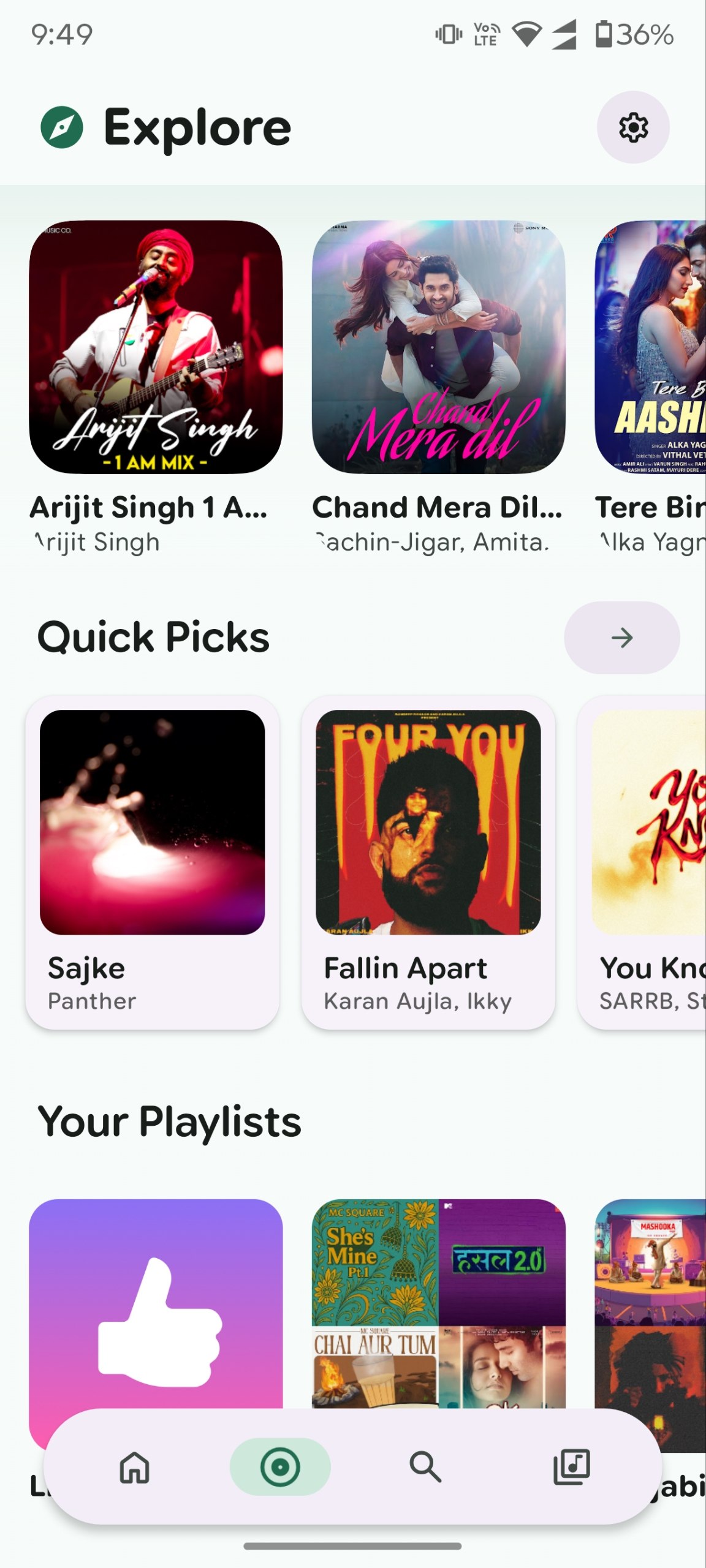
Pixel Music is not just another music player. It is a unified, privacy-first audio powerhouse engineered for audiophiles, cloud hoarders, and streaming enthusiasts alike. By bridging local offline library indexing, unofficial YouTube Music streaming, Telegram channel integration, Google Drive personal cloud libraries (WIP), and next-generation Generative AI capabilities, Pixel Music creates a flawless hybrid music ecosystem under a single, gorgeous user experience.
Pixel Music is the ultimate hybrid local and yt music client built for Android. It represents a gorgeous, open-source Spotify and YT Premium alternative. This application brings all of your music sources under a single, beautiful roof.
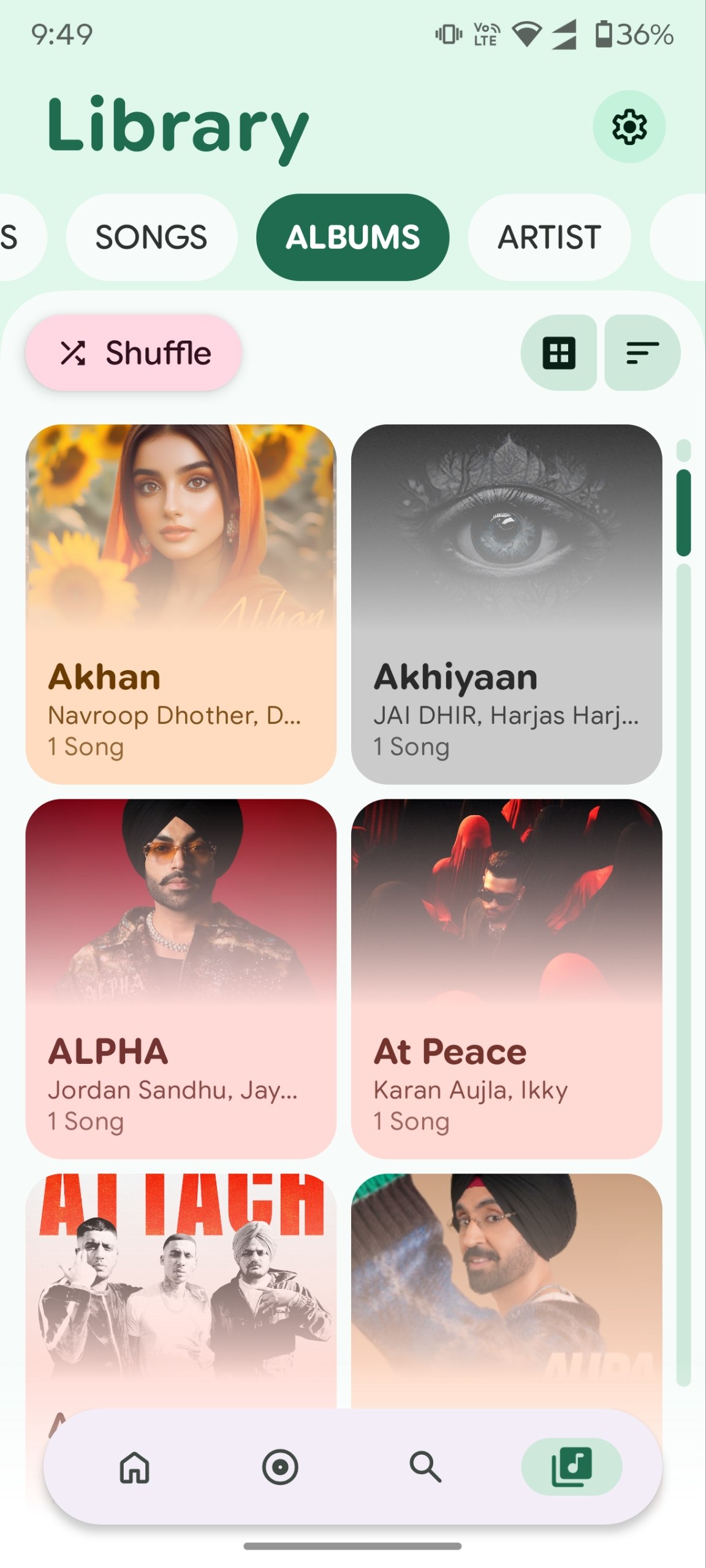
You can scan and play high-resolution local files like FLAC, ALAC, WAV, and MP3. At the same time, you can stream the entire YouTube Music catalog without advertisements. Additionally, you can connect your Telegram account to stream audio directly from channels, chats, and saved files.
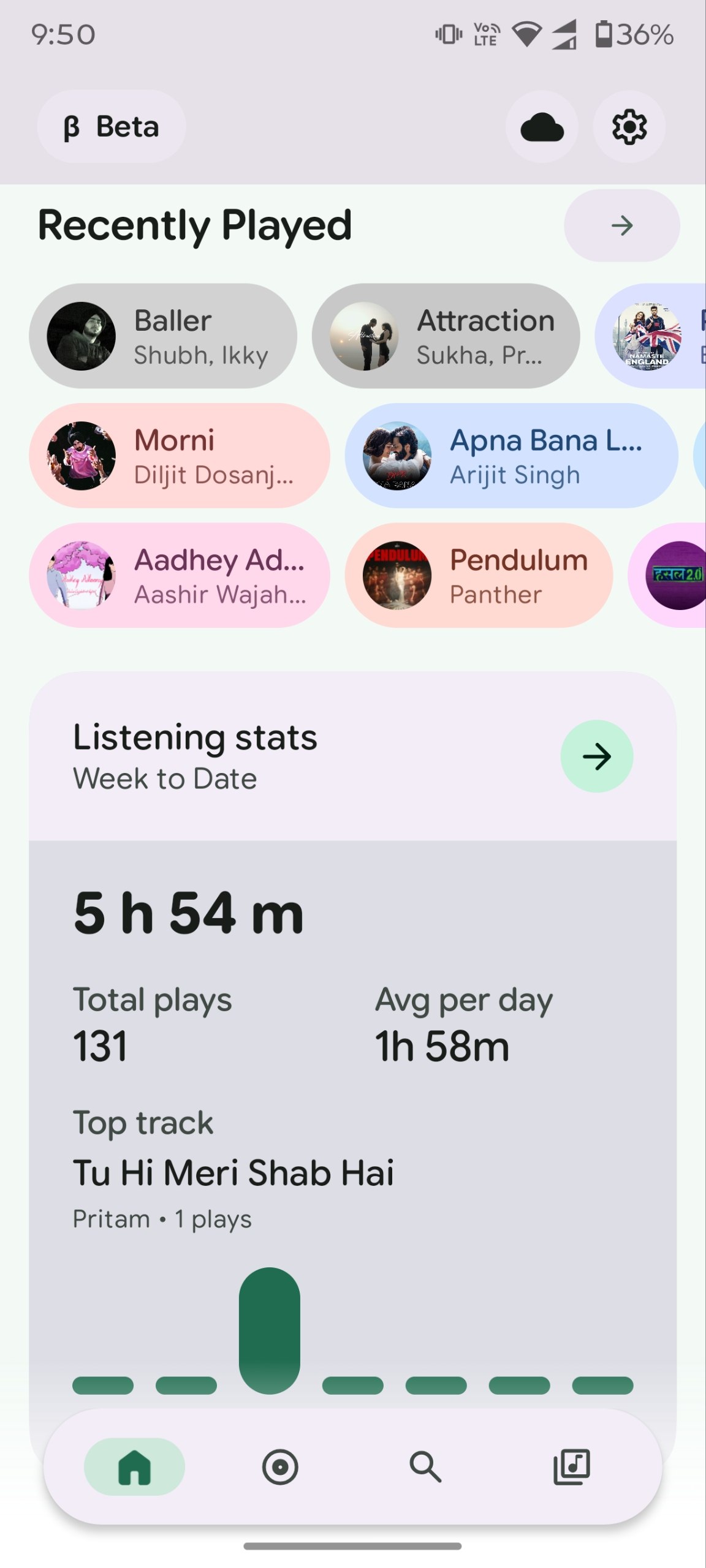
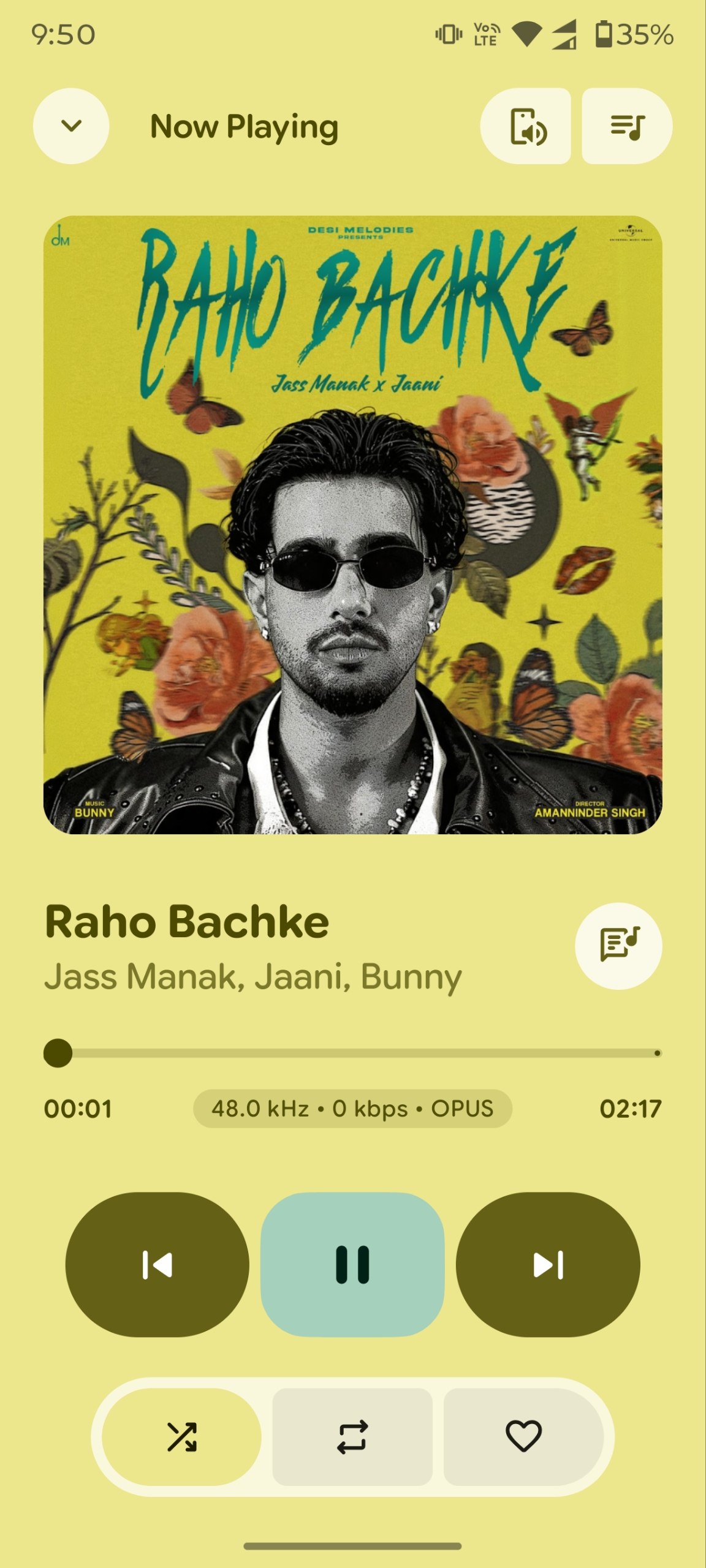
Beautifully styled on the state-of-the-art PixelPlayer UI/UX, the interface adapts dynamically to the colors of your album artwork. The app is loaded with advanced features. You can follow along with synchronized LRC lyrics (complete with manual timing offset adjustments). You can customize your sound with a professional 10-band equalizer. You can also connect to other systems using built-in Chromecast, full Android Auto driving support, and a Wear OS watch companion.
The app even includes custom generative AI playlist creation. You can simply describe a mood or style, and the built-in Gemini assistant will instantly curate the perfect queue for you. Released under the Proprietary License, Pixel Music provides a highly premium, privacy-focused, and completely unrestricted audio experience.
⚡ The Ultimate Comparative Advantage
Pixel Music incorporates the best concepts of open-source streaming clients and elevates them with offline power, premium styling, and AI. Here is how Pixel Music compares to other elite Android audio projects:
| Feature Dimension | OpenTune | Metrolist | ArchiveTune | Pixel Music 🎵 (This App) |
|---|---|---|---|---|
| Core Concept | YouTube Music Streaming | YouTube Music Streaming | YT Music & Local Hybrid | Ultimate Hybrid (Local, YT Music, Telegram, Google Drive) |
| Visual Aesthetics | Classic Material 3 | Dynamic M3 (Utility-focused) | Material 3 Utility | State-of-the-Art Expressive UI (Glassmorphism, Snapchat sharing, micro-interactions) |
| Dynamic Coloring | Standard Material You | Basic Album Color Sync | Basic Album Color Sync | Adaptive Palette + Material You (System Dynamic Theme support, album HSL extraction) |
| Audio Core | ExoPlayer | ExoPlayer + Normalization | ExoPlayer + R128 | Media3 ExoPlayer + FFmpeg Decoders + 10-Band EQ |
| Lyrics Pipeline | LRCLIB (Sync) | LRCLIB + Romanization | LRCLIB + Translation | LRCLIB + Dynamic Offset Sync + Offline caching + manual search |
| AI & Smart Mixes | None | None | None | Generative AI & Last.fm Smart Mix (8 generation modes, retention pruning) |
| Connectivity | Background Play | Cast, Sleep Timer | Scrobble, Cast | Android Auto, Chromecast, Wear OS, Last.fm & ListenBrainz |
| Legal/License Safety | GPL-3.0 | GPL-3.0 | GPL-3.0 | Proprietary (Personal, non-commercial use only) |
🗺️ System & Architectural Blueprint
Pixel Music's architecture uses clean MVVM patterns. The flow of audio, synchronization, caching, and state displays as follows:
graph TD
    %% Styling
    classDef ui fill:#D7E3FF,stroke:#005AC1,stroke-width:2px,color:#000000;
    classDef logic fill:#CCE8EA,stroke:#004F58,stroke-width:2px,color:#000000;
    classDef service fill:#D9E2FF,stroke:#27304E,stroke-width:2px,color:#000000;
    classDef data fill:#CBEFD0,stroke:#042106,stroke-width:2px,color:#000000;
    classDef external fill:#FCE4EC,stroke:#C2185B,stroke-width:2px,color:#000000;

    %% Components
    UI[Jetpack Compose Expressive UI <br> Dynamic Material You Sheets / Sliders / Widgets]:::ui
    VM[ViewModels <br> PlayerViewModel / SettingsViewModel / SearchViewModel]:::logic
    QM[QueuePreloadManager & AccountManager]:::logic

    subgraph Data_Layer [Data & Storage Layer]
        RoomDB[(Room Database <br> Metadata, Offline Logs, Cache)]:::data
        Prefs[(DataStore Preferences <br> UI Constants & Equalizer Profiles)]:::data
        FS[(Local File System <br> MP3/FLAC/LRC Files)]:::data
    end

    subgraph Service_Layer [Audio & Service Core]
        MS[Media3 MediaLibraryService]:::service
        Exo[Media3 ExoPlayer Engine]:::service
        FFmpeg[FFmpeg Extension Decoders]:::service
        EQ[10-Band EQ & Audio Processors]:::service
    end

    subgraph Network_Providers [API & Streaming Layer]
        YT[InnerTube Client <br> YouTube Music Streamer]:::external
        NP[NewPipe Extractor <br> Video Resolvers]:::external
        TG[Telegram Client <br> Channel & Chats Streamer]:::external
        GD[Google Drive Client <br> Cloud Streaming WIP]:::external
        Lyrics[LRCLIB API <br> Synced LRC Retrieval]:::external
        Deezer[Deezer API <br> Artist Art Retrieval]:::external
        AI[Generative AI <br> Gemini / DeepSeek / OpenAI]:::external
    end

    %% Audio Outputs
    Spk[Device Speakers / Bluetooth]:::external
    AA[Android Auto]:::external
    Cast[Chromecast Device]:::external
    Wear[Wear OS Companion]:::external

    %% Connections
    UI <-->|M3 State / Gestures| VM
    VM <-->|StateFlow / Events| QM
    QM <-->|Query / Persist| Data_Layer
    QM <-->|Fetch Streams & Data| Network_Providers

    MS <-->|Queue Management| QM
    MS <-->|Core Controls| Exo
    Exo <-->|Raw Decoders| FFmpeg
    Exo <-->|DSP Effects| EQ
    Data_Layer <-->|Local Media Files| Exo
    Network_Providers -->|Media Streams| Exo

    EQ -->|Stereo Output| Spk
    MS <-->|Session / Integration| AA
    MS <-->|Session / Stream| Cast
    MS <-->|Sync Watch Queue| Wear
🎨 UI/UX Excellence: A Tribute to PixelPlayer
Pixel Music's high-fidelity interface is proudly inspired by and built upon the open-source aesthetic foundation of PixelPlayer.
[!NOTE] We extend our deepest credit and gratitude to PixelPlayer (crafted by Theo Vilardo) for redefining what a native Android application can look like.
Key UI/UX visual paradigms adopted from PixelPlayer include:
- Dynamic Material You Theming: High-precision HSL color extraction from album artwork that smoothly updates the player, bottom sheets, sliders, and navigation bar to match the mood of the current track.
- Fluid Micro-Animations: Seamless screen Transitions, predictive back-swipe handling, physics-based scroll bars, and springy gesture-driven mini-players.
- Premium Expressive Sliders: Custom smooth-corner sliders and elegant volume control sheets that respond naturally to user touch.
- State-of-the-Art Widgets: Material 3 Glance home-screen widgets providing deep in-context customization and interactive controls directly from your launcher.
✨ Exhaustive Features List
🎵 1. Premium Audio Architecture
- Advanced Media3 Engine: Powered by Android's modern
androidx.media3.exoplayerframework with customized caching pipelines. - FFmpeg Decoding Extension: Native FFmpeg decoding libraries packed directly into the APK, enabling full compatibility for high-resolution formats like lossless FLAC, ALAC, WAV, APE, OPUS, OGG, and legacy MP3.
- Professional 10-Band Equalizer: High-fidelity hardware equalizer built in, including custom presets (Bass Booster, Vocal, Treble, Classical, etc.), bass boost, spatial virtualizer, and loudness enhancer.
- Smart Volume Normalization: Integration of EBU R128 loudness normalization algorithm to keep volume levels perfectly consistent across all local and streaming sources.
- Seamless Audio Transitions: Fully configurable crossfade (0s - 15s) and gapless playback engines to remove irritating pauses between tracks.
🌐 2. Ultimate Hybrid Streaming Capabilities
- Unofficial YouTube Music Client: Search the entire YouTube Music catalog, stream audio in high quality, and access curated mixes without advertisements.
- Secure Account Synchronization: Securely sign into your YouTube Music account via a premium WebView container to sync your liked tracks, custom playlists, and subscribed artists.
- Telegram Audio Pipeline: Connect your Telegram account to directly stream and catalog music uploaded to your channels, chats, and saved messages.
- Google Drive Integration (WIP): Stream high-resolution personal audio libraries directly from cloud folders without taking up local storage.
- Deezer Artist Artwork: Dynamic querying of the Deezer API to auto-fetch high-quality cover art and backgrounds for all cataloged artists.
🎤 3. Real-Time Lyrics Pipeline
- High-Precision LRC Engine: Automated lyrics fetching using the LRCLIB API to display fully synchronized, scrolling lyrics.
- Manual Lyrics Offset Search: Refine synchronization timing offsets (millisecond granularity) if the text does not line up perfectly with the audio.
- Offline Caching: Lyrics are cached in the local Room database to ensure synchronization is preserved even when offline.
- Live Translation & Romanization: Translate foreign lyrics on the fly or view Romanized versions for easier listening (inspired by ArchiveTune's lyrics workflow).
🧠 4. Generative AI & Smart Mix Playlists
- AI Music Assistant: Feed custom prompts (e.g., "Make a high-intensity workout mix of synthwave and phonk" or "A rainy Sunday morning acoustic playlist") to generate highly personalized listening queues using Gemini, DeepSeek, OpenAI, or custom API proxies.
- Smart Mix Playlist Generator (Last.fm Creator): Replicated and native Compose implementation of LastWave's playlist and discovery tools. Supports 8 generation modes (Top Tracks, Recent Tracks, Similar Tracks/Artists, Genre, Recommendations, etc.) and a dedicated explore screen carousel.
- Smart Mix Playlist Retention settings: Configurable automated deletion policies (24 hours, 7 days, 30 days, or permanent) for generated AI playlists, with automated startup pruning.
- Smart Naming & Overwrite Logic: Auto-generates clean, GenZ-style playlist names (e.g. "My Vault", "On Repeat", "Algorhythm") and updates existing AI playlists in-place to avoid library duplication.
🎨 5. UI Customization & Sharing
- Material You System Dynamic Colors: A dedicated "Dynamic (System)" app color palette option utilizing native Android 12+ theme extraction.
- Spotify-Style Snapchat Story Sharing: Native integration with the official Snapchat Creative Kit SDK to share customized song/lyrics cards to Snapchat stories.
- Share Card Customizer: Supports dynamic pastel themes, frosted glassmorphism, deep blurred artwork backgrounds, and wavy seekbar animations.
- Flexible Entry Screen: Customize the app's default landing tab to launch directly into the Explore page, Search tab, or Library.
📲 6. Connectivity & Companion Ecosystem
- Full Android Auto Support: Fully compliant Android Auto integration leveraging Media3's robust
MediaLibraryServicefor safe, simplified driving interfaces. - Chromecast Integration: Cast local files and streaming media seamlessly to smart TVs, Chromecast dongles, and Nest speakers.
- Wear OS Companion App: High-performance Wear OS client that supports independent watch playback, queue transfers, local offline watch caching, and remote control of your phone's player.
- Audiophile Statistics Hub: Tracks listening history, daily playing times, favorite genres, most-played artists, and scrobbles natively to Last.fm and ListenBrainz.
⚡ 7. Performance & Compatibility Optimizations
- Explore Screen Lazy Loading: Phased rendering that loads core elements (Home feeds, Charts, New Releases) instantly (<1s) and defers heavy background queries (library details, candidate artist updates) to asynchronous concurrent jobs.
- MIUI/HyperOS Lockscreen Art Fix: Dedicated custom
SharedArtworkContentProviderimplementation to bypass lockscreen background restrictions on Xiaomi/Redmi devices. - Database & Memory Adjustments: Synchronized thread-safe queries, optimized param counts, and custom R8/ProGuard keep rules to prevent Gson ClassCastExceptions on cached release builds.
🛠️ High-Performance Technology Stack
Pixel Music is built using cutting-edge Android development technologies:
| Dependency / Layer | Description & Role |
|---|---|
| Core Language | 100% Kotlin with JVM 21 target |
| UI Framework | Jetpack Compose (Declarative UI) with Compose BOM |
| Design Guideline | Material Design 3 (M3 Expressive UI components) |
| Media Player | Jetpack Media3 (ExoPlayer + Session + UI + Transformer) |
| Audio Processing | ExoPlayer FFmpeg & MIDI extensions, EBU R128 normalization |
| Database | Room SQLite with incremental Kotlin Symbol Processing (KSP) |
| Dependency Injection | Dagger Hilt (Android and WorkManager modules) |
| Network Core | Ktor Client (Content Negotiation + Brotli encoding) & OkHttp |
| API Parsing | Retrofit + Gson + Kotlinx Serialization |
| Image Loading | Coil (Compose Image loading with database-backed LRU caching) |
| Async Operations | Kotlin Coroutines & Flow (StateFlow / SharedFlow architecture) |
| Background Tasks | WorkManager (scheduled backups, network refreshes, sync workers) |
| Metadata Tagging | TagLib / JAudioTagger fallback integration |
| Widgets Framework | Androidx Glance (Material 3 AppWidgets) |
🚀 Sideloading & Getting Started
Prerequisites for Compiling
- Android Studio Ladybug (2024.2.1) or newer.
- Android SDK 34 or higher (Target SDK is 37).
- JDK 21 configured in your compilation environment.
- keystore.properties & vz-pixelmusic.jks (for release builds).
Easy Compile Steps
- Clone the repository:
git clone https://github.com/ianshulyadav/PixelMusic.git cd PixelMusic/PixelPlayer - Open the project in Android Studio:
- Android Studio will sync Gradle dependencies automatically.
- Configure API Keys (Optional but recommended):
- If you wish to use the AI Playlist generation features, insert your respective Gemini / DeepSeek API keys inside
local.properties.
- If you wish to use the AI Playlist generation features, insert your respective Gemini / DeepSeek API keys inside
- Compile the APK:
- Run the
:app:assembleDebugor:app:assembleReleaseGradle tasks. - If compiling a release version, configure
pixelmusic.enableAbiSplits=trueingradle.propertiesto reduce the final APK size significantly via CPU splits (arm64-v8a / armeabi-v7a).
- Run the
⚖️ Disclaimer & Legal Notice
Pixel Music is an independent, community-driven third-party audio player and client. It is not associated with Google LLC, YouTube Music, Deezer, Telegram, or any of their parent companies.
- No Media Hosting: Pixel Music does not host, upload, or store copyrighted music files. It operates strictly as an interface to scan local device storage or stream media directly from public, public-facing, or user-authenticated APIs (such as YouTube Music's InnerTube API and Telegram's channels).
- Fair Use & API Usage: This software is created solely for personal research, educational, and fair-use purposes. The user is entirely responsible for ensuring their usage aligns with their local copyright laws and YouTube/Telegram Terms of Service.
- No Ad-Blocking Guarantee: While Pixel Music focuses on providing a clean listening environment, it does not guarantee permanent bypasses or modifications to commercial third-party platform conditions.
- No Commercialization: Pixel Music is fully open-source and non-commercial. Selling, distributing, or publishing this application on commercial marketplaces (like the Google Play Store) is strictly prohibited by upstream licensing constraints and fair-use limitations.
📄 License
This project is licensed under a Proprietary License.
Copyright (c) 2026 Theo Vilardo

Permission is hereby granted, free of charge, to any person obtaining a copy of this software and associated documentation files (the "Software"), to study, review, and use the Software for personal, non-commercial purposes only, subject to the following conditions:

The above copyright notice and this permission notice shall be included in all copies or substantial portions of the Software.

Commercial use, including but not limited to the sale, redistribution, or publishing of the Software (or any derivative work) on the Google Play Store or any other commercial platform, is strictly prohibited.

The right to sell, sublicense, and distribute the Software for profit is reserved exclusively by the author, Theo Vilardo.
To review the full license stipulations, please check the LICENSE file.
