rmux





[!NOTE] RMUX now has an E2E web multiplexing feature. Learn more in the docs.
RMUX now provides Python and TypeScript SDKs: librmux, @rmux/sdk.
If you have a feature request or want to report anything, please file an issue.
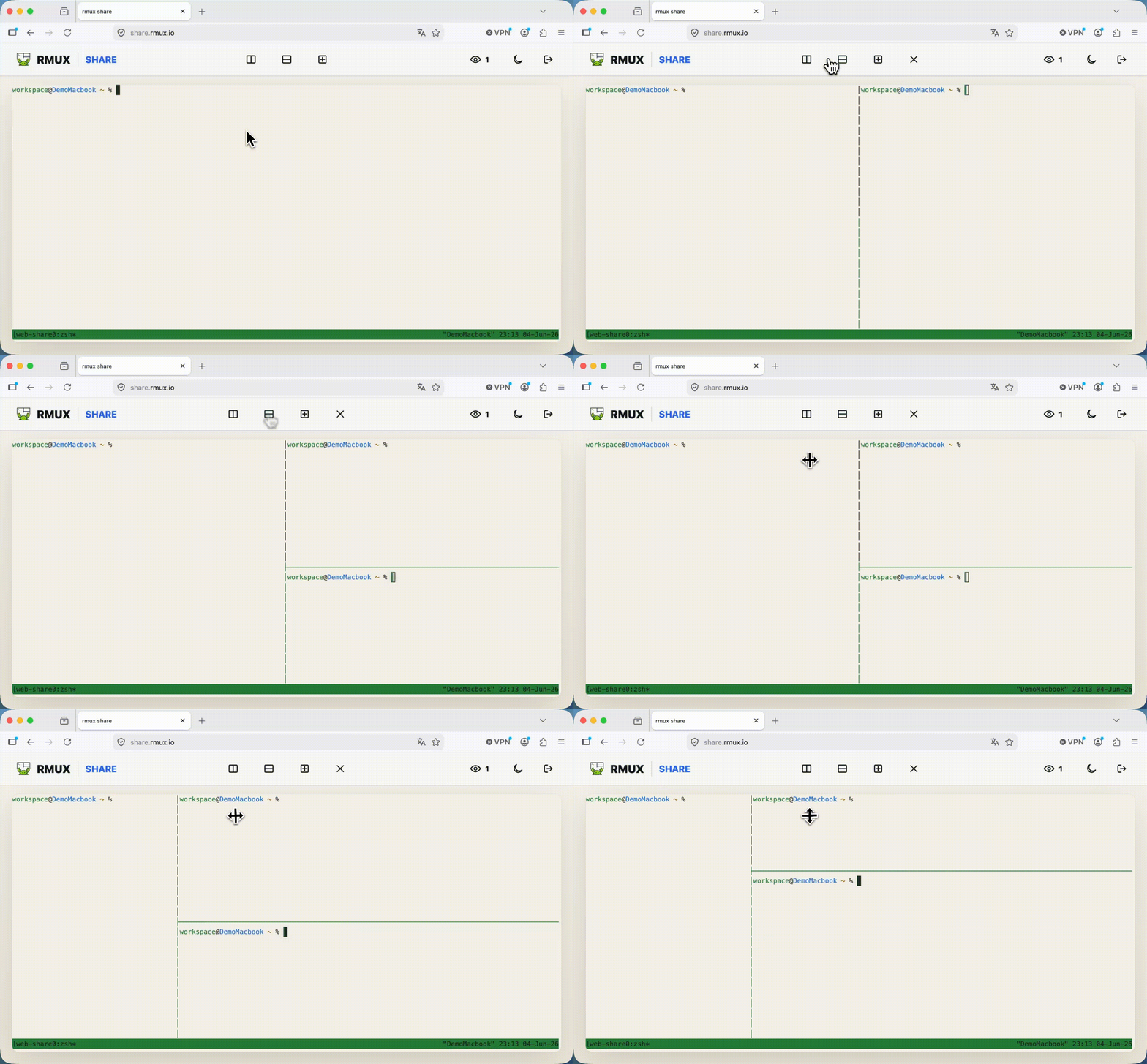
RMUX is an async, typed terminal multiplexer engine written in Rust. It implements 90+ tmux commands and runs natively on Linux, macOS, and Windows with no WSL required.
Use it as a standalone CLI, embed it in Rust terminal apps, or drive it through typed SDKs for Rust, Python, and TypeScript.
✨ Features
- Universal engine: typed SDKs for Rust, Python, and TypeScript.
- Native cross-platform runtime: Linux, macOS, and Windows backends.
- tmux-compatible command surface: 90+ commands covered by focused compatibility tests.
- Engineered and optimized for speed: see Benchmarks.
- Web Share: browser-shared sessions with hybrid post-quantum end-to-end encryption.
- Ratatui widget: render live RMUX panes inside Rust terminal applications.
- Local daemon architecture: shells, panes, windows, sessions, and scrollback stay on your machine.
🚀 Quick Start
rmux list-commands
rmux new-session --help
rmux split-window --help
rmux web-share --help
rmux diagnose --human
Use rmux -V for the installed version.
🎬 Demos
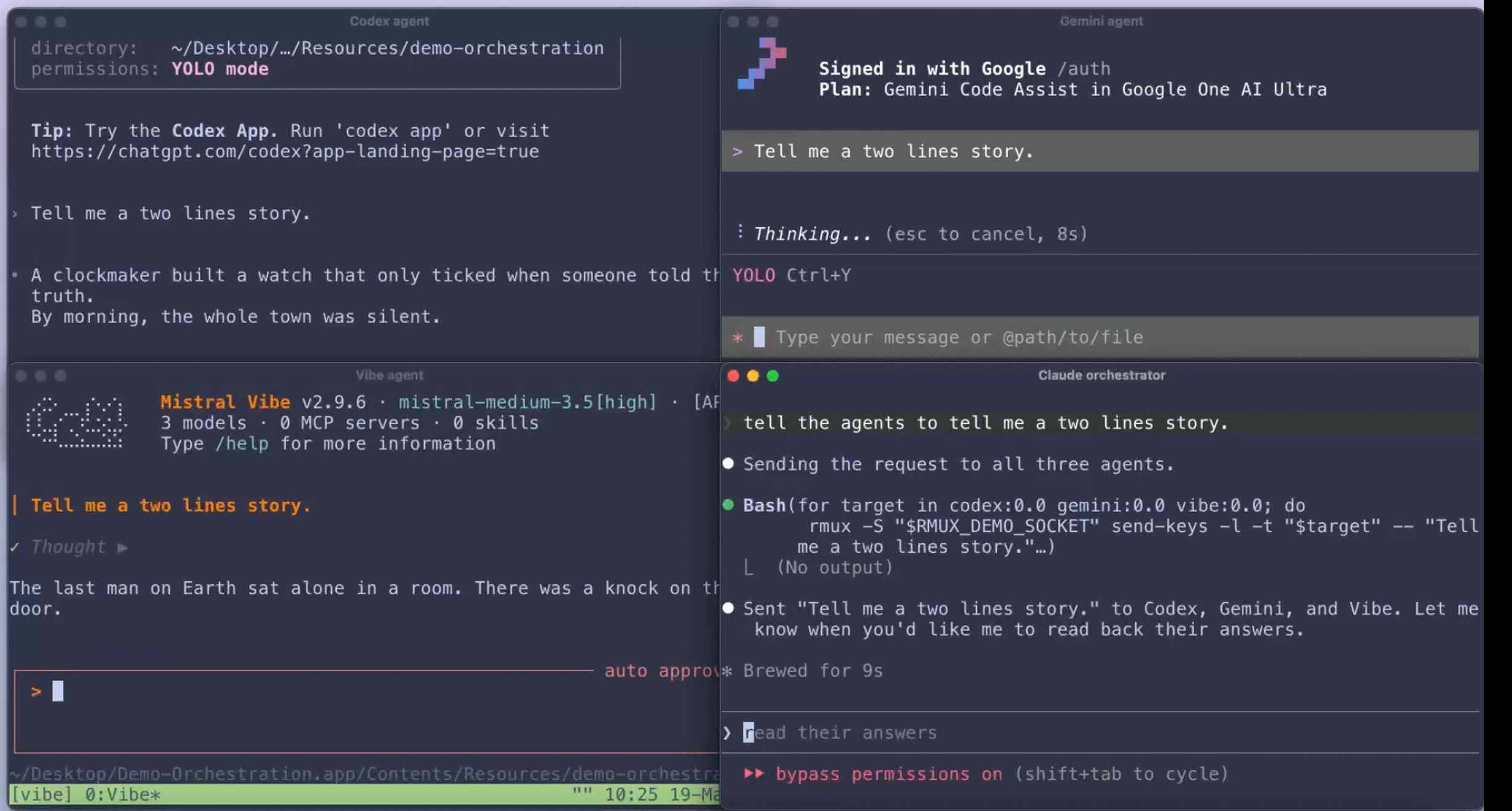 Multi Agents Orchestration ≃ 514 lines |
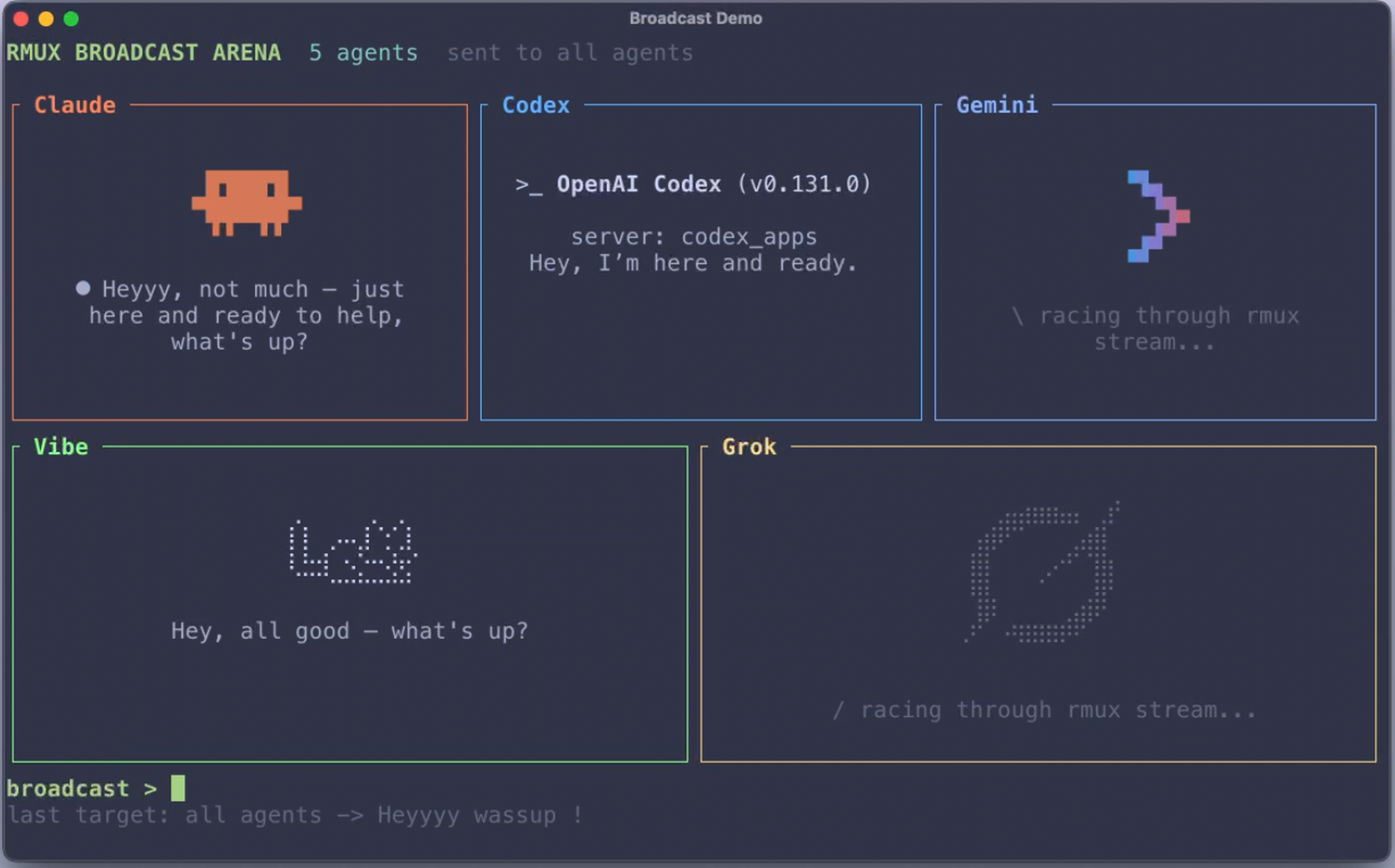 Agent Broadcast Arena ≃ 2,171 lines |
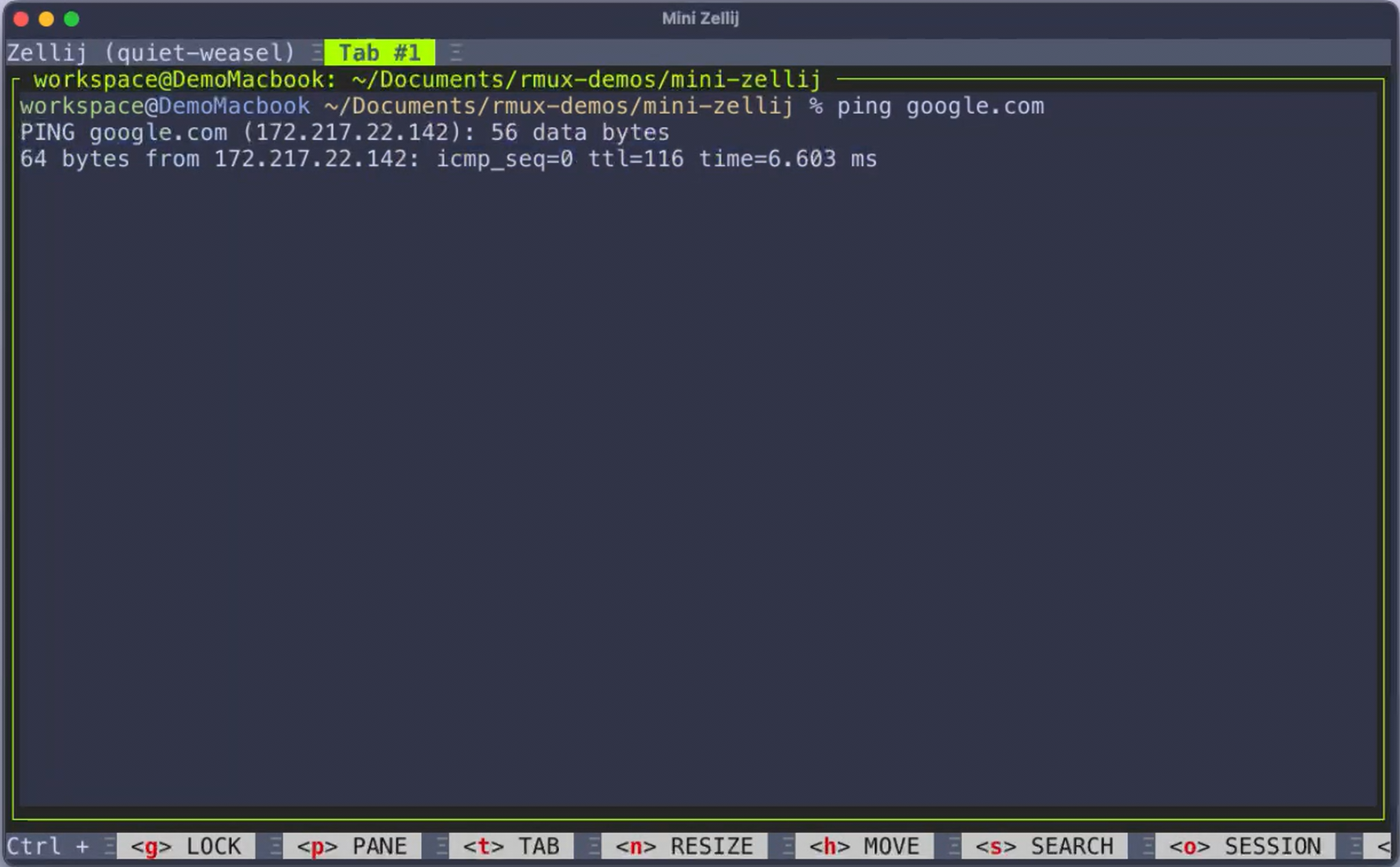 Mini-Zellij ≃ 944 lines |
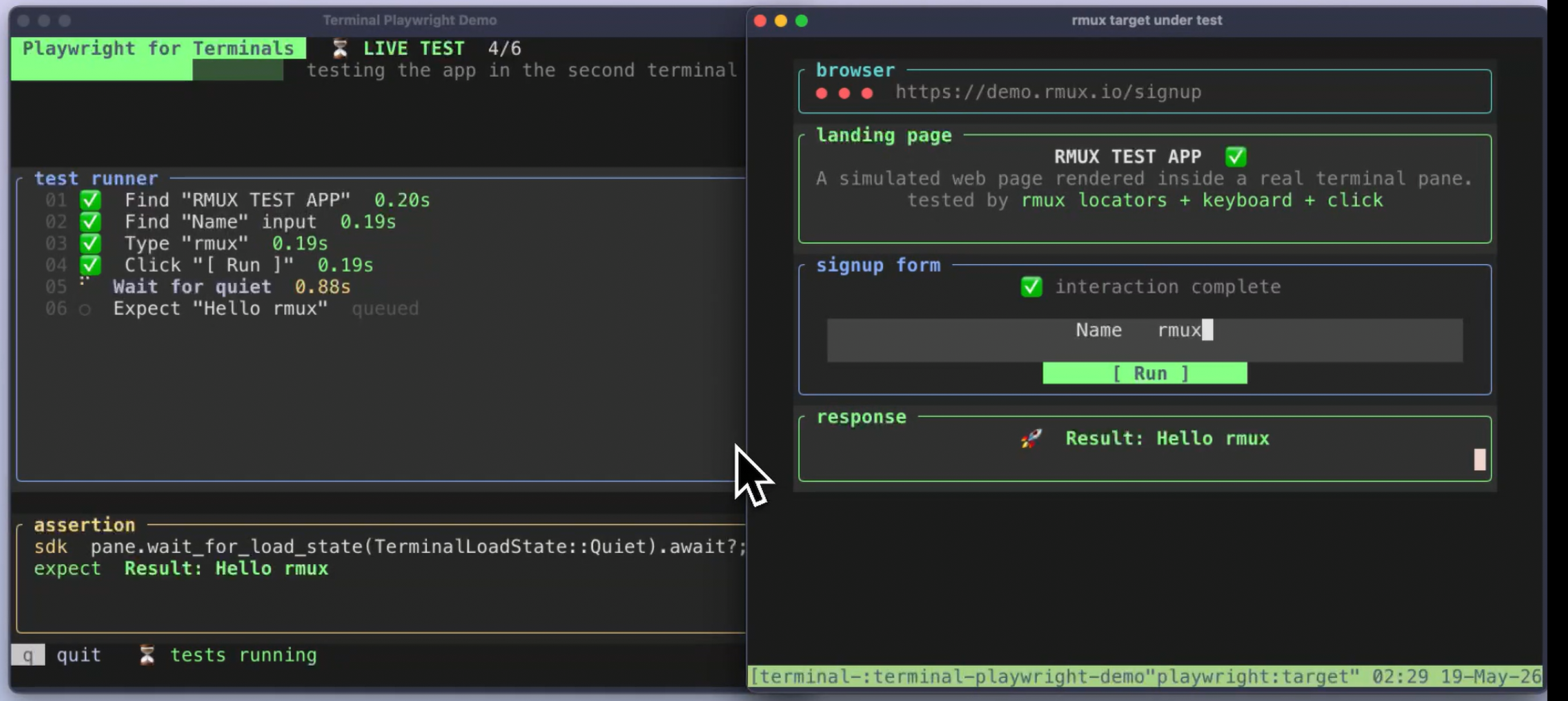 Terminal Automation ≃ 1,495 lines |
📦 Installation
| Platform / manager | Command |
|---|---|
 |
brew install rmux |
 |
winget install rmux |
|
scoop bucket add rmux https://github.com/Helvesec/scoop-rmux && scoop install rmux |
|
choco install rmux |
 |
See the APT setup guide |
|
See the DNF setup guide |
|
nix profile install github:Helvesec/rmux |
 |
cargo install rmux --locked |
Direct downloads (.tar.gz, .deb, .rpm, .zip) are available from the v0.10.0 GitHub Release.
Package managers can lag while registries review new releases; use the versioned GitHub Release download when a manager has not caught up yet.
On Windows, extract the complete .zip and add the extracted package root to
PATH. Keep rmux.exe, rmux-daemon.exe, and libexec/rmux/rmux.exe
together; copying only the public executable is not a valid installation.
For Unix .tar.gz downloads, run ./install.sh --prefix ~/.local from the
extracted archive. The installer preserves the required bin/ and libexec/
layout so the tiny public CLI can always reach its full helper.
Release packages may use a tiny public CLI for hot detached commands and a
private full CLI helper for complex tmux-compatible command forms. Windows
packages ship rmux.exe as the tiny dispatcher and keep the full CLI under
libexec/rmux/rmux.exe. Set RMUX_DISABLE_TINY_CLI=1 to force the full helper
while diagnosing CLI compatibility issues.
🤝 Claude Teammate Mode
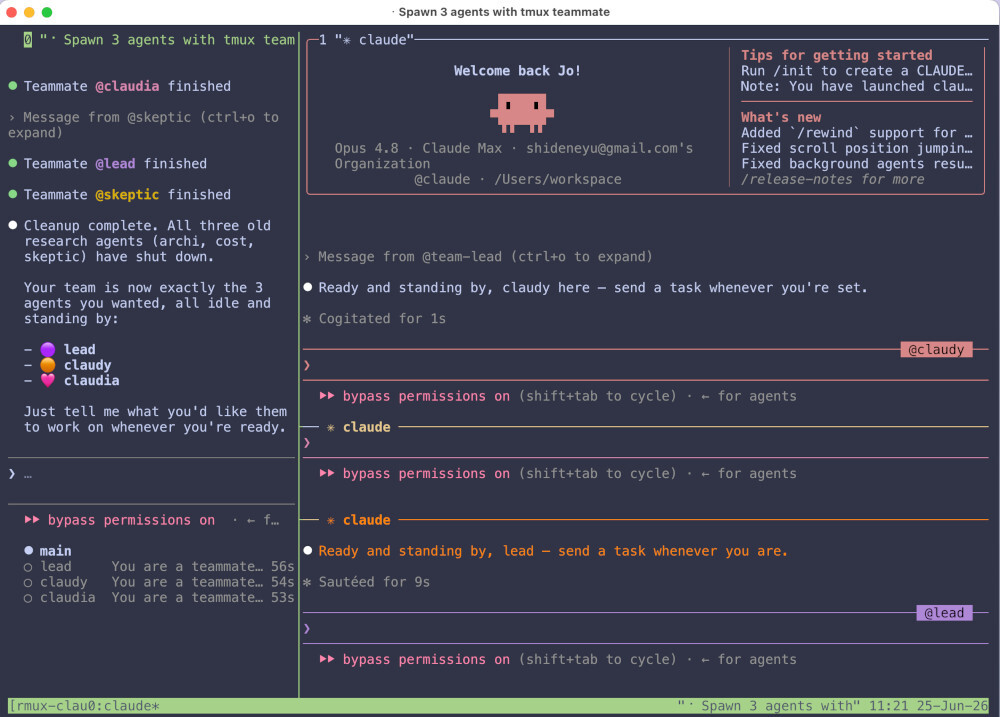
Run Claude Code inside a local RMUX workspace with tmux teammate mode enabled.
rmux claude [args]
# e.g., rmux claude --dangerously-skip-permissions
RMUX opens an attached session and automatically passes --teammate-mode tmux
along with your [args] straight to Claude.
How it works under the hood: to route commands properly, RMUX prepends a
private tmux shim to Claude's PATH. This is strictly scoped to the Claude
process and will not conflict with your system tmux installation.
Install RMUX's user-level Claude Code skill when you want Claude to remember the RMUX CLI, SDK, web-share, and automation patterns outside this repository:
rmux claude install-skill
The skill is installed under your Claude profile (~/.claude/skills/rmux on
Linux/macOS, %USERPROFILE%\.claude\skills\rmux on Windows). The repository
keeps the source copy at resources/claude/skills/rmux/SKILL.md so the project
can package and install it without a hidden .claude source-tree directory.
Note: Requires claude to be installed on your machine.
⚙️ Configuration
RMUX reads .rmux.conf from standard system and user locations.
On Linux and macOS:
/etc/rmux.conf
~/.rmux.conf
$XDG_CONFIG_HOME/rmux/rmux.conf
~/.config/rmux/rmux.conf
On Windows:
%XDG_CONFIG_HOME%\rmux\rmux.conf
%USERPROFILE%\.rmux.conf
%APPDATA%\rmux\rmux.conf
%RMUX_CONFIG_FILE%
If no RMUX config is found, RMUX can parse standard tmux.conf paths on a best-effort basis. Unsupported plugin lines are reported without aborting startup. Disable this fallback with RMUX_DISABLE_TMUX_FALLBACK=1.
🌐 Web Sharing
Share a pane or session in a browser while terminal execution remains local.
rmux web-share
rmux new-session -d -s work
rmux web-share -t work
rmux web-share --tunnel-provider localhost-run
Web Share uses hybrid post-quantum end-to-end encryption and can run over loopback, a tunnel provider, or your own ingress.
🧰 Scripting & API
The SDKs connect to the local RMUX daemon and expose sessions, panes, streams, waits, and snapshots for automation.
cargo add rmux-sdk
pip install librmux
npm install @rmux/sdk
- Rust SDK:
rmux-sdk - Python SDK:
librmux - TypeScript SDK:
@rmux/sdk - API reference
- Examples
- Repository SDK overview
📚 Documentation
The full documentation is available at rmux.io/docs.
🏗️ Architecture

RMUX keeps shells, sessions, windows, panes, and PTY processes inside the local daemon. Local clients attach via IPC. Web Share exposes only the selected pane or session through an end-to-end encrypted WebSocket.
🧪 Verification
The workspace is designed to be checked from source with locked dependencies:
cargo fmt --all -- --check
cargo clippy --workspace --all-targets --locked -- -D warnings
cargo test --workspace --locked --no-fail-fast
scripts/unsafe-check.sh
#![forbid(unsafe_code)] is used in the upper-level crates. OS and terminal boundary code is isolated in lower-level runtime crates.
⚖️ License
RMUX is dual-licensed under either:
at your option.
