Equalizer314
 Equalizer314



-3DDC84?logo=android&logoColor=white)
Though the app is still in beta, a lot of crash issues and inconsistences are fixed. As of now the app is also released on google play and currently going through the walk of shame. Still in early stages of testing and development, so I'll try my best to make note of your issues, run them myself and fix them as quick as possible.
To start off there is really no "free" and/or "open source" alternatives to Wavelet and Poweramp EQ out there, and I felt like after using both of those apps ammong other various EQ apps that there were huge shortcomings in terms of the features & accessibilities they offered. When I started developing this app I wanted to have both a powerful parametric eq function with minimal permissions; this is why I choose to use both the DynamicsProcessing & Visualizer APIs as the framework for ths app as you only need minimal permissions for both of them to work in tandem. There are shortcomings from both these APIs, but I'll discuss more of that later.
To start off this app is built off of DynamicsProcessing API you can read more about the documentation and features it offers here (https://developer.android.com/reference/android/media/audiofx/DynamicsProcessing); this is the same API that Poweramp EQ & Wavelet both use but I felt in some aspects they wern't really being able really squeeze out the max potential that this API can offer.
As someone who comes from the audio production & IEM world I have a lot of experience understaning what both sides of those worlds want and wanted to be able to take advantage of both to create something that met my creative endeavors.
Using the Visualizer API I wanted to give users a way they can reliably cross reference visual data with audio data; this is both useful for the main EQ portion as you can visually reference audio changes you make, but this comes more into play with the Limiting & Multiband Compression sides of the app. While these features are for use in the DynamicsProcessing API; and many apps like Poweramp EQ & Wavelet (who premium locks these features); they just add knobs/sliders in and expect the user to understand exactly how these features work and without real audio-visual feedback, users aren't really able to take advantage of these features in their full potential. This is the reason why many DAWs and VST Plugins use audio-visual feedback with these functions specifically.
Using Visualizer API with these DynamicsProcessing features; you're really able to get an intimiate audio-visual feedback loop that gives you complete control over your audio framework. Shown below are some screenshots of the Multiband Compression & Limiter and how the Visualizer API functions with the input curves, gr trace curves, & the limiter waveform metering.
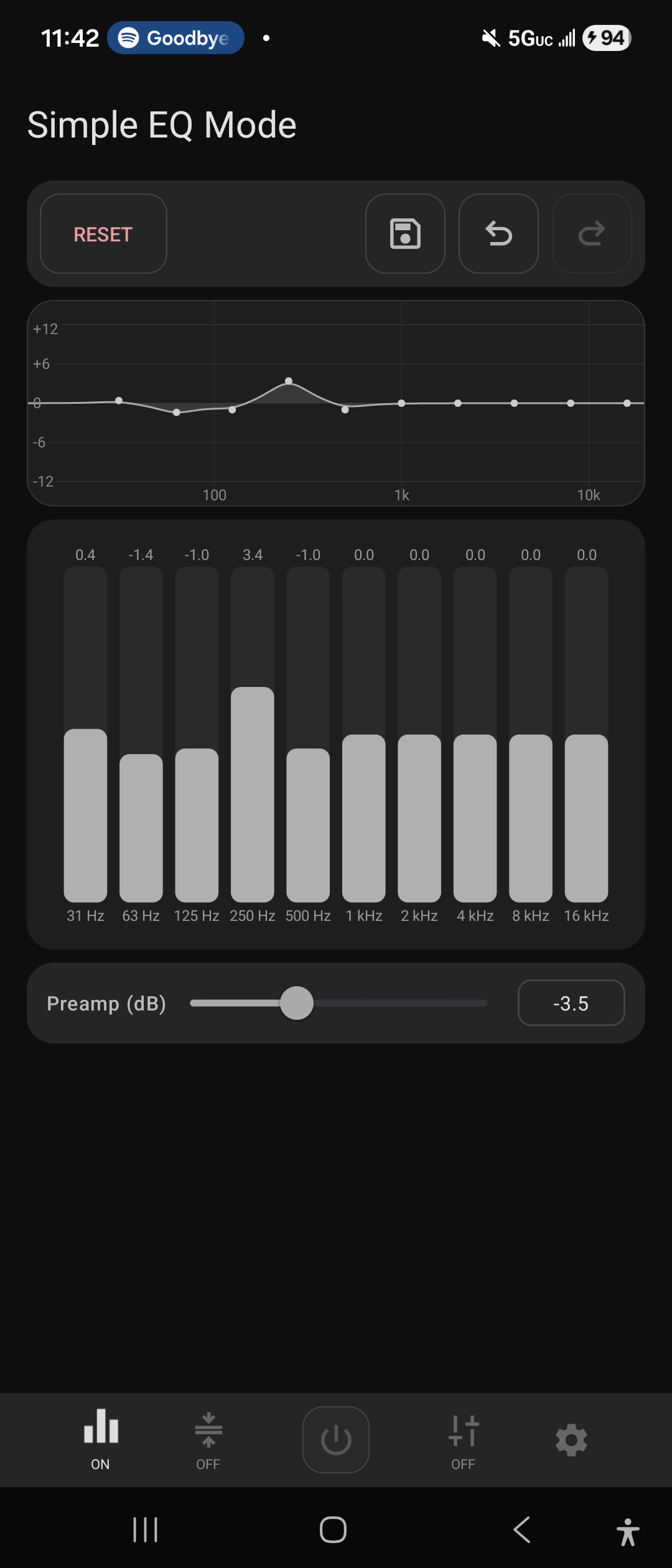
A lot of other funtions that don't use the Visualizer API I also wanted to still give correct visual feedback (same style implementation that many DAWs use) such other various functions like the compressor & attack/release visuals. You can independently change these values with the slider and by moving you finger along the line/graph itself. This occurs in other places in the app as well, but these are two good examples of this.
Why DynamicsProcessing & Visualizer APIs?
There exists other apps and methods for device eq & visualization; but I wanted to talk about why I choose DynamicsProcessing & Visualizer as the framework for this app vs the other available and why I choose not to use those. To touch on this point again I choose to use the DynamicsProcessing API, the same API that both popular apps such as Poweramp EQ and Wavelet use as I decided DynamicsProcessing had enough tangibility in coparison to what I had to sacrifice using other more powerful methods.
Other methods of EQ available (ranked from);
Androids built-in Equalizer class (android.media.audiofx.Equalizer)
- Fixed amount of EQ bands, this is what many "lazy" eq apps use and other apps who want to use EQ but don't want to focus on building an EQ engine (audiobook apps, music players, media players, video players, etc)
- Attaches to an audio session
AudioEffect API subclasses (https://developer.android.com/reference/android/media/audiofx/AudioEffect)
- Much better than androids built-in equalizer class but still lacks in comparison to DynamicsProcessing
- A lot of apps build with DynamicsProcessing & AudioEffects as there are some subclasses available within the API that can offer "different" features that DynamicsProcessing cannot and they can attach to the same audio session pipeline
- Attaches to an audio session
AudioPlaybackCapture (RootlessJamesDSP)
- Has much more access to the audio framework than what any of the avaialble APIs above can do, but in order to do so you need to grant ADB perms using something like Shizuku, going this way would also provide a much more accurate Visualizer/Spectrum; but going this route would force you to use the RECORD_AUDIO permission while also increasing latency with audio, and I wanted to keep the permissions in my app as low as possible and there was already a well developed app using this method so I wanted to stay clear of doing something that was already done
- Another limitation is that some apps such as spotify block internal audio capture
AudioFlinger (JamesDSP & ViPER4Android)
- This is the "best" method if you really want control over your audio without latency issues. There is no "down-side" to using this method other than you need a rooted device which steers a lot of people away. This along with RootlessJamesDSP are best used if you want to apply custom audio effects directly without relying on android's built-in effects.
- only con? root.
Presets & EQ Generation & AutoEQ
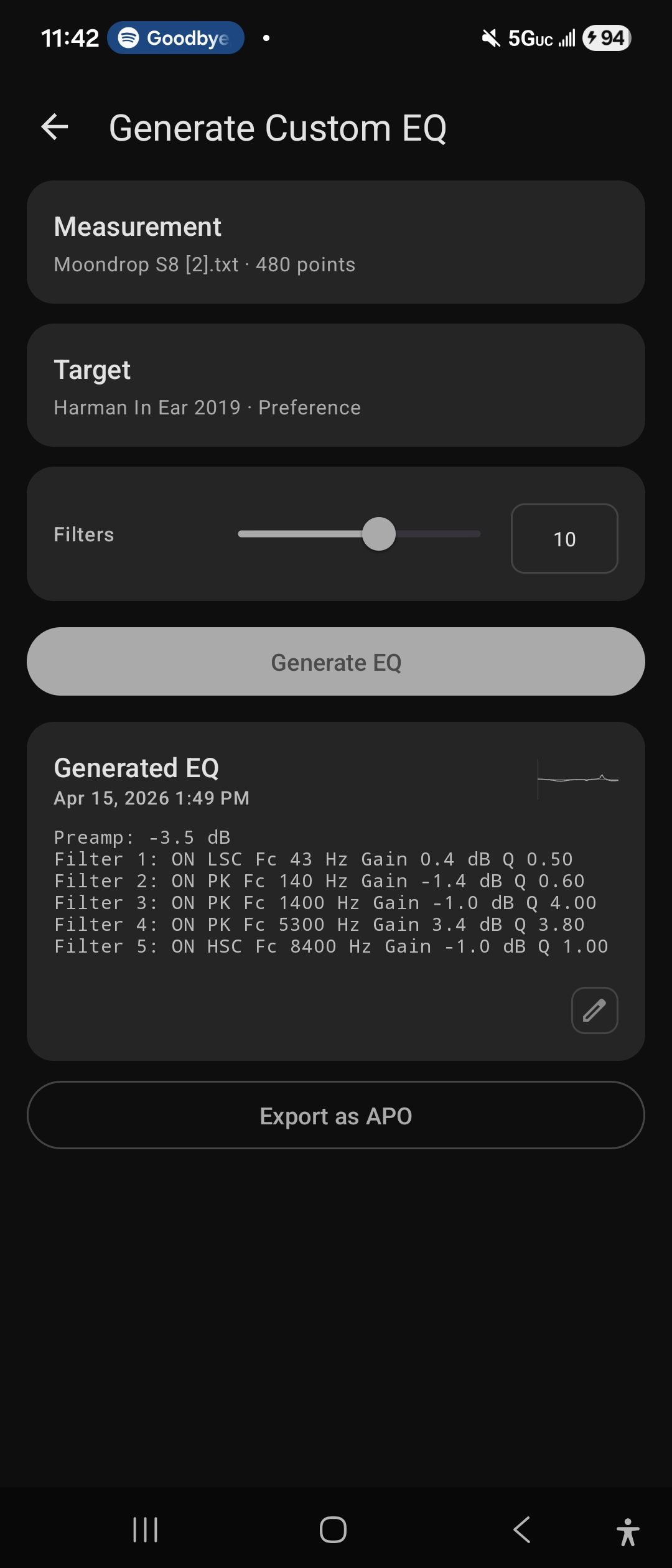
To reference, lots of apps run AutoEQ (https://github.com/jaakkopasanen/AutoEq/wiki/Choosing-an-Equalizer-App); including Wavelet & Poweramp EQ. What both those apps don't offer are either "free access to auto eq" (comon wavelet....) & using the built in AutoEQ algorithm from the AutoEQ Github which you can take a look at here (https://github.com/jaakkopasanen/AutoEq/wiki/How-Does-AutoEq-Work%3F). This algorithm is done on the "Generate Custom EQ" section of the app; you need a "measurement" & "target" which both can be taken from squig.link along various resources online.
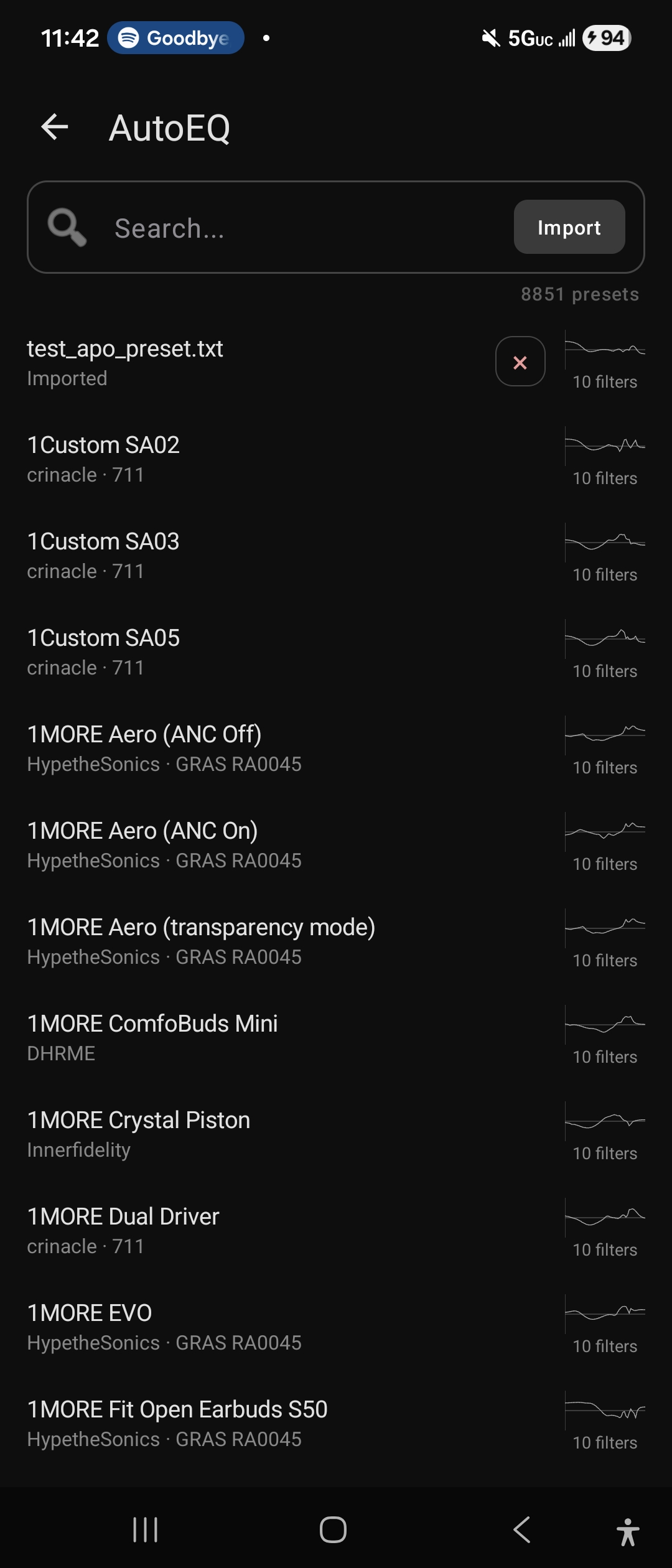
On top of this I would also like to mention maintaining homogenity between preset sharing among popular equalization "applications"; this why I want with APO as the main export method than having an independent export method such as what Poweramp EQ & Wavelet use (Also as shown below in the "Generated EQ" portion). This would allow you to transfer the exported APO file to your desktop equalization software (EqualizerAPO) without having running into conversion issues. I was thinking about creating a conversion software in the app or on this github so incase people want to trasnfer over from Wavelet & Poweramp EQ, they can with ease. It might be something I will implement later if a lot of people request.
Known Issues
On this app I specifically use session 0 for all applications unlike what Wavelet and Poweramp EQ do by attaching itself to an audio session. In the future I can give the option to attach to individual audio sessions like the ladder apps, but for now as of the v0.0.1-beta release there is no ability to do so.
As for conflicts, as long as another app is using session 0, the eq from this app will not work, only one app can control session 0 at a time. In the code I added an auto-reclaim feature that will attempt to take over session 0 if another app takes it over, but sometimes this will not always work, and you'll experience brief audio glithes of dropouts while this is happening.
These same issues occur with Wavelet, RootlessJamesDSP, Poweramp EQ; and most other EQ apps as they all target session 0.
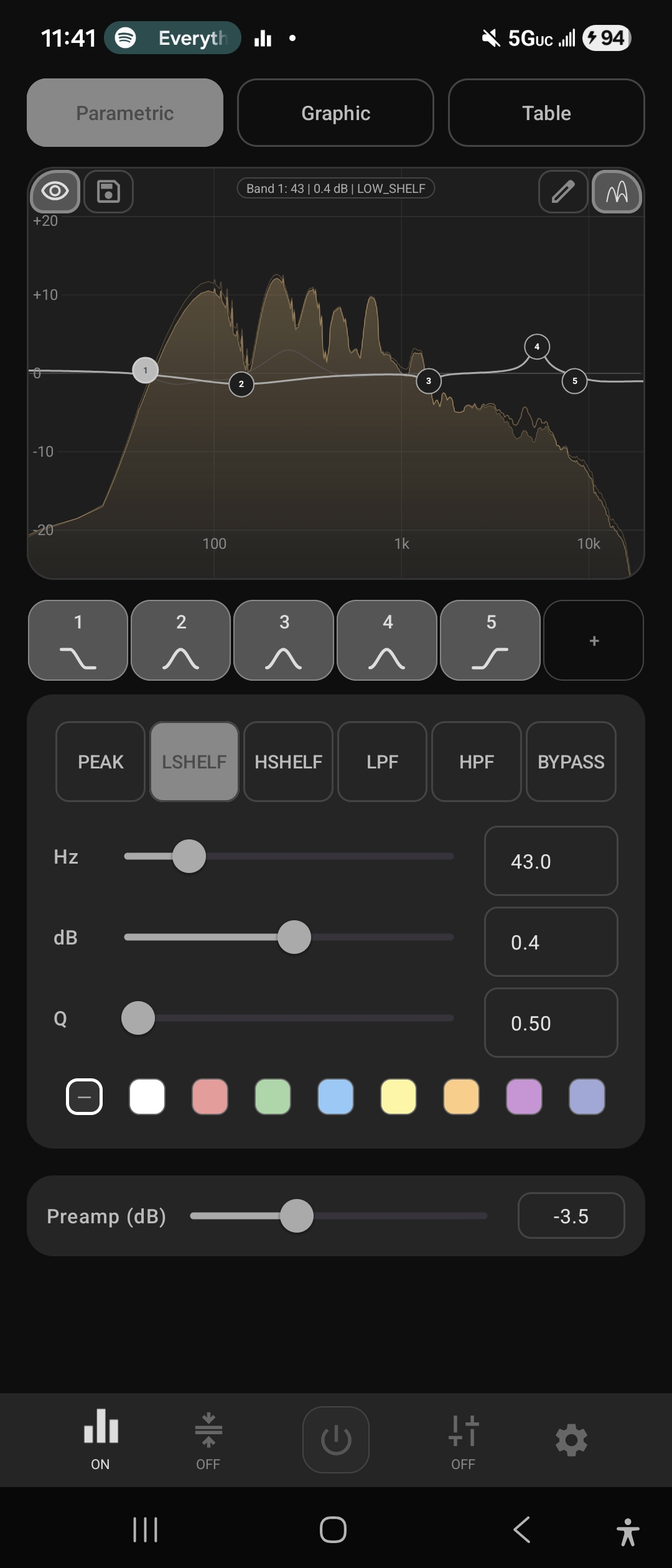
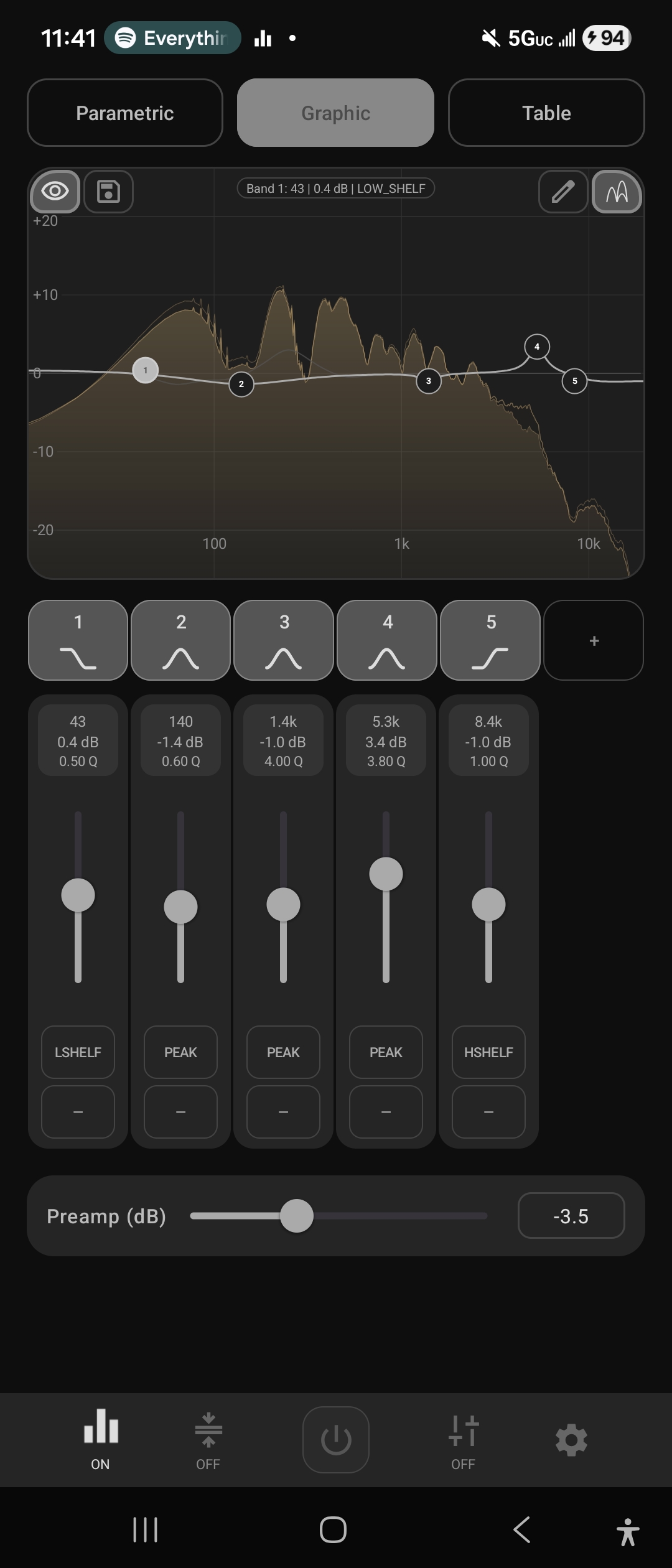
Screenshots
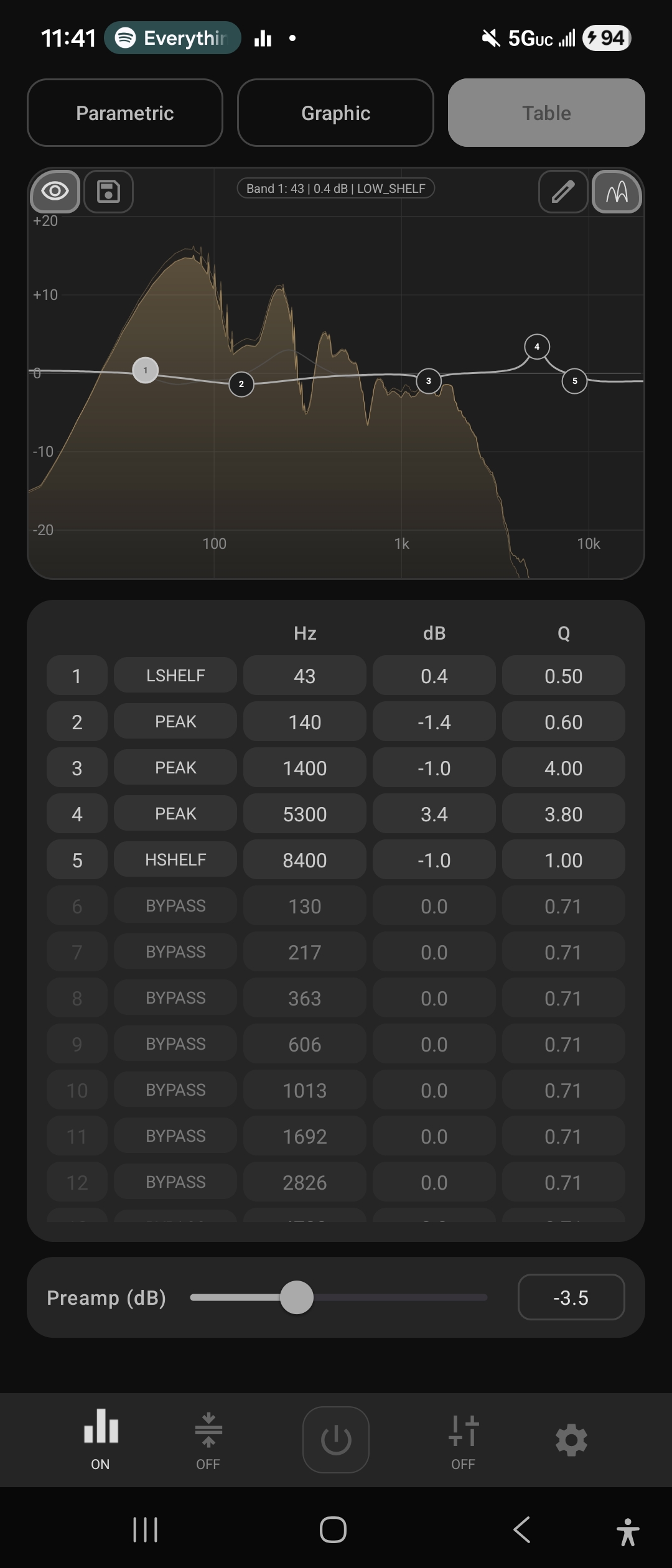
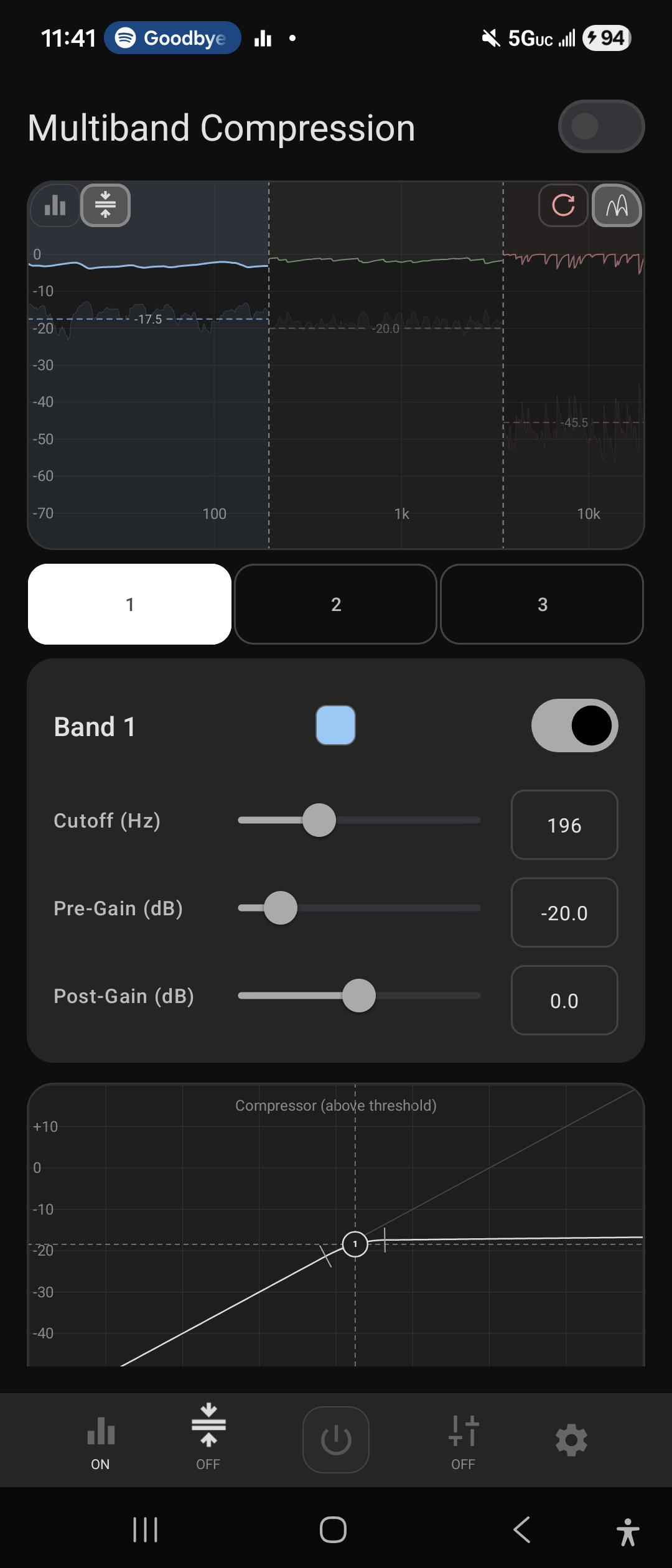
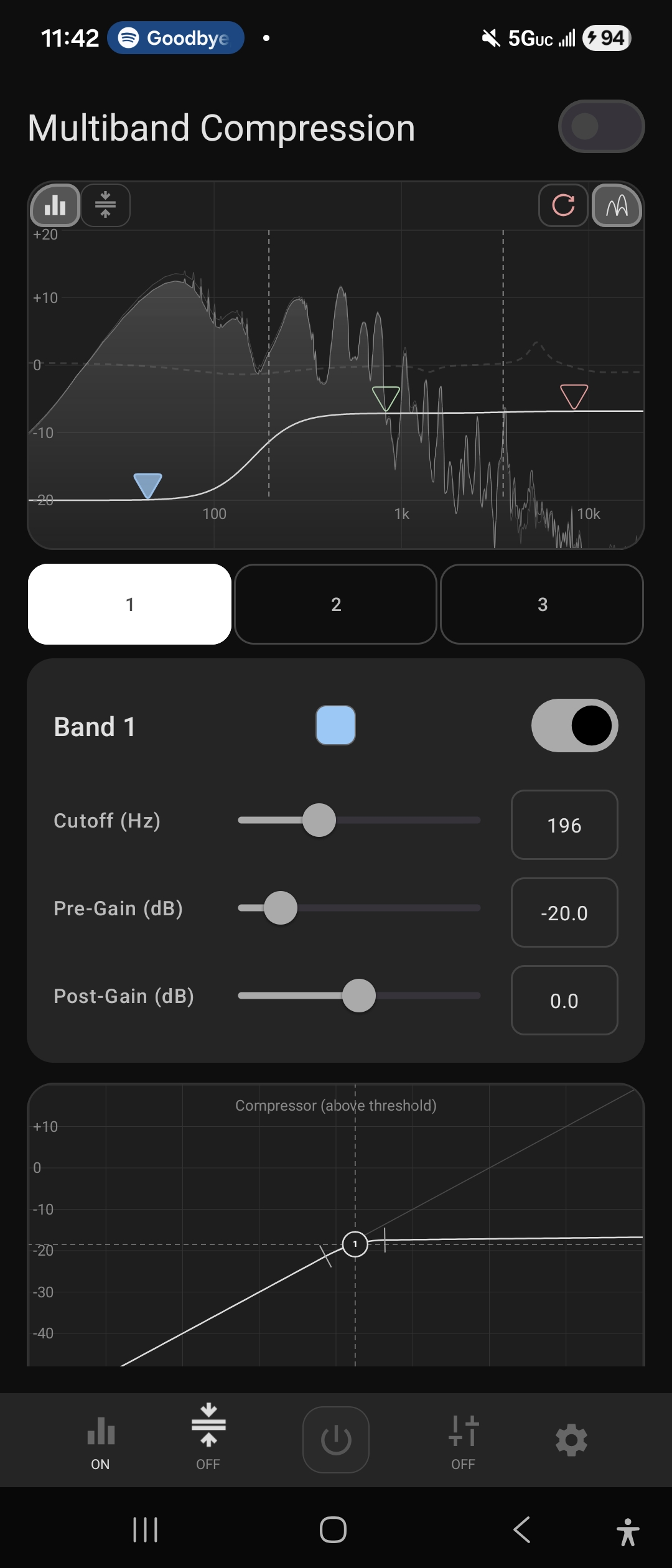
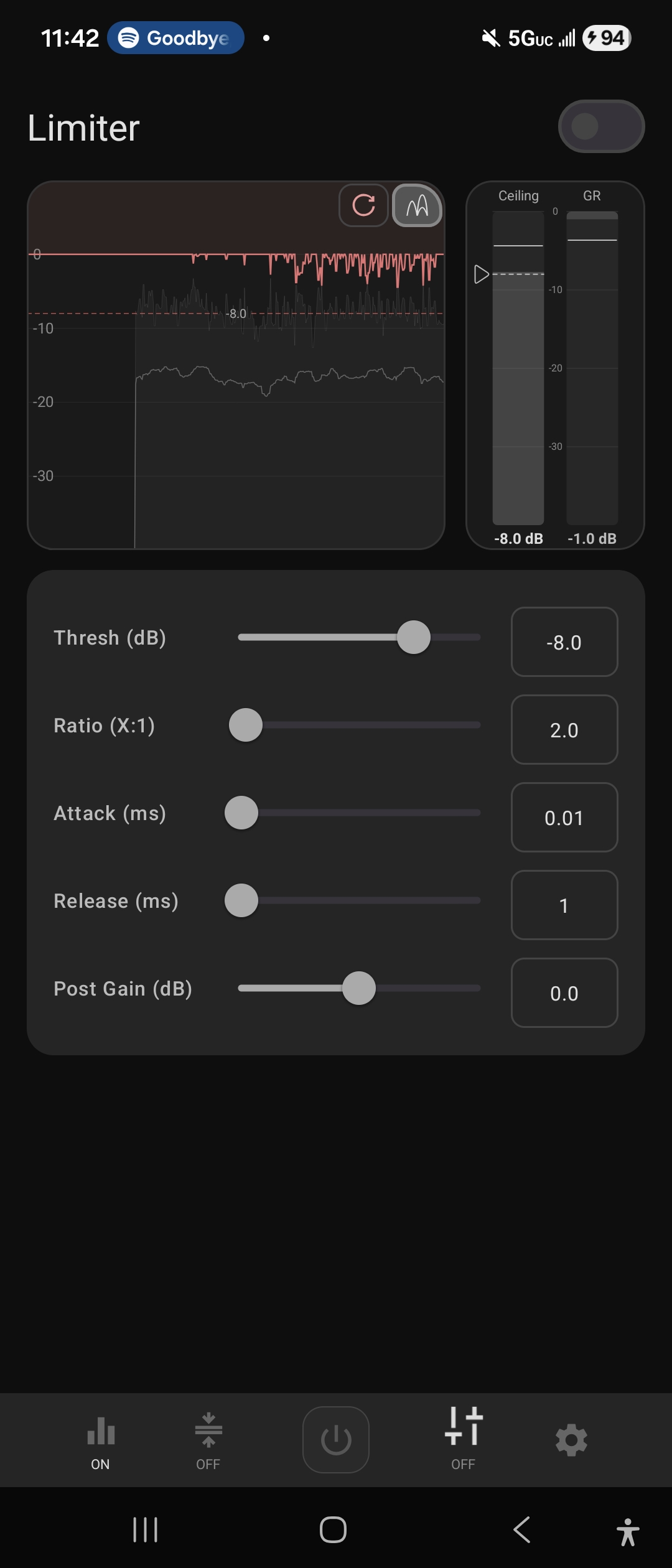
Acknowledgment/Resources
All of these acknowledgements are mentioned in code comments, but I wanted too also include them here as well, because I think these are all good resources to read up on.
- Audio EQ Cookbook - biquad math for the parametric eq.
- Matched Second Order Digital Filters — bell filter math for parametric eq.
- AutoEq - used for target curve/measurement fitting + autoeq presets.
- Digital Dynamic Range Compressor Design - used for hard/soft knee transfer function for the multiband compression
- ITU-R BS.1770 - used LUFS measurements
- Linkwitz–Riley crossover - used for crossover math in multiband compression section
License
Equalizer314 is released under the GNU General Public License v3.0. See LICENSE for the full text.
You are free to use, modify, and redistribute this software under the terms of the GPL v3. If you distribute a modified version, you must release the source under the same license.
