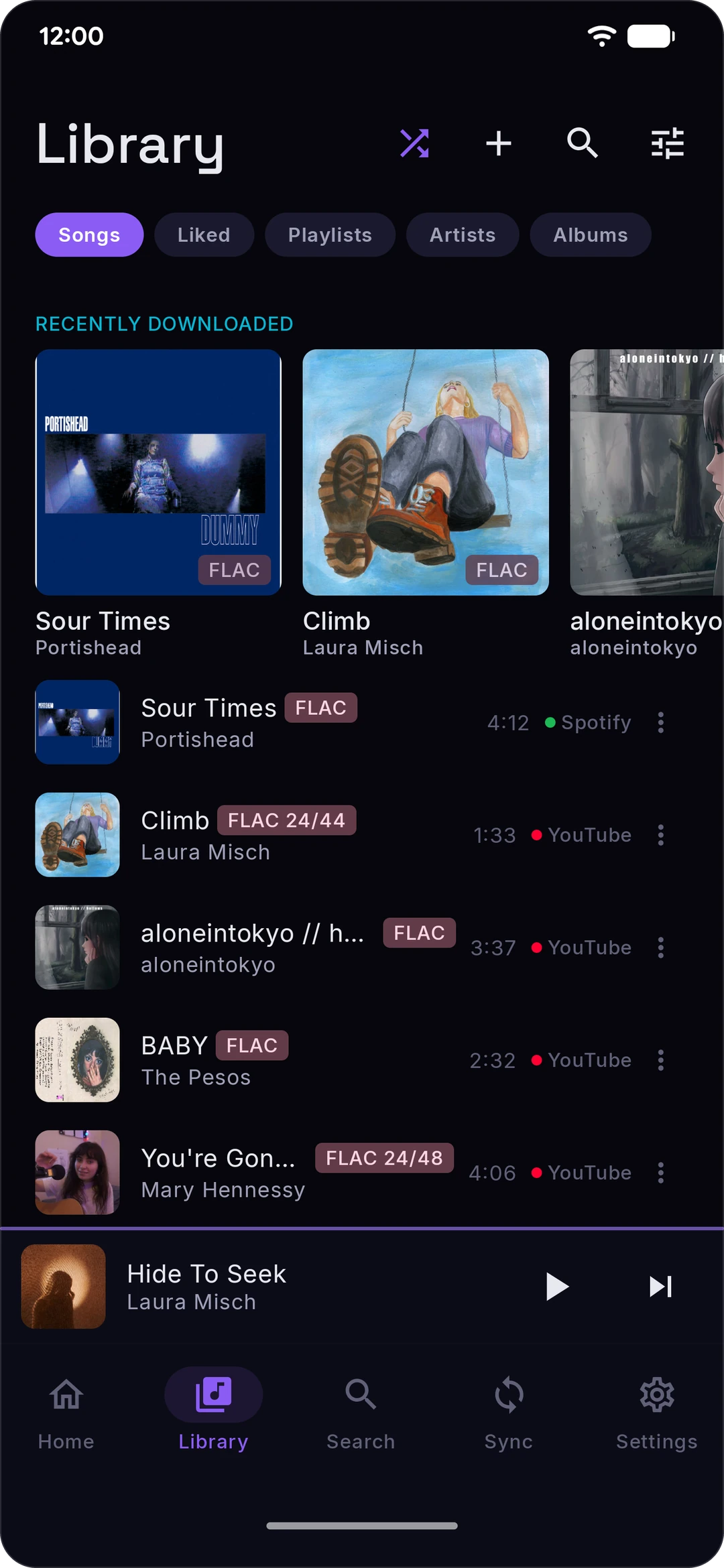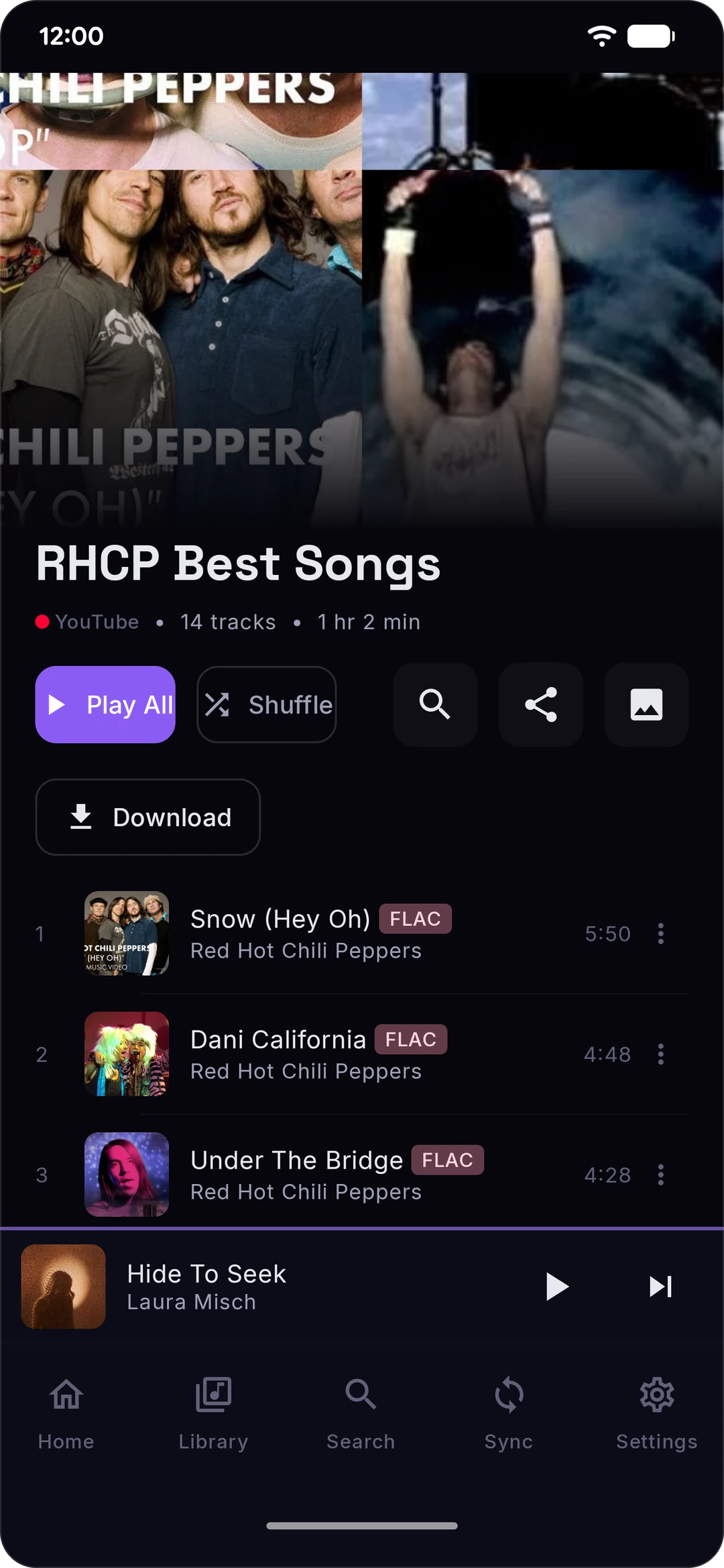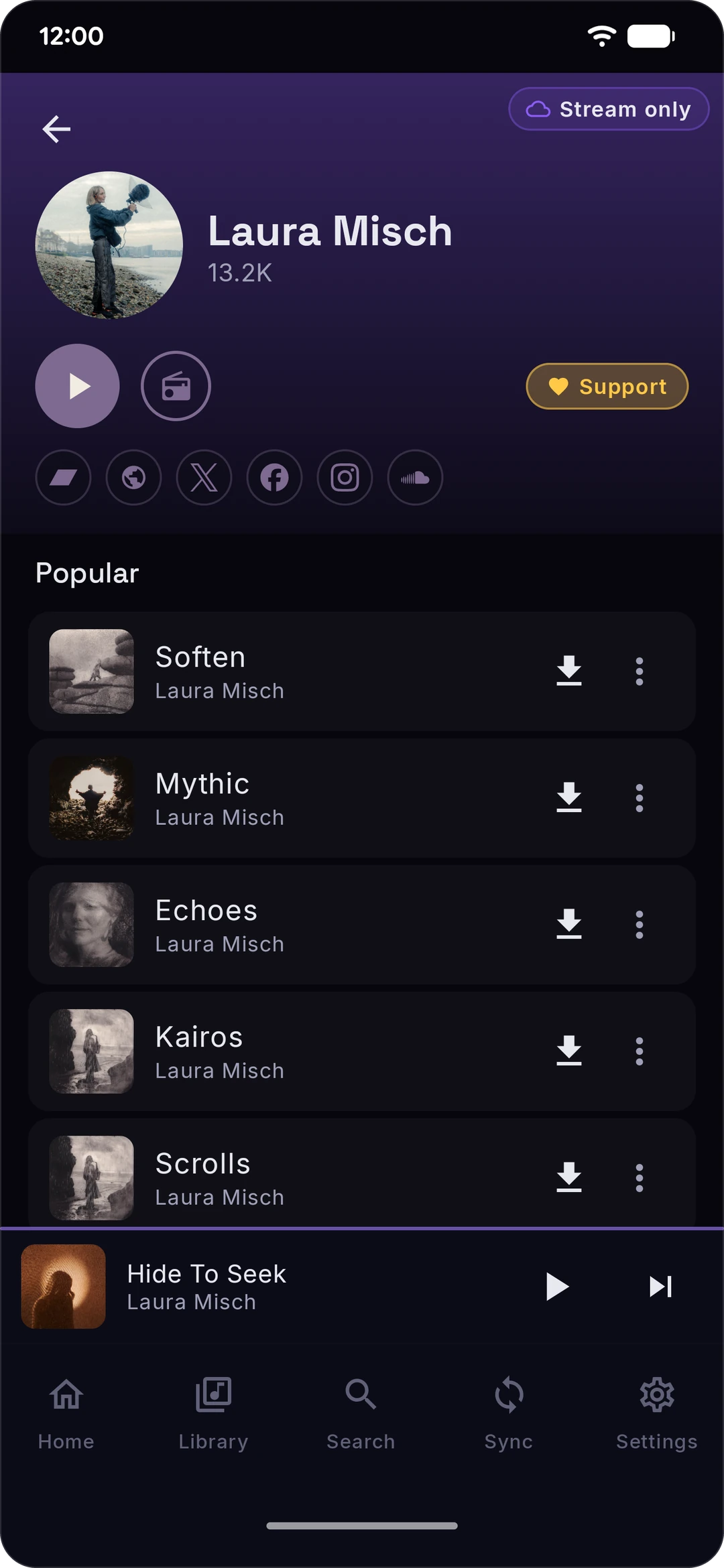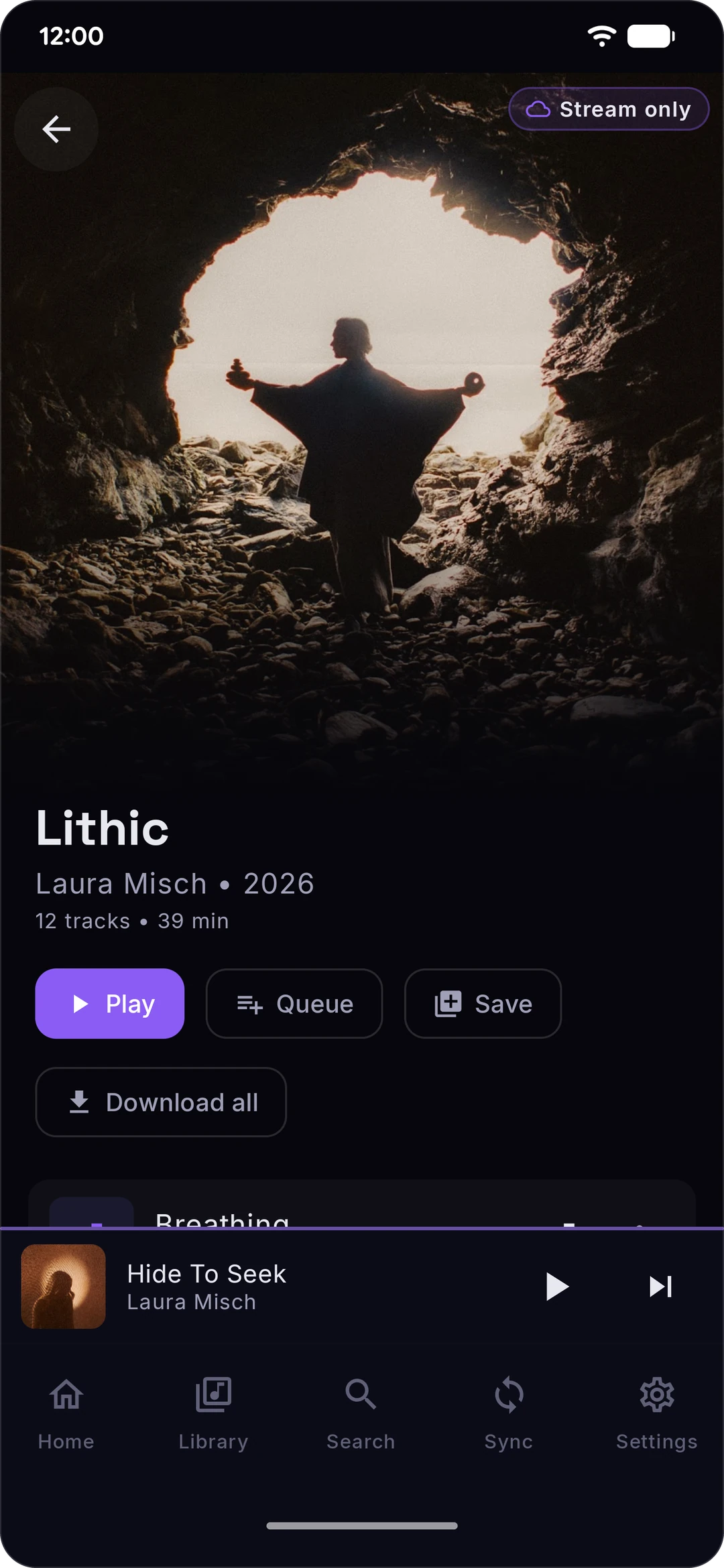
Stash

Project Url: rawnaldclark/Stash
Introduction: Your Spotify + YouTube Music library & daily mixes, downloaded and playable offline. Free and open source, forever.
More: Author   ReportBugs   
Tags:

Your Spotify + YouTube Music library, on your phone. In FLAC, if you bring the source.

License: GPL v3 Platform Release Discord

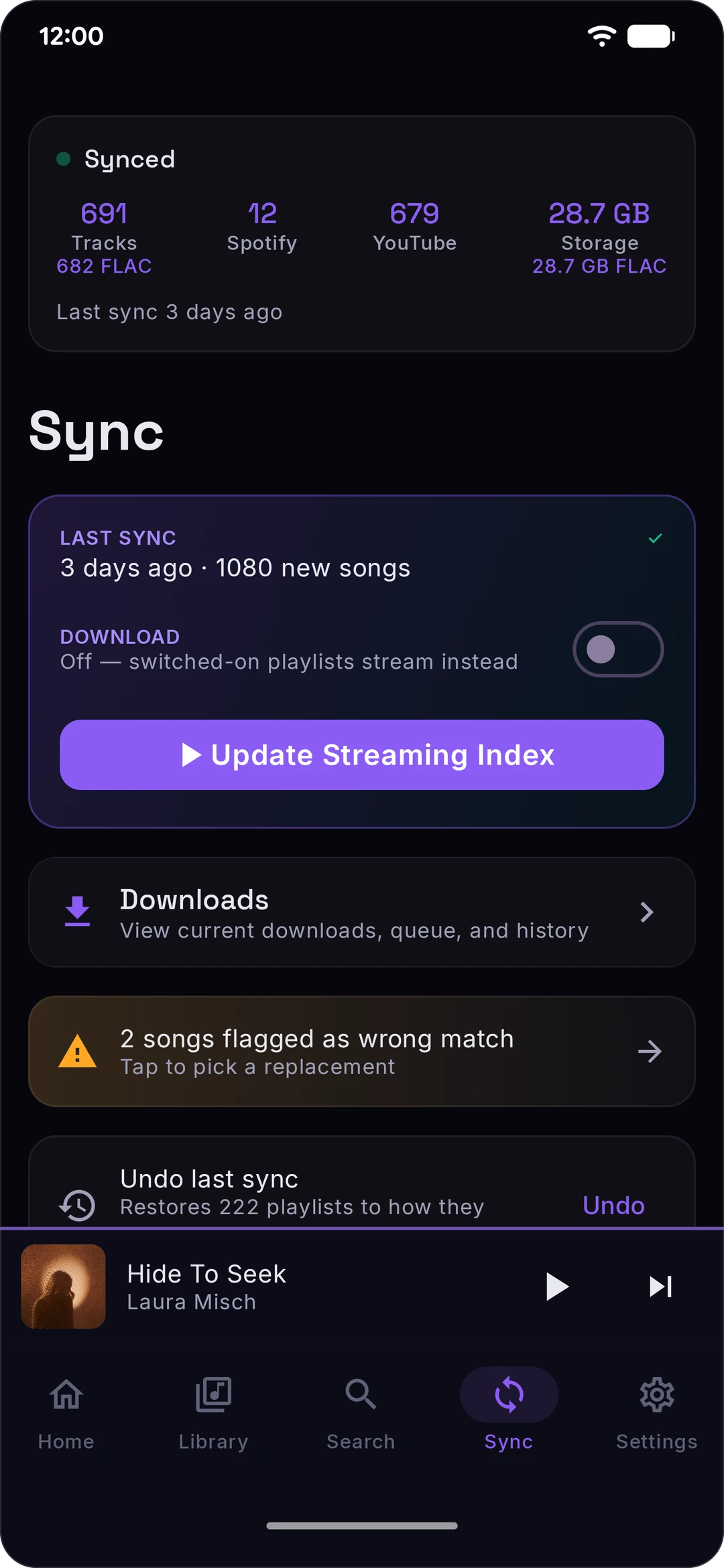
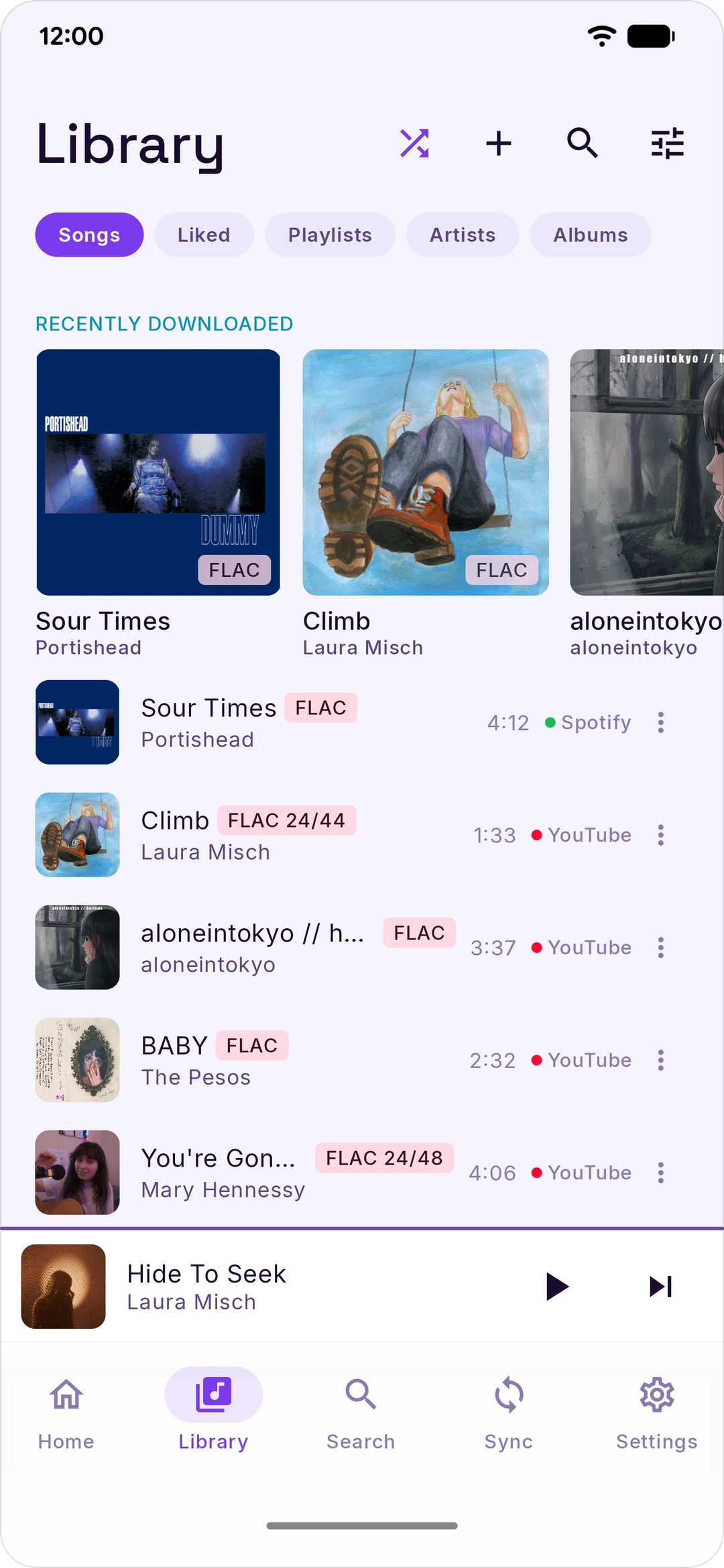
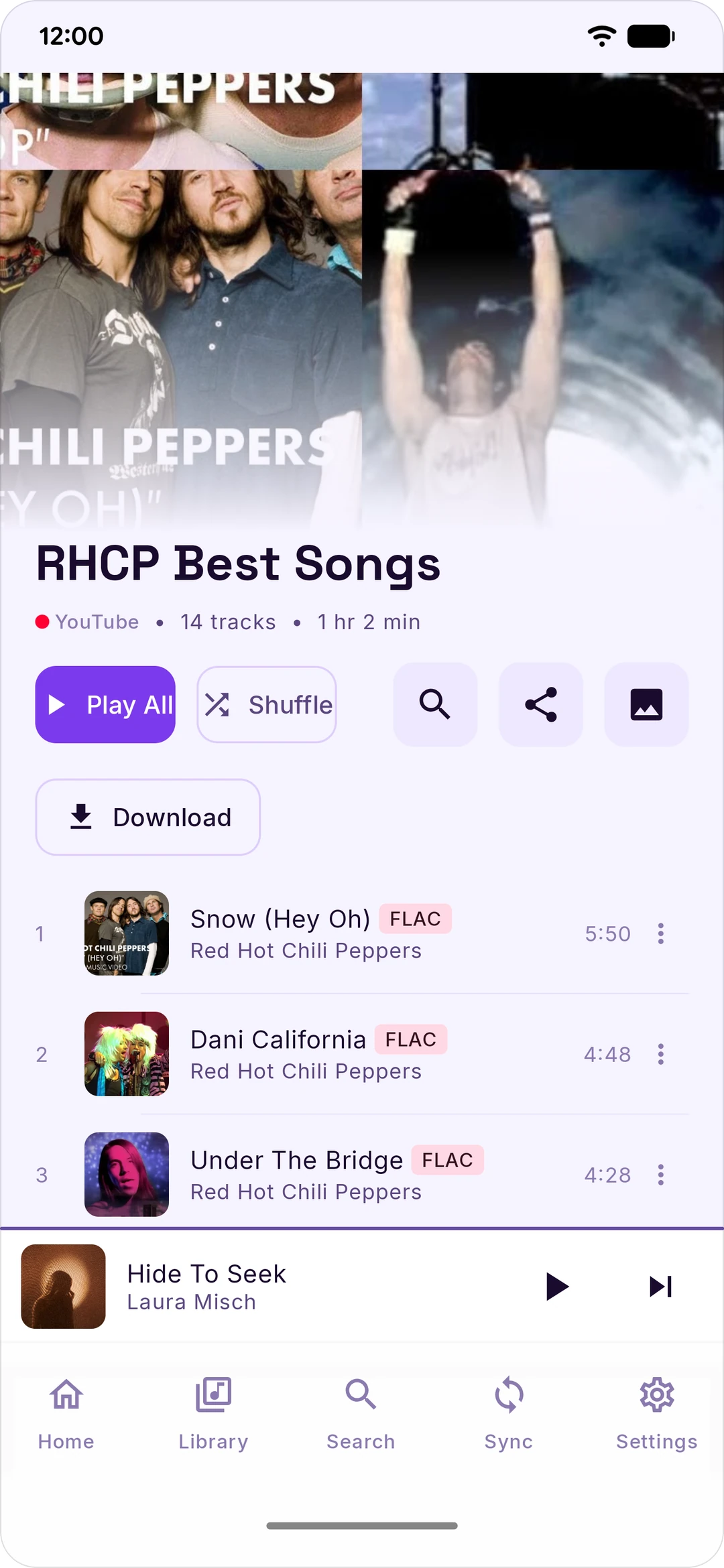
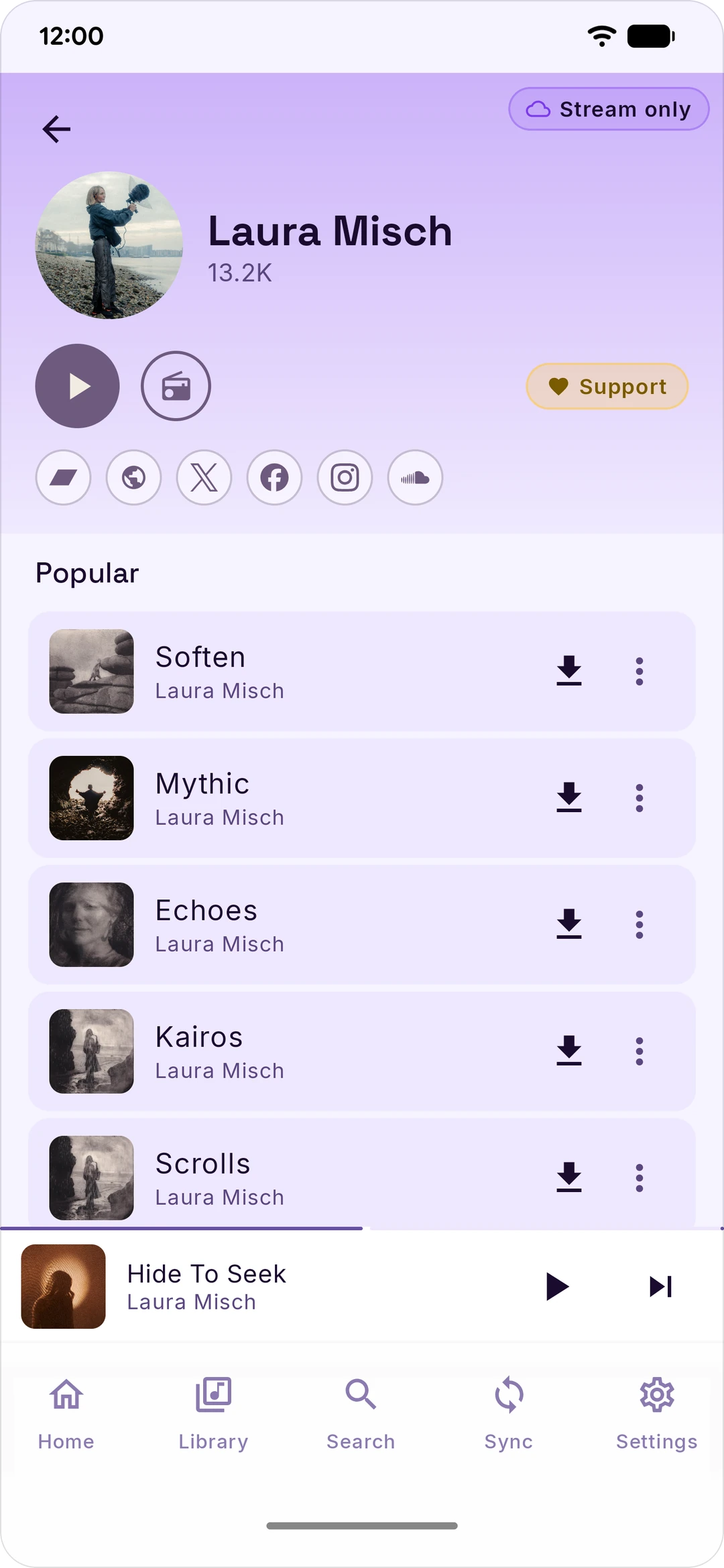
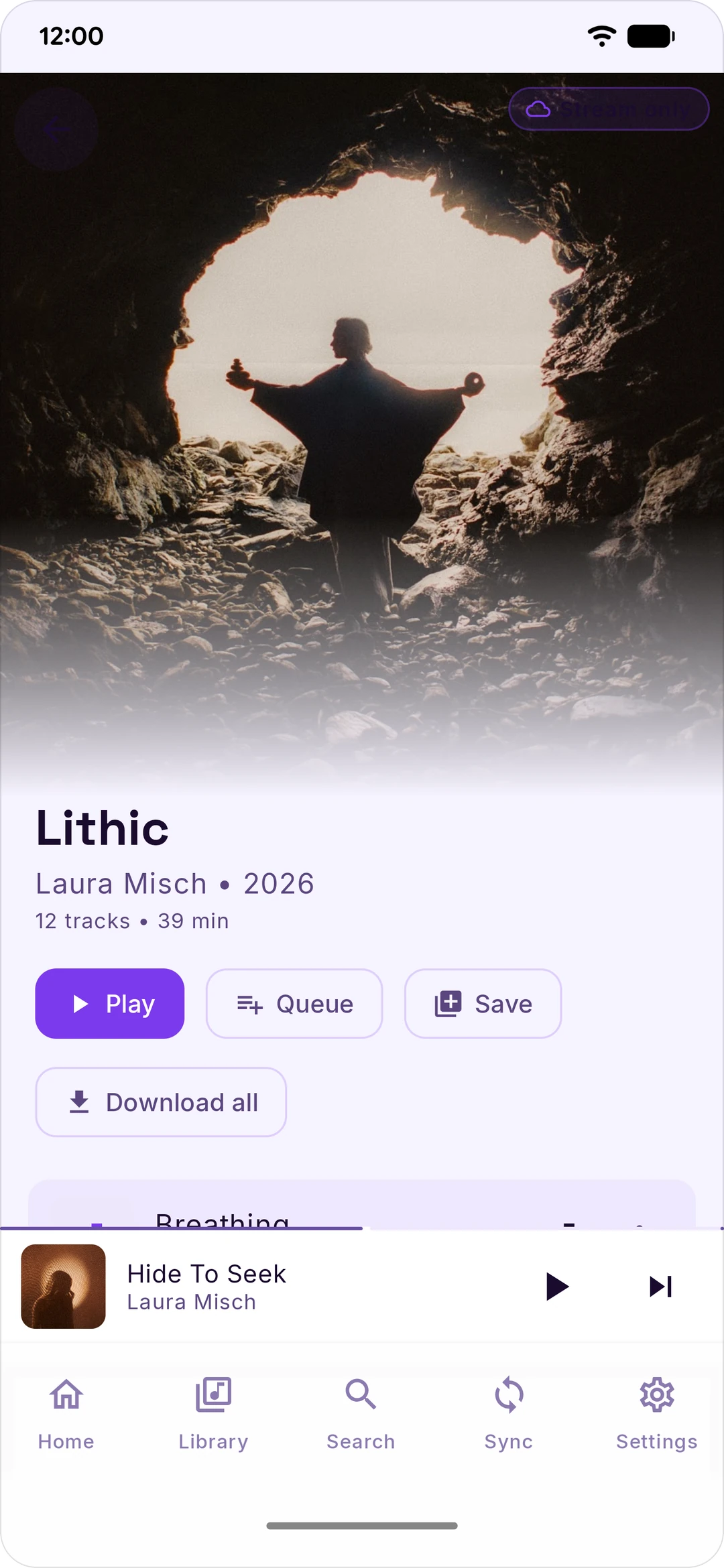
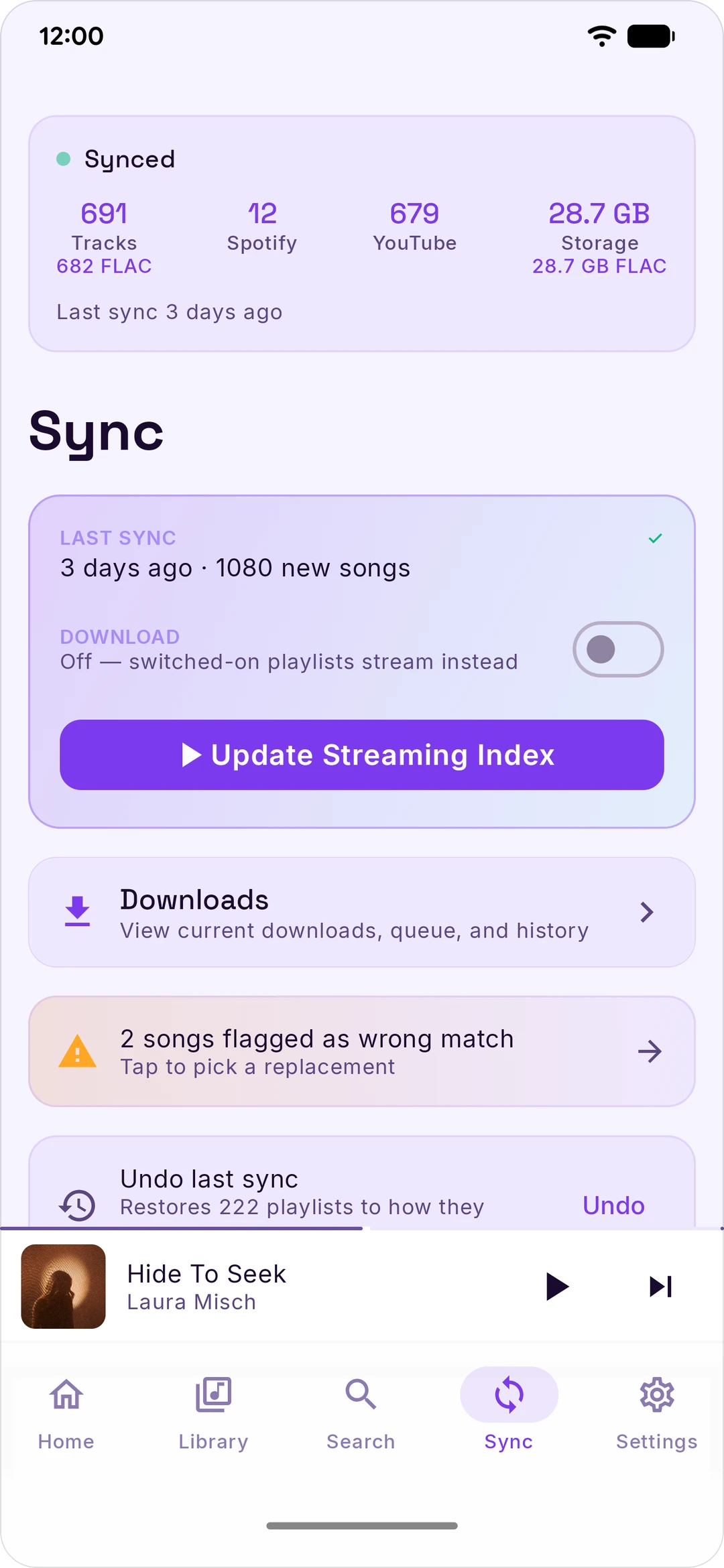
Stash mirrors your Spotify and YouTube Music libraries to your Android phone. You connect each service, pick the playlists and mixes you want, and Stash either downloads them for offline playback — as real FLAC files once you've connected a lossless source — or surfaces them as a streaming index so you can stream tracks without filling up your storage. Same library, two modes, one tap to switch.

There's no Stash account. No subscription. No ads. No analytics. Your credentials live on your phone — the Spotify and YouTube cookies encrypted, the rest in app-private storage — and each one is only ever sent back to the service it came from. Spotify and YouTube aren't the only hosts Stash talks to, though — lyrics, scrobbling, artist metadata and lossless all have their own. The full list is below.

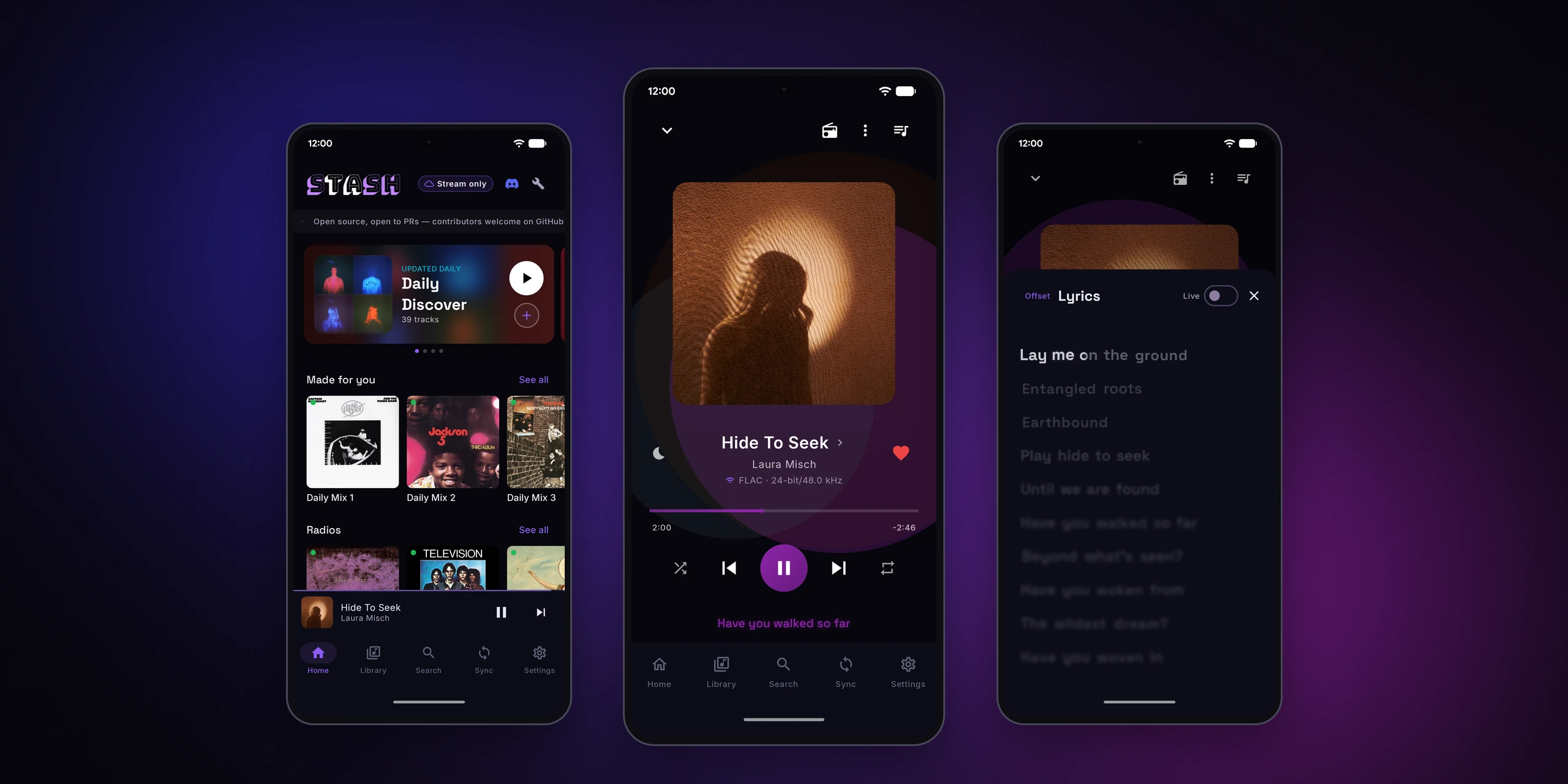
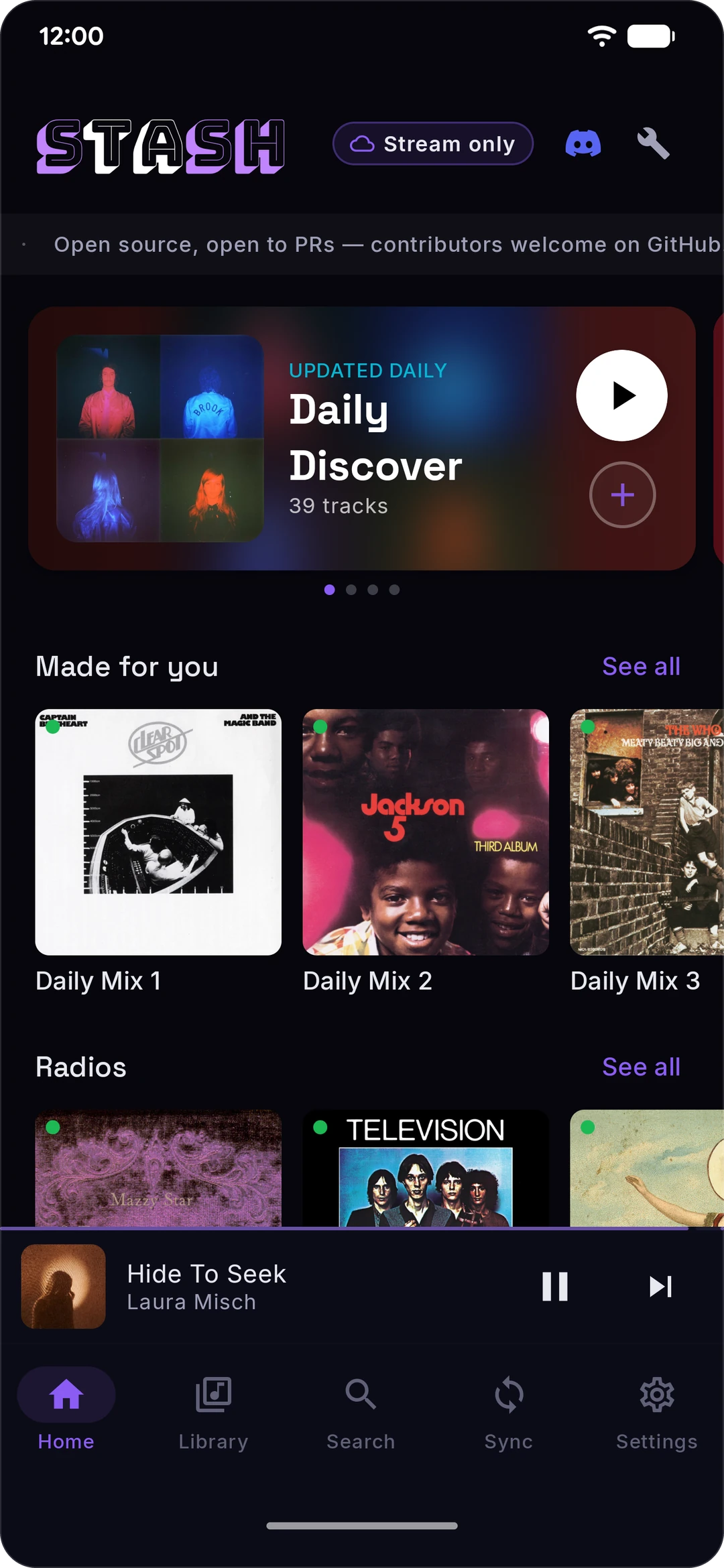
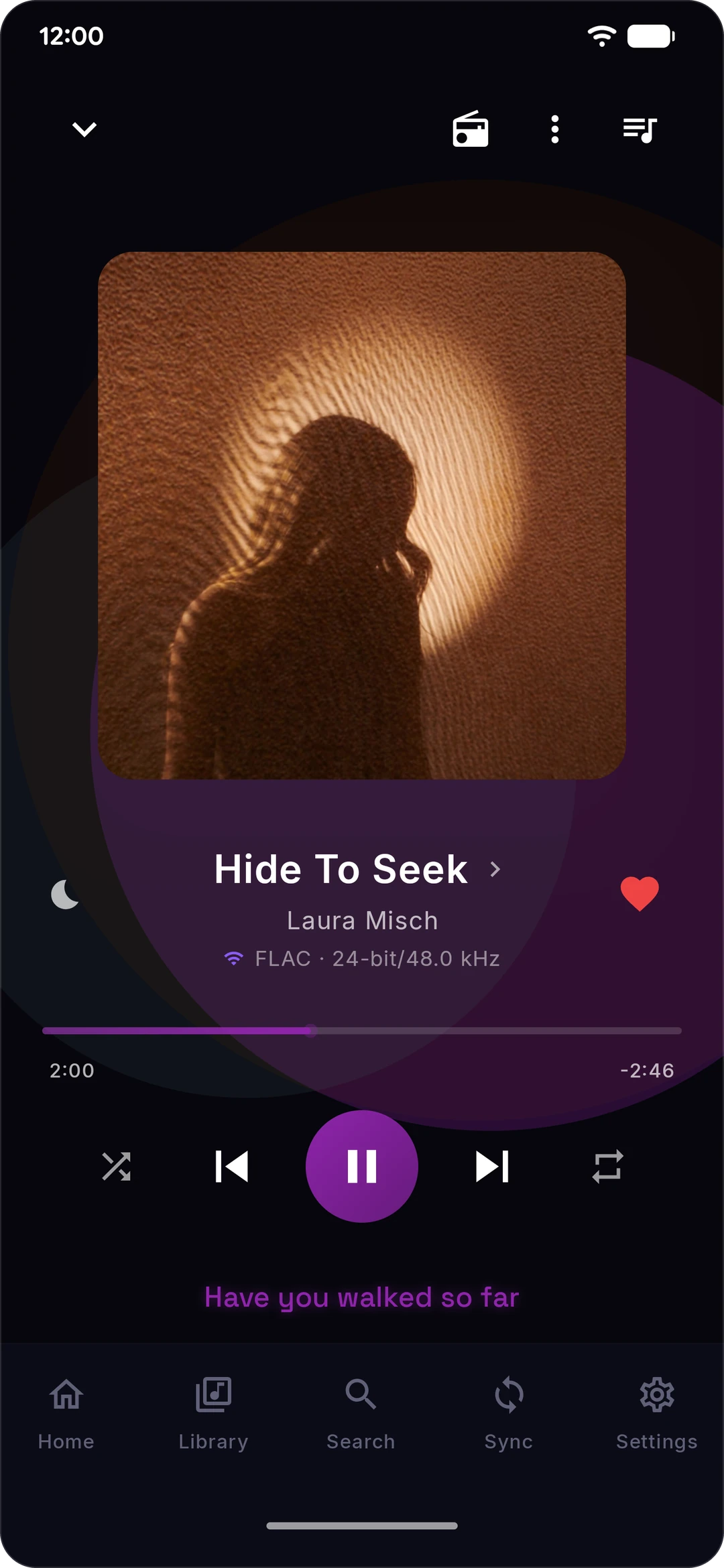
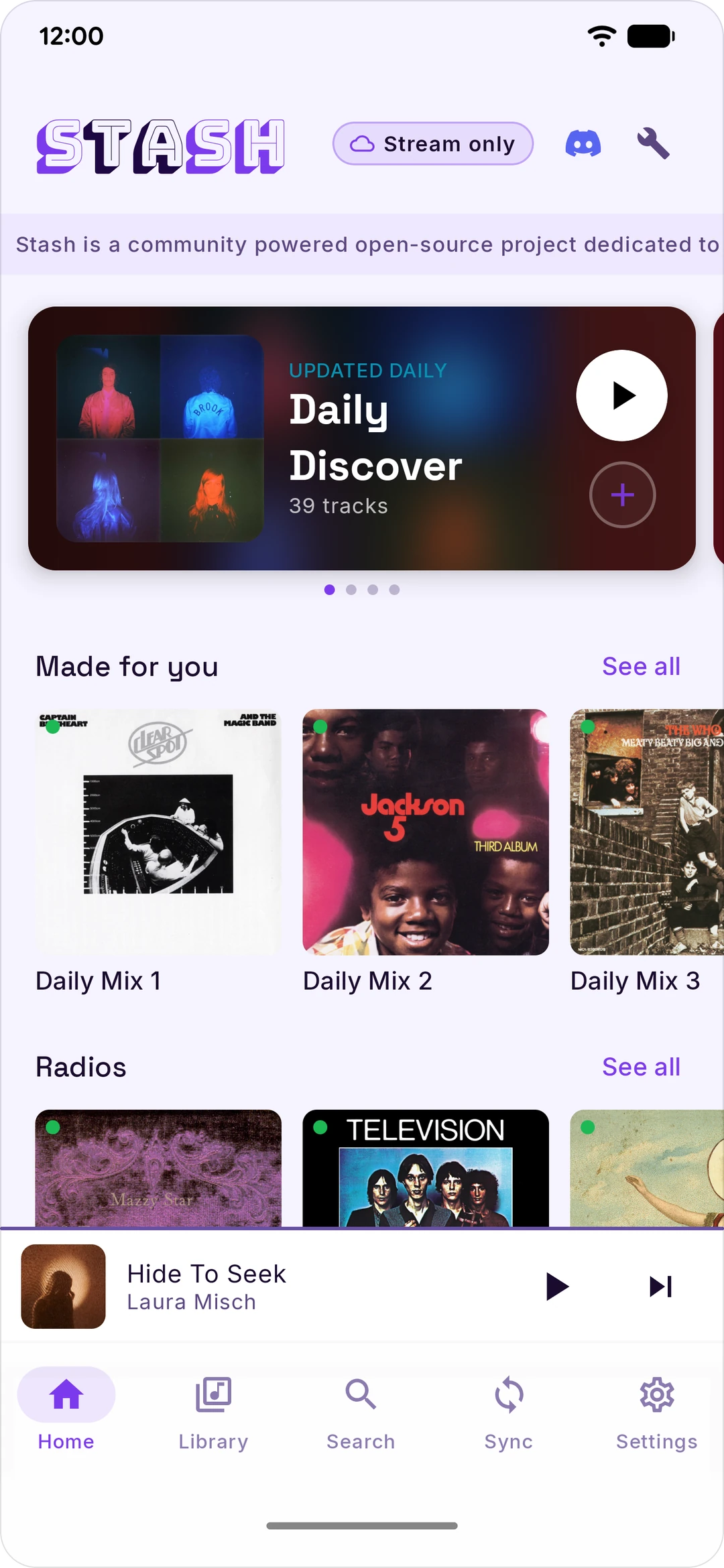
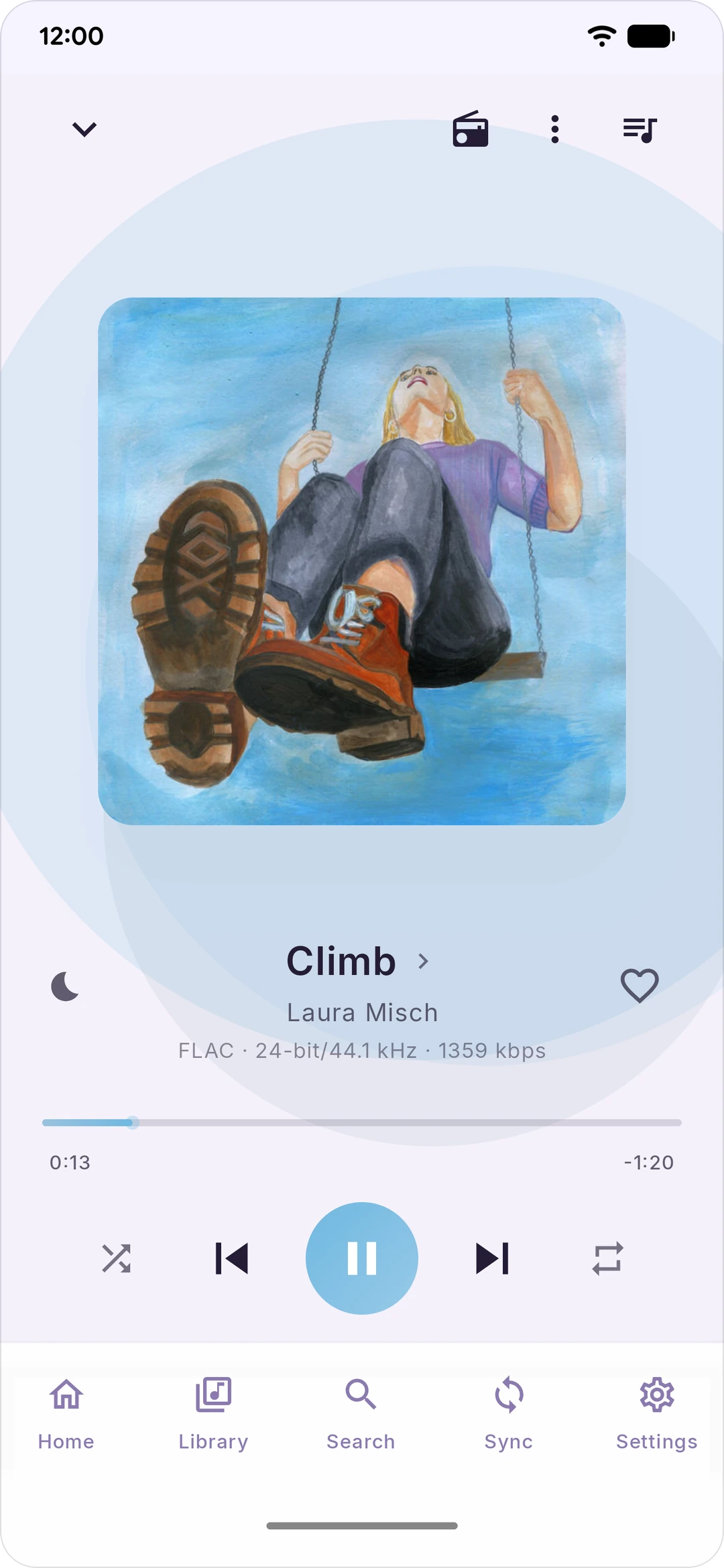
Home screen — Daily Mixes, sync stats, supporter pill Now Playing — FLAC 24/44 lossless


Online vs Offline

Stash has two modes. They decide what a sync actually does.

Offline mode Sync downloads each track and stores it on your phone. Once a track is on disk you can play it forever with no connection. It costs storage but no recurring data. Whether a download lands as FLAC depends entirely on the lossless source you've connected — see Lossless. Without one you get the AAC/Opus fallback, or nothing at all if you've turned that fallback off.

Online mode is for people who don't want the storage hit. Builds a streamable local index of your library — Almost no storage, but you need a connection to play.


Lossless

Stash ships no shared user accounts. There's no bundled Qobuz account and no shared token pool — nothing in the APK that plays music on someone else's subscription. The official build does carry ARCOD's operator integration key (which is what makes ARCOD reachable at all, and still requires you to connect your own ARCOD account) and Last.fm API keys. FLAC comes from a source you own, and you pick which:

  • Your own Qobuz account — connect it in Settings › Audio. Connecting asks for your Qobuz email and password, which are sent once to Qobuz to mint a token; Stash stores the token, not the password. It then streams and downloads from your own subscription, the same catalog your Qobuz app sees.
  • Your own relay endpoint — if you run a Qobuz relay, paste its URL into the custom-endpoint field and Stash routes through it.
  • A relay configured at runtime — a build can be pointed at a signed config that lists relay endpoints. No relay hostname ships in the APK, and a plain source checkout has no config URL, so a Stash you build yourself has this path switched off entirely.
  • ARCOD — connect an ARCOD account as a second source. Enabled in the official release APK; a build you make yourself has no ARCOD key and skips it entirely.

Connect none of them and Stash still works — but it's lossless only if the build itself carries a relay config, which is the one path that needs nothing from you. Otherwise playback and downloads fall back to AAC or Opus, and Home tells you so instead of pretending.

These sources are somebody else's infrastructure, mostly run solo and mostly free. If Stash earns a spot on your phone, send a little of that their way: a thank-you, a tip, whatever you've got. We stand on their shoulders. 🙏


Features

Library

  • Spotify + YouTube Music in one unified library — liked songs, playlists, daily mixes, every Spotify mix worth syncing
  • Bulletproof matching — finds the right version of a track 99% of the time
  • Last.fm scrobbling, optional, off by default
  • Wrong-match flag — if Stash picked the wrong version, tap once from Now Playing and it queues a re-search
  • Likes and History mirroring — When enabled, each track you like & stream in Stash lands in your Spotify & YouTube accounts.

Playback

  • 5-band equalizer with presets, bass boost, virtualizer
  • Crossfader
  • Normalizer
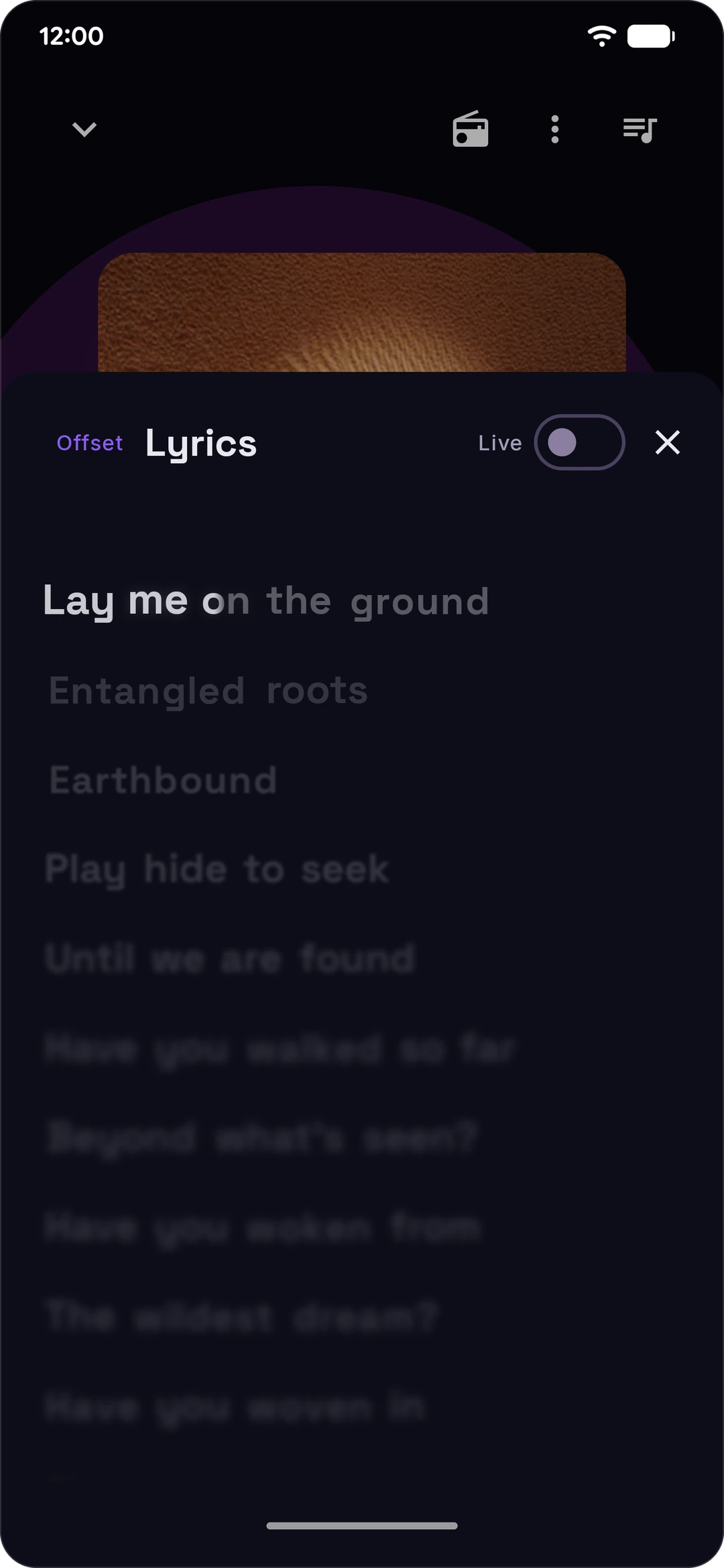
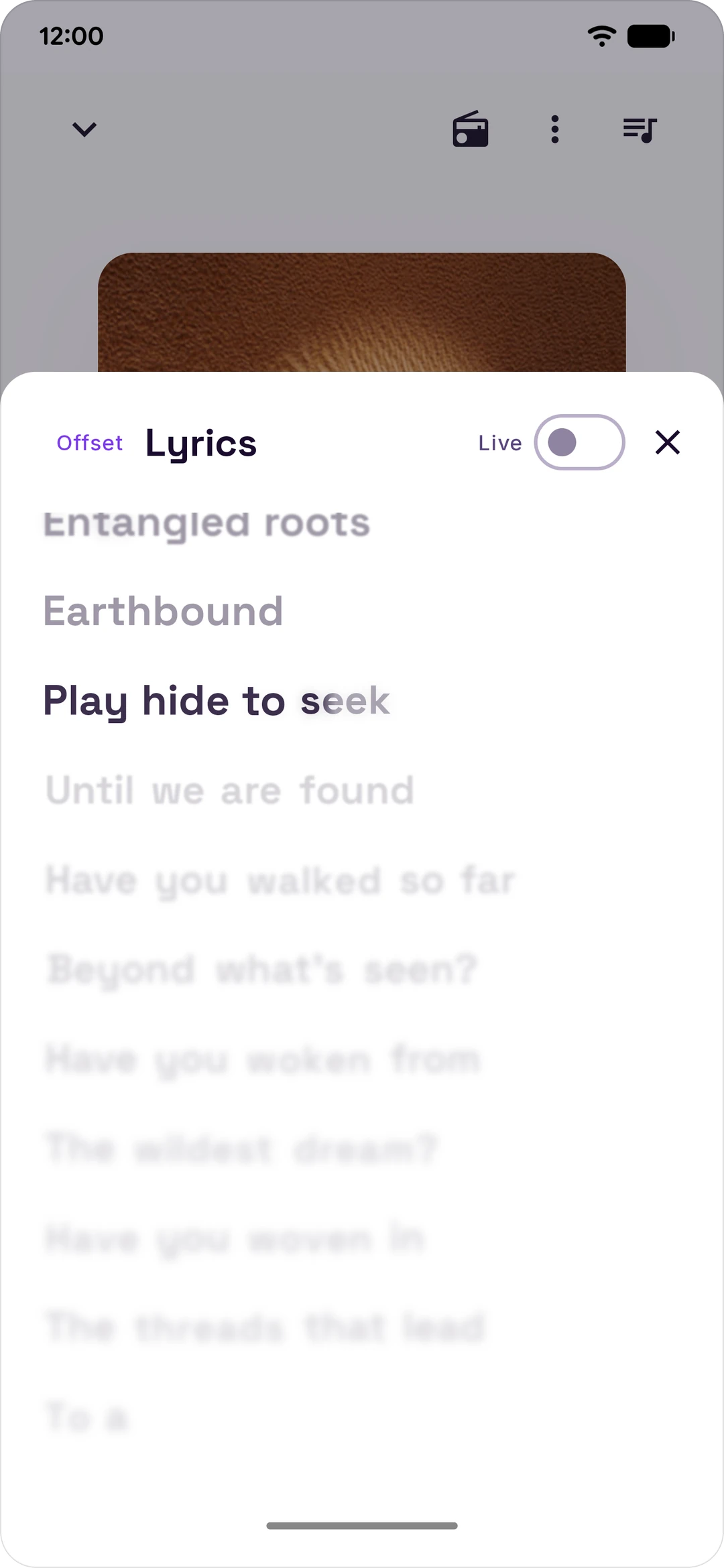
  • Synced lyrics, pulled from LRCLIB and scrolled with the track

Privacy

  • No Stash account server, no login, no analytics, no third-party crash reporters. A handful of hosts the project runs are fetched from; none of them ever sees a credential.
  • Cookies stored on-device, encrypted with AES-256-GCM via Google's Tink
  • Your Spotify and YouTube credentials are sent to Spotify and YouTube and nowhere else — no host in the list below ever sees them
  • GPL-3.0, every line of code is open source

What Stash talks to

Stash has no account server, but it isn't a two-service app either. Everything the official release APK can reach, and what for. A build you make yourself from a plain checkout reaches strictly less: it has no Last.fm keys or proxy, no ARCOD key, and no relay config.

  • Spotify (accounts., open., api-partner., api.spotify.com, www.spotify.com, clienttoken.spotify.com) — login, library sync, likes and history mirroring
  • Google reCAPTCHA (www.google.com, www.gstatic.com) — loaded by Spotify's own login page inside the sign-in window. Stash never calls them; Spotify's page does.
  • YouTube + YouTube Music (music.youtube.com, www.youtube.com, and Google's OAuth endpoints if you use the Google sign-in) — library sync, and the audio itself via yt-dlp
  • m.youtube.com — the YouTube sign-in window
  • *.googlevideo.com — YouTube's audio CDN; the URL comes back in the player response, so no hostname for it ships in the app
  • Google OAuth (oauth2.googleapis.com) — only if you use the YouTube device-code sign-in
  • yt-dlp — updates itself from its own nightly release channel (GitHub)
  • GitHub release downloads (github.com, objects.githubusercontent.com) — the yt-dlp nightly binary itself, refreshed every 24 hours whether or not you use streaming
  • Qobuz — catalog (www.qobuz.com, and open.qobuz.com to refresh its public web-player key) — the New Releases, Top Albums and Qobuz Playlists rows on Home. No account needed and on by default; turn it off with "Qobuz discovery on Home" in Settings › Library & Storage, or hide those rows in Home layout.
  • Qobuz — lossless (www.qobuz.com) — FLAC streams and downloads, only once you connect your own account
  • A lossless relay — either the endpoint you configure yourself, or one from the signed runtime config described under Lossless. No relay hostname is in the APK, and a plain checkout has none. A relay is sent the Qobuz track id and format of what you're playing and nothing else — so if it's a host the project runs, that host learns what you listen to. No credential ever crosses it.
  • The lossless config host — in a release build pointed at one, the signed relay config and its .sig are fetched at every cold start and every 6 hours after. This hostname is in the APK, and it's the only host Stash contacts with nothing of yours connected. A plain checkout has no config URL and skips it.
  • ARCOD (api.arcod.xyz, plus ARCOD's own Supabase project for token refresh) — lossless, only once you connect an ARCOD account
  • arcod.xyz — ARCOD's older download-job API and the account-connect window, alongside api.arcod.xyz
  • JioSaavn (www.jiosaavn.com, aac.saavncdn.com) — the AAC 320 fallback when nothing lossless matched
  • LRCLIB (lrclib.net) — synced lyrics
  • Last.fm (ws.audioscrobbler.com) — optional scrobbling, plus artist bios and images. In official release builds the read lookups route through stash-lastfm-proxy.rawnaldclark.workers.dev, a caching Worker the project runs: it sees the artist or track being looked up, never your account.
  • ListenBrainz (api.listenbrainz.org) — optional scrobbling, only if you connect it
  • MusicBrainz (musicbrainz.org) — artist metadata
  • GitHub (api.github.com) — the update check
  • stash-tipjar.rawnaldclark.workers.dev — the public supporters list behind the Home supporter pill. Fetch only; it's told nothing about you.
  • Album art CDNsi.scdn.co, lh3.googleusercontent.com, yt3.googleusercontent.com, yt3.ggpht.com, i.ytimg.com, static.qobuz.com, c.saavncdn.com, and whichever CDN the source that matched a track uses

Four of these run without being asked, whether or not you stream anything: Stash warms its connection to music.youtube.com at launch, checks api.github.com for a new Stash release on every cold start and again daily, checks for a new yt-dlp once a day, and — in a release build carrying a relay config — fetches that config at launch and every 6 hours.

Two more, qobuz.squid.wtf and qobuz.kennyy.com.br, still have code in the repo but are parked: the resolve chain skips them, so a release build never calls them.


Install

Three paths. Pick whichever you'd actually use.

Direct APK

  1. On your Android device, open the Releases page.
  2. Download the latest Stash-v*.apk.
  3. Open it. If Android warns about installs from unknown sources, allow it for the browser and try again.
  4. Tap Install.

Obtainium (auto-updates)

Obtainium tracks GitHub Releases and notifies you when a new version ships. Add https://github.com/rawnaldclark/Stash and you're done.

Build from source

git clone https://github.com/rawnaldclark/Stash.git
cd Stash
./gradlew assembleDebug
# APK lands in app/build/outputs/apk/debug/

You'll need Android Studio Hedgehog (2023.1.1) or later, JDK 17, and Android SDK 35.

Requirements

  • Android 8.0 (API 26) or later
  • About 9–15 GB of free storage for a medium library in Offline mode (scales with how much you sync). Online mode needs almost nothing.
  • A Spotify and/or YouTube Music account

First-time setup

Stash doesn't use Spotify's or YouTube's official APIs, because the official APIs don't let third-party apps do what Stash does. It uses your existing login cookies instead. This sounds sketchier than it is: cookies live only on your device, encrypted with AES-256-GCM, and the only place they ever get sent is back to Spotify or YouTube themselves. The setup is a couple of minutes per service.

🎵 Connect Spotify

Option A — Sign in inside the app (easiest)

  1. Open Stash → Settings → tap Spotify or YouTube under Accounts → tap Connect.
  2. Spotify & YouTube login page opens inside the app.
  3. Sign in with your email/password, Google, Apple, or Facebook — whatever you normally use.
  4. Stash extracts the cookie automatically once login succeeds. Done.

If the in-app login fails for any reason, fall back to Option B.

  1. On a computer, open https://open.spotify.com and make sure you're logged in.
  2. Press F12 to open Developer Tools.
  3. Find the Application tab at the top of DevTools (it's Storage on Firefox). Click the >> arrows if you don't see it.
  4. In the left sidebar, expand Cookies → click https://open.spotify.com.
  5. Find the cookie named sp_dc.
  6. Double-click the value and copy it.
  7. On your phone, open Stash → Settings → tap SpotifyConnect"Paste cookie" in the top-right.
  8. Paste the value and tap Connect.

Tip: cookies from incognito / private windows sometimes fail to sync. If you hit weird errors, use a regular browser window.

Why a cookie? Spotify's mobile login API doesn't allow third-party apps. The cookie approach authenticates Stash the same way your browser session does. The cookie is session-scoped and can be revoked by logging out of Spotify on the web.

📺 Connect YouTube Music
  1. On a computer, open https://music.youtube.com and make sure you're logged in.
  2. Press F12 to open Developer Tools.
  3. Click the Network tab.
  4. Refresh the page (F5).
  5. In the filter box, type browse and press Enter.
  6. Click any request in the list (they should all start with browse).
  7. Scroll the right panel until you find Request Headers.
  8. Find the line starting with cookie: and copy the entire value after cookie:. It's long, with a lot of = and ; characters.
  9. On your phone, open Stash → Settings → tap YouTube Music under Accounts → Connect.
  10. Paste the full cookie string and tap Connect.

Stash will start pulling your YouTube Music daily mixes, discover mix, replay mix, and liked music.

Tip: same incognito caveat as Spotify — use a regular browser window.

Why the whole cookie header? YouTube authenticates with multiple cookies together (SAPISID, __Secure-3PAPISID, LOGIN_INFO). Grabbing all of them at once is easier than finding each one individually.

After setup

Open the Sync tab. Before you tap Sync Now, expand the Spotify Sync Preferences card and pick the playlists and mixes you actually want — each playlist has its own toggle. For mixes, decide between Refresh mode (each sync replaces the mix's contents, cleaning up old tracks) and Accumulate mode (each sync stacks new tracks on top of what's there)

The first sync is the slow one — a thousand-song library takes about an hour in Offline mode because every track has to download. After that, scheduled syncs just pick up whatever's new and run quietly in the background.

When background sync stops working

Some Android phones — looking at you, Samsung, Xiaomi, OnePlus, Huawei — kill background processes aggressively to save battery. If your sync fails partway through with a foreground-service error, the fix is one toggle:

  1. Phone Settings → Apps → Stash → Battery
  2. Set to Unrestricted

You only need to do this once. If that's not enough on your specific device, dontkillmyapp.com has manufacturer-specific instructions.


Why Stash isn't on the Play Store

Stash downloads audio from YouTube and Spotify, which violates both services' Terms of Service. Google Play policy bans apps that facilitate unauthorized downloads. Every project in this space — NewPipe, YTDLnis, SpotTube, InnerTune — is distributed outside the Play Store for the same reason.

That isn't a workaround. It's a principled choice: open-source tools that give users control over their own libraries don't belong in a gatekept store that could revoke them on a whim. GitHub Releases (and F-Droid, when we're ready) are the right home for Stash.


Community

Bug reports and feature requests through GitHub Issues. For everything else — questions, requests, "is this thing on" — the Stash Discord is the place. Active dev there, fast answers.


Contributing

Pull requests welcome. See CONTRIBUTING.md for how to build the app, a map of the module layout, and the PR workflow. For anything substantial, please open an issue first so we can talk through the change before you sink time into a PR.

Stash is GPL-3.0. You can use, copy, modify, and redistribute it freely. If you distribute a modified version, you have to release your changes under GPL-3.0 too.


Support Stash

Stash is free, open source, and has no ads or telemetry. If it replaced a subscription for you and you want to throw a few bucks at the project:

Support on Ko-fi

You can also sponsor on GitHub for recurring support.

A star, a bug report, or telling a friend helps just as much. Thanks.


Privacy and Security

If you find a security issue, please use the disclosure process in SECURITY.md.


Legal disclaimer

Stash is an independent, unofficial project. It is not affiliated with, endorsed by, or sponsored by Spotify AB, YouTube LLC, Google LLC, or Alphabet Inc. All trademarks belong to their respective owners.

Stash is provided for personal use only — a tool for managing your own library. You're responsible for complying with the Terms of Service of any music service you use Stash with. Downloading copyrighted content without a license may be illegal in your jurisdiction. The Stash project accepts no responsibility for misuse.

Takedown and abuse reports

Rights holders, service operators, and anyone else with a takedown or abuse report: open an issue on GitHub Issues, or reach the maintainer through his GitHub profile, @rawnaldclark. If the report shouldn't be public, file it as a private security advisory — it's a confidential channel to the maintainers whether or not the issue is strictly a security one. Reports are read, and a source can be removed from the app in a release.


Acknowledgments

Stash builds on top of several open-source projects:

  • yt-dlp — the YouTube extraction backbone
  • youtubedl-android — yt-dlp's Android bindings
  • QuickJS-NG — lightweight JS engine for YouTube's signature challenges
  • Media3 / ExoPlayer — audio playback
  • ytmusicapi — YouTube Music API reverse-engineering reference
  • Bungee Shade — the wordmark font, by David Jonathan Ross (SIL OFL)
  • Discord logo — Simple Icons (CC0)

License

Copyright © 2026 Rawnald Clark

Stash is free software: you can redistribute it and/or modify it under the terms of the GNU General Public License, either version 3 of the License, or (at your option) any later version.

This program is distributed in the hope that it will be useful, but WITHOUT ANY WARRANTY; without even the implied warranty of MERCHANTABILITY or FITNESS FOR A PARTICULAR PURPOSE. See the LICENSE file for the full text.

Apps
About Me
GitHub: Trinea
Facebook: Dev Tools
AI Daily Digest