adobo



This repository contains patches for Morphe, an open-source Android patching tool for modifying apps like YouTube and Reddit to block ads and add new features.
Features
- Block ads, trackers, and analytics from your favorite apps and games
- Remove internet permission from apps and games that don't need it
- Disable WebView metrics collection sent to Google
- Bypass signature verification checks
- Force Gboard into incognito mode to disable typing history and personalization
- Everything in the Privacy ReVanced patches, and much more!
Patches
v2.0.1 ·
main· 55 patches across 4 apps · Full details
| App | Package name | Supported versions | Patches |
|---|---|---|---|
| 9GAG | com.ninegag.android.app |
8.30.04, 8.29.08, 8.26.1, 8.25.1, 8.24.8 |
3 |
| Gboard | com.google.android.inputmethod.latin |
Any |
10 |
| IMDb | com.imdb.mobile |
Any |
1 |
com.reddit.frontpage |
2026.47.0, 2026.46.0, 2026.45.0, 2026.44.0, 2026.24.0 |
28 | |
| Universal | - | Any |
13 |
Getting Started
You'll need Morphe Manager or Morphe Desktop.
Morphe Manager
Option A: One-click import
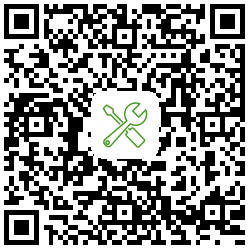
Tap this link to import Adobong Morphe patches directly into Morphe Manager in just a click!
Option B: Manual import
- Open the Morphe Manager app.
- Switch to the Sources tab, then tap the + icon in the top-right corner.
- On the Add patch source bottom sheet, copy and paste the following to the Source URL text
field:
https://github.com/jkennethcarino/adobo - Optional: Toggle on Pre-release patches for early access to new features.
- Lastly, tap Add to import this patch source.
[!NOTE] For advanced users: Enable Expert mode to choose which patches to apply and configure their options, instead of using the default selections.
Universal Patch Manager
- Open the UP Manager app.
- Switch to the Patch Bundles tab.
- Tap the globe icon in the bottom-right corner.
- On the Discovery screen, search for
Adoboin the Search bundles text field. - In the search results, tap the Import button for the
jkennethcarino/adobopatch bundle.
Verifying the Patch Bundle
The Adobo patch bundle on GitHub is signed with a Morphe signing key that has the following fingerprint:
9fc4 b658 48b7 093a
To check it, open the Morphe Manager app, switch to the Patches tab, then expand the Adobo patch source. Verify that the Signed by value shown there matches the fingerprint above (tapping on it copies the public key).
Building
You can follow the Morphe documentation to build these patches.
Contributing
I'm not accepting pull requests. If you want to make changes, feel free to fork this repository and maintain your own version.
I do welcome feature requests and bug reports. I won't implement patches that bypass payments or premium features; the only exception is removing ads, annoyances, and analytics. Since I work on this in my free time, I can't commit to implementing patches or fixes quickly. Open an issue here to report a bug or suggest a feature.
Disclaimer
[!WARNING] These patches are provided as-is for personal use.
Use them at your own risk. I'm not responsible for any potential issues, including violations of terms of service that can lead to account bans or other consequences.
License
Adobo is licensed under the GNU General Public License v3.0 (GPL-3.0). See LICENSE for details.