vpnhide

VPN Hide
Скрывает активное VPN-соединение на Android от выбранных приложений.




Существующие модули, такие как NoVPNDetect и NoVPNDetect Enhanced, покрывают только Java API обнаружение и хукают внутри процесса целевого приложения через Xposed. У этого подхода две критические проблемы:
- Обнаружение anti-tamper защитой — любое приложение с проверкой инъекций в память обнаруживает хуки Xposed и отказывается работать. Автор NoVPNDetect Enhanced прямо пишет: «Модуль не будет работать если у подключаемого приложения есть защита от LSPosed, проверка на инъекции в память. Например MirPay, Т-Банк.»
- Нет нативного покрытия — приложения, использующие C/C++ код, кроссплатформенные фреймворки (Flutter, React Native) или прямые системные вызовы, могут обнаружить VPN через
ioctl,getifaddrs, netlink-сокеты и/proc/net/*. Java-хуки эти векторы полностью пропускают.
vpnhide решает обе проблемы многослойной архитектурой:
Уровень 1 — Java API (модуль lsposed): хукает system_server, а не целевое приложение. NetworkCapabilities, NetworkInfo и LinkProperties фильтруются на уровне Binder до того, как данные попадут в процесс приложения. Приложение получает чистые данные через IPC — никаких инъекций в его процесс, нечего обнаруживать. Этот же модуль скрывает выбранные приложения от приложений-наблюдателей на уровне PackageManager (роль Apps).
Уровень 2 — нативный (kmod, встроенный в ядро, KPM или Zygisk): покрывает нативные пути обнаружения. Активным должен быть ровно один Native-бэкенд:
- kmod (рекомендуется для поддерживаемых GKI-ядер) — хуки
kprobe/kretprobeна уровне ядра. Фильтруетioctl,getifaddrs/netlink-дампы интерфейсов, адресов, маршрутов и policy rules, а также отклоняетSO_BINDTODEVICE/SO_BINDTOIFINDEXдля скрытых интерфейсов до изменения состояния сокета. Нулевой след в процессе приложения: никаких инъекций библиотек, нечего обнаруживать. - KPM — KernelPatch Module с теми же 11 логическими kernel-хуками, но без привязки к GKI-варианту
.ko. Полезен для старых/non-GKI ядер 4.9 / 4.14 / 4.19 / 5.4 и ситуаций, где.koне может загрузиться. Требует KernelPatch runtime: APatch или KPatch-Next-Module. - Zygisk — запасной вариант, если kernel-level backend поставить нельзя. Inline-хуки
libc.so, включая best-effort фильтрациюsetsockopt, работают внутри процесса приложения и обходятся прямыми системными вызовами, поэтому банковские и anti-fraud приложения могут их обнаруживать. Для таких приложений лучше оставлять Native выключенным и полагаться на Java-уровень.
Уровень 3 — модуль скрытия портов (portshide): отдельный Magisk-модуль. Через iptables блокирует выбранным приложениям доступ к 127.0.0.1 / ::1, чтобы они не могли обнаружить локально запущенный VPN / proxy-демон по открытому порту (роль Ports).
Процесс целевого приложения полностью нетронут при использовании LSPosed + kernel-level Native-бэкенда (kmod или KPM) — ни Xposed, ни inline-хуков, ни модифицированных регионов памяти. Благодаря этому vpnhide работает с банковскими и государственными приложениями, которые активно обнаруживают и блокируют модули на основе Xposed.
Что именно скрывает vpnhide
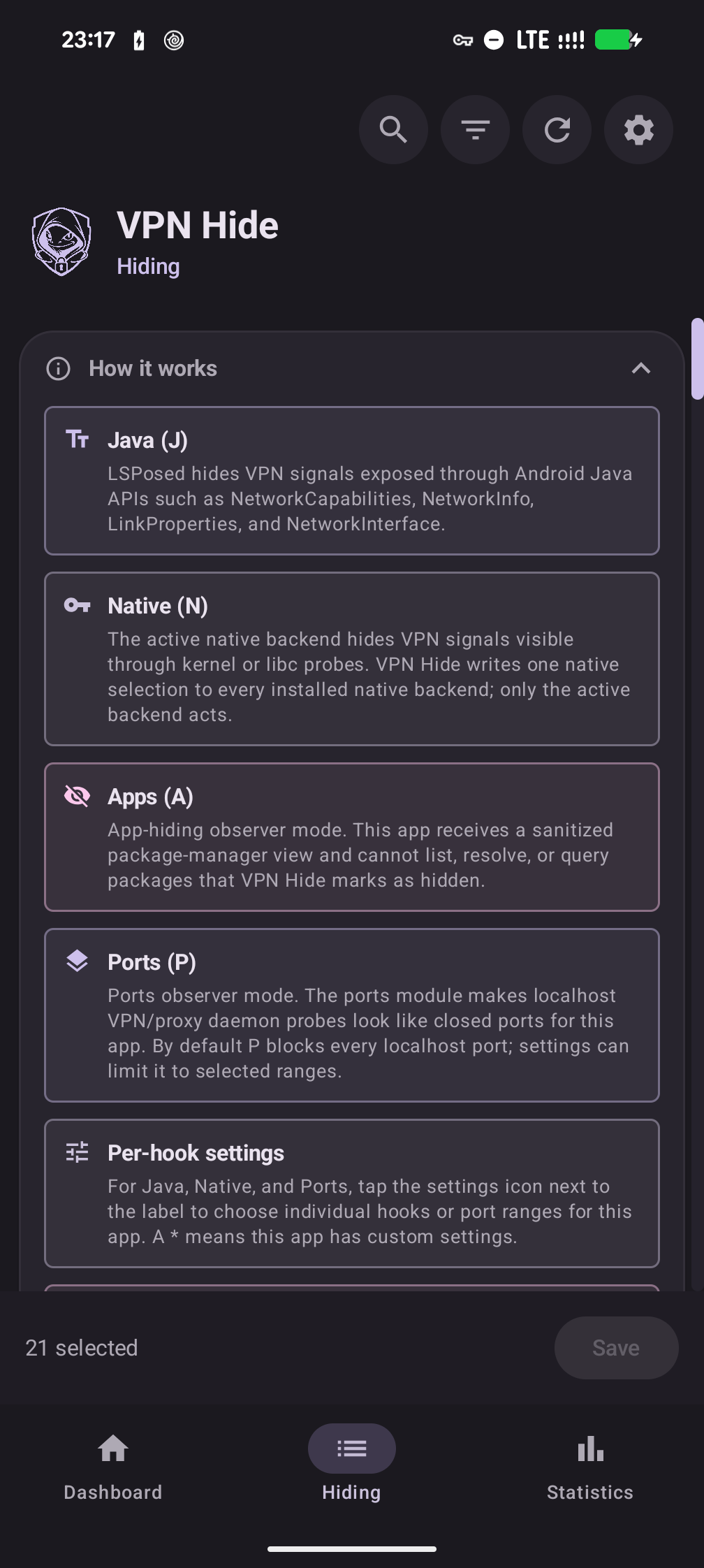
vpnhide скрывает от выбранных приложений три вещи — всё настраивается пер-апп через четыре роли J / N / A / P (Java, Native, Apps, Ports):
- Скрытие интерфейса — главная задача. Убирает VPN-интерфейсы и маршруты из нативных API (
ioctl,getifaddrs, netlink,/proc/net/*,NetworkInterface), не позволяет привязать сокет к скрытому интерфейсу и очищает Java API (NetworkCapabilities,NetworkInfo,LinkProperties). Его дают две роли сразу — Java (J) и Native (N), они включаются независимо. - Скрытие портов — блокирует доступ к localhost для выбранных приложений, чтобы они не могли обнаружить Clash, sing-box, V2Ray, Happ и подобные инструменты через проверку локальных портов (роль Ports (P)).
- Скрытие приложений — позволяет скрыть выбранные установленные приложения от выбранных приложений-наблюдателей. Полезно против проверок package visibility, например когда приложение пытается определить, установлен ли на устройстве VPN или proxy-клиент (роль Apps (A)).
Какие модули нужны?
Всегда нужно приложение VPN Hide (vpnhide.apk) + LSPosed/Vector для Java-уровня + ровно один Native-бэкенд для нативного скрытия. Дополнительно приложение может использовать необязательный Ports-модуль для блокировки localhost-портов:
kmod(стабильный вариант по умолчанию) — полностью out-of-process, невидим для anti-tamper. Требуется поддерживаемое GKI-ядро: 5.10, 5.15, 6.1, 6.6 или 6.12.KPM— kernel-level backend для 4.9 / 4.14 / 4.19 / 5.4 и других случаев, где.koне подходит. Нужен APatch или KPatch-Next-Module.Zygisk— fallback, если kmod/KPM недоступны или вы не хотите ставить KernelPatch runtime.portshide(необязательно) — установите, если хотите блокировать выбранным приложениям доступ к localhost-портам.
Не ставьте несколько Native-бэкендов одновременно. Если они всё же установлены, приложение выбирает активный по приоритету: kmod, затем встроенный в ядро, затем KPM, затем Zygisk; лишние модули лучше удалить.
См. Установка для пошаговой инструкции.
Установка
Скачайте последний релиз из Releases.
Коротко — приложение на вкладке «Обзор» проведёт вас по шагам и подскажет, какой модуль ставить. Полные инструкции — во встроенном руководстве (ссылки ниже открываются и на GitHub, и в самом приложении).
- Приложение + LSPosed. Установите
vpnhide.apk, включите модуль VPN Hide в LSPosed, добавьте «System Framework» в его scope и перезагрузитесь. → Первая установка - Один Native-бэкенд. «Обзор» определит ядро и назовёт файл — kmod, KPM или Zygisk. Установите его через root-менеджер и перезагрузитесь. Если вы собираете ядро сами, есть четвёртый вариант — встроенный в ядро бэкенд с модулем-компаньоном. → Какой Native-бэкенд выбрать · kmod · KPM · Zygisk
- Необязательно — Ports. Для блокировки localhost-портов установите
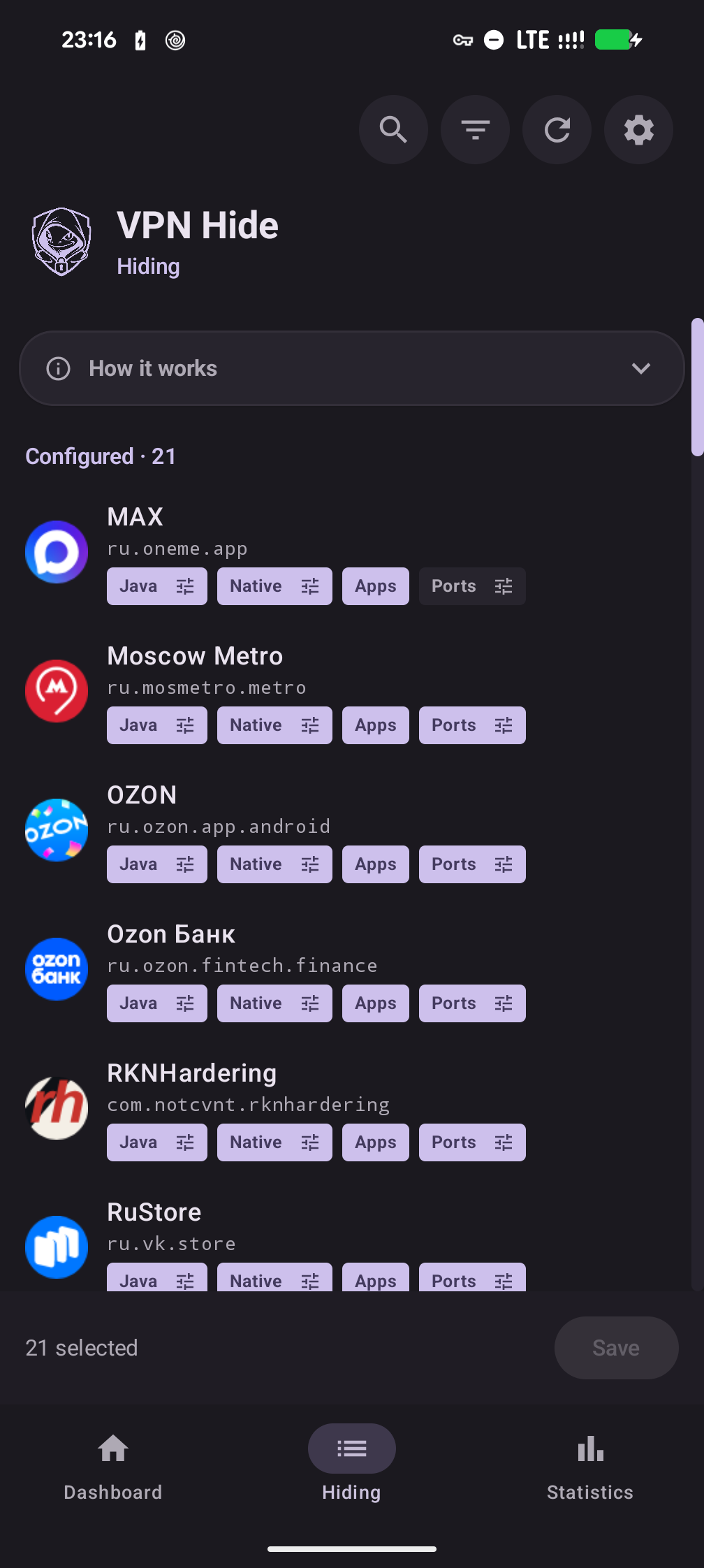
vpnhide-ports.zip. → Скрыть localhost-порты - Настройте скрытие. На вкладке «Скрытие» дайте роли J / N / A / P приложениям, от которых прячете VPN (банк, госуслуги), — не самому VPN-клиенту. → Настроить скрытие
- После Save остановите приложение-цель (force-stop) и откройте его заново: хуки Zygisk ставятся при старте процесса, а остальные слои применяются сразу, но приложение могло закешировать старый ответ. Перезагрузка нужна только при установке или обновлении модулей. → Когда применяются изменения
Полное офлайн-руководство встроено в приложение (Настройки → Помощь и руководство) и лежит в репозитории: docs/help/ru — установка, настройка, диагностика, обновление и удаление, ограничения.
Настройка через командную строку (для продвинутых)
Пользовательская конфигурация хранится в /data/system/vpnhide_config.json. Отредактируйте JSON и запустите activator установленного модуля:
su -c /data/adb/modules/vpnhide_kmod/activator
su -c /data/adb/modules/vpnhide_kpm/activator
su -c /data/adb/modules/vpnhide_zygisk/activator
su -c /data/adb/modules/vpnhide_ports/activator
Запускайте только activator тех модулей, которые действительно установлены. LSPosed читает JSON напрямую из system_server, отдельный activator для него не нужен. Старые targets.txt в /data/adb/vpnhide_* — это конфиг версий до 1.0. Пользовательской настройкой они больше не являются: приложение один раз переносит их в JSON и удаляет.
Ручной подбор GKI (если хотите выбрать файл kmod самостоятельно)
- На телефоне откройте Настройки → О телефоне и найдите строку Версия ядра. Она выглядит примерно так:
6.1.75-android14-11-g... - Вам нужны две части из этой строки: версия ядра (
6.1) и поколение android (android14). Вместе они образуют ваше поколение GKI:android14-6.1 - Скачайте соответствующий файл из релиза:
vpnhide-kmod-android14-6.1.zip
Также можно выполнить adb shell uname -r через ADB, чтобы увидеть строку версии ядра.
Важно:
android14в строке ядра — это НЕ версия Android, а поколение ядра. Например, все Pixel с 6 по 9a используют ядроandroid14-6.1вне зависимости от того, стоит ли на них Android 14 или 15.
Скриншоты
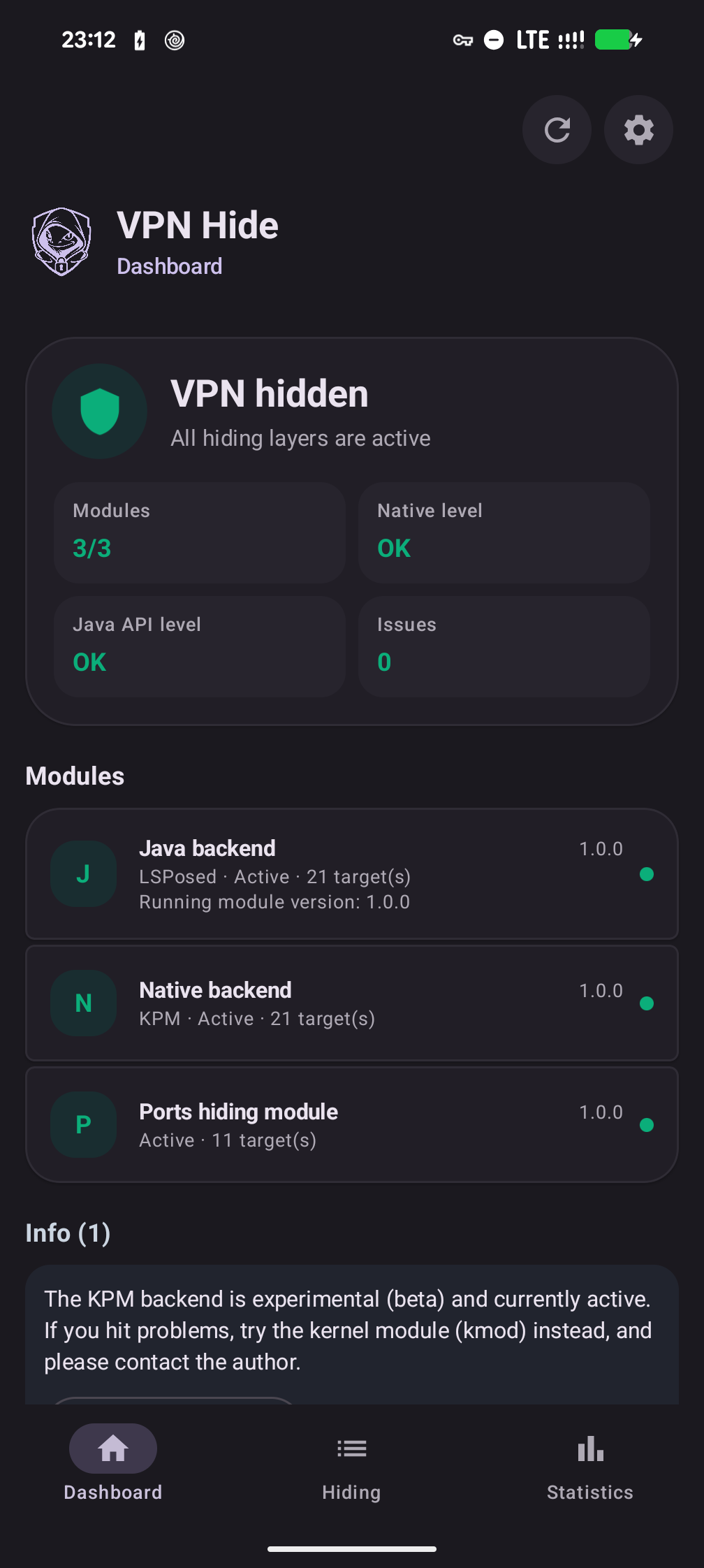
| Обзор — VPN скрыт | Скрытие — единый список | Как это работает |
|---|---|---|
 |
 |
 |
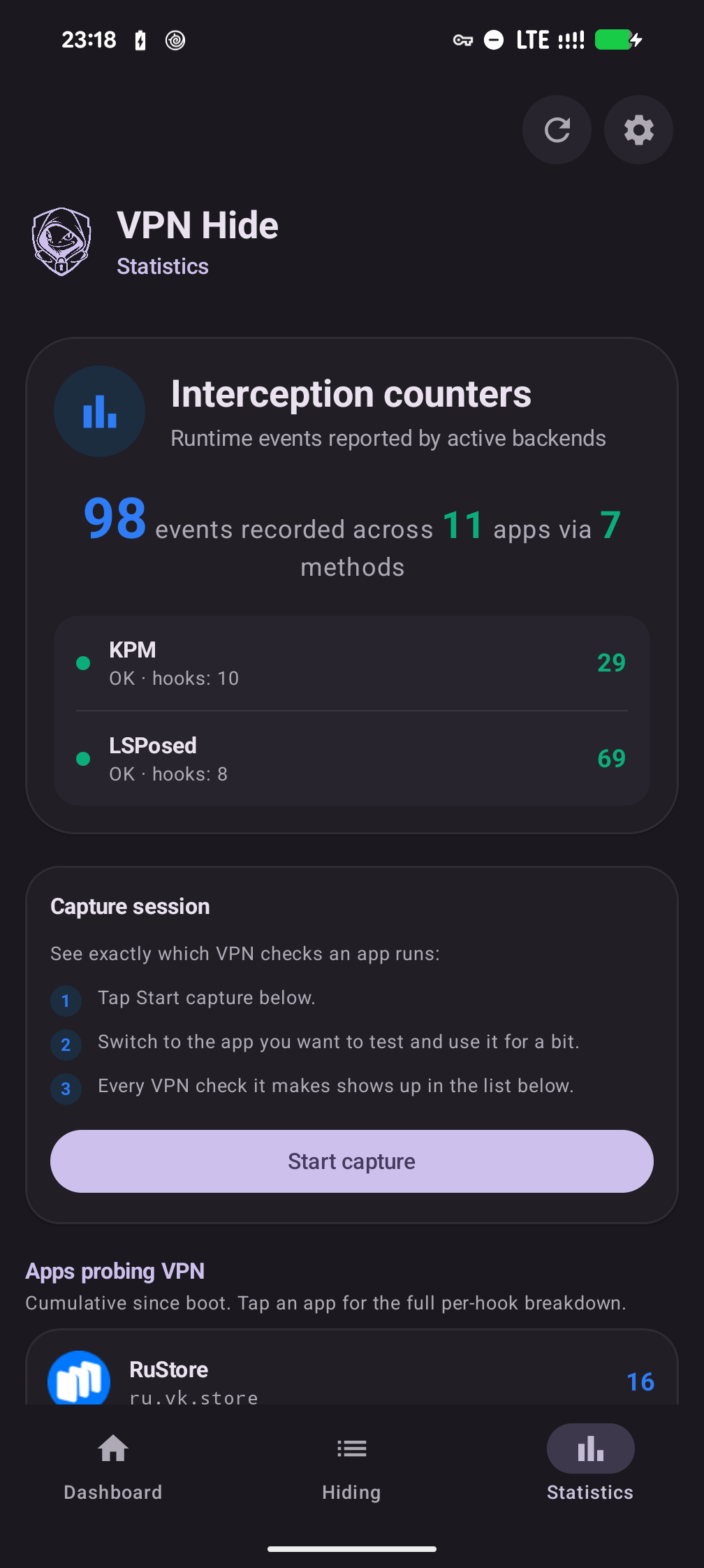
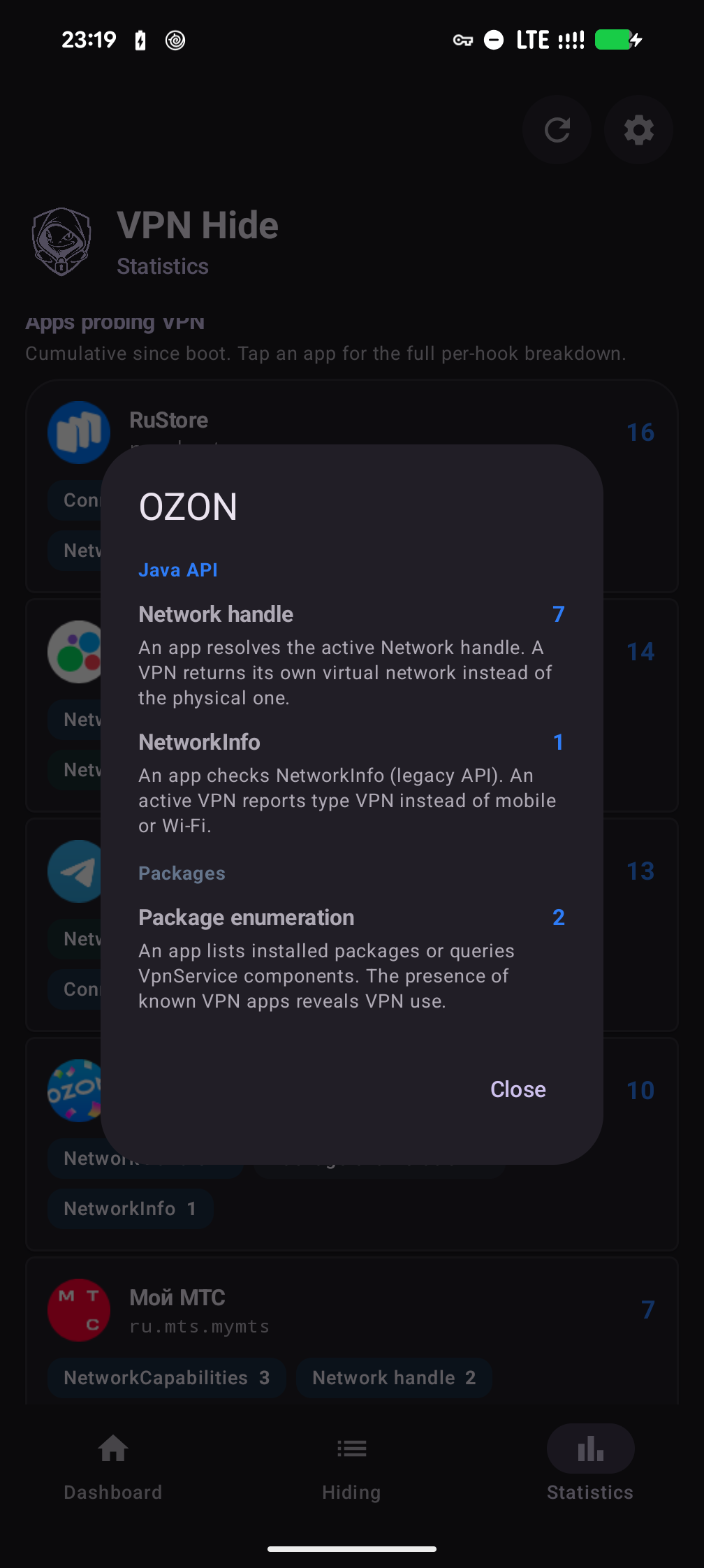
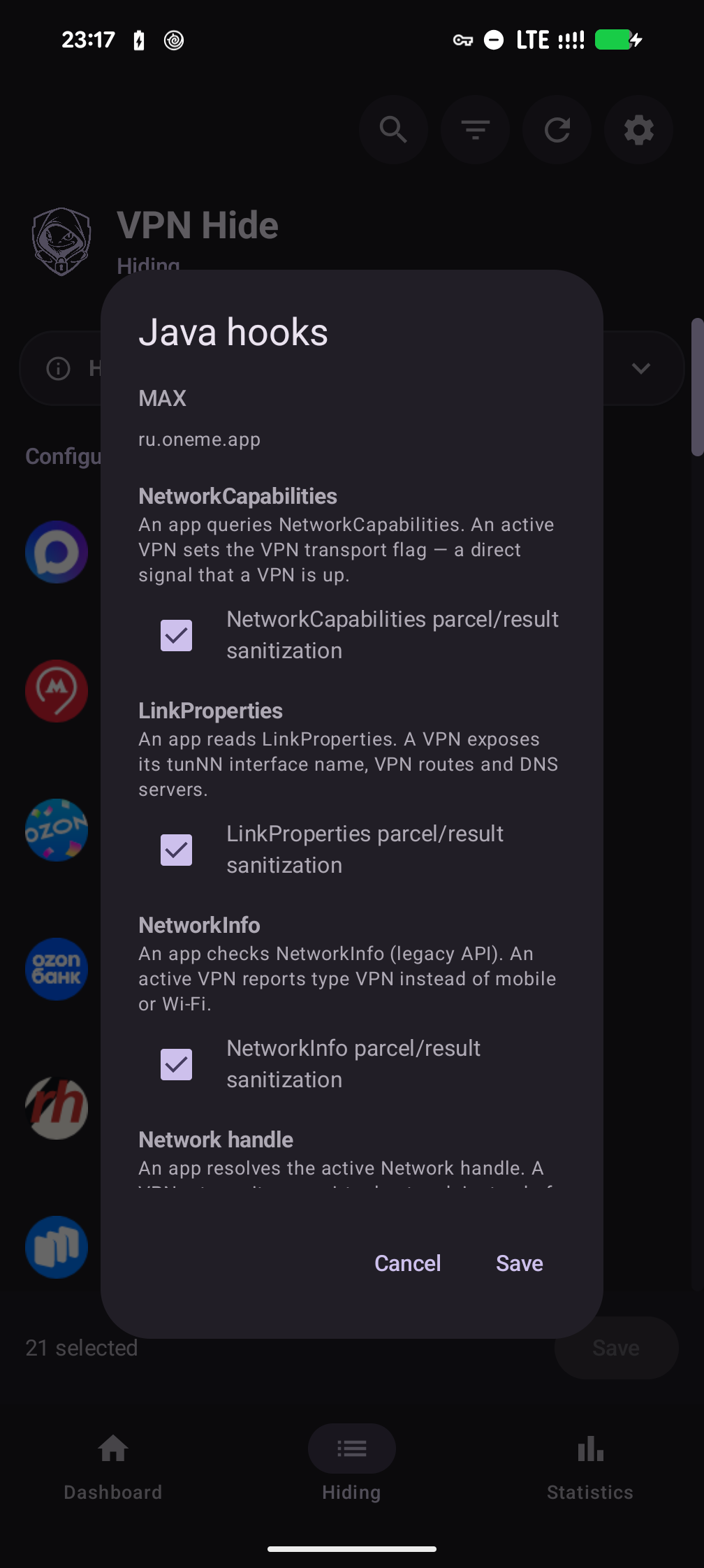
| Статистика | Разбор по хукам | Выбор хуков для приложения |
|---|---|---|
 |
 |
 |
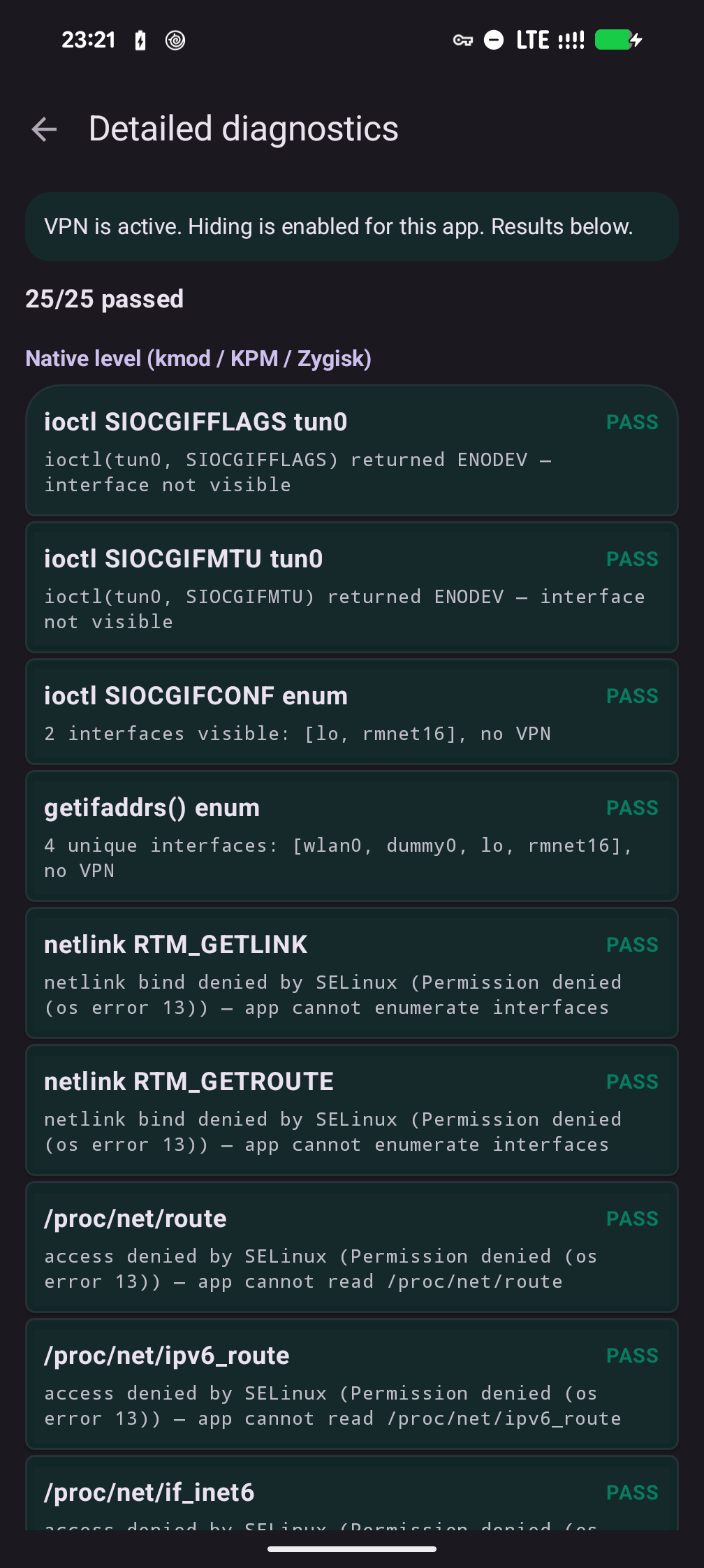
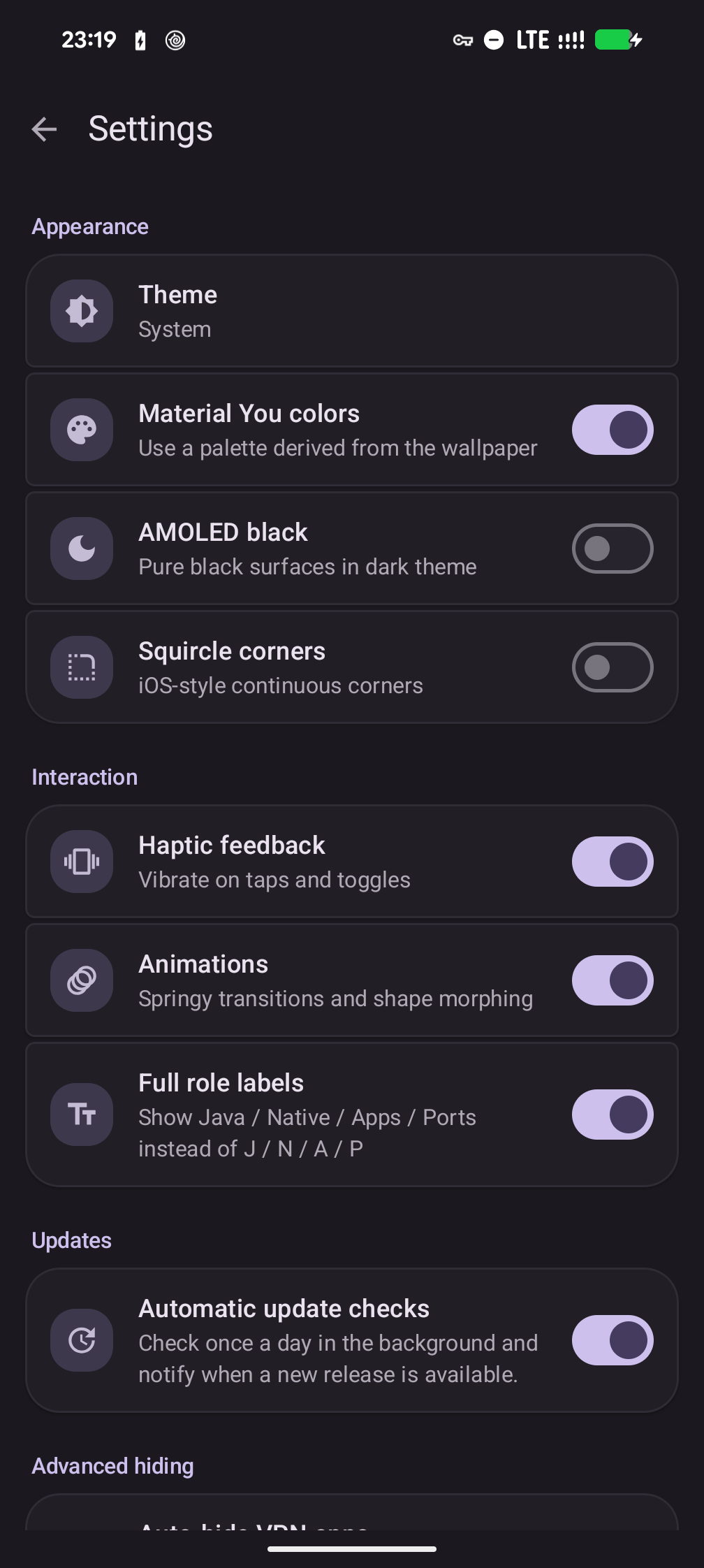
| Диагностика | Настройки | Сообщество |
|---|---|---|
 |
 |
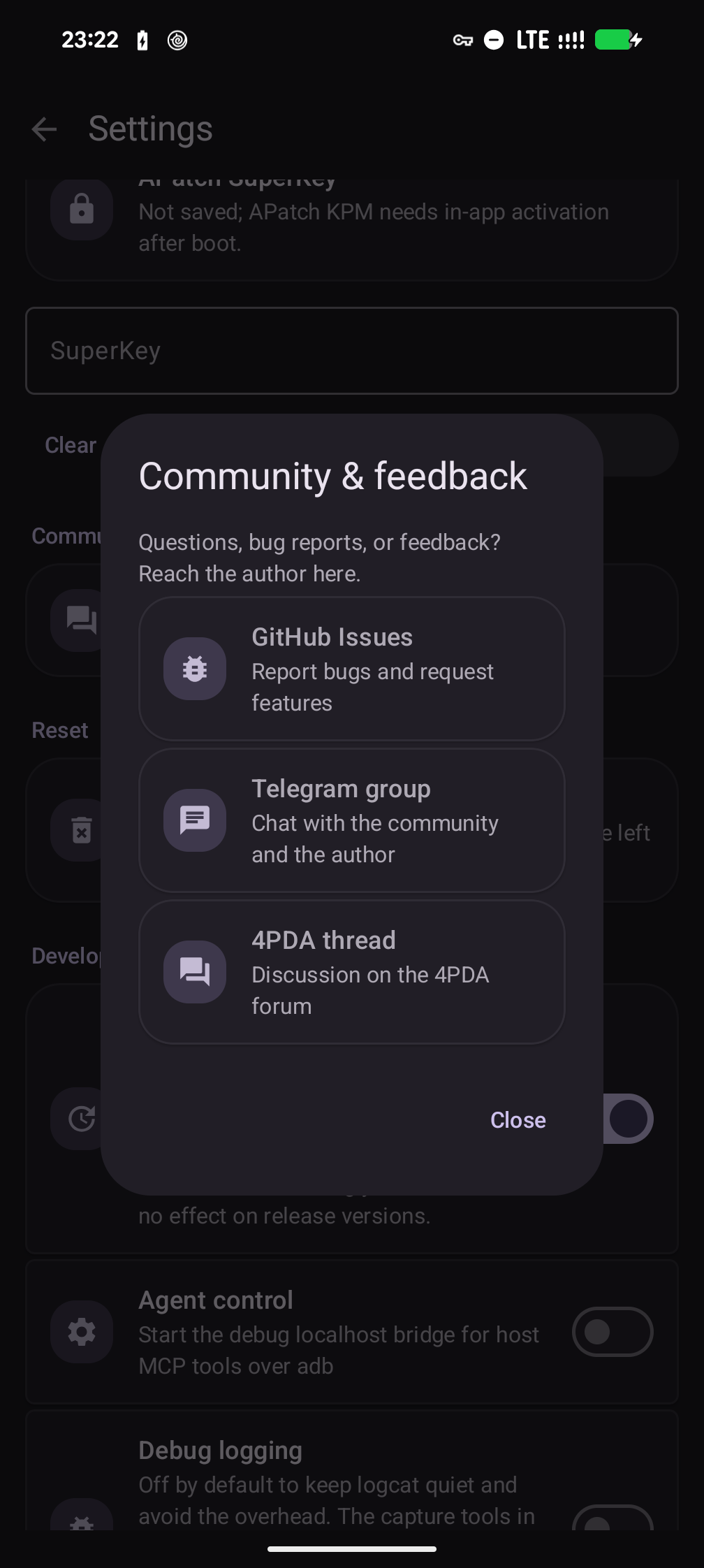 |
Проверка
В приложении есть встроенная система диагностики, которая автоматически обнаруживает большинство проблем с настройкой.
Обзор (запускается при каждом открытии приложения):
- Статус модулей и бэкендов (установлен, активен, версия, количество целей)
- Валидация конфигурации LSPosed — читает базу данных LSPosed и проверяет, что VPN Hide включён, System Framework в scope, и нет лишних приложений в scope (частая ошибка при настройке)
- Обнаружение несоответствия версий — сравнивает версии установленных модулей с версией приложения и подсказывает, что именно нужно обновить
- Рекомендация Native-бэкенда — определяет ядро устройства и подбирает нужный файл kmod, KPM или Zygisk
- Проверка скрытия в реальном времени (при активном VPN) — выполняет 13 нативных и 12 Java API проверок, чтобы убедиться, что VPN действительно скрыт
Все обнаруженные проблемы показываются в виде карточек с конкретными инструкциями по исправлению.
Статистика — счётчики перехватов по каждому приложению: какие приложения и какими методами проверяют VPN.
Настройки → Диагностика — детальная разбивка по каждой проверке с индивидуальными результатами PASS/FAIL по всем 25 проверкам. Полезна для отладки, когда «Обзор» показывает неполное скрытие.
Компоненты
| Директория | Что | Как |
|---|---|---|
| builtin/ | Встроенный в ядро бэкенд (C) + модуль-компаньон | Тот же драйвер, что .ko, но вкомпилированный в ядро (CONFIG_VPNHIDE=y) — для ядер, где .ko не загрузить: интегрированные модули, нет kprobes, LTO. scripts/integrate.py вносит его в дерево ядра, компаньон несёт только активатор. |
| kmod/ | Модуль ядра .ko + KPM backend (C) |
Два kernel-level Native-бэкенда: стабильный GKI .ko на kretprobe и KPM на KernelPatch inline hooks. Оба дают нулевой след в процессе приложения; активным должен быть только один. (подробнее, KPM) |
| lsposed/ | LSPosed-модуль + приложение (Kotlin + Rust) | Хуки writeToParcel в system_server для per-UID фильтрации Binder. APK предоставляет обзорную панель (статус модулей, проверка версий, валидация конфигурации LSPosed, рекомендации по установке), вкладку «Скрытие» для ролей Java / Native / Apps / Ports и диагностику. (подробнее) |
| portshide/ | Модуль скрытия портов (Shell + iptables) | Блокирует выбранным приложениям доступ к 127.0.0.1 / ::1, скрывая локально запущенные VPN / proxy-демоны от проверок localhost-портов. (подробнее) |
| zygisk/ | Zygisk-модуль (Rust) | Inline-хуки libc.so в процессе приложения. Fallback, когда kernel-level backend недоступен. (подробнее) |
Покрытие обнаружения
| # | Вектор обнаружения | SELinux | kmod | KPM | Zygisk | LSPosed |
|---|---|---|---|---|---|---|
| 1 | ioctl(SIOCGIFFLAGS) на tun0 |
x | x | x | ||
| 2 | ioctl(SIOCGIFNAME) разрешение индекса в имя |
x | x | x | ||
| 3 | ioctl(SIOCGIFMTU) фингерпринтинг MTU |
x | x | x | ||
| 4 | ioctl(SIOCGIFCONF) перечисление интерфейсов |
x | x | x | ||
| 5 | Все остальные SIOCGIF* (INDEX, HWADDR, ADDR и т.д.) |
x | x | x | ||
| 6 | getifaddrs() (использует netlink внутри) |
x | x | x | ||
| 7 | netlink RTM_GETLINK дамп |
x | x | x | ||
| 8 | netlink RTM_GETADDR дамп (IPv4 + IPv6) |
x | x | x | ||
| 9 | netlink RTM_GETROUTE дамп |
x | x | x | ||
| 10 | netlink RTM_GETRULE (policy rules) |
x | x | |||
| 11 | Публичный /32 или /128 host-route к VPN-серверу |
x | x | |||
| 12 | SO_BINDTODEVICE / SO_BINDTOIFINDEX |
x | x | libc | ||
| 13 | /proc/net/route |
блок. | x | x | x | |
| 14 | /proc/net/ipv6_route |
блок. | x | x | x | |
| 15 | /proc/net/if_inet6 |
блок. | x | |||
| 16 | /proc/net/tcp, tcp6 |
блок. | x | |||
| 17 | /proc/net/udp, udp6 |
блок. | ||||
| 18 | /proc/net/dev |
блок. | ||||
| 19 | /proc/net/fib_trie |
блок. | ||||
| 20 | /sys/class/net/tun0/ и /proc/sys/net/*/{conf,neigh}/tun0 |
блок. | опц. | |||
| 21 | NetworkCapabilities (hasTransport, NOT_VPN, transportInfo) |
x | ||||
| 22 | NetworkInfo (getType, getTypeName) |
x | ||||
| 23 | ConnectivityManager.getActiveNetwork() |
x | ||||
| 24 | ConnectivityManager.getAllNetworks() + VPN-сканирование |
x | ||||
| 25 | LinkProperties (interfaceName) |
x | ||||
| 26 | LinkProperties (маршруты через VPN-интерфейсы) |
x | ||||
| 27 | NetworkInterface.getNetworkInterfaces() |
x | x | x | ||
| 28 | /proc/net/route через Java FileInputStream |
блок. | x | x | x |
блок. = на сток-enforcing сборках (Android 10+) SELinux обычно запрещает обычным приложениям доступ к этому файлу /proc/net/* / /sys. Но политика SELinux настроена по-разному на разных устройствах и прошивках (OEM- и кастомные ROM, permissive-сборки), поэтому защитой vpnhide следует считать только явно указанное в таблице покрытие.
libc = best-effort покрытие Zygisk: прямой системный вызов обходит inline-хук.
опц. = скрытие файловых путей в .ko по умолчанию выключено. Включите его
в настройках и перезагрузите устройство; в выключенном состоянии глобальные
VFS-хуки вообще не устанавливаются.
Важно: ioctl и netlink-дампы доступны обычному приложению без помощи SELinux; на Linux 5.7+ это относится и к первой привязке сокета к интерфейсу. Именно через netlink детекторы вроде RKNHardering обходят блокировку /proc/net/route (см. issue #86). Kernel-level варианты (kmod/KPM) закрывают отмеченные в таблице нативные пути без следа в процессе. Zygisk закрывает только вызовы, проходящие через libc; прямой raw syscall обходит его хуки. На более старых ядрах привязку непривилегированного сокета отклоняет само ядро. Остальное либо часто блокируется SELinux на стоке (но это зависит от устройства), либо идёт через Java API и покрывается LSPosed.
KPM реализует те же 11 логических kernel-хуков, что и .ko, но отдельные различия ABI и поведения на старых ядрах перечислены в полной карте векторов.
Полная карта векторов — с разбивкой по слоям, нюансами SELinux и известными пробелами — в docs/detection-vectors.md.
Сборка из исходников
- kmod:
./kmod/build.py --kmi android14-6.1(или--all) — авто-запускает DDK-контейнер через podman/docker. Подробнее: kmod/BUILDING.md. - KPM:
python3 kmod/kpm/build.py— собирает универсальныйvpnhide-kpm.zipчерез KernelPatch submodule. Подробнее: kmod/kpm/README.md. - zygisk:
cd zygisk && ./build.py(Rust + NDK + cargo-ndk) - lsposed:
cd lsposed && ./gradlew assembleDebug(JDK 17 + Rust + NDK + cargo-ndk). Обычный debug APK остаётся debuggable, но проходит R8/shrink, чтобы не раздувать Xposed-модуль при установке и agent smoke-тестах. Для старой unminified debug-сборки используйте./gradlew assembleRawDebug.
Заметки для контрибьюторов, застрявших на Windows
Если вы используете Windows, при сборке некоторых подпроектов возникают определенные неудобства.
lsposed: отлично собирается в Android Studio.
portshide: cd .\portshide\; python .\build-zip.py выполняется без проблем.
Для kmod и zygisk вам (к сожалению) потребуется установить Docker for Windows.
kmod: python .\kmod\build.py --kmi android14-6.1 — скрипт сам подберёт docker и поднимет образ ddk-min (тот же, что в CI).
KPM: собирайте из Linux или WSL. Скрипт ожидает POSIX-инструменты, make/clang, KernelPatch submodule и Android NDK; нативная сборка на Windows сейчас не документирована.
zygisk:
docker run --rm -it -v "${PWD}:/workspace" -v "vpnhide_cargo_cache:/usr/local/cargo/registry" -w /workspace ghcr.io/okhsunrog/vpnhide/ci:latest bash -c 'cd zygisk && python3 ./build.py'
Причина, по которой zygisk нельзя собрать напрямую, заключается в том, что исходный код зависимости zygisk-api содержит файл с именем aux.rs. Cargo использует libgit2 для работы с git, в котором есть защита, запрещающая создавать файлы, содержащие зарезервированные слова Windows. Вы получите ошибку: cannot checkout to invalid path 'src/aux.rs'; class=Checkout (20). Сообщают, что после какого-то обновления стало возможным создавать файлы, содержащие зарезервированные слова, с расширением, но, похоже, в libgit2 это поведение не было изменено.
Проверено на
- RKNHardering — все векторы обнаружения чисты
- YourVPNDead (зеркало на GitHub) — все векторы обнаружения чисты
Оба реализуют официальную методику обнаружения VPN/прокси Минцифры РФ (источник).
Раздельное туннелирование (split tunneling)
Корректно работает с конфигурациями VPN с раздельным туннелированием: затрагиваются только приложения из списка целей.
Настоятельно рекомендуется использовать split tunneling в паре с VPN Hide. VPN Hide прячет VPN на устройстве, но не может изменить то, что видит сервер: если приложение идёт через туннель, сервис видит выходной IP VPN-сервера и может отказать по нему. Поэтому приложения, которым туннель не нужен (банки, госуслуги, платёжные сервисы), лучше исключить из туннеля в настройках VPN-клиента — тогда они видят настоящий IP и никаких следов VPN. Подробнее: Напрямую или через туннель.
Приложения-детекторы, сравнивающие публичный IP устройства с внешними чекерами, лучше оставлять вне туннеля — их трафик должен выходить через оператора, а не через VPN.
Модель угроз
Подробная модель угроз: возможности атакующего приложения, доверенные компоненты, границы защиты и ограничения диагностики.
vpnhide скрывает активный VPN от конкретных приложений. Он НЕ предназначен для:
- Скрытия root или кастомной прошивки
- Обхода Play Integrity
- Обмана серверной детекции (утечки DNS, чёрные списки IP, фингерпринтинг латентности/TLS)
Известные ограничения
kmodтребует поддерживаемое GKI-ядро сCONFIG_KPROBES=y(стандарт на устройствах Android 12+)- KPM требует KernelPatch runtime (APatch или KPatch-Next-Module); не ставьте KPM одновременно с
.ko lsposedтребует LSPosed, LSPosed-Next или Vectorzygiskсобирается под arm64-v8a и armeabi-v7a (внедрение в 32-битные процессы); kernel-бэкенды — только arm64- Прямые системные вызовы
svc #0обходят хуки libc в Zygisk — для этого нужен kernel-level backend (kmod или KPM) - Серверная детекция неисправима на стороне клиента — используйте раздельное туннелирование
Поддержать проект
vpnhide бесплатный, без рекламы и телеметрии. Платных функций не будет — донат ничего не открывает.
Тот же список есть в приложении: Настройки → Поддержать проект, там адреса копируются по тапу.
Boosty — оплата картой, разово или подпиской: https://boosty.to/okhsunrog/donate
| Монета | Сеть | Адрес |
|---|---|---|
| USDT | Tron (TRC20) | TMskx2wKmPg11VYvHoS93vUQGm7yhcetUU |
| BTC | Bitcoin | bc1pmt9u6nux4x7n86zknwdgt9v02lah2tu6d983ak2prc5cwt8hsetq82ganh |
| GRAM | The Open Network | UQADYTtMBQdZvmNNEX02R9sACpdnXKlPV8RbuFrxo7JFBRGS |
| LTC | Litecoin | MBLKJfPNANH3U41UPJFtha7EPJGdbiW5dZ |
Лицензия
MIT. См. LICENSE.
Модуль ядра объявляет MODULE_LICENSE("GPL"), как требуется ядром Linux для разрешения символов EXPORT_SYMBOL_GPL во время выполнения.
