emdash
A full-stack TypeScript CMS built on Astro. EmDash takes the ideas that made WordPress dominant -- extensibility, admin UX, a plugin ecosystem -- and rebuilds them on serverless, type-safe foundations. Plugins run in sandboxed Worker isolates, solving the fundamental security problem with WordPress's plugin architecture.
Get Started
npm create emdash@latest
Or deploy directly to your Cloudflare account:
EmDash runs on Cloudflare (D1 + R2 + Workers) or any Node.js server with SQLite. No PHP, no separate hosting tier -- just deploy your Astro site.
Templates
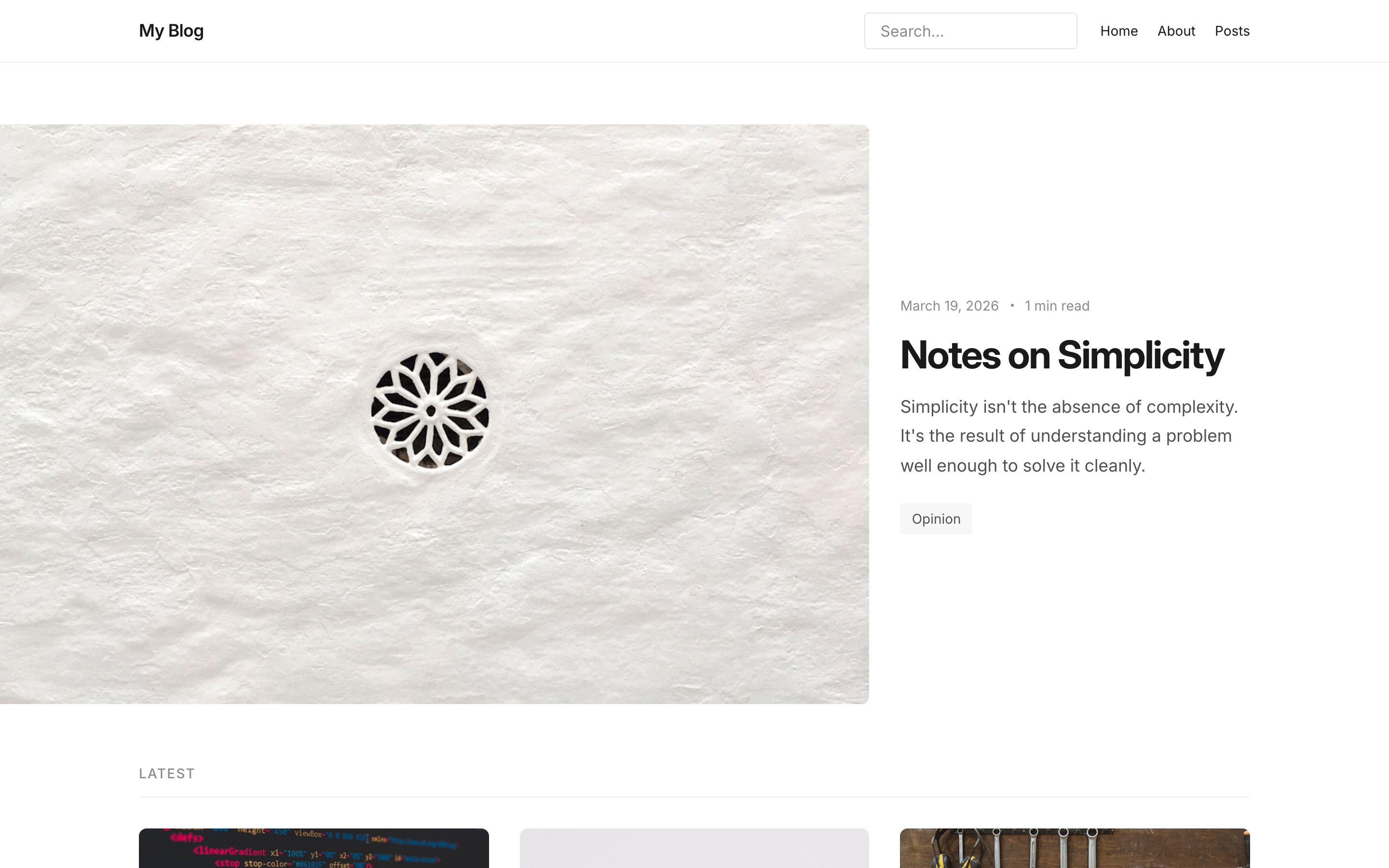
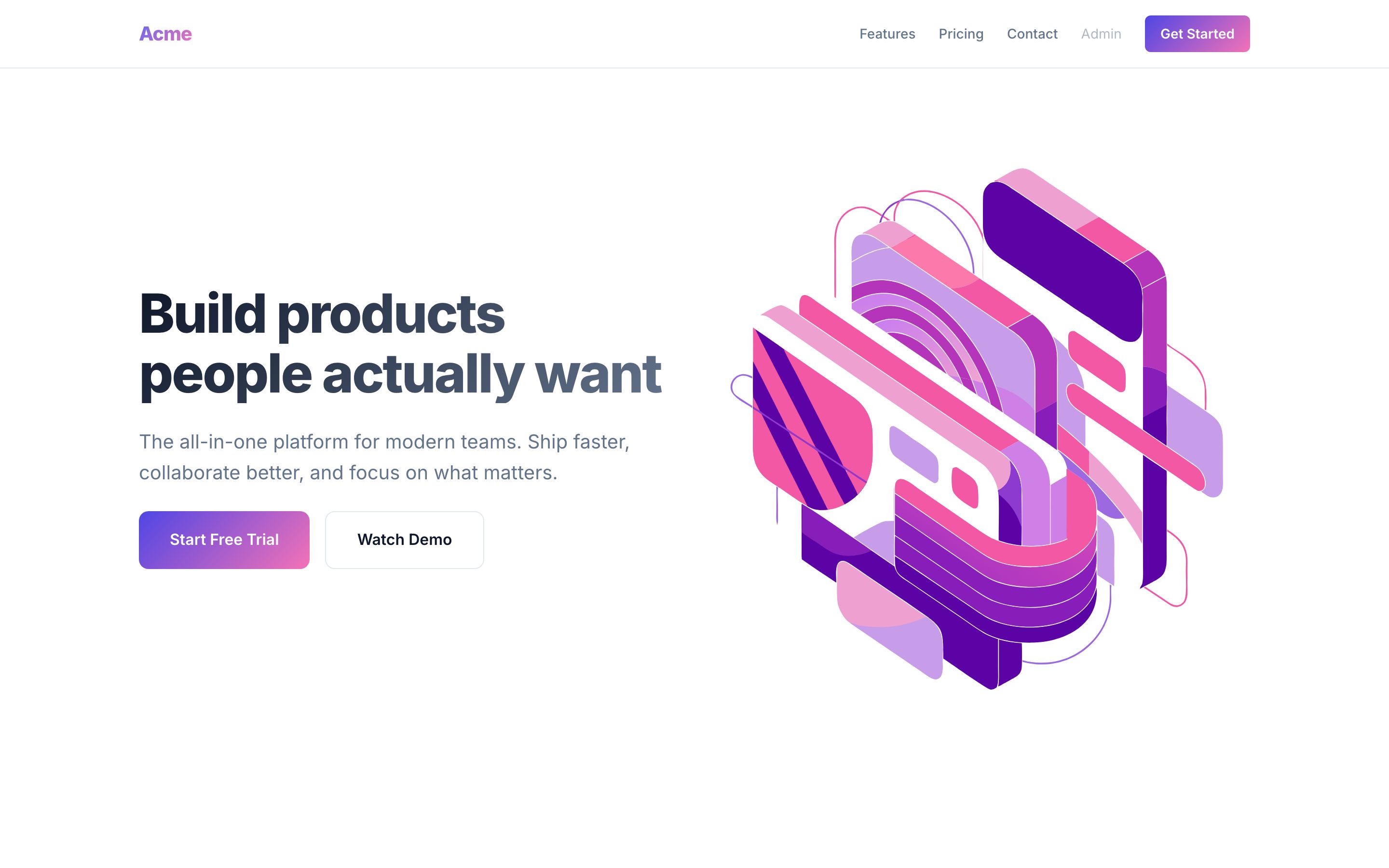
EmDash ships with three starter templates:
Blog
A classic blog with sidebar widgets, search, and RSS.
|
Marketing
A photo-led landing page built from modular blocks.
|
Portfolio
A visual portfolio for showcasing creative work.
|

Why EmDash?
WordPress was built for a different era. Running WordPress today means managing PHP alongside JavaScript, layering caches to get acceptable performance, and knowing that 96% of WordPress security vulnerabilities come from plugins. EmDash is what WordPress would look like if you started from scratch with today's tools.
Sandboxed plugins. WordPress plugins have full access to the database, filesystem, and user data. A single vulnerable plugin can compromise the entire site. EmDash plugins run in isolated Worker sandboxes via Dynamic Worker Loaders, each with a declared capability manifest. A plugin that requests content:read and email:send can do exactly that and nothing else.
export default () =>
    definePlugin({
        id: "notify-on-publish",
        capabilities: ["content:read", "email:send"],
        hooks: {
            "content:afterSave": async (event, ctx) => {
                if (event.content.status !== "published") return;
                await ctx.email.send({
                    to: "editors@example.com",
                    subject: `New post: ${event.content.title}`,
                });
            },
        },
    });
Structured content, not serialized HTML. WordPress stores rich text as HTML with metadata embedded in comments -- tying your content to its DOM representation. EmDash uses Portable Text, a structured JSON format that decouples content from presentation. Your content can render as a web page, a mobile app, an email, or an API response without parsing HTML.
Built for agents. EmDash publishes agent skills that teach coding assistants its APIs, a CLI that lets agents manage content and schema programmatically, and a built-in MCP server so AI tools like Claude and ChatGPT can interact with your site directly.
Runs anywhere. EmDash uses portable abstractions at every layer -- Kysely for SQL, S3 API for storage -- that work with SQLite, D1, Turso, PostgreSQL, R2, AWS S3, or local files. It runs best on Cloudflare, but it's not locked to it.
How It Works
EmDash is an Astro integration. Add it to your config and you get a complete CMS: admin panel, REST API, authentication, media library, and plugin system.
// astro.config.mjs
import emdash from "emdash/astro";
import { d1 } from "emdash/db";

export default defineConfig({
    integrations: [emdash({ database: d1() })],
});
Content types are defined in the database, not in code. Non-developers create and modify collections through the admin UI. Each collection gets a real SQL table with typed columns. Developers generate TypeScript types from the live schema:
npx emdash types
Query content using Astro's Live Collections -- no rebuilds, no separate API:
---
import { getEmDashCollection } from "emdash";
const { entries: posts } = await getEmDashCollection("posts");
---

{posts.map((post) => <article>{post.data.title}</article>)}
Features
Content -- Blog posts, pages, custom content types. Rich text editing via TipTap with Portable Text storage. Revisions, drafts, scheduled publishing, full-text search (FTS5), inline visual editing.
Admin -- Full admin panel with visual schema builder, media library (drag-drop uploads via signed URLs), navigation menus, taxonomies, widgets, and a WordPress import wizard.
Auth -- Passkey-first (WebAuthn) with OAuth and magic link fallbacks. Role-based access control: Administrator, Editor, Author, Contributor.
Plugins -- definePlugin() API with lifecycle hooks, KV storage, settings, admin pages, dashboard widgets, custom block types, and API routes. Sandboxed execution on Cloudflare via Dynamic Worker Loaders, and on Node.js in a workerd child process.
Agents -- Agent skills for AI-assisted site, plugin, and theme development. CLI for programmatic site management. Built-in MCP server for direct AI tool integration.
WordPress migration -- Import posts, pages, media, and taxonomies from WXR exports, the WordPress REST API, or WordPress.com. Agent skills help port plugins and themes.
Portable Platforms
| Layer | Cloudflare | Also works with |
|---|---|---|
| Database | D1 | SQLite, Turso/libSQL, PostgreSQL |
| Storage | R2 | AWS S3, any S3-compatible service, local filesystem |
| Sessions | KV | Redis, file-based |
| Plugins | Worker isolates (sandboxed) | workerd child process (sandboxed) |
Status
EmDash is stable and ready for production. The core packages (emdash, create-emdash, and the @emdash-cms admin, auth, blocks, and Cloudflare packages) follow semantic versioning: breaking changes ship only in major releases and are called out in the changelog. First-party plugins and plugin tooling are still on 0.x and may change between minor releases.
We welcome contributions, feedback, plugins, themes, and ideas.
npm create emdash@latest
See the documentation for guides, API reference, and plugin development.
Development
This is a pnpm monorepo. To contribute:
git clone https://github.com/emdash-cms/emdash.git && cd emdash
pnpm install
pnpm build
Run the demo (Node.js + SQLite, no Cloudflare account needed):
pnpm --filter emdash-demo seed
pnpm --filter emdash-demo dev
Open the admin at http://localhost:4321/_emdash/admin.
pnpm test          # run all tests
pnpm typecheck     # type check
pnpm lint:quick    # fast lint (< 1s)
pnpm format        # format with oxfmt
See CONTRIBUTING.md for the full contributor guide.
Repository Structure
packages/
  core/           Astro integration, APIs, admin UI, CLI
  auth/           Authentication library
  blocks/         Portable Text block definitions
  cloudflare/     Cloudflare adapter (D1, R2, Worker Loader)
  plugins/        First-party plugins (forms, embeds, SEO, audit-log, etc.)
  create-emdash/  npm create emdash scaffolding
  gutenberg-to-portable-text/  WordPress block converter

templates/        Starter templates (blog, marketing, portfolio, starter, blank)
demos/            Development and example sites
docs/             Documentation site (Starlight)
