TREK


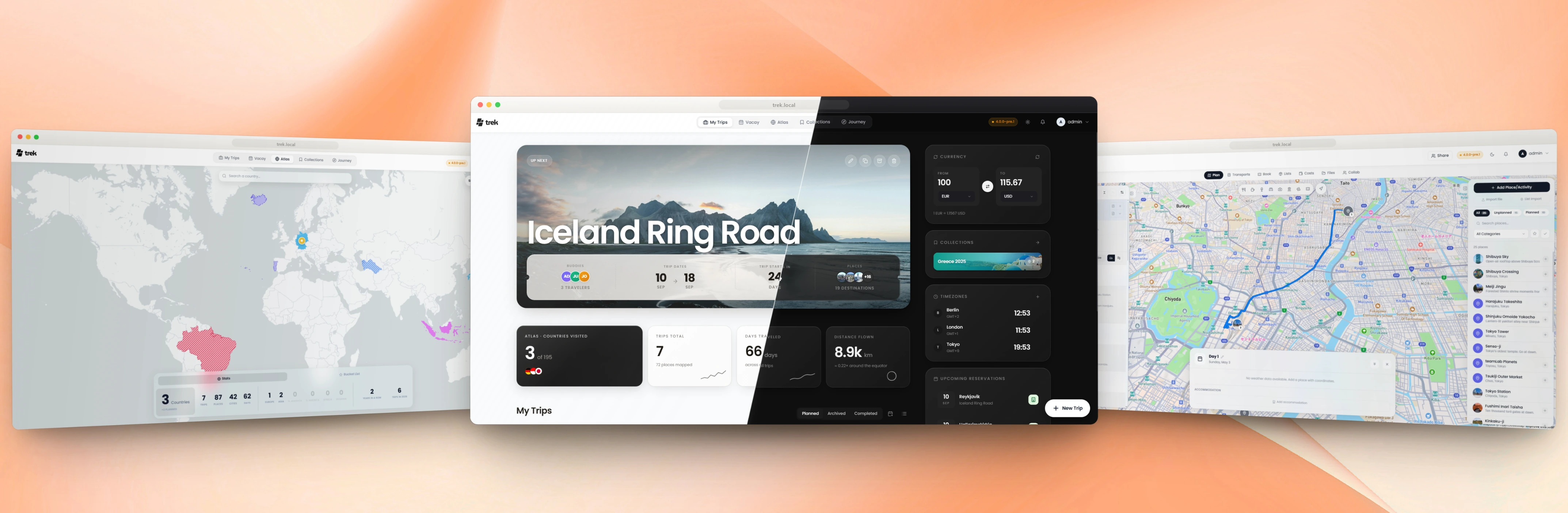
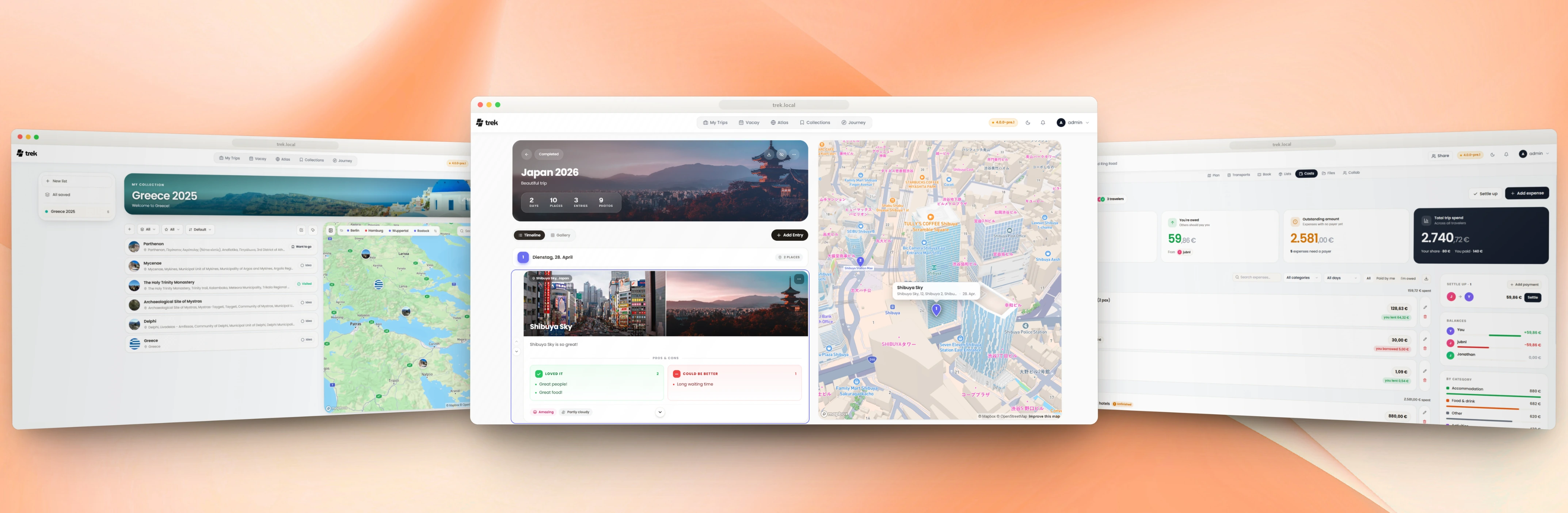
A self-hosted, real-time collaborative travel planner — with maps, budgets, packing lists, a journal, and AI built in.











See all features
Most of what follows is an addon an admin switches on or off. Lists, Costs, Documents, Collab, Vacay and Atlas ship on; Journey, Collections, MCP, AI Parsing and AirTrail ship off and are marked below.
🧭 Planning
|
🧳 Bookings and money
|
👥 Collaboration
📔 Journal, Atlas and Vacay
|
🧩 Plugins
🤖 AI and MCP
|
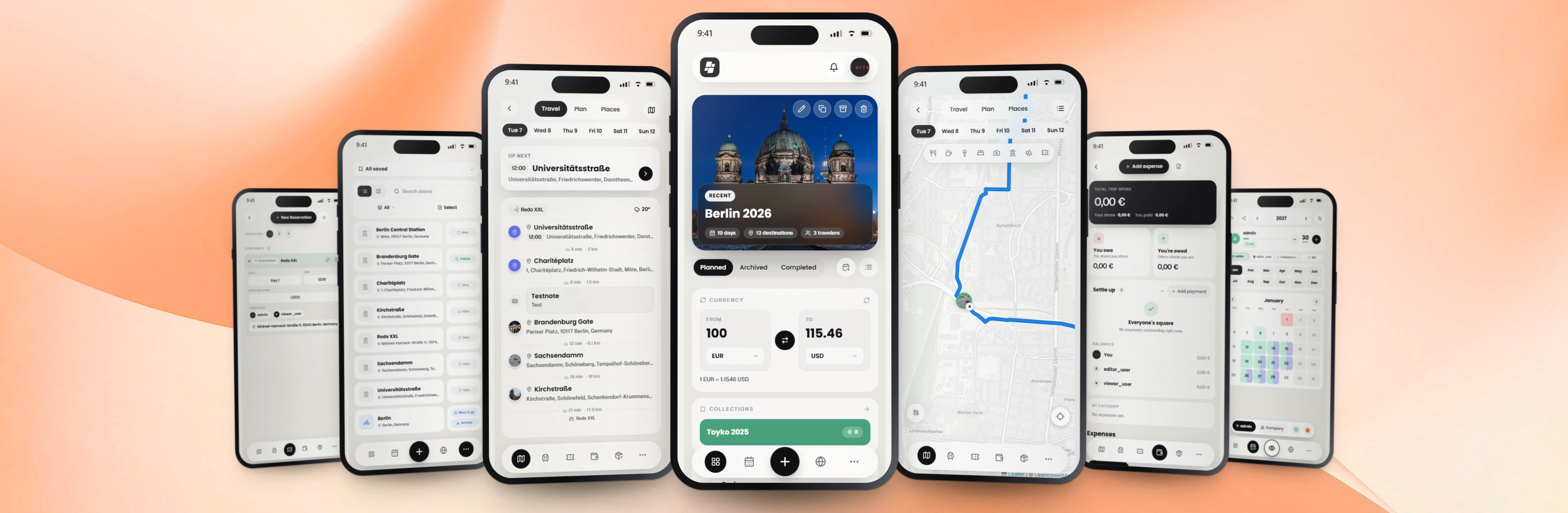
📱 Mobile and offline
|
⚙️ Admin, accounts and security
|
AI usage
We use LLM-assisted coding tools across parts of this codebase. Nothing ships that a maintainer has not read and understood: every change goes through a pull request, is reviewed and tested, and has a human who can answer for it. "The AI wrote that" is not an answer any of us would accept from ourselves.
See How we use AI in TREK for the details.
Get started in 30 seconds
ENCRYPTION_KEY=$(openssl rand -hex 32) docker run -d -p 3000:3000 \
  -e ENCRYPTION_KEY=$ENCRYPTION_KEY \
  -v ./data:/app/data -v ./uploads:/app/uploads mauriceboe/trek
Open http://localhost:3000. On first boot TREK seeds an admin account — if you set ADMIN_EMAIL/ADMIN_PASSWORD those are used, otherwise the credentials are printed to the container log (docker logs trek).
Tech stack


Real-time sync via WebSocket (ws). Backend on NestJS 11. State with Zustand. Auth via JWT + OAuth 2.1 + OIDC + Passkeys (WebAuthn) + TOTP MFA. Weather via Open-Meteo (no key required). Maps with Leaflet and Mapbox GL.
Docker Compose (production)
The repository ships a ready-to-use docker-compose.yml
with secure defaults and every option documented inline. Download it, then:
docker compose up -d
See Install with Docker Compose for the full walkthrough.
Helm (Kubernetes)
helm repo add trek https://chart.liketrek.com
helm repo update
helm install trek trek/trek
See charts/README.md for values.
Install as App (PWA)
TREK works as a Progressive Web App — no App Store needed.
- Open TREK in the browser (HTTPS required)
- iOS: Share ▸ Add to Home Screen
- Android: Menu ▸ Install app (or Add to Home Screen)
TREK then launches fullscreen with its own icon, just like a native app.
Updating
See Updating — Docker Compose, Docker run, Helm, Portainer, Unraid and Proxmox, plus the encryption-key note.
Reverse Proxy
For production, put TREK behind a TLS-terminating reverse proxy. TREK uses WebSockets for real-time sync, so the proxy must support WebSocket upgrades on /ws.
If you use the MCP addon, the proxy must also pass the Mcp-Session-Id header through in both directions on /mcp — Nginx and Caddy do this by default, but a proxy that strips it makes every tool call open a new session instead of reusing one. See the Reverse Proxy wiki page for details.
Nginx
server {
    listen 80;
    server_name trek.yourdomain.com;
    return 301 https://$host$request_uri;
}

server {
    listen 443 ssl http2;
    server_name trek.yourdomain.com;

    ssl_certificate     /etc/ssl/fullchain.pem;
    ssl_certificate_key /etc/ssl/privkey.pem;

    # 500 MB covers backup-restore uploads (capped at 500 MB server-side).
    client_max_body_size 500m;

    location / {
        proxy_pass http://localhost:3000;
        proxy_http_version 1.1;
        proxy_set_header Host $host;
        proxy_set_header X-Real-IP $remote_addr;
        proxy_set_header X-Forwarded-For $proxy_add_x_forwarded_for;
        proxy_set_header X-Forwarded-Proto $scheme;
    }

    location /ws {
        proxy_pass http://localhost:3000;
        proxy_http_version 1.1;
        proxy_set_header Upgrade $http_upgrade;
        proxy_set_header Connection "upgrade";
        proxy_set_header Host $host;
        proxy_read_timeout 86400;
    }

    # Only needed if you use the MCP addon. Responses are Server-Sent Events,
    # so buffering must be off or tool results arrive late.
    location /mcp {
        proxy_pass http://localhost:3000;
        proxy_http_version 1.1;
        proxy_set_header Host $host;
        proxy_set_header X-Real-IP $remote_addr;
        proxy_set_header X-Forwarded-For $proxy_add_x_forwarded_for;
        proxy_set_header X-Forwarded-Proto $scheme;
        proxy_buffering off;
        proxy_read_timeout 3600s;
    }
}
Caddy
trek.yourdomain.com {
    reverse_proxy localhost:3000
}
Caddy handles TLS and WebSockets automatically.
Environment variables
Every variable, its default and what it does: see Environment Variables.
Star History
Data sources
The Atlas map's country and sub-national (province/county) boundaries come from geoBoundaries (Runfola et al., 2020), licensed CC BY 4.0. See NOTICE.md for full third-party attributions.
License
TREK is AGPL v3. Self-host freely for personal or internal company use. If you modify and offer TREK as a network service to third parties, your modifications must be open-sourced under the same licence.
