ApkClaw
An AI-powered Android automation app that lets an LLM Agent control Android devices (phones) via natural language. Users send instructions through messaging channels (DingTalk, Feishu, QQ, Discord, Telegram), and the AI Agent autonomously executes device operations.
Screenshots
Architecture Overview
┌────────────────────────────────────────────────────────────────────┐
│                   Messaging Channels                               │
│  DingTalk  │  Feishu  │  QQ  │  Discord  │  Telegram  |  WeChat    │
└──────────────────────┬─────────────────────────────────────────────┘
                       │ Incoming message
                       ▼
              ┌─────────────────┐
              │  ChannelManager  │  Message routing & dispatch
              └────────┬────────┘
                       │
              ┌────────▼────────┐
              │ TaskOrchestrator │  Task lock & lifecycle mgmt
              └────────┬────────┘
                       │
              ┌────────▼────────┐
              │  AgentService    │  Agent loop
              │                  │
              │  ┌────────────┐  │
              │  │  LLM Call  │◄─┼── LangChain4j (OpenAI / Anthropic)
              │  └─────┬──────┘  │
              │        │         │
              │  ┌─────▼──────┐  │
              │  │  Tool Exec │◄─┼── ToolRegistry → ClawAccessibilityService
              │  └─────┬──────┘  │
              │        │         │
              │   Loop until     │
              │   task complete  │
              └────────┬────────┘
                       │
                       ▼
              Reply to user via channel
Star History
Core Execution Flow
- User sends a natural language message through any connected channel
- ChannelSetup checks that the accessibility service is running
- TaskOrchestrator acquires the task lock (single-task model) and presses Home to reset device state
- DefaultAgentService enters the agent loop:
- Builds system prompt with device context (brand, model, resolution, registered tools)
- Calls LLM with tool definitions (via LangChain4j bridge)
- Extracts tool calls from LLM response
- Executes tools via ToolRegistry → ClawAccessibilityService
- Feeds tool results back to LLM
- Loops until the
finishtool is called or max iterations (40) are reached
- Result is sent back to the user through the same channel
Agent System
Agent Loop (DefaultAgentService)
The agent follows an Observe → Think → Act → Verify protocol:
- System Prompt: Injects device info (brand, model, Android version, screen resolution), registered tool list, and safety constraints
- LLM Call Retry: Up to 3 attempts with exponential backoff (1s → 2s → 4s); no retry on 401/403
- Loop Detection: Maintains a 4-round sliding window of
(screenHash, toolCall)fingerprints; if all identical, injects a system message forcing the agent to try a different approach - Token Optimization: Replaces historical
get_screen_inforesults with placeholders to save tokens, keeping only the most recent one - System Dialog Handling: When
getRootInActiveWindow()returns null (protected system dialog detected), takes a screenshot, sends it to the user, and aborts the task
LLM Integration
Pluggable LLM backends via LlmClientFactory:
| Provider | Client Class | Model Builder |
|---|---|---|
| OpenAI-compatible | OpenAiLlmClient |
OpenAiChatModel / OpenAiStreamingChatModel |
| Anthropic | AnthropicLlmClient |
AnthropicChatModel / AnthropicStreamingChatModel |
Both streaming and non-streaming modes are supported. The HTTP layer uses a custom OkHttpClientBuilderAdapter (OkHttp-based) instead of JDK HttpClient for Android compatibility.
Configuration (AgentConfig):
apiKey: From local settingsbaseUrl: LLM endpoint (default:https://api.openai.com/v1)modelName: User-selectableprovider:OPENAI(default) orANTHROPICtemperature: 0.1 (deterministic output)maxIterations: 40streaming: Configurable (default: off)
LangChain4j Bridge
LangChain4jToolBridge converts custom BaseTool abstractions into LangChain4j's ToolSpecification format, mapping parameter types (string, integer, number, boolean) to JSON Schema.
Tool System
Tools are registered in ToolRegistry by device type:
Common Tools (All Devices)
| Tool | Description |
|---|---|
get_screen_info |
Get UI hierarchy tree for AI to analyze the current screen |
find_node_info |
Find elements by text or resource ID |
take_screenshot |
Capture current screen as PNG |
input_text |
Input text into the focused field |
open_app |
Open an app by name |
get_installed_apps |
List installed applications |
press_back / press_home |
Navigate back / Go to home screen |
open_recent_apps |
Open recent apps |
expand_notifications / collapse_notifications |
Expand / Collapse notification shade |
lock_screen |
Lock the screen |
wait |
Wait for a specified duration |
repeat_actions |
Repeat a set of actions |
send_file |
Send a file to the user via channel |
finish |
Complete the task and return a summary |
Phone-Specific Tools
| Tool | Description |
|---|---|
tap |
Tap at coordinates (x, y) |
long_press |
Long press at coordinates |
swipe |
Swipe from point A to point B |
click_by_text |
Click an element by visible text |
click_by_id |
Click an element by resource ID |
search_app_in_store |
Search for an app in the app store |
Each tool extends BaseTool, implements execute(Map<String, Any>): ToolResult, and provides bilingual (Chinese/English) descriptions with typed parameter declarations.
Channel System
| Channel | Protocol | Required Credentials |
|---|---|---|
| DingTalk | App Stream Client | Client ID + Client Secret |
| Feishu | OAPI SDK | App ID + App Secret |
| QQ Bot API | App ID + App Secret | |
| Discord | Gateway WebSocket + REST | Bot Token |
| Telegram | Bot HTTP API | Bot Token |
Channel credentials can be configured via the in-app settings page or the LAN HTTP server (http://<device-ip>:9527).
Accessibility Service
ClawAccessibilityService (Java) is the core device interaction layer:
- Gestures: Tap, swipe, long press via
dispatchGesture() - Node Traversal: UI hierarchy tree via
getRootInActiveWindow() - Key Injection: Home, Back, Recents via
performGlobalAction() - Screenshot:
takeScreenshot()(requires Android 11+)
Known Limitation: Protected system windows (e.g., com.android.permissioncontroller permission dialogs) block both node tree access and gesture injection (filterTouchesWhenObscured). The agent detects this, takes a screenshot, and notifies the user to handle it manually.
LAN Configuration Server
A NanoHTTPD-based HTTP server runs on port 9527 for convenient configuration from a PC browser:
| Endpoint | Method | Purpose |
|---|---|---|
/ |
GET | Configuration web page |
/api/channels |
GET/POST | Read/update channel credentials |
/api/llm |
GET/POST | Read/update LLM configuration |
Secrets are masked (only last 4 characters shown) when retrieved via GET. Debug builds additionally expose /debug.html with a tool execution console.
Project Structure
app/src/main/java/com/apk/claw/android/
├── agent/                  # Agent loop, config, callbacks
│   ├── langchain/          # LangChain4j bridge & OkHttp adapter
│   └── llm/                # LLM clients (OpenAI, Anthropic)
├── base/                   # BaseActivity (screen density adaptation)
├── channel/                # Messaging channel handlers
│   ├── dingtalk/
│   ├── feishu/
│   ├── qqbot/
│   ├── discord/
│   └── telegram/
├── floating/               # Floating button UI manager
├── server/                 # LAN config & debug HTTP server
├── service/                # Accessibility, foreground, keep-alive services
├── tool/                   # Tool abstraction layer & registry
│   └── impl/               # Tool implementations (common/phone/TV)
├── ui/                     # Activities (splash, home, guide, settings)
├── utils/                  # KVUtils, XLog, formatting utilities
└── widget/                 # Custom UI components
Build & Run
Requirements
- Java 17+
- Android Studio (Ladybug or later recommended)
- Android SDK 36 (compile/target), min SDK 28
Build
# Clone the repository
git clone https://github.com/apkclaw-team/ApkClaw.git
cd ApkClaw

# Debug build
./gradlew assembleDebug

# Release build
./gradlew assembleRelease
Setup
- Install the APK on your Android device (Android 9+)
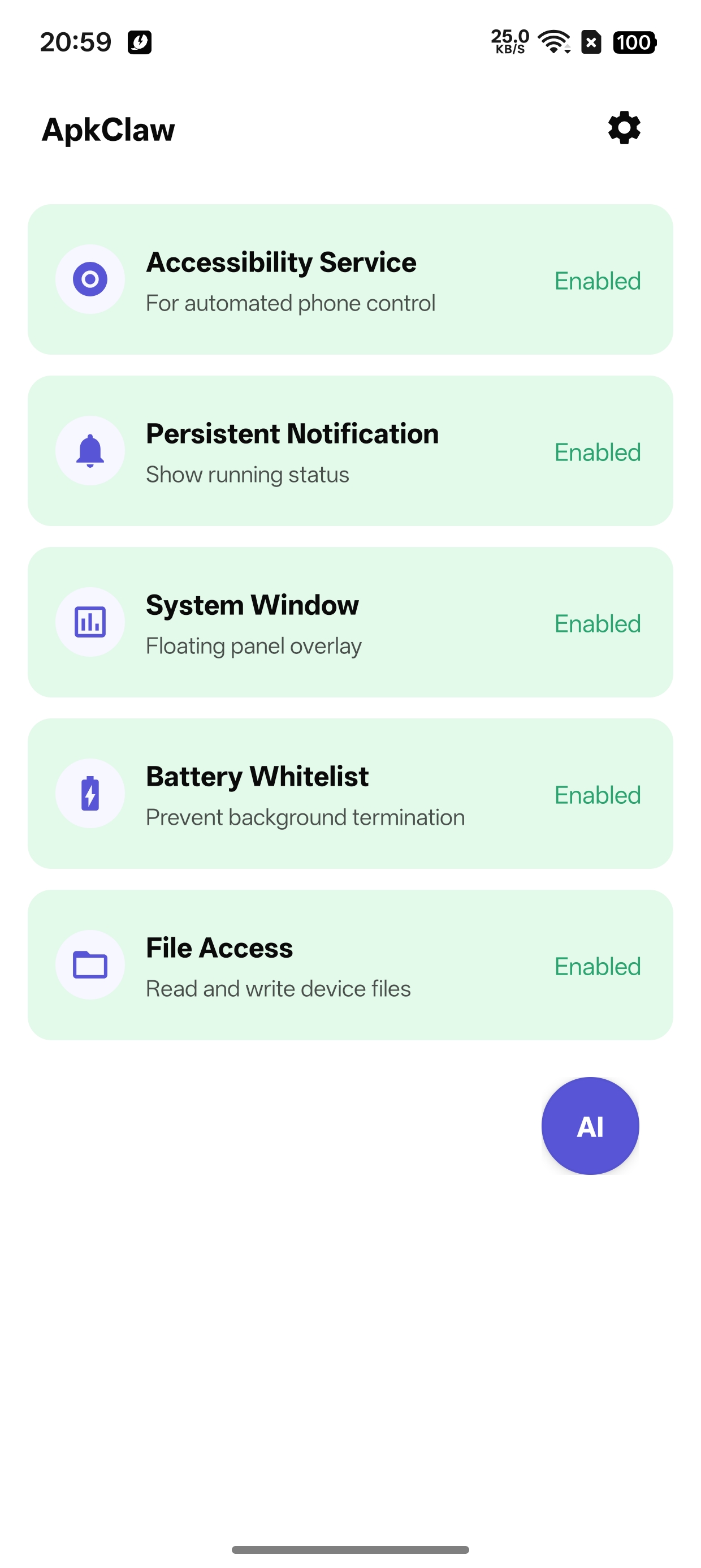
- Grant permissions on the home screen — enable all required permissions (Accessibility Service, Notification, System Window, Battery Whitelist, File Access)
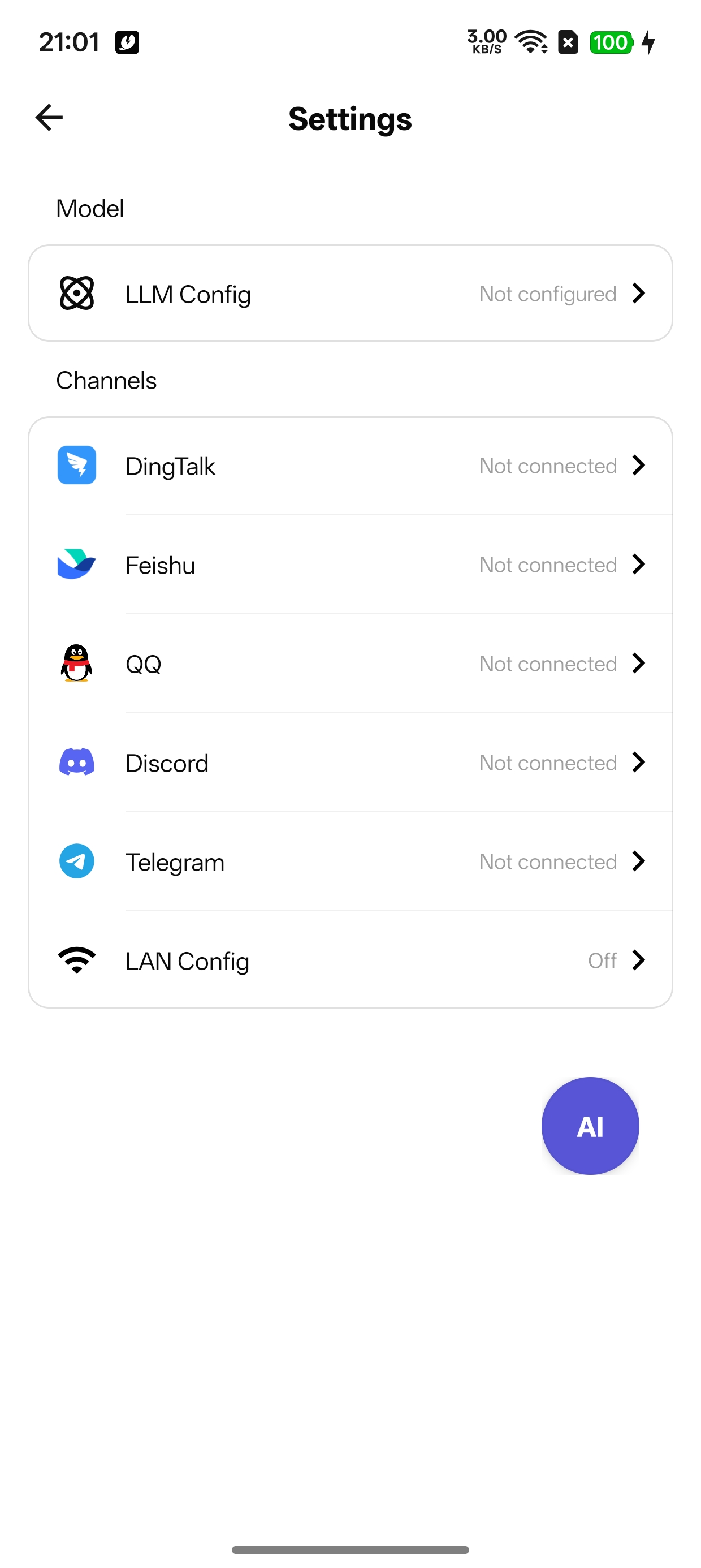
- Configure LLM — go to Settings > LLM Config, fill in:
- API Key: Your OpenAI or Anthropic API key
- Base URL: LLM endpoint (default:
https://api.openai.com/v1, change it if using a custom provider) - Model Name: e.g.
gpt-4o,claude-sonnet-4-20250514
- Configure a channel — go to Settings, pick at least one messaging channel (DingTalk / Feishu / QQ / Discord / Telegram), fill in the bot credentials
- Send a message via the configured channel to start controlling your device
Tip: You can also configure LLM and channel credentials from a PC browser via LAN Config. Enable it in Settings, then visit
http://<device-ip>:9527on your PC.
Key Dependencies
AI / Agent
| Dependency | Version | Purpose |
|---|---|---|
| LangChain4j | 1.12.2 | Agent orchestration, tool definitions, LLM integration |
Messaging Channels
| Dependency | Version | Purpose |
|---|---|---|
| DingTalk Stream Client | 1.3.12 | DingTalk channel |
| Feishu OAPI SDK | 2.5.3 | Feishu / Lark channel |
Networking
| Dependency | Version | Purpose |
|---|---|---|
| OkHttp | 4.12.0 | HTTP client for LLM calls |
| Retrofit | 2.11.0 | REST API client |
| NanoHTTPD | 2.3.1 | LAN config & debug HTTP server |
Storage & Utilities
| Dependency | Version | Purpose |
|---|---|---|
| MMKV | 2.3.0 | High-performance local key-value storage |
| Gson | 2.13.2 | JSON serialization |
| ZXing | 3.5.3 | QR code generation |
| UtilCode | 1.31.1 | Android utility functions |
UI
| Dependency | Version | Purpose |
|---|---|---|
| Glide | 5.0.5 | Image loading |
| EasyFloat | 2.0.4 | Floating window |
| MultiType | 4.3.0 | RecyclerView multi-type adapter |
License
Copyright 2026 ApkClaw

Licensed under the Apache License, Version 2.0 (the "License");
you may not use this file except in compliance with the License.
You may obtain a copy of the License at

    http://www.apache.org/licenses/LICENSE-2.0

Unless required by applicable law or agreed to in writing, software
distributed under the License is distributed on an "AS IS" BASIS,
WITHOUT WARRANTIES OR CONDITIONS OF ANY KIND, either express or implied.
See the License for the specific language governing permissions and
limitations under the License.
