openclaw-assistant
A native Android voice client for OpenClaw and Hermes Agent.
WakeHermesClaw is the successor to OpenClaw Assistant. It keeps every OpenClaw feature you already have — wake word, Voice Overlay, Gateway
- HTTP backends, Wear OS, on-device node capabilities, continuous conversation — and adds first-class support for Hermes Agent as a peer backend that can be configured side-by-side with OpenClaw.
Supported backends (configure any combination, pick one as primary):
- OpenClaw Gateway (WebSocket, pairing, QR, TLS)
- OpenClaw HTTP (OpenAI-compatible chat)
- Hermes API Server (
/v1/chat/completionsstreaming +/v1/runsRuns API)Mobile Bridge (optional, off by default). WakeHermesClaw can expose a bearer-token-protected local HTTP service that lets Hermes reach a curated set of Android capabilities. See
docs/hermes-mobile-bridge.mdandintegrations/hermes-mobile-bridge/.Migration. Existing OpenClaw Assistant installs upgrade in place (
applicationIdunchanged); the first launch silently migrates the previous Gateway / HTTP settings into the new multi-backend repository and marks the existing setup as Primary. Wake word, HotwordService, Voice Overlay, Wear OS, and node capabilities continue to target the Primary backend.Hermes setup in 30 seconds. Run
hermes gatewaywith the API server enabled (default port8642), bind it to your LAN/VPN, generate an API key, and add it in Settings → Backends → Add Hermes API Server. WakeHermesClaw accepts bothhttp://host:8642andhttp://host:8642/v1. Authentication usesAuthorization: Bearer <key>; the default model name ishermes-agent. Connection test callsGET /v1/modelsand falls back to/health.WakeHermesClaw shared agent controls. The app includes 6-character bridge pairing codes, deep-link setup payloads, multi-endpoint candidates (LAN + VPN + public) raced in parallel on connect, per-capability TTL grants ("approve · 10 min / 1 hour / until revoked") with a destructive-verb override,
/revokeand/grantsendpoints, an Accessibility Bridge (tap / swipe / Home / Back / window describe — sideload-only), notifications.active.list backed by the existing NotificationListenerService, and a build-flag (IS_SIDELOAD) that gates Accessibility + SMS for a Play-track build.Wear OS uses its own per-watch backend URL + auth token. Point the watch at the same Hermes (
http://host:8642, Bearer = your API key) or OpenClaw endpoint you use on the phone. The phone's Primary backend is not automatically synced to the watch yet.Build:
./gradlew testDebugUnitTest assembleDebug.
OpenClaw Assistant 🦞 (legacy README continues below)




日本語版はこちら | English below
Self-hosted Android voice assistant with offline wake word, system-level controls, and Wear OS support.
Built for OpenClaw, designed to feel like a real assistant on your phone instead of a thin chat wrapper.
Download APK · 5-Minute Quick Start · Watch Demo · Get OpenClaw
Demo

Tap the image to watch the full demo video
Screenshots
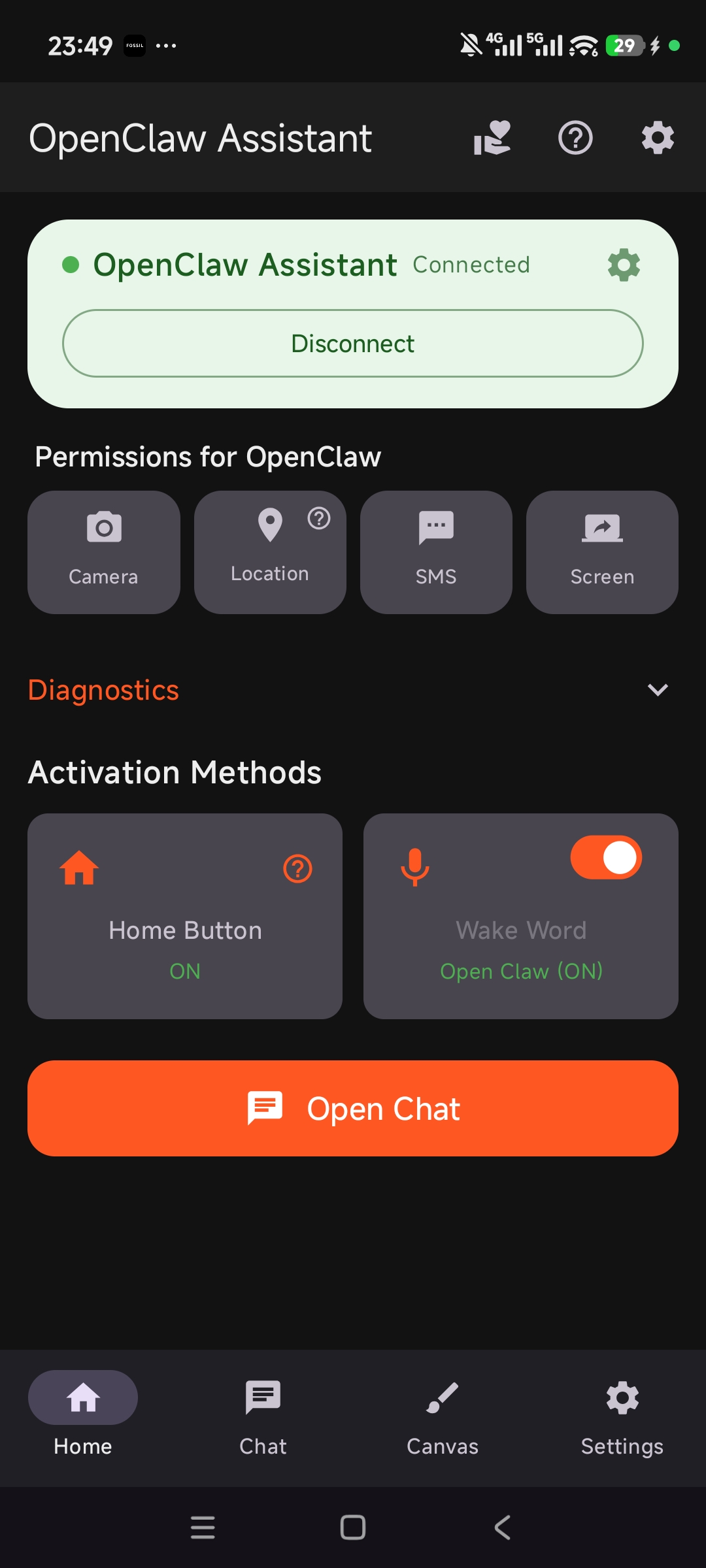 Home |
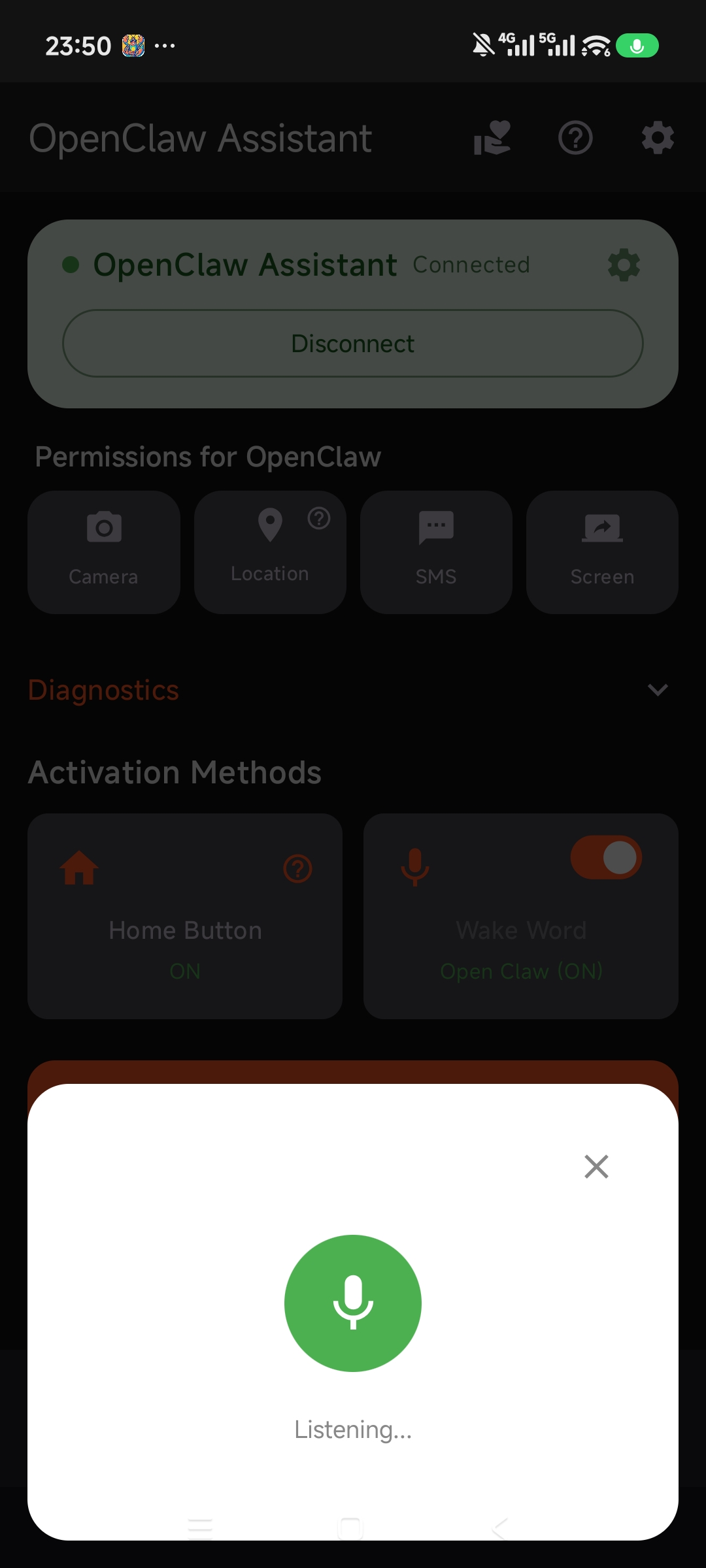 Voice Overlay |
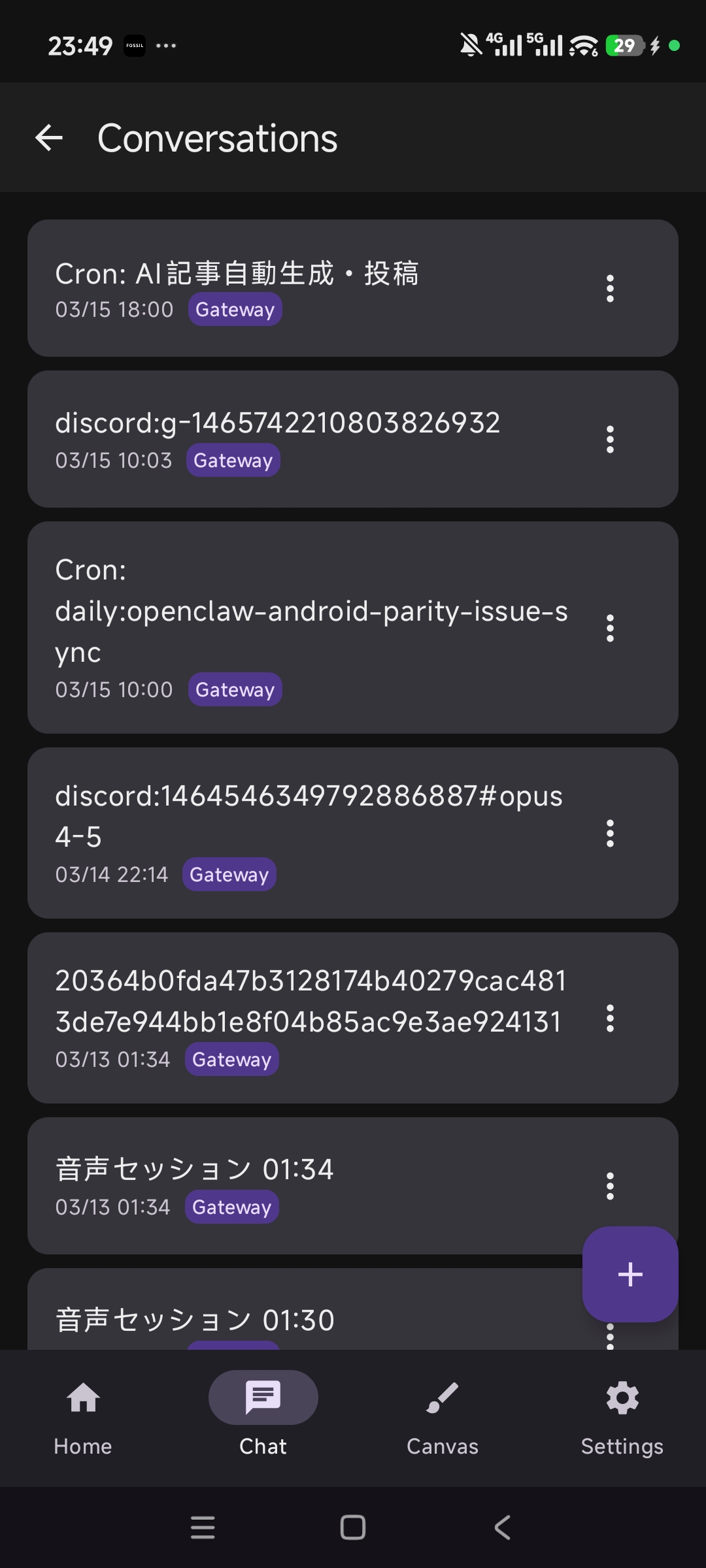 Conversations |
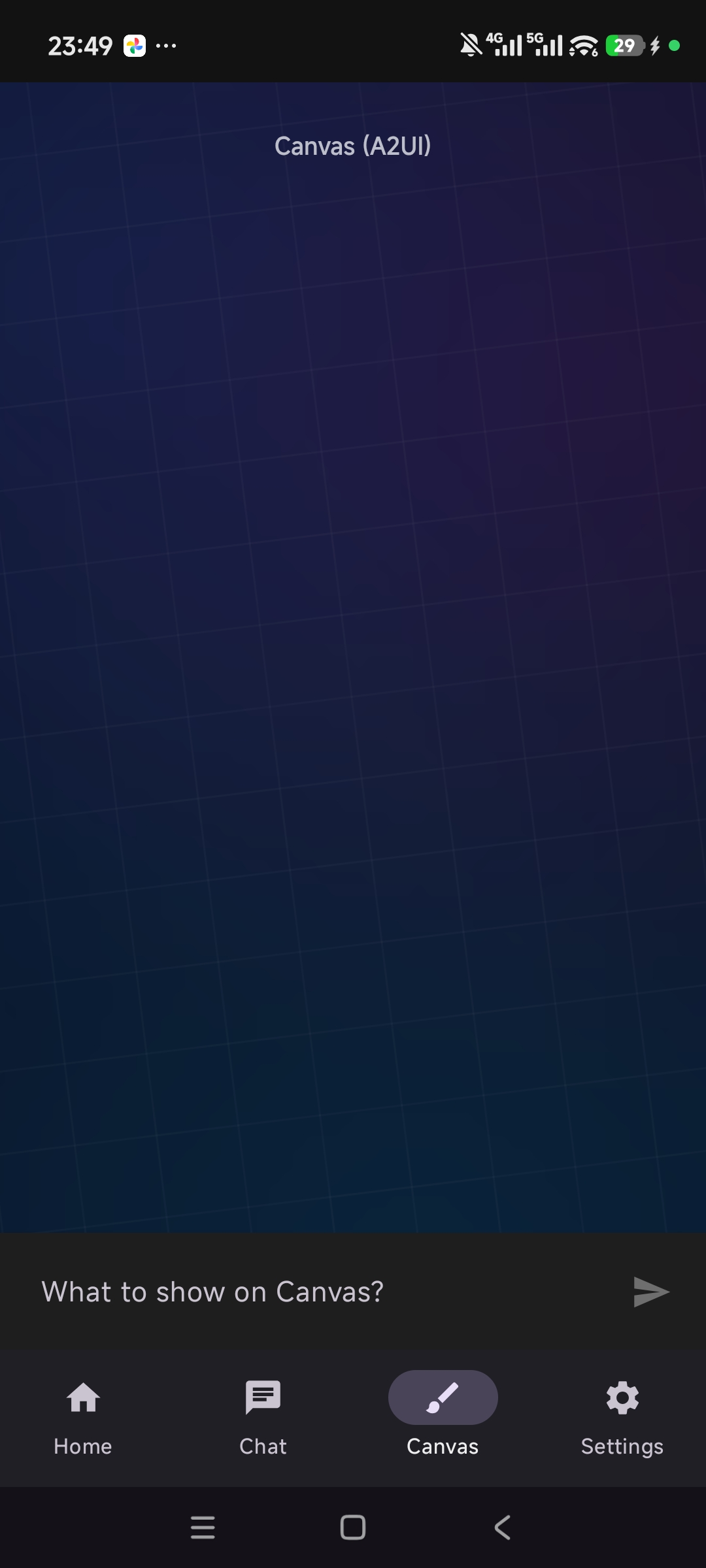 Canvas (A2UI) |
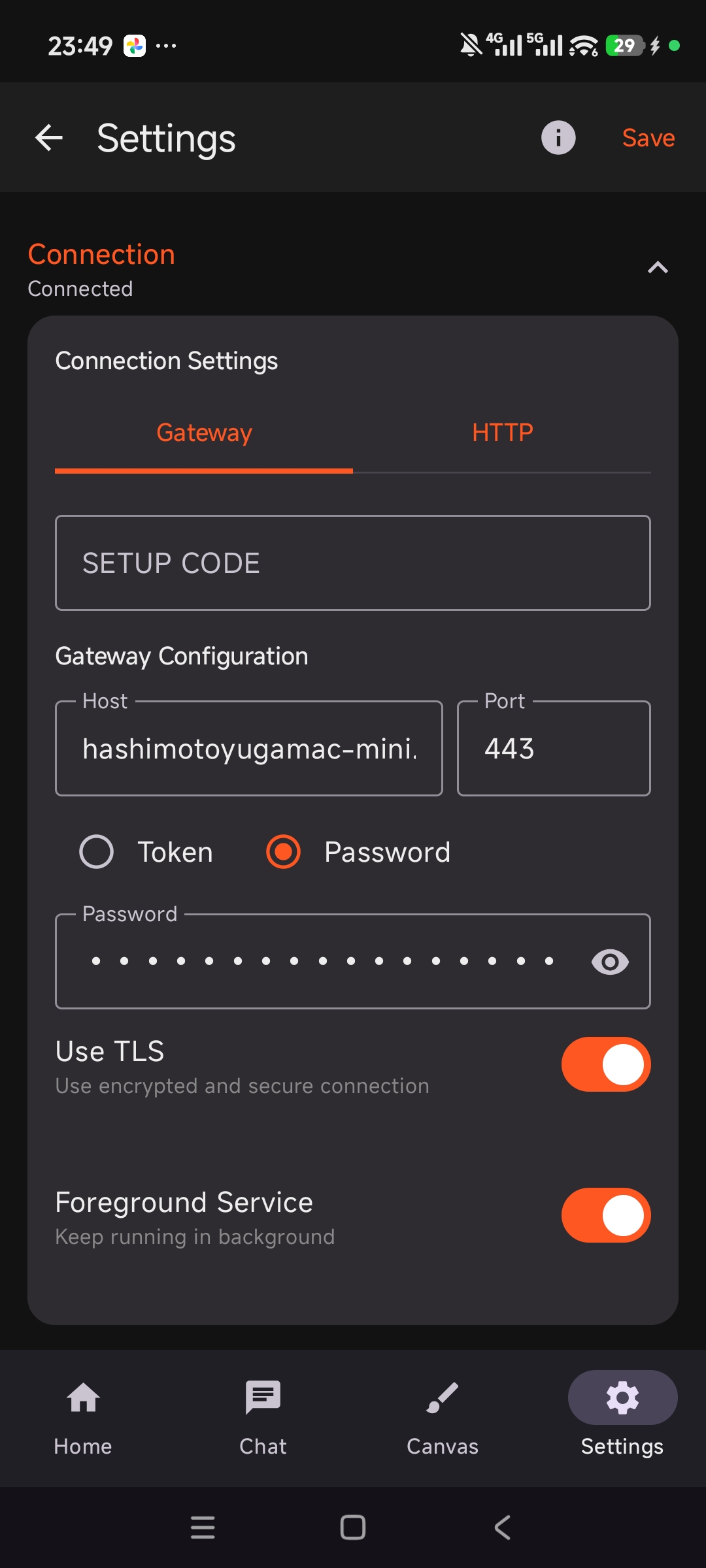 Settings |
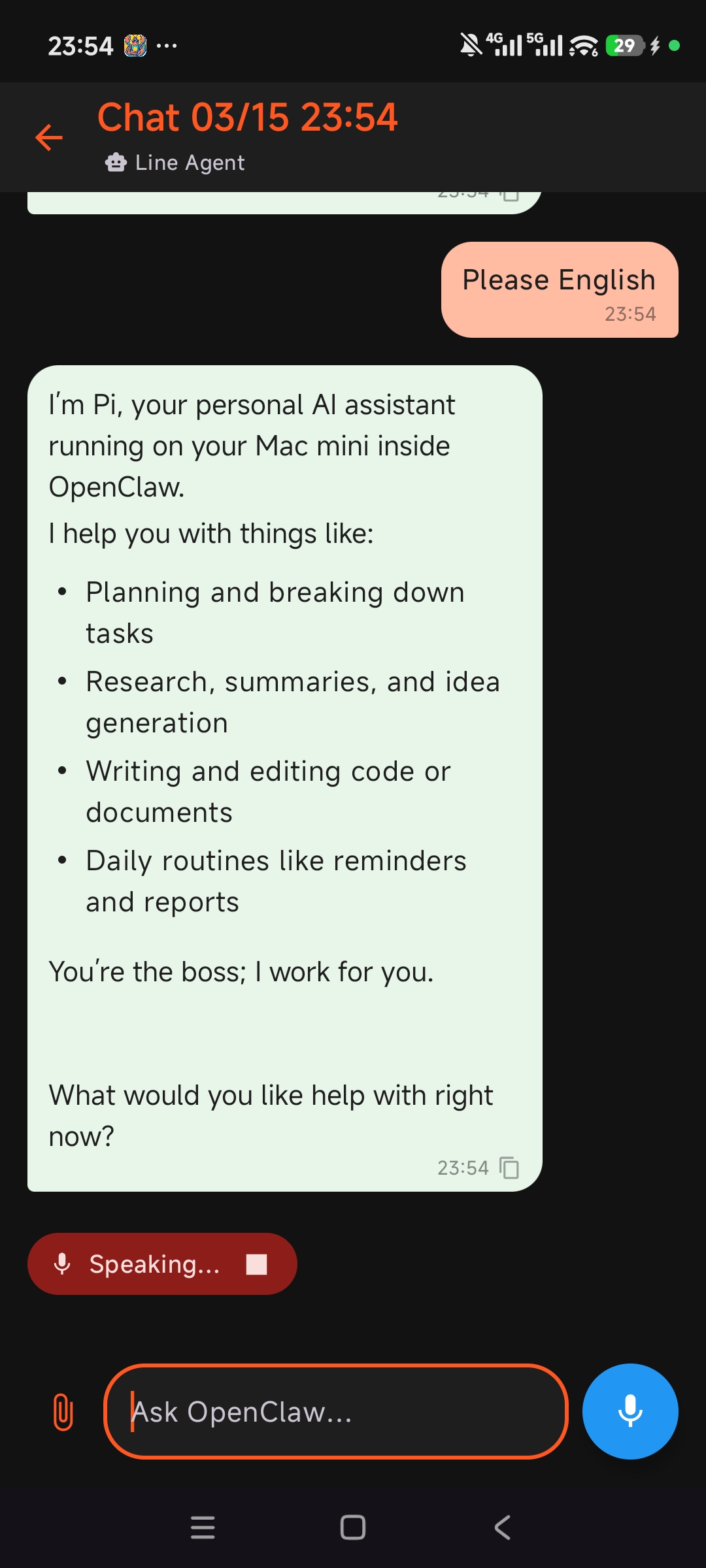 Chat |
English
Your AI Assistant in Your Pocket - A self-hosted Android voice assistant for OpenClaw with offline wake word detection, real device actions, and a UI built for everyday use.
Why OpenClaw Assistant
- Feels native on Android - Long press Home, use wake word detection, stream replies, and keep talking in continuous conversation mode
- Actually controls your device - Notifications, camera, contacts, calendar, apps, clipboard, WiFi, screen sharing, and more
- Self-hosted, not locked to one cloud app - Connects to your OpenClaw gateway over WebSocket or HTTP
- Works beyond the phone - Includes Wear OS support and a Canvas tab for richer AI-driven UI
🚀 5-Minute Quick Start
- Install the latest APK from Releases
- On your server, run
openclaw qr - Open the app and tap Scan QR Code
- Approve the device on your server if pairing is requested
- Long press Home or say your wake word
Need the server first? Start with OpenClaw.
🔒 Privacy & Security at a Glance
- Offline wake word detection runs locally on-device with Vosk
- Sensitive settings like server URLs and tokens are stored with AES256-GCM encryption
- Powerful capabilities are opt-in and guarded by Android permissions or explicit user actions
✨ Features
Voice & Speech
- 🎤 Customizable Wake Word - Choose from "OpenClaw", "Hey Assistant", "Jarvis", "Computer", or set your own custom phrase
- 📴 Offline Wake Word Detection - Always-on local processing powered by Vosk, no internet required
- 🗣️ Speech Recognition - Real-time speech-to-text with partial results display and configurable silence timeout
- 🔊 Text-to-Speech - Automatic voice output with adjustable speech speed, multi-engine support, and smart text chunking for long responses. Supports Android native, ElevenLabs, OpenAI, and VOICEVOX (full build) TTS providers
- 🔄 Continuous Conversation Mode - Auto-resumes listening after AI response for natural back-and-forth dialogue
- 🏠 System Assistant Integration - Long press Home button to activate via Android VoiceInteractionService
- 🔃 Wake Word Sync - Download wake words configured on the gateway server to your device
- ⌚ Wear OS Support - Use OpenClaw Assistant directly from your smartwatch
Chat & AI
- 💬 In-App Chat Interface - Full-featured chat UI with text and voice input, markdown rendering, and message timestamps
- 🤖 Agent Selection - Choose from multiple AI agents fetched dynamically from the gateway
- 📡 Real-time Streaming - See AI responses as they are generated via WebSocket gateway
- 💾 Chat History - Local message persistence with session management (create, switch, delete conversations)
- 🔔 Thinking Sound - Optional audio cue while waiting for AI response
- 🪟 Dual Chat Modes - Gateway Chat (via Node-Gateway connection) or HTTP Chat (direct HTTP endpoint)
- 📎 File Attachments - Attach images directly in the chat interface
Gateway & Connectivity
- 🌐 WebSocket Gateway - Persistent connection with auto-reconnect (exponential backoff), ping keep-alive, and RPC protocol
- 🔍 Auto-Discovery - Automatically find OpenClaw gateways on your local network via mDNS/Bonjour
- 🔌 Manual Connection - Specify host, port, and token for direct connection
- 🔒 TLS Support - Encrypted connections with SHA-256 fingerprint verification dialog for first-time trust
- 📋 Agent Discovery - Dynamically fetch available agents from the gateway
- 🔗 Device Pairing - Server-side device approval with Ed25519 cryptographic identity
- ✅ Connection Testing - Built-in connection test with live feedback in settings
Node Capabilities
- 📷 Camera - AI can capture photos and video clips via the device camera
- 📍 Location - Share your location (Off / Coarse / Precise) with the AI, including background tracking
- 📲 SMS - Allow the AI to send and read text messages with your permission
- 🖥️ Screen Recording - Let the AI see your screen when you explicitly ask it to
- 🔔 Notifications - AI can read and interact with your active notifications
- 🏃 Motion & Activity - Step counting and physical activity detection (walking, running, etc.)
- 📶 WiFi - AI can check WiFi status and list available networks
- 👥 Contacts - AI can search, add, update, and delete contacts
- 📅 Calendar - AI can query, add, update, and delete calendar events
- 📋 Clipboard - AI can read from and write to the clipboard
- 📱 Apps - AI can list installed apps and launch applications
- 🖼️ Photos - AI can retrieve recent photos from your device gallery
- 🔧 System Control - AI can adjust volume, screen brightness, and send notifications
System & Security
- 🔒 Encrypted Settings - All sensitive data (URL, tokens) stored with AES256-GCM encryption
- 🔑 Device Identity - Ed25519 key pair generation with Android Keystore integration
- 🚀 Auto-Start on Boot - Hotword service automatically resumes after device restart
- 📊 Firebase Crashlytics - Crash reporting with smart filtering of transient network errors
- 🔋 Battery Optimization Exclusion - Ensures wake word detection runs reliably in background
UI & Accessibility
- 🎨 Material 3 Design - Modern UI with Jetpack Compose and dynamic theming, 4-tab bottom navigation
- 🖼️ Canvas Tab - WebView-based interactive display for rich AI-driven UI
- 📝 Markdown Rendering - Rich text display in chat messages (bold, italic, code blocks, lists, links, inline images)
- 🩺 Voice Diagnostics - Built-in health check for STT/TTS engines with fix suggestions
- ❓ Troubleshooting Guide - In-app help for common issues (Circle to Search, gesture navigation, etc.)
- 🌍 9-Language UI - English, Japanese, Spanish, French, German, Hindi, Russian, Simplified Chinese, Traditional Chinese
📱 How to Use
- Long press Home button or say the wake word
- Ask your question or make a request
- OpenClaw responds with voice
- Continue the conversation (session maintained)
🚀 Detailed Setup
1. Install the App
Download APK from Releases, or build from source.
For local source builds, see BUILDING.md. It covers the checked-in debug Firebase stub, test commands, and release signing requirements.
2. Gateway Connection (Recommended)
The app connects to your OpenClaw server via the Gateway protocol.
Quick setup via QR code:
- On your server, run
openclaw qrto display the setup QR code - Open the app and tap Scan QR Code in the setup guide to auto-configure
Manual setup:
- Open the app and tap ⚙️ to open Settings
- Under Gateway Connection:
- The app will auto-discover gateways on your local network
- Or enable Manual Connection and enter:
- Host: Your OpenClaw server hostname/IP
- Port: Gateway port (default:
18780) - Token: Gateway auth token (from
gateway.auth.tokeninmoltbot.json) - Use TLS: Enable for encrypted connections
- Tap Connect
- If prompted, approve the device on your server:
openclaw devices approve $(openclaw devices list --json | tr '{' '\n' | grep '"deviceId":"<DEVICE_ID>"' | grep -o '"requestId":"[^"]*"' | cut -d'"' -f4) - Enable Use Gateway Chat to route chat through the gateway
3. HTTP Connection (Optional)
For direct HTTP chat completions without the Gateway:
- Under HTTP Connection in Settings:
- Server URL: Your OpenClaw HTTP endpoint
- Auth Token: Bearer authentication token
- Tap Test Connection to verify
- In the chat screen, select HTTP Chat mode
To expose the gateway HTTP endpoint externally (e.g., via ngrok):
ngrok http 18789
- Server URL:
https://<ngrok-subdomain>.ngrok-free.dev - Ensure Chat Completions is enabled in
moltbot.json:
{
  "gateway": {
    "http": {
      "endpoints": {
        "chatCompletions": { "enabled": true }
      }
    }
  }
}
4. Wake Word Setup
- Open Wake Word section in Settings
- Choose a preset:
- OpenClaw (default)
- Hey Assistant
- Jarvis
- Computer
- Custom... (enter your own, 2-3 words)
- Or tap Get Wake Words from Gateway to sync from server
- Enable the Wake Word toggle on the home screen
5. Set as System Assistant
- Tap "Home Button" card in the app
- Or: Device Settings → Apps → Default Apps → Digital Assistant
- Select "OpenClaw Assistant"
- Long press Home to activate
6. Voice & Node Settings (Optional)
- Speech Speed: Adjust TTS playback rate (default 1.2x)
- TTS Engine: Select from available engines on your device
- Continuous Mode: Enable auto-resume listening after response
- Silence Timeout: Configure how long to wait for speech input
- Thinking Sound: Toggle audio cue during AI processing
- Default Agent: Choose which AI agent handles your requests
- Camera: Allow the AI to take photos
- Location: Set location sharing level (Off / Coarse / Precise)
- SMS: Allow the AI to send text messages
- Screen: Allow the AI to see your screen
🛠 Tech Stack
| Category | Technology |
|---|---|
| Language | Kotlin |
| UI | Jetpack Compose + Material 3 |
| Speech Recognition | Android SpeechRecognizer |
| Text-to-Speech | Android TTS / ElevenLabs / OpenAI / VOICEVOX (full build) |
| Wake Word | Vosk 0.3.75 (offline) |
| System Integration | VoiceInteractionService |
| Networking | OkHttp 4.12 + WebSocket |
| Discovery | mDNS/Bonjour (NsdManager) + dnsjava 3.6.3 |
| QR Scanning | ZXing 4.3.0 |
| JSON | Gson + kotlinx.serialization |
| Database | Room (SQLite) |
| Security | EncryptedSharedPreferences (AES256-GCM) |
| Cryptography | Tink (Ed25519) + Android Keystore |
| Markdown | multiplatform-markdown-renderer-m3 |
| Crash Reporting | Firebase Crashlytics |
| Analytics | Firebase Analytics |
| Min SDK | Android 12 (API 31) |
| Target SDK | Android 14 (API 34) |
📋 Required Permissions
| Permission | Purpose |
|---|---|
RECORD_AUDIO |
Speech recognition & wake word detection |
INTERNET |
Gateway & API communication |
FOREGROUND_SERVICE |
Always-on wake word detection |
FOREGROUND_SERVICE_MICROPHONE |
Microphone access in foreground service |
FOREGROUND_SERVICE_MEDIA_PROJECTION |
Screen capture in foreground service |
POST_NOTIFICATIONS |
Status notifications (Android 13+) |
RECEIVE_BOOT_COMPLETED |
Auto-start hotword on boot |
WAKE_LOCK |
Keep CPU active during voice session |
REQUEST_IGNORE_BATTERY_OPTIMIZATIONS |
Reliable background wake word detection |
CAMERA |
Camera capture for AI (optional) |
ACCESS_FINE_LOCATION |
Precise GPS for AI (optional) |
ACCESS_COARSE_LOCATION |
Approximate location for AI (optional) |
ACCESS_BACKGROUND_LOCATION |
Background location tracking for AI (optional) |
SEND_SMS / READ_SMS |
AI-assisted messaging (optional) |
READ_CONTACTS / WRITE_CONTACTS |
AI contact management (optional) |
READ_CALENDAR / WRITE_CALENDAR |
AI calendar access (optional) |
ACTIVITY_RECOGNITION |
Step counting & activity detection (optional) |
READ_MEDIA_IMAGES / READ_MEDIA_VIDEO |
Photo & video access for AI (optional) |
NEARBY_WIFI_DEVICES |
WiFi network discovery (Android 13+, optional) |
ACCESS_WIFI_STATE / CHANGE_WIFI_STATE |
WiFi status & control (optional) |
BIND_NOTIFICATION_LISTENER_SERVICE |
Read & interact with notifications (optional, requires manual Settings grant) |
🤝 Contributing
Pull Requests welcome! Feel free to report issues.
Please follow BUILDING.md for local setup and run the documented lint/unit test commands before opening a PR.
📄 License
MIT License - See LICENSE for details.
Bundled third-party binaries and assets are documented in THIRD_PARTY_LICENSES.md.
日本語
あなたのAIアシスタントをポケットに - オフラインのウェイクワード、スマホ操作、Wear OS 連携まで備えた、OpenClaw 向けのセルフホスト型 Android 音声アシスタントです。
OpenClaw Assistant の強み
- Android に深く統合 - ホームボタン長押し、ウェイクワード起動、ストリーミング応答、連続会話まで自然につながる
- チャット止まりではなく端末を操作できる - 通知、カメラ、連絡先、カレンダー、アプリ、クリップボード、WiFi、画面共有などに対応
- クラウド依存ではなくセルフホスト前提 - OpenClaw Gateway に WebSocket または HTTP で接続
- スマホ以外にも広がる - Wear OS 対応と Canvas タブによるリッチな AI UI を搭載
🚀 5 分クイックスタート
- Releases から最新 APK をインストール
- サーバー側で
openclaw qrを実行 - アプリで QRコードをスキャン をタップ
- ペアリング要求が出たらサーバー側で承認
- ホームボタン長押し、またはウェイクワードで起動
まだサーバーがない場合は OpenClaw から始めてください。
🔒 プライバシーとセキュリティ
- ウェイクワード検知はオフライン で、Vosk による端末内処理
- URL やトークンなどの機密設定は暗号化保存 される
- 強い権限が必要な機能は任意 で、Android の権限や明示操作が必要
✨ 機能
音声・スピーチ
- 🎤 カスタマイズ可能なウェイクワード - 「OpenClaw」「Hey Assistant」「Jarvis」「Computer」から選択、または自由にカスタムフレーズを入力
- 📴 オフライン対応のウェイクワード検知 - Voskによるローカル処理で常時待ち受け、インターネット不要
- 🗣️ 音声認識 - リアルタイムの音声テキスト変換、部分認識結果の表示、サイレンスタイムアウト設定
- 🔊 音声読み上げ (TTS) - 読み上げ速度調整、複数エンジン対応、長文の自動分割読み上げ。Android 標準・ElevenLabs・OpenAI・VOICEVOX(fullビルド)に対応
- 🔄 連続会話モード - AI 応答後に自動で聞き取り再開、自然な対話フロー
- 🏠 システムアシスタント連携 - ホームボタン長押しでAndroid VoiceInteractionService 経由で起動
- 🔃 ウェイクワード同期 - ゲートウェイサーバーで設定されたウェイクワードをデバイスにダウンロード
- ⌚ Wear OSサポート - スマートウォッチからOpenClaw Assistantを直接利用
チャット・AI
- 💬 アプリ内チャットUI - テキスト&音声入力対応のフル機能チャット画面、Markdownレンダリング、タイムスタンプ表示
- 🤖 エージェント選択 - ゲートウェイから動的に取得したAIエージェントを切り替え
- 📡 リアルタイムストリーミング - WebSocketゲートウェイによるAI 応答のリアルタイム表示
- 💾 チャット履歴 - ローカルDBでメッセージ永続化、セッション管理(作成・切替・削除)
- 🔔 思考サウンド - AI 処理中のオプション音声フィードバック
- 🪟 2つのチャットモード - Gateway Chat(Node-Gateway 経由)またはHTTP Chat(直接 HTTPエンドポイント)
- 📎 ファイル添付 - チャット画面から画像ファイルを直接添付
ゲートウェイ・接続
- 🌐 WebSocketゲートウェイ - 自動再接続(指数バックオフ)、ping keep-alive、RPCプロトコル
- 🔍 自動検出 - mDNS/BonjourによるローカルネットワークのOpenClawゲートウェイ自動検出
- 🔌 手動接続 - ホスト・ポート・トークンを指定して直接接続
- 🔒 TLSサポート - 暗号化接続と初回接続時のSHA-256フィンガープリント検証ダイアログ
- 📋 エージェント自動取得 - ゲートウェイから利用可能なエージェントを動的取得
- 🔗 デバイスペアリング - Ed25519 暗号鍵によるデバイス認証とサーバー側承認
- ✅ 接続テスト - 設定画面で接続確認をリアルタイムフィードバック付きで実行
ノード機能
- 📷 カメラ - AIがデバイスカメラで写真・動画を撮影
- 📍 位置情報 - 位置情報をAIと共有(オフ / 大まか / 精密)、バックグラウンドトラッキング対応
- 📲 SMS - AIが許可を得てSMSの送受信を実行
- 🖥️ スクリーンキャプチャ - ユーザーの明示的な要求時にAIが画面を確認
- 🔔 通知 - AIがアクティブな通知を読み取り・操作
- 🏃 モーション・アクティビティ - 歩数計測・アクティビティ認識(歩行・走行など)
- 📶 WiFi - AIがWiFi 状態確認・利用可能なネットワーク一覧を取得
- 👥 連絡先 - AIが連絡先の検索・追加・更新・削除を実行
- 📅 カレンダー - AIがカレンダーイベントの照会・追加・更新・削除を実行
- 📋 クリップボード - AIがクリップボードの読み取り・書き込みを実行
- 📱 アプリ - AIがインストール済みアプリの一覧取得・起動を実行
- 🖼️ 写真 - AIがデバイスのギャラリーから最新の写真を取得
- 🔧 システム操作 - AIが音量・画面の明るさの調整、通知の送信を実行
システム・セキュリティ
- 🔒 設定の暗号化保存 - URL・トークンなどの機密データをAES256-GCM 暗号化で保存
- 🔑 デバイスID - Ed25519キーペア生成とAndroid Keystore 連携
- 🚀 起動時の自動開始 - デバイス再起動後にホットワードサービスを自動復帰
- 📊 Firebase Crashlytics - クラッシュレポートと一時的なネットワークエラーのスマートフィルタリング
- 🔋 バッテリー最適化除外 - バックグラウンドでのウェイクワード検知の安定動作を保証
UI・アクセシビリティ
- 🎨 Material 3デザイン - Jetpack ComposeとダイナミックテーマによるモダンUI、4タブボトムナビゲーション
- 🖼️ Canvasタブ - WebViewベースのインタラクティブ表示でAIがリッチなUIを描画
- 📝 Markdownレンダリング - チャットメッセージのリッチテキスト表示(太字、斜体、コードブロック、リスト、リンク、インライン画像)
- 🩺 音声診断 - STT/TTSエンジンのヘルスチェックと修正提案
- ❓ トラブルシューティングガイド - よくある問題のアプリ内ヘルプ(Circle to Search、ジェスチャーナビゲーションなど)
- 🌍 9 言語対応 UI - 英語・日本語・スペイン語・フランス語・ドイツ語・ヒンディー語・ロシア語・中国語(簡体・繁体)
📱 使い方
- ホームボタン長押し または ウェイクワード を話す
- 質問やリクエストを話す
- OpenClawが音声で応答
- 会話を続ける(セッション維持)
🚀 詳細セットアップ
1. アプリのインストール
Releases からAPKをダウンロード、またはソースからビルド。
ローカルでのソースビルド手順は BUILDING.md を参照してください。debug 用 Firebase スタブ、テストコマンド、release 署名の前提をまとめています。
2. Gateway 接続(推奨)
アプリはGatewayプロトコルを通じてOpenClawサーバーと接続します。
QRコードでのクイックセットアップ:
- サーバー側で
openclaw qrを実行してセットアップQRコードを表示 - アプリのセットアップガイドで QRコードをスキャン をタップして自動設定
手動セットアップ:
- アプリを開き、⚙️から 設定 を開く
- Gateway Connection セクションで:
- ローカルネットワーク上のゲートウェイを自動検出
- または Manual Connection を有効にして手動入力:
- Host: OpenClawサーバーのホスト名またはIP
- Port: ゲートウェイポート(デフォルト:
18780) - Token: ゲートウェイ認証トークン(
moltbot.jsonのgateway.auth.token) - Use TLS: 暗号化接続を使用する場合はオン
- Connect をタップ
- ペアリングが必要な場合は、サーバー側で承認:
openclaw devices approve $(openclaw devices list --json | tr '{' '\n' | grep '"deviceId":"<DEVICE_ID>"' | grep -o '"requestId":"[^"]*"' | cut -d'"' -f4) - Use Gateway Chat を有効にするとゲートウェイ経由でチャット
3. HTTP 接続(任意)
Gatewayを使わずに直接 HTTP 経由でチャットする場合:
- Settings の HTTP Connection セクションで:
- Server URL: OpenClawのHTTPエンドポイント
- Auth Token: Bearer 認証トークン
- 接続テスト をタップして確認
- チャット画面で HTTP Chat モードを選択
ngrokなどでゲートウェイを外部公開する場合:
ngrok http 18789
Chat Completions APIが有効であることを moltbot.json で確認:
{
  "gateway": {
    "http": {
      "endpoints": {
        "chatCompletions": { "enabled": true }
      }
    }
  }
}
4. ウェイクワードの設定
- 設定画面の Wake Word セクションを開く
- プリセットから選択:
- OpenClaw (デフォルト)
- Hey Assistant
- Jarvis
- Computer
- Custom... (自由入力、2〜3 語)
- または Get Wake Words from Gateway でサーバーから同期
- ホーム画面でWake Wordトグルをオンに
5. システムアシスタントとして設定
- アプリの「Home Button」カードをタップ
- または: 端末の設定 → アプリ → デフォルトアプリ → デジタルアシスタント
- 「OpenClaw Assistant」を選択
- ホームボタン長押しで起動可能に
6. 音声・ノード設定(任意)
- 読み上げ速度: TTS 再生速度を調整(デフォルト1.2 倍)
- TTSエンジン: 端末上で利用可能なエンジンを選択
- 連続会話モード: 応答後に自動で聞き取り再開
- サイレンスタイムアウト: 音声入力の待ち時間を設定
- 思考サウンド: AI 処理中の音声フィードバックの切替
- デフォルトエージェント: リクエストを処理するAIエージェントの選択
- カメラ: AIによるカメラ撮影を許可
- 位置情報: 位置情報の共有レベルを設定(オフ / 大まか / 精密)
- SMS: AIによるSMS 送信を許可
- スクリーン: AIによる画面確認を許可
🛠 技術スタック
| カテゴリ | 技術 |
|---|---|
| 言語 | Kotlin |
| UI | Jetpack Compose + Material 3 |
| 音声認識 | Android SpeechRecognizer |
| 音声合成 | Android TTS / ElevenLabs / OpenAI / VOICEVOX (fullビルド) |
| ウェイクワード | Vosk 0.3.75 (オフライン対応) |
| システム連携 | VoiceInteractionService |
| 通信 | OkHttp 4.12 + WebSocket |
| 自動検出 | mDNS/Bonjour (NsdManager) + dnsjava 3.6.3 |
| QRスキャン | ZXing 4.3.0 |
| JSON | Gson + kotlinx.serialization |
| データベース | Room (SQLite) |
| セキュリティ | EncryptedSharedPreferences (AES256-GCM) |
| 暗号 | Tink (Ed25519) + Android Keystore |
| Markdown | multiplatform-markdown-renderer-m3 |
| クラッシュレポート | Firebase Crashlytics |
| アナリティクス | Firebase Analytics |
| 最小 SDK | Android 12 (API 31) |
| ターゲットSDK | Android 14 (API 34) |
📋 必要な権限
| 権限 | 用途 |
|---|---|
RECORD_AUDIO |
音声認識・ウェイクワード検知 |
INTERNET |
ゲートウェイ・API 通信 |
FOREGROUND_SERVICE |
Wake Word 常時検知 |
FOREGROUND_SERVICE_MICROPHONE |
フォアグラウンドサービスでのマイクアクセス |
FOREGROUND_SERVICE_MEDIA_PROJECTION |
フォアグラウンドサービスでのスクリーンキャプチャ |
POST_NOTIFICATIONS |
ステータス通知 (Android 13+) |
RECEIVE_BOOT_COMPLETED |
起動時のホットワード自動開始 |
WAKE_LOCK |
音声セッション中のCPU 維持 |
REQUEST_IGNORE_BATTERY_OPTIMIZATIONS |
バックグラウンドでのウェイクワード検知安定化 |
CAMERA |
AIによるカメラ撮影(任意) |
ACCESS_FINE_LOCATION |
AIへの精密 GPS 共有(任意) |
ACCESS_COARSE_LOCATION |
AIへのおおよその位置共有(任意) |
ACCESS_BACKGROUND_LOCATION |
AIによるバックグラウンド位置情報追跡(任意) |
SEND_SMS / READ_SMS |
AIによるSMSアシスト(任意) |
READ_CONTACTS / WRITE_CONTACTS |
AIによる連絡先管理(任意) |
READ_CALENDAR / WRITE_CALENDAR |
AIによるカレンダーアクセス(任意) |
ACTIVITY_RECOGNITION |
歩数計測・アクティビティ認識(任意) |
READ_MEDIA_IMAGES / READ_MEDIA_VIDEO |
AIによる写真・動画アクセス(任意) |
NEARBY_WIFI_DEVICES |
WiFiネットワーク探索 (Android 13+、任意) |
ACCESS_WIFI_STATE / CHANGE_WIFI_STATE |
WiFi 状態確認・操作(任意) |
BIND_NOTIFICATION_LISTENER_SERVICE |
通知の読み取り・操作(任意、設定画面での手動許可が必要) |
🤝 Contributing
Pull Requests 歓迎!Issues 報告もお気軽に。
PR 前のローカルセットアップと lint / unit test 手順は BUILDING.md を参照してください。
📄 ライセンス
MIT License - 詳細は LICENSE を参照。
同梱している第三者バイナリ・アセットは THIRD_PARTY_LICENSES.md にまとめています。
Star History
Made with ❤️ for OpenClaw
