ai-website-cloner-template
Clone any website with one command
Give your AI coding agent a URL and watch it recreate the website as a clean Next.js app.
Best results with Claude Code + Opus 5.5. Also supports Codex, Cursor, and OpenCode.


Quick Start · Watch Demo · Supported Platforms


Demo
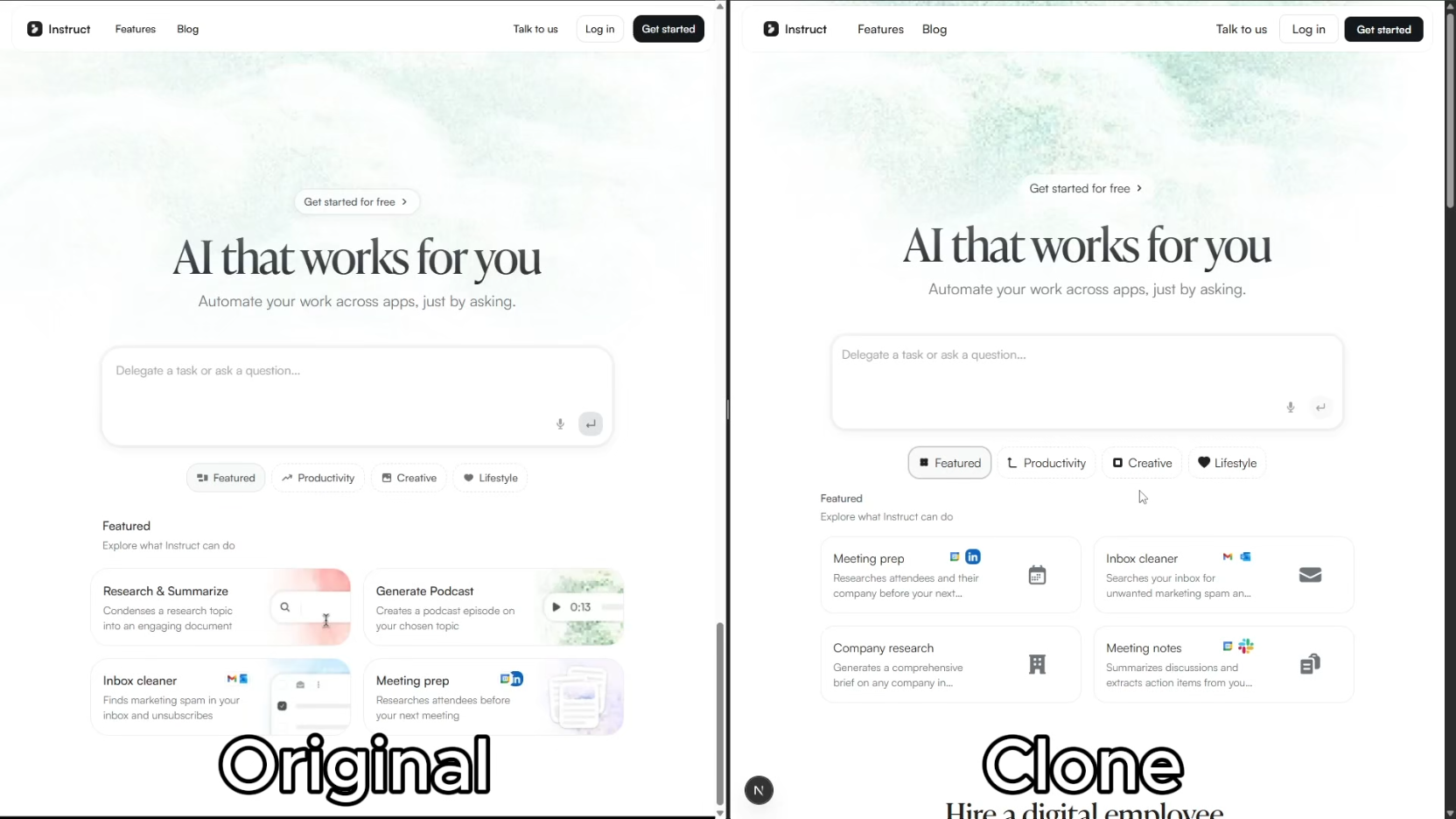
Click the image above to watch the full demo on YouTube.
Quick Start
1. Set up your project
Recommended: ask your agent. Paste this into Codex, Claude Code, or your coding agent:
Set up https://github.com/JCodesMore/ai-website-cloner-template
as a standalone project in a new folder on my computer.
Ask me where to put it. Clone the repository, remove its origin remote,
install dependencies, and run npm run check. Leave it ready for me
to clone a website.
Or create your own GitHub repository:
Give it a name and click Create repository. Then give your agent the new repository's link and ask it to clone it onto your computer, install dependencies, and run npm run check.
2. Clone a website
Open the project in your agent with browser access enabled. In Claude Code or Cursor, run:
/clone-website https://example.com
Replace the URL with the website you want to recreate. Once it's built, ask your agent for any changes you want.
Supported Platforms
| Agent | Status |
|---|---|
| Claude Code | Recommended — Opus 5.5 |
| Codex CLI | Supported |
| OpenCode | Supported |
| Cursor | Supported |
Prerequisites
- Node.js 24+
- An AI coding agent (see Supported Platforms)
Tech Stack
- Next.js 16 — App Router, React 19, TypeScript strict
- shadcn/ui — Base UI primitives + Tailwind CSS v4
- Tailwind CSS v4 — oklch design tokens
- Lucide React — default icons (replaced by extracted SVGs during cloning)
How It Works
The /clone-website skill follows four steps:
- Map — map source URLs to local routes and preserve existing work.
- Observe — inspect desktop/mobile pages, extract real assets and fonts, and exercise alternate states.
- Build — implement editable components and working interactions; delegate independent sections when useful.
- Compare — review source and local pages at matched sizes/states, repair visible differences, and run the production check.
Framer pages and animated sites have focused inspection guidance for responsive variants, media, sticky scenes, and scroll/time-driven motion. Direct HTTP or asset tools handle extraction where practical; browser comparisons establish appearance and behavior. Deliverables include route mappings, run instructions, comparison screenshots, and any remaining gaps.
Use Cases
- Platform migration — rebuild a site you own from WordPress/Webflow/Squarespace into a modern Next.js codebase
- Lost source code — your site is live but the repo is gone, the developer left, or the stack is legacy. Get the code back in a modern format
- Learning — deconstruct how production sites achieve specific layouts, animations, and responsive behavior by working with real code
Not Intended For
- Phishing or impersonation — this project must not be used for deceptive purposes, impersonation, or any activity that breaks the law.
- Passing off someone's design as your own — logos, brand assets, and original copy belong to their owners.
- Violating terms of service — some sites explicitly prohibit scraping or reproduction. Check first.
Project Structure
src/
  app/              # Next.js routes
  components/       # React components
    ui/             # shadcn/ui primitives
    sites/<site>/   # Source-specific components and extracted SVGs
  lib/utils.ts      # cn() utility
  types/            # TypeScript interfaces
  hooks/            # Custom React hooks
public/
  sites/<site>/     # Source-specific images, fonts, videos, and other assets
docs/
  research/<site>/  # Page brief, asset map, and inspection evidence
  design-references/ # Screenshots
.agents/skills/
  clone-website/    # Canonical skill and inspection reference
.claude/commands/
  clone-website.md  # Thin Claude Code bridge
AGENTS.md           # Agent instructions (single source of truth)
CLAUDE.md           # Claude Code config (imports AGENTS.md)
Commands
npm run dev    # Start dev server
npm run build  # Production build
npm run lint   # ESLint check
npm run typecheck # TypeScript check
npm run check  # Run lint + typecheck + build
If using docker
docker compose up app --build # build and run the app
docker compose up dev --build # run the app in dev mode on port 3001
Agent Support
The project keeps one portable Agent Skill at .agents/skills/clone-website/. Codex, Cursor, and OpenCode read it directly. Claude Code uses the small command bridge at .claude/commands/clone-website.md so /clone-website and its arguments continue to work without exposing a duplicate skill to the other agents.
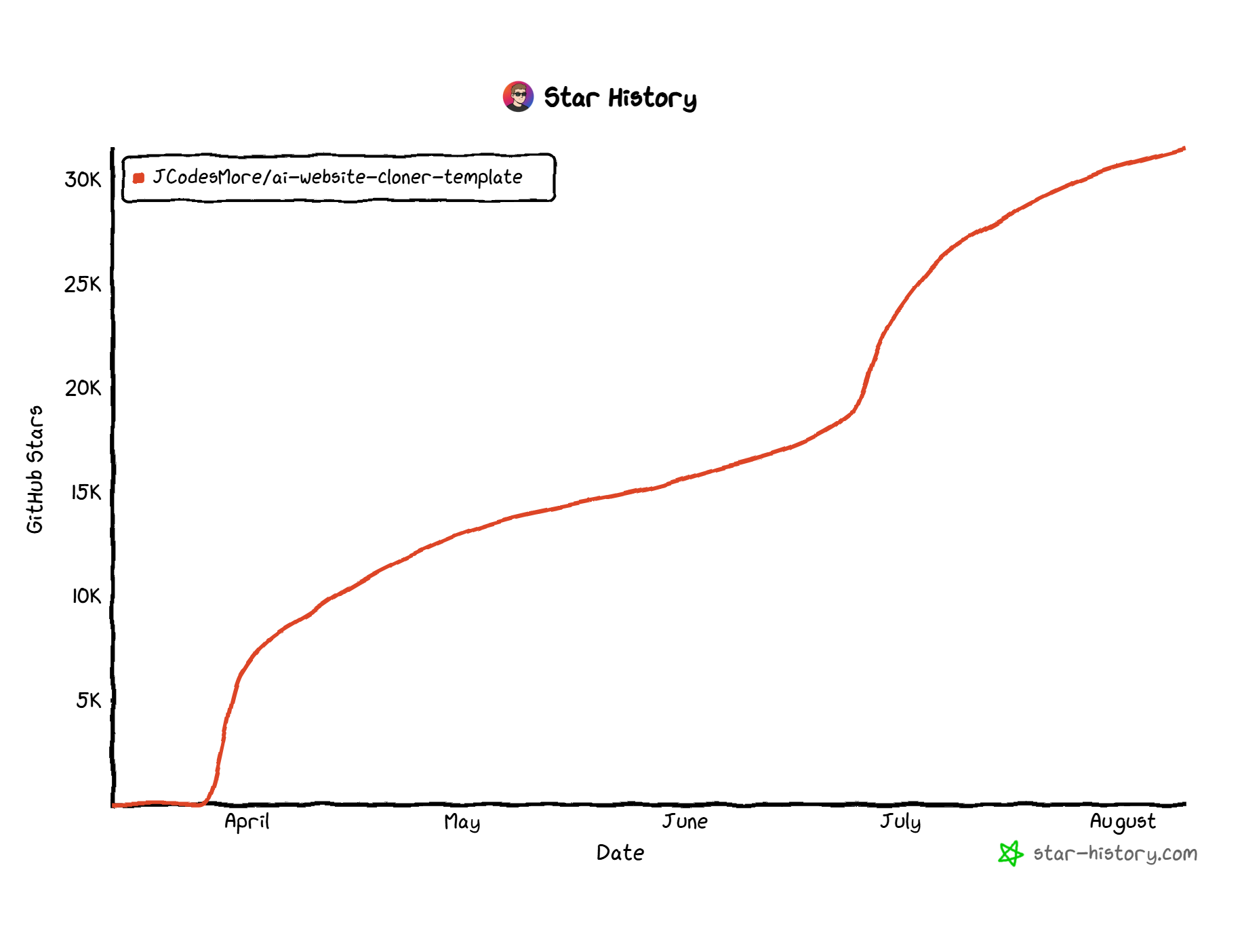
Star History
License
MIT
