flut-renamer
Flut Renamer is a powerful yet easy-to-use tool designed to help users manage and rename files and directories. No more manually renaming one by one – our app offers various features including inserting text, file metadata, and Exif data, replacing text, deleting text, rearranging, and more, allowing you to quickly batch rename files according to your needs.
"Flut" is derived from "Flutter", indicating that the app is built using the Flutter framework, and "Flut" means "flood" or "tide" in German, implying that this app can batch rename files as swiftly as floods or tidal waves.
Features
- Chain and reorder rules for insertion, replacement, removal, numbering, rearrangement, transliteration, and truncation. Preview the resulting names before applying them.
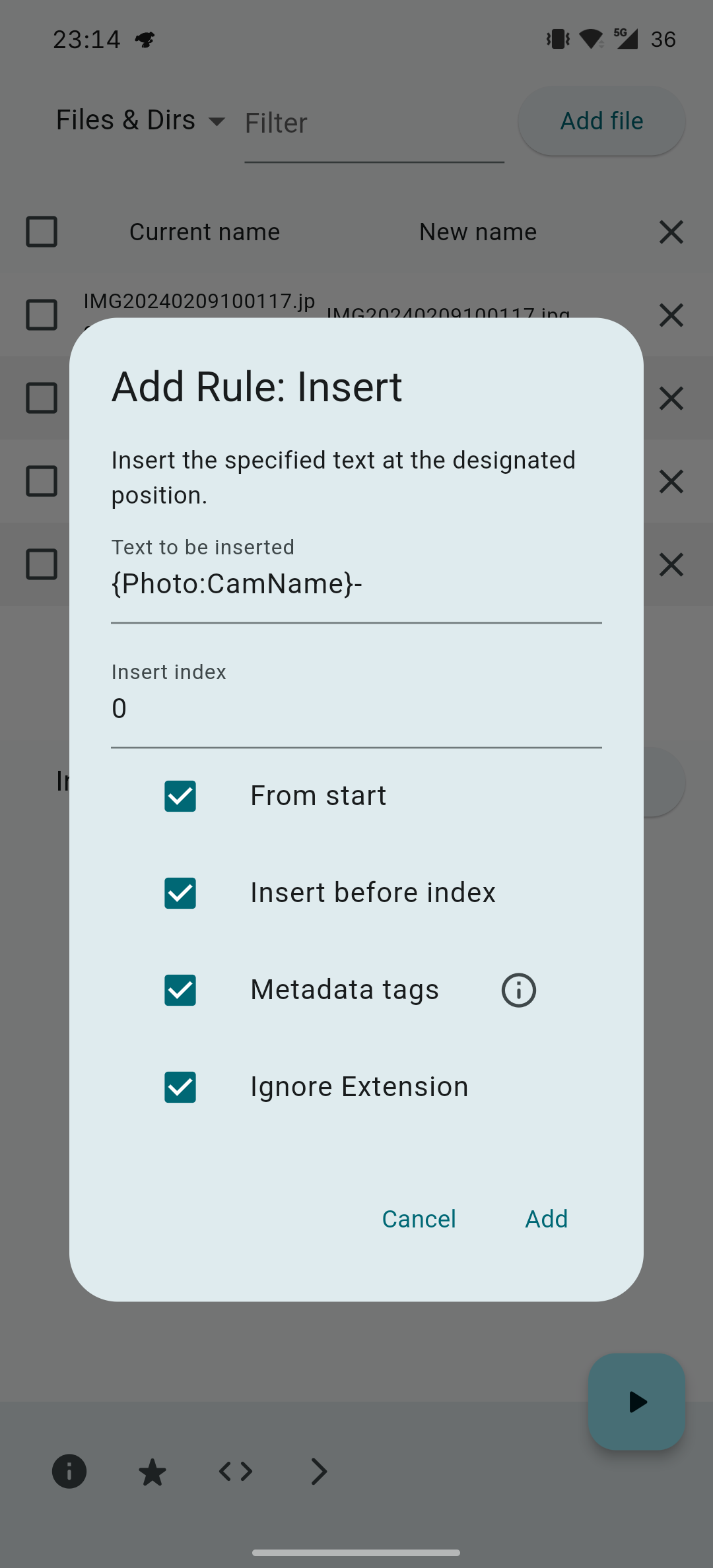
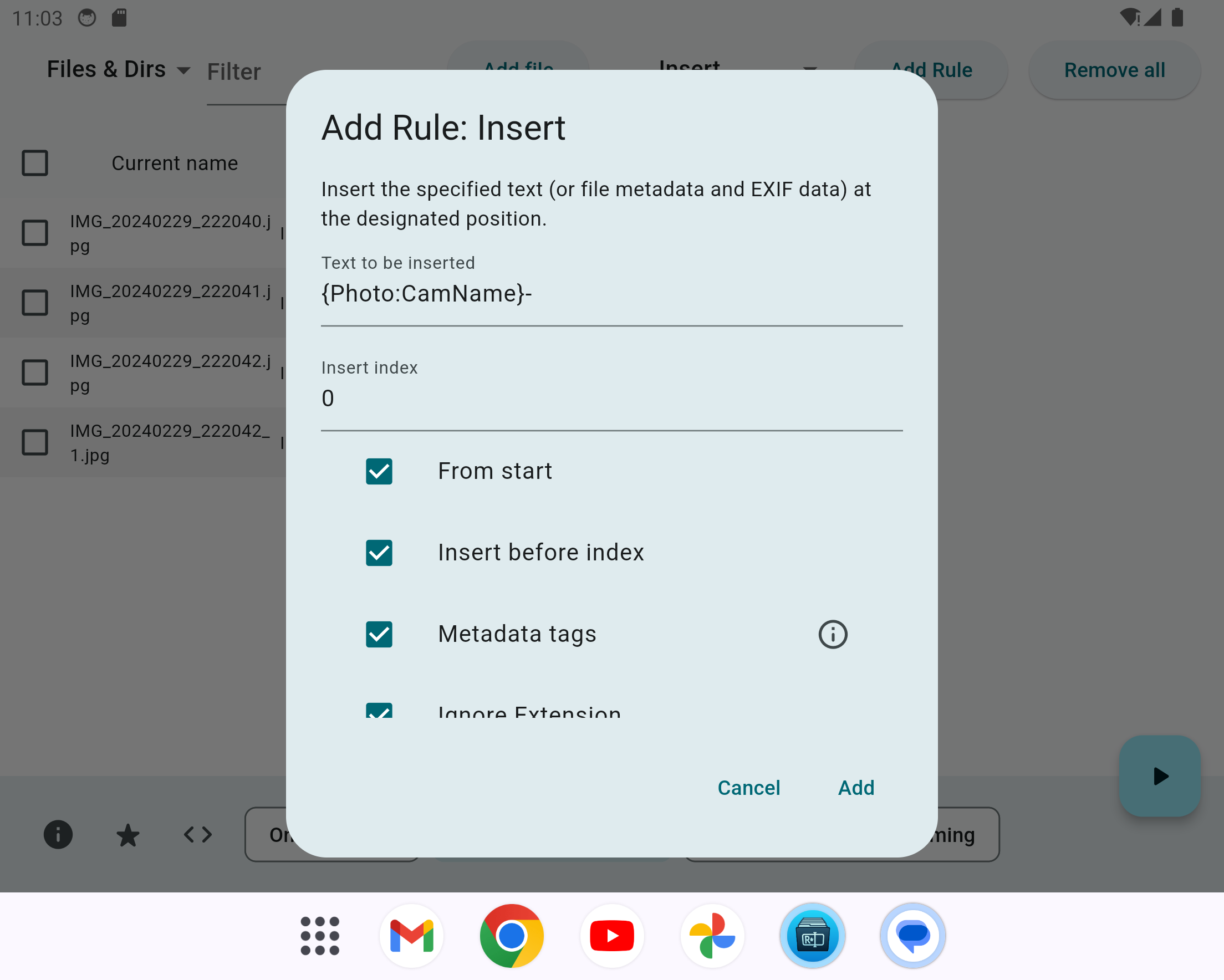
- Insert file dates and sizes, photo EXIF fields, and audio tags such as artist, album, title, and track number. Metadata availability depends on the file format and storage provider.
- Replace names with a numbered sequence or insert numbers into existing names, with configurable starting number, step, zero padding, prefix, and suffix.
- Convert letter case, simplified/traditional Chinese, Chinese to pinyin, and supported Cyrillic languages to/from Latin characters.
- Sort and filter the file list, rename only selected rows, and save reusable rules as YAML.
- Android, Linux, Windows, macOS, and iOS builds; system light/dark themes and 12 interface languages. Free and open source, without advertisements or in-app purchases.
Install
Download packages from releases. Available assets vary by release; choose the package matching your operating system and CPU. The release workflow also generates SHA256SUMS for verifying downloads. See package installation instructions for commands and package requirements.
Android

Install from Google Play or download the .apk from releases.
Linux
Release packaging supports AppImage, Flatpak, Deb, RPM, Nix, and native tar archives for x86_64 and arm64; Pacman packages are built for x86_64. Asset names using x86 refer to x86_64, not 32-bit x86.
Current native packages and AppImages are built on Ubuntu 24.04 and require glibc 2.39 or newer and GTK 3. An AppImage does not bundle every system library. For Flatpak and Nix setup, see the packaging guide.
Community AUR package names are flut-renamer (source build) and flut-renamer-bin (binary). Their maintenance and versions are independent of this repository's release workflow.
Windows
Download the portable .exe from releases, or install using the attached Scoop / Winget manifests as described in the packaging guide.
macOS
Current builds target macOS 12.0 or later. Download the .dmg from releases, or use the attached Homebrew cask. The release build is unsigned and not notarized; installing through Homebrew does not change that.
iOS
Current builds target iOS 15.0 or later. The release workflow produces flut-renamer-ios-unsigned.ipa. It must be signed through your chosen sideloading process before installation; it is not a ready-to-install App Store package.
Homebrew, Scoop, and Winget files are release attachments. Generating them does not publish the app to those managers' public repositories, nor does generating a Flatpak publish it to Flathub.
Quick start
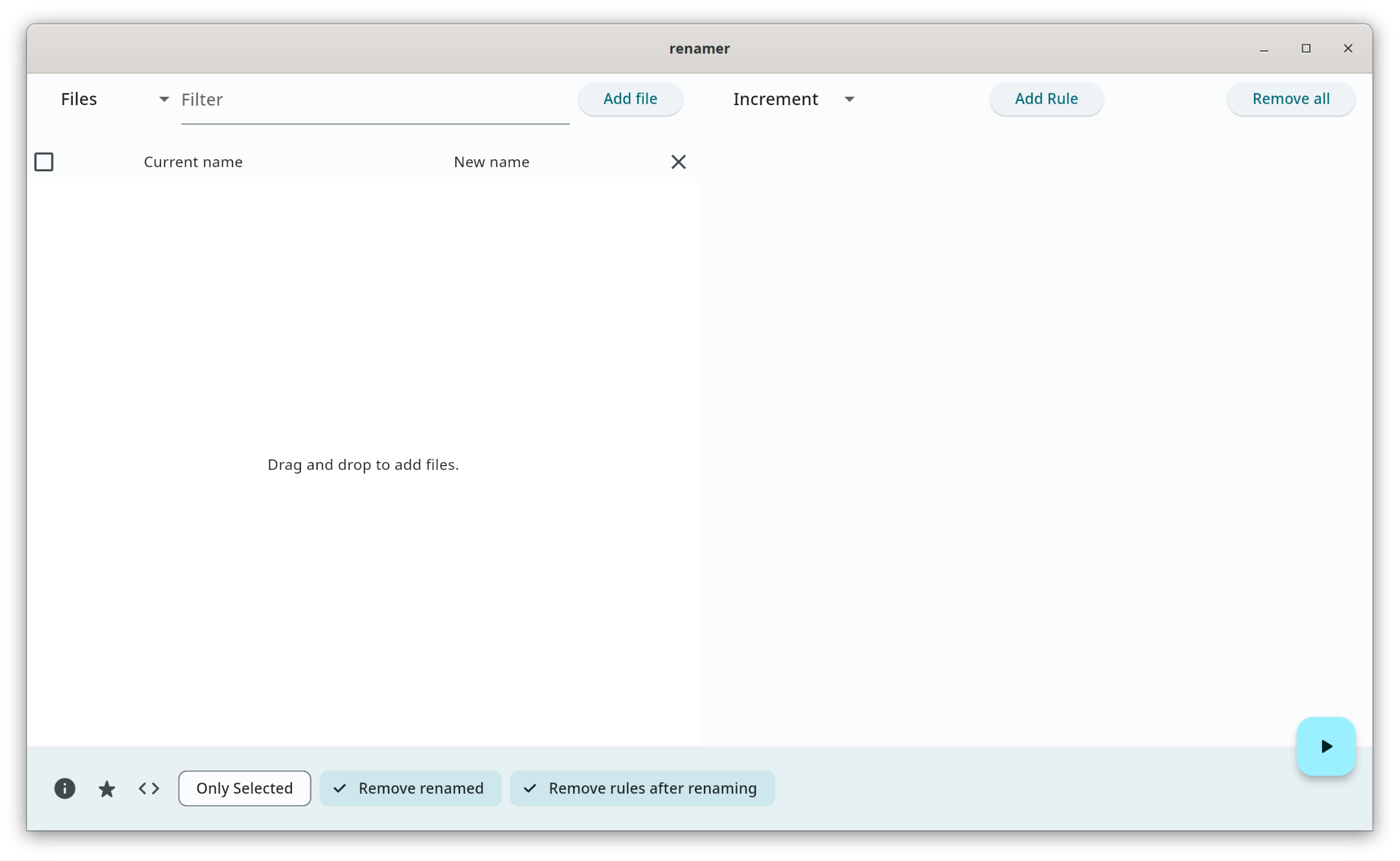
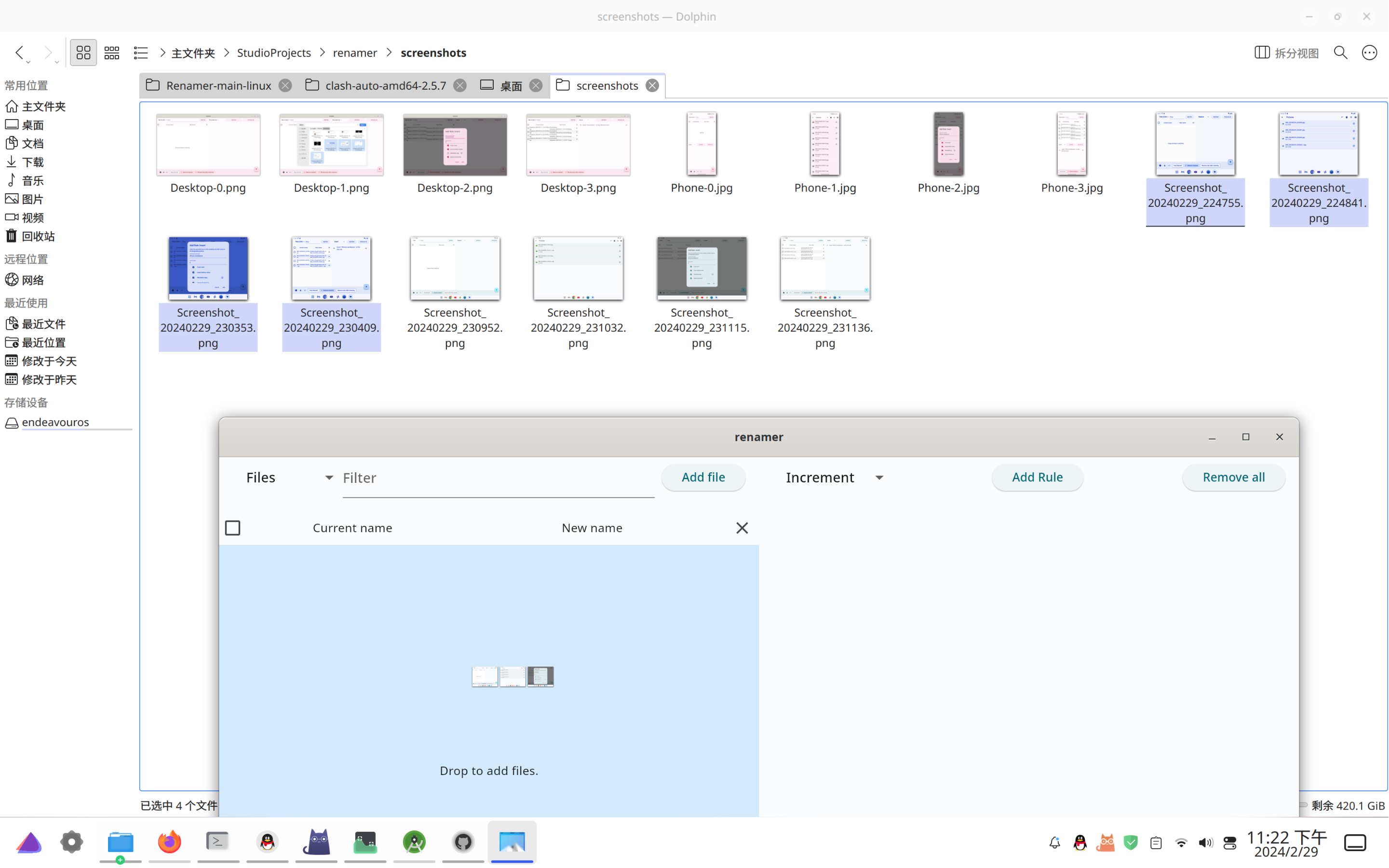
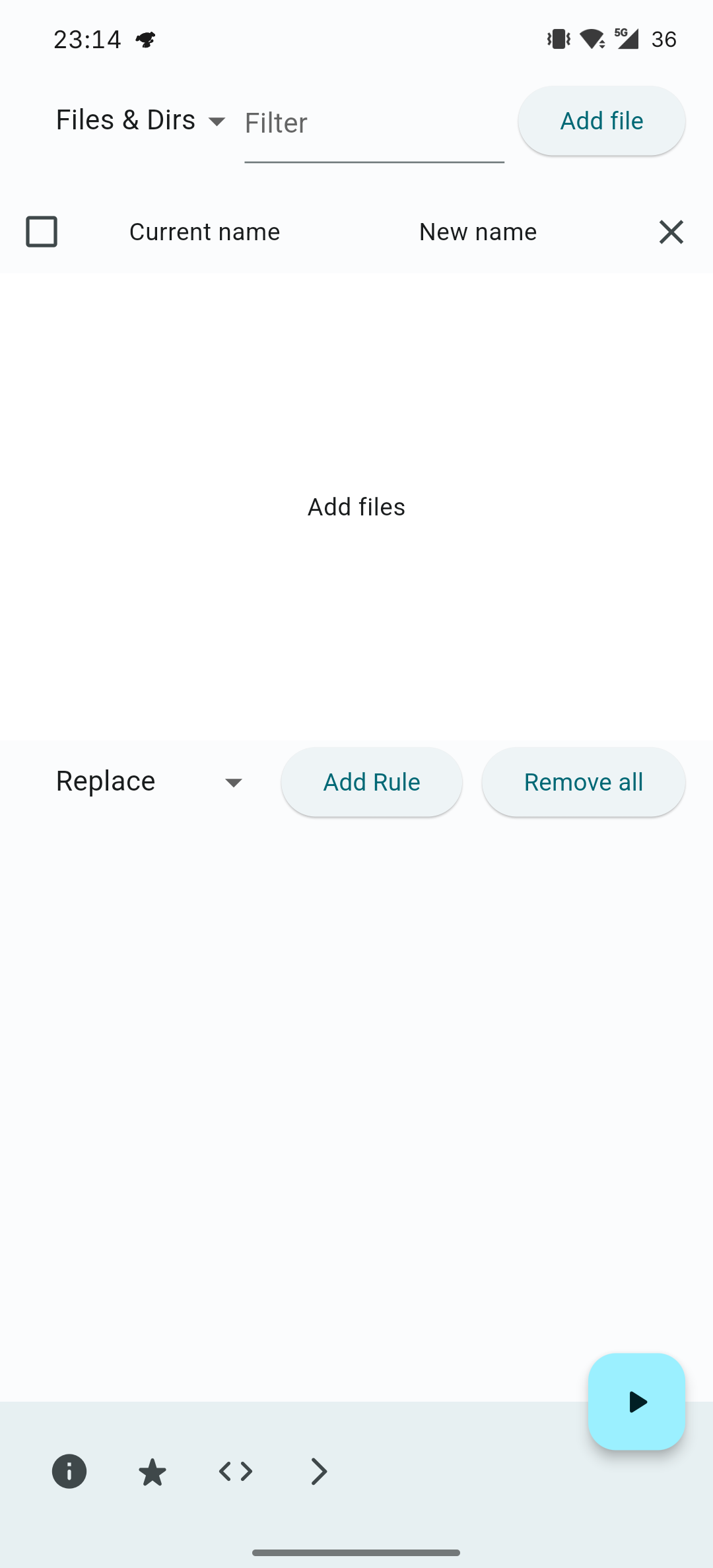
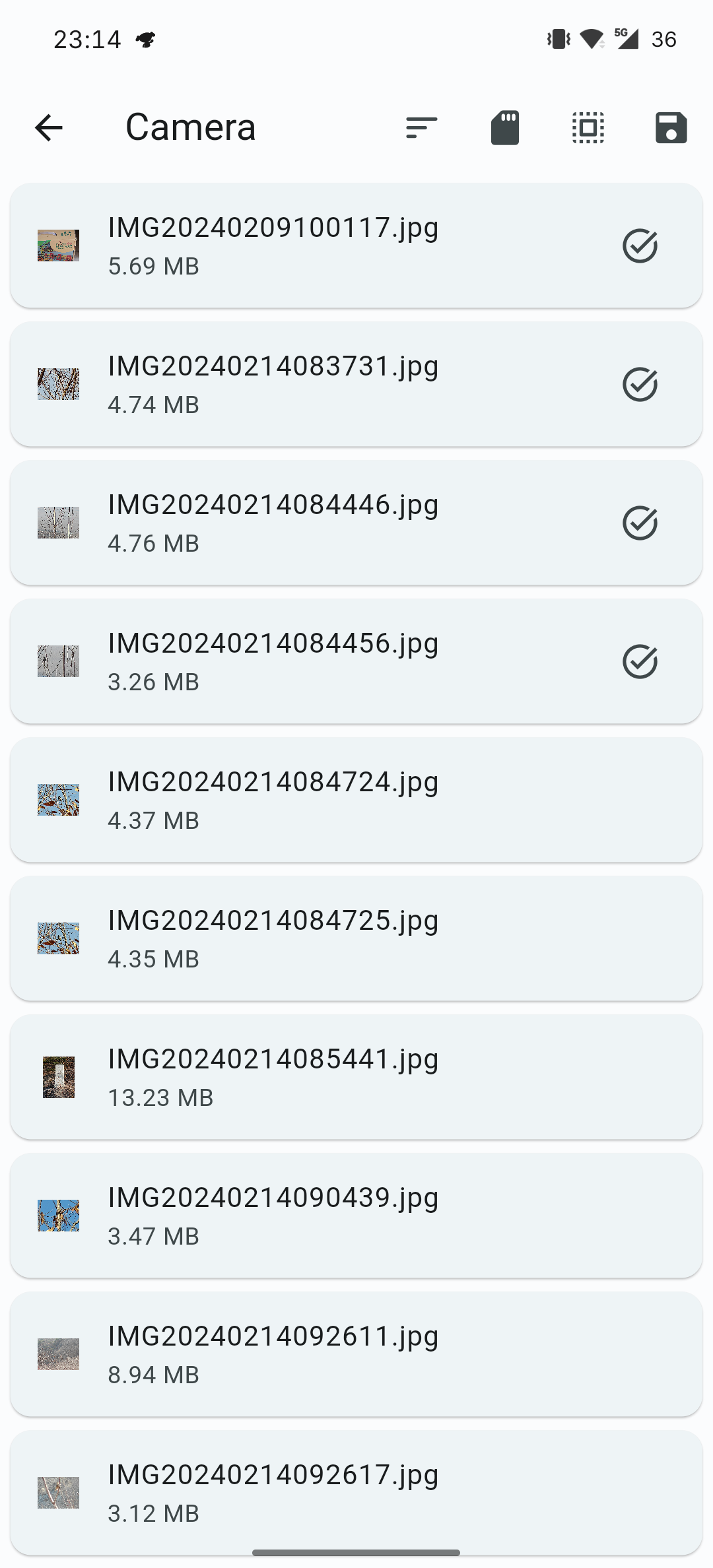
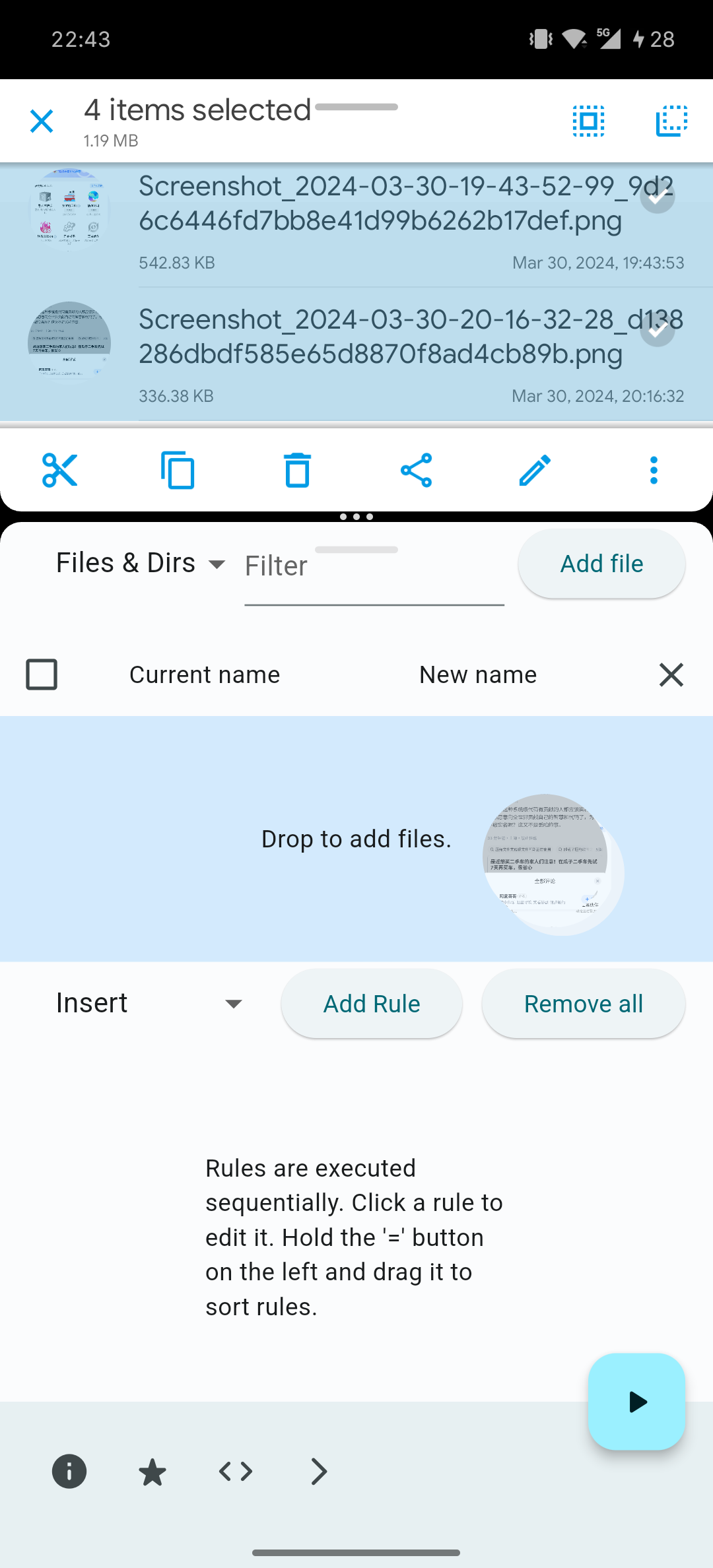
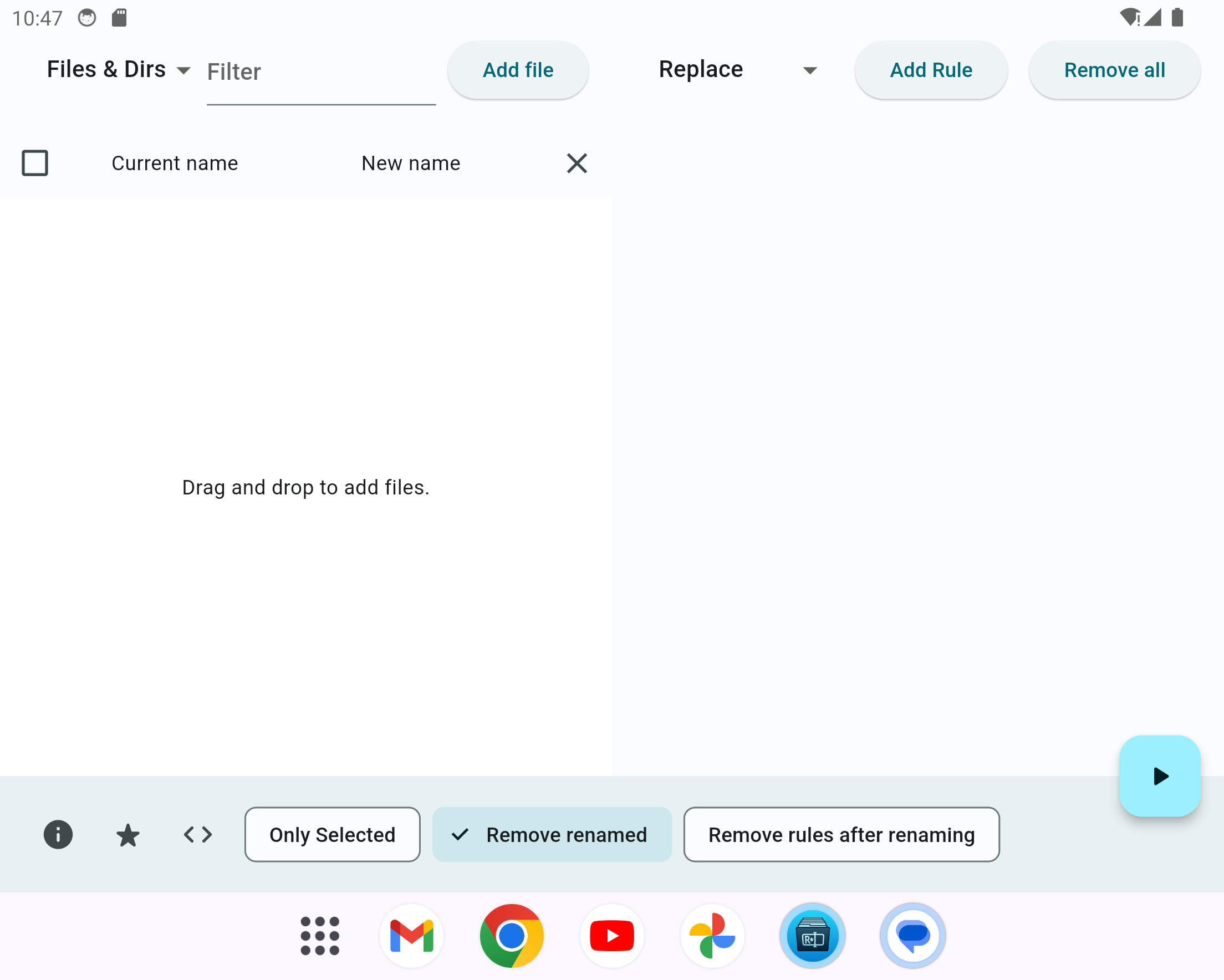
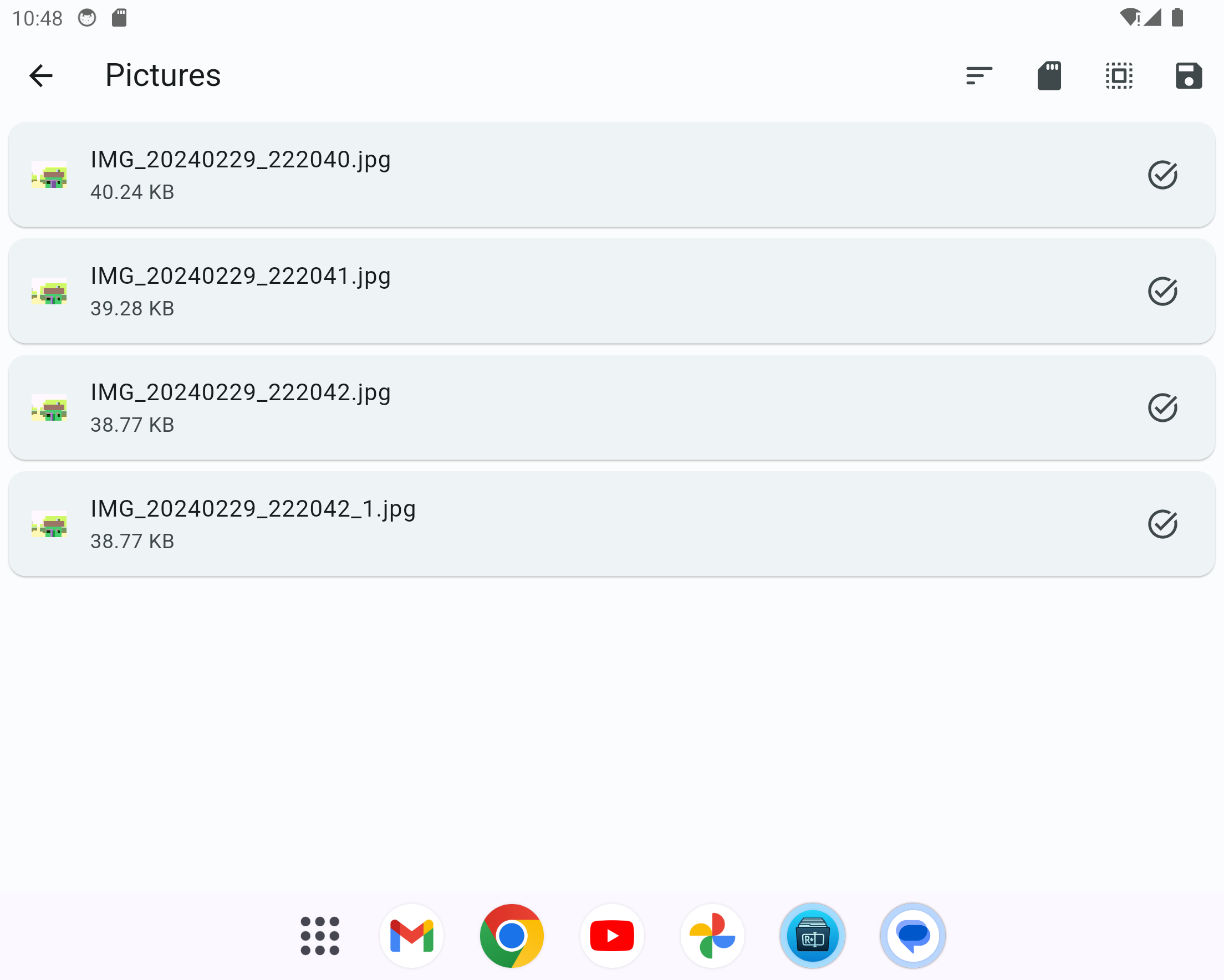
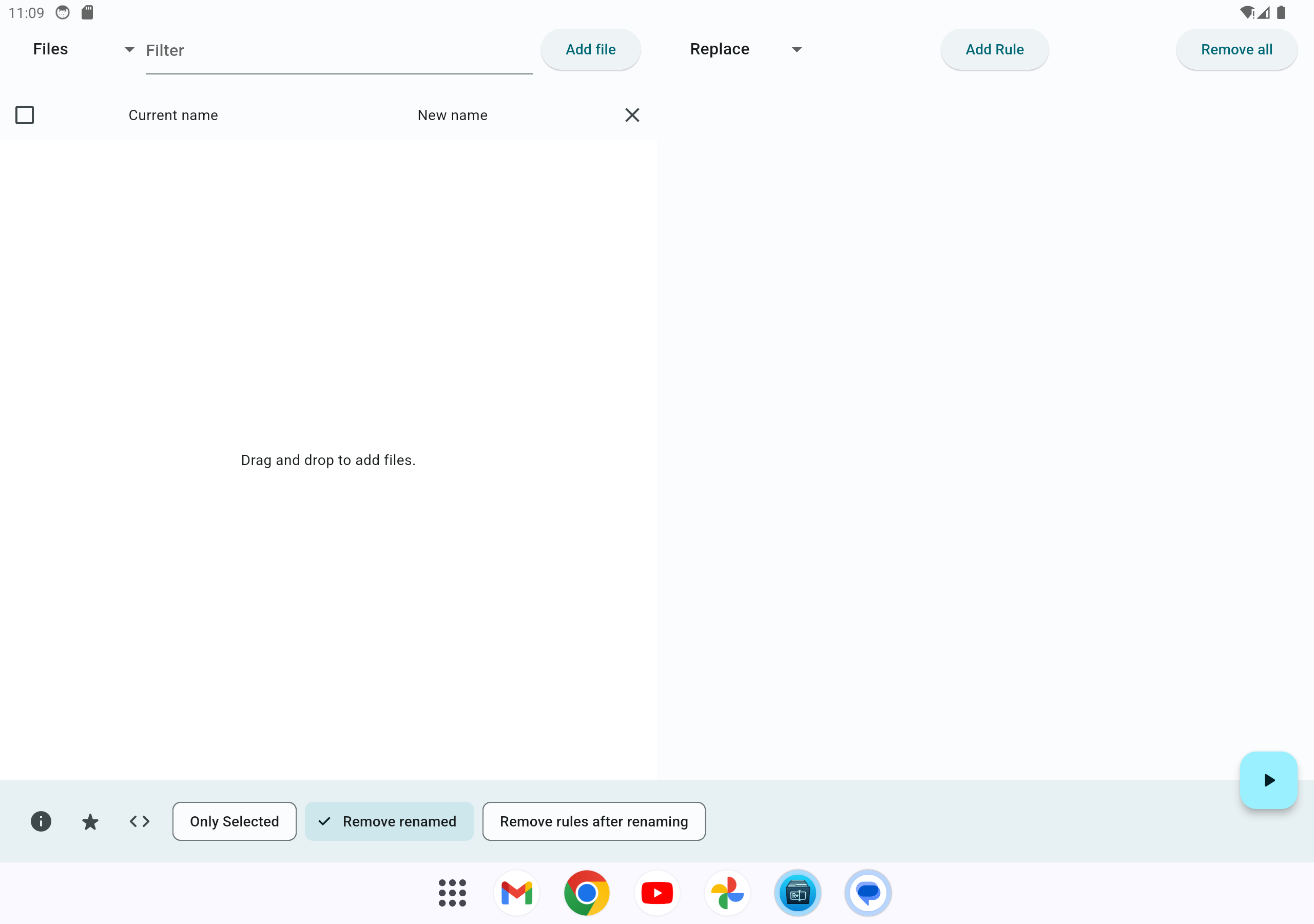
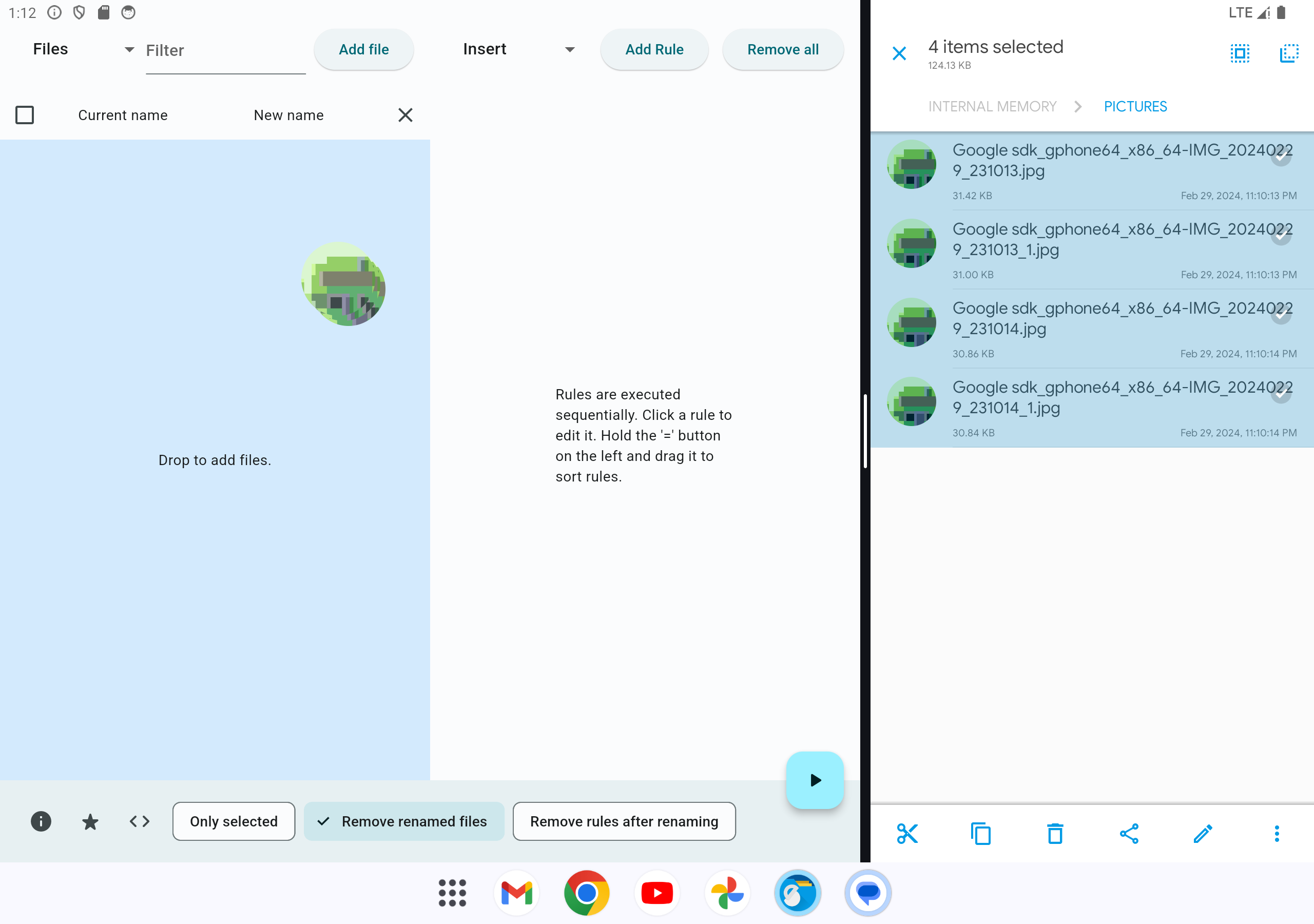
- Add files with Add files, or drag files/directories onto the file list on desktop. On Android, select Directories before opening the picker to add a folder for renaming. See the platform notes below for iOS selection.
- Choose Files, Directories, or Files & Dirs to control the targets shown. Adding a directory renames the directory itself; it does not recursively add all its contents.
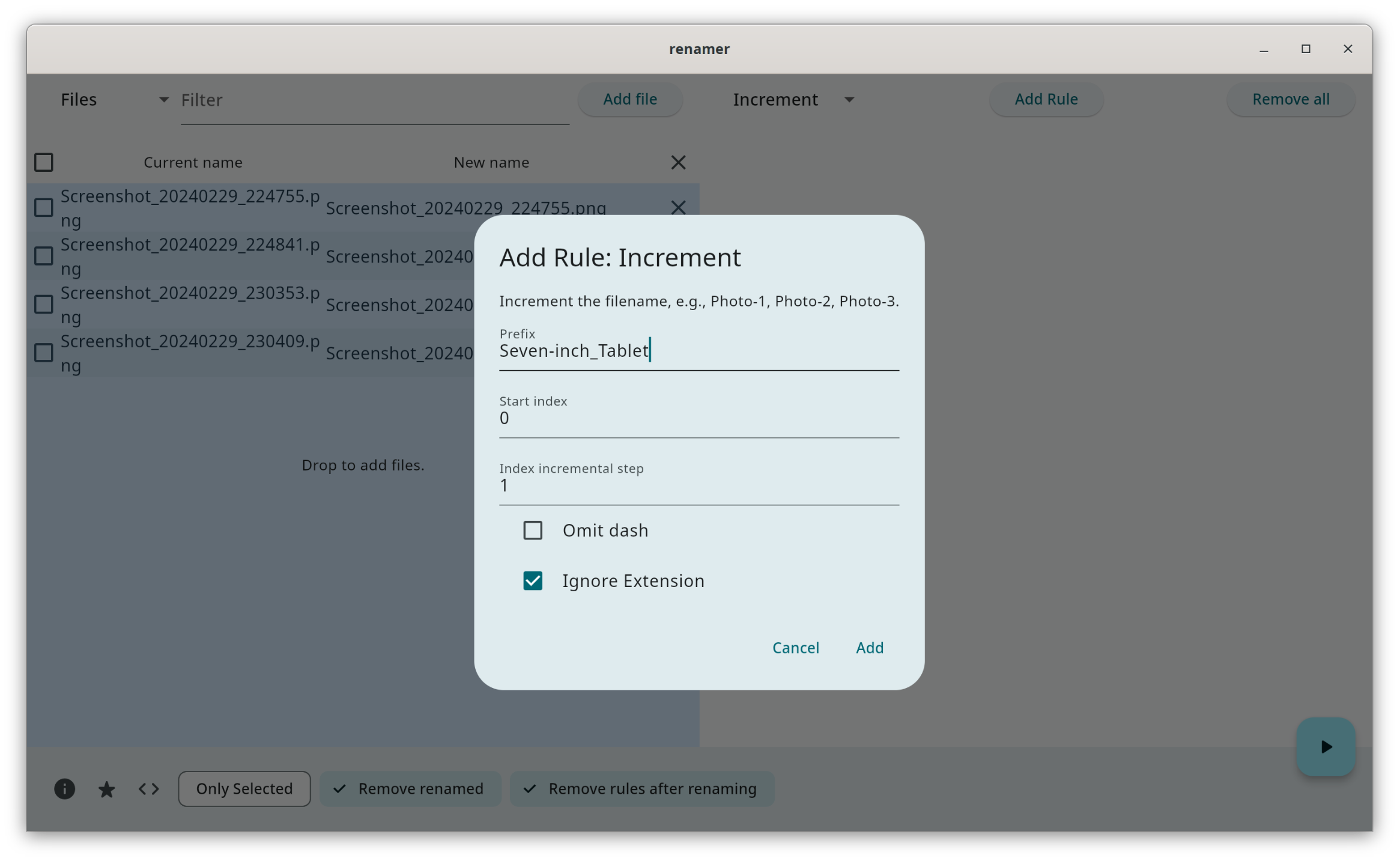
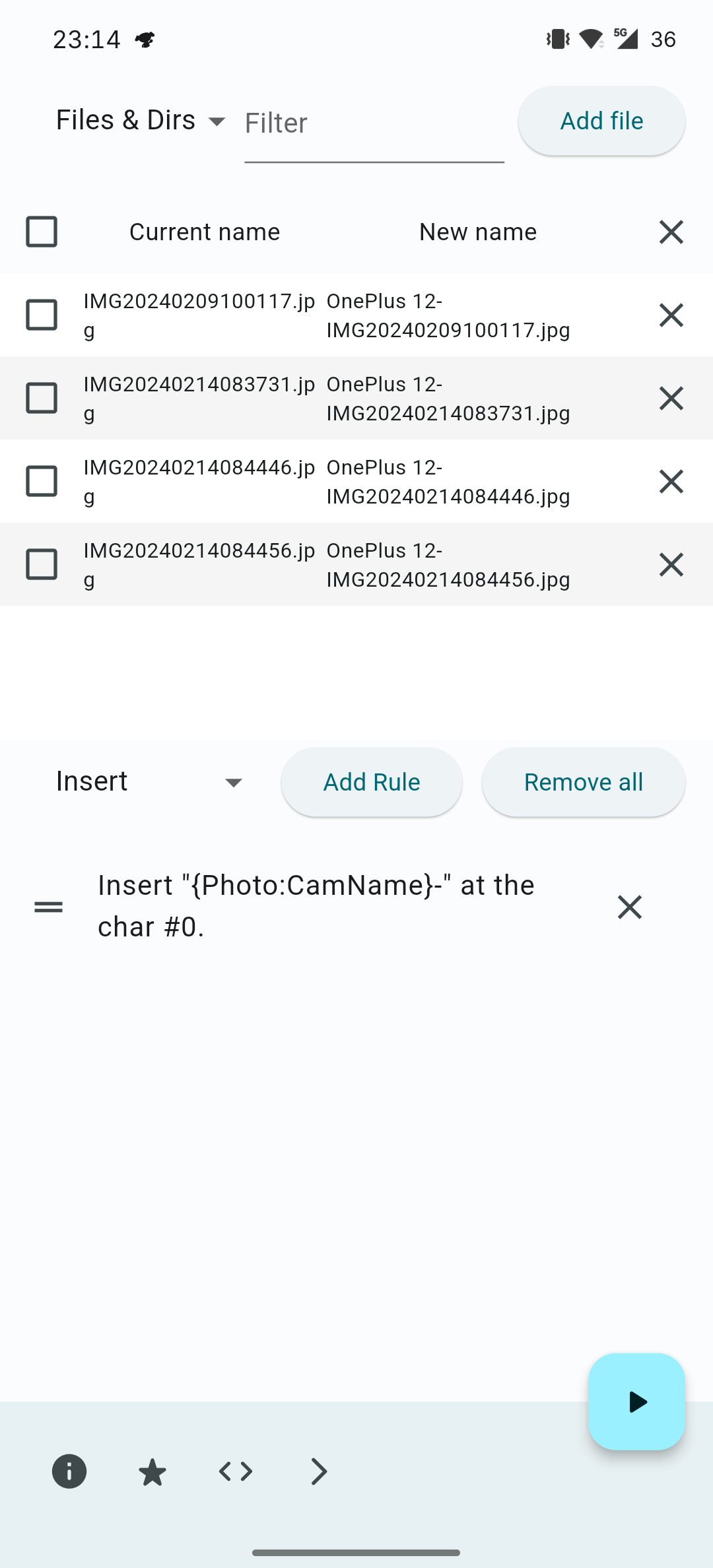
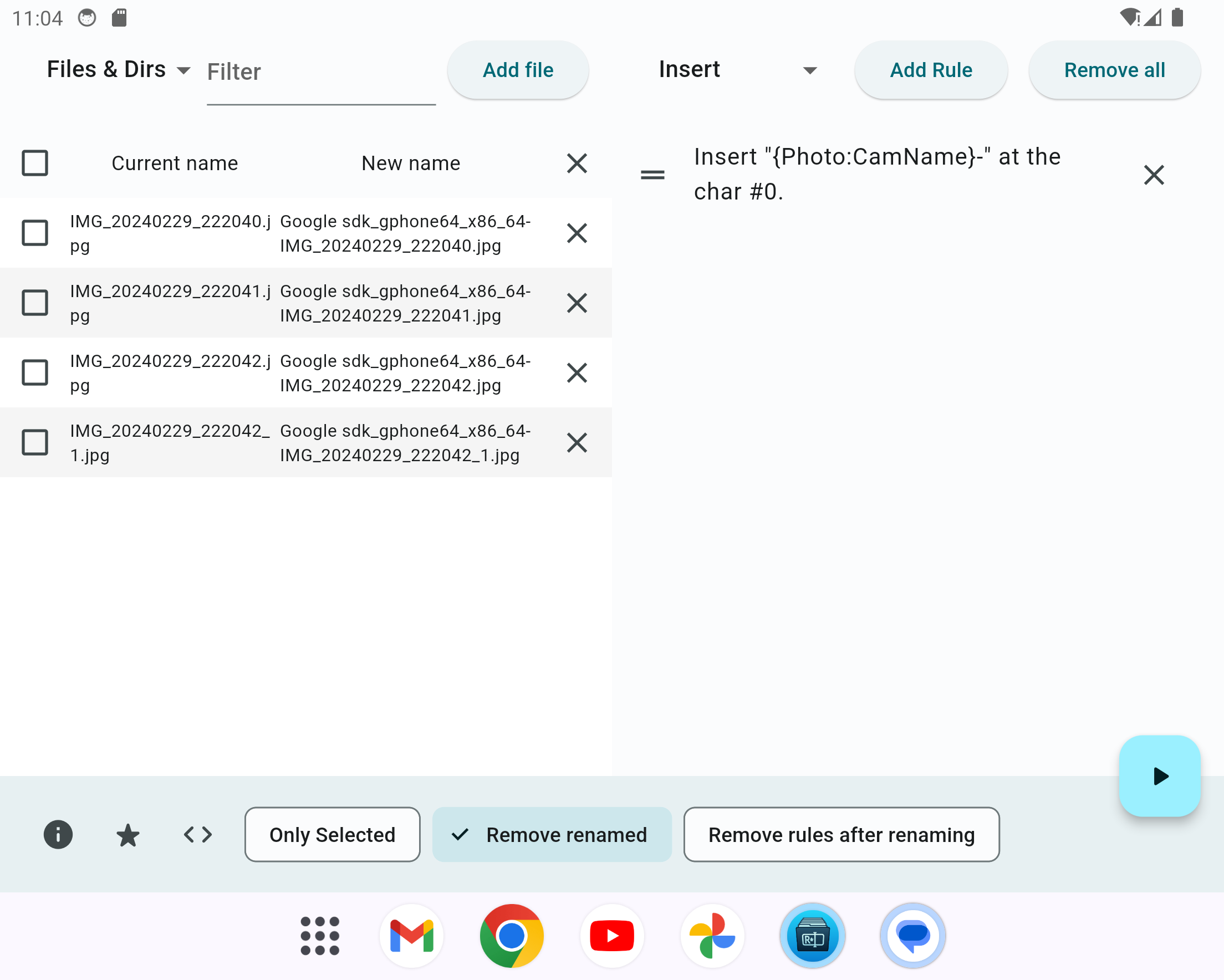
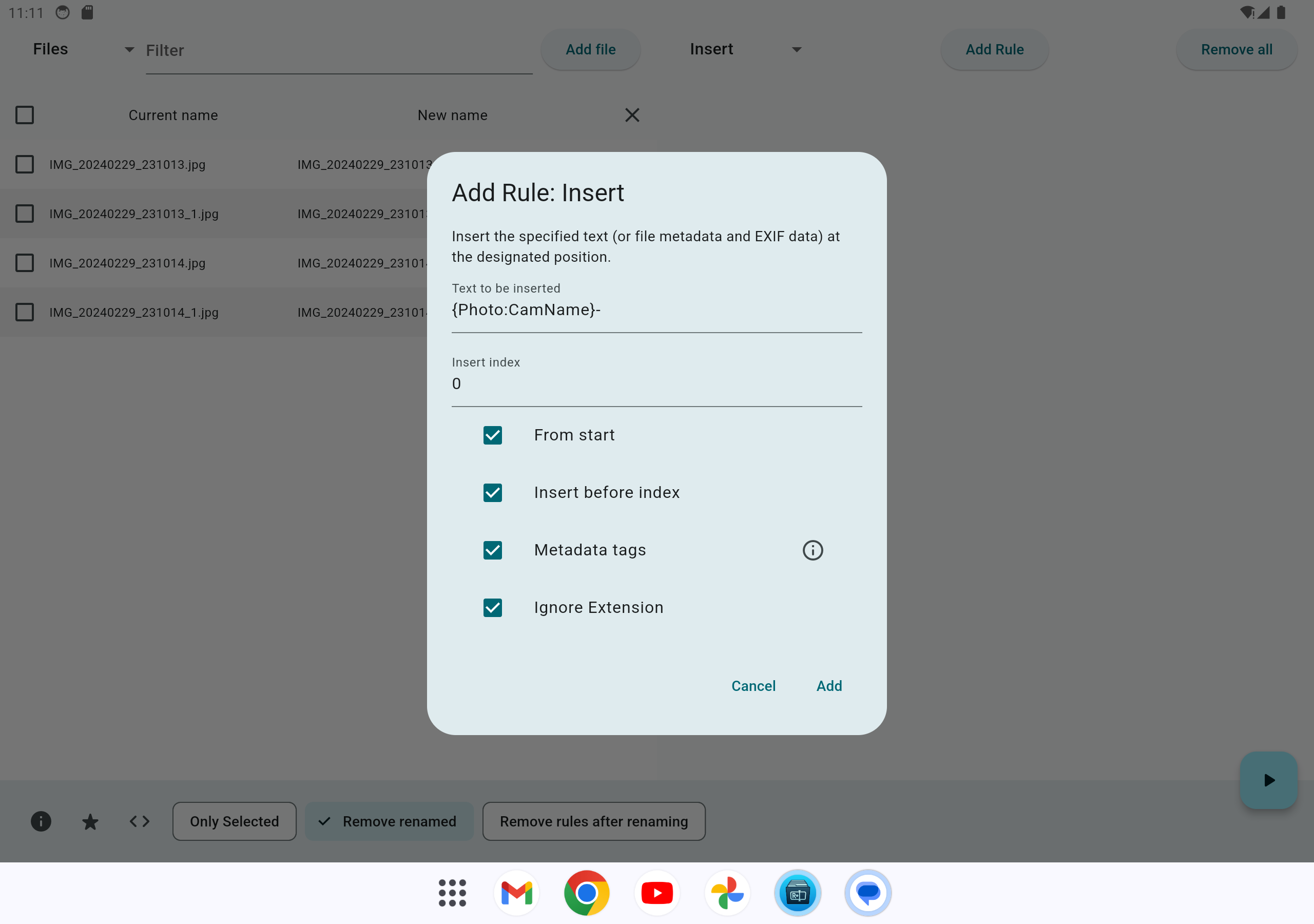
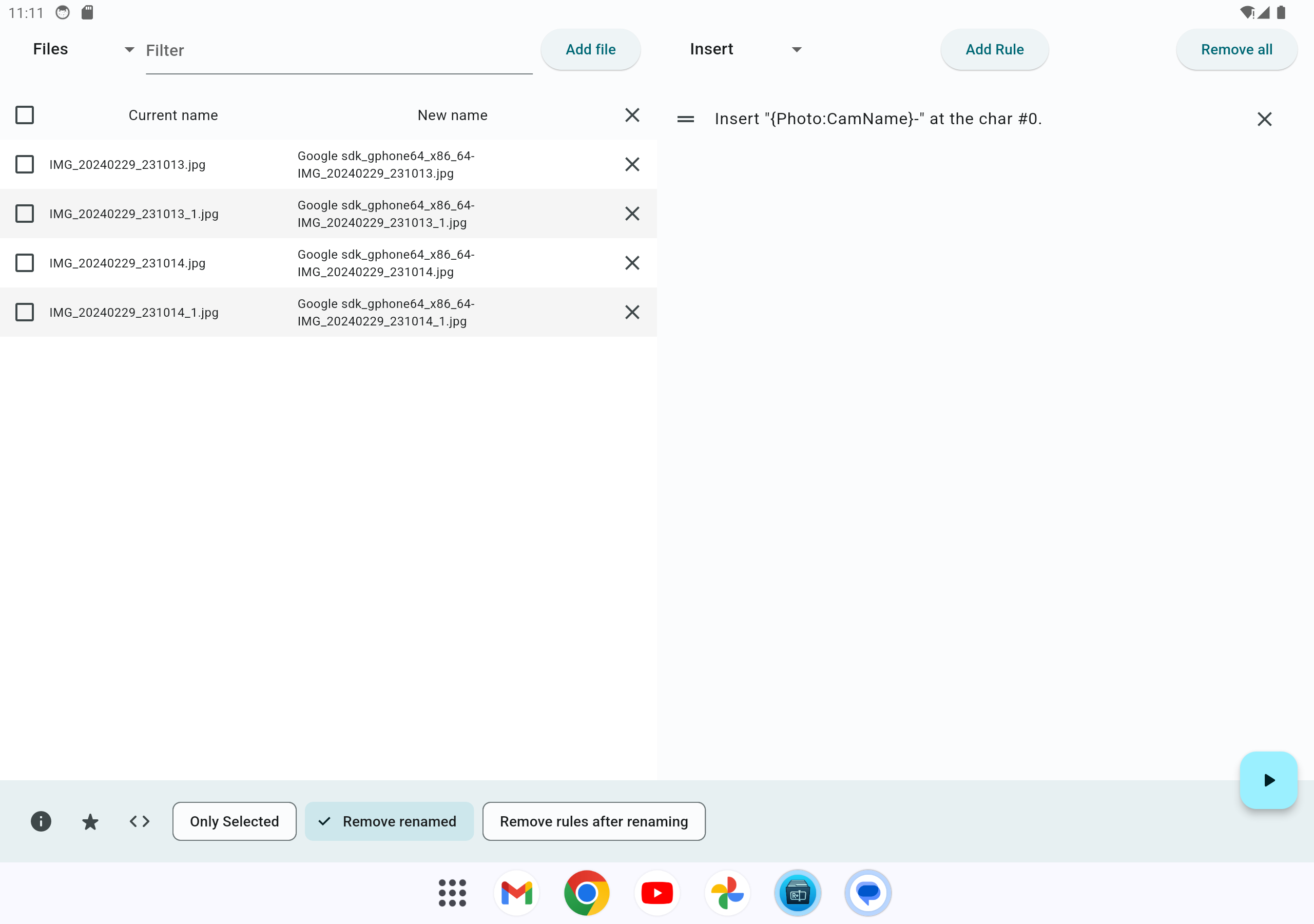
- Choose a rule type and press Add Rule. Click an existing rule to edit it; drag its handle to change the order. Rules run from top to bottom, each using the previous rule's output.
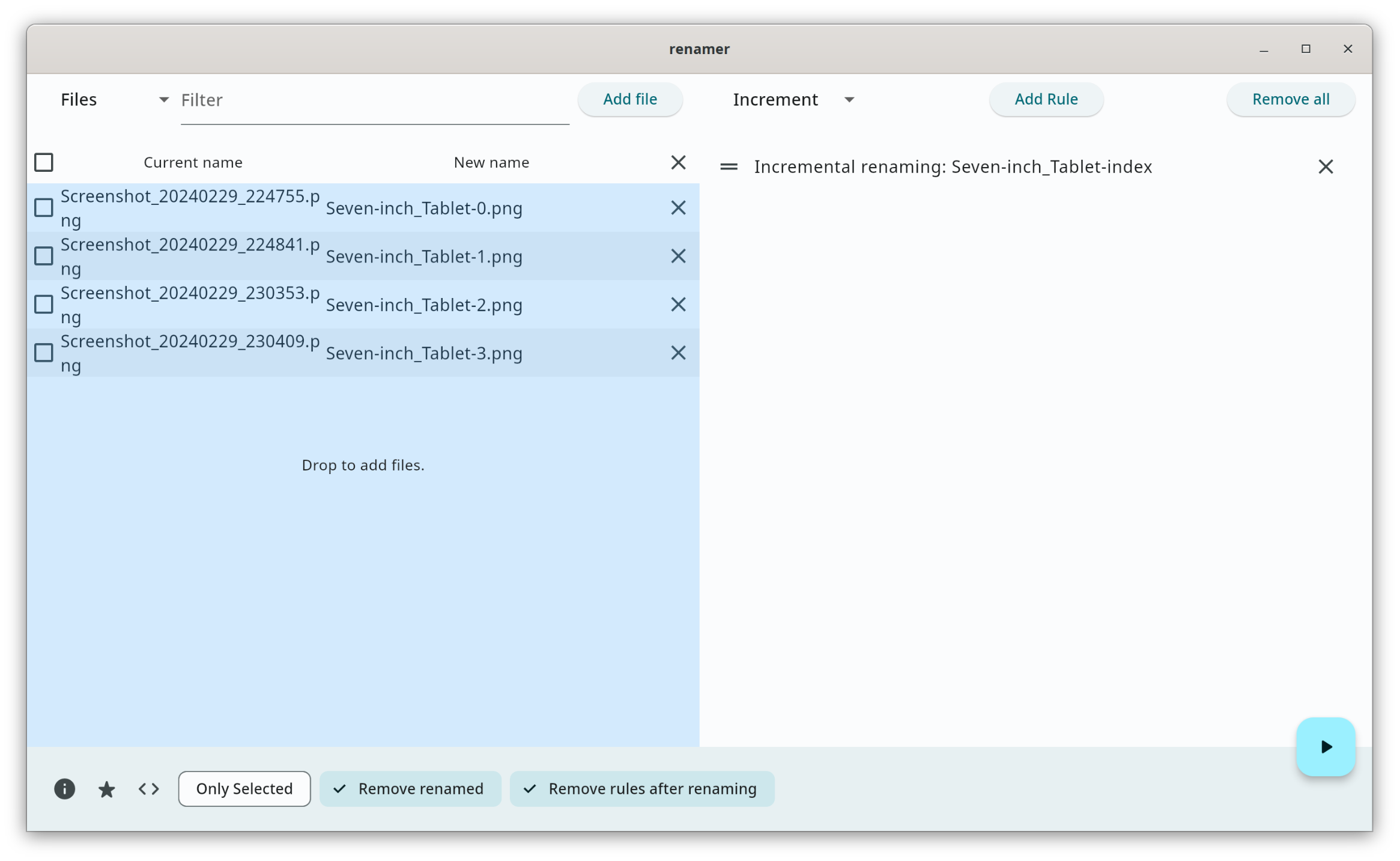
- Compare Current name with New name. Sort by name, size, date, or type before committing a numbered sequence: changing list order recalculates numbering. Choose the Rename scope: Current filtered results (the default), All loaded items, or Selected items (including hidden). The scope summary shows the target count and how many targets are hidden.
- Press Rename to apply the preview. Remove renamed files removes successful rows from the list, not from disk. View Log shows recent rename operations.
The file-type dropdown and text filter determine Current filtered results. The header checkbox selects or deselects only visible rows. All loaded items and Selected items (including hidden) can include hidden rows; check the scope summary before pressing Rename (count). An empty scope disables the button. Numbering follows the full list order and keeps the previewed values, so filtered or selected subsets may contain gaps. The previous Only selected preference is preserved as the selected scope; otherwise each new session defaults to current filtered results.
For example, an Increment rule in Replace original name mode with prefix Photo, start index 1, step 1, three digits, Omit dash disabled, and Ignore Extension enabled produces Photo-001.jpg, Photo-002.jpg, and so on. Use Insert into original name to keep the original name and insert the number with surrounding text at a chosen position.
Save and reuse rules
Save Rules exports the current rules to .yaml / .yml. Load Rules replaces the current rules with those from the selected file. On desktop, dropping YAML files onto the rule list lets you choose to insert them before or after existing rules, or replace the list.
Rules are also cached automatically for restoration, but the operating system can clear this temporary storage. Export rules you want to keep. Rule files store renaming instructions, not copies of your files.
Import a naming table (CSV / TSV)
- Add the source files or directories to the app and choose the rename scope.
- Open the table menu beside Rename scope and choose Export current preview as CSV. This exports the current scope, with UTF-8 encoding and a BOM for spreadsheet compatibility.
- Edit the
new_namecolumn in a spreadsheet editor, keeping thesourcecolumn as text. Save as UTF-8 CSV (comma-separated) or UTF-8 TSV (tab-separated). Excel.xlsxfiles and semicolon-separated CSV are not accepted directly. - Choose Import CSV / TSV mapping, review the names and scope count, then press Rename. Importing alone never changes files on disk.
source,new_name
/home/me/photos/IMG_001.jpg,Holiday-001.jpg
/home/me/photos/IMG_002.jpg,Holiday-002.jpg
Both headers are required, in that order. source must match an already loaded item's absolute path or Android content:// URI; the export supplies these identifiers. New names may include an extension and must be filenames, not destination paths. Quote fields containing commas, quotes or line breaks using standard CSV quoting. Files are limited to 5 MiB.
Mapping mode pauses ordinary rules and limits the chosen scope to mapped items. Filtering and selection still apply, and the summary reports hidden targets. Files outside the mapping are left alone. A successful rename consumes that item's mapping; mappings outside the chosen scope remain available for a later batch. Clearing the mapping resumes ordinary rules. Mappings are session-only and are not saved with YAML rules.
Malformed tables, duplicate sources, unloaded sources and invalid target names reject the entire import with a row number, preserving any previously imported mapping. Destination conflicts are shown in the existing preview and checked again before execution; the existing no-overwrite and rollback behavior also applies to mappings. Android provider limitations remain unchanged.
Conflicts and failures
For local filesystem paths, the app checks duplicate destinations and existing files before renaming and uses native operations that refuse to overwrite an existing destination. It supports name swaps and renaming parent/child paths within a batch. Android document URIs use the storage provider's rename behavior instead, so their conflict handling depends on that provider.
If an operation fails, the app attempts to roll back completed moves and refresh local paths. Rollback can also fail when permissions or storage availability change; inspect the file list, actual files, and View Log before retrying. There is no general Undo action or recovery guarantee after a forced exit or power loss. Try new rules on copies of important files first.
Filename characters \, /, :, *, ?, ", <, >, and | are replaced with alternative characters. Review the final preview, particularly when using metadata or regular expressions.
Platform notes and limitations
Android
The app uses the system document picker and Storage Access Framework (SAF) to work with content:// URIs directly; an absolute filesystem path is not required. Files whose provider supports renaming can be added. Supported media documents can also use MediaStore, which may require a system write-confirmation dialog before renaming. Unsupported files are skipped with a message.
Select Directories to use the directory picker. System-protected folders and providers that do not permit renaming remain restricted. If access has been revoked, select the files or folder again.
File drag-and-drop is currently disabled on Android. Use Add files rather than dragging from a file manager.
iOS
Selection is a two-step process: first authorize the containing folder, then choose files within that folder or its descendants. To use a different folder, start again and authorize it first. Folder grants last for the current app process; they are not saved as persistent bookmarks.
File drag-and-drop is currently disabled on iOS. Cloud-only files and third-party providers may need additional access or local availability for metadata, thumbnails, and renaming. See Apple platform verification for the device/provider scenarios that still require manual testing.
Desktop
The app needs permission to modify the containing directory. Locked files, protected folders, network drives, and filesystem-specific naming rules can prevent a rename even when the preview is valid.
Desktop builds accept file and directory paths as positional launch arguments. For example, with the Linux executable on your PATH:
flut-renamer -- "/path/to/photo.jpg" "/path/to/folder"
This opens the graphical app with those paths added; there is no unattended command-line rule execution interface.
Local data
Preferences, cached rules, and rename logs are stored locally. Logs include old and new paths/URIs and are rotated in the application's cache directory; View Log displays the current log. Cache files may be removed by the OS and are not a permanent audit history. Review filenames and paths before sharing logs in a bug report.
Characters and emoji in rename rules
Insert positions, numbering positions, truncation ranges, and rearrangement with an empty delimiter count complete visible characters. For example, 👍🏽, 👨👩👧👦, and é each occupy one position. Position 0 is the beginning, or the end when counting backwards. Positions beyond the name are clamped to its boundaries.
Replacement, removal, and non-empty rearrangement delimiters only match at complete-character boundaries. A target such as 👍 does not match inside 👍🏽; use the complete emoji to replace or remove it. Limits count only accepted matches.
Regular expressions use Unicode mode. Their syntax and capture references remain available, but matches that cut through a visible character are skipped. In particular, . matches a Unicode code point, not an entire multi-code-point emoji: use the full emoji or an expression matching the full sequence. Explicit replacement text and capture references still determine the text inserted.
The Ignore extension option excludes the final extension from these operations. Existing saved character positions now use visible-character counts; ASCII-only names are unaffected.
Build and develop
Use the Flutter version pinned by FLUTTER_VERSION in CI and the release workflow (currently 3.47.2). pubspec.yaml declares Flutter 3.44.0 as its minimum and Dart >=3.0.0 <4.0.0; the SDK bundled with the CI Flutter version is the reproducible starting point.
git clone https://github.com/sun-jiao/renamer.git
cd renamer
flutter doctor -v
flutter pub get --enforce-lockfile
flutter devices
flutter run -d linux
Replace linux with windows, macos, or an attached device/emulator ID. Build desktop targets on the corresponding OS; Apple targets need macOS and Xcode. Git is required to fetch the desktop_drop dependency from the project's Flutter plugin fork. Keep pubspec.lock when reproducing builds.
On Ubuntu, CI installs these Linux build dependencies:
sudo apt-get install clang cmake ninja-build pkg-config libgtk-3-dev libblkid-dev liblzma-dev
For Android development, use the project's compile SDK 37 and Java 21 as in integration CI. tool/install_android_sdk.sh contains the CI SDK installation setup. Debug builds can use the default debug key. Signed release builds require KEYSTORE, KEYSTORE_PASSWORD, KEY_ALIAS, and KEY_PASSWORD, or equivalent properties in ~/.secrets/renamer.key.properties as configured in android/app/build.gradle.kts.
Typical release build commands (run only the target you need):
flutter build linux --release
flutter build windows --release
flutter build macos --release
flutter build apk --release
flutter build ios --release --no-codesign
Desktop build outputs must retain their bundled libraries and data; do not distribute only the raw executable. These commands compile the app; release installers, archives, manifests, and checksums are assembled separately by the release workflow. See the packaging guide.
Checks and tests
flutter analyze
flutter test
For native Linux integration tests, use the isolation wrapper rather than running flutter test integration_test directly:
bash tool/integration_linux.sh
# Headless session; requires xvfb and xauth:
xvfb-run -a -s '-screen 0 1920x1080x24' bash tool/integration_linux.sh
The integration test guide describes the other platforms, Android JVM tests, test isolation, and coverage limits. The CI-only mobile/desktop runner is intended for ephemeral GitHub-hosted machines, not personal devices. Packaging checks are documented in the packaging guide.
Translations and contributions
Interface translations live in lib/arb/intl_*.arb. After changing them, regenerate the Dart localization files:
dart run intl_utils:generate
For bug reports, include the app version, OS version, storage/provider type, rules used, and a small before/expected/actual filename example. Use disposable sample files to reproduce rename failures. Pull requests should include relevant checks and regression coverage for behavior changes.
License
Distributed under the GNU General Public License v3.0.
Screenshots
Desktop
 |
 |
|---|---|
 |
 |
Phone
 |
 |
 |
 |
 |
|---|
Seven-inch Tablet
 |
 |
|---|---|
 |
 |
Ten-inch Tablet
 |
 |
|---|---|
 |
 |
Credits
- Thanks to m040601 for suggesting a new name for this application. "flut renamer" is inspired by their suggestion.
- Thanks to LinuxLinks for recommending this application in their article.
- Thanks to HowToMen for recommending this application in their video.
- Thanks to Andy for recommending this application in their article.
