tv-maniac
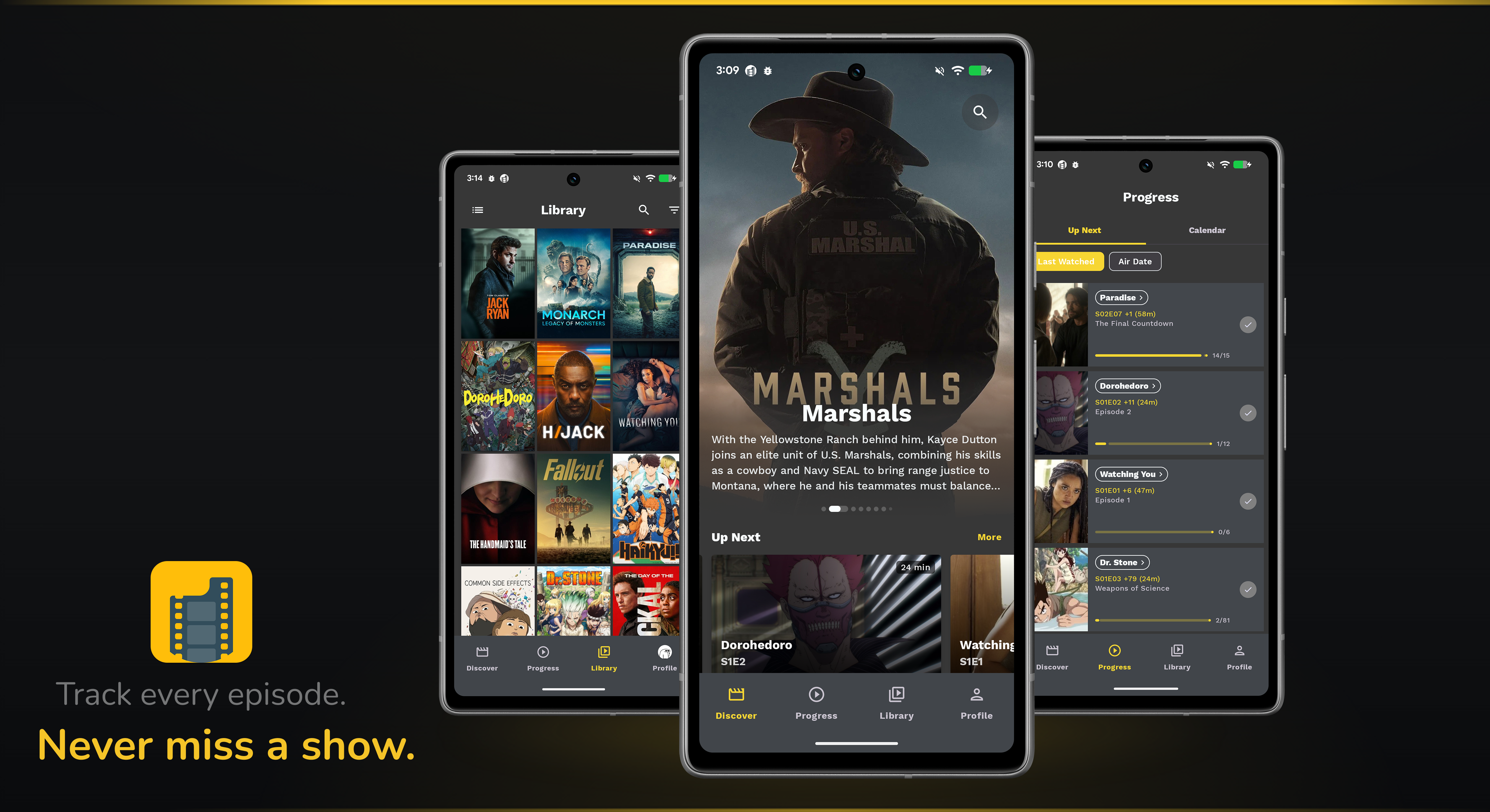






TvManiac is a personalized entertainment tracking and recommendation Multiplatform app (Android & iOS) for tracking TV Shows. By utilizing TMDB, Trakt and Simkl, you can discover shows, manage your watchlist, track watch progress, and get personalized recommendations.
| Android | iOS |
|---|---|
Under Heavy Development
This is my playground for learning Kotlin Multiplatform. With that said, I'm sure it's filled with bugs crawling everywhere, and I'm probably doing a couple of things wrong. So a lot is changing, but that shouldn't stop you from checking it out.
Install
Download the latest APK from GitHub Releases.
Join the open beta on Google Play or stay up to date with dev builds via Firebase:

Getting Started
Requirements
- Zulu Java 21
- Latest Android Studio
- KMM Plugin
API Keys
The app requires TMDB, Trakt, and Simkl API credentials. See docs/setup.md for detailed instructions.
The setup script below creates local.properties from the template. Fill in your keys:
TMDB_API_KEY=your_tmdb_api_key
TRAKT_CLIENT_ID=your_trakt_client_id
TRAKT_CLIENT_SECRET=your_trakt_client_secret
TRAKT_REDIRECT_URI=tvmaniac://auth/trakt
SIMKL_CLIENT_ID=your_simkl_client_id
SIMKL_CLIENT_SECRET=your_simkl_client_secret
SIMKL_REDIRECT_URI=tvmaniac://auth/simkl
Setup & Build
One command sets up everything. It is idempotent and platform-aware: full setup including iOS on macOS, Android-only on Linux/Windows (iOS needs a Mac).
./scripts/setup.sh
See docs/setup.md for what it installs and the manual steps.
Android:
./gradlew :app:assembleDebug
iOS (macOS only):
Open ios/tv-maniac.xcodeproj in Xcode and run.
Architecture
The project follows Clean Architecture with a modular design organized by feature and layer. Business logic and state management live in shared KMP code, while Android (Compose) and iOS (SwiftUI) contain only UI rendering.
For detailed documentation:
Key Concepts
A few foundational libraries and patterns drive the architecture.
- Decompose. Shared navigation and lifecycle for KMP. The navigation stack, child components, and back handling all live in shared Kotlin code. Android (Compose) and iOS (SwiftUI) only render the active child. See Navigation.
- Metro. Compile time dependency injection. There is no KSP processor and no runtime reflection. Modules expose interfaces from
api/packages, implementations are bound with@ContributesBinding, and the full graph is assembled at the app entry point. See Dependency Injection. - Store pattern. One fetch and cache pipeline per data type. A
Storecombines aFetcher(network), aSourceOfTruth(SQLDelight DAO), and aValidator(cache freshness viaRequestManager). Presenters never call the network or DAO directly. See Data Layer. - Interactor and SubjectInteractor. Thin orchestration in the domain layer. An
Interactorruns a one shot action (mark watched, sign in). ASubjectInteractorexposes a continuousFlowof data (observe show details). Presenters compose these into screen state. See Presentation Layer.
Tech Stack
Architectural choices (Decompose, Metro, Store) are described in Key Concepts above. The libraries below cover the rest of the shared and platform stack.
Shared (KMP)
- Kotlin Coroutines - Concurrency
- Ktor - Networking
- SQLDelight - Local database
- kotlinx.serialization - JSON serialization
- Multiplatform Paging - Pagination
Android
- Jetpack Compose - UI toolkit
- Coil - Image loading
- AppAuth - OAuth authentication
iOS
- SwiftUI - UI framework
- Nuke - Image loading
- OAuthSwift - OAuth authentication
Gradle Convention Plugins
Build configurations are managed by app-gradle-plugins, a set of custom Gradle convention plugins published to Maven Central. They handle Android/KMP module setup, versioning, release automation, and R8 optimization. For a deep dive into how they work, see Publishing Gradle Convention Plugins.
References & Inspiration
License
Copyright 2021 Thomas Kioko

Licensed under the Apache License, Version 2.0 (the "License");
you may not use this file except in compliance with the License.
You may obtain a copy of the License at

    https://www.apache.org/licenses/LICENSE-2.0

Unless required by applicable law or agreed to in writing, software
distributed under the License is distributed on an "AS IS" BASIS,
WITHOUT WARRANTIES OR CONDITIONS OF ANY KIND, either express or implied.
See the License for the specific language governing permissions and
limitations under the License.
