sceneview-android
The AI-first 3D & AR SDK for Jetpack Compose, SwiftUI and the web.
Declarative 3D and AR for app developers who want a model on screen, or in the room, without a game engine: Filament + ARCore on Android, RealityKit + ARKit on Apple, Filament.js + WebXR in the browser — with Flutter, React Native and Compose Multiplatform bridges on top. Open source, Apache 2.0.
AI-first means one thing here: an assistant that reads llms.txt or
the MCP server writes SceneView code that works on the first try. When it doesn't, the
API or the doc gets fixed.









Try it



The demo apps are built from samples/. Any demo opens straight from a link:
https://sceneview.github.io/open?demo=<id>. Start with
Cosmos, the galaxy the catalogue opens on, or
Rerun AR Replay, a real AR session rebuilt in 3D.
Quick start
One minimal, working example per platform. The full reference for each is in
llms.txt.
Android
// build.gradle.kts
implementation("io.github.sceneview:sceneview:4.55.0")
@Composable
fun ModelScreen() {
    SceneView(modifier = Modifier.fillMaxSize()) {          // orbit camera + default lighting
        rememberModelInstance(modelLoader, "models/helmet.glb")?.let { instance ->
            ModelNode(modelInstance = instance, scaleToUnits = 1.0f, autoAnimate = true)
        }
    }
}
models/helmet.glb lives in src/main/assets/. rememberModelInstance returns null until the
model is loaded, then recomposes. Never call modelLoader.createModel* from a background
coroutine: Filament calls must run on the main thread, and rememberModelInstance handles that.
AR (Android)
// build.gradle.kts
implementation("io.github.sceneview:arsceneview:4.55.0")   // includes the 3D module
@Composable
fun ARScreen() {
    var anchor by remember { mutableStateOf<Anchor?>(null) }

    ARSceneView(
        modifier = Modifier.fillMaxSize(),
        planeRenderer = true,
        onSessionUpdated = { _, frame ->
            if (anchor == null) {
                anchor = frame.getUpdatedPlanes()
                    .firstOrNull { it.type == Plane.Type.HORIZONTAL_UPWARD_FACING }
                    ?.let { frame.createAnchorOrNull(it.centerPose) }
            }
        }
    ) {
        val helmet = rememberModelInstance(modelLoader, "models/helmet.glb")
        anchor?.let { a ->
            AnchorNode(anchor = a) {
                helmet?.let { ModelNode(modelInstance = it, scaleToUnits = 0.5f) }
            }
        }
    }
}
Plane detected → anchor set → Compose recomposes → the model appears. AR state is just Kotlin
state. For placement without a tap, grounded and gesture-ready, start from
AutoPlacementScene (see llms.txt).
iOS / macOS / visionOS (SwiftUI)
Swift Package Manager: https://github.com/sceneview/sceneview.git, from 4.39.0.
import SwiftUI
import SceneViewSwift

struct ModelScreen: View {
    @State private var model: ModelNode?

    var body: some View {
        SceneView { root in
            if let model { root.addChild(model.entity) }
        }
        .contentID(model != nil)      // re-run the builder once the model has loaded
        .environment(.studio)
        .cameraControls(.orbit)
        .task { model = try? await ModelNode.load("helmet.usdz") }
    }
}
The content closure runs once unless its .contentID(_:) changes: without that line, a model
that finishes loading after the scene appears is never added.
Web
<canvas id="viewer" style="width: 100%; height: 480px"></canvas>
<script src="https://cdn.jsdelivr.net/gh/sceneview/sceneview@v4.55.0/website-static/js/filament/filament.js"></script>
<script src="https://cdn.jsdelivr.net/gh/sceneview/sceneview@v4.55.0/website-static/js/sceneview.js"></script>
<script> SceneView.modelViewer("viewer", "model.glb") </script>
Compose Multiplatform (Android · iOS · desktop)
// commonMain dependencies
implementation("io.github.sceneview:sceneview-compose:4.55.0")
SceneViewer(model = ModelSource.Asset("models/helmet.glb"), modifier = Modifier.fillMaxSize())
A viewer by design — load, orbit, light, tap; no AR. Scope and the one-time iOS setup:
sceneview-compose/.
Flutter
// pubspec.yaml → flutter_sceneview: ^4.55.0
final controller = SceneViewController();

SceneView(
  controller: controller,
  onViewCreated: () => controller.loadModel(
    const ModelNode(modelPath: 'models/helmet.glb'),
  ),
)
React Native
// npm install @sceneview-sdk/react-native
import { SceneView } from '@sceneview-sdk/react-native';

<SceneView
  style={{ flex: 1 }}
  modelNodes={[{ src: 'models/helmet.glb', position: [0, 0, -2] }]}
  cameraControlMode="orbit"
/>
Flutter and React Native bridge a subset of the native API — see
flutter/ and
react-native/ for what is covered.
Your AI assistant
claude mcp add sceneview -- npx -y sceneview-mcp   # Claude Code
codex  mcp add sceneview -- npx -y sceneview-mcp   # Codex
Then ask: "Add a 3D model viewer to my Compose screen." Every other client is in Use with AI.
Runs on
Each row is a published package plus an app or page you can open today, backed by a real capture of it.
| Platform | Status | Install | Open it | Capture |
|---|---|---|---|---|
| Android | Shipped · Stable | Maven Central | Google Play | 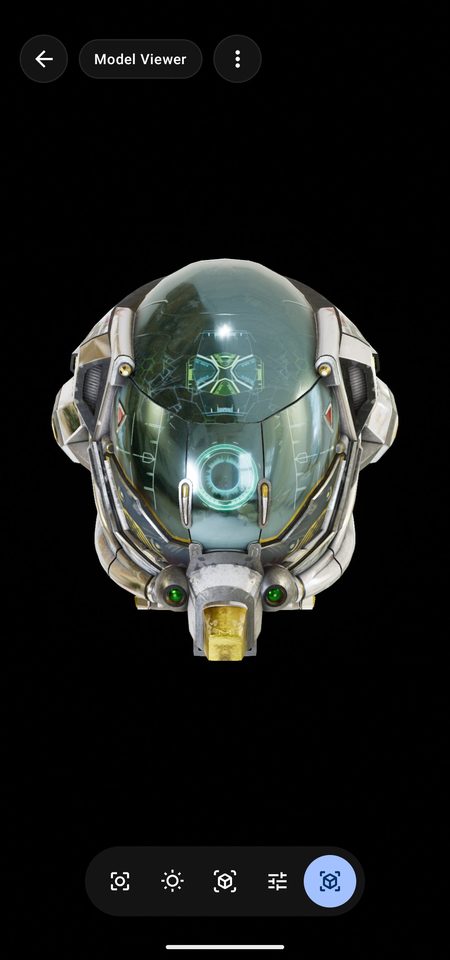 |
| iOS | Shipped · Alpha | Swift Package | App Store | 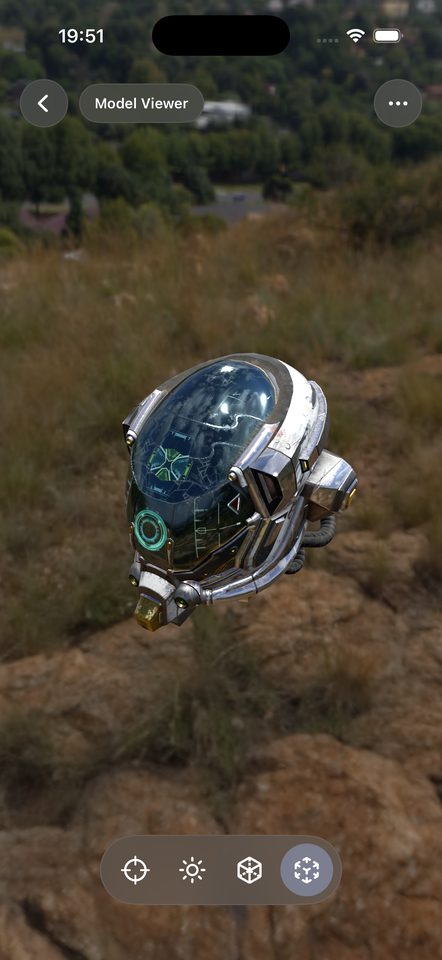 |
| Web | Shipped · Alpha | npm sceneview-web |
Live web demo | 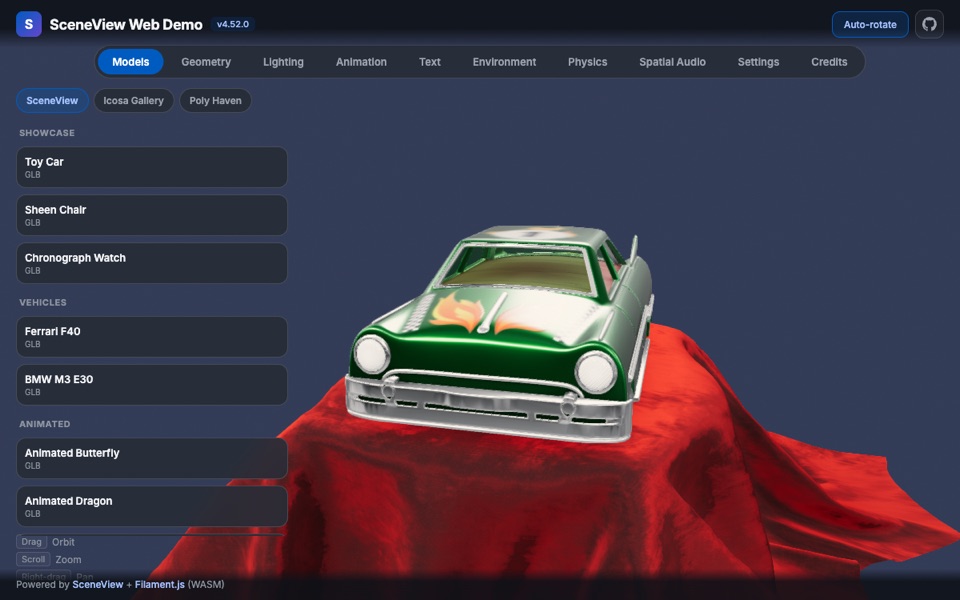 |
Shipped means released and publicly reachable; the second word is the API maturity. The other platforms in the table below join this section once a capture backs them.
Platforms
| Platform | Renderer | Framework | Status |
|---|---|---|---|
| Android | Filament | Jetpack Compose | Stable |
| Android TV | Filament | Compose TV | Alpha |
| iOS / macOS / visionOS | RealityKit | SwiftUI | Alpha |
| Web | Filament.js (WebGL2 / WASM) | JavaScript + Kotlin/JS | Alpha |
| Compose Multiplatform | Filament (Android, desktop) · RealityKit (iOS) | sceneview-compose |
Alpha — viewer subset |
| Desktop (JVM) | Filament, via filament-kmp | Compose Desktop (sceneview-compose) |
Alpha |
| Flutter | Native per platform | PlatformView | Alpha |
| React Native | Native per platform | Fabric | Alpha |
| AI assistants | — | llms.txt, MCP server, skills |
Stable |
Install
| Platform | Coordinate |
|---|---|
| Android 3D | io.github.sceneview:sceneview:4.55.0 |
| Android AR | io.github.sceneview:arsceneview:4.55.0 |
| Compose Multiplatform | io.github.sceneview:sceneview-compose:4.55.0 |
| KMP core only (math, collision, physics) | io.github.sceneview:sceneview-core:4.55.0 |
| Apple (SPM) | https://github.com/sceneview/sceneview.git, from 4.39.0 |
| Web, script tag | the two <script> tags in Web |
| Web, bundler (Kotlin/JS) | npm install sceneview-web — see SceneView Web |
| Flutter | flutter_sceneview on pub.dev |
| React Native | @sceneview-sdk/react-native on npm |
| AI assistants | npx -y sceneview-mcp — see Use with AI |
Use with AI
Everything an assistant needs to write SceneView code ships with the SDK:
llms.txt— the complete API reference in one file: composables, every node type, threading rules, recipes. Its Kotlin snippets are compiled in CI. Served athttps://sceneview.github.io/llms.txtfor tools without MCP support.- Rules files —
AGENTS.md(Codex, Cursor, GitHub Copilot, Gemini in Android Studio and others),CLAUDE.md(Claude Code),.github/copilot-instructions.md, and.cursorrulesfor older Cursor versions. - The MCP server — free, no API key. The tools assistants reach for most:
validate_code(checks a snippet against the real public API before you run it),get_node_reference(the exact node signature, not an invented one),list_samples/get_sample(38 samples to start from), andget_setup/get_ar_setup(project wiring).
MCP setup
claude mcp add sceneview -- npx -y sceneview-mcp   # Claude Code
codex  mcp add sceneview -- npx -y sceneview-mcp   # Codex
copilot mcp add sceneview -- npx -y sceneview-mcp  # GitHub Copilot CLI
// Cursor (.cursor/mcp.json), Cline, JetBrains AI Assistant
{ "mcpServers": { "sceneview": { "command": "npx", "args": ["-y", "sceneview-mcp"] } } }
// VS Code (.vscode/mcp.json) uses the "servers" key instead
{ "servers": { "sceneview": { "type": "stdio", "command": "npx", "args": ["-y", "sceneview-mcp"] } } }
Clients that only speak HTTP (Gemini in Android Studio, ChatGPT) use the hosted endpoint
https://mcp.sceneview.dev/mcp, or run their own with npx sceneview-mcp --http. Per-client
snippets: sceneview.github.io/#ai-setup. Listed on the
MCP Registry.
ChatGPT / Codex plugin
This repository is also an OpenAI plugin: .codex-plugin/plugin.json points at the three
skills under agents/ (sceneview, sceneview-ios, sceneview-web). From a
checkout:
codex plugin marketplace add "$PWD"    # absolute path — a relative one does not resolve
codex plugin add sceneview@sceneview-local
Codex also discovers the skills from .agents/skills/ on its own. Over HTTP the MCP server
carries an inline view_3d_model widget that renders a public GLB/glTF URL in the
conversation. Listing copy and test prompts: agents/OPENAI-PLUGIN.md.
Claude Code plugin
/plugin marketplace add sceneview/claude-marketplace, then /plugin install sceneview@sceneview,
installs the same three skills as the Codex plugin together with the MCP server. The commands used
to work on this repository are a separate plugin, sceneview-contrib@sceneview — see
sceneview/claude-marketplace.
Vertical MCP servers (Rerun AR debugging and others) are listed in the MCP README.
Android in depth
3D scene
SceneView is a composable that renders a Filament viewport. Nodes are composables inside it.
val engine = rememberEngine()
val modelLoader = rememberModelLoader(engine)
val environmentLoader = rememberEnvironmentLoader(engine)

SceneView(
    modifier = Modifier.fillMaxSize(),
    engine = engine,
    modelLoader = modelLoader,
    environment = rememberEnvironment(environmentLoader) {
        environmentLoader.createHDREnvironment("envs/studio.hdr")
            ?: createEnvironment(environmentLoader)
    },
    cameraManipulator = rememberCameraManipulator()
) {
    // Model — async loaded, appears when ready
    rememberModelInstance(modelLoader, "models/helmet.glb")?.let {
        ModelNode(modelInstance = it, scaleToUnits = 1.0f, autoAnimate = true)
    }

    // Geometry — procedural shapes
    CubeNode(size = Size(0.2f))
    SphereNode(radius = 0.1f, position = Position(x = 0.5f))

    // Nesting — same as Column { Row { } }
    Node(position = Position(y = 1.0f)) {
        LightNode(apply = { type(LightManager.Type.POINT); intensity(50_000f) })
        CubeNode(size = Size(0.05f))
    }
}
Node composables — 27 in 3D, 15 more in AR
| Category | Nodes | What they do |
|---|---|---|
| Models | ModelNode |
glTF/GLB with skeletal/morph animations. isEditable = true for gestures. |
| Primitives | CubeNode · SphereNode · CylinderNode · ConeNode · TorusNode · CapsuleNode · TubeNode · PlaneNode |
Procedural geometry, parametric size/segments |
| Curves & shapes | LineNode · PathNode · ShapeNode |
Single segments, polylines, extruded 2D polygons |
| Custom geometry | MeshNode |
Your own Filament VertexBuffer / IndexBuffer |
| Surfaces | ImageNode · VideoNode · BillboardNode |
PNG/JPG plane, video plane (MediaPlayer), camera-facing sprite |
| 3D text | TextNode |
World-space text label that always faces the camera |
| Compose-in-3D | ViewNode |
Any Compose UI rendered as a 3D surface, fully touch-interactive |
| Gaussian splats | SplatNode |
Render a Gaussian-splat capture |
| Lighting & sky | LightNode · ReflectionProbeNode · DynamicSkyNode · FogNode |
Sun/dir/point/spot lights, local IBL, time-of-day sky, atmospheric fog |
| Physics | PhysicsNode |
Simple rigid-body simulation (gravity, collisions) |
| Cameras | CameraNode · SecondaryCamera |
Main and picture-in-picture cameras |
| Group | Node |
Empty pivot for nesting and transform inheritance |
AR scene
ARSceneView is SceneView with ARCore: the camera follows real-world tracking. See the
AR quick start above.
| Node | What it does |
|---|---|
AnchorNode |
Pin a node to a real-world ARCore Anchor |
HitResultNode · DepthHitResultNode |
Live surface cursor from each frame's hit-test (planes or depth) |
PoseNode |
Position a node at any ARCore Pose |
PlaneNode · ReticleNode |
Render a detected plane, or a placement reticle |
PointCloudNode · DepthMeshNode · SceneMeshNode |
Feature points, depth mesh, classified geospatial scene mesh |
AugmentedImageNode |
Image tracking — pose + 2D extent of a detected image |
AugmentedFaceNode |
Face mesh overlay (front camera) |
CloudAnchorNode |
Persistent cross-device anchor (host + resolve) |
StreetscapeGeometryNode |
Geospatial — semantic city mesh (buildings, terrain) |
TerrainAnchorNode |
Geospatial — anchor pinned to ground at a lat/lng |
RooftopAnchorNode |
Geospatial — anchor pinned to a building rooftop |
| Feature | API surface |
|---|---|
| Automatic placement | AutoPlacementScene + AutoPlacementModel — grounded, gesture-ready, no tap |
| Plane / depth / instant placement | ARSceneView(planeRenderer = …, depthMode = …, instantPlacementMode = …) |
| Geospatial (VPS) | Streetscape + Terrain + Rooftop anchors via Earth session |
| Cloud Anchors | CloudAnchorNode.host(ttlDays = N) + .resolve(id) |
| Augmented Faces & Images | AugmentedFaceNode, AugmentedImageDatabase, runtime image add |
| Image Stabilization (EIS) | ARSceneView(imageStabilizationMode = ImageStabilizationMode.EIS) |
| Camera exposure & focus | ARSceneView(cameraConfig = …), ARSceneScope.exposureCompensation |
| Record & Replay | rememberARRecorder() to capture, ARSceneView(playbackDataset = file) to replay 1:1 — see AR debugging |
| Rerun.io live debug | rememberRerunBridge() streams poses, planes and point clouds to the Rerun viewer |
| Permission flow | ARPermissionHandler — auto-detected from ComponentActivity |
Capabilities
| Capability | What it gives you | Where it lives |
|---|---|---|
| Gestures | Drag, pinch-to-scale, two-finger rotate, elevate, tap. Per-node opt-in via isEditable. |
NodeGestureDelegate, OnGestureListener |
| Animations | Skeletal/morph from glTF, plus per-node spring/property/smooth-transform. | ModelNode.playAnimation(), NodeAnimationDelegate |
| Physics | Rigid-body dynamics — gravity, collisions, impulses. Pure Kotlin Multiplatform, no JNI. | PhysicsNode, sceneview-core |
| Collision & raycasting | Ray vs box / sphere intersections, hit-testing, frustum culling. | CollisionSystem, Ray, Box, Sphere |
| Procedural geometry | Cube/sphere/cylinder/cone/torus/capsule generators, extrusion from 2D shapes (Earcut + Delaunator). | sceneview-core geometry + triangulation |
| HDR environment | IBL lighting + skybox from .hdr / .ktx. Async load + reactive swap. |
EnvironmentLoader, rememberEnvironment |
| Custom materials | Filament .filamat materials with parameters, plus built-in unlit / lit / overlay variants. |
MaterialLoader |
| Post-processing | Bloom, depth of field, SSAO, vignette, color grading, tone mapping. | View.bloomOptions, dynamicResolutionOptions, … |
| Compose UI in 3D | Any @Composable as a textured plane in world space. Touches are forwarded, so Button.onClick, ripples and inner scrolling work. |
ViewNode + ViewNode.WindowManager |
| Multiple cameras | Picture-in-picture, mini-map, security-camera views. | SecondaryCamera |
| Reactive scene graph | Change state → the tree updates. No imperative parent.addChild(). |
SceneScope / ARSceneScope DSL |
Model formats
| Format | Android | Apple | Web |
|---|---|---|---|
| glTF / GLB | ✅ | — convert to USDZ (tools/convert-usdz.sh) |
✅ |
| USDZ / Reality / USD | — | ✅ RealityKit | — |
| STL (binary + ASCII) | ✅ converted to GLB in memory | ✅ ModelIO, millimetres by default | — |
| OBJ + MTL | ✅ converted to GLB, material colours | ✅ ModelIO | — |
| PLY (binary + ASCII) | ✅ converted to GLB, vertex colours | ✅ ModelIO, vertex colours | — |
| 3MF | ✅ converted to GLB, declared units honoured | ✅ SceneViewSwift parser, declared units honoured | — |
There is no per-format API on Android: rememberModelInstance(modelLoader, path) accepts all of
them. On Apple, RealityKit reads no glTF, so .gltf / .glb are deliberately not in
ModelFormat; USD/Reality load through RealityKit and the mesh formats through MeshAsset. The format is decided by the file's bytes, not its extension, so a file shared into your
app as application/octet-stream with no name still opens. The converters are dependency-free
Kotlin in sceneview-core. Tracked next:
one ModelFormat entry point and
every format on the web. Details:
Model formats.
Apple (iOS / macOS / visionOS)
Native Swift Package built on RealityKit, with a node set mirroring the Android API. Content you
can build synchronously uses the @NodeBuilder form:
SceneView {
    GeometryNode.cube(size: 0.1, color: .blue)
        .position(.init(x: 0.5, y: 0, z: 0))
    LightNode.directional(intensity: 1000)
}
.environment(.studio)
.cameraControls(.orbit)
AR on iOS — tap a detected plane to place content:
ARSceneView(
    planeDetection: .horizontal,
    onTapOnPlane: { position, arView in
        let anchor = AnchorNode.world(position: position)
        anchor.add(GeometryNode.cube(size: 0.1, color: .blue).entity)
        arView.scene.addAnchor(anchor.entity)
    }
)
Nodes — ModelNode · GeometryNode (cube/sphere/cylinder/cone/torus/capsule/plane) ·
LightNode · ImageNode · VideoNode · TextNode · ViewNode · BillboardNode · MeshNode ·
LineNode · PathNode · ShapeNode · PhysicsNode · ReflectionProbeNode · DynamicSkyNode ·
FogNode · CameraNode · AnchorNode · AugmentedImageNode · SceneReconstructionNode
(visionOS scene mesh). Plus an iOS RerunBridge with the same wire format as Android.
Full guide: SceneViewSwift/README.md.
SceneView Web
Two <script> tags and one call (see Web above). The wrapper is 24 KB gzipped; the
engine it drives is Filament — the same renderer as Android SceneView — compiled to WebAssembly
(2.3 MB gzipped).
JavaScript API (script tag):
SceneView.modelViewer(canvasOrId, url, options?)— all-in-one viewer with orbit + auto-rotateSceneView.create(canvasOrId, options?)— empty viewer, load a model laterviewer.loadModel(url)— load or replace a glTF/GLB modelviewer.setAutoRotate(enabled)— toggle rotationviewer.dispose()— release resources
Kotlin/JS (sceneview-web, npm only) — the power-user API: OrbitCameraController, the
geometry DSL, reactive node updates, and WebXR through ARSceneView (immersive-ar,
hit-test, anchors, light estimation), VRSceneView (immersive-vr, controllers) and the
low-level WebXRSession. The module builds a webpack bundle, so it has no Maven coordinate:
npm install sceneview-web
The package expects a Filament global and does not include the SceneView.modelViewer script
helpers. A Kotlin Multiplatform project that only needs the shared core (collision, math,
geometry, animation, physics — no renderer) uses
implementation("io.github.sceneview:sceneview-core-js:4.55.0").
Landing page · Playground · npm
The Compose-native successor to Sceneform
Google archived Sceneform in 2021 and ships
no first-party declarative AR renderer. SceneView descends from the maintained Sceneform
community fork: ARCore for perception, Filament for rendering, Jetpack Compose for the API, and
glTF (.glb / .gltf) instead of the deprecated .sfb format.
Coming from Sceneform? The migration guide maps it
concept by concept (ArFragment → ARSceneView { }, ModelRenderable →
rememberModelInstance, and so on).
AR debugging
- Record & Replay — capture an ARCore session once with
rememberARRecorder(), replay it 1:1 at your desk withARSceneView(playbackDataset = file). Seedocs/docs/ar-recording.mdand the Record & Playback demo. - Hosted Rerun viewer — tap Save & Share in the AR Rerun demo, host the
.rrdfile on any public URL, and openhttps://sceneview.github.io/rerun/?url=<encoded-url>to scrub the session frame by frame in a browser, with no local install. Architecture and the Kotlin API (RerunBridge.requestSaveAndShare) are in the AR Debug — Rerun.io section ofllms.txt.
Architecture
Each platform uses its native renderer. Shared logic lives in Kotlin Multiplatform.
sceneview-core (Kotlin Multiplatform)
├── math, collision, geometry, physics, animation, model-format converters
│
├── sceneview (Android)          → Filament + Jetpack Compose
├── arsceneview (Android)        → ARCore
├── sceneview-compose (KMP)      → one SceneViewer for Android, iOS and desktop
├── SceneViewSwift (Apple)       → RealityKit + SwiftUI
├── sceneview-web (Web)          → Filament.js + WebXR
└── flutter/ · react-native/     → bridges to the native views
Samples
| Sample | Platform | Run |
|---|---|---|
samples/android-demo |
Android — 3D & AR | ./gradlew :samples:android-demo:assembleDebug |
samples/android-tv-demo |
Android TV | ./gradlew :samples:android-tv-demo:assembleDebug |
samples/ios-demo |
iOS — 3D & AR | Open in Xcode |
samples/web-demo |
Web | ./gradlew :samples:web-demo:jsBrowserRun |
samples/desktop-demo |
Desktop (JDK 22+) | ./gradlew :samples:desktop-demo:run |
samples/flutter-demo |
Flutter | cd samples/flutter-demo && flutter run |
samples/react-native-demo |
React Native | See its README |
Built with SceneView
- 3D AR Model Viewer — open a 3D file from any app or link (GLB, glTF, STL, OBJ, PLY, 3MF) and see it in your room at real size.
- Will It Fit — enter a piece of furniture's dimensions and see whether it fits before you buy.
Links
Sponsors
SceneView is free and open source, funded by its users.
Sponsor on Open Collective · or through GitHub Sponsors


