easy-i18n





Easy I18n is a plugin based on the IntelliJ Platform SDK to handle the process of internationalization in your project.
Translating large projects using your favorite IDE has never been easier!
This plugin offers a wide range of configuration options to adapt to the specific requirements of the project. However, to help you get started quickly, there are a variety of presets for common use cases.
- Support for Multi-Module projects, ideally for monorepos
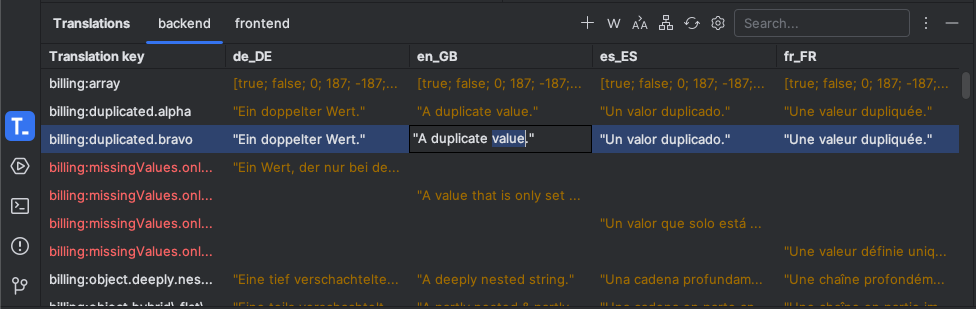
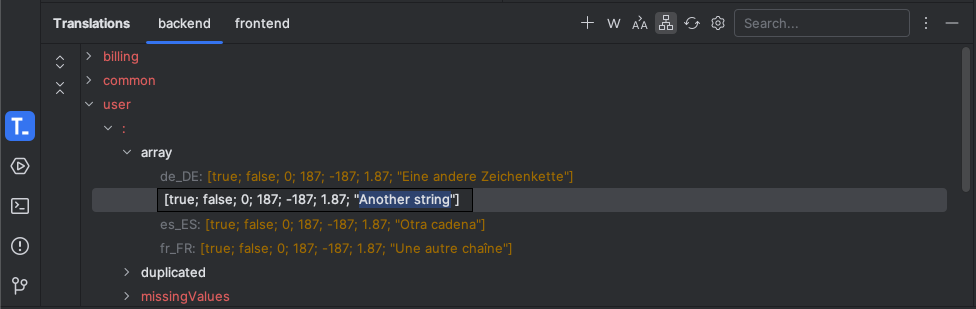
- Translations Tool Window to manage all your translations in a single place
- Visualize as tree or table view
- Filter by full-text-search query
- Filter and highlighting of duplicate or missing translation values
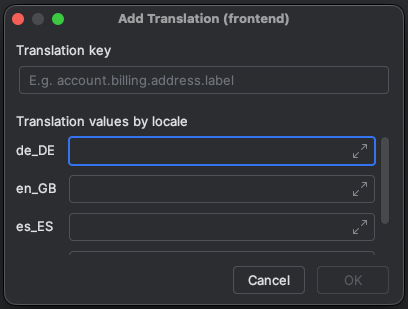
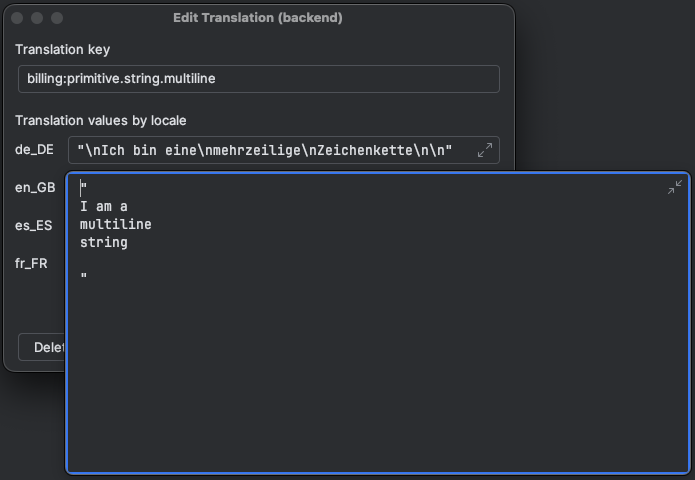
- Easily Add / Edit or Delete translations via the Translation Dialog or Tool Window
- Configuring of translation sources using a powerful template syntax
- Fine-grained editor assistance using user-defined rules
- Referencing of translation keys to quickly jump the Translation Dialog
- Inspection to find unresolved translation keys
- Quickfix intention action to add translations
- Extract translation action to localize hard-coded literals
- Documentation provider to preview translation values
- Folding of translation keys with preview locale value
Builtin Support
File Types
JSON - JSON5 - YAML - Properties
Editor Language Assistance
HTML/XML - JS(X) - TS(X) - Vue - Svelte - PHP - Ruby - Rust - Go - Dart - Python - Kotlin - Java
Getting Started
Installation
Using built-in plugin catalog inside your IDE (recommended)
Settings / Preferences > Plugins > Marketplace > Search for "easy-i18n" > Install Plugin
Manual
Download the latest release and install it manually using Settings / Preferences > Plugins > ⚙️ > Install plugin from disk...
Configuration
- Show the Translations Tool Window if not already in displayed via View > Tool Windows > Translations
- Go to the plugin configuration via the ⚙️ action inside the tool window or by visiting Settings / Preferences > Tools > Easy I18n
- Configure common options like sorting or preview locale
- Add your first module and optionally select one of the existing presets to get started easily
Hurray 🎉🥳 You are now ready to manage your translations
Fore more detailed instructions see the configuration overview.
Screenshots
For more examples, please refer to the examples.
Roadmap
- Support JS / TS files as translation resources
- Rename translations right from the editor
See the open issues for a full list of proposed features (and known issues).
Contributing
Contributions are what make the open source community such an amazing place to learn, inspire, and create. Any contributions you make are greatly appreciated.
If you have a suggestion that would make this better, please fork the repo and create a pull request. You can also simply open an issue with the tag "enhancement". Don't forget to give the project a star! Thanks again!
- Fork the Project
- Create your Feature Branch (
git checkout -b feature/AmazingFeature) - Commit your Changes (
git commit -m 'Add some AmazingFeature') - Push to the Branch (
git push origin feature/AmazingFeature) - Open a Pull Request
License
Distributed under the MIT License. See LICENSE for more information.
Contact
Marcel Haßlinger - @marhali_de - Portfolio Website
Project Link: https://github.com/marhali/easy-i18n
Donation
If the project helps you to reduce development time, you can give me a cup of coffee :)
Plugin based on the IntelliJ Platform Plugin Template.
